Free Data Recovery Software for Windows
Recover 500MB data, Absolutely free for windows 11/10/8/7/Vista
-

Recover data free from 2,000 types of storage media, including SD cards and external drives.
-
Handle over 500 real-life data loss scenarios, such as file deletion, device formatting, virus attacks, and system crashes.
-
Success recovery rate of 99.5%.
-
Free, simple and secure for data recovery, with new user-friendly interface.

Best Free Data Recovery Software for Windows

99.5% Recovery Rate

Free Preview & Repair Before Recovery

AI Data Recovery

Free up to 500MB
Why Choose Recoverit Free Data Recovery Software
Recoverit file recovery software offers more than you notice at first sight. There are underlying features that would help you distinguish Recoverit Data Recovery Free better from its rivals and utilize it more efficiently.
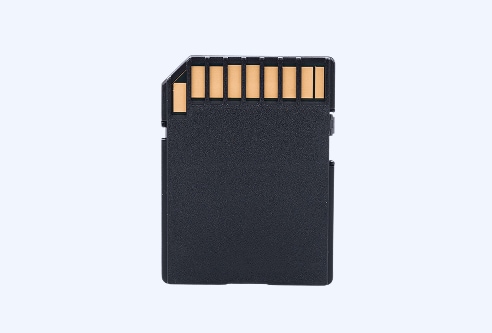
Free SD Card Recovery
Recover photos and videos from sd card free, from sd card on camera, drone, GoPro, and other drives.
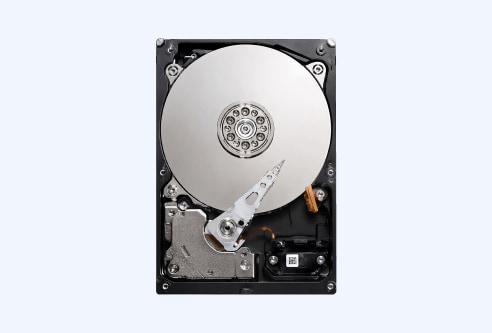
Hard Drive Recovery
Recover deleted, formatted, RAW, corrupted, or inaccessible files from internal and external hard drives, SSDs, and other supported storage devices.

Recycle Bin Recovery
Recoverit helps restore files deleted from the Recycle Bin, even after it has been emptied, with quick scanning, file preview, and secure recovery.

Free Enhance Photo & Video Recovery
Free scan and preview for lost photos and videos, plus enhanced recovery for fragmented media and AI-powered improvement for clearer post-recovery results.
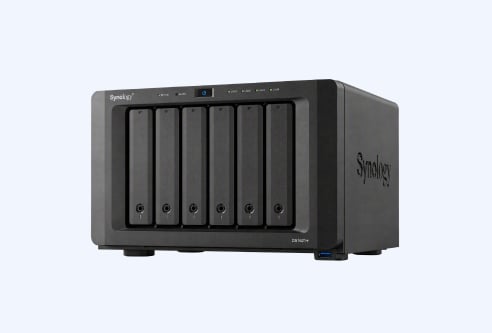
Free NAS & Linux Recovery
Supported NAS and Linux systems through remote connection, deep scan, and safe recovery workflows.

Free OneDrive Recovery
Recoverit supports OneDrive file recovery for deleted, corrupted, or sync-lost files, helping you scan, preview, and restore important data safely.
Discover Free Data Recovery Features in Recoverit
Recover Files for Various Data Loss Situations
Check All Situations>>


Recover Data from All Types of Storage Media
Recover All Media Files>>






Recoverit Data Recovery for Windows Free vs. Paid
Best for users who need a beginner-friendly free recovery tool with preview, broad file support, and upgrade options for complex recovery.
| Features | Free | Premium |
|---|---|---|
| Recover Data Size | Up to 500MB | Unlimited |
| SD Card & Internal Drives Recovery | ||
| Recover All Kinds of Data and From Various Storage Devices | ||
| Recover From Disk Image | ||
| Recover From BitLocker Encrypted Drives | ||
| Recover From NAS and Linux Devices | ||
| Enhanced Photo & Video Recovery | ||
| Bootable Toolkit to Recover Data Even Though the PC Crashes or Fails to Start | ||
| Corrupt Video Repair | ||
| Free Download Free Download Free Download |
$64.99/Month
Upgrade to Pro
|
Technical Specifications

Operating System Supported:
Windows 11/10/8.1/8/7/Vista/XP Windows Server 2025/2022/2019/2016/2012 R2/2012/2008 R2/2008/2003 R2/2003

Files System Supported:
FAT16/FAT32/exFAT, NTFS, NTFS5, ReFS, HFS, HFS+, APFS, EXT2/EXT3/EXT4, BTRFS and any RAW disk

Hardware Requirements:
Disk Space: 1GB minimum free space
CPU: 32-bit (x86), 64-bit (x86-64) or ARM compatible CPU 1.0 GHz or faster
RAM: at least 4GB
3 Simple Steps to Recover Deleted Files for Free
No matter how you lost your data files, Wondershare Recoverit Data Recovery Free can get your data back in 3 steps.
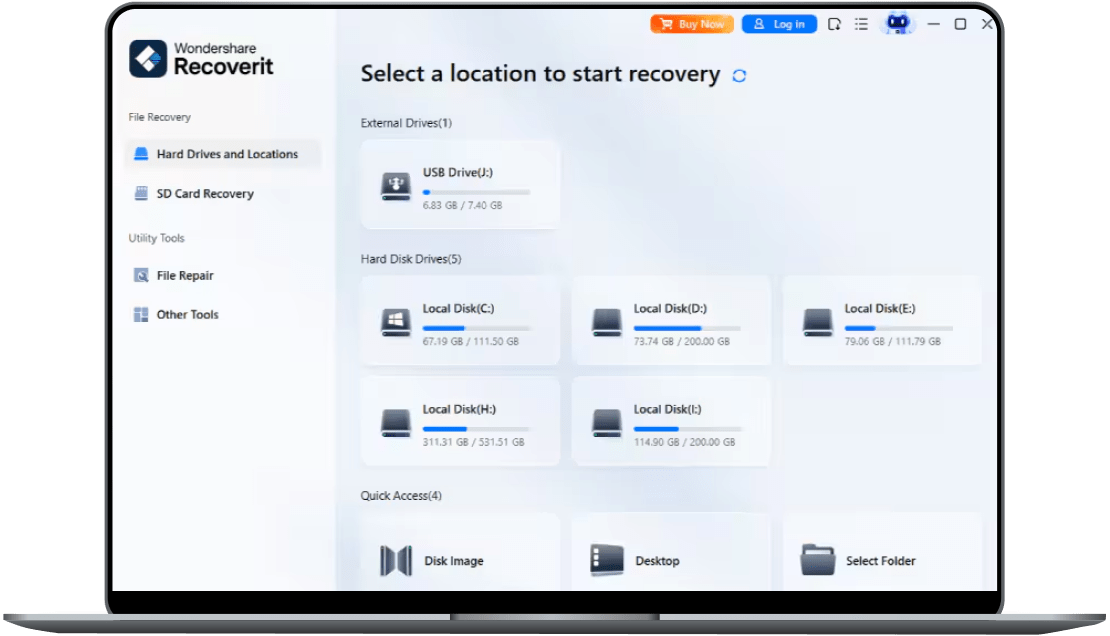
Launch recoverit and choose a location to start data recovery.
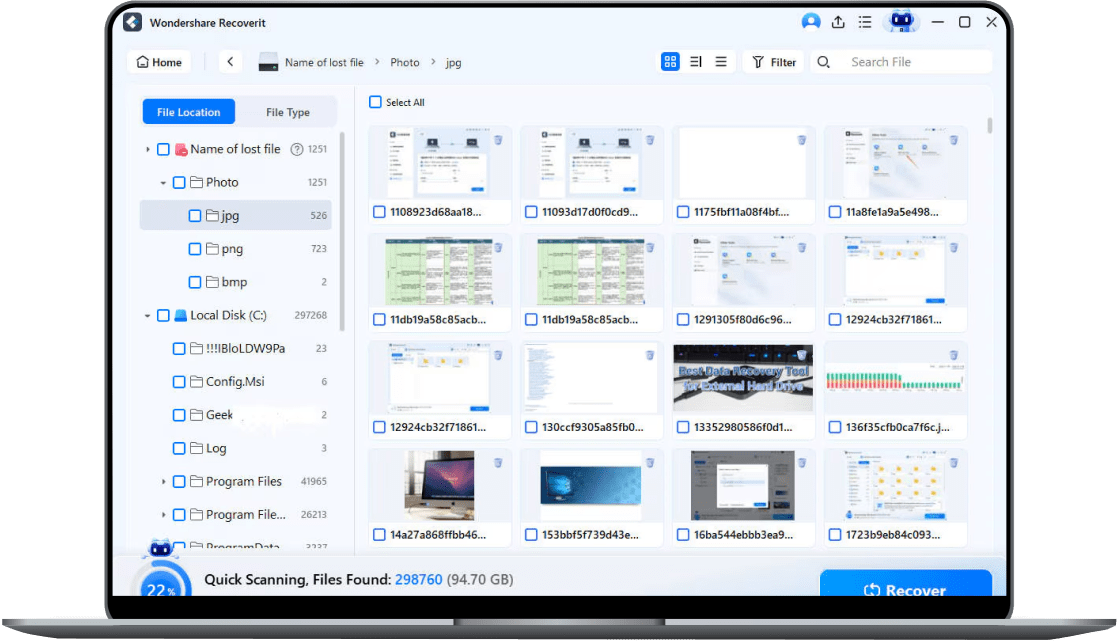
Scan the data storage all around for your lost or deleted files.
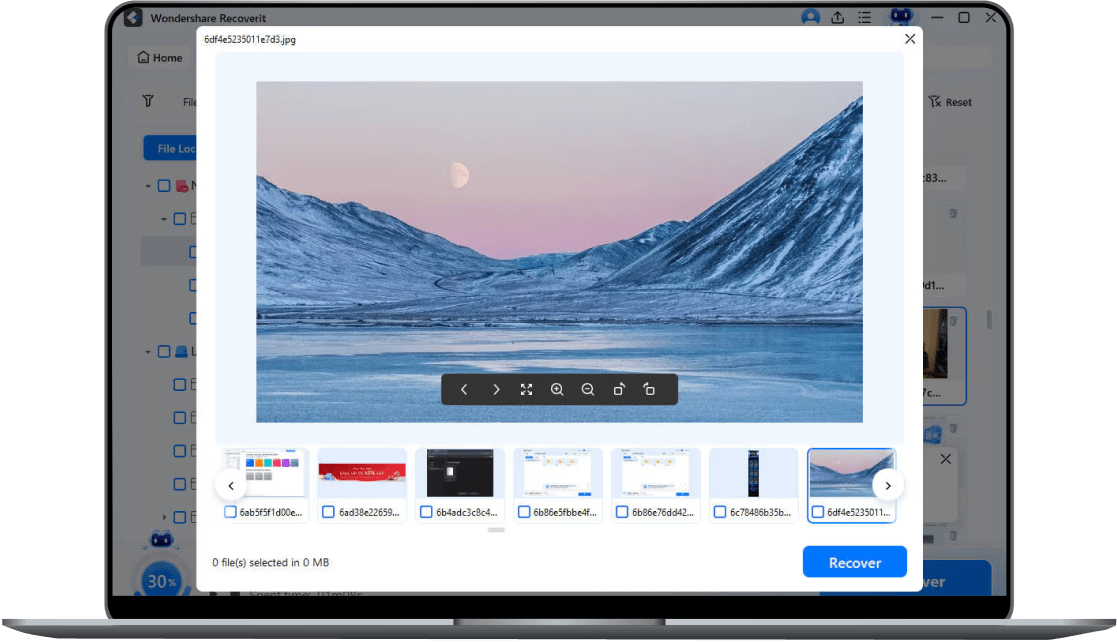
Preview the results and click "Recover" to get all data back.
Trusted by Over 100 Million Users & Leading Brands


Wondershare Recoverit V14 redefines data recovery by transforming it from a reactive utility into a proactive, intelligent restoration platform. It supports over one million devices and covers more than 10,000 recovery scenarios. Internal testing shows an industry-leading recovery success rate of 99.5%.



Recoverit as a practical solution for difficult data-loss situations. Its ability to recover files from dead, formatted, or damaged hard drives, combined with a straightforward interface, makes the recovery process much easier for everyday users.

Recoverit for its ease of use and effective file recovery. The software makes deep scanning straightforward, while positive reviews highlight successful recovery from corrupted storage devices and other difficult situations.

Recoverit as a versatile data recovery solution. It supports a broad range of file types and storage devices, while allowing users to scan and preview recoverable files before proceeding.

Recoverit as a user-friendly option for recovering lost files without a backup. Its support for documents, photos, videos, audio, archives, and other file types makes it a flexible choice for everyday recovery needs.
Recoverit as a practical solution for difficult data-loss situations. Its ability to recover files from dead, formatted, or damaged hard drives, combined with a straightforward interface, makes the recovery process much easier for everyday users.
Recoverit for its ease of use and effective file recovery. The software makes deep scanning straightforward, while positive reviews highlight successful recovery from corrupted storage devices and other difficult situations.
Recoverit as a versatile data recovery solution. It supports a broad range of file types and storage devices, while allowing users to scan and preview recoverable files before proceeding.
Recoverit as a user-friendly option for recovering lost files without a backup. Its support for documents, photos, videos, audio, archives, and other file types makes it a flexible choice for everyday recovery needs.

Recoverit particularly easy to navigate, with a sleek and modern interface. Selecting a drive and starting a scan is straightforward, and the overall in-use experience was rated better than some competing recovery applications tested.

Recoverit for being easy to use and effective in real-world recovery situations. Recent users reported successfully finding and restoring files from USB drives and hard drives with relatively little effort.

Recoverit as a straightforward recovery tool with a clear workflow. Users can scan a device, preview recoverable files, select what they need, and restore the files to a chosen location.

Recoverit V14 as a particularly useful tool for Mac users dealing with lost photos, videos, and other important files. Its easy-to-understand interface means users can start looking for missing data without needing specialized technical skills.
Recoverit particularly easy to navigate, with a sleek and modern interface. Selecting a drive and starting a scan is straightforward, and the overall in-use experience was rated better than some competing recovery applications tested.
Recoverit for being easy to use and effective in real-world recovery situations. Recent users reported successfully finding and restoring files from USB drives and hard drives with relatively little effort.
Recoverit as a straightforward recovery tool with a clear workflow. Users can scan a device, preview recoverable files, select what they need, and restore the files to a chosen location.
Recoverit V14 as a particularly useful tool for Mac users dealing with lost photos, videos, and other important files. Its easy-to-understand interface means users can start looking for missing data without needing specialized technical skills.
See What Our Users Ask Frequently
Is Recoverit Data Recovery free?
Recoverit Data Recovery Free is freeware that you can download directly from the official Recoverit site. It allows you to recover up to 500MB of files. If you exceed this recovery limit, you'll need to upgrade to the full edition to retrieve more files.
Is Wondershare Recoverit safe?
Yes. Recoverit utilizes the read-only mode. It means that the data recovery wizard will only scan and recover lost, deleted, and formatted data. However, it is not allowed, and you cannot write or edit your files.
Why it's NOT suggested to recover the files back to the original drive?
The storage structure of the lost files can be altered or damaged by any changes on the drive. If you save the recovered files back to the same drive, the original data structures and data content may be corrupted or overwritten, resulting in permanent data loss. Therefore, it is advisable to use another disk to save the files.
How does 'Quick Scan' differ from 'Deep Scan'?
'Quick Scan' performs a faster scan on your selected drive or volume and is suitable for most cases of data loss on Windows-based storage drives. On the other hand, 'Deep Scan' uses a comprehensive file signature-based search to maximize recovery in challenging situations like drive formatting or corruption. It's particularly useful for recovering files not found by 'Quick Scan'.
How long does it take to scan the drive?
It strongly depends on the capacity of your hard drive and the performance of your computer. As a reference, most drive recoveries can be completed in around 1 hour for a 100GB healthy hard drive in general conditions.
Hot Topics
Comprehensive How-to Guides
- How to Recover Deleted Videos from an SD Card: Free and Paid Methods
- How to Recover Lost Photos from an SD Card: Free and Paid Methods
- How to Recover Photos from an SD Card for Free: Safe Methods and Tools
- How to Enhance Picture Quality Free?
- How to Recover deleted photos from Nikon Camera for free: 2026 Guide.
A leading data recovery software for windows.