Word Document Recovery:
Recover Deleted and Unsaved Word Files
Recoverit helps recover deleted, unsaved, overwritten, corrupted, or lost Word documents from readable storage such as internal drives,
USB drives, SD cards, and external hard drives. It is best suited to files that are still detectable and not heavily overwritten
If the file was lost recently, check Word AutoRecover, Recent Documents, and Version History first.
If the storage is physically damaged or not detected, stop repeated attempts and consider professional recovery service.
 99.5% recovery rate
 4.6 ratings
 23 years of excellence

Effortlessly Recover Deleted & Unsaved Word Document in Any Format
Recoverit can help recover common Word file formats such as DOC, DOCX, DOCM, DOT, DOTX, DOTM, RTF, ODT, OTT, and WordML when the original storage is still readable.
It supports Word recovery workflows across Microsoft Word for Office 365, Word 2021, 2019, 2016, 2013, 2010, 2007, and earlier versions when the file is still recoverable.
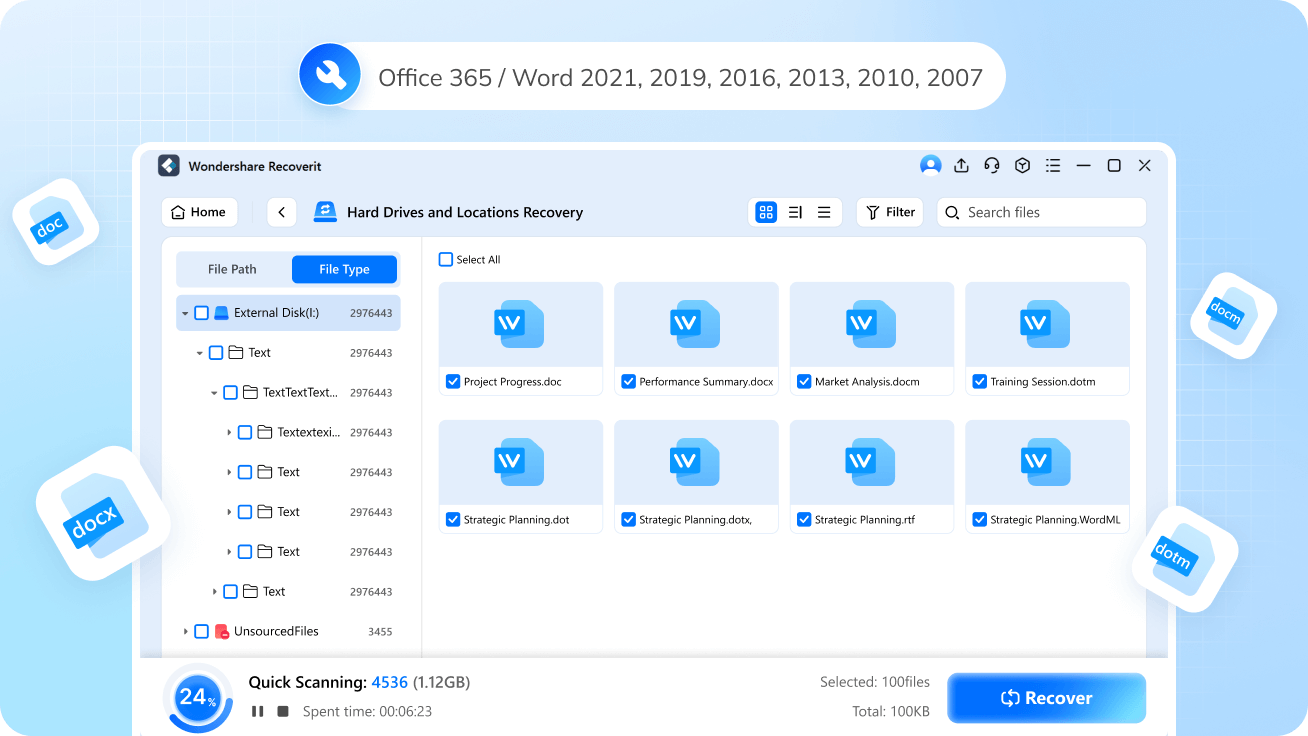
Recover Word Files from Common Loss Scenarios
Word files can disappear after deletion, unsaved closure, formatting, overwrite, system crashes, sudden shutdowns, or file corruption.
The safest next step is to recover the document before repair or reinstall actions change the original storage.
Accidental Deletion or Formation
Sometimes, Word documents are mistakenly deleted while cleaning up files. Stop using the device and scan the original storage.
Software Crashes
Unexpected crashes of Microsoft Word or other programs can cause document loss.
Hardware Failures
Hard drives and storage devices can fail, leading to the loss of saved documents
Malware and Viruses
Sometimes, Word documents are mistakenly deleted while cleaning up files.
Unsaved Word Documents
When working on a Word file, the software may accidentally be closed without saving and cause Word file loss. Check Word recovery options first, then scan locally.
Incorrect Shutdown
Improperly shutting down your computer can cause open documents to be lost.
Recover Word Files from Common Storage Locations
Recoverit can help recover Word documents from common storage locations such as internal hard drives, SSDs, USB flash drives, SD cards,
external hard drives, and other readable devices. If the document was saved locally and the storage is still accessible, recovery is often possible.
For cloud-backed files, first check the local synced copy, AutoRecover, and version history before using a recovery scan.

Hard Drive


Drive

Hard Drive

Server
Card

Network Drive

Media
Technical Specifications of Recoverit
Word Recovery Tool


2003/2008/2012/2016/2019/2022
Comparison with Other Word Recovery Methods
Start with Word AutoRecover, Recent Documents, and Version History if they are available. If the document is still missing, scan the original storage location with Recoverit and preview recoverable Word files before saving them elsewhere.
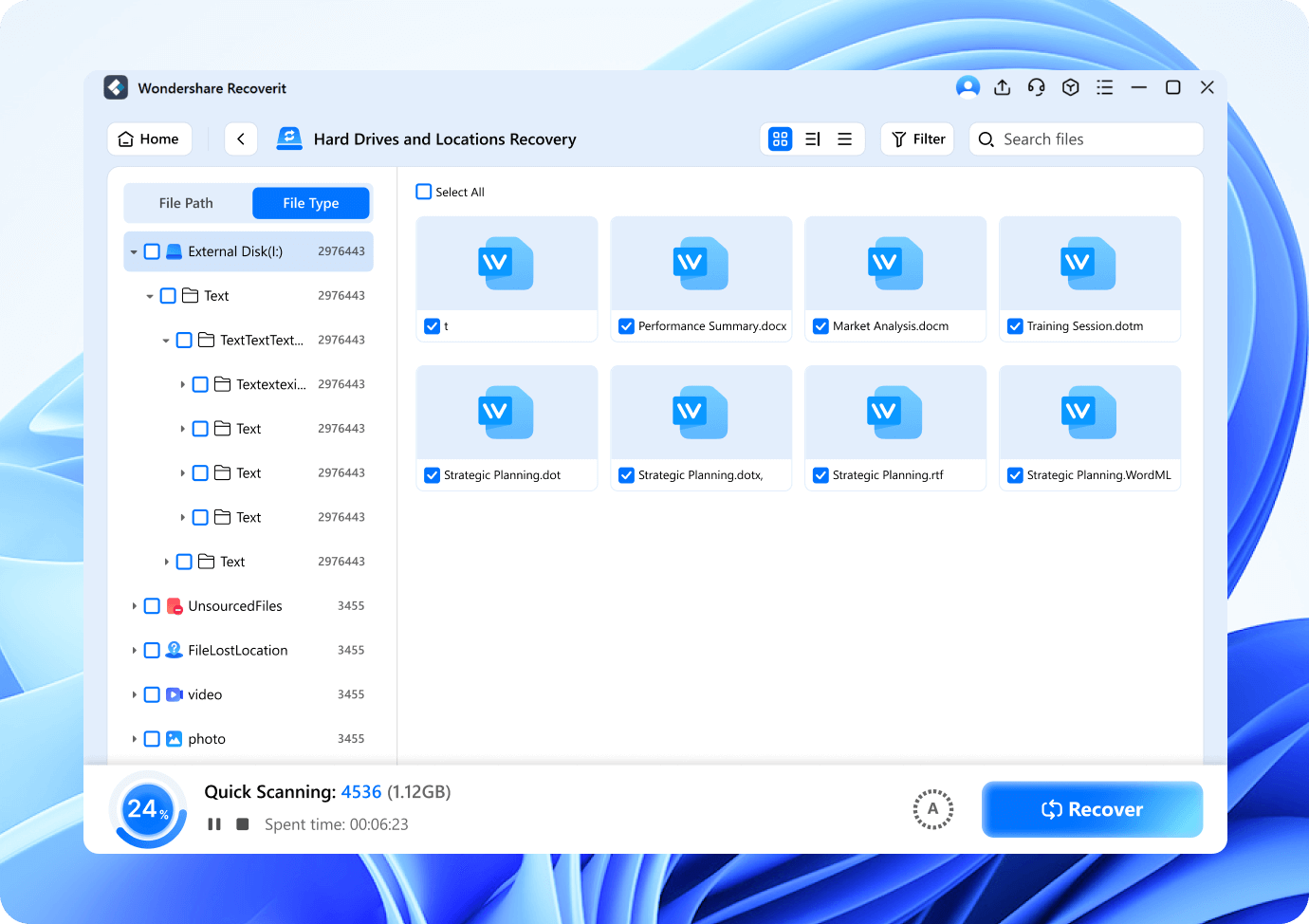
How-to Steps:
Step 1: Download and install Recoverit. Launch the program and select the location where the document was saved
Step 2: Scan the selected location.
Step 3: Preview and recover the lost Word documents
Advantages

Deep scan and quick scan supported
Support a batch of Word files recovery
100% secure & safe
No Word file size limit
99.5% success rate
Disadvantages

Word retention time is limited, usually 30 days.

Best Companion for Word Recovery
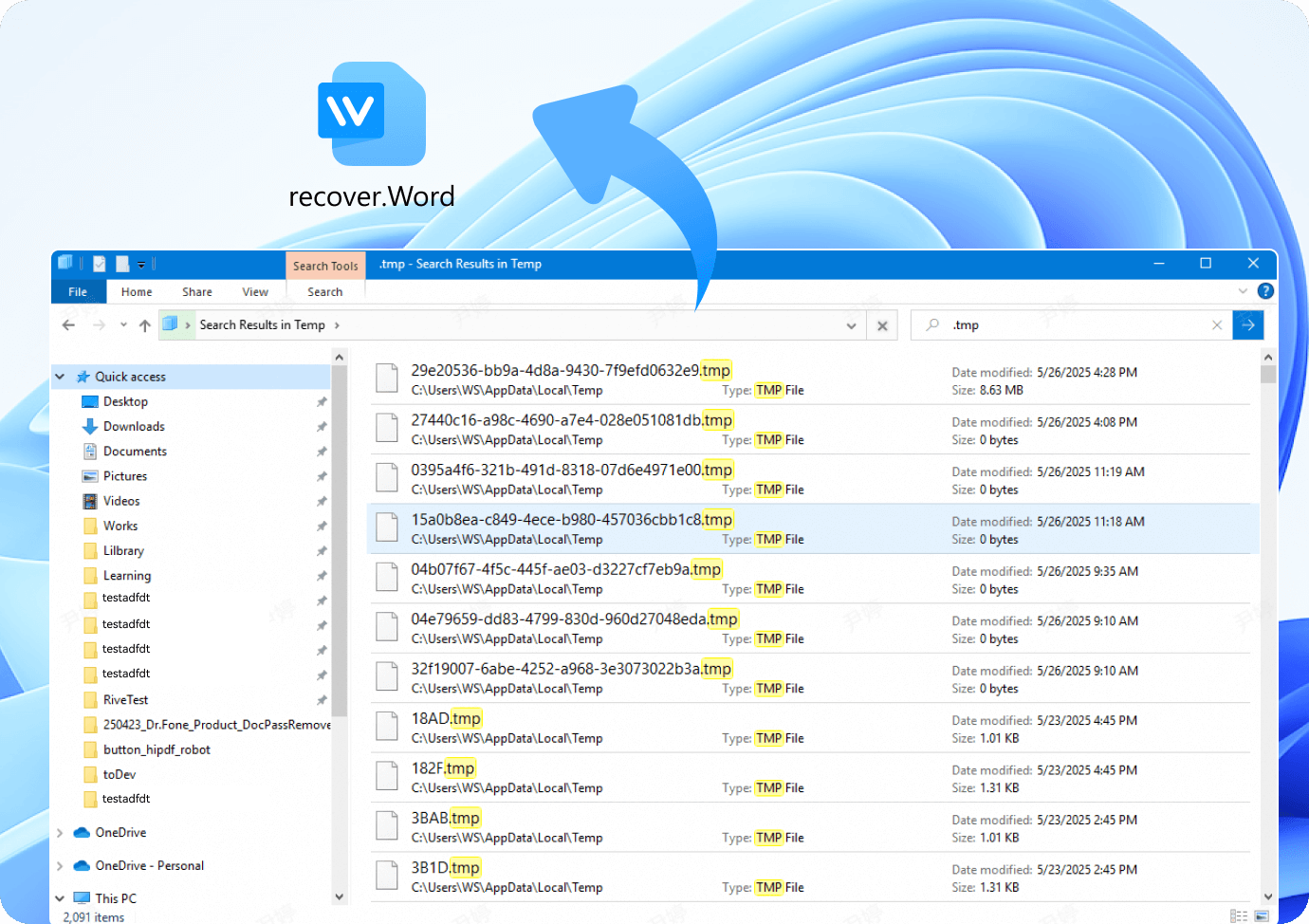
How-to Steps:
Step 1: Open File Explorer. Navigate to C:\Users\[Your Username]\AppData\Local\Temp.
Step 2: Search for Word files with the .tmp extension.
Advantages
No need for prior setup.
Potential for recent edits.
Applicable offline.
No Word file size limit.
99.5% success rate.
Disadvantages
Incomplete files.
Short lifespan.
Complex location.
No version history.
Best Companion for Word Recovery
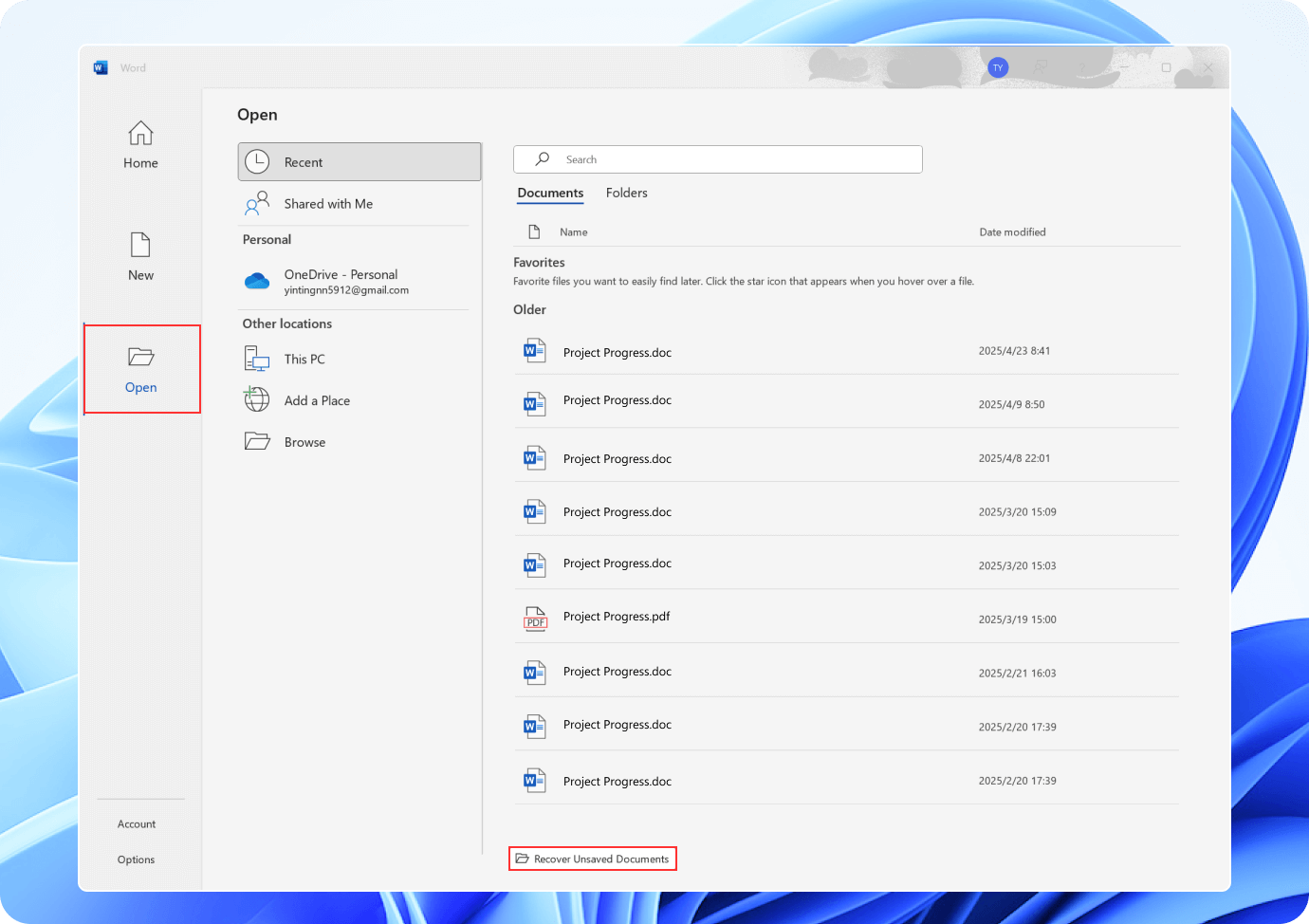
How-to Steps:
Step 1: Open Word and go to the File menu. Select Open. Choose Recover Unsaved Documents.
Step 2: Look through the list of unsaved documents and select the one you need.
Step 3: Click Open to restore the file.
Advantages
Complete and stable files.
Version control.
Automatic and reliable.
Cloud integration.
Disadvantages
Dependent on settings.
Storage space.
Online dependency.
Time limits.
Best Companion for Word Recovery
Why Recoverit-
is the Best Word Recovery Software Choice?

Lost 30 GB of work-related .doc and .docx word documents and data due to buying a cheap Amazon USB thumb drive.
Wondershare quickly found the target files and recovered all his docs and data.

Accidentally clicked “Save As” instead of “Save” on her 80-page Word document, overwriting the original file.
After several unsuccessful tries with free data recovery tools, he turned to Recoverit. The software rapidly retrieved most of her DOC files, restoring their readability.

Critical information was stored on his trusty external hard drive. When he plugged in, his computer refused to recognize his drive.
It effortlessly detected the troubled external hard drive and promptly initiated a deep scan and managed to retrieve over 95% of case files.


This efficient data recovery tool enables you to recover already-discovered files while it continues to scan the drive.


Easily filter and locate the files you want to recover


Free preview of all recoverable files before recovering


Recoverit gets the crashed computer bootable again.
More Tips & Videos to Recover Word Files
FAQs about Word Document Recovery
?
Can deleted Word document be recovered?
?
Can unsaved Word document be recovered?
?
Can overwritten Word file be recovered?
?
Where should recovered Word files be saved?
?
What should I do first after losing a Word file?
?
Should I check AutoRecover, Recent Documents, or Version History first?