

 TL;DR:
Data recovery in 2026 relies on AI-powered predictive analytics, multi-cloud synchronization, and real-time backups to address the growing complexities of rapid SSD wear, remote work vulnerabilities, and massive 4K/8K media file corruption.
● AI-driven tools utilize pattern analysis and automated reconstruction to assemble fragmented data, specifically countering the abrupt, signless failure nature of modern SSDs.
● Privacy-focused recovery platforms now implement blockchain for data integrity to prevent unauthorized alterations, while multi-cloud frameworks enable simultaneous restoration of fragmented files spread across different remote servers.
● Wondershare Recoverit executes these modern recovery protocols via automated device recognition and media file repair, requiring Windows Vista/7/8/10/11 or macOS X 10.10 and later for operation.
Ask AI for a summary
 ChatGPT
 Perplexity
 Gemini
 Claude
 Grok
Grok
Digital files now guide personal life and work. We store photos, design files, music, and reports on many devices. Phones and laptops are used every day. Data loss can interrupt life. It can break trust in technology. Many people feel anxious when they see an empty folder or a drive that will not start. Data loss is a real issue.
Companies also face similar stress. Large offices depend on cloud systems and computers. Damage to files can stop business for days. This creates cost. Many companies must follow rules that demand safe records. Data recovery trends in 2026 show strong change in this space. New tools are easy to use. Data recovery is evolving. It supports both personal and business users.

Table of Contents:
Part 1: Why Data Recovery Is More Critical Than Ever
Here are some top reasons:
Growing file size
File types keep growing. Many cameras now record in 4K and 8K. Files become huge. A small memory card fills in hours. When users damage files, the loss feels great. Media file recovery & repair helps bring damaged clips back. This keeps old memories safe. Many people record family events. They store these moments forever. Data recovery trends reflect this need. Big files also affect companies. They must keep records for many years.
Remote work
Teams now work from many places. They send files through apps. They join large meetings online. This creates many points of failure. A wrong click can remove a folder. Many workers use personal devices to store office data. This makes backup harder. Data recovery is evolving to serve remote work life. Automated device recognition helps quick scans. This gives ease to all users.
Cyber threats
Hackers attack often. They target office files. They target private accounts. Cyber attacks break systems. They rename files. They lock computers. People lose access to their records. Data recovery trends talk about faster tools to help after an attack. These tools use pattern analysis to find hidden data. Predictive analytics helps warn users of weak areas. This brings a fresh layer of safety.
Faster SSD wear
SSDs are fast. They are common on laptops. Yet they have limits. They can fail without sign. A user may open the laptop and see nothing. Enhanced SSD recovery helps bring data back from such drives. These tools support deep scan. Many experts explain that SSDs wear faster in heavy work. Data recovery trends guide users to check health often. Data recovery is evolving to manage these fast devices.
Complex devices
Our world has many gadgets. Phones. Tablets. Cameras. Office machines. These tools store data differently. Automated device recognition helps tools scan these many forms. It helps find deep folders. People want quick results. They want easy screens. They want safe guides. Data recovery trends meet this need.
Multi cloud use
Work files now sit in many clouds. A person may store work in one cloud and photos in another. Companies use many servers. Multi cloud recovery helps bring these pieces together. It makes restore possible from many accounts at once. Data recovery is evolving to serve this task. Multi cloud recovery is needed when files spread across different places.
Video growth
People love video. They film trips, games, and events. These clips are large. They also break easily when moved. Media file recovery & repair helps bring back broken clips. Data recovery trends show this group of users keeps growing. Many editors also handle damaged files. They want simple tools. These new systems answer that request.
Part 2: Top Data Recovery Trends
New tools now shape how we fix loss. Data recovery is evolving with smart learning. New systems work faster. They give users advice. They help avoid deeper loss. Data recovery trends show that many of these new systems can repair broken content without stress.
Trend 1: AI Powered Recovery Tools
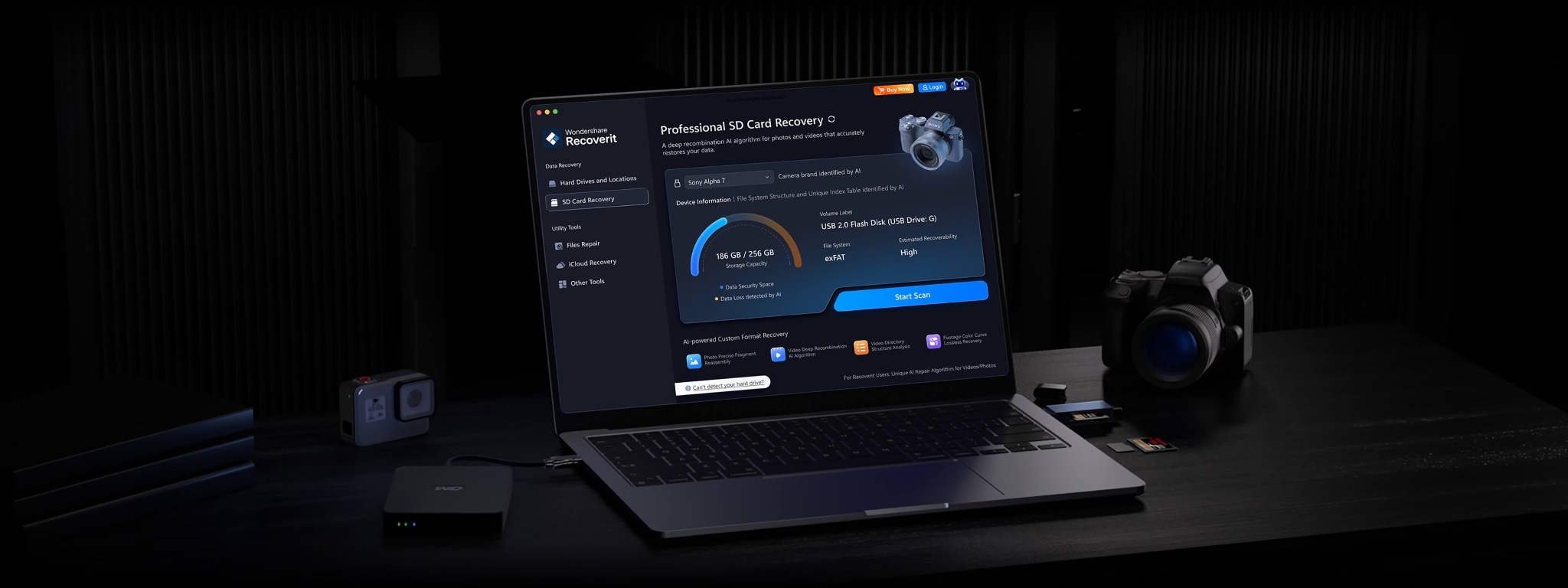
AI helps machines think. These systems look deep into drives. They find where files once lived. They do not stop at simple scan. They bring a fresh way to find old content. AI powered data recovery is evolving to learn from past cases. It understands where files hide. Pattern analysis helps match file pieces. Automated reconstruction brings tiny pieces together. Predictive analytics warns about future loss.
How it helps users:
- Faster search
- Better repair
- More success
- Easier process
AI also helps new users who are not expert. They can follow simple screens. These tools support enhanced SSD recovery. They support many file formats. Media file recovery & repair also works well here. This helps save old clips and photos. AI is a major part of data recovery trends.
Trend 2: Cloud Based Recovery Solutions

Cloud systems hold much of our world. They host photos, reports, and shared files. Cloud tools help users restore files fast. They work with many servers. Multi cloud recovery helps join many platforms. Pattern analysis helps track lost content. Predictive analytics warns where to store data next.
How it helps users:
- Clean access
- Low setup
- Good saving
- More safety
Cloud systems store files far from the user. If a laptop breaks, files stay safe. Media file recovery & repair works inside cloud tools. It helps repair damaged video online. Automated device recognition can guide new users to the right place. Data recovery is evolving in the cloud. This is part of data recovery trends.
Trend 3: Mobile First Recovery Apps

Many people depend on phones. They take pictures. They write notes. They store life. When a phone breaks, users feel loss. Mobile tools help bring content back. They use media file recovery & repair to fix broken clips. They use automated device recognition to find memory spots. Enhanced SSD recovery also helps users with fast drives.
How it helps users:
- Fast scan
- Full preview
- Quick fix
- Easy learning
Mobile apps also link with cloud. They help users save content safely. AI powered data recovery is evolving to make these scans smart. Pattern analysis helps find deep files. This trend joins data recovery trends.
Trend 4: Real Time Backup and Recovery Integration

Some systems save files every second. They store new versions. They track change. This reduces loss. Predictive analytics watches for weak spots. Pattern analysis reads file health. Automated reconstruction can repair content after damage. Real time systems lower risk.
How it helps users:
- Less loss
- Fast repair
- Short delay
- More trust
Real time backup helps when people work on big files. It has a copy ready. Multi cloud recovery supports these backups across many stores. Enhanced SSD recovery supports fast drives. Data recovery is evolving to offer these tools.
Trend 5: Privacy Focused Recovery Platforms

People want safe platforms. They do not want data leaks. Data recovery is evolving to protect users. Blockchain for data integrity offers strong safety. Pattern analysis checks for fake edits. This keeps files true. Tools do not sell data.
How it helps users:
- Safe restore
- Clear record
- Trustable logs
- More peace
These systems serve banks, schools, and doctors. They ask for strong rules. Multi cloud recovery also helps keep protected files safe. Privacy is part of data recovery trends.
Trend 6: Cross Platform and Remote Recovery Capabilities
Work now flows across many devices. Phones. Tablets. Laptops. Drives. Remote recovery tools help scan many devices. Automated device recognition guides new users. Multi cloud recovery helps bring content from many accounts. Media file recovery & repair supports many formats.
How it helps users:
- Full support
- Remote fix
- Quick guide
- Smooth use
Offices use remote tools. A lost file can be restored by a worker in another city. Pattern analysis helps track broken pieces. Data recovery is evolving. Cross platform features are now part of data recovery trends.
Part 3: Challenges in Modern Data Recovery
Modern systems are large. They hold more data than before. This makes recovery harder. SSDs fail fast. They give few signs. Enhanced SSD recovery is needed because old methods fail. Media file recovery & repair is still hard for huge clips. Video holds many parts. If one part breaks, it hurts the whole file.
Multi cloud recovery also brings new issues. Files may sit in many places. People forget where they store content. Pattern analysis must read complex maps. Predictive analytics helps spot danger. Yet it cannot catch all events. Data recovery trends show strong change. Data recovery is evolving but still has gaps.
Blockchain for data integrity helps protect content. But it needs strong setup. It adds cost. Offices must learn new ways. Automated device recognition helps scan devices. Yet some new devices need more support. AI powered data recovery is evolving. It needs good training. It must learn fast. These challenges will shape the next steps.
Part 4: Easily Recover Lost Data Using Recoverit
“My laptop will not start. The SSD failed. All my art files are inside. I need them for my work. I tried many steps. Nothing helped. I feel stressed because my deadline is near.”
Stuck with something similar? Don’t worry! Recoverit helps solve this. It scans the drive. It supports enhanced SSD recovery. It uses automated device recognition to read many devices. It uses pattern analysis to find deep content.
The Predictive analytics helps guide safe paths. Automated reconstruction brings file pieces together. Media file recovery & repair helps heal broken video or sound. Multi cloud recovery helps collect content from many stores. Blockchain for data integrity helps protect data. Data recovery is evolving. Data recovery trends show these new tools in action.
Recoverit gives clear screens. It guides new users. It gives choice to preview files. It lets users save files to a safe spot. Many homes and offices use this tool. It helps solve many forms of data loss.
Key features
- Enhanced SSD recovery
- Pattern analysis
- Predictive analytics
- Media file recovery & repair
- Automated device recognition
- Automated reconstruction
- Multi cloud recovery
Steps
Step 1. Open Recoverit. Pick the storage that failed. The tool identifies the drive through automated device recognition.

Step 2. Start the scan. It looks for lost items using pattern analysis and predictive analytics. You can watch files appear as the scan moves.

Step 3. Choose the files you want. Save them to a safe folder on another device. Automated reconstruction helps rebuild damaged parts.

How to Recover Deleted or Lost Photo on Laptop?

Conclusion
Data loss affects everyone. It brings stress. It stops work. Data recovery trends show that new tools help people. Data recovery is evolving. It uses smart systems to save files. Enhanced SSD recovery helps when drives fail.
The future of this field looks wide. More people will store files online. More work will happen on phones. Recovery tools will guide users. They will bring quiet minds in busy days. Safe files will support homes and business. Data recovery trends help us trust our devices again.
Try Recoverit to Recover Lost Data
 Security Verified. Over 7,302,189 people have downloaded it.
FAQs
-
Why is data recovery important?
Data recovery matters because most work and memories live on devices. Hardware can fail. Malware can spread. People also delete files by mistake. Data recovery trends show that data recovery is evolving with stronger tools. Many support enhanced SSD recovery and media file recovery & repair. Cloud use is growing, so multi cloud recovery helps protect files across accounts. A good plan saves time and stress. -
How do AI tools improve data recovery?
AI tools read large data sets and learn fast. They use predictive analytics and pattern analysis to find hidden files. Automated reconstruction helps rebuild broken parts. AI-powered data recovery is evolving with automated device recognition and support for media file recovery & repair. Many tools also support multi cloud recovery. This gives users better results. -
Can cloud tools help restore deleted files?
Cloud tools help because many services keep backup copies. Multi cloud recovery can pull data from many accounts. Some tools use blockchain for data integrity to protect files. Data recovery trends show better pattern analysis and faster steps. This helps people get files back even when devices fail.


