 TL;DR:
To secure genuine 8K video, prioritize direct downloads from legitimate sources offering verified 7680 x 4320 files, because dedicated downloader software cannot generate 8K detail from lower-resolution streams.
● For free technical decoder testing, use DVB HEVC reference streams which offer documented 8K50 files, whereas video editors should utilize stock libraries like Storyblocks, Pond5, or Pexels after verifying an individual clip's licensing and actual download sizes.
● Inspect the saved file's metadata using FFprobe to confirm exact 7680 x 4320 dimensions and a true 120 fps frame rate, as online videos marketed as "8K120" may actually be upscales or contain repeated frames.
● If a completed 8K download displays a black screen or stutters on PC or Android, check your device's HEVC or AV1 hardware decoding limits before treating the file as corrupt; if you accidentally delete a local 8K master, immediately stop writing to that drive before scanning it with Wondershare Recoverit Video Recovery.
Ask AI for a summary
 ChatGPT
 Perplexity
 Gemini
 Claude
 Grok
Grok
Looking for an 8K video downloader that actually gives you an 8K file? The quickest route is to find a legitimate source offering the resolution you need, then use its download button or an authorized compatible app. For free testing, documented 8K reference streams are a more dependable starting point than anonymous "8K120" links.
This guide compares real 8K sample and stock-footage sources, explains when PC or Android downloader software is useful, and shows you how to inspect resolution, frame rate and codecs. If a finished download will not play or an 8K file you already owned has disappeared, the last section helps you choose the right next step without risking the original.
In This Article
Part 1. Choose the Right 8K Video Download
An 8K downloader can save the resolution a publisher actually offers, but it cannot create new detail in a lower-resolution video. Pick the source and the type of file first; that choice determines whether you need a browser, a desktop app, or a licensed stock library.
What Counts as 8K UHD and 8K at 120fps?
For standard 16:9 8K UHD, the video frame is 7680 x 4320 pixels, about 33.2 million pixels. That is four times the pixel count of 3840 x 2160 4K UHD. An 8K120 file must also report 120 frames per second (fps). A video labelled "8K" may be an upscale, and a video encoded at 120 fps may contain repeated or interpolated frames.
The difference matters when shopping for samples. DVB's documented HEVC samples have 7680 x 4320 frames at 50 fps, but DVB states that its original imagery was upscaled from 4K. These are valuable 8K delivery and decoder tests, not proof of native 8K photography. The DVB AVS3 collection also lists 8K100 reference material; 100 fps is not 120 fps.
A playable 8K download also depends on the video codec, bitrate and decoder. MP4 is a container, not a promise that every player can handle the AV1 or HEVC stream inside it.
Which Download Option Fits Your Goal?
Start with your actual task. The comparison below avoids spending time on an app that cannot provide the file you need.
| Your goal | Best starting point | What to verify |
| Free 8K sample for a display or codec test | DVB reference content | 7680 x 4320, 50 fps, HEVC transport stream, attribution terms |
| 8K stock footage for an edit | Storyblocks or Pond5 | Licensed 8K master, file format, per-clip frame rate and permitted use |
| Free creative stock | Pexels search | The individual file actually has an 8K download option |
| An authorized video link | Official site Download button; compatible desktop downloader only if needed | The provider allows saving and actually offers an 8K stream |
| 8K on Android | Chrome or the original provider app | Download completion, spare storage and playback support |
If you only need a smaller, playable reference for editing, a verified 4K file may be a better choice than an 8K file your device cannot decode.
Part 2. Where to Download Real 8K Video Samples and Footage
A free technical test stream, a free stock preview and a paid 8K master are not interchangeable. The sources below serve different purposes, so check the individual file and its license before you download.
Free 8K Test Video: DVB HEVC Reference Streams
DVB is the clearest option here for a known 8K UHD technical sample. Its 7680 x 4320 HEVC HDR streams are labelled at 50 fps and accompanied by source history and Creative Commons Attribution 4.0 terms. Some files use a transport-stream format rather than MP4, so confirm that your player or decoder supports it.
Step 1. Open the DVB HEVC test-content page. Locate a listed 7680x4320 HEVC 50fps file, such as its PQ10 or HLG stream. Read the format, file size and attribution information.
Step 2. Use the Download control beside that exact reference. Let the transfer finish; keep the source and license information if you intend to reuse the sample in a test or publication.
Step 3. Inspect the saved file with FFprobe or a media information viewer. Check that the reported dimensions and frame rate match the listing.
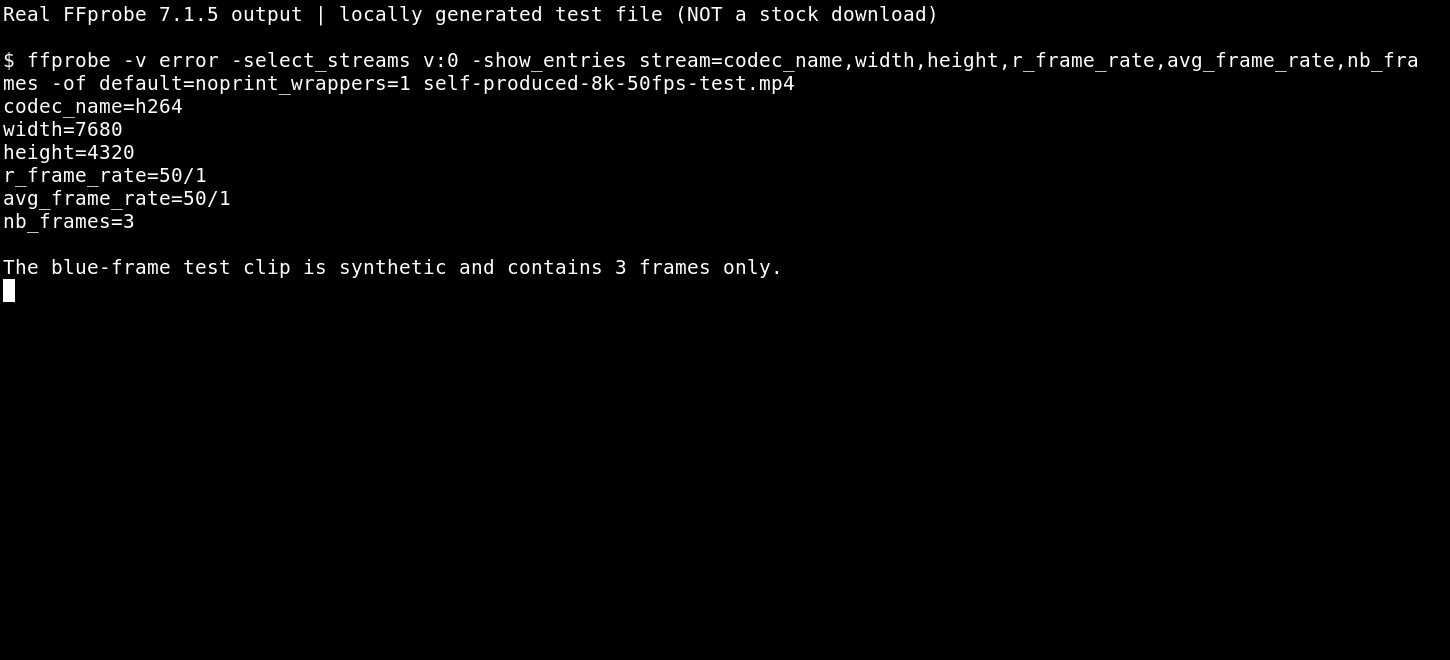
Success: The file has the expected 7680 x 4320 stream and 50 fps metadata. If it will not play, try an HEVC-capable computer before treating the file as corrupt. If your project needs a native 8K camera master or 120 fps, this sample is not a substitute.
8K Stock Footage: Storyblocks and Pexels
Choose a stock library when you want a city, landscape, background or other editable scene rather than an engineering test file. Storyblocks confirms footage up to 8K in its library; its published frame-rate range goes up to 60 fps, so this is not evidence of an available 8K120 download.
Step 1. Search the Storyblocks 8K footage catalog and select the 8K resolution filter. Open an individual result instead of relying on its search title.
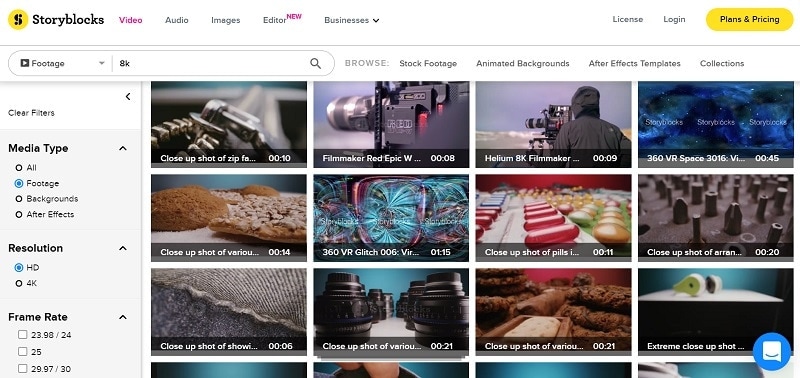
Step 2. Check Video Details and the actual downloadable resolutions, format and frame rate. Confirm that your account license covers the intended project before downloading.
Step 3. Save the licensed master, then inspect the video properties. A preview or watermark copy does not count as the purchased 8K master.
For a free alternative, search Pexels videos and inspect each clip's available download sizes. Its license permits many uses, but a search term containing 8K does not verify that the actual file is 7680 x 4320.
Success: The final file matches the intended resolution and its license covers your use. If only a 4K version is offered, choose a different clip rather than upscaling it and calling it native 8K. The image above is an older site interface example; the current controls may differ.
Pond5 for Specific Licensed 8K Clips
Pond5 can be helpful when you need a particular subject and want to buy a specific original file. Its contributor footage specifications include 8K resolutions, but that does not establish the dimensions, price or frame rate of every item in its marketplace.
Step 1. Search Pond5 footage by subject and inspect the chosen asset, not merely the results page. Use its resolution and usage information when available.
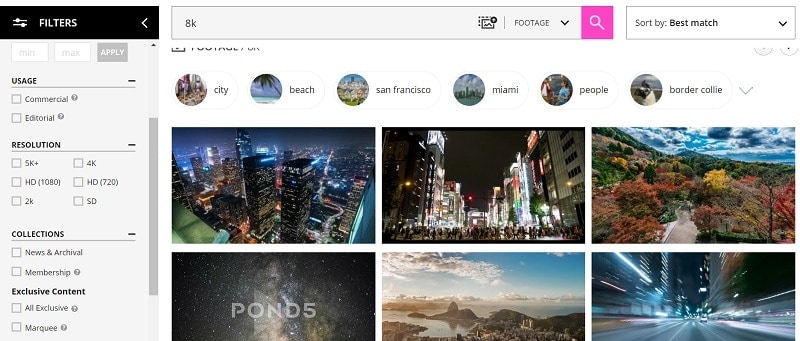
Step 2. Read the available original size, frame rate, price and licensing terms. A sample bearing a watermark is a preview, not a license to use the underlying media.
Step 3. Purchase or access the correctly licensed file using Pond5's official controls. Save the receipt and check the video after download.
Success: The master video matches the purchased specification and opens in an appropriate editor. If an asset is available only in HD or 4K, find a different listing. The screenshot illustrates a previous search interface rather than live prices.
Part 3. How to Download 8K Video on PC or Android and Verify Quality
After choosing a legitimate file, you can usually download it directly. A dedicated downloader becomes useful only when the website offers downloads through a compatible app and you are allowed to save the content. The verification steps are the same whichever tool you use.
Browser or Desktop 8K Downloader: Which Is Better?
Use the original Download button first. This avoids a second app, preserves the publisher's license flow and often gives you direct access to the best available master. On Windows or Mac, choose a folder with enough free space, wait for the transfer to finish, and retain the original unedited file.
For authorized links that need a dedicated desktop workflow, Wondershare UniConverter describes a Downloader that can choose source-available 4320p on supported sites. 4K Video Downloader Plus also advertises 8K selection. These are software capabilities, not guarantees: the source must actually supply the resolution, the app must support that source, and the download must be permitted. Check the current free-versus-paid feature limits before installing.
For YouTube specifically, YouTube Studio can download your own uploads, but its MP4 download may be only 720p or 360p rather than your original 8K master. Keep your camera originals or project exports. YouTube Premium offline viewing is different from receiving a standalone 8K media file; follow the platform's terms and the rightsholder's permission. Our separate YouTube 8K download guide covers this narrower platform-specific question.
Success: You have an authorized, fully transferred video file in a known folder. If the advertised 8K option is absent, check the source rather than switching repeatedly between downloaders.
Check Download Completion, Duration and File Size on PC
An 8K file can be large, so a transfer that looks finished in the browser may still be incomplete. Confirm the download has stopped growing, that your storage is not full, and that the file has a reasonable duration. For a more precise check, use the official FFprobe documentation.
Step 1. Install a trusted FFmpeg/FFprobe distribution for your computer and open Terminal or Command Prompt in the folder containing your downloaded media. Work on a copy when the file is important.
Step 2. For an MP4 called sample.mp4, run: ffprobe -v error -show_entries format=format_name,duration,size -of default=noprint_wrappers=1 "sample.mp4". Look for a readable container, nonzero duration and file size.
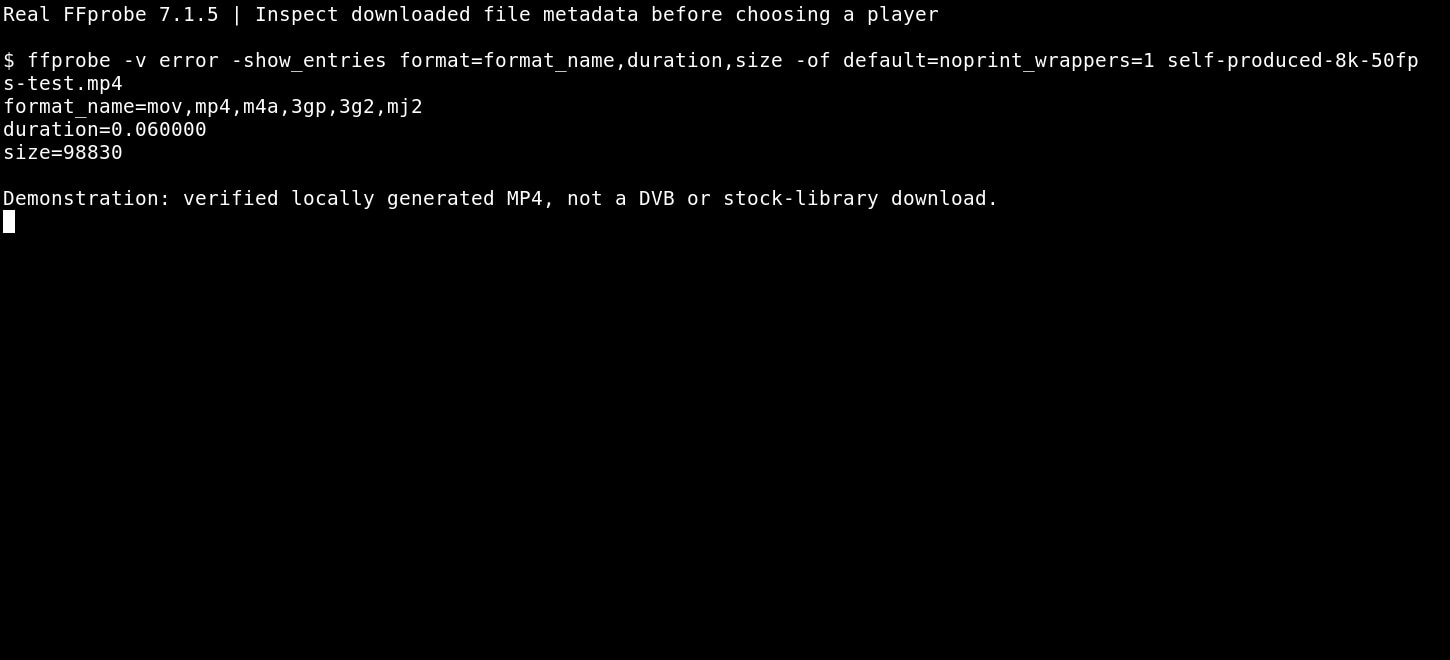
Step 3. Try to play the file in a compatible app. Compare its duration and other specifications with the provider's listing.
Success: FFprobe recognizes the file and playback works. If FFprobe reports invalid data, re-download the authorized source before attempting video repair. The image above shows a local test example, not a verified commercial 8K download.
Verify 8K Resolution and the 120fps Claim
The most common search variation for this topic is 8K UHD at 120 fps. Do not mistake a provider's 8K50, 8K60 or 8K100 sample for 8K120. A file also can report 120 fps because frames were repeated or interpolated, so metadata checks are necessary but not sufficient to prove native capture quality.
Step 1. Select the finished file. Run the following command, changing the filename if needed: ffprobe -v error -select_streams v:0 -show_entries stream=codec_name,width,height,avg_frame_rate,r_frame_rate -of default=noprint_wrappers=1 "sample.mp4".
Step 2. For standard 8K UHD, look for width=7680 and height=4320. A reported frame-rate fraction near 120/1 indicates a nominal 120 fps stream; variable-frame-rate videos can show different average and nominal values.
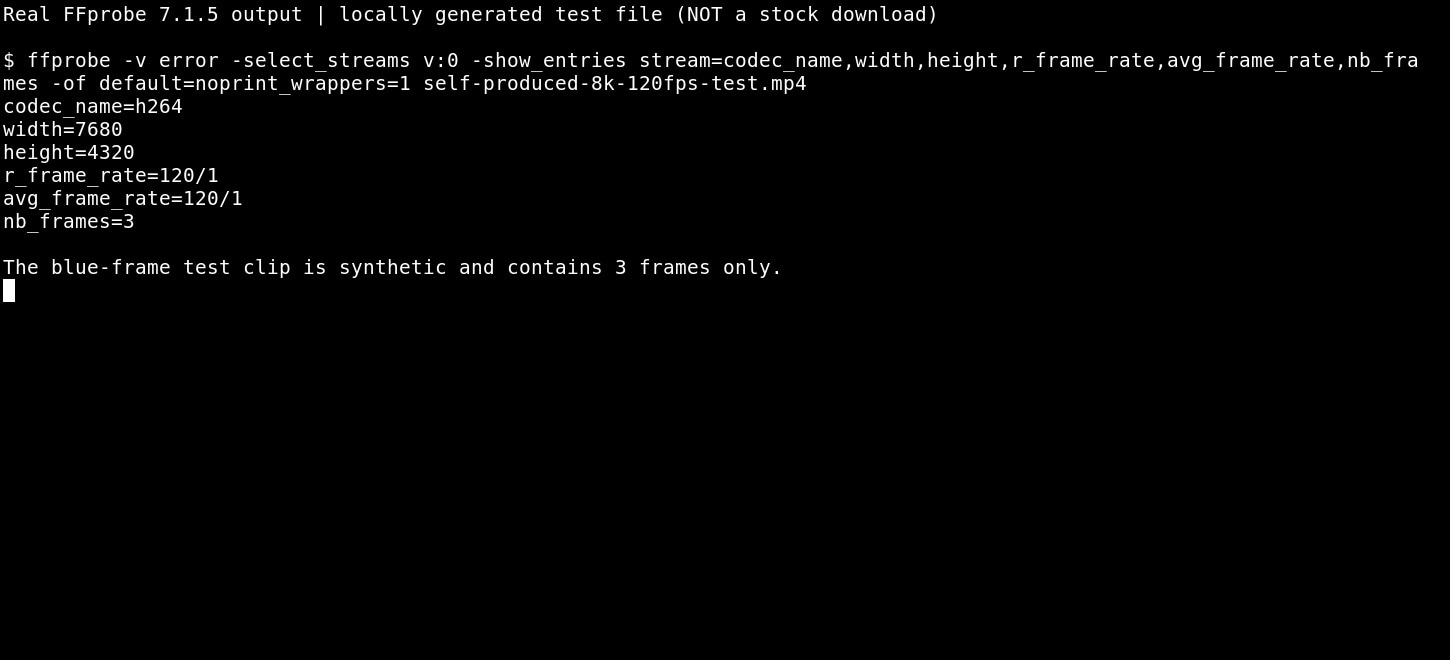
Step 3. Compare the result with the publisher's original master specification and inspect motion quality. The image shows a locally produced short test file reporting 8K120 metadata; it does not prove that a public website supplies genuine 8K120 footage.
Success: Both the stored dimensions and frame rate meet the requirement, and the rights and provenance suit your project. If the result is 4K120 or 8K50, identify it accurately and return to the source selection step.
8K Video Download on Android: Save First, Play Second
For an authorized direct download, open the publisher's page in Chrome on Android and use its provided Download action. Follow Google's Chrome download instructions to check the download status and locate the saved file. Depending on Android version and browser settings, the file can appear in Downloads or a files manager.
Before downloading a large UHD file, check free space and whether you are using mobile data. Saving a file does not mean that the phone's decoder can smoothly display 8K HEVC or AV1. If the file is present but will not open, test it on a capable computer before downloading an unfamiliar "8K downloader APK."
Success: The actual file appears in your Downloads folder and has finished transferring. If it cannot play, check the file on a computer; if the provider does not offer an 8K copy, an Android app cannot create one.
For 8K Hindi songs, anime or music videos, use only the original distributor's authorized downloads or offline features. A title containing "8K" or "120fps" is not proof of the original video's quality or permission to redistribute it.
Part 4. Fix an Incomplete, Unplayable or Missing 8K Video
A missing download, a video that plays poorly, and an accidentally deleted original are three different problems. Match the symptom to the next step to avoid editing a good file or scanning the wrong storage.
The File Exists but 8K Video Playback Fails
If an 8K file stutters, shows a black screen or plays without sound, first investigate decoder and player compatibility. A readable file can still exceed a laptop GPU's real-time HEVC/AV1 decoding capability. Make a safety copy before any conversion.
Step 1. Use FFprobe on a copy: ffprobe -v error -select_streams v:0 -show_entries stream=codec_name,profile,pix_fmt,width,height -of default=noprint_wrappers=1 "sample.mp4".
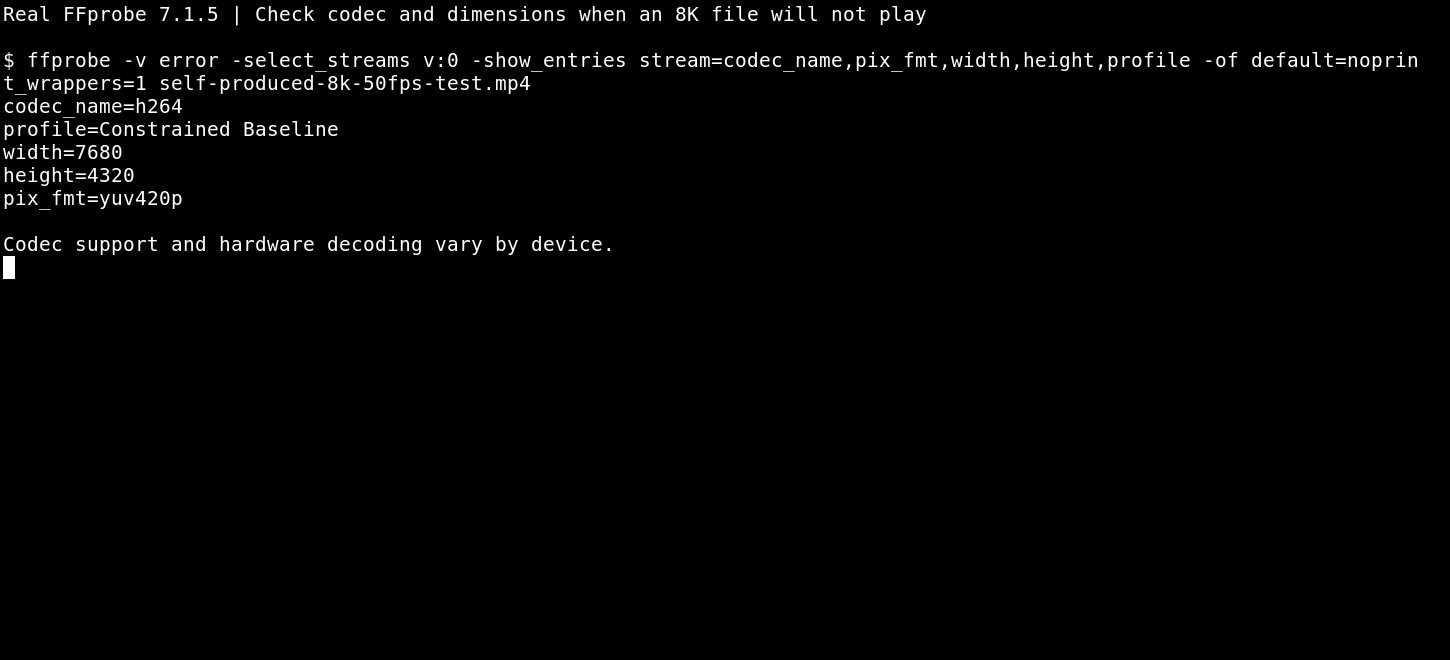
Step 2. Try a current player on a device that supports the reported codec and bit depth. If needed, convert a copy into a compatible format, keeping the original intact. See our VLC high-resolution playback guide for player-specific checks.
Success: The video plays reliably on a supported device. If a fresh download and multiple players cannot read the source, compare the original file with the saved transfer and follow the separate FFmpeg corrupted-video guide for a genuinely damaged file. Do not treat every codec error as missing data.
Recover an 8K Video That Was Deleted From a Drive or Card
Lost an 8K recording or an already downloaded MP4 from a PC, camera card or external SSD? This is the point where Wondershare Recoverit Video Recovery may help. If the original storage remains accessible, Recoverit can scan it for recoverable video files, let you preview candidates where supported, and save selected results elsewhere. It cannot fetch a streaming video that a website never allowed you to download.
Protect the source first: Stop recording, copying or saving new files to the drive that held the missing original. Repeated writes may overwrite recoverable data. If the device is physically damaged or keeps disconnecting, seek professional help rather than repeatedly scanning it.
Step 1. Open Recoverit and choose the disk, USB drive, camera card or other recognized storage location where the video was last saved. Do not scan a different download folder just because it has the same filename.

Step 2. Scan the selected source for missing videos. Review file types, original paths and available preview information. For high-bitrate 4K/8K footage, consult the Recoverit Windows guide for enhanced video recovery options.

Step 3. Select recoverable candidates and save them to a different healthy drive. Open the recovered file and check the expected visual content and audio before further editing.
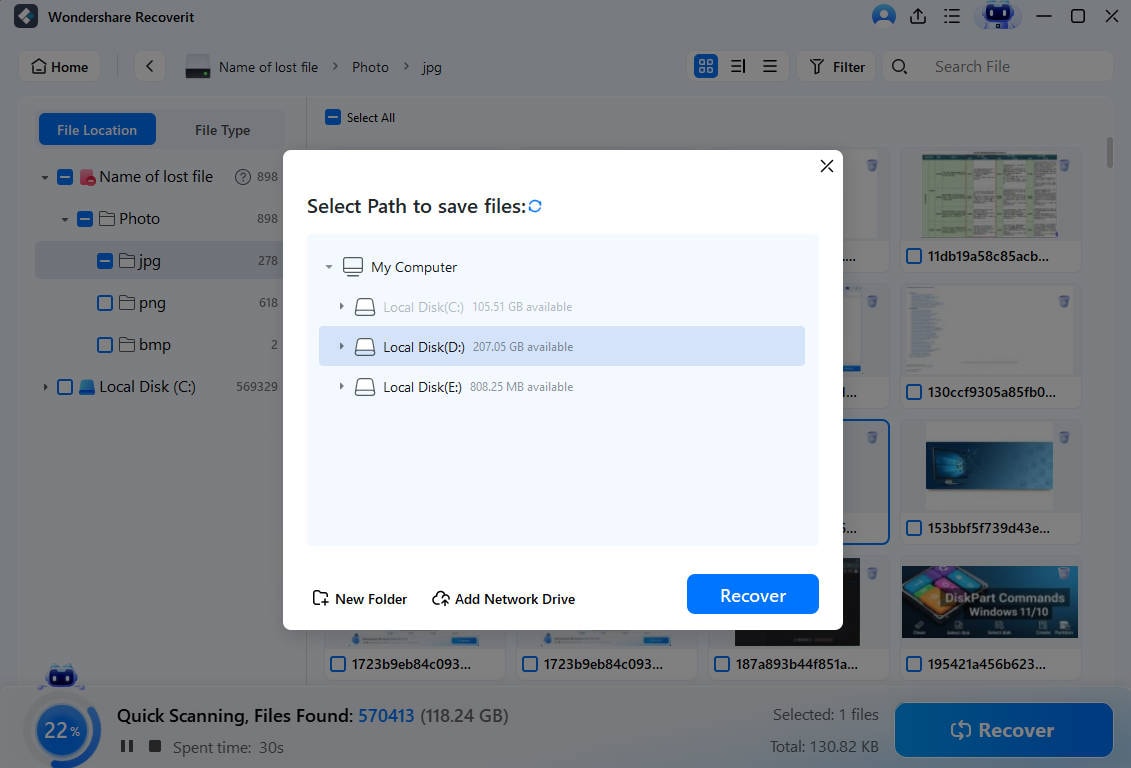
Success: The file opens from the separate destination and matches the missing footage. If no usable copy appears, do not promise recovery: overwritten data, SSD TRIM and severe hardware problems may make recovery impossible. For RAW camera footage, the RAW video source guide and open-gate camera recovery article cover related but different tasks.
Conclusion
For a real 8K video download, start with a provider that offers the original file and permission to save it. DVB is useful for free 8K50 decoder tests; stock libraries may offer licensed 8K masters, while desktop downloaders depend on the streams supplied by their supported sources. Check the file's dimensions, frame rate and codec before assuming it is 8K120.
If the file exists but will not play, test compatibility before altering it. If your own downloaded or camera-recorded 8K file was deleted from local storage, protect the drive first and consider recovery separately from downloading. The right source and the right next step matter more than the name of the downloader.
FAQ
-
Where can I download a real 8K video for free?
DVB provides licensed technical test streams at 7680 x 4320 and 50 fps. They are upscaled from 4K source footage and suit decoder testing rather than judging native camera detail. Free stock-video search results must be checked individually for true 8K master downloads. -
Is there a verified free 8K 120fps video download link?
Not among the reference files verified here. The DVB HEVC examples are 8K50 and the cited AVS3 collection includes 8K100 material. To validate another claim, inspect the actual file for 7680 x 4320 dimensions and 120fps metadata, then verify its source and licensing. -
Do I need an 8K video downloader app on Windows or Mac?
Not when the rightsholder already offers a direct download. UniConverter and 4K Video Downloader Plus describe 8K-capable workflows for supported sources, but 8K availability and permitted usage depend on the specific video. Check each product's current feature restrictions. -
What is the best way to download 8K video on Android?
Use the original publisher's Download action in Chrome when available and allowed, then locate the file in Downloads. An 8K file may be saved successfully even if the phone cannot decode it at full resolution. -
Why does my downloaded 8K MP4 freeze or show a black screen?
Check whether the transfer completed, then inspect the codec and frame dimensions with FFprobe. Try a compatible player or device before assuming corruption. Preserve the original and convert only a copy if needed. -
Can Recoverit bring back a deleted 8K download?
It may find recoverable files if an existing 8K video was deleted from a readable computer drive, memory card or external disk. Stop writing to that storage, scan the correct source, and save recovered files elsewhere. It cannot download restricted online videos or guarantee recovery after overwrite.



