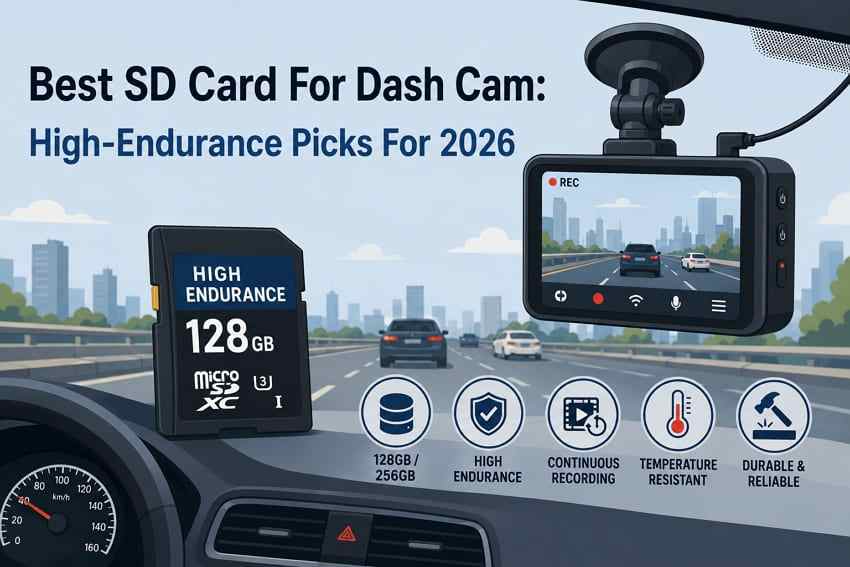
The best SD card for dash cam use is not just the fastest card you can buy. Dash cams record, delete, and rewrite video in a constant loop, so endurance matters more than peak transfer speed. For most drivers, the safest choice is a high-endurance microSD card from a trusted brand, matched to the dash cam's maximum capacity and speed requirement.
This guide compares the best dash cam SD card options for 1080p, 2K, 4K, and dual-channel cameras. It explains endurance ratings, U1/U3/V30 speed classes, capacity choices, fake-card risks, and how Recoverit Memory Card Recovery may help recover deleted, formatted, or corrupted dash cam videos before loop recording overwrites them.
Try Wondershare Recoverit to Perform Data Recovery
 Security Verified. Over 7,302,189 people have downloaded it.
In this article
Part 1. Why Do Dash Cams Need High-Endurance SD Cards?
A dash cam asks more of a memory card than a phone, drone, or regular camera. It writes video constantly, then overwrites old clips as the card fills up. That workload is why the best memory card for dash cam use should be an endurance card, not a standard consumer card bought only for speed.
How Loop Recording Writes and Rewrites Data
Loop recording saves new clips continuously and deletes older clips when storage fills. This is useful because the camera can keep recording without manual cleanup, but it means the same flash memory is rewritten again and again.
Why Standard Memory Cards May Fail Early
Standard cards are usually designed for occasional photos, app storage, file transfers, or short video sessions. Dash cams create a write-intensive workload. User reports on DashCamTalk often frame failed recordings and camera errors as card wear problems, especially when non-endurance cards are used.
What High Endurance Means
High-endurance cards are built and rated for long recording workloads. Manufacturers usually publish endurance in recording hours, often based on Full HD recording under specific test conditions. A larger capacity can also reduce how often the card overwrites itself, but only if your dash cam supports that capacity.
How SD Card Failure Can Affect Dash Cam Footage
A failing card may still look normal in the dash cam menu while silently dropping clips, corrupting videos, or failing to save incident footage. That is the worst possible failure mode for a dash cam, because the missing file is often the one you needed most.
Part 2. Check Your Dash Cam Requirements Before Buying
The best dash cam memory card is the one your camera actually supports. Check these requirements before comparing brands.
Check 1. Maximum Supported Capacity
Many dash cams support only 128GB or 256GB, even if 512GB and 1TB cards are available. A larger card can fail to format, record incorrectly, or be rejected by the camera. Always check your dash cam manual or compatibility list first.
Check 2. microSD vs Full-Size SD Card
Most modern dash cams use microSD cards. Older or commercial systems may use full-size SD cards. A full-size SD adapter is usually fine for transferring footage to a computer, but the card itself still has to match the dash cam's supported format and capacity.
Check 3. 1080p, 2K, and 4K Recording Requirements
Higher resolution and bitrate require stronger sustained write performance. Many 1080p cameras work with Class 10 or U1 cards, while many 2K and 4K dash cams require U3 or V30. Match the card's speed class to the camera requirement rather than guessing.
Check 4. Single-Channel vs. Dual-Channel Dash Cams
A dual-channel dash cam records front and rear video at the same time. That increases write workload and shortens retained recording history. Choose a larger supported capacity and a stronger endurance rating for dual-channel setups.
Check 5. Manufacturer Compatibility Lists
Dash cam makers often test specific cards. If your brand publishes a compatible-card list, follow it. Compatibility matters more than a card's headline speed or marketing name.
Part 3. Quick Picks: Best SD Cards for Dash Cams
If you want a short answer, these picks cover most dash cam users. Confirm capacity support before buying.
| Category | Card | Why it wins |
| Best overall | Samsung PRO Endurance | Strong endurance rating, U3/V30 on larger capacities, and broad suitability for daily recording. |
| Best for 4K | SanDisk MAX Endurance | High endurance, U3/V30 speed class, and long warranty terms on larger capacities. |
| Best for dual-channel | Samsung PRO Endurance 256GB | Good fit when your camera supports 256GB and records front plus rear video. |
| Best long warranty | SanDisk MAX Endurance | Warranty varies by capacity and reaches up to 15 years on the 256GB version. |
| Best budget endurance card | SanDisk High Endurance | Lower-cost endurance option with capacities up to 512GB. |
| Best large-capacity option | Transcend High Endurance 350V | Available up to 1TB with very high published endurance ratings. |
Part 4. How to Choose the Best SD Card for a Dash Cam
The best SD card dash cam choice comes from matching endurance, capacity, sustained write speed, and camera compatibility. Do not buy only by brand or storage size.
1. High-Endurance vs Standard microSD Cards
Regular cards may be fast, but they are not necessarily designed for constant rewriting. High-endurance cards are better for dash cams because the workload is continuous and repetitive.
2. Class 10, U1, U3, and V30 Speed Ratings
The SD Association speed class system indicates minimum sustained write performance. Class 10 and U1 indicate 10MB/s, while U3 and V30 indicate 30MB/s under their respective class methods. Use the same or higher symbol than your dash cam requires.
3. Endurance Rating and Total Recording Hours
Endurance ratings are usually tested using Full HD recording, often around a specified bitrate. 4K video, dual-channel recording, high bitrate, parking mode, and heat can reduce real-world life. Treat endurance hours as a comparison point, not a guarantee.
4. Temperature and Environmental Resistance
Dash cam cards sit in hot cars, cold cars, and vibrating vehicles. Look for cards rated for wide operating temperatures and resistance to water, shock, vibration, X-rays, or static where available.
5. Warranty and Replacement Policy
Warranty terms vary by brand, capacity, region, and product line. A longer warranty does not prevent footage loss, but it is a sign that the card is built for sustained recording workloads.
6. Brand Reliability and Fake Card Risk
Counterfeit cards can report fake capacity and fail quickly. Buy from the manufacturer's store, authorized retailers, or reputable sellers. Test a new card before relying on it for daily driving.
Part 5. Best SD Cards for Dash Cams
The cards below are endurance-focused microSD cards commonly used for dash cams, security cameras, or continuous recording. Specifications can vary by capacity and region, so check the exact model before buying.
Product 1. Samsung PRO Endurance
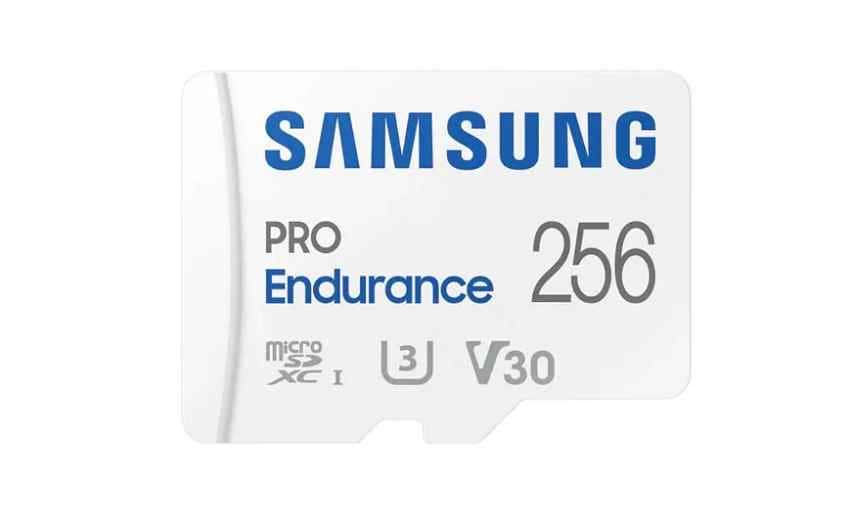
Samsung PRO Endurance is the best overall pick for many drivers. Samsung rates the 256GB model for up to 140,160 hours of Full HD recording and lists U3, V30, and Class 10 performance on the 256GB version. It is a good choice for daily 1080p, 2K, 4K, and dual-channel cameras when your dash cam supports the selected capacity.
Product 2. SanDisk MAX Endurance
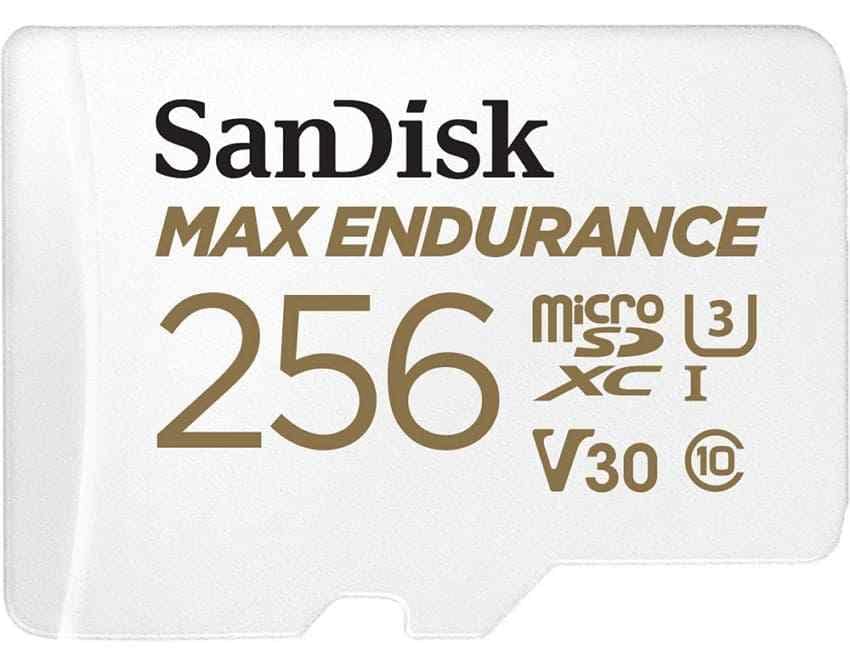
SanDisk MAX Endurance is a strong premium choice for heavy users, 4K recording, and dual-channel setups. SanDisk rates the 256GB version for up to 120,000 hours of Full HD recording and lists U3 and V30 support. Warranty terms vary by capacity, with SanDisk's endurance support page listing longer coverage on larger MAX Endurance cards.
Product 3. Transcend High Endurance microSDXC 350V
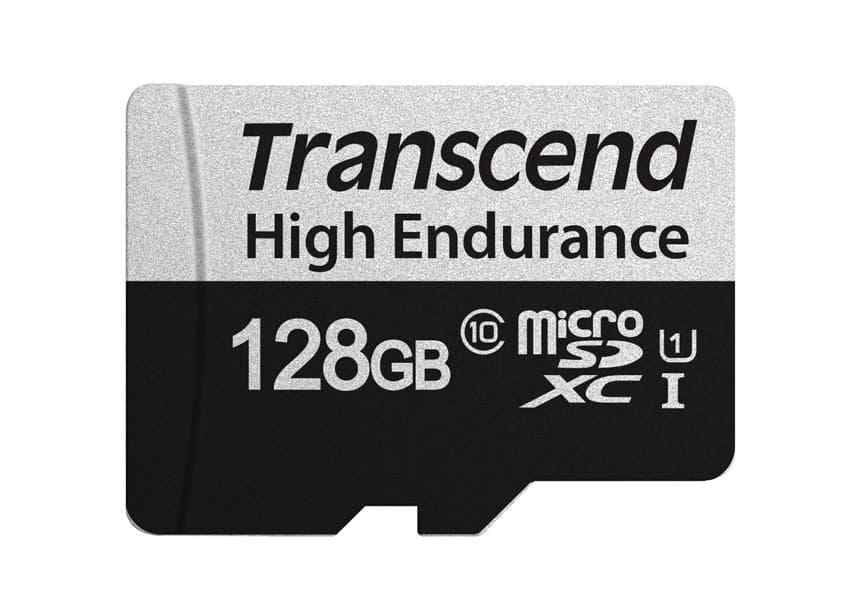
Transcend High Endurance microSDXC 350V is useful when you want large capacities for longer retention, as the line reaches up to 1TB. Transcend publishes endurance ratings up to 240,000 hours for the 1TB model, with lower ratings by capacity. It is strongest for users whose dash cam officially supports larger SDXC cards.
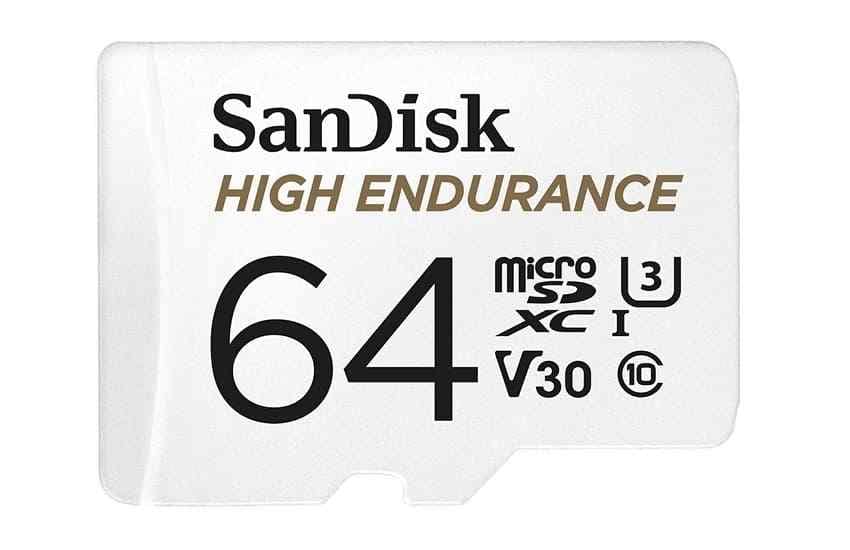
Product 4. SanDisk High Endurance
SanDisk High Endurance is the best budget endurance option. SanDisk lists up to 40,000 hours for the 512GB version, with lower endurance by capacity. It is a practical pick for everyday 1080p and many 4K dash cams when you want an endurance card without paying for the MAX Endurance line.
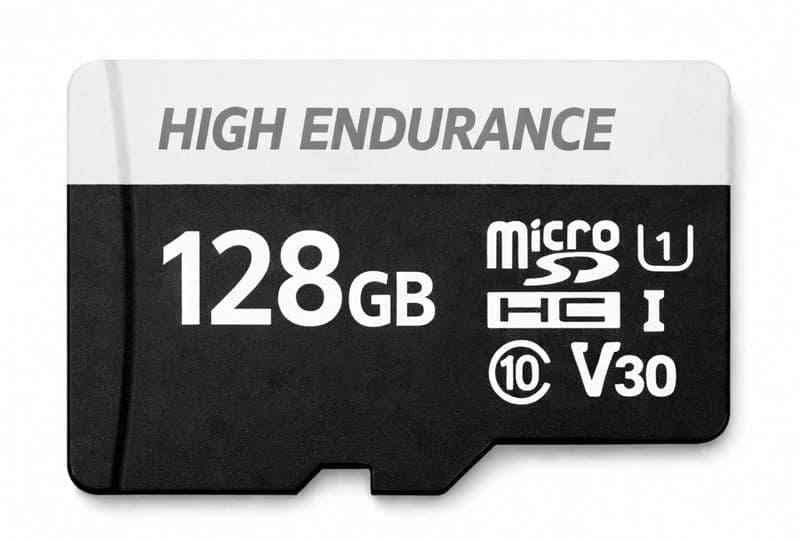
Product 5. Kingston High Endurance microSD
Kingston High Endurance microSD is a reliable midrange option for moderate daily driving and Full HD recording. Kingston lists capacities from 32GB to 256GB, up to 26.9K operating hours, and a 3-year warranty. Its U1/Class 10 positioning makes it better for cameras that do not demand V30.
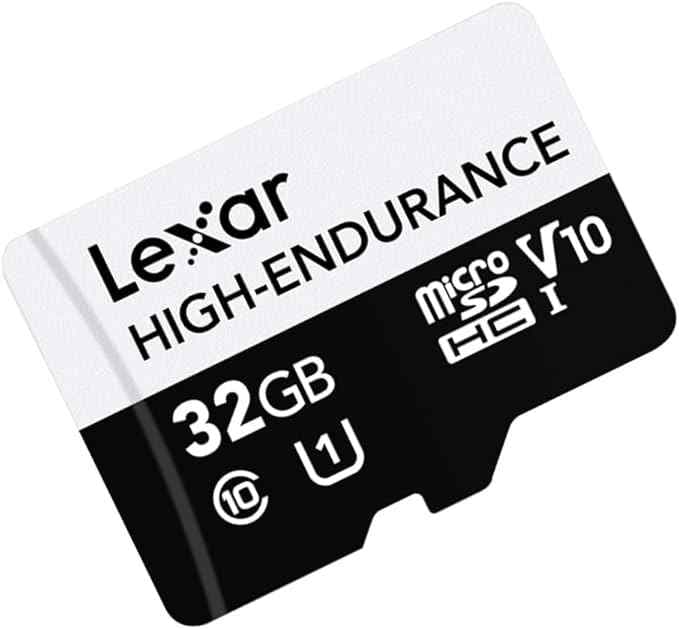
Product 6. Lexar High-Endurance microSD
Lexar High-Endurance microSD is a budget-friendly choice for lighter dash cam workloads. Lexar rates the 128GB card for up to 12,000 hours, with 64GB and 32GB versions rated lower. The 64GB and 128GB models support U3/V30, while the smaller capacity is better suited to lighter recording needs.
Part 6. Compare the Best Dash Cam SD Cards
This table compares the best dash cam memory card options by published specifications. Endurance ratings are manufacturer figures and are usually based on Full HD recording. Actual life can be shorter with 4K, high bitrate, heat, or dual-channel recording.
| Card | Capacity | Speed class | Rated endurance | Best for | Main limitation |
| Samsung PRO Endurance | 32GB-256GB | Class 10, U1/U3, V10/V30 by capacity | Up to 140,160 hours on 256GB | Best overall, daily 1080p to 4K | Maximum capacity is 256GB |
| SanDisk MAX Endurance | 32GB-256GB | Class 10, U3, V30 | Up to 120,000 hours on 256GB | 4K and dual-channel recording | Higher price per GB than budget cards |
| Transcend High Endurance 350V | 32GB-1TB | Class 10, U1/U3, V30 by capacity | Up to 240,000 hours on 1TB | Large supported capacities and long retention | Check dash cam support before buying 512GB or 1TB |
| SanDisk High Endurance | 32GB-512GB | Class 10, U3, V30 | Up to 40,000 hours on 512GB | Budget endurance card for everyday use | Lower endurance than premium lines |
| Kingston High Endurance | 32GB-256GB | Class 10, U1, A1 | Up to 26.9K operating hours | Moderate Full HD recording | Not the best choice if your 4K camera requires V30 |
| Lexar High-Endurance | 32GB-128GB | Class 10, U1/U3, V30 on 64GB and 128GB | Up to 12,000 hours on 128GB | Light recording and budget Full HD setups | Lower maximum capacity and lower endurance rating |
Part 7. Which SD Card Capacity Should You Choose for a Dash Cam?
Capacity affects both how much history the dash cam keeps and how often the card overwrites itself. Larger cards usually keep more footage and reduce rewrite frequency, but only if the camera supports them.
| Capacity | Best use | Typical recording history | Buying advice |
| 32GB | Older or basic 1080p cameras | Short retention | Use only if your dash cam is limited to 32GB. |
| 64GB | Basic single-channel 1080p | Short to moderate retention | Acceptable for light use, but not ideal for 4K. |
| 128GB | Most single-channel dash cams | Good balance for many drivers | Best minimum for many modern 1080p and 2K cameras. |
| 256GB | 4K, high bitrate, and dual-channel setups | Longer retention and less frequent overwrite | Best default if supported by your camera. |
| 512GB | Long retention and heavy driving | Much longer recording history | Buy only if the dash cam officially supports it. |
| 1TB | Special cases and compatible high-capacity dash cams | Maximum retention | Compatibility must be confirmed before purchase. |
For most users, 128GB is a safe starting point, while 256GB is the better choice for 4K or front-and-rear recording. Always check the dash cam manual before buying 512GB or 1TB cards.
Part 8. How to Make a Dash Cam SD Card Last Longer
Even the best SD for dash cam use can fail early if the card is misused. These habits reduce corruption and unexpected recording gaps.
- Format the card in the dash cam: use the camera's built-in format option so it creates the file structure it expects.
- Follow the manufacturer's formatting schedule: some brands recommend regular formatting to reduce file-system issues.
- Use a supported card capacity: unsupported large cards can cause formatting errors or missing clips.
- Never remove the card while recording: stop recording or power down before removing the card.
- Keep firmware updated: firmware updates can improve card compatibility and recording stability.
- Check recordings regularly: review recent clips instead of assuming the camera is saving footage correctly.
- Back up important footage promptly: copy incident clips before loop recording overwrites them.
- Buy genuine memory cards: purchase from authorized sellers to avoid counterfeit capacity and early failure.
- Replace worn-out cards: repeated recording errors, failed formatting, or missing clips usually mean the card should be retired.
Part 9. How to Recover Deleted or Lost Dash Cam Videos
A high-endurance card reduces failure risk, but it cannot prevent deletion, formatting, file-system corruption, app transfer failures, or loop overwrite. If footage matters, stop recording first.
Stop the Dash Cam From Recording Immediately
Loop recording overwrites old footage. Every extra minute of driving can reduce recovery chances. Turn off the dash cam, remove the card, and work from a computer with a card reader.
Check Locked, Emergency, and Event Recording Folders
Dash cams often save impact-triggered or manually locked clips in protected folders. Check folders named Emergency, Event, RO, Locked, or similar before assuming footage is deleted.
Check the Dash Cam App or Existing Backups
Some dash cams copy clips to a phone app over Wi-Fi. Check the app, phone storage, cloud sync, and any manual backups before scanning the card.
Recover Dash Cam Videos With Wondershare Recoverit
Dash cam memory cards can become empty, inaccessible, formatted, or corrupted. Recoverit can help recover lost videos from readable memory cards and supports common memory card file systems such as FAT32, exFAT, and NTFS. It can preview recoverable files before saving them to another location.
- Dash cam video recovery: recover common video files such as MP4, MOV, and TS when they have not been overwritten.
- Deep scan: search formatted or corrupted cards beyond normal folder listings.
- Read-only recovery workflow: scan the card without saving recovered files back onto the same card.
Important note: Recoverit restores files from a memory card. It cannot rebuild footage that loop recording has already overwritten, repair a physically damaged card, or fix the dash cam itself.
Recover Videos From a Formatted or Corrupted Card
Follow these steps on a computer. Save recovered files to another drive, not back to the dash cam card.
Step 1. Select the SD card and start a scan. Choose SD Card Recovery, select the dash cam card, and click Start Scan.
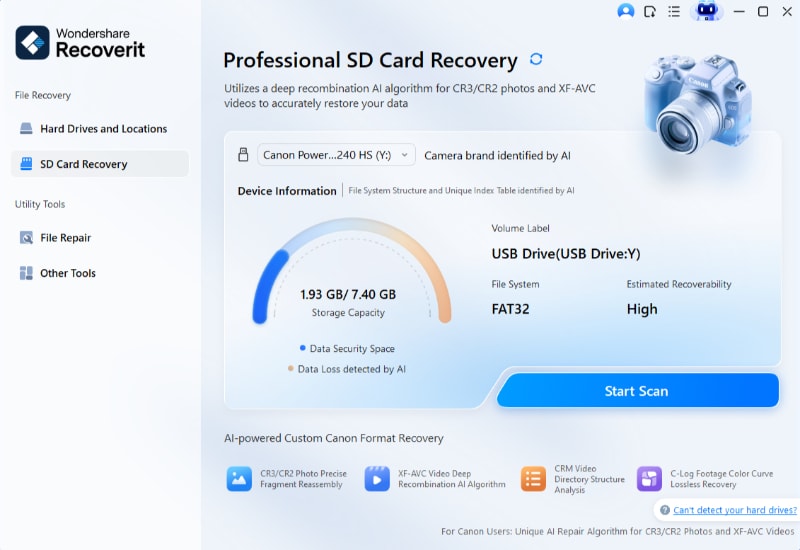
Step 2. Let Recoverit scan missing card files. Wait for the scan to finish, then use File Location, file type, size, or date filters to locate dash cam videos.
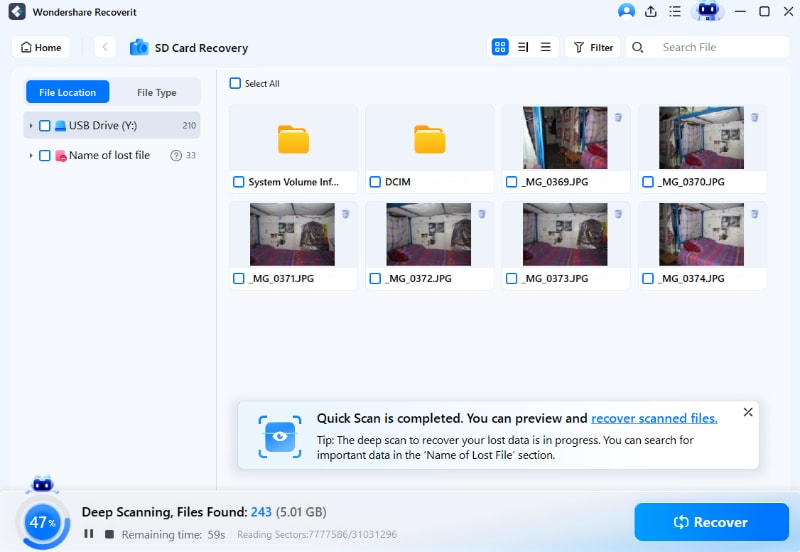
Step 3. Preview and export recovered files. Preview the videos, select what you need, click Recover, and save the files to another storage device.
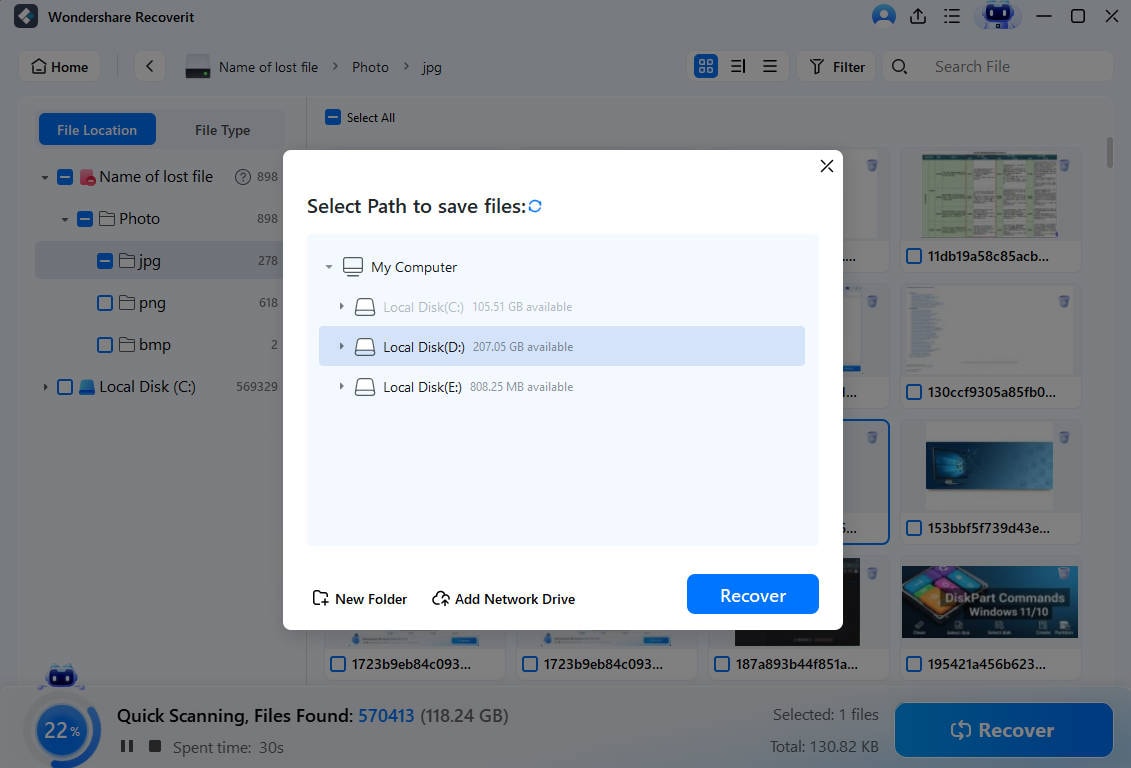
Try Wondershare Recoverit to Perform Data Recovery
Security Verified. Over 7,302,189 people have downloaded it.
When Professional Data Recovery Is Required
Software recovery cannot help if the card is cracked, burnt, severely bent, or not detected by any reader. Try another reader once. If the footage is critical and the card remains undetected, stop retrying and contact a professional recovery lab.
Part 10. When Dash Cam Footage May Be Unrecoverable
Even the best dash cam SD card cannot guarantee recovery. These cases explain when recovery may fail.
| Situation | Why recovery fails | What you can still try |
| Loop recording overwrote the clip | New video replaced the original file data. | Check locked, event, or emergency folders for another copy. |
| The card kept recording afterward | More new clips may have overwritten older footage. | Scan anyway, since partial files may still exist. |
| No device detects the card | The controller or contacts may have failed. | Try another reader once, then consider a recovery lab. |
| The card is physically damaged | Software cannot access memory chips through normal readers. | Use professional chip-level recovery for critical footage. |
| Recovered clips are corrupted | Only fragments or damaged video structures survived. | Try video repair on the recovered fragments. |
Conclusion
The best SD card for dash cam use is a genuine high-endurance microSD card that matches your camera's capacity limit, speed requirement, channel count, and recording resolution. Samsung PRO Endurance and SanDisk MAX Endurance are strong premium choices, SanDisk High Endurance is a practical budget pick, and Transcend 350V is useful where large supported capacities matter. Format on schedule, check recordings regularly, and stop recording immediately if footage disappears so recovery has a chance.
FAQ
-
Do I really need a high-endurance SD card for a dash cam?
Yes. Dash cams constantly write and overwrite video, so a high-endurance card is safer than a standard fast card made mainly for photos, phones, or file transfer. -
What size SD card is best for a dash cam?
128GB works for many single-channel dash cams, while 256GB is better for 4K, high bitrate, or dual-channel recording. Always confirm the camera's maximum supported capacity first. -
Is U3 or V30 necessary for a dash cam?
Many 1080p dash cams work with Class 10 or U1, but 2K and 4K cameras often require U3 or V30. Use the same or higher speed class than your dash cam manual requires. -
How often should I format my dash cam SD card?
Follow your dash cam manufacturer's schedule. Many users format every few weeks, but the safest answer is to use the camera's own recommendation and back up important clips first. -
Can Recoverit restore dash cam footage after loop recording overwrote it?
No. Overwritten footage is permanently replaced. Recoverit may help recover videos lost through deletion, formatting, corruption, or card errors if the video data has not been overwritten.



