 TL;DR:
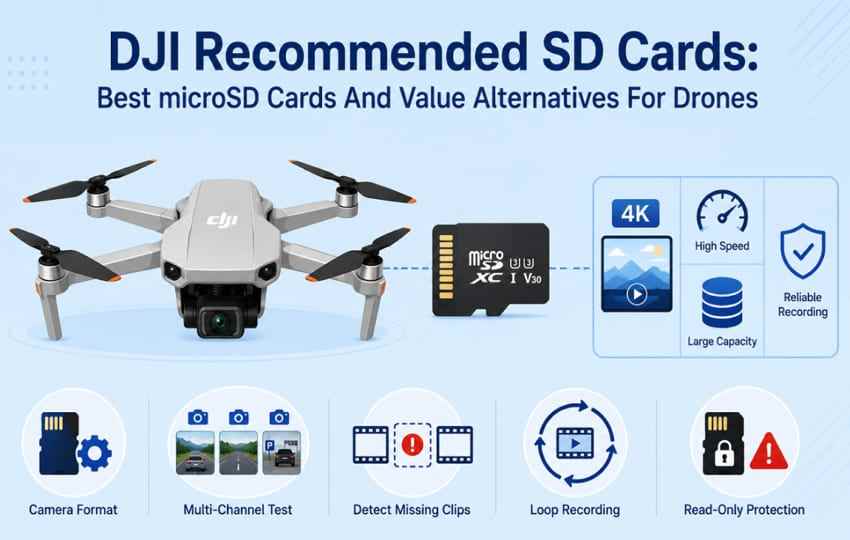
Most current DJI drones require a genuine UHS-I microSD card with U3 and V30 ratings, such as the Lexar Professional SILVER PLUS for newer models like the Mini 5 Pro or the Kingston Canvas Go! Plus for broad compatibility, matched strictly to the aircraft's officially supported maximum capacity.
● Paying premium prices for V60, V90, or UHS-II cards provides no in-flight 4K recording advantages because DJI drones operate on UHS-I bus speeds, making these expensive cards beneficial only for faster computer offloading when paired with a compatible UHS-II reader.
● Avoid 64GB cards as they often feature lower write speeds and fill up in under an hour of high-bitrate 4K recording; 128GB or 256GB capacities offer better performance and value, provided you verify your specific drone model mounts larger 512GB, 1TB, or 2TB sizes before purchasing.
● If footage is missing or the DJI Fly app prompts you to format a corrupted card, immediately power down the drone and decline the format to prevent overwriting the file-system structures required by software like Wondershare Recoverit to restore the original clips.
Ask AI for a summary
 ChatGPT
 Perplexity
 Gemini
 Claude
 Grok
Grok
The best DJI recommended SD cards are usually not the most expensive cards in the store. For most current DJI drones, the real requirement is a genuine UHS-I microSD card with U3 and V30 ratings, bought in a capacity your drone officially supports. That is enough for normal 4K drone recording, including popular DJI Mini, Air, Mavic, Avata, and FPV models.
Storage prices are rising, so the smarter question is not just which card is fastest. It is which card gives you reliable recording, enough capacity for your flight style, and a lower total cost. This guide compares DJI-recommended SD cards, strong value alternatives, model capacity limits, and what to do before formatting a drone card that contains missing footage.
Try Wondershare Recoverit to Perform Data Recovery
 Security Verified. Over 7,302,189 people have downloaded it.
In this article
Part 1. What SD Card Does Your DJI Drone Need?
Most DJI drones need a UHS-I microSD card rated U3 and V30. The best SD card for a DJI drone also has to match the model's maximum capacity, because a card can be fast enough but still fail to mount if the capacity is outside DJI's supported range.
Aircraft microSD Card vs Internal Storage and Controller Storage
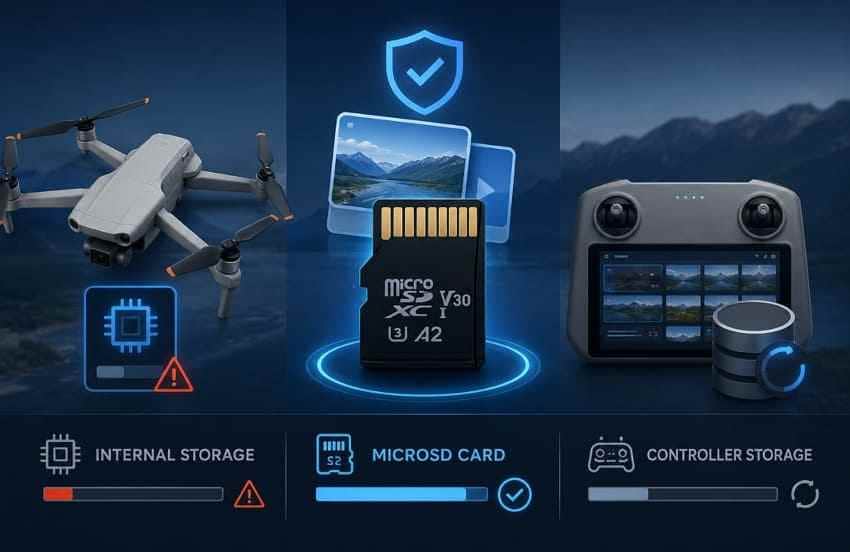
A microSD card is still the main storage location for original drone footage. Some DJI aircraft include internal storage, but it is usually a fallback for short clips or emergency use. DJI's internal storage list shows examples such as 42GB on DJI Mini 5 Pro, 64GB on DJI Mavic 4 Pro, 42GB on DJI Air 3S, 2GB on DJI Flip, and 22GB on DJI Neo. Controller storage and app cache usually store previews, cached files, or exported media, so do not treat them as your only original copy.
DJI UHS-I Speed Grade 3, U3, and V30 Requirements
DJI's Help Center list repeatedly recommends UHS-I Speed Grade 3 or U3/V30 microSD cards for current camera drones. The SD Association defines V30 as a video speed rating built around 30 MB/s sustained write performance. A drone recording at 150 Mbps uses less than 19 MB/s, so a genuine V30 card gives practical headroom without jumping to expensive V60 or V90 models.
microSDHC vs microSDXC and Capacity Ceilings
microSDHC generally covers 32GB and smaller cards, while microSDXC covers larger capacities and normally uses exFAT. Capacity matters as much as speed. DJI Mini 4K may be limited to lower capacities than a DJI Mavic 4 Pro or Mini 5 Pro, and DJI Neo models do not use removable microSD cards at all. Always confirm your exact drone model before buying a 512GB or 1TB card.
A1 and A2 as Secondary Ratings
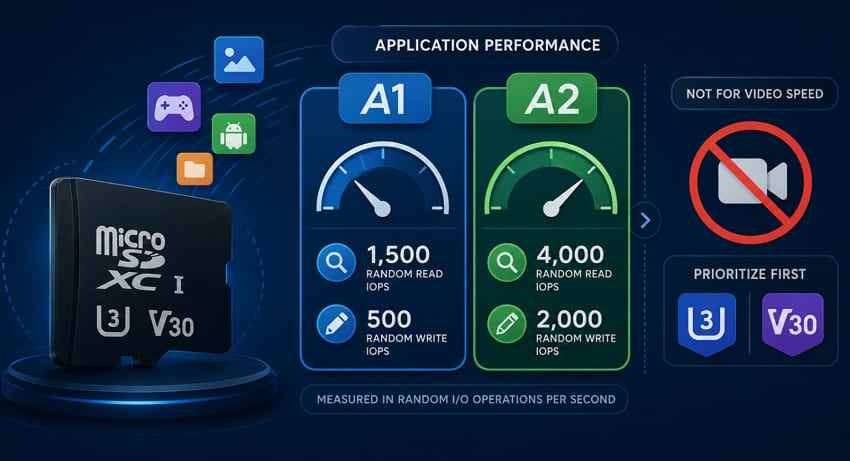
A1 and A2 ratings measure app-style random access performance, which is more relevant to phones and handheld gaming than drone recording. They are useful secondary signals on modern microSD cards, but they do not replace U3 or V30 for video. For a best micro SD card for drone 4K recording, prioritize U3/V30 first, then capacity and price.
Why V60, V90, and UHS-II Are Usually Unnecessary
Most DJI drones use UHS-I card slots. A UHS-II or V90 card can still work if it is backward-compatible, but the drone will not use the full UHS-II bus speed in flight. The SD Association explains that higher video speed classes are tied to host and card capabilities together. For most pilots, UHS-II is worth paying for only if faster computer offloading matters.
Part 2. Best microSD Cards for DJI Drones at a Glance
The easiest safe choice is to buy a DJI-recommended card in the largest capacity your drone supports and your budget justifies. The better-value choice is often a reputable U3/V30 card that meets DJI's requirement even if it is not the most expensive option on the shelf.
Quick Buying Verdict
- Best overall for newer DJI drones: Lexar Professional SILVER PLUS, especially where DJI lists it for Mini 5 Pro, Mavic 4 Pro, or new DJI models.
- Best value for many pilots: Kingston Canvas Go! Plus, because it appears across many DJI lists and is often priced competitively.
- Best familiar Mini 3 pick: SanDisk Extreme in a supported 128GB, 256GB, or 512GB capacity.
- Best budget alternative: Samsung EVO Plus, but only in capacities with U3/V30 ratings.
- Best offload-focused premium option: Lexar Professional GOLD UHS-II, mainly for pilots with a UHS-II reader.
Comparison Table: DJI Drone microSD Card Picks
| Card | Capacities | Advertised Read / Write | Rating | Best Use | Main Limitation |
| Lexar Professional SILVER PLUS | 64GB to 2TB | Up to 255 / 180 MB/s on selected capacities | U3, V30, A2 | Newest DJI models and larger-capacity workflows | 2TB is not useful unless your exact device supports it. |
| Kingston Canvas Go! Plus | 64GB to 1TB | Up to 200 / 160 MB/s on larger capacities | U3, V30, A2 | Wide DJI compatibility and value | 64GB and 128GB versions have lower rated write speed than larger versions. |
| Lexar Professional 1066x | 64GB to 1TB | Up to 160 / 130 MB/s | U3, V30, A2 | Mini 4 Pro, Air 3, Air 3S, Flip, and Mavic 3 lists | 64GB version has a lower write rating than larger capacities. |
| SanDisk Extreme | 64GB to 2TB | Up to 240 / 150 MB/s on selected versions | U3, V30, A2 on common drone capacities | DJI Mini 3, Mini 3 Pro, and mainstream 4K drone use | Top speeds require compatible SanDisk reader hardware. |
| SanDisk Extreme PRO | 32GB to 1TB | Up to 200 / 140 MB/s on selected versions | U3, V30, A2 on many capacities | Widely available upgrade card | Often costs more per gigabyte than non-PRO V30 cards. |
| Samsung PRO Plus | 128GB to 1TB | Up to 180 / 130 MB/s | U3, V30, A2 | Reliable 4K drone and action camera recording | Little in-flight advantage over cheaper V30 cards if prices are high. |
| Samsung EVO Plus | 64GB to 1TB, varies by region | Up to 160 MB/s read | U3, V30, A2 on 128GB and above | Budget choice at 128GB or above | 64GB versions can be U1/V10, so check the label before buying. |
| Lexar Professional GOLD microSDXC UHS-II Card | 128GB to 256GB | Up to 280 / 180 MB/s | UHS-II, U3, V60, A1 | Fast computer offloading after flights | No meaningful recording advantage inside UHS-I DJI drones. |
Part 3. Best microSD Cards for DJI Drones
A comparison table helps, but the right card depends on your DJI model, capacity ceiling, and how often you offload footage. Use the following picks as a shortlist, then verify your drone against DJI's current card list before checkout.
Card 1. Lexar Professional SILVER PLUS
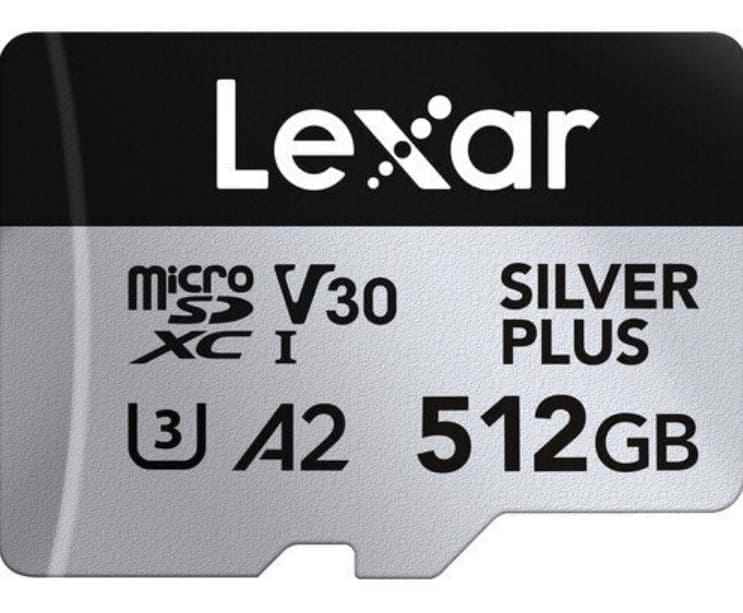
Lexar Professional SILVER PLUS is the strongest all-round pick for newer DJI models because DJI lists Silver Plus capacities for models such as DJI Mavic 4 Pro and DJI Mini 5 Pro. Lexar's 2026 product update also positions the 2TB version as a high-capacity option, but DJI model limits still matter. If your drone supports only 512GB or 1TB, buying a 2TB card is wasted money.
Card 2. Kingston Canvas Go! Plus
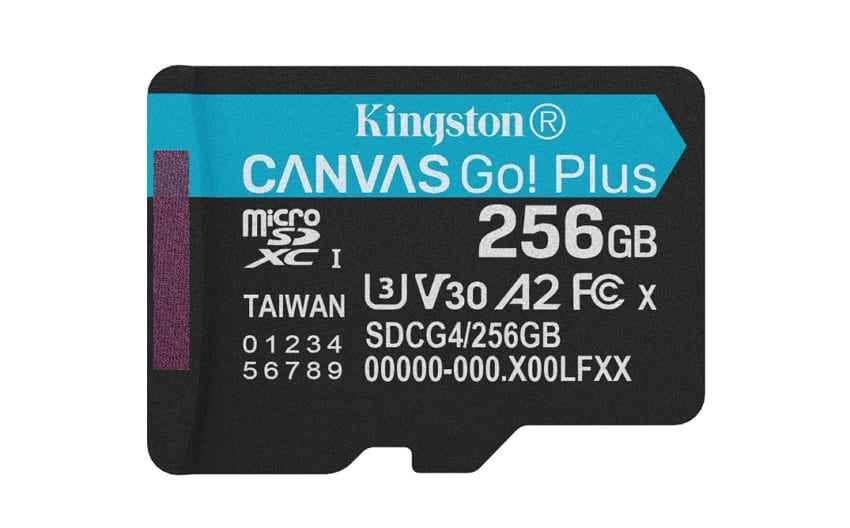
Kingston Canvas Go! Plus is one of the best drone SD card value picks because DJI lists it across many current models, and Kingston specifies U3, V30, and A2 ratings. Kingston also lists up to 200 MB/s read and up to 160 MB/s write for 256GB to 1TB versions, while smaller capacities have lower write ratings.
Card 3. Lexar Professional 1066x
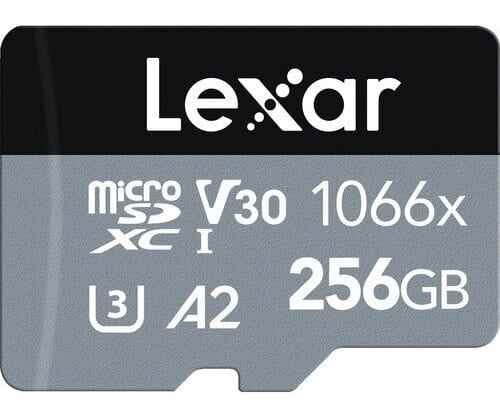
Lexar Professional 1066x remains a dependable DJI-recommended SD card for many Mini, Air, Flip, and Mavic 3 workflows. Lexar lists up to 160 MB/s read and up to 130 MB/s write, plus U3, V30, and A2 ratings. Choose 128GB or larger if the price gap is small, because 64GB versions often provide lower write performance and worse value per GB.
Card 4. SanDisk Extreme
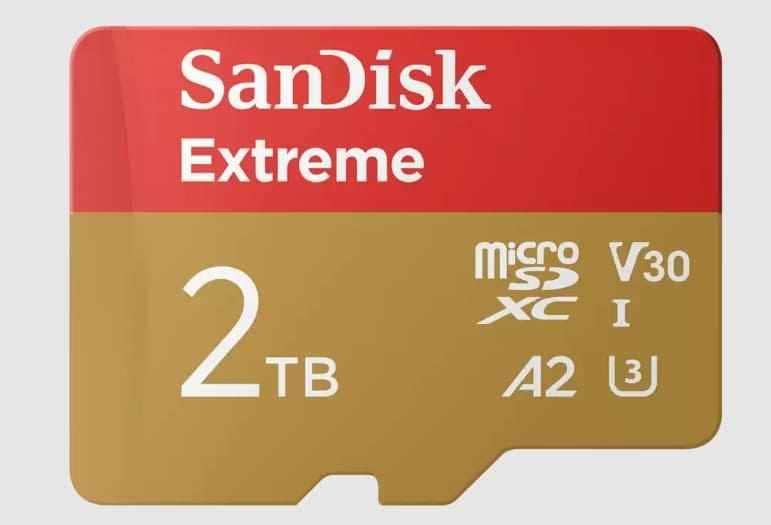
SanDisk Extreme is a familiar option for DJI Mini 3 and Mini 3 Pro users because it appears on DJI lists in multiple capacities. It is also widely stocked, which matters when storage prices rise and some cards sell out. For most recreational pilots, 128GB or 256GB is the practical sweet spot.
Card 5. SanDisk Extreme PRO
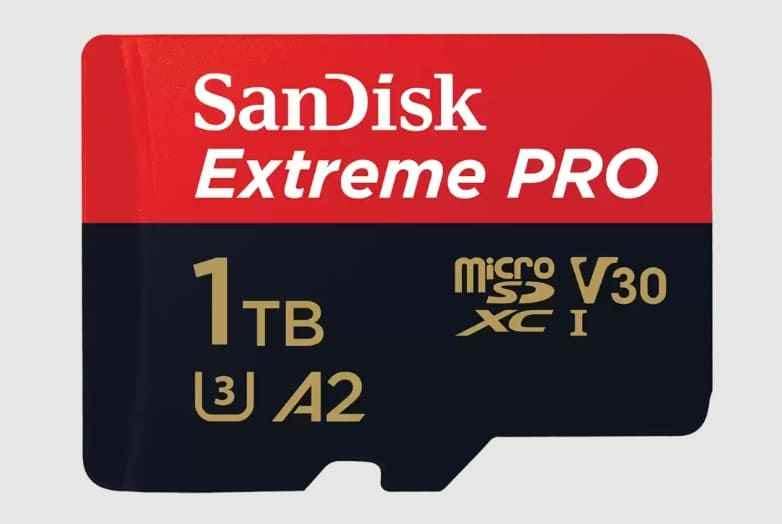
SanDisk Extreme PRO is the higher-priced upgrade for users who want broad retail availability and faster offloading with compatible readers. SanDisk also says some Extreme PRO packages include a RescuePRO Deluxe recovery software download offer, but you should still back up drone footage as soon as possible instead of depending on any recovery tool after a failure.
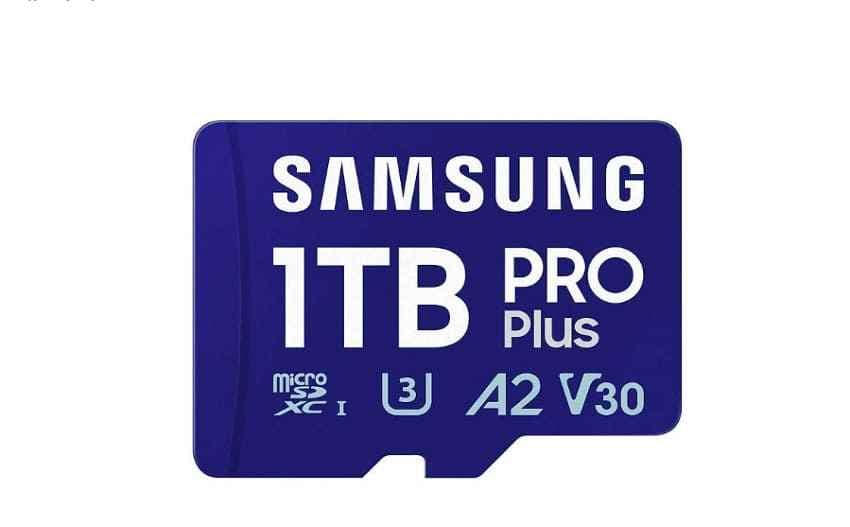
Card 6. Samsung PRO Plus
Samsung PRO Plus is a solid card for pilots who want a recognizable brand, U3/V30/A2 ratings, and good transfer performance. Samsung lists the 1TB PRO Plus as a card for drones and action cams with 180 MB/s read and 130 MB/s write ratings. Buy it when the price per GB is close to Kingston or SanDisk alternatives; skip it if it carries a large premium.
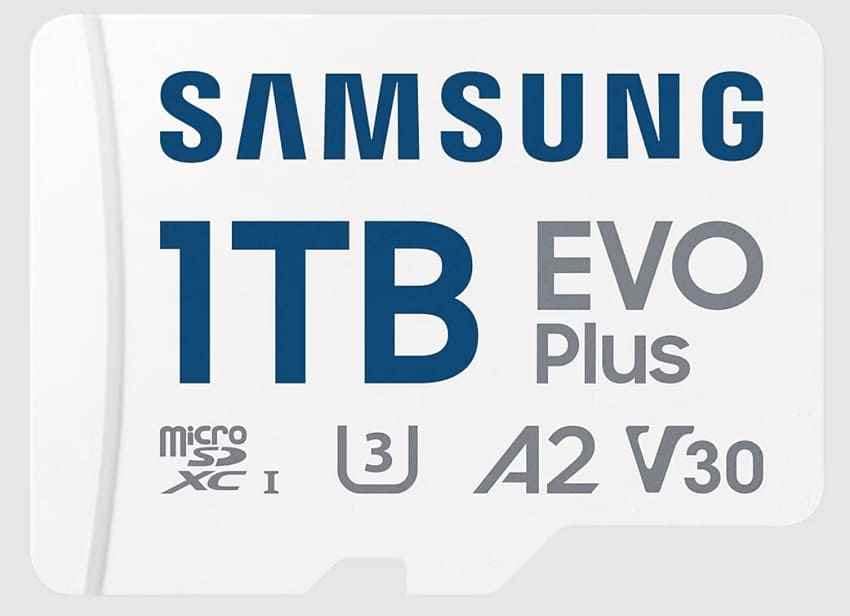
Card 7. Samsung EVO Plus
Samsung EVO Plus can be the budget-friendly alternative if you buy the right version. Samsung's UK product page lists U3, V30, and A2 for the 256GB EVO Plus, while older or smaller regional versions may be slower. For DJI drones, avoid any EVO Plus card labeled only U1 or V10.
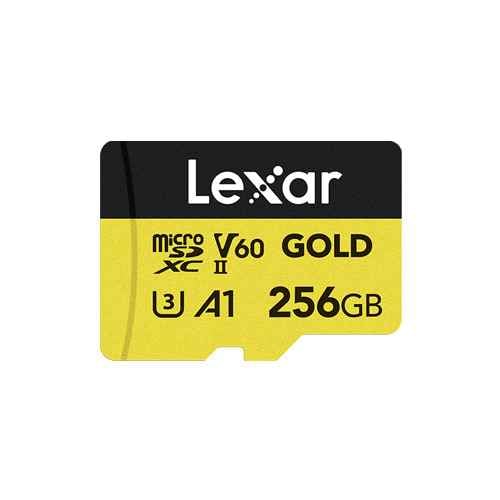
Card 8. Lexar Professional GOLD microSDXC UHS-II
Lexar Professional GOLD microSDXC UHS-II Card is a workflow card rather than a must-have recording card for DJI drones. Its UHS-II interface and V60 rating help when paired with a UHS-II reader for large computer transfers. Inside most DJI aircraft, it behaves like a UHS-I-compatible card, so buy it only if offload time is worth the premium.
Part 4. DJI Drone Compatibility Matrix
DJI drones share similar speed requirements, but their capacity limits and internal storage differ. This is why one DJI recommended SD card can be perfect for a Mini 5 Pro and unnecessary or unsupported for another drone.
How to Read DJI's Official Card Lists
DJI's Recommended microSD Cards list is the first place to check when a drone refuses a card or when you want the least risky purchase. The list shows supported card type, tested card families, and model-specific examples. If your card is not listed, it can still work when it meets the same U3/V30 requirement and capacity limit, but troubleshooting and support are simpler with listed cards.
Compatibility Table for Popular DJI Drones
| DJI Model | Card Type to Look For | Practical Capacity Choice | Internal Storage Note | Best-Fit Card Family |
| DJI Mini 5 Pro | UHS-I U3/V30 microSDXC from DJI's current list | 256GB to 1TB for heavy 4K use | DJI lists 42GB internal storage | Lexar SILVER PLUS or Kingston Canvas Go! Plus |
| DJI Mavic 4 Pro | SDXC and UHS-I microSD up to 1TB | 512GB or 1TB | 64GB internal storage, or 512GB on the 512GB version | Lexar SILVER PLUS or Kingston Canvas Go! Plus |
| DJI Mini 4 Pro | UHS-I Speed Grade 3 or higher microSD | 128GB to 512GB | 2GB internal storage | Lexar 1066x, Kingston Canvas Go! Plus, or Samsung EVO Plus 512GB |
| DJI Flip | UHS-I Speed Grade 3 or higher microSD | 128GB to 512GB | 2GB internal storage | Kingston Canvas Go! Plus or Lexar 1066x |
| DJI Air 3S | UHS-I Speed Grade 3 or higher microSD | 256GB or 512GB | 42GB internal storage | Lexar 1066x or Kingston Canvas Go! Plus |
| DJI Mini 3 | UHS-I Speed Grade 3 or higher microSD | 128GB or 256GB; up to listed capacity | No meaningful internal footage storage listed; rely on the card | SanDisk Extreme or Kingston Canvas Go! Plus |
| DJI Mini 3 Pro | UHS-I Speed Grade 3 or higher microSD | 128GB to 512GB | DJI lists 1.2GB internal storage | SanDisk Extreme, SanDisk Extreme PRO, or Lexar 1066x |
| DJI Mini 4K / Mini 2 / Mini 2 SE | UHS-I Speed Grade 3 or DJI-listed card | 64GB to 256GB | Model-dependent; check before relying on internal storage | SanDisk Extreme, Samsung EVO Plus, or Lexar 667x/633x families from DJI list |
| DJI Neo / DJI Neo 2 | No removable microSD card slot | Not applicable | DJI lists 22GB on Neo and 49GB on Neo 2 | Use internal storage, phone app exports, and backups instead |
Part 5. Best Value Alternatives as Memory Card Prices Rise
As storage prices rise, the best SD card for a drone is the one that records reliably without making you pay for unused speed or unsupported capacity. TrendForce reported in 2026 that NAND Flash contract prices were climbing sharply as supply tightened and AI-related demand increased. Retail microSD pricing varies by seller and region, so value has to be checked at the time you buy.
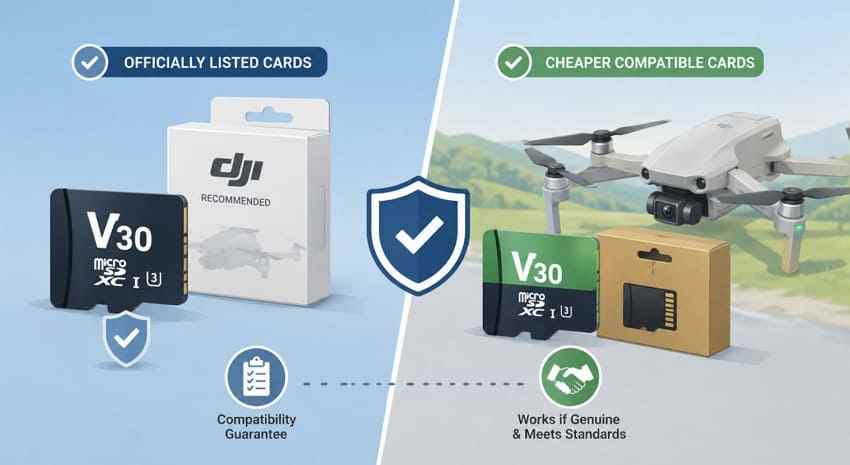
Officially Listed Cards vs Cheaper Compatible Cards
DJI-recommended SD cards are tested, convenient, and easier to defend in support conversations. Cheaper compatible cards can still be reasonable if they are genuine, meet U3/V30, stay within the drone's capacity limit, and come from a reputable seller. Do not buy a no-name card for aerial footage just because it advertises a high capacity.
When SanDisk Extreme, Canvas Go! Plus, or EVO Plus Makes Sense
Choose SanDisk Extreme when you own DJI Mini 3 or Mini 3 Pro and want a common officially listed option. Choose Kingston Canvas Go! Plus when it is cheaper per GB than SanDisk and appears on your DJI model's list. Choose Samsung EVO Plus only when the exact capacity label shows U3 and V30; at 128GB or larger, it can be a strong budget choice.
When to Avoid Premium V90 Cards
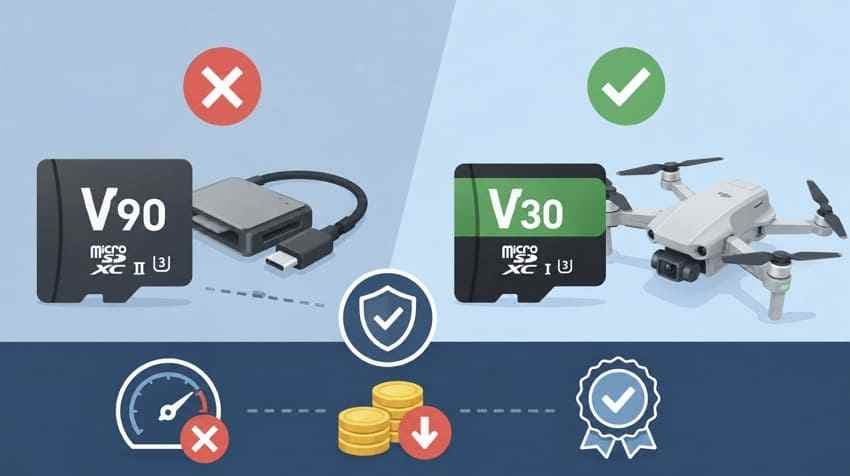
V90 cards are easy to overbuy for DJI drones. They do not improve image quality, bit rate, or recording reliability if the drone's UHS-I slot is already satisfied by a genuine V30 card. Pay for V90 or UHS-II only when your real pain point is moving hundreds of gigabytes to a computer after every shoot.
One Large Card vs Two Smaller Cards
Two smaller cards reduce risk because a single card failure does not take the whole day of footage. This works well if you swap cards when you swap batteries. One large card is more convenient for travel, mapping, or long uninterrupted sessions. If the price per GB is close, many working pilots prefer two 256GB cards over one 512GB card.
Price Check Workflow Before You Buy
| Check | Why It Matters | Buyer's Rule |
| Drone capacity limit | A 1TB or 2TB card may not mount in older or lower-end drones. | Never buy above the model's official limit. |
| Price per GB | Larger cards often look expensive but may be cheaper per GB. | Divide price by capacity before comparing. |
| Speed label | Some card families have slower smaller-capacity versions. | Confirm U3 and V30 on the exact card, not only the product family. |
| Seller quality | Counterfeit cards can show fake capacity and fail during recording. | Buy from the brand, DJI, or a trusted retailer. |
| Offload workflow | Fast advertised speeds may require a matching reader. | Pay for UHS-II only if your reader and workflow use it. |
Part 6. Choose Capacity for DJI Drone Footage
Capacity is where many buyers waste money. A 64GB card may be too small for 4K travel footage, while a 1TB card may be unnecessary for short recreational flights. Use the table below as an estimate, then adjust for your drone's bit rate and format.
Approximate 4K Recording Time by Capacity
| Capacity | Approximate 4K Runtime | Best For | Buying Advice |
| 64GB | Just under 1 hour at high 4K bitrates | Occasional short flights | Buy only if your drone is older or your budget is tight. |
| 128GB | About 2 hours | Most recreational pilots | Good minimum for DJI Mini 3, Mini 3 Pro, and short trips. |
| 256GB | About 4 hours | Travel, events, and frequent 4K recording | Best balance for many users when prices are reasonable. |
| 512GB | About 7.5 hours | Long shooting days and extended trips | Good for Air, Mavic, Mini Pro, and paid work if supported. |
| 1TB | About 15 hours | Professional workflows and heavy travel | Buy only for drones that support it and workflows that need it. |
Why 64GB Is Often a False Economy
A 64GB card saves money upfront, but it fills quickly and may have lower write ratings than larger cards in the same family. If you record 4K regularly, 128GB should be the real starting point. For frequent flyers, 256GB usually feels safer and often has better price-per-GB value.
Recording Time, Price per GB, and Overbuying Risk
Do not compare cards only by sticker price. Compare the cost per GB, your average number of batteries per outing, and the supported card ceiling for the drone. A 512GB V30 card can be smarter than a 256GB premium card if you travel often, but a 1TB card makes little sense if you offload after every flight.
Part 7. DJI SD Card Problems and Immediate Actions
Even a compatible DJI recommended SD card can fail because of corruption, counterfeit capacity, heat, a slow reader, file-system damage, or interrupted recording. The correct first action is to protect the footage before formatting.
Problem Table: Warning, Cause, Immediate Action, and Fix
| Problem | Likely Cause | Immediate Action | Recommended Fix |
| Card too slow warning | Card is below U3/V30, counterfeit, overheated, or incorrectly formatted. | Stop recording and land safely. | Back up files, format in the drone, then replace the card if the warning returns. |
| Drone does not detect card | Unsupported capacity, dirty contacts, wrong file system, or card failure. | Power down and test the card in a reader. | Use a DJI-supported card within the capacity limit. |
| Recording stops early | Card is full, aircraft overheated, or write speed dropped. | Check remaining space and aircraft temperature. | Offload files, cool the drone, and test another V30 card. |
| Wrong capacity displayed | Counterfeit or faulty memory card. | Do not record more footage. | Run a full capacity test and return the card if the result is false. |
| Video files unplayable | Power loss, interrupted recording, or file index corruption. | Copy accessible files to another drive. | Try recovery before formatting or repairing the card. |
| Footage missing after flight | Deleted files, corrupted folder index, or app export issue. | Stop using the card immediately. | Check backups first, then scan the card with recovery software. |
| App requests formatting | Damaged file system or unsupported format. | Decline the format prompt. | Recover important files first, then format in the aircraft. |
| Slow computer transfers | Old card reader, USB 2.0 port, or speed requiring a proprietary reader. | Try another reader and USB 3.x port. | Use a UHS-I or UHS-II reader that matches the card's intended offload speed. |
Do Not Format a Card Containing Missing Footage
Formatting is often the right final fix for a drone card, but it is the wrong first step when footage is missing. A format can remove the file-system structure recovery tools use to rebuild deleted or corrupted clips. If the card holds files you still need, recover or copy the data first.
Part 8. Recover Deleted or Corrupted DJI Drone Footage
A drone card that fails to mount may still contain photos and videos. In many cases, the file index is damaged while the original footage remains on the card. Act quickly, avoid new recording, and recover the files before trying format or repair steps.
Secure the Flight Card Before Recovery
Power off the drone, remove the card, and set it aside. Do not continue flying with the same card, do not run repeated repair attempts, and do not accept format prompts. Fresh writes are the main reason deleted DJI clips become unrecoverable.
Check Internal Storage, App Cache, and Backups First
Look for another copy before scanning. Check aircraft internal storage, DJI Fly album/cache, phone gallery, cloud backup, exported folders, and the computer used after the flight. If the missing file exists there, copy it to another drive and leave the problematic microSD card untouched until you are done.
Recover DJI Videos and Photos With Wondershare Recoverit

Recoverit Memory Card Recovery can help recover deleted, formatted, or inaccessible files from a readable DJI microSD card through a card reader. It is suitable before formatting a drone card that still contains missing photos, DNG files, MP4/MOV videos, or other flight media. It cannot repair a physically broken card, bypass encryption, or guarantee recovery from overwritten sectors.
- Use it when: the card is detected by Windows or macOS, but footage is deleted, missing, formatted, or inaccessible.
- Do not rely on it when: the card is physically cracked, burned, water-damaged, or not detected by any reader.
- Save results safely: export recovered files to a computer drive or external drive, never back to the same drone card.
How to Scan a DJI Memory Card and Recover Data
Remove the card from the drone and connect it to your computer with a card reader. Scanning through the aircraft is not recommended because the connection may be unstable and the drone can write new files.
Step 1. Read the card and point the scan at it.
Open Recoverit, select the SD Card Recovery option, choose the DJI microSD card, and start the scan.

Step 2. Scan, then narrow what comes back.
After the scan starts, filter by video and image file types to reduce flight logs, thumbnails, and unrelated files.

Step 3. Preview a clip, then export elsewhere.
Preview recoverable files where possible, click Recover, and save the results to a different storage device.

Try Wondershare Recoverit to Perform Data Recovery
Security Verified. Over 7,302,189 people have downloaded it.
When Professional Recovery Is Required
Contact a professional recovery service if the card is physically damaged, gets very hot, has a broken connector, or is not detected by multiple card readers. Continued software scans on unstable hardware can make recovery harder. For important commercial or legal footage, stop experimenting and preserve the card as evidence.
Conclusion
Among DJI recommended SD cards, Lexar Professional SILVER PLUS is the strongest overall pick for newer models, Kingston Canvas Go! Plus is the broad value option, SanDisk Extreme remains a safe Mini 3 and Mini 3 Pro pick, and Samsung EVO Plus can work as a budget alternative when the exact card is U3/V30. V90 and UHS-II cards are usually unnecessary for in-drone recording, but they can save time during computer transfers.
Because storage prices are moving, choose the card by model compatibility, capacity, real price per GB, and your flight workload. If a drone card already contains missing footage, do not format it first. Check backups, protect the card, and use recovery software such as Recoverit only for readable removable microSD cards before moving on to formatting or replacement.
FAQ
-
What speed card does DJI actually require?
Most current DJI drones require a UHS-I microSD card rated U3 or V30. That rating provides 30 MB/s sustained write performance, which is enough for normal DJI 4K recording when the card is genuine and supported by the drone. -
What is the best SD card for DJI Mini 3?
The best SD card for DJI Mini 3 is a genuine UHS-I U3/V30 microSD card within DJI's supported capacity range. SanDisk Extreme, Kingston Canvas Go! Plus, and Samsung PRO Plus appear as strong choices, but always verify the exact capacity against DJI's latest list. -
Will a V90 or UHS-II card improve DJI drone video quality?
No. A V90 or UHS-II card does not improve video quality if the DJI drone records through a UHS-I slot and already works with a V30 card. It mainly helps when you offload large files to a computer with a matching UHS-II reader. -
Is 64GB enough for a DJI drone?
64GB can work for short flights, but it fills quickly with 4K footage and may have weaker write ratings in some card families. For most recreational drone users, 128GB is the better minimum, while 256GB is a safer travel capacity. -
Can I use a card that is not on DJI's recommended SD card list?
Yes, a non-listed card can work if it is genuine, U3/V30-rated, and within your drone's supported capacity. However, DJI-recommended SD cards are easier to verify and troubleshoot because DJI has listed them for specific models. -
Can Recoverit recover deleted DJI drone videos after formatting?
Recoverit may help recover deleted or formatted DJI footage from a readable microSD card if the files have not been overwritten. Stop using the card immediately and save recovered files to a different drive. It cannot recover from a physically failed card that is not detected.



