

 TL;DR:
To repair corrupted GoPro MP4 videos, first rule out transfer errors by re-copying the file with a reliable card reader, then use VLC Media Player for minor damage or Recoverit Video Repair for severe structural issues.
● VLC Media Player offers a free solution for light corruption by converting the MP4 to AVI and using its "Always Fix" setting, while Recoverit Video Repair is required for complex damage like broken frames or incomplete headers.
● Formatting high-quality SD cards directly inside the GoPro and powering off the camera completely before card removal are critical actions to prevent the battery or heat-induced interruptions that create unplayable files.
Ask AI for a summary
 ChatGPT
 Perplexity
 Gemini
 Claude
 Grok
Grok
GoPro cameras record high-quality videos. These videos help capture trips, sports, and daily moments. Many users keep important memories on their GoPro card. So it can be stressful when a video does not open. A damaged file can make users worry about losing their work or personal clips.
Many things can damage a GoPro MP4 file. The video may stop recording in the middle. The battery may die. The card may freeze. A corrupt file often refuses to play. This is why users look for a GoPro MP4 video repair tool. There are many ways to repair these files.
With the right steps, you can bring back your data. This guide explains how to repair GoPro MP4 videos. It will also show GoPro corrupted video fixes, GoPro file repair, and safe ways to recover corrupted GoPro videos.
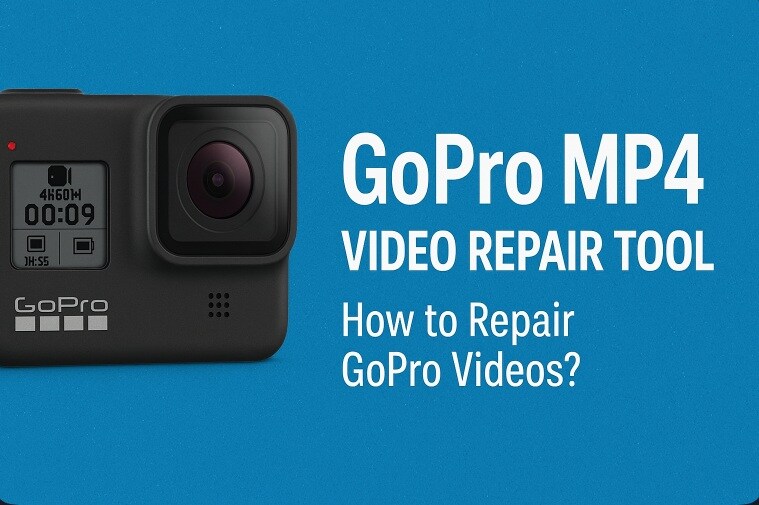
Table of Contents:
How to Repair GoPro MP4 Videos
There are many ways to repair damaged clips. Each method has a different purpose. Some work for light errors. Others help when the file refuses to open at all. The goal is to fix corrupted GoPro video safely with simple steps. Whether you face GoPro files corrupted errors or file cannot be repaired GoPro warnings, the methods below can help.
Below you will find a clear guide. Each method has two short introduction paragraphs. Then you will see how the method helps. After that, simple steps show how to act. These steps can help you recover corrupted GoPro videos and repair corrupted GoPro video fee free options.
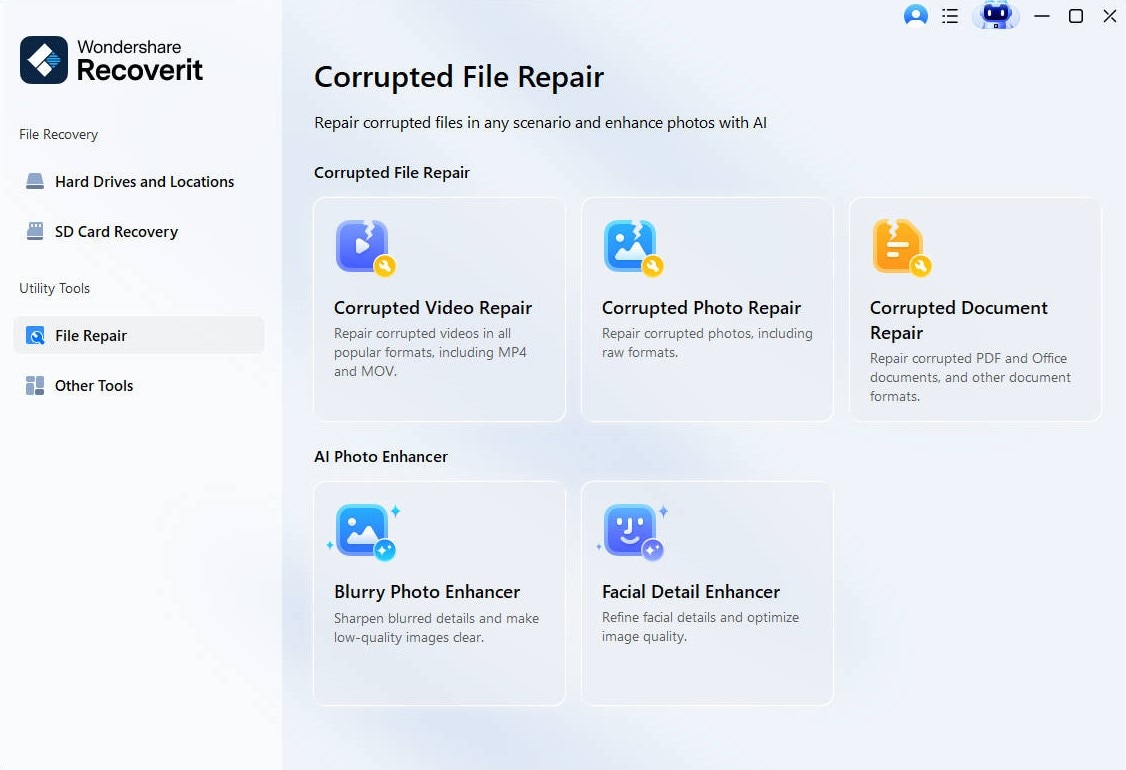
Method 1: Use Recoverit Video Repair Tool to fix corrupted or unplayable GoPro MP4 files
Recoverit Video Repair is a trusted GoPro MP4 video repair tool. It helps in many cases where the file will not open. This tool reads damaged sections and restores the playable structure. It is one of the strongest ways for GoPro corrupt file recovery.
This tool works for many types of damage. It can restore sound issues, broken frames, and incomplete headers. If you see errors like corrupted GoPro files or GoPro file repair needed, Recoverit often helps. Many users prefer it because it is easy to use.
Steps:
Step 1: Open Recoverit Corrupted Video Repair.
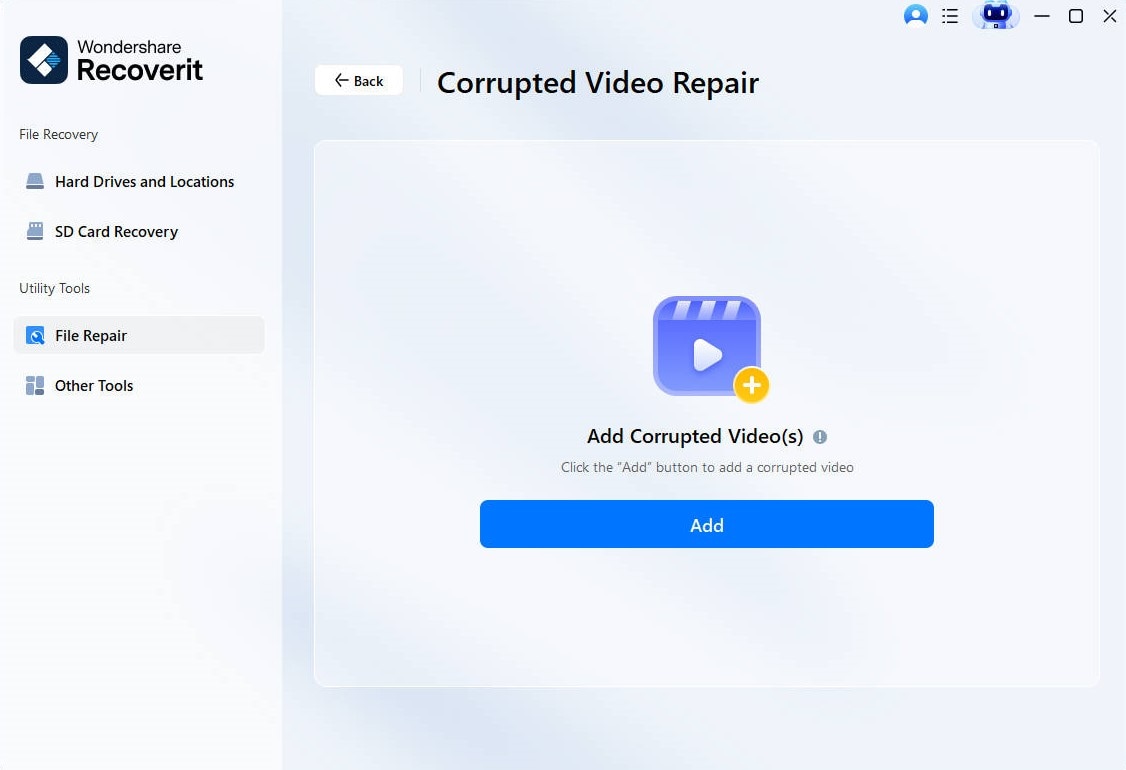
Step 2: Add the damaged GoPro file.
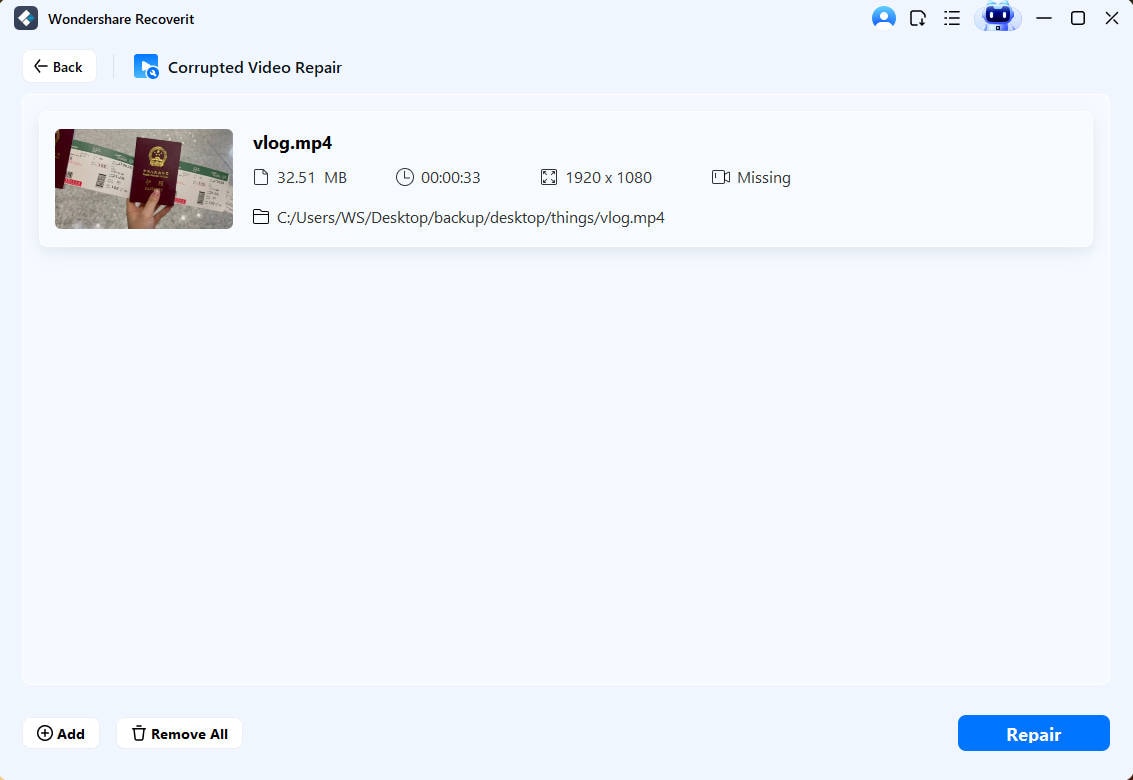
Step 3: Click Repair. Save the restored file when done.
Method 2: Try VLC Media Player’s built-in repair feature for damaged MP4 files
VLC Media Player has a simple repair tool for broken MP4 files. It works well for light errors. If you see issues like GoPro files corrupted or GoPro corrupt file recovery needed, VLC may fix minor damage.
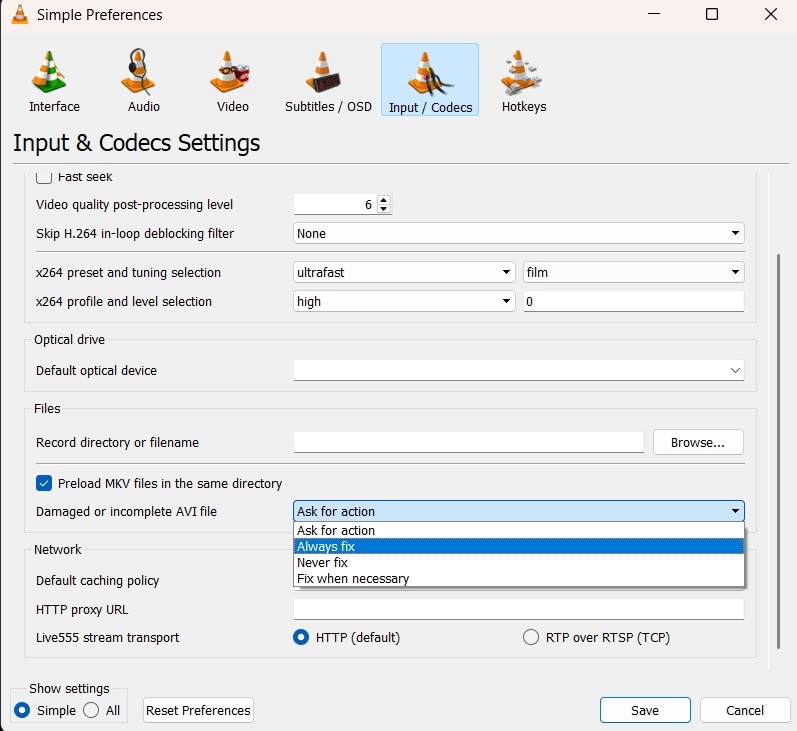
VLC converts the MP4 into AVI and repairs it in the process. It is not the strongest method, but it is free. Many users try this before moving to a dedicated GoPro MP4 video repair tool.
Steps:
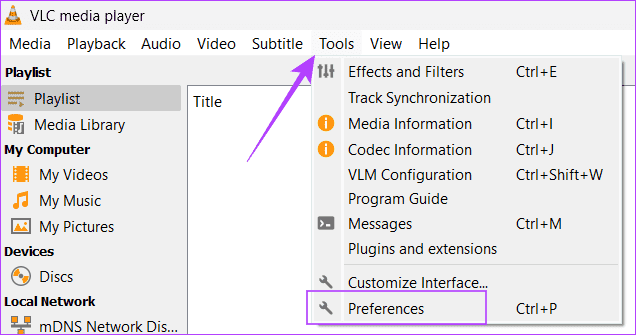
Step 1: Open VLC. Go to the Tools menu and choose Preferences.
Step 2: Set Always Fix for damaged files. Try playing the MP4.
Method 3: Re-transfer video files from GoPro to PC using a reliable card reader
Sometimes the file is not damaged. The problem may occur during transfer. A weak cable or card reader may cause the clip to break. When this happens, users think they need a GoPro video repair tool. In truth, a clean re-transfer often solves it.
If you see errors like corrupted GoPro files or GoPro file repair needed, try this method. A stable card reader can copy the file without drops. Many damaged clips get fixed this way.
How it helps:
• Removes errors caused by faulty transfer • Helps when the first copy is incomplete • Avoids extra corruption • Works well for large files
Steps:
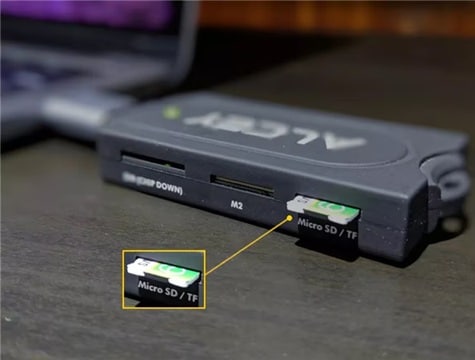
Step 1: Insert the memory card into a good-quality card reader.
Step 2: Copy the MP4 again to your computer safely.
Method 4: Update GoPro firmware and re-record test videos
Old firmware can cause sudden freezes. A crash during recording may damage the MP4. This creates problems like GoPro files corrupted or file cannot be repaired GoPro errors. A firmware update prevents such issues in the future.
After the update, record a small test video. This helps confirm that your GoPro is stable again. This practice also helps reduce the need for frequent GoPro corrupted video fixes.
How it helps:
• Fixes camera bugs • Prevents future video corruption • Helps with long recordings • Makes the device more stable
Steps:
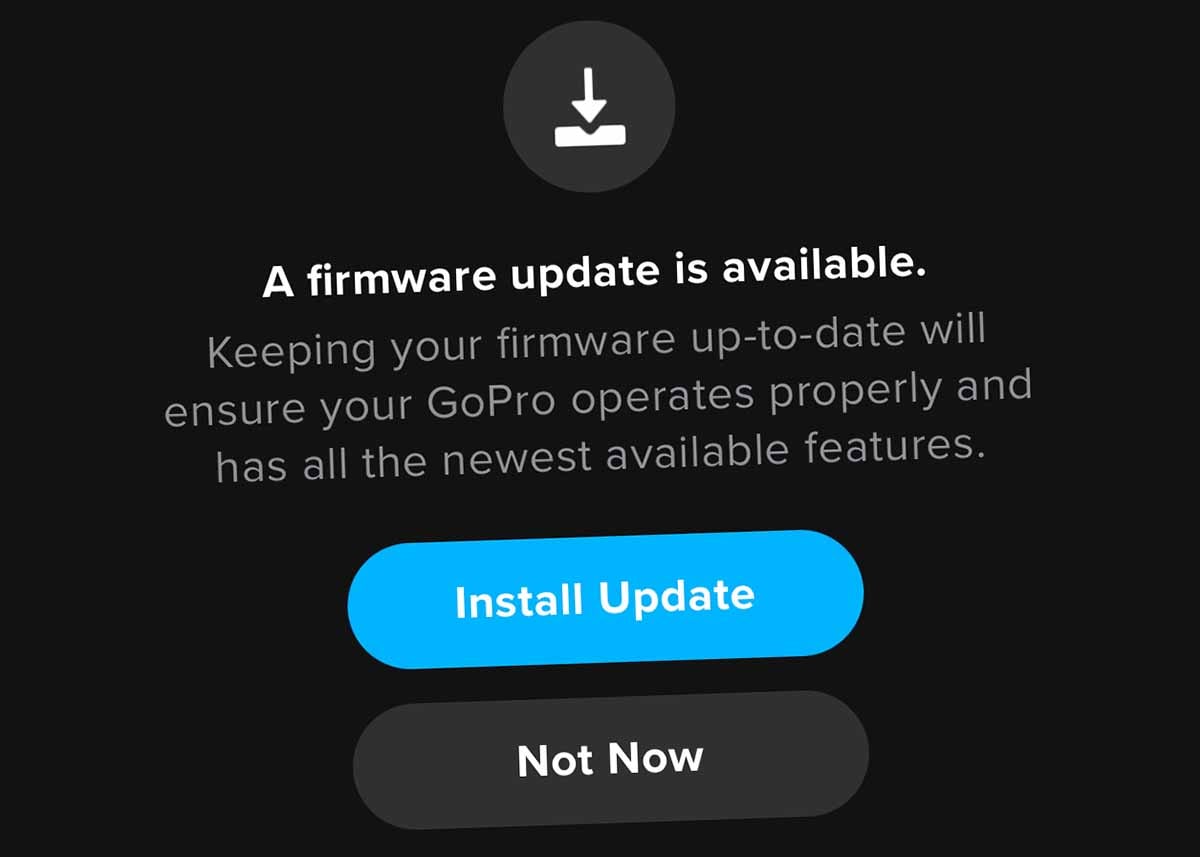
Step 1: Update your GoPro firmware from the official site or app.
Step 2: Record a new clip to check if the issue is gone.
Method 5: Restore videos from backup or cloud storage if available
Some users store copies on cloud services. If your primary clip is damaged, you may not need a GoPro MP4 video repair tool at all. A backup saves time and avoids repair corrupted GoPro video fee situations. It works fast and helps you avoid risk.
If you see errors like corrupted GoPro files or GoPro corrupt file recovery, check your cloud first. Many times, the backup remains safe even if the card file breaks.
How it helps:
• Restores files instantly • Saves time • Avoids extra damage • Works well for old clips
Steps:
Step 1: Open your cloud or backup folder.
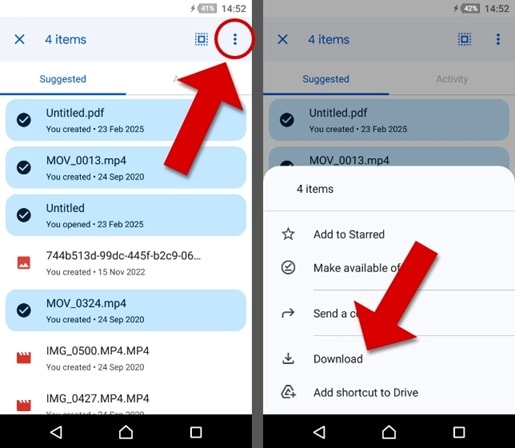
Step 2: Download the clean video to your computer.
Part 3: Pro Tips to Avoid GoPro Video Corruption
GoPro cameras are strong. Still, the files inside can break if not handled well. Simple habits prevent most problems. By following these tips, you can avoid corrupted GoPro files and reduce the need for a GoPro video repair tool.
• Use high-quality memory cards Fast cards help with smooth recording. Slow or fake cards cause drops and result in corrupted GoPro files.
• Format the card inside the GoPro This gives the best performance. External formatting can cause file issues.
• Avoid recording with a low battery A dead battery often leaves the file incomplete. This leads to file cannot be repaired GoPro warnings.
• Do not remove the card while the camera is on GoPro writes data even after you stop recording. Always turn off the camera first.
• Let the camera cool during long shoots Heat can freeze the device. A frozen device causes corrupted video fixes later.
• Transfer files with a stable cable or card reader Broken transfers damage MP4 files. Use only trusted equipment.
• Keep the firmware updated New updates fix camera bugs. This reduces the need to fix corrupted GoPro video in the future.
• Back up files on time A backup helps recover corrupted GoPro videos without repair tools.
Conclusion
GoPro videos are important to many users. When they get damaged, it can be worrying. Still, there are many ways to repair them. A GoPro MP4 video repair tool helps in most cases. Other times, a simple method like transfer or firmware update works. It is possible to repair corrupted GoPro video fee free in many cases.
The methods in this guide show how to act step by step. They help you understand how to repair GoPro videos in a safe way. With good habits, you can avoid future damage. You can also keep your memories safe with regular backups. This makes things easier and reduces stress.
FAQs
-
1. Why can my GoPro show file not be repaired GoPro?
This happens when the video is not closed properly. It may be due to a low battery, heat, or a sudden camera stop. You can still try GoPro file repair tools. -
2. Can I recover corrupted GoPro videos for free?
Yes. Some methods cost nothing. VLC and re-transfer steps are free. In many cases, these options help users complete GoPro corrupt file recovery without cost. -
3. What is the best option when corrupted GoPro files issues appear?
A strong tool like Recoverit Video Repair is very helpful. It fixes deep damage and helps with GoPro corrupted video fixes that simple tools cannot solve.


