 TL;DR:
The top 2026 Android phones with microSD slots include the premium Sony Xperia 1 VIII and value models like the Samsung Galaxy A17 5G and Motorola Moto G Stylus 2026, though buyers must verify exact regional SKUs because expandable storage and SIM tray designs vary heavily by market.
● Current Android phones restrict microSD cards strictly to portable media storage for photos, videos, and downloads, meaning you must still purchase sufficient internal storage for installed apps, game saves, and system files.
● Users needing dual-line service and expandable storage must check if a phone has a dedicated memory slot, as hybrid trays force a choice between a second physical SIM and a microSD card unless the carrier supports an eSIM alternative.
● If data disappears from a phone memory card, immediately stop using it to prevent overwriting and connect it to a PC reader for retrieval using tools like Wondershare Recoverit, which works on readable removable media but cannot recover encrypted internal Android storage.
Ask AI for a summary
 ChatGPT
 Perplexity
 Gemini
 Claude
 Grok
Grok
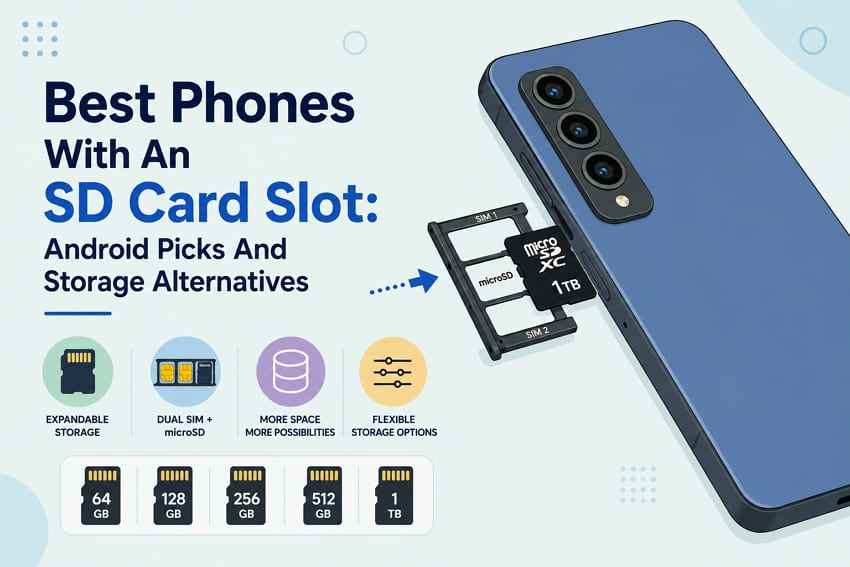
The best phones with an SD card slot in 2026 are mostly Android models from Sony, Motorola, and selected Samsung Galaxy A-series lines. Expandable storage still matters because phone storage upgrades can be expensive, memory prices are moving, and many buyers want a cheaper way to store photos, videos, downloads, and offline media.
There is one catch: microSD support now varies heavily by region, carrier, SIM tray design, and exact model number. A phone may support microSD in one market and drop it in another. A dual-SIM phone may also use a hybrid tray that forces you to choose between a second SIM and a memory card. This guide compares the best phones with an SD card slot, explains when expandable storage is worth it, and shows what to do if files disappear from a phone microSD card.
Try Wondershare Recoverit to Perform Data Recovery
 Security Verified. Over 7,302,189 people have downloaded it.
In this article
Part 1. Should You Buy a Phone With an SD Card Slot in 2026?
Yes, you should consider a phone with an SD card slot if you store lots of photos, videos, music, documents, podcasts, offline maps, or movies. You should not buy one only to avoid paying for internal storage if your main problem is apps or games, because most current Android phones treat microSD cards as portable media storage rather than internal app storage.
Why Expandable Storage Matters as Storage Prices Rise
Expandable storage remains useful because it lets you delay part of the storage cost. TrendForce reported on July 3, 2026 that NAND Flash contract prices were expected to rise 10-15% QoQ in 3Q26, mainly due to AI inference and large-scale data center demand. Phone storage upgrades and retail microSD card prices do not move in perfect lockstep, so buyers need to compare the total cost of a phone plus card against a higher internal-storage phone.
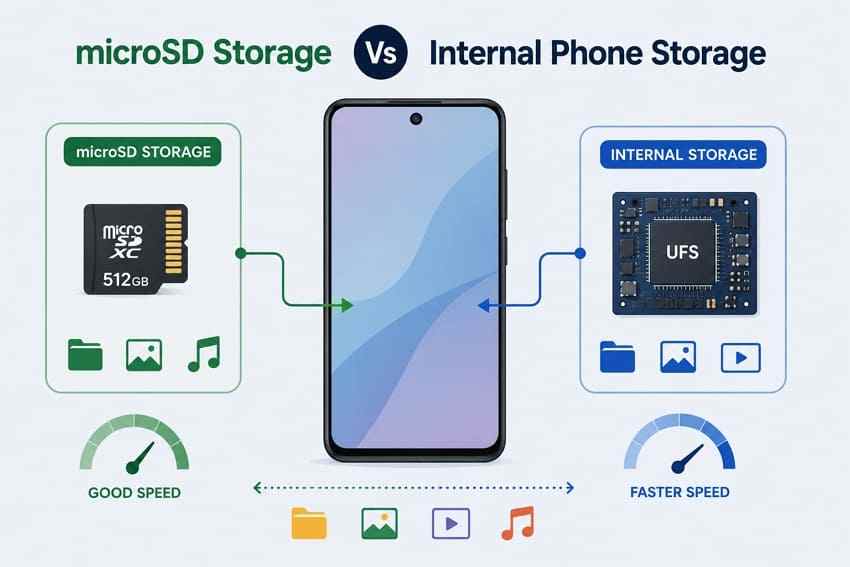
microSD Storage vs Internal Phone Storage
Internal phone storage is faster and better integrated. Many modern phones use UFS storage for apps, games, camera processing, and system files. A microSD card is better for portable media, backups, large downloads, and transferring files between devices.
What You Can and Cannot Store on a microSD Card
Motorola states that the Moto G Power 2026 uses the microSD card as portable storage for media files and that apps cannot be stored on the SD card. This portable-storage behavior is common across current Android phones.
| Works Well on a microSD Card | Usually Does Not Work Well on a microSD Card |
| Camera photos and videos saved by supported camera apps. | Installed apps and games. |
| Music, podcasts, audiobooks, and downloaded films. | App data, game saves, and app cache. |
| Offline maps, documents, PDFs, and files moved between devices. | System files, OS updates, and security-sensitive app content. |
| Backups you manually copy to the card. | Files that need very fast random access every day. |
When a Higher Internal-Storage Phone Is Still Better
Choose more internal storage if you install many games, download large app libraries, shoot lots of high-resolution video directly into internal storage, or plan to keep the phone for five years. A 256GB internal-storage phone plus a microSD card often feels better than a 128GB phone with a very large card.
Part 2. Best Phones With an SD Card Slot at a Glance
The table below focuses on phones that currently have official microSD support or need clear regional verification before publishing. Always re-check the exact SKU and carrier version before buying.
| Category | Model | microSD Support | Tray / SIM Note | Why It Fits | Main Caveat |
| Best premium phone with microSD support | Sony Xperia 1 VIII | microSDXC up to 2TB | nanoSIM + eSIM or dual eSIM with separate microSD slot, depending on market | Flagship performance, 3.5mm jack, and rare premium expandable storage. | Availability and bands vary by country; not a mainstream US-carrier pick. |
| Best budget Android phone with microSD support | Samsung Galaxy A17 5G | microSD up to 2TB | Tray and SIM details vary by region | Affordable Samsung option with long software-support positioning. | Check regional storage, RAM, eSIM, and tray details. |
| Best stylus phone with microSD support | Motorola Moto G Stylus 2026 | microSD up to 1TB | Dedicated microSD slot; US specs list 1 nano SIM + eSIM | Built-in stylus, AMOLED display, good storage flexibility, and value pricing. | Not dual physical SIM in the US model. |
| Best rugged or long-battery option | Motorola Moto G Power 2026 | microSD up to 1TB | MicroSD support with eSIM availability depending on carrier and region | Large battery, rugged-style ratings, and affordable expandable storage. | UFS 2.2 internal storage is slower than premium phones. |
| Best dual-SIM and dedicated-slot pick | Region-specific Android models with SIM 1 + SIM 2 + microSD | Varies by SKU | Must support two physical SIMs plus separate microSD | Best match for users searching dual SIM and dedicated memory card slot. | Hard to verify globally; carrier versions often differ. |
| Models to verify by region before publishing | Samsung Galaxy A26 5G and Samsung Galaxy A36 5G | A26 US support says up to 2TB; A36 US support says no external microSD | Regional Samsung A-series tray rules vary | A26 can be a good regional alternative; A36 should not be assumed to support microSD. | Verify exact model number before publishing or buying. |
Best Premium Phone With microSD Support
Sony Xperia 1 VIII is the premium pick because official Sony pages list microSDXC support up to 2TB and SIM configurations that can keep dual-line service through nanoSIM plus eSIM or dual eSIM in supported markets.
Best Budget Android Phone With microSD Support
Samsung Galaxy A17 5G is the safest budget Samsung pick because Samsung's official setup guide says it supports microSD cards up to 2TB.
Best Stylus Phone With microSD Support
Motorola Moto G Stylus 2026 is a strong value pick for users who want a stylus, expandable media storage, and a dedicated microSD card slot.
Best Rugged or Long-Battery Option
Moto G Power 2026 is the better fit when battery life, durability claims, and affordable storage expansion matter more than a stylus.
Best Dual-SIM and Dedicated-Slot Pick
The best smartphone with dual SIM and dedicated memory card slot must support SIM 1, SIM 2, and microSD at the same time. In the US, many new phones use one physical SIM plus eSIM instead. If you need two physical SIMs and a card together, check import/regional SKUs carefully.
Models to Verify by Region Before Publishing
Samsung A-series models need extra checking. Galaxy A26 5G has a US setup page showing microSD support up to 2TB, while Samsung's US support page for Galaxy A36 5G says external microSD card storage is not supported. Do not list A36 as a microSD phone unless the exact regional model confirms it.
Part 3. Best Android Phones With an SD Card Slot
The following picks cover premium, budget, stylus, long-battery, and regional alternatives. Phone availability can change quickly, so treat this as a shortlist to verify before purchase.
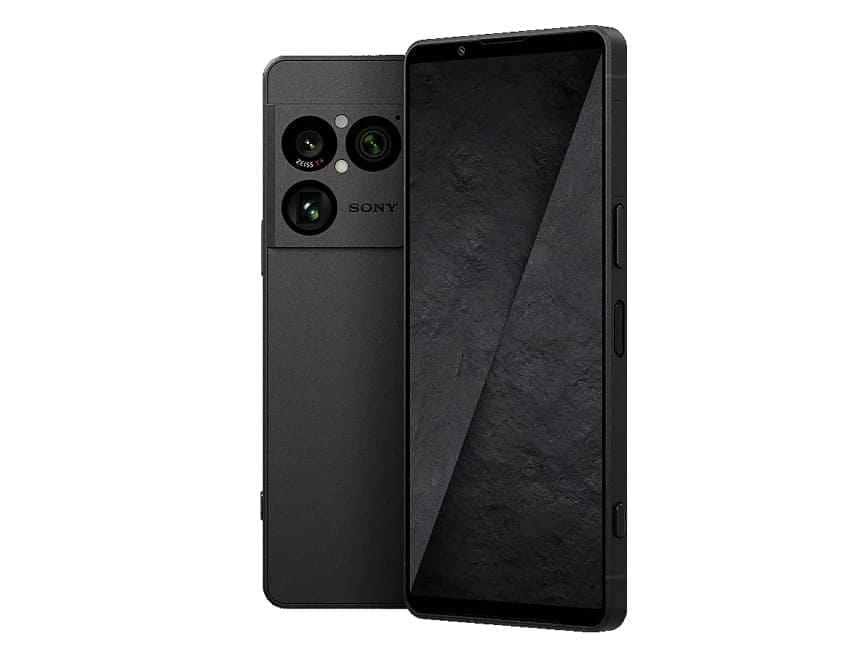
Sony Xperia 1 VIII
Sony Xperia 1 VIII is the rare flagship-class phone with expandable storage. Sony's official specifications list microSDXC support up to 2TB, Snapdragon 8 Elite Gen 5, Android 16, a 3.5mm audio jack, and nanoSIM + eSIM or eSIM + eSIM support depending on market. It is the premium choice for creators and media-heavy users who still want a phone with a card slot.
Motorola Moto G Stylus 2026
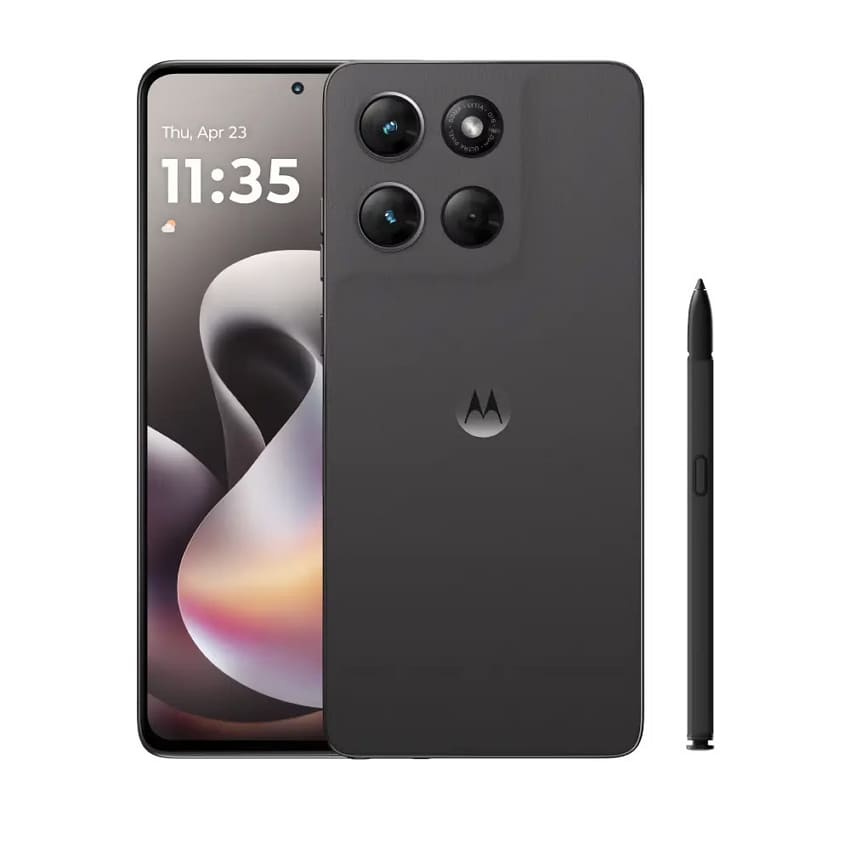
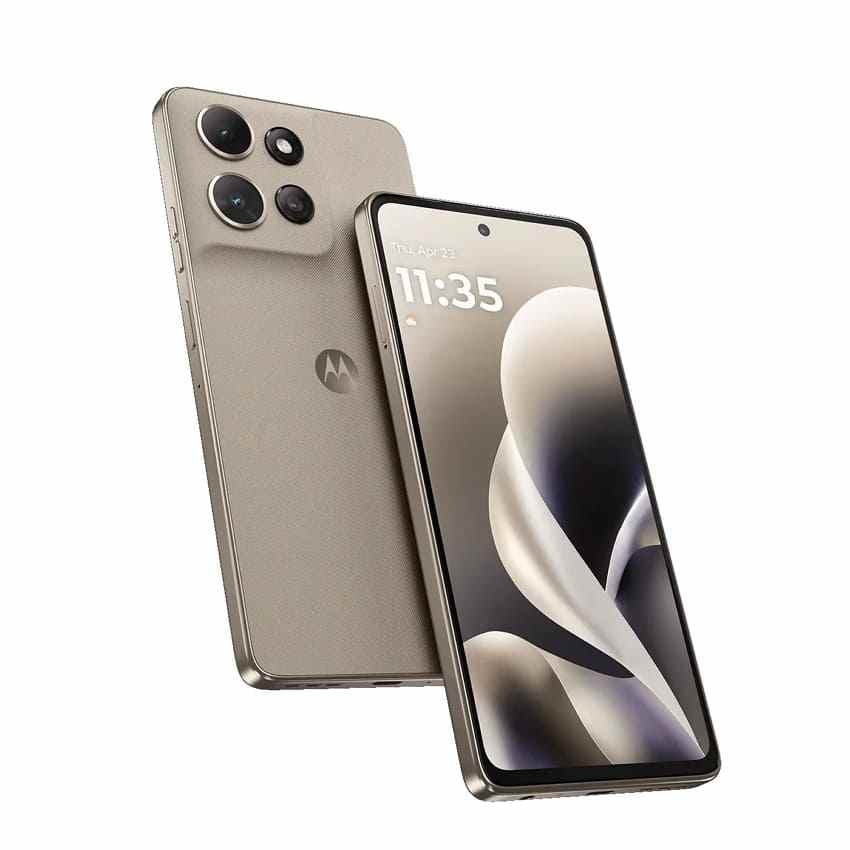
Motorola Moto G Stylus 2026 supports up to 1TB microSD expansion and includes a dedicated microSD card slot according to Motorola's official product page. It also offers a built-in active stylus, 128GB or 256GB UFS 3.1 storage depending on version, a 6.7-inch AMOLED display, and a 5,200mAh battery.
Motorola Moto G Power 2026
Moto G Power 2026 is a practical best phone with SD slot option for users who value battery and durability over flagship performance. Motorola lists 128GB built-in storage and up to 1TB microSD expansion. It is better for photos, downloads, offline media, and documents than for users who need lots of app storage.
Samsung Galaxy A17 5G
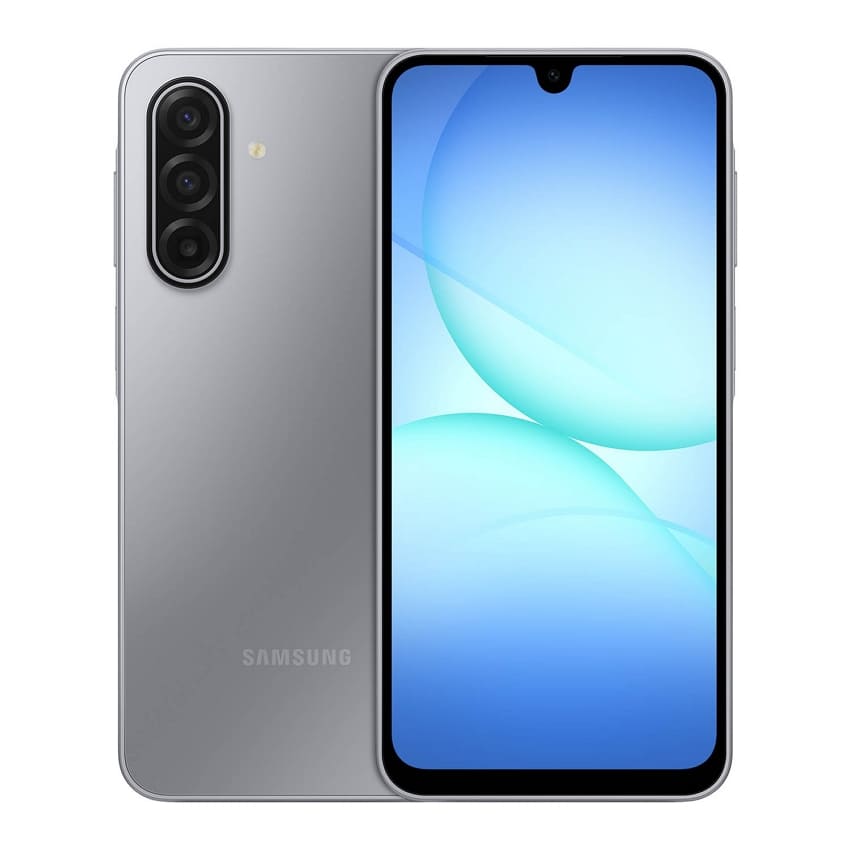
Samsung Galaxy A17 5G is the best budget Samsung option in this list. Samsung says Galaxy A17 5G comes with 128GB internal storage and supports microSD cards up to 2TB. It works well for buyers who want a low-cost phone, expandable media storage, and Samsung's ecosystem.
Samsung Galaxy A-Series Regional Alternatives
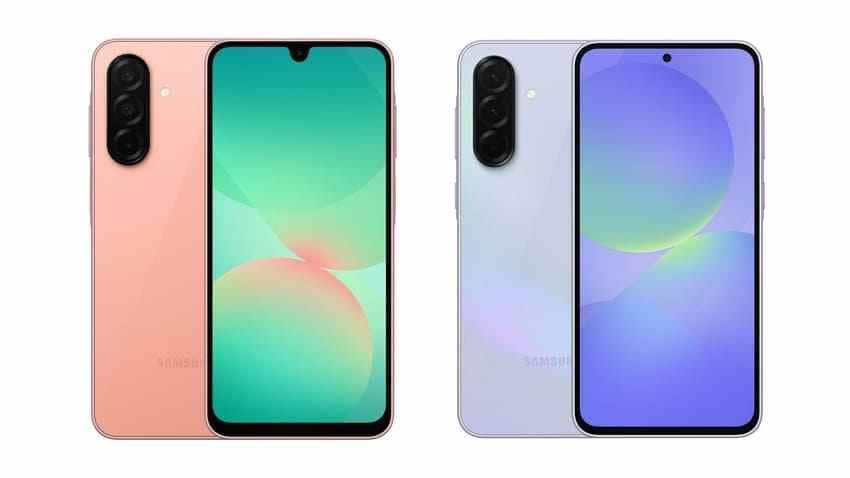
Samsung Galaxy A-series alternatives need careful checking. A26 is worth checking because Samsung's setup page says the Galaxy A26 5G supports microSD cards up to 2TB. A36 should be treated cautiously because Samsung's US support page says external microSD storage is not supported on Galaxy A36 5G.
Older Discounted Models Worth Considering
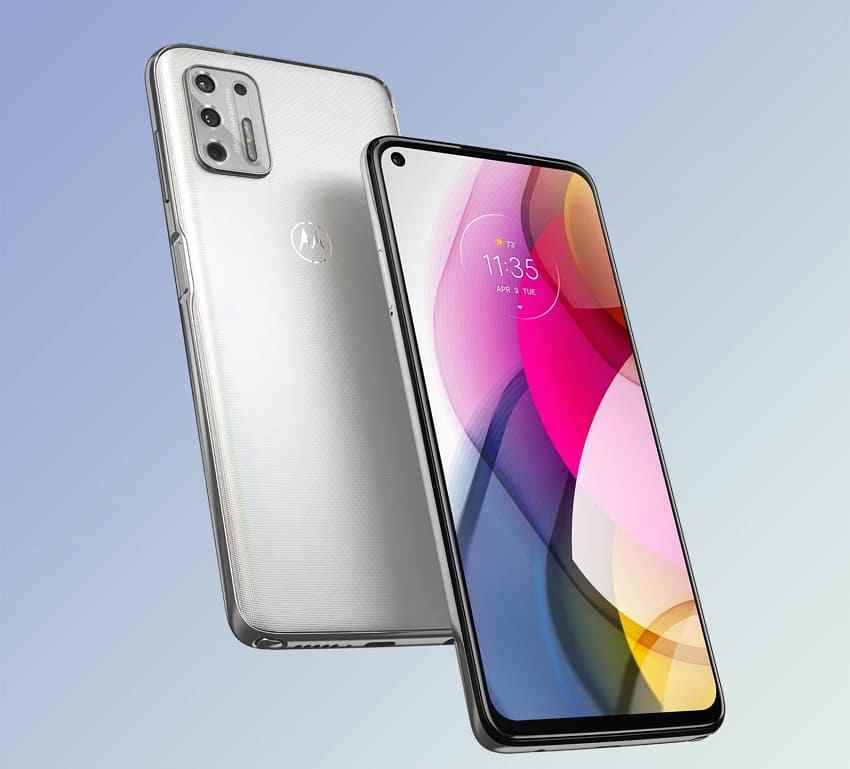
Older discounted Android phones can be good value when storage prices rise, but verify the exact model year. Moto G Stylus models differ by year, and previous Samsung Galaxy A models vary by region. Avoid buying an old phone only for microSD if battery health, software support, or network bands are weak.
Part 4. Dedicated microSD Slot vs Hybrid SIM Slot
Searches for the best phone with SD card slot often hide a second requirement: the buyer also needs dual SIM. Tray design decides whether dual SIM and expandable storage can work together.
SIM 1 + SIM 2 + microSD
This is the true dedicated layout. It lets you use two physical SIM cards and one microSD card at the same time. It is the ideal setup for users searching for the best smartphone with dual SIM and dedicated memory card slot, but it is less common in current US phones.
SIM 1 + Hybrid SIM or microSD
A hybrid tray lets you use either a second physical SIM or a microSD card in the same slot. It is not a dedicated dual-SIM plus microSD setup. If you travel with two physical SIMs, a hybrid tray can become a dealbreaker.
How eSIM Can Help Keep Dual-SIM Service
eSIM can replace the second physical SIM. Sony's Xperia 1 VIII help guide says the device can be used as dual SIM by inserting a SIM card and enabling an eSIM, or by enabling two eSIMs. This lets many users keep a microSD card without giving up dual-line service, as long as their carrier supports eSIM.
Region and Carrier Variations to Check
Check the exact model number, carrier page, SIM tray photo, and official setup guide. Regional SKUs can differ in eSIM support, physical SIM count, microSD support, and supported bands.
Why Dedicated Slots Matter for Buyers Searching Dual SIM and Memory Card
A dedicated slot avoids the common compromise between storage and connectivity. If the product page says only "dual SIM" and "microSD," look for the tray layout before buying. Those features may not work together unless the tray has separate spaces.
Part 5. Choose the Right Phone and Storage Combination
The best combination balances internal storage for apps with microSD storage for media. Do not let a large card hide a phone with too little internal storage.
Light Use: 128GB Internal Storage + 128GB microSD
This setup works for messaging, web browsing, basic photos, music, and documents. It is the cheapest setup, but it can feel tight if you keep many apps or large videos.
Everyday Photos and Downloads: 128GB or 256GB Internal + 256GB microSD
This is the best value range for most users. Keep apps on internal storage and set camera, music, podcast, and file apps to save media to the card when the app supports it.
Offline Media and Gaming: 256GB Internal + 512GB microSD
Offline movies and music can live on the card, while games stay on internal storage. If gaming is a major use case, choose 256GB internal storage before spending heavily on a larger microSD card.
High-Resolution Photos and Video: 256GB Internal + 512GB or 1TB microSD
Use this setup if you shoot lots of 4K video, download large media libraries, or transfer files often. A reliable 512GB or 1TB card is more useful than a cheap, unknown card with unclear capacity claims.
Apps, Games, and Portable Storage Limitations
Most current Android phones do not use the card as internal app storage. Plan as if apps, games, app data, and system files must stay in internal storage. Use the microSD card for content, not for replacing internal storage performance.
Part 6. Is Expandable Storage Cheaper as Storage Prices Rise?
Expandable storage can be cheaper, but it is not automatic. Budget phones sometimes charge only a small premium for the next internal-storage tier, while reliable microSD cards also cost more when flash prices rise.
128GB Phone Plus microSD vs 256GB or 512GB Phone
| Approach | What You Gain | Best For | Main Risk |
| 128GB phone + 128GB microSD | Lowest upfront cost and extra media space. | Light users and backup phones. | Internal storage may fill with apps. |
| 256GB phone, no card | Fast internal storage for apps and media. | App-heavy users and gamers. | No removable storage if the phone lacks a slot. |
| 256GB phone + 512GB microSD | Balanced app space and large portable media storage. | Most long-term users. | Higher total checkout price. |
| 512GB phone + cloud or USB-C storage | Fast internal storage with external backup options. | Users buying a phone without microSD support. | Cloud subscriptions or accessory management. |
Combined Price and Price per GB
Price-check date for this review: August 3, 2026. Compare the final checkout price of the phone, storage tier, and card. Then divide by total usable storage. Also compare the value of fast internal storage separately from slower removable storage.
Cost of a Reliable Memory Card
A good memory card from Samsung, SanDisk, Kingston, Lexar, or another trusted brand costs more than a no-name card, but it reduces fake-capacity and failure risk. Avoid suspicious listings with prices far below authorized retailers.
Early Upgrade Risk From Buying Too Little Internal Storage
Buying too little internal storage can force an early phone upgrade even if the microSD card has plenty of free space. If you plan to keep the phone for several years, 256GB internal storage is often a safer baseline than 128GB.
When Cloud Storage or USB-C External Storage Is a Better Alternative
Cloud storage is better for backup, sharing, and cross-device access. USB-C external drives are better for large file transfers, videos, and phones without card slots. A phone with microSD can still use cloud or USB-C storage; the card is one option, not the whole storage plan.
Part 7. Best microSD Cards for Android Phones
The best microSD card for Android phone use depends on reliability, app-style random access ratings, video ratings, and real phone speed limits. Do not chase the highest advertised read speed if your phone cannot use it.
Samsung EVO Plus for Everyday Phone Storage
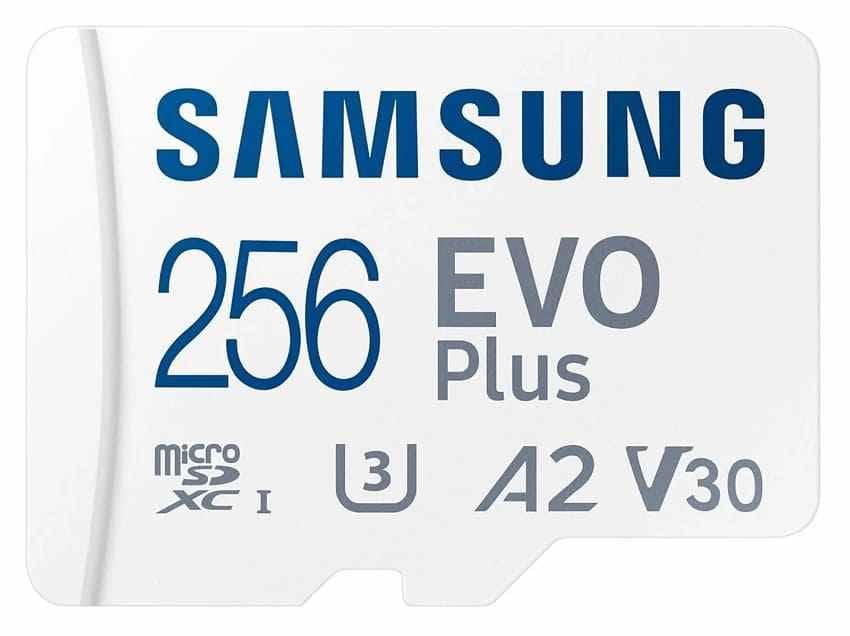
Samsung EVO Plus is a balanced everyday card for photos, music, downloads, and portable files. Samsung lists up to 160MB/s read speed under compatible conditions, and 128GB or higher versions include U3, V30, and A2 ratings.
SanDisk Extreme for Faster Transfers and Video
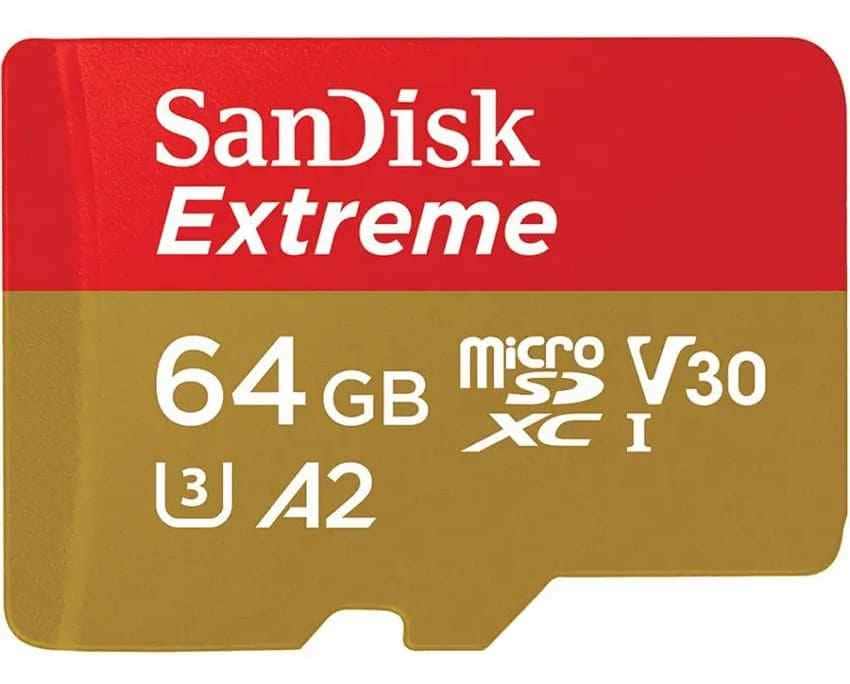
SanDisk Extreme is stronger for users who move many large files with a compatible reader or shoot high-resolution video to the card.
Samsung PRO Plus for Creators
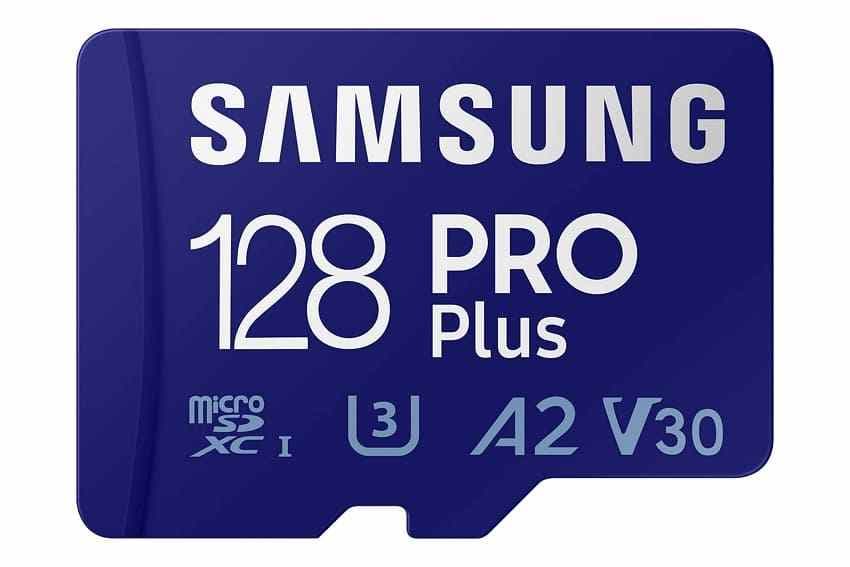
Samsung PRO Plus is the better Samsung pick for creators who want faster transfers and stronger write performance than everyday cards. Samsung's PRO Plus data sheet is also a useful source for checking speed classes and capacity details.
SanDisk Ultra for Budget Storage
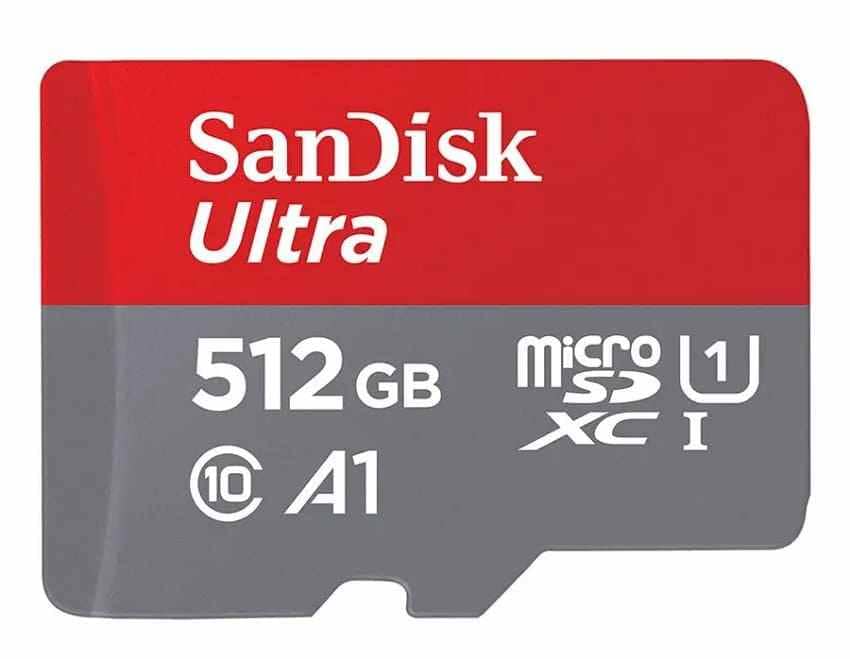
SanDisk Ultra is a budget option for documents, music, photos, and normal downloads. It is not the best choice for high-bitrate video or users who need V30.
Why A1, A2, U3, and V30 Matter
SD Association ratings measure different behavior. A1 and A2 relate to app-style random access. U3 and V30 relate to sustained write speed for video. A phone card used for media should be reliable first, then fast enough for the camera settings you use.
Why the Phone May Not Reach Advertised Card Speeds
Advertised card speeds are often measured with a compatible card reader under ideal conditions. Phones may use slower buses, background encryption, thermal limits, or app-level write behavior. A fast card is useful, but the phone may not reach the number printed on the package.
Part 8. Recover Lost Files From a Phone microSD Card
Even a reliable phone with a card slot can lose files if the card is removed unsafely, corrupted, formatted, or starts failing. Recovery depends on whether the card is still readable and whether new data has overwritten the missing files.
What to Do When Photos or Videos Disappear
- Stop using the card: Remove the microSD card as soon as you notice files are missing.
- Avoid taking photos: New photos or videos can overwrite deleted files.
- Cancel format prompts: Do not format the card until you have recovered or backed up needed files.
- Skip cleanup apps: Storage cleaners and repair tools may modify the card.
- Use a card reader: Connect the card to a computer with a stable reader for scanning.
Recover Phone SD Card Files With Wondershare Recoverit
Recoverit Memory Card Recovery can help recover lost files from a readable phone microSD card after deletion, formatting, corruption, or RAW file-system issues. It can scan common FAT32 and exFAT memory cards used in Android phones, but it cannot repair a physically failed card or restore overwritten data.
- Corrupted card recovery: Helps recover files from readable cards that Android no longer opens normally.
- Read-focused workflow: Scans the card and saves recovered files to another location.
- Deep scanning: Searches for deleted, formatted, or lost files beyond visible folders.
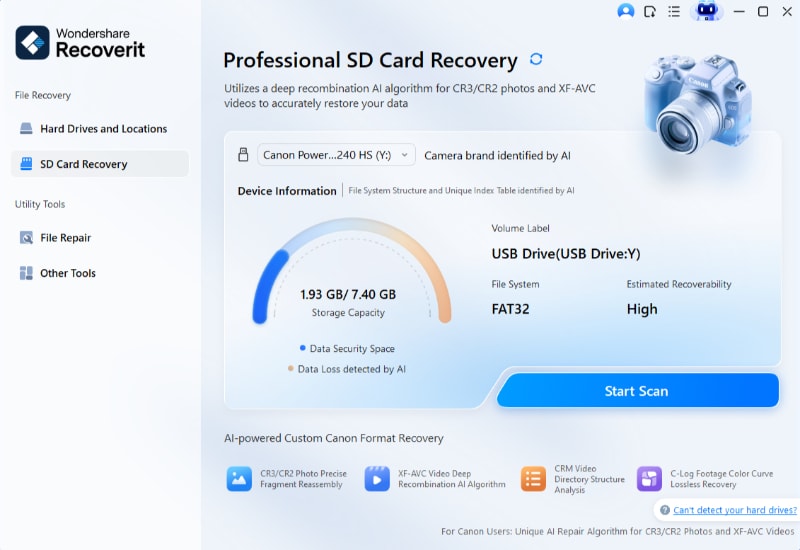
Step 1. Choose the SD Card and Start a Scan
Insert the microSD card into your PC with a card reader. Open Recoverit, choose SD Card Recovery, select your card, and click Start Scan.
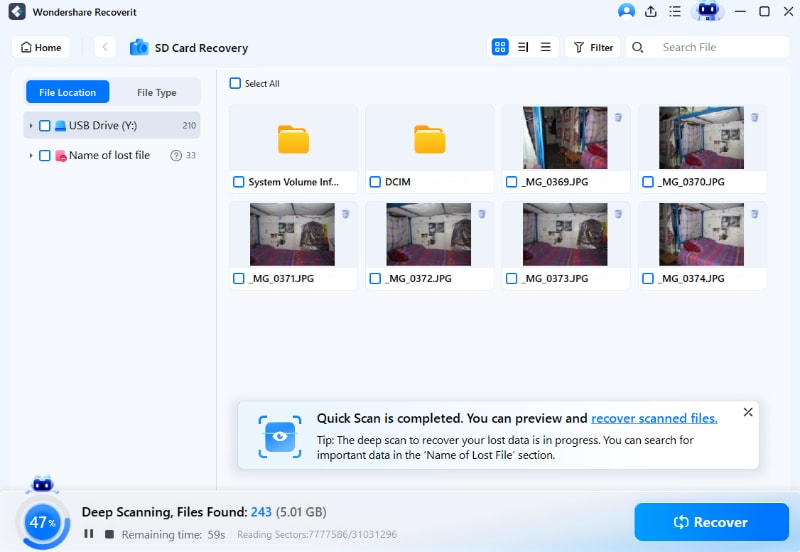
Step 2. Recoverit Scans Missing Card Files
Wait while Recoverit scans the card. Use filters or a deeper scan when some files are still missing from the first results.
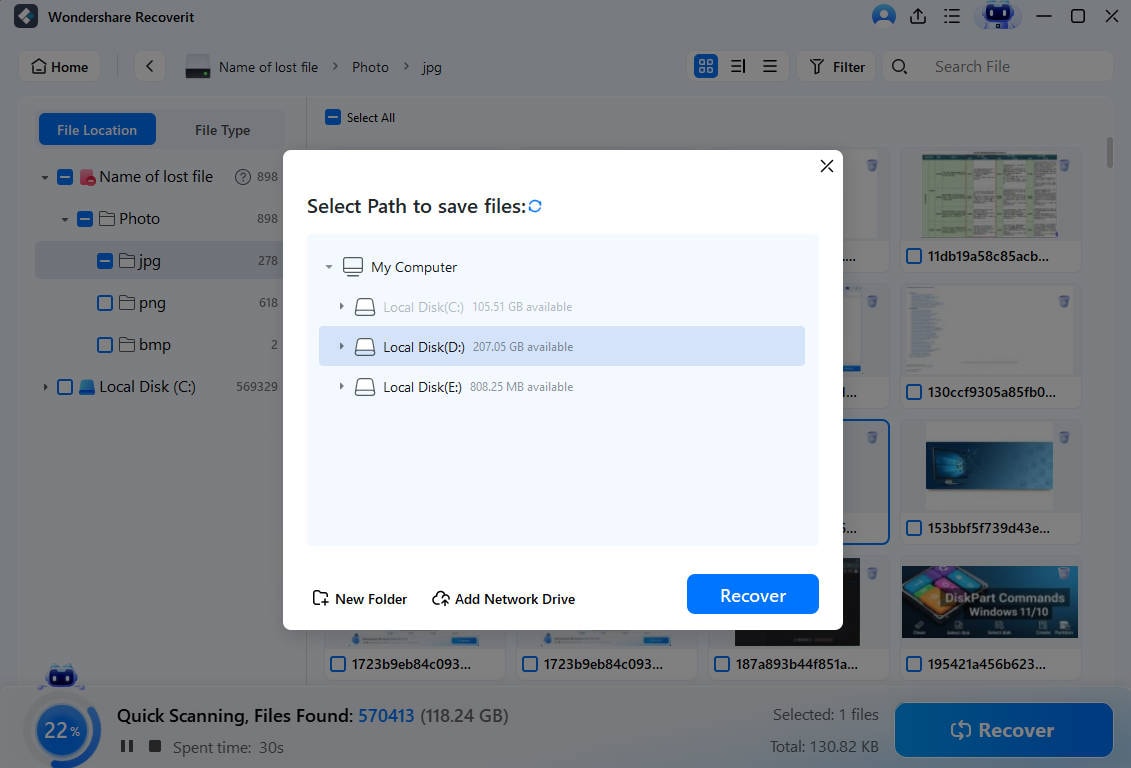
Step 3. Preview and Export the Card Files
Preview recoverable files, click Recover, and save them to your computer or another storage device instead of the original card.
Try Wondershare Recoverit to Perform Data Recovery
Security Verified. Over 7,302,189 people have downloaded it.
Save Recovered Files to a Different Storage Device
Never save recovered files back to the same phone microSD card. Use the computer's internal drive, an external drive, or another healthy card. After recovery, test or replace the problem card before using it again.
Why Recoverit Does Not Directly Recover Locked Android Internal Storage
Recoverit is useful for removable storage, but it does not directly recover files from locked Android internal storage. Modern Android internal storage is encrypted and is not exposed to a PC as a raw mountable drive. For internal storage loss, check Google Photos, cloud backups, app backups, or the app that created the file.
When Professional Recovery Is Required
Use professional recovery when the card is cracked, water damaged, burned, bent, or not detected by multiple readers. Software cannot scan a card that no computer can detect as readable storage.
Conclusion
The best phones with an SD card slot are now mostly Android value or specialty models. Sony Xperia 1 VIII is the premium expandable-storage pick, Samsung Galaxy A17 5G is the safer budget Samsung pick, Moto G Stylus 2026 is the best stylus/value option, and Moto G Power 2026 is a practical long-battery choice. Galaxy A26 may be a regional alternative, while Galaxy A36 should not be listed as a microSD phone without exact regional proof.
Before buying, verify the exact SKU, microSD limit, SIM tray design, eSIM support, and carrier compatibility. As storage prices rise, compare internal storage upgrades, microSD card cost, cloud storage, and USB-C external storage. The best choice is not simply the cheapest phone with a slot; it is the phone and storage combination that fits your apps, media, dual-SIM needs, and long-term upgrade risk.
FAQ
-
Can I move apps and games to a microSD card on a 2026 Android phone?
Usually no. Most current Android phones use the card as portable storage for media files, while apps, games, app data, and system files stay on internal storage. -
Do any flagship phones still have an SD card slot?
Yes. Sony Xperia 1 VIII is a rare flagship-class option with official microSDXC support up to 2TB. Availability, bands, and SIM options vary by country. -
What is the largest microSD card my phone will accept?
It depends on the exact model. Current phones in this guide range from up to 1TB on Motorola models to up to 2TB on Sony Xperia 1 VIII and Samsung Galaxy A17 5G. Always check the official support page for your exact model. -
Is a fast microSD card worth paying extra for in a phone?
Sometimes, but not always. Faster cards help with video and transfers through a compatible reader, but many phones cannot reach advertised card speeds. Reliability, warranty, A2, U3, and V30 ratings often matter more. -
Can Recoverit recover files from Android internal storage?
No. Recoverit can help scan a readable removable microSD card, but it does not directly recover locked or encrypted Android internal storage. Check cloud and app backups for internal-storage files.



