

 TL;DR:
NVMe SSDs deliver significantly faster data transfer speeds and lower latency for heavy workloads compared to SATA SSDs, though SATA remains a highly compatible and cost-effective option for everyday computing.
● NVMe utilizes the PCIe interface and NVMe protocol to reach speeds between 3,000 and 7,000 MB/s with up to 64K command queues, whereas SATA relies on the older AHCI protocol, limiting real-world speeds to around 550 MB/s with a single 32-command queue.
● Upgrading to an NVMe drive requires a motherboard with a supported M.2 PCIe slot and proper BIOS boot support, making it ideal for 4K video editing or gaming, but it may require additional cooling solutions under continuous heavy load.
● If data loss or accidental formatting occurs on either drive type, users must install recovery software like Recoverit on a completely separate drive to prevent overwriting data before attempting a deep scan.
Ask AI for a summary
 ChatGPT
 Perplexity
 Gemini
 Claude
 Grok
Grok
Choosing the right storage drive is an important decision when building or upgrading a computer. Many users see terms like SATA SSD vs NVME and feel confused. Both are solid-state drives. Both store your operating system, software, games, and personal files. At first glance, they may look similar. However, the internal technology is different.
The difference between SATA and NVME affects speed, response time, and overall system behavior. Understanding these points helps you avoid buying the wrong drive.
When comparing SATA vs NVME, you must consider your purpose. A student who uses a laptop for browsing and documents may not need extreme speed. A video editor or gamer may require faster data access. The difference between NVME and SATA becomes more noticeable under heavy load.
This article explains NVMe vs. SATA speed, real performance, hardware needs, pricing, and recovery solutions. It also guides you on how to recover lost data from SATA/NVME hard drives in case of failure or accidental deletion.
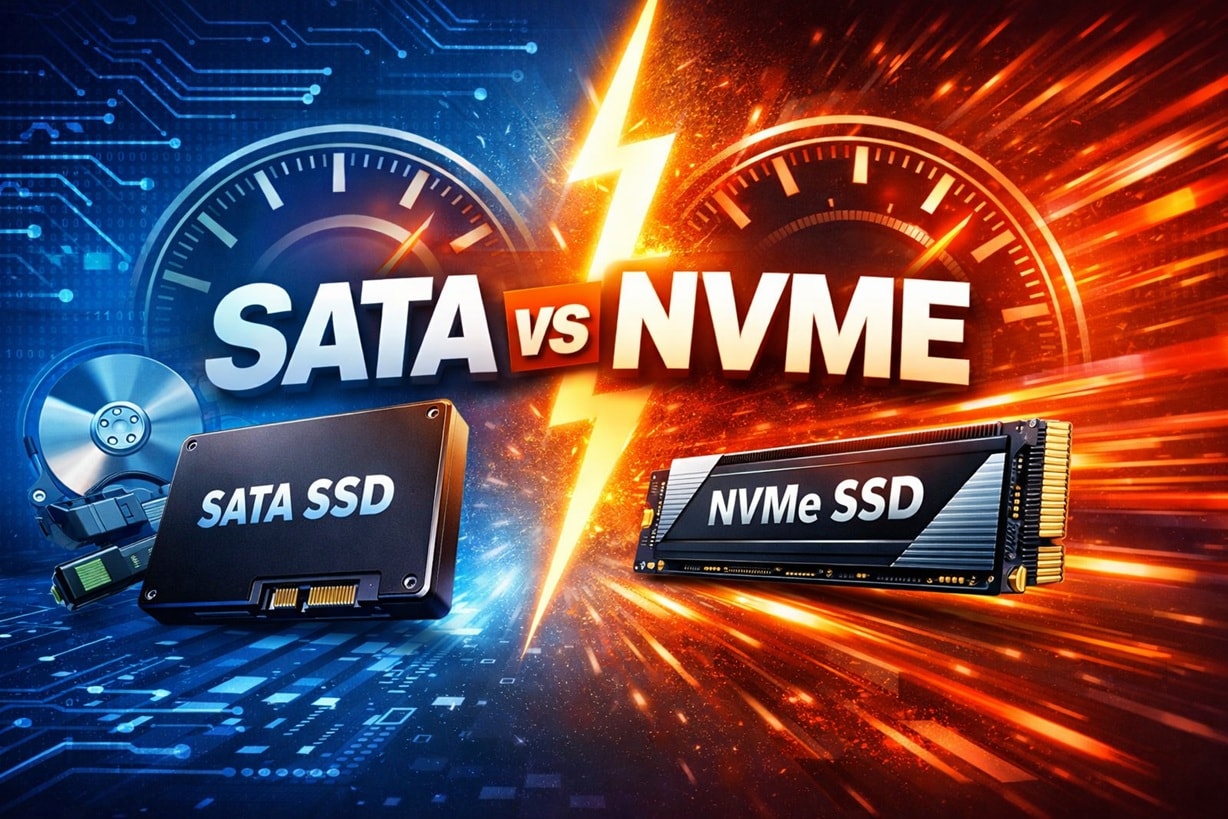
Table of Contents
What Is SATA vs NVME?
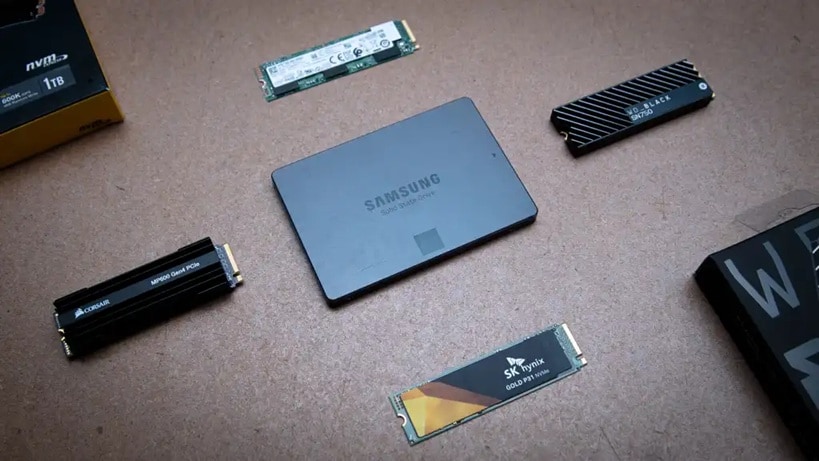
SATA stands for Serial Advanced Technology Attachment. It has been used for many years in desktops and laptops. It was first created for traditional hard disk drives. Later, it was also used for solid-state drives. A SATA SSD connects using a SATA cable or port on the motherboard. The design was not originally made for flash memory. Because of that, there are limits. When people compare SATA vs. NVMe, they often focus on these limits.
NVMe stands for Non-Volatile Memory Express. It was created especially for flash storage. It uses the PCIe interface instead of the older SATA connection. This allows much faster communication between the drive and the system.
The difference between SATA and NVME starts with architecture. NVMe supports parallel queues and handles data more efficiently. The difference between NVME and SATA is not only technical but also practical. Users notice improved responsiveness in demanding tasks.
Part 2: Difference Between SATA and NVME: Key Comparisons
Detailed Comparison Table
| Feature | SATA SSD | NVMe SSD |
| Interface | SATA III | PCIe Gen3/Gen4/Gen5 |
| Protocol | AHCI | NVMe |
| Maximum Theoretical Speed | ~600 MB/s | Up to 14,000 MB/s (Gen5) |
| Typical Real Speed | ~500–550 MB/s | 3,000–7,000 MB/s |
| Command Queues | 1 queue | Up to 64K queues |
| Latency | Higher | Very low |
| Installation Type | 2.5-inch or M.2 (SATA) | M.2 or PCIe card |
| Price Range | Budget friendly | Mid to high range |
| Best Use Case | Everyday computing | Gaming, editing, heavy workloads |
The difference between SATA and NVME can be analyzed through specific technical and practical factors. Each factor influences how a system behaves during startup, file transfer, gaming, or professional work.
Below are detailed explanations of the most important comparison areas.
#1 Interface and Protocol Differences (AHCI vs NVMe)
SATA drives use the AHCI protocol. AHCI was built when mechanical hard drives were common. It was not optimized for flash memory. It allows only a single command queue. That queue supports up to 32 commands at a time. This design limits multitasking ability. Under heavy load, performance can slow down.
NVMe uses a modern protocol created for SSDs. It supports thousands of command queues. Each queue can hold thousands of commands. This allows better parallel processing. The difference between NVME and SATA becomes obvious when many tasks run together. NVMe reduces wait time and improves system responsiveness during file transfers or large installations.
#2 NVME vs SATA Speed Benchmarks
When users research NVME vs SATA speed, benchmark results show large gaps. SATA SSDs usually provide read and write speeds of around 500 MB/s. This is close to the maximum allowed by the SATA interface.
NVMe drives operate at far higher levels. PCIe Gen3 NVMe drives often reach 3,500 MB/s. PCIe Gen4 models can reach 7,000 MB/s or more. These numbers explain why many ask, is NVME faster than SATA. The speed difference can be five to ten times greater, depending on the model. Benchmark tools clearly show that NVME vs SATA speed is significantly different on paper.
#3 NVME vs SATA Performance in Real-World Usage
Benchmarks are helpful, but daily usage also matters. NVME vs SATA performance in normal office work may not feel dramatic. Opening a browser or document may show only a small time difference.
However, during tasks like 4K video editing, 3D rendering, or modern gaming, the gap grows wider. Large files load more quickly. Data-intensive applications respond faster. The difference between SATA and NVME becomes practical in heavy workflows. The difference between NVME and SATA also affects professionals who move large files every day.
#4 Compatibility and Hardware Requirements
SATA SSDs are highly compatible. They work in older desktops and laptops without special changes. Most systems manufactured in the last decade support SATA drives. Installation is simple and widely supported.
NVMe drives require a motherboard with an M.2 PCIe slot. The BIOS must support NVMe boot. Older systems may lack this support. When deciding between SATA SSD vs NVME, checking the motherboard documentation is essential. Without proper support, performance benefits cannot be achieved.
#5 Cost and Availability Comparison
SATA drives are usually cheaper per gigabyte. They are ideal for users who need large storage on a budget. They are available in many capacities, including high-capacity models for data storage.
NVMe drives are often priced higher due to advanced technology. However, market competition has reduced the gap. When comparing SATA SSD vs NVME, the price difference is smaller than in previous years. Buyers should balance performance needs with available budget.
Is NVME Faster Than SATA?
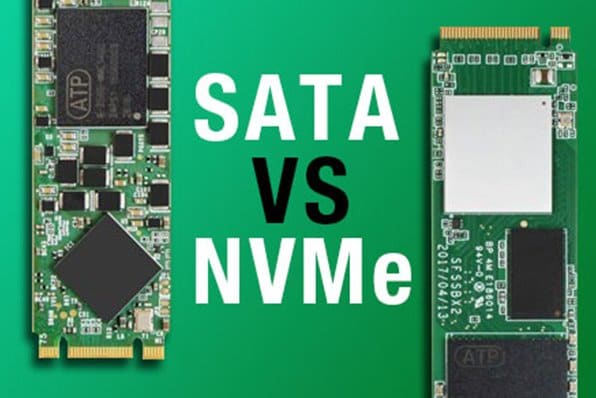
Many buyers directly ask, Is NVMe faster than SATA. In almost all technical measurements, the answer is yes. NVMe drives provide higher bandwidth and lower latency. They are designed for speed from the start.
NVMe vs. SATA performance shows greater advantages when tasks involve heavy reading and writing. Still, for users who only browse or stream content, the real-world difference may seem smaller. The benefits become clear in professional or gaming environments.
Key points include:
NVMe offers far higher NVMe vs. SATA speed in benchmarks.
NVMe improves multitasking stability.
NVMe reduces file transfer time significantly.
SATA remains reliable for simple workloads.
The difference between SATA and NVME expands under continuous heavy data use.
Pros and Cons of SATA SSD vs NVME SSD
Before making a decision, it is important to evaluate the benefits and limitations carefully. SATA SSD vs NVME comparisons must consider workload, budget, and future upgrade plans. Some users value affordability. Others prefer maximum performance.
The difference between SATA and NVME is also linked to heat generation and system design. NVMe drives may require better cooling solutions in high-performance systems. Reviewing advantages and disadvantages helps make a balanced choice.
SATA SSD
NVMe SSD
How to Recover Lost Data from SATA/NVME Hard Drives
Storage type does not protect against data loss. Accidental deletion, virus attacks, corruption, and sudden power failure can affect any SSD. Whether you use SATA SSD vs NVME, data recovery remains possible in many cases. Users often search for how to recover lost data from SATA/NVME hard drives after a serious issue.
Professional recovery software such as Recoverit provides a structured solution. It supports different file systems and storage formats. If you encounter drive errors, file corruption, or accidental formatting, this method can help. Learning how to recover lost data from SATA/NVME hard drives is important for both home and professional users.
Recoverit offers deep scanning technology. It detects recoverable files even after deletion. Many users rely on such software when backups are unavailable. It is considered a practical solution for modern SSD recovery needs.

Why Use Recoverit
Supports various SSD brands and models
Recovers documents, photos, and videos
Works after accidental formatting
Deep scan for hidden file fragments
Preview option before saving
Simple and guided interface
3 Detailed Recovery Steps
Step 1: Install the Recoverit software on a different drive. Open it and select the affected SSD carefully.

Step 2: Start the full scan mode. Allow the program to complete the scanning process without interruption.

Step 3: Review scan results. Preview files to confirm integrity. Save recovered data to another storage device.

These steps explain clearly how to recover lost data from SATA/NVME hard drives in a safe manner.
Important Considerations Before Choosing SATA vs. NVMe
Selecting the right drive should not be rushed. Performance needs, hardware support, and budget all matter. Comparing SATA vs. NVMe carefully prevents future upgrade problems.
Consider the following points:
Verify motherboard compatibility before purchase. Make sure your motherboard supports the drive type and interface you plan to buy.
Evaluate actual NVMe vs. SATA speed needs for your tasks. Choose a drive based on your real workload, not only on maximum speed claims.
Check storage capacity requirements in advance. Select enough space for your operating system, software, and future files.
Consider cooling solutions for high-speed drives. Ensure proper airflow or heatsinks to prevent performance drops from heat.
Compare warranty and manufacturer support. Pick brands that offer reliable warranty coverage and customer service.
Review total budget, including installation costs. Account for both the drive price and any extra hardware or setup expenses.
Plan for future upgrades and expansions. Choose a storage option that allows easy upgrades later if needed.
Assess realistic NVMe vs. SATA performance benefits for your workflow. Decide whether the performance difference will truly improve your daily tasks.
Conclusion
Understanding SATA vs. NVMe is essential when upgrading a computer. SATA drives remain practical and affordable. They are suitable for general users and storage expansion.
NVMe drives provide significantly higher NVMe vs. SATA speed and improved NVMe vs. SATA performance. The difference between SATA and NVME is most visible during demanding tasks. The difference between NVME and SATA matters for gamers, editors, and professionals. Choosing wisely ensures long-term satisfaction and stable system performance.
FAQs
-
What is the main difference between SATA and NVME?
The difference between SATA and NVME is based on how they connect to the motherboard and how they handle data. SATA uses the older AHCI protocol and a SATA interface, which limits speed and queue capacity. NVMe uses the PCIe interface and a modern protocol built for flash memory. This design allows faster communication, lower delay, and better multitasking performance. -
Is NVME faster than SATA for gaming?
Yes, NVMe is generally faster than SATA for gaming. Games installed on an NVMe drive often load more quickly, especially large open-world titles. NVMe handles large game files and background tasks more efficiently. While the frame rate may not change much, loading screens and update times are usually shorter. -
Can I recover files after an SSD failure?
In many cases, files can be recovered after an SSD failure, but success depends on the type of damage. If the issue is logical, such as accidental deletion or formatting, recovery software may restore lost data. It is important to stop using the drive immediately to prevent overwriting. For severe hardware failure, professional data recovery services may be required.


