

 TL;DR:
XVAC is a highly compressed video format that balances high image quality with small file sizes for general editing, requiring specific media players to open and dedicated software to restore if lost.
● Unlike uncompressed RAW (RAQ) files meant for heavy VFX and color grading, XVAC uses H.264/H.265 codecs for 8-bit or 10-bit color, making it best for broadcast and daily recording where storage space is limited.
● To play XVAC files, use VLC Media Player, install the K-Lite codec pack on Windows, or convert the clips to MP4 or MOV formats using tools like Pinnacle Studio.
● To recover deleted or corrupted XVAC files caused by sudden power cuts or improper card removal, immediately stop using the memory card to prevent overwriting and scan the drive with Recoverit to extract the missing data.
Ask AI for a summary
 ChatGPT
 Perplexity
 Gemini
 Claude
 Grok
Grok
Digital video is part of daily life. Phones, action cameras, drones, and small handheld devices record strong images with small storage. This makes moving and sharing easier. So new formats appear often. Some formats are simple. Others are harder to understand. One format that many users meet for the first time is XVAC. People often ask what is XVAC when they see it saved on a camera card.
This article explains what is XVAC in simple words. It also covers what is XVACs, how to play XVAC files, the difference between RAQ and XVAC, and how to recover lost XVAC files. File loss is common. It can happen anytime. When it does, you want a clear guide. We offer steps that make this easy.
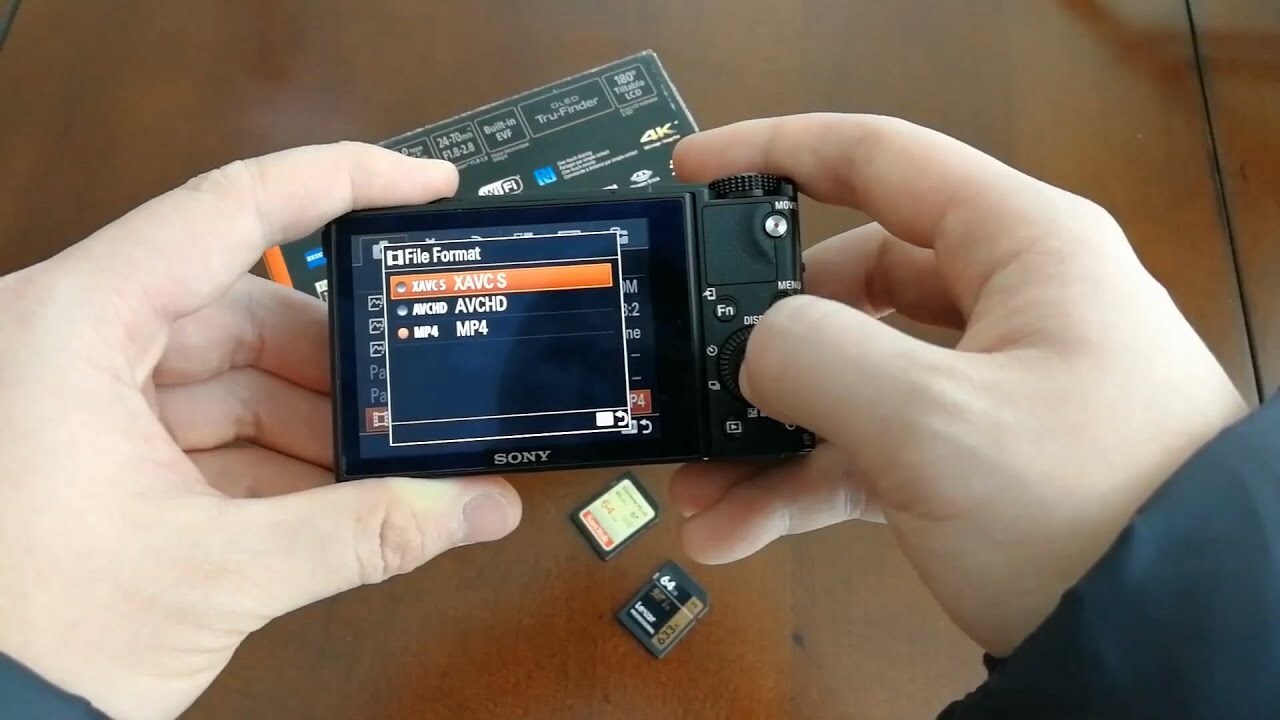
Table of Contents
Part 1: What is XVAC File Format?
Most people hear about formats like MP4, MOV, or AVI. When they see an XVAC file, they wonder what it is. This leads to a search for what is XVAC. The format is used in many cameras to store video clips. It keeps a strong level of detail. It balances picture quality and storage space. It is helpful on long recording days or trips. If you record long events, you want a format that does not run out of space fast. This makes XVAC useful.
When you explore what is XVACs, remember it attempts to keep a good picture with a smaller size compared to RAW. It holds color and motion well. Many modern cameras support it. You can use it for sports, travel, weddings, and daily moments.
Part 2: Common Causes: XVAC File Loss or Corruption
File loss can happen at work or at home. A small mistake or equipment problem can erase important video. Even when you know what is XVAC, you still face risk. Common causes include:
- Improper card removal: Removing a memory card before the clips finish saving can break the file.
- Sudden power cut: If your camera shuts down during recording, your clip may stop mid-save.
- Virus attack: Bad files can change stored data. This may affect XVAC clips.
- Transfer errors: Weak cables or unstable power may stop or break a transfer. This creates damaged files.
- Format mistakes: Some users format a card too fast. This clears all XVAC clips at once.
These events can cause loss even when users know what is XVACs. Thankfully, steps exist to show how to recover lost XVAC files.
Part 3: Difference Between RAQ and XVAC
Some users compare RAW (RAQ) and XVAC when they want the right balance between quality and storage. RAW keeps almost all data from the sensor, so it shows deep color and wide detail. This helps when you need heavy editing later. The files are very large and slow to move. XVAC keeps strong detail but uses smart compression, so files stay smaller and easier to store.
Many people choose it because it feels light on storage and simple to work with. Knowing the difference helps you decide which format fits your camera work, your edits, and the space you have.
Here's a clear comparison between RAW and XAVC video formats to help you understand their strengths and trade-offs:
| Feature | RAW (RAQ) Format | XAVC Format |
| Compression | Uncompressed or lightly compressed | Highly compressed using H.264/H.265 codecs |
| File Size | Extremely large | Much smaller and manageable |
| Image Quality | Maximum quality and detail | High quality, but with some compression artifacts |
| Color Depth | Typically 12-bit or higher | Usually 8-bit or 10-bit |
| Chroma Subsampling | Often 4:4:4 (full color resolution) | Typically 4:2:2 or 4:2:0 |
| Editing Flexibility | Ideal for advanced color grading and VFX | Good for general editing, less flexible than RAW |
| Playback Performance | Requires powerful hardware and proxy workflows | Easier to edit and playback on most systems |
| Use Case | High-end cinema, visual effects-heavy projects | Broadcast, indie films, online content |
| Camera Support | Found in cinema-grade cameras | Widely supported in Sony cameras and others |
Summary:
RAW is best for professionals needing ultimate control and quality.
XAVC is efficient and versatile for most production workflows.
Part 4: How to Play XVAC Files
This part explains how to play XVAC files. You may record a great clip, then face a problem. Your player may not open it. This leads to trouble. People then ask what XVACs are and how to play XVAC files in simple ways.
Below are safe methods. Each method works for many users. You can follow the steps without skill. People who need how to recover lost XVAC files should first try to open the files.
Method 1: Convert XVAC to MP4 or MOV
A converter tool helps many users who ask how to play XVAC files. MP4 and MOV open on many apps.
Some users want fast playback. Convert tools take the original file and turn it into a new format. Then you play it on any normal player. Most conversion tools are simple. Many of them open on older computers.
Steps:
Step 1: Add your XVAC file to a convert tool like Pinnacle Studio.
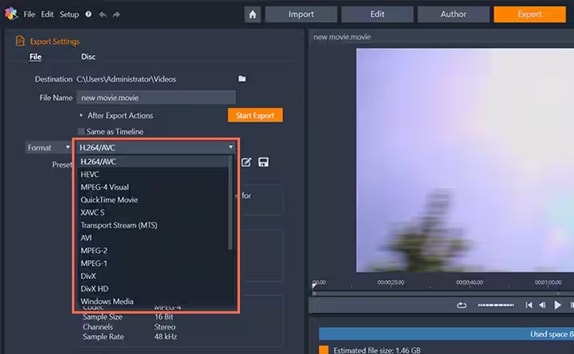
Step 2: Choose MP4 or MOV. Run convert. Then open the new file.
This method helps many. It also helps save files that might be restored later. If someone learns how to recover lost XVAC files and brings them back, convert helps open them.
Method 2: Play with VLC Media Player
VLC is free. It plays many formats. When people ask how to play XVAC files, we often tell them about VLC. The app works on Windows, macOS, and Linux. It is simple. You can drag a file into VLC. Then it plays.
VLC can fix small errors. If a file is slightly damaged, you may still see video. This makes it handy before you try how to recover lost XVAC files.
Steps:
Step 1: Install VLC.
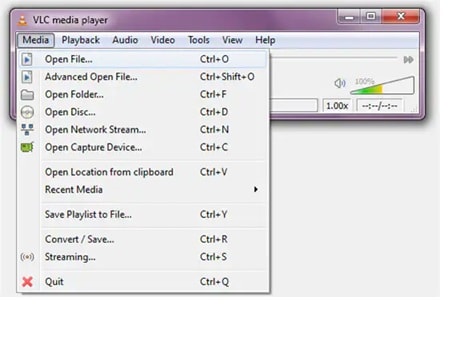
Step 2: Open your XVAC clip. Enjoy playback.
Method 3: Install a Codec Pack on Windows
A codec pack teaches your player new rules. After you install a pack, the player learns how to read new formats.
This helps people who ask what is XVACs because it shows that with the right codec, the format is easy. It works without convert. It saves time.
Steps:
Step 1: Download a trusted codec pack like K-Lite.
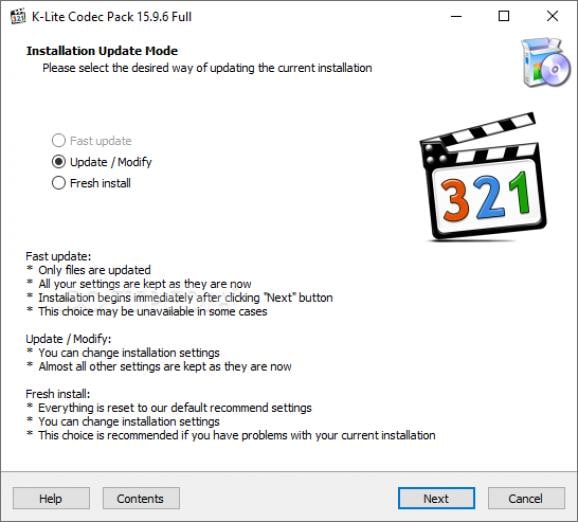
Step 2: Install it. Then play your file.
Part 5: How to Recover Lost XVAC Files Using Recoverit
People often ask how to recover lost XVAC files. Lost clips from a wedding, game, or trip can cause stress. A file recovery tool helps.
Recoverit is a helpful option when studying how to recover lost XVAC files. It scans drives, cards, and USB sticks. It finds old bits. It can bring them back. You do not need a skill to use it. This makes Recoverit helpful.
Recoverit offers a clean screen. It looks through deep blocks on a card. It lists found files. You select what to save. This tool helps users who want a clear guide on what is XVAC and how to save it.
Steps
Step 1: Launch Recoverit. Pick the drive where you lost your file.

Step 2: Scan the drive. Wait as it finds clips. Check which clips you want.

Step 3: Recover and save files in a safe new place.
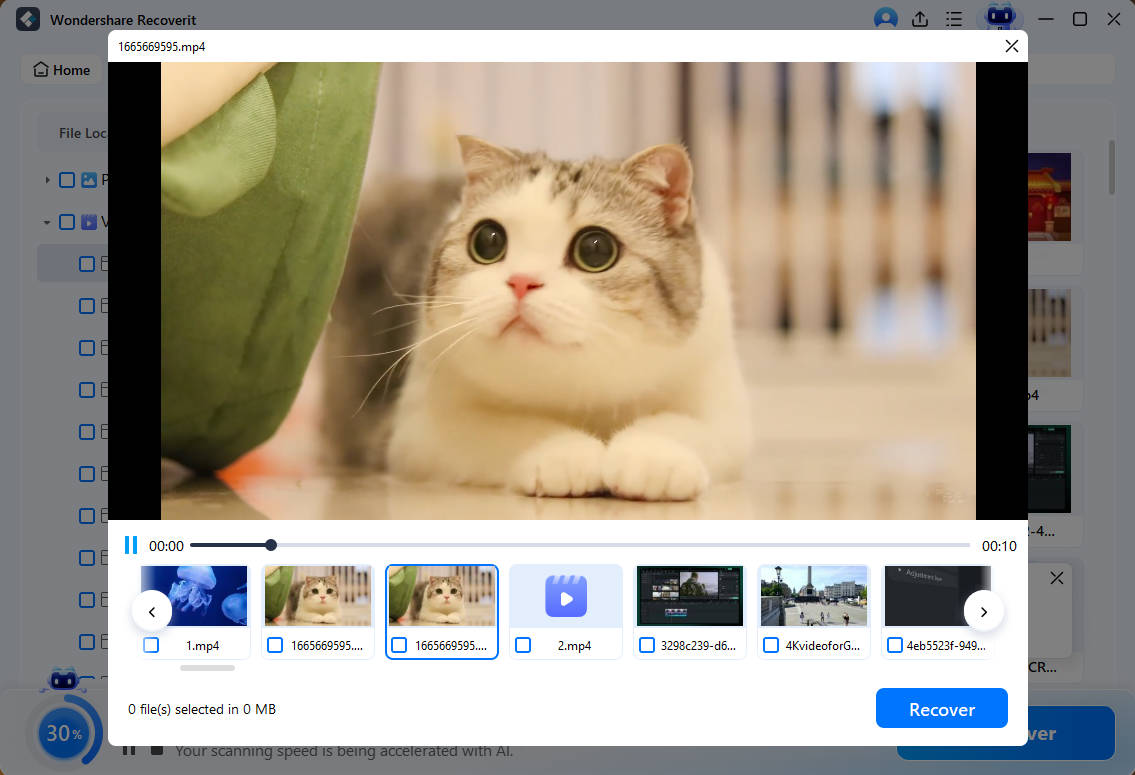
These steps explain how to recover lost XVAC files. They help many users. If you know what is XVACs, you know it holds memory. Recovering clips keeps those memories.
Part 6: Pro Tips to Avoid XVAC File Loss
No one wants to learn how to recover lost XVAC files. Still, loss can hit fast. To stay safe, learn care habits. These habits protect work.
- Check card life Old cards fail. Replace them before they break.
- Charge before record. Low power can stop recording and break files.
- Stop recording right way. Wait for the clip to finish.
- Use strong cables. Weak cables break the transfer.
- Scan your computer. A virus can harm clips.
Conclusion
This article explained what is XVAC. It also noted what is XVACs. You learned the difference between RAQ and XVAC. You also learned how to play XVAC files. When loss happens, you can follow how to recover lost XVAC files with Recoverit. This keeps memories safe.
Video memories are special. It holds sound and light from your life. When you know what is XVAC and how to recover lost XVAC files, you protect those moments. Keep safe habits. Back up often. Take care of the cards. This will help you hold your past in a strong way.
FAQs:
-
1. Can I open the XVAC format on Windows
Yes. You can open XVAC files on Windows with simple tools. Most users install VLC because it reads many formats without extra work. If your normal video app does not open the file, you can convert it to MP4 or MOV. Some people add a codec pack so the system learns how to read the format. These options help users who want to know how to play XVAC files without stress. Once you understand what XVAC is, opening clips becomes easy on most computers. -
2. Can I bring back deleted clips?
Yes. Deleted XVAC clips can often be recovered. The best way is to stop using the card or drive right away so new data does not replace lost bits. You can then scan the device with a recovery tool. A tool like Recoverit makes this simple. It looks deep into the storage area and lists the clips that can be returned. This is helpful for anyone searching for how to recover lost XVAC files after an accident, card format, or transfer error. Many users find relief when they see their lost clip appear again in preview. -
3. Is the XVAC format good for daily use
Yes. XVAC is a solid choice for daily video work. It keeps a strong picture quality while saving space. This balance helps when you record many clips on trips or at events. It handles motion well and keeps nice color. People who know what XVAC is and what XVACs are often use it because it loads fast and shares easily. If you do not need massive RAW detail, XVAC is enough for family videos, sports, and simple edit jobs. Its flexible size makes it friendly for new and regular users.


