

 TL;DR:
You can download public Facebook videos for personal offline viewing using web-based tools, dedicated software like 4K Video Downloader for batch processing, or browser extensions like FDownload for one-click access.
● If third-party downloaders fail, manually extract the direct video link by viewing the Facebook webpage source code, searching for the exact terms "sd_src" or "hd_src", and saving the file from a new browser tab.
● Most downloader websites and mobile apps like Documents by Readdle cannot access private videos, and you must never enter your Facebook login credentials into third-party interfaces to bypass this restriction.
● Should you accidentally delete your downloaded files or experience a hard drive crash, Windows and macOS users can run Wondershare Recoverit to scan the specific storage device and restore the lost media.
Ask AI for a summary
 ChatGPT
 Perplexity
 Gemini
 Claude
 Grok
Grok
Facebook has lots of great videos. You can find funny clips, cooking tips, and special moments. Sometimes you want to save them. Maybe to watch later without internet. Or to keep them before they are gone. Knowing how to download Facebook videos helps.
Many people ask how do I download a video from Facebook. The good news is that it's easy. You have many options. Some methods are free. Others offer extra features.
This guide will show you simple ways to download videos from Facebook. You'll learn six different methods. Each one works well.
Table of Contents
Part 1: Can You Legally Download Videos from Facebook?
Know the rules before downloading Facebook videos. It's usually legal. But copyright laws still apply. You can save videos for yourself. That means watching them privately. You can't sell them. You can't say you made them.
Always respect the creator's rights. Don't share downloaded videos without permission. Facebook's terms of service have rules about downloading. Private videos need the owner's consent. Public videos are easier to download. But you still cannot use them commercially.
Part 2: How to Download Video from Facebook Videos?
Now let's explore different ways to download videos from Facebook. Each method has its benefits. Some are faster. Others offer better quality. Choose the one that fits your needs. All these methods are simple to follow.
Method 1: Use Online Video Downloaders
Online tools are the easiest way to download videos from Facebook. These websites work in your browser. You don't need to install anything. Just paste the video link. The tool does the rest. Many free options exist.
Facebook video downloader sites are easy to use. Many people like them. They work on all devices. You can use them on your phone, tablet, or computer. Most let you pick the video quality. Choose HD or standard.
Why use online video downloaders:
- No software installation needed
- Works on any device with internet
- Free to use for most sites
- Fast and convenient process
Steps to download:
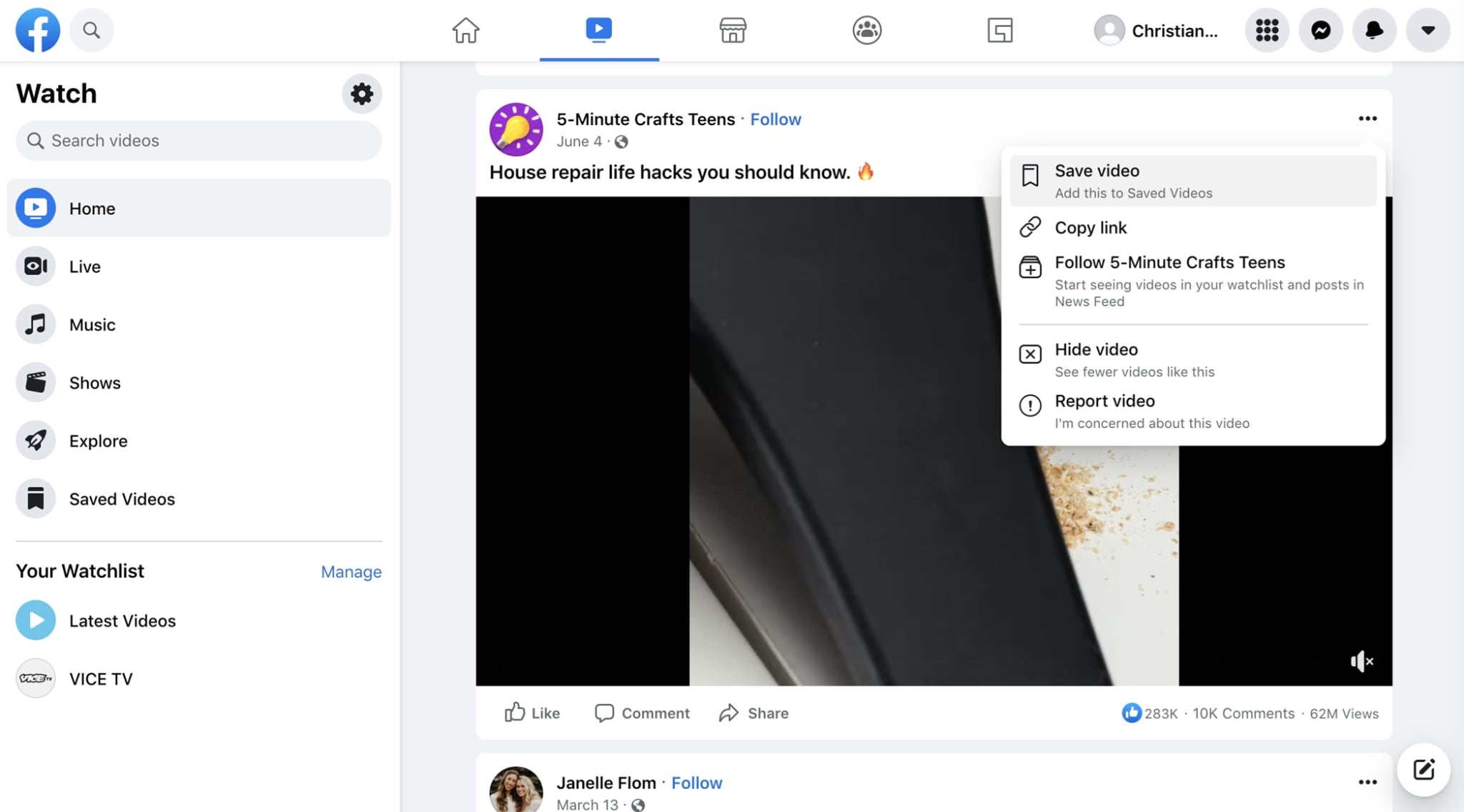
Step 1. Copy the Facebook video URL. Right-click the video. Select "Copy link address." Or click the share button. Then choose "Copy link."
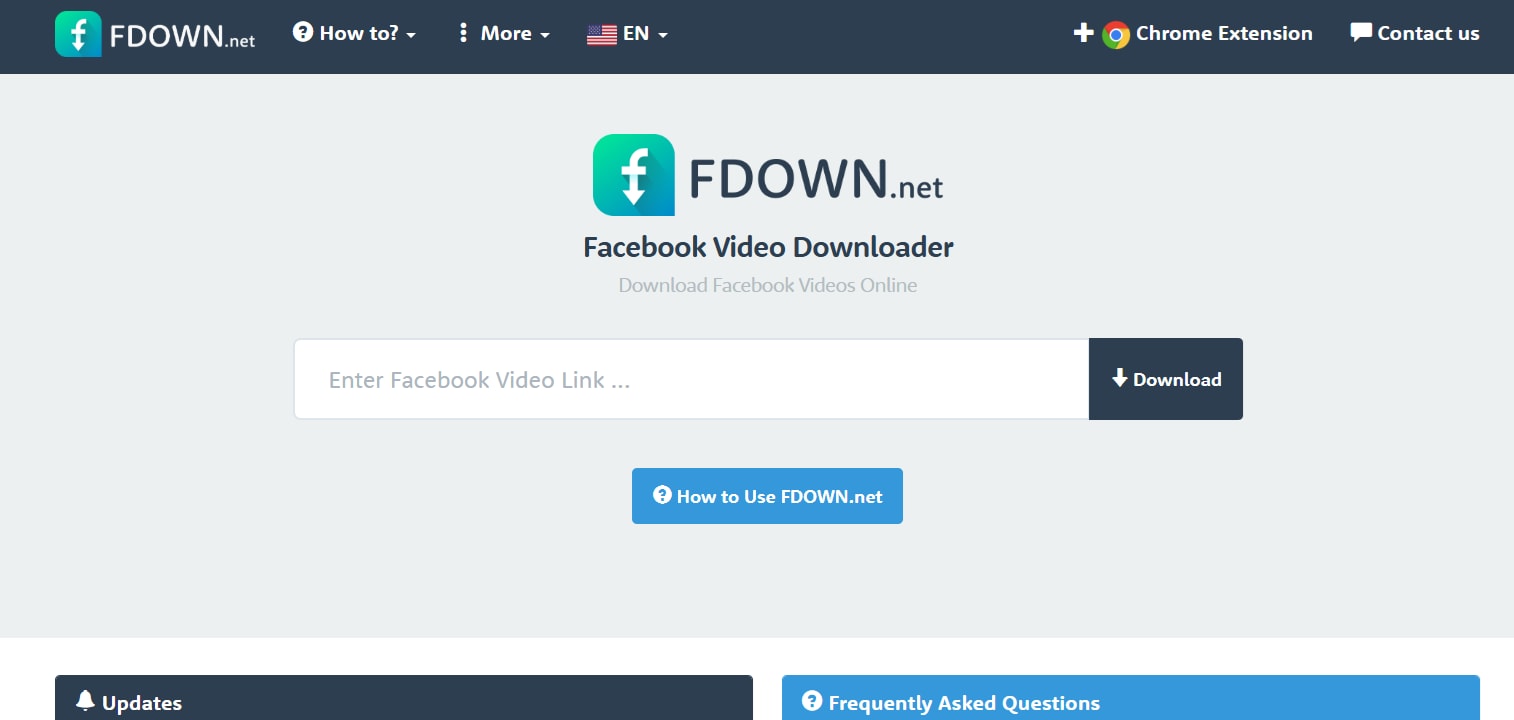
Step 2. Open the Facebook Video Downloader website. Paste the link in the box. Click the download button. Choose your quality. The video will download to your device.
Method 2: Use Browser Extensions
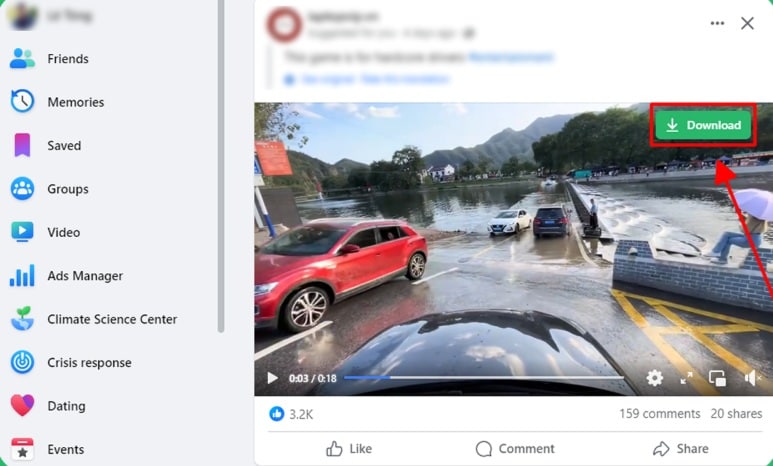
Browser extensions make downloading simple. They are small tools added to your browser. They place a download button on Facebook videos. You see it right on the video. Click once to start the download.
Extensions are convenient. They work while you browse Facebook. You don't need to copy links. The button appears automatically. Popular browsers support these extensions. Chrome, Firefox, and Edge all work well.
Why use browser extensions:
- One-click downloading process
- Integrated directly into Facebook
- No need to copy links
- Automatic quality detection is available
Steps to download:
Step 1. Install a video downloader extension like FDownload - F.B Video Downloader. Click "Add to Chrome".
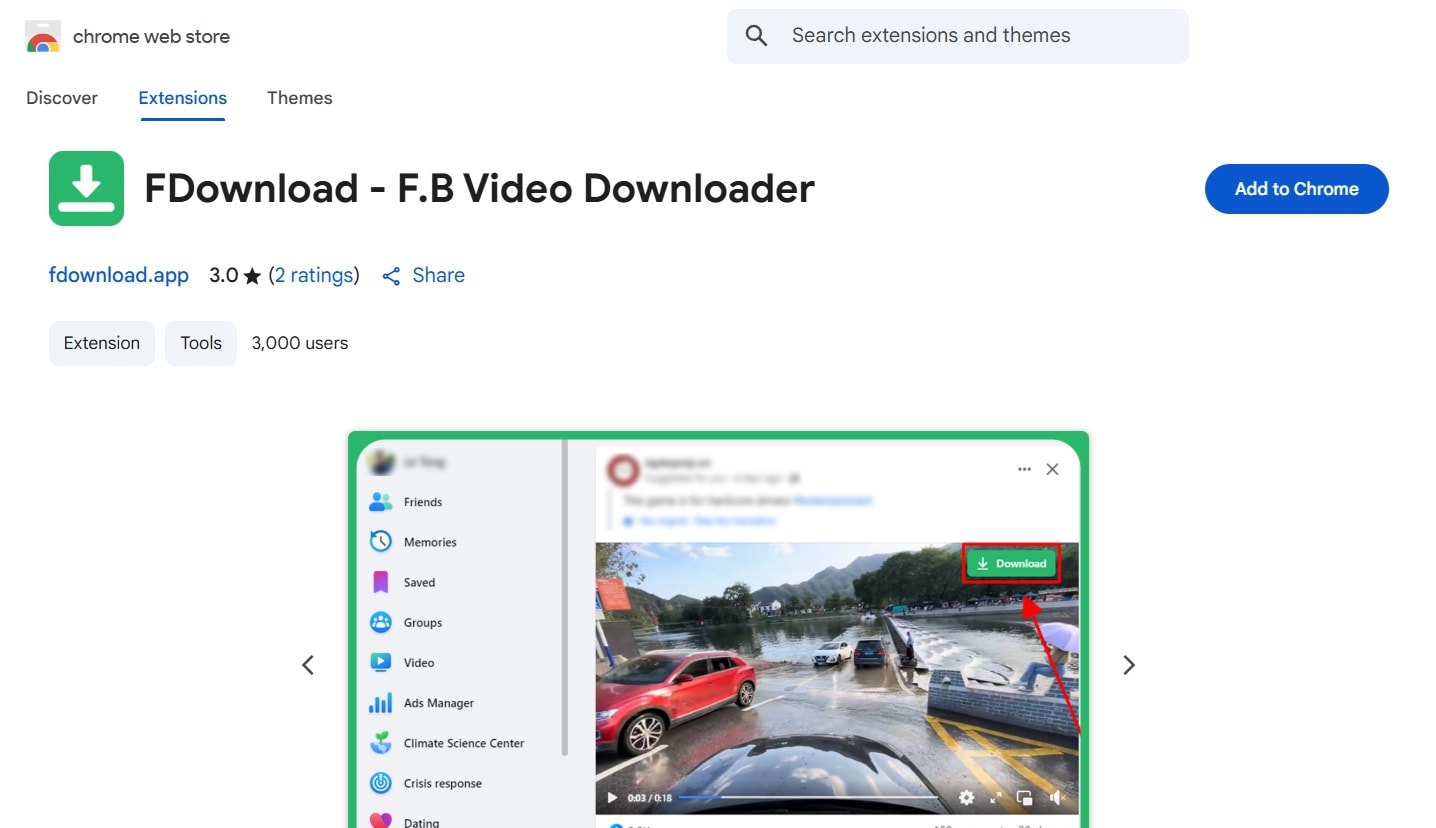
Step 2. Visit Facebook and find a video. A download button will appear. Click it. Select your preferred quality. The video saves to your downloads folder.
Method 3: Download via Page Source (Manual Method)
This method is more technical. It works when other methods fail. You access Facebook's code. You find the video file directly. This method always works. But it takes more steps.
The page source method is reliable. It doesn't depend on external tools. You work directly with Facebook's data. This option is free forever. No website or app needed.
Why use the page source method:
- Works when other methods fail
- No third-party tools required
- Completely free always
- Gives you direct access to files
Steps to download:
Step 1. Right-click on the Facebook video. Select "View Page Source." A new tab opens with code. Press Ctrl+F (or Cmd+F on Mac). Search for "sd_src" or "hd_src."
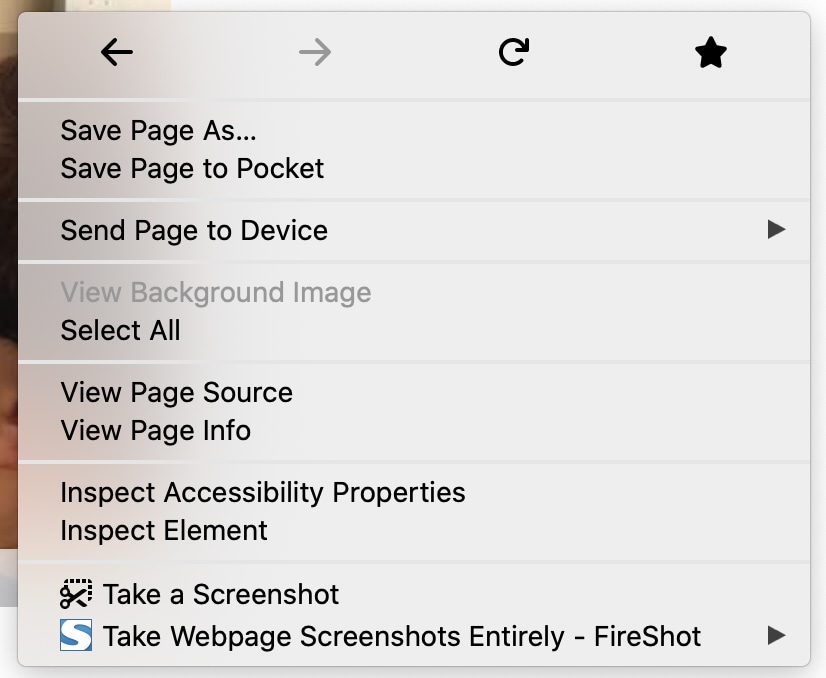
Step 2. Find the URL next to these terms. Copy the entire link. Paste it in a new browser tab. The video plays. Right-click the video. Click "Save video as." Select where to store it. Then save the file.
Method 4: Use Desktop Software (e.g., 4K Video Downloader)
Desktop software offers powerful features. These programs install on your computer. They handle many formats. They often download in high quality. Some allow batch downloads. You can save multiple videos at once.
Software like 4K Video Downloader is popular. These tools are reliable. They update regularly. They support many websites, not just Facebook. You get more control over downloads.
Why use desktop software:
- High-quality downloads guaranteed
- Batch downloading capability
- Support for many video sites
- More format options available
Steps to download:
Step 1. Download and install video downloader software like 4K Video Downloader. Open the program. Copy the Facebook video link. Click "Paste Link" in the software.
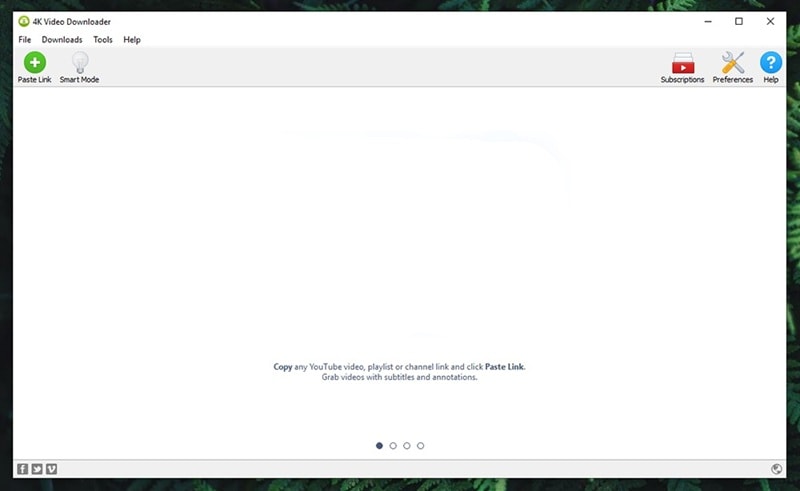
Step 2. Choose your quality and format. Select where to save the file. Click "Download." The software fetches the video. It saves to your chosen location.
Method 5: Use Mobile Apps (Android/iOS)
Mobile apps let you download on your phone. These apps work like desktop software. But they're designed for mobile. You can save videos directly to your phone. Watch them anytime without internet.
Some apps specialize in social media downloads. They support Facebook, Instagram, and more. Mobile apps are convenient. You download while on the go. No computer needed.
Why use mobile apps:
- Download directly to your phone
- Watch videos offline anytime
- Convenient for mobile users
- Many free options are available
Steps to download:
Step 1. Install a video downloader app like Video Downloader for Facebook. Open Facebook in the app's browser. Or copy the video link.
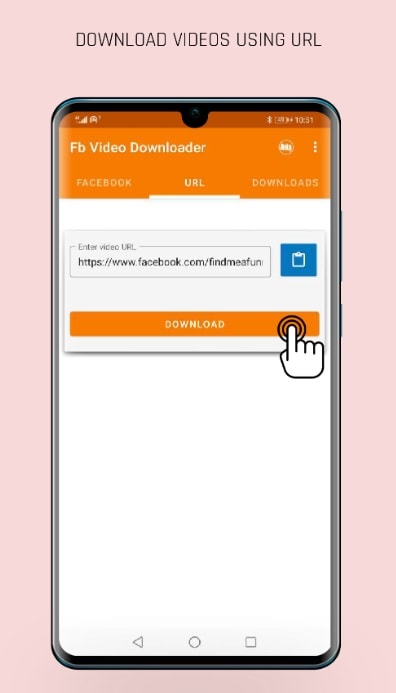
Step 2. Paste the link in the app. Or use the app's built-in browser. Tap the download button. Choose quality and location. The video saves to your phone's gallery.
Method 6: Save Videos Shared by Friends (Built-in Option)
Facebook has a built-in save feature. This works for videos in your feed. You can save videos to watch later. This isn't a real download. But it's useful for quick access.
The save feature keeps videos in Facebook. You don't need external tools. It's the official way. But videos stay online. You need the internet to watch them later.
Why use the built-in option:
- Official Facebook feature
- No third-party tools needed
- Simple one-click process
- Organized in your saved items
Steps to save:
Step 1. Find a video on Facebook. Click the three dots in the corner. Select "Save video" from the menu.
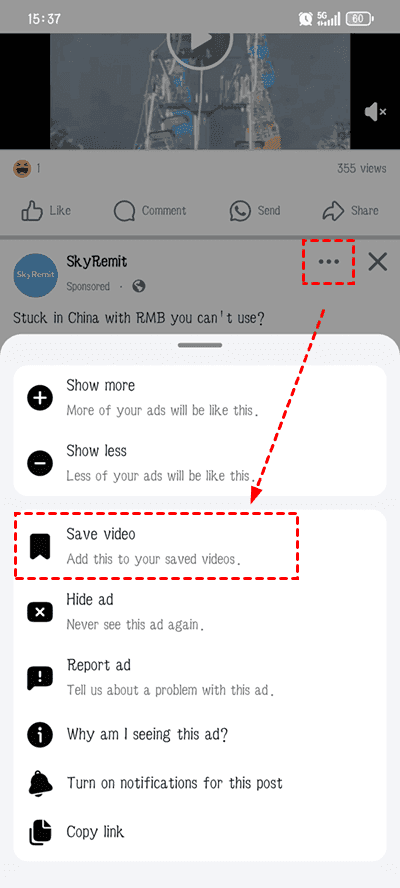
Step 2. Access saved videos anytime. Go to your profile. Click "Saved" in the menu. Find your video collection. Click to watch.
Part 3: Lost Video Files on PC? Try Recoverit Today!
Have you ever lost downloaded videos? Maybe you deleted them by accident. Or your hard drive crashed. Losing precious videos is frustrating. You spent time downloading them. Now they're gone. This happens to everyone sometimes.
Recoverit is a powerful data recovery tool. It helps you get lost files back. The software works on Windows and Mac. It can recover videos, photos, and documents. Many people trust Recoverit. It has helped millions recover lost data.
The tool is easy to use. You don't need technical skills. Recoverit scans your device. It finds deleted files. The success rate is high. You can preview files before recovery. This ensures you get the right videos back.
Key Features:
- Recovers over 1000 file types
- Supports all storage devices
- Deep scan technology for better results
- Preview files before recovering them
- High recovery success rate
- Works with crashed computers, too
- Simple interface for all users
- Free trial version available
How to recover lost videos:
Step 1. Download and install Recoverit. Launch the program. Select the location where you lost your videos. This could be a drive or folder.

Step 2. Click "Start" to scan. Recoverit searches for deleted files. This takes a few minutes. You can pause anytime.
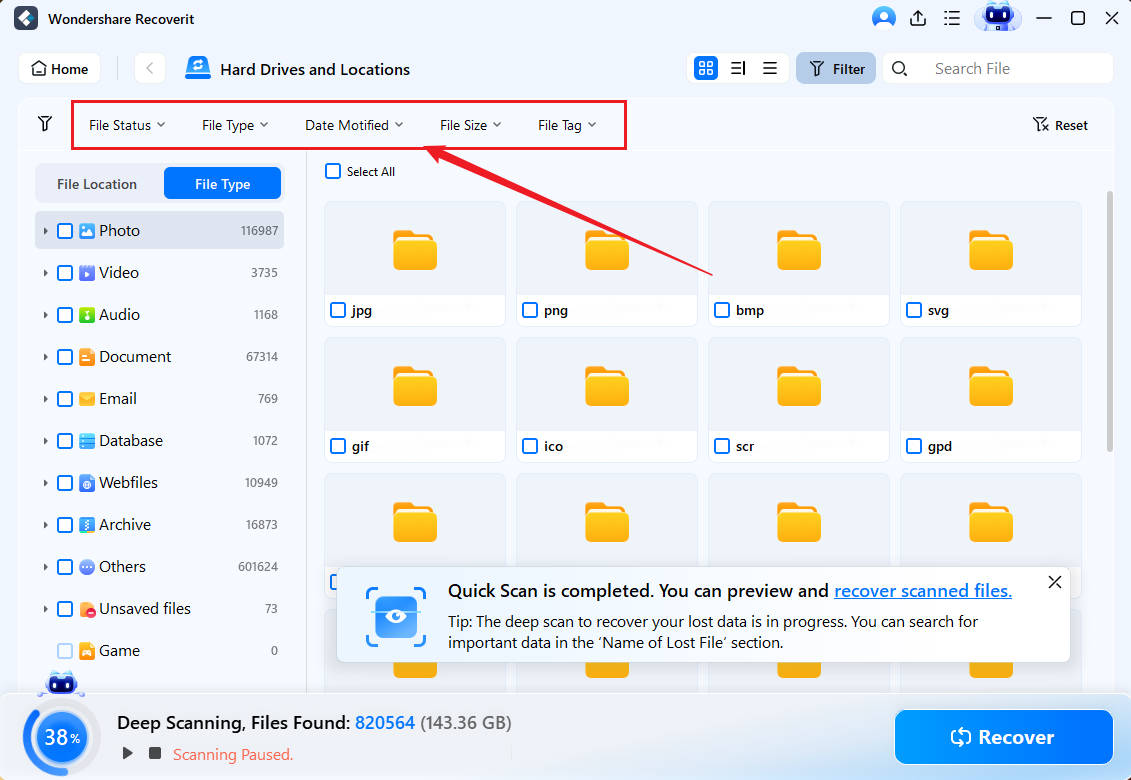
Step 3. Preview the found videos. Select the ones you want back. Click "Recover." Choose a safe location to save them. Don't save to the same place where you lost them.
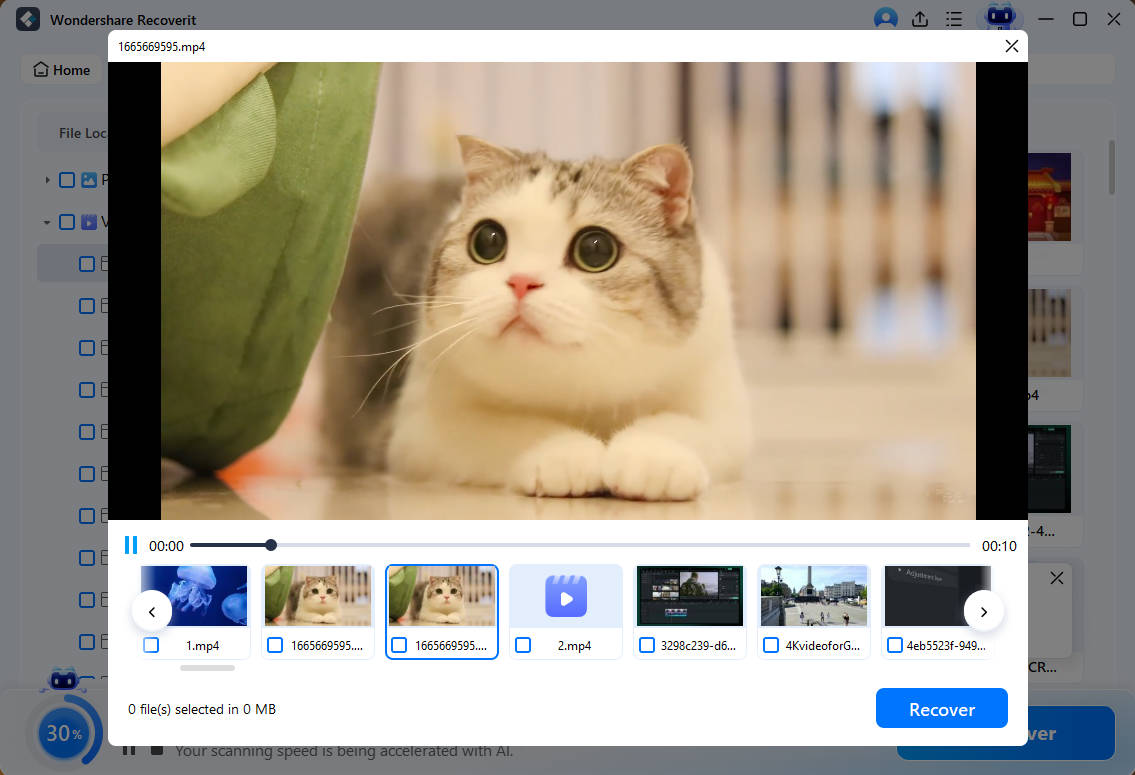
Video Tutorial: How to Recover Lost Video Files from SD Card?

Part 4: Pro Tips for Downloading Facebook Videos Safely
Downloading videos is simple. But staying safe is important. Follow these tips to avoid problems. They help you download videos without risks. These practices protect your device and privacy.
- Use trusted tools only: Stick to well-known downloaders. Read reviews before using new tools. Avoid suspicious websites. They may contain malware.
- Check video permissions: Make sure downloading is allowed. Respect the creator's wishes. Private videos always need permission.
- Avoid tools asking for login: Never enter your Facebook password on third-party sites. Legitimate tools don't need your login details. This protects your account.
- Keep antivirus software updated: Protect your device from threats. Scan downloaded files regularly. A good antivirus catches problems early.
- Download from reliable sources: Choose quality over convenience. Free tools are great. But ensure they're safe first.
- Check download quality before saving: Preview when possible. Some tools offer low-quality videos. Choose HD options for better results.
- Respect copyright laws: Only download for personal use. Don't share or sell downloaded content. Give credit when appropriate.
- Clear cache regularly: Downloaded videos take up space. Delete old files you don't need. This keeps your device running smoothly.
Conclusion
Now you know how to download video from Facebook videos. You have six different methods. Each one works well. Online tools are quickest. Browser extensions are most convenient. Manual methods always work. Desktop software offers quality. Mobile apps provide flexibility. Built-in saves are safest.
Choose the method that suits you best. Remember to respect copyright rules. Download responsibly and safely. If you lose videos, try Recoverit. It can save your files.
With these tips, you'll never lose a great Facebook video again.
Try Recoverit to Recover Lost Data
 Security Verified. Over 7,302,189 people have downloaded it.
FAQs
-
Q1. How can I download a video from Facebook without any software?
Use online video downloaders. These websites need no installation. Just paste the video link. The site processes it. Then download the video. Many free options exist. They work on any device with internet. This method is quick and simple. -
Q2. Is there a Facebook video downloader that works on iPhone?
Yes, several apps work on iPhone. Check the App Store for video downloader apps. Some require you to use their in-app browser. Others let you paste links. Documents by Readdle is popular. It includes a browser and downloader. Always read reviews before installing apps. -
Q3. Can I download private Facebook videos?
Downloading private videos is tricky. You need permission from the owner. Most tools cannot access private videos. They're protected by privacy settings. If someone shared a private video with you, ask them to send it directly. Respect privacy settings always. Public videos are easier to download.


