

 TL;DR:
Selecting the right forensic data recovery software depends entirely on the specific investigation target, with tools like Cellebrite UFED dominating mobile device extraction and EnCase Forensic leading large-scale computer and server investigations.
● Recoverit and the free Autopsy platform are best suited for beginners, schools, or simple data retrieval tasks, whereas Magnet AXIOM provides comprehensive timeline and cloud data support for complex, mixed-device cases.
● For physically compromised hardware, R Studio specializes in rebuilding severely damaged drives and RAID systems, though it requires significant technical mastery compared to the faster, lightweight X Ways Forensics.
● Teams requiring fast text, email, and log analysis often rely on FTK for its index searching, but like other enterprise forensic options, it demands substantial system resources and prior staff training to operate effectively.
Ask AI for a summary
 ChatGPT
 Perplexity
 Gemini
 Claude
 Grok
Grok
Digital evidence has become a central part of most investigations today. Phones, laptops, cameras, and storage devices hold large amounts of information. When data becomes damaged or hidden, investigators look for tools that can bring it back. Many tools can help with forensic computer data recovery and give examiners a clear view of what happened on a device.
As technology grows, the need for strong forensic data recovery software becomes clearer. Cases often depend on small pieces of proof that may be deleted or lost.
In 2025, tools are more advanced and more accurate. They can rebuild lost items, check deleted logs, and restore hidden records. These tools help both beginners and skilled examiners work with care.
Try Recoverit to Recover & Repair Video/Photo/Docs etc.
 Security Verified. Over 7,302,189 people have downloaded it.
Table of Contents
Part 1: What Is Forensic Data Recovery? Why Forensic Data Recovery Is Needed?
Forensic data recovery means bringing back missing or damaged items from digital devices during an investigation. Many people ask what is forensic data recovery is because it may involve deep work inside drives, devices, and hidden areas. Examiners use forensic data recovery software to find clues. It supports small and large cases and helps teams explain the results with accuracy.
The field helps law teams, police, and private investigators. When people study what forensic data recovery is, they learn that it protects the value of proof. It also supports proper reporting rules. Good tools for forensic data retrieval are important because they rebuild what normal tools cannot reach.
Why is it needed?
To restore deleted items Many cases depend on deleted messages, photos, or logs. Tools used for forensic computer data recovery help bring these items back.
To check hidden or damaged areas Some data sits deep in partitions or damaged sectors. Skilled tools handle forensic HDD recovery to rebuild them.
To study cyber incidents When attacks happen, teams need strong forensic disk recovery tools to inspect footprints.
To support law enforcement Digital proof must be correct and complete. Forensic data recovery supports proper legal steps.
To rebuild old or corrupt images Examiners use forensic photo recovery for camera cards and phone galleries.
To rebuild work reports and office files Many teams depend on forensic file recovery for documents that hold case details.
To read encrypted or locked drives Some tools help check locked areas and support proper forensic data retrieval.
To prevent loss in future cases Learning what is forensic data recovery helps teams adopt safe storage plans for new data.
Part 2: 8 Forensic Data Recovery Software in 2025
This part looks at eight leading tools in 2025. Each tool supports some level of forensic data recovery. They offer options for phones, computers, and storage devices. They also help examiners follow safe and proper steps during their work.
Software 1: Recoverit Data Recovery Tool
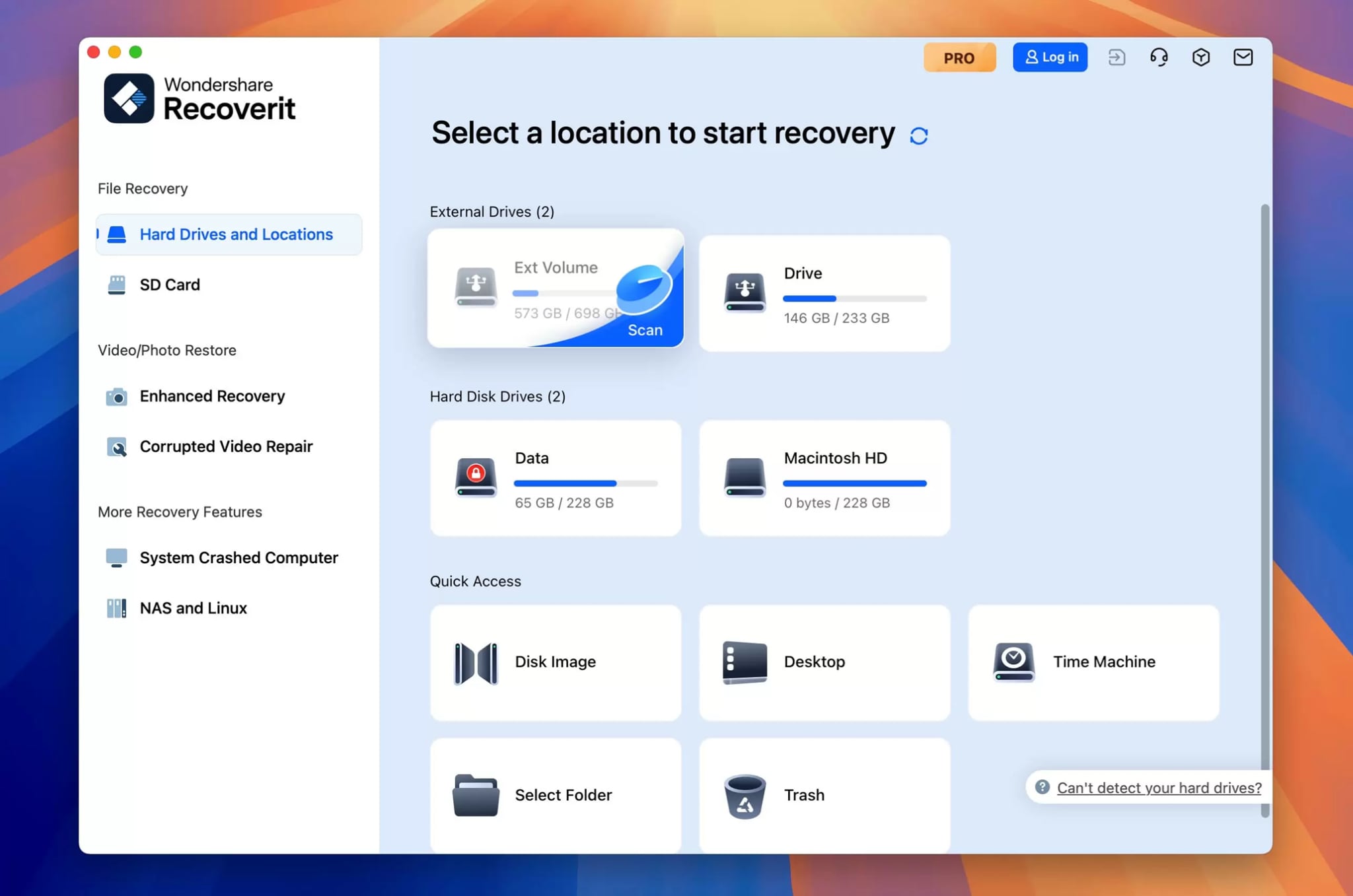
Recoverit is known for simple controls and fast actions. Many people choose it for personal work, but it also supports early steps in forensic data recovery. It works on damaged drives and missing items. It is often used when people need a tool that is easy to learn.

Recoverit helps beginners understand what is forensic data recovery. It also supports teams that need basic forensic computer data recovery. It works on photos, videos, and document records. For many users, it is the best starting choice.
Key Features
Deep scan for many file types
Rebuild from formatted drives
Support for damaged sectors
Support for memory cards
Works on many systems
Pros
Simple layout
Helpful for new users
Cons
Fewer controls for large legal cases
Software 2: Cellebrite UFED
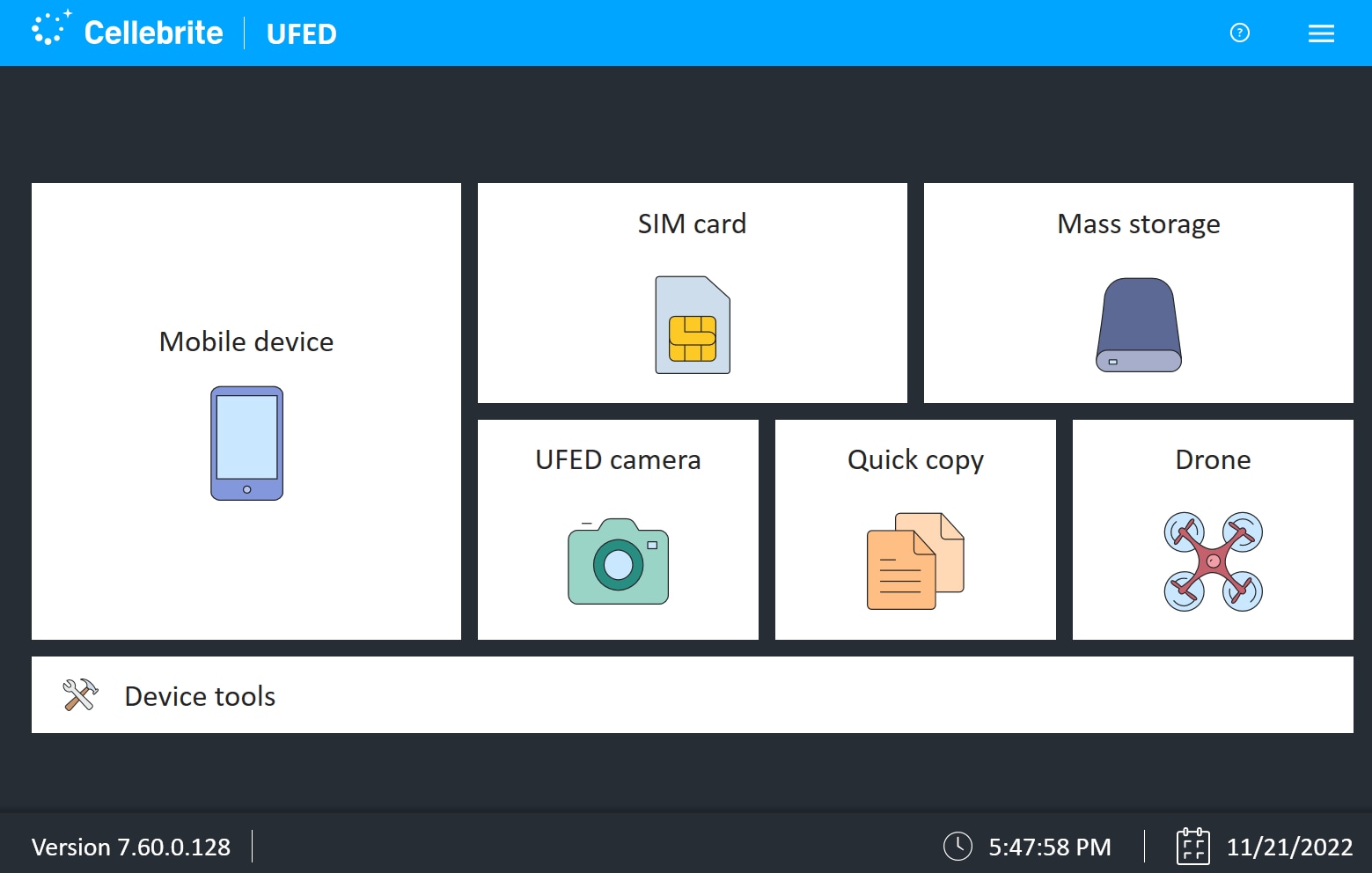
Cellebrite UFED is strong in mobile work. It supports phones, tablets, and many portable devices. It is widely used in law areas. The tool can rebuild deleted calls, chats, and app records. It also works well on locked items.
Teams use it for mobile-based forensic data retrieval. It is also a strong option for forensic photo recovery because many cases depend on mobile cameras.
Key Features
Large phone database
Strong deleted data rebuild
Locked phone access support
Wide app support
Clear reporting tools
Pros
Trusted for mobile cases
Detailed reports
Cons
High cost
Needs training for new staff
Software 3: EnCase Forensic
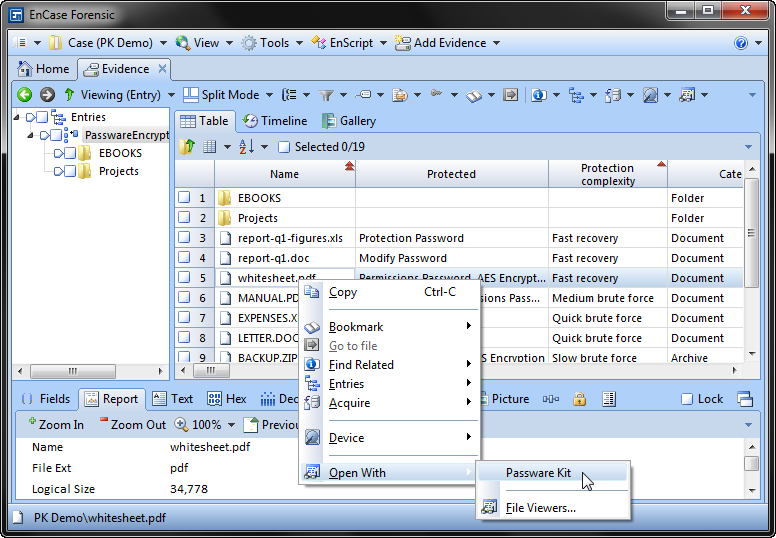
EnCase Forensic has been used for many years. It is known for strong drive and work, and deep search ability. Many teams use it when dealing with large crime cases. It handles computers, servers, and storage units with care.
It supports detailed forensic disk recovery tasks and can work with many formats. Many examiners consider it the best forensic data recovery software for advanced drive jobs.
Key Features
Full disk review
Strong search filters
Clear chain of custody
Automated checks
Detailed logs
Pros
Very reliable
Works well on large drives
Cons
Complex for new users
Needs good system power
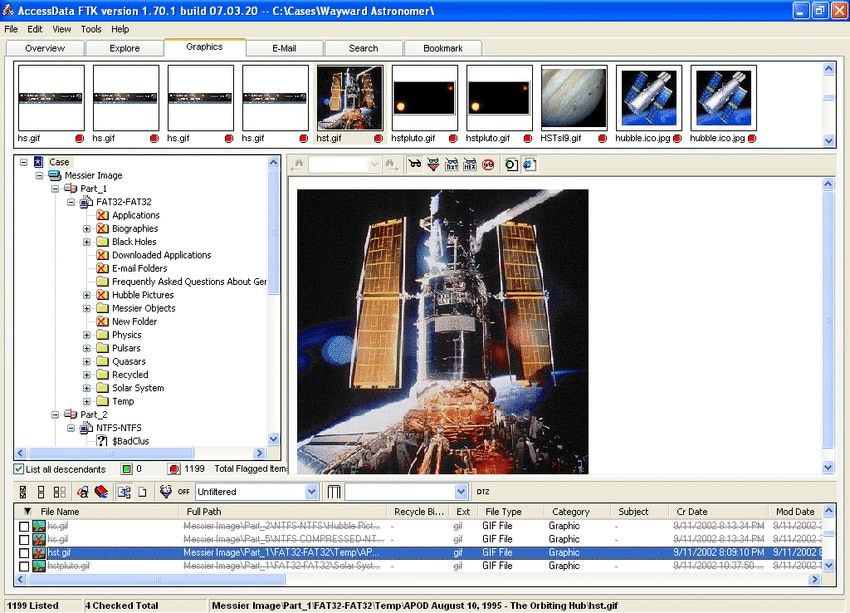
FTK is used for data analysis and rebuild tasks. It works well when examiners look for text items, emails, logs, and file groups. It also handles forensic computer data recovery for many cases.
It gives a clear view of the drive structure. Many teams pair it with other forensic data recovery software for full results.
Key Features
Fast index search
Clear case layout
Strong email rebuild
Support for many system types
Good filtering
Pros
Fast scanning
Easy sorting of large data
Cons
Needs training
Some scans take time on weak systems
Software 5: X Ways Forensics
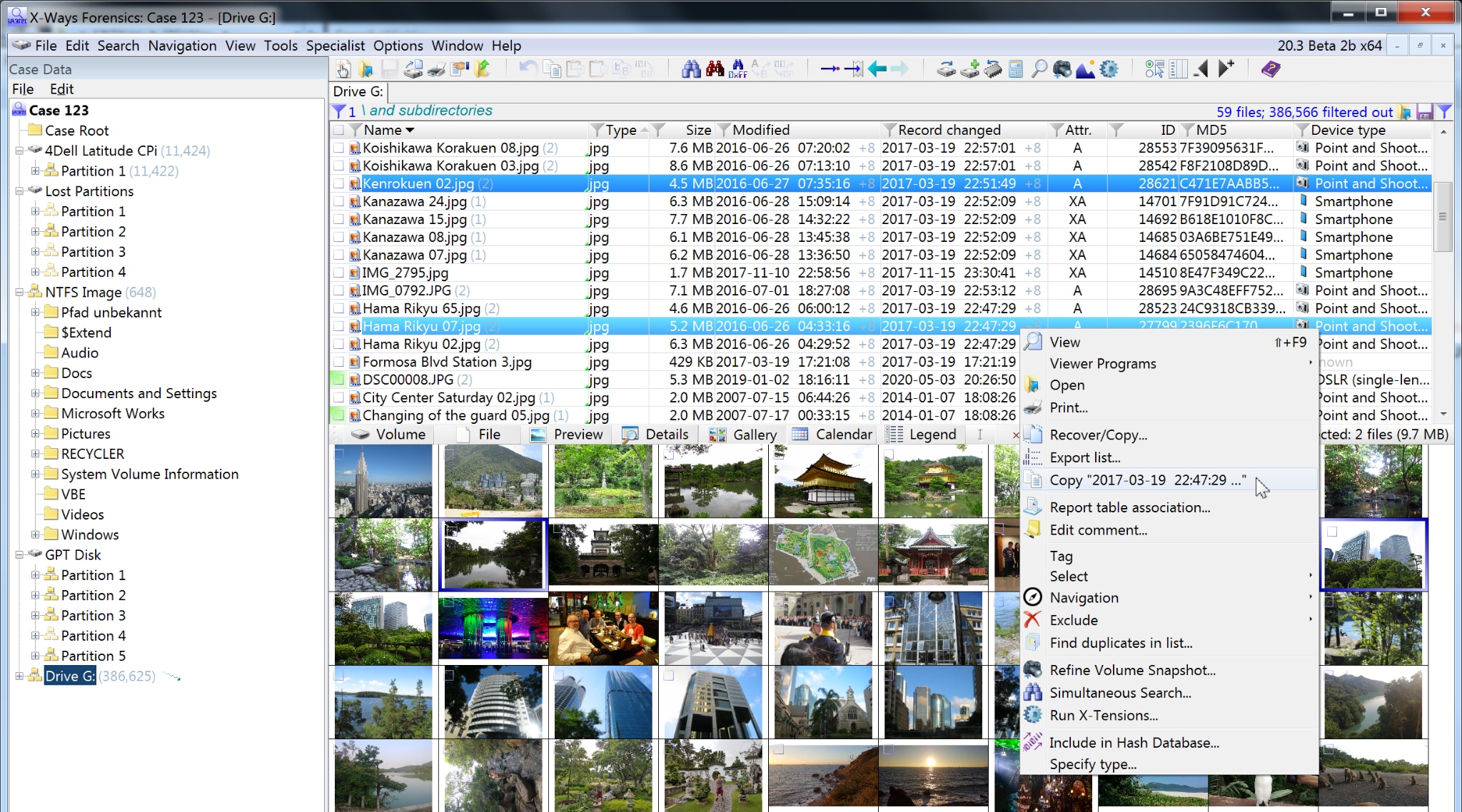
X Ways is a detailed and flexible tool. Many examiners like it because it is light and fast. It handles many file systems and works on damaged areas with care. It is often used for forensic HDD recovery tasks.
It also supports forensic file recovery for documents and logs. Many users choose it as the best forensic data recovery software when they need speed and depth.
Key Features
Light system load
Strong disk rebuild
Hex view options
Good scripting support
Many file formats
Pros
Fast and stable
Low system needs
Cons
Older-looking interface
Not ideal for beginners
Software 6: Magnet AXIOM
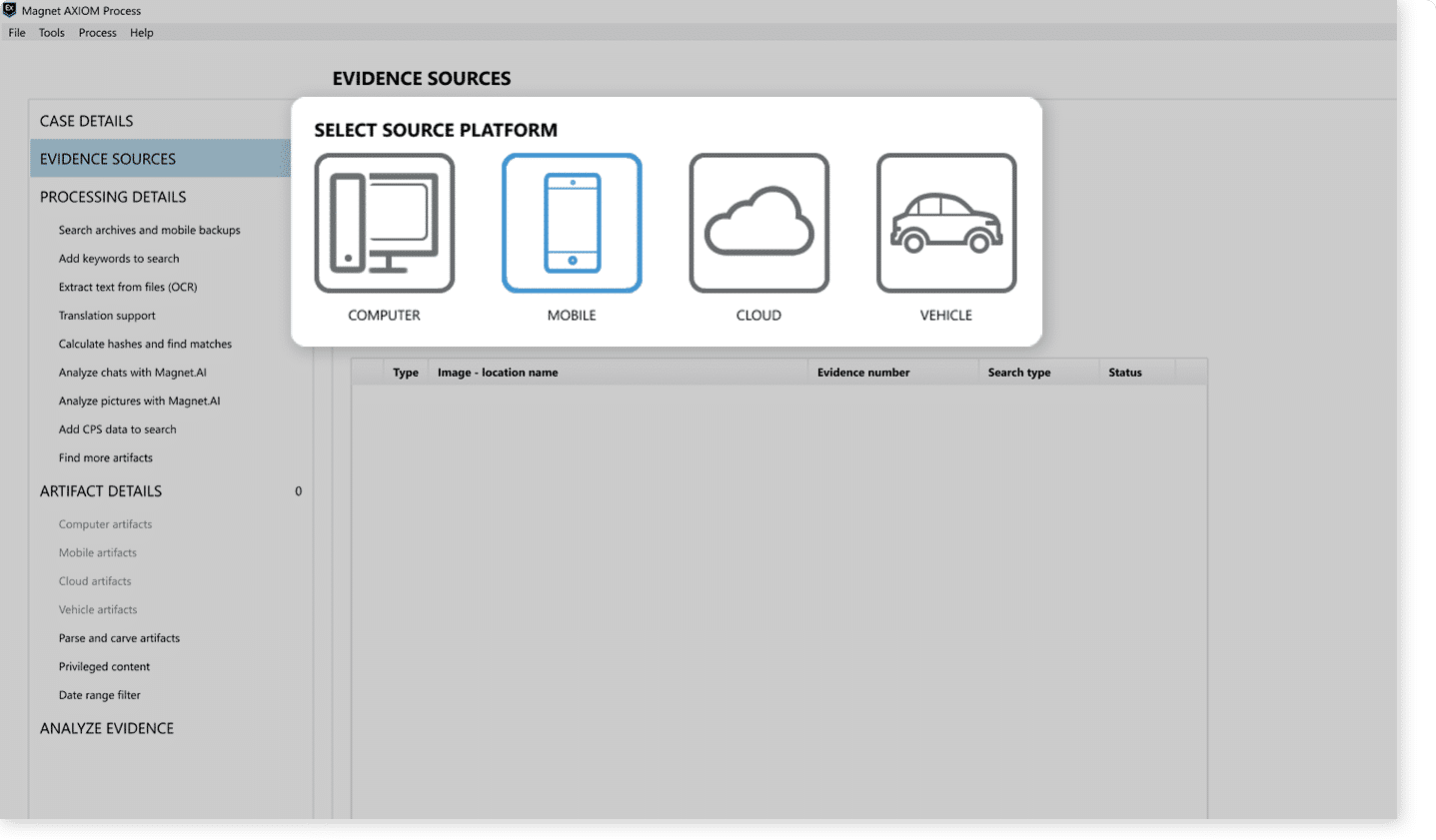
Magnet AXIOM works with many devices and platforms. It is trusted for phone and computer proof. It rebuilds deleted chats, call logs, emails, and other items. Many examiners use it for forensic data retrieval in both small and large cases.
It also handles forensic photo recovery and gives strong visual reports. It is often seen in police and agency work.
Key Features
Wide device support
Clear timeline view
Strong chat rebuild
Cloud data support
Good reporting
Pros
Very detailed results
Good for mixed device cases
Cons
Cost can be high
Needs training time
Software 7: Autopsy (Open Source)
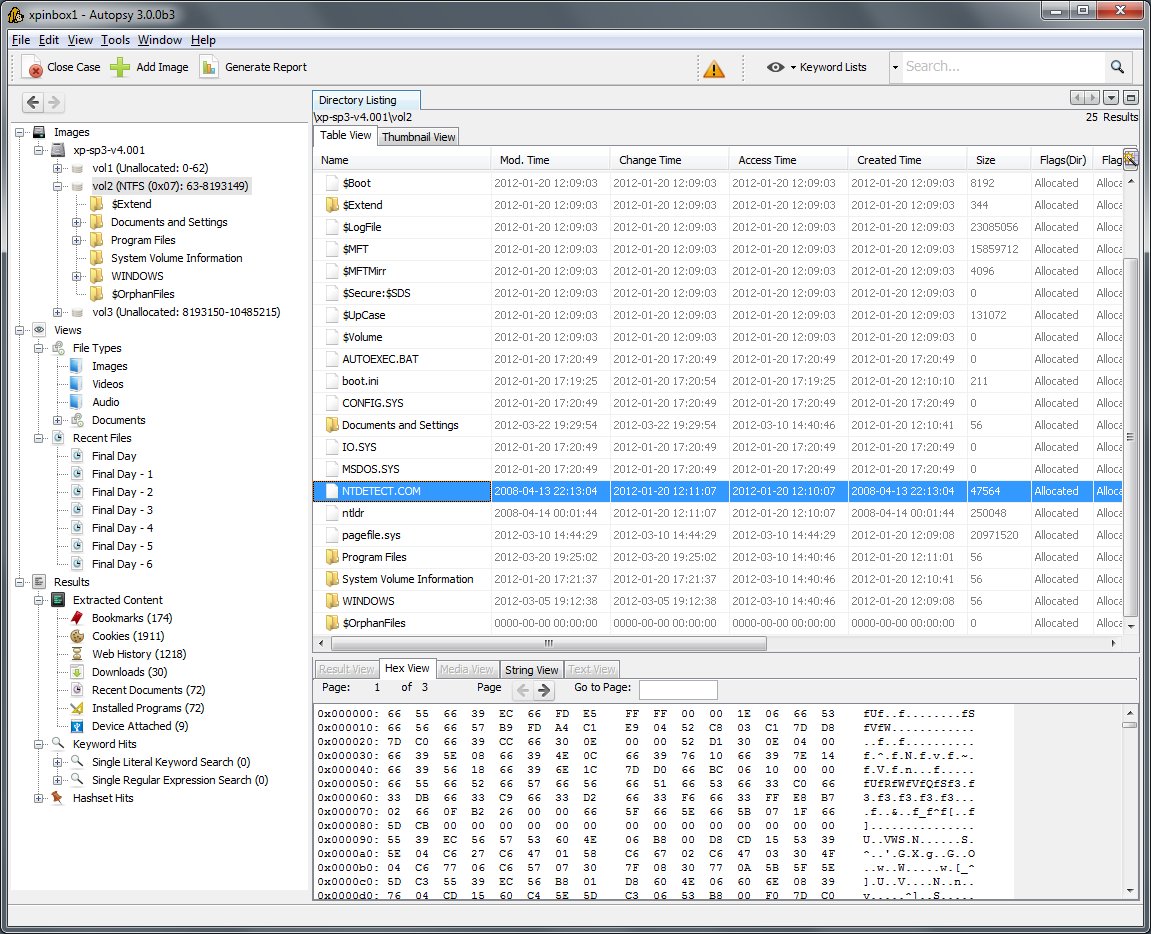
Autopsy is a free and open option. Many schools and new examiners use it to learn what is forensic data recovery. It supports drive review, phone work, and basic rebuild tasks. It also helps with forensic disk recovery in smaller cases.
Autopsy is a strong choice for community work. It also supports basic forensic file recovery and forensic computer data recovery for simple cases.
Key Features
Free tool
Good timeline view
Many small plugins
Good reports
Works on many systems
Pros
Open source
Good for learning
Cons
Not as strong as paid tools
Some plugins can be slow
Software 8: R Studio

R Studio is a powerful drive rebuild tool. Many examiners use it for forensic HDD recovery when drives are badly damaged. It works on partitions, RAID systems, and memory cards. It is known for stable and detailed work.
It also supports forensic data retrieval tasks for documents and images. Many examiners combine it with other forensic data recovery software in complex cases.
Key Features
RAID rebuild
Strong damaged sector support
Many file formats
Network recovery mode
Clear drive map
Pros
Good for serious damage
Reliable results
Cons
Not ideal for beginners
Needs time to master
Part 3: Pro Tips for Choosing the Right Forensic Recovery Tool
Choosing the right tool makes a major difference. Each investigation has special needs. A good tool should match the device, the proof, and the size of the case. A clear plan helps teams work faster and with fewer mistakes.
Tips
Check the device type Pick a tool that supports the device you want to study. Forensic data recovery depends on proper matching.
Look at the ease of use Some tools are complex. Make sure your team can learn them without delay.
Check reporting quality Good reports help present results in court.
Check drive damage support If drives are damaged, pick tools that support forensic HDD recovery.
Check image and photo tools Many cases need forensic photo recovery to rebuild missing pictures.
Check file format coverage A good tool supports wide forensic file recovery options.
Check mobile support Phones are key in modern cases. Make sure mobile work is strong.
Check cost and updates Many tools need steady updates. Pick one that fits your budget.
Conclusion
Forensic tools help examiners find the truth in digital devices. As more proof moves into phones and computers, the value of these tools continues to rise. Each option in this guide supports some level of forensic data recovery. The right choice will depend on the case and the device.
Each tool has strengths and limits. Some are best for phones. Others are strong with drives.
When teams learn what forensic data recovery is and how each tool works, they can handle cases with greater skill and clarity. Strong planning leads to strong results.
FAQs:
-
1. What tools do investigators use to rebuild lost data?
They use many programs that support forensic data recovery, drive checks, and full system review. These tools rebuild items that normal programs cannot reach. -
2. Can deleted items be restored after long periods?
Often yes. Many tools still rebuild old items if the storage area was not overwritten. Success depends on the device and the condition of the drive. -
3. Are free forensic tools safe to use?
Many free tools are safe. They work well for learning and simple tasks. Complex cases need stronger and more advanced paid tools.


