File System Recovery
 Recover data from lost or corrupted file systems for hard drives, SD cards, PCs and
USB etc.
Recover lost data from unallocated/unrecognized/locked hard drives with error file systems
Recover data from raw hard drives, SD cards, USB flash drives and external hard
drives.
Supports HTFS data recovery, FAT32 data recovery, EXT4 data recovery, BTRFS data recovery etc.
Recover data from lost or corrupted file systems for hard drives, SD cards, PCs and
USB etc.
Recover lost data from unallocated/unrecognized/locked hard drives with error file systems
Recover data from raw hard drives, SD cards, USB flash drives and external hard
drives.
Supports HTFS data recovery, FAT32 data recovery, EXT4 data recovery, BTRFS data recovery etc.


99.5%
recovery rate

5min
average scan time

21 years
data recovery experience

100%
secure & virus-free
Trusted All Over World in Recovering Data from Drives with Error File Systems


What is file system?
Before file system data recovery, understanding what is file system, how file system works will help the recovery process afterwards.
What is a file system?
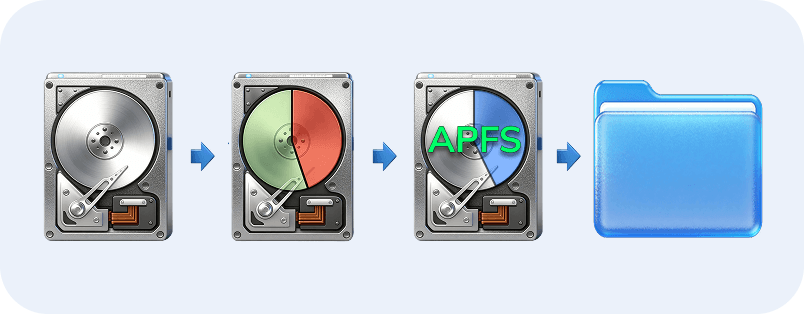
A file system is a specific information structure to organize and manage data.
It helps operating systems like Mac and Windows manage files in an organized and logical manner by applying logic rules.
Common file systems
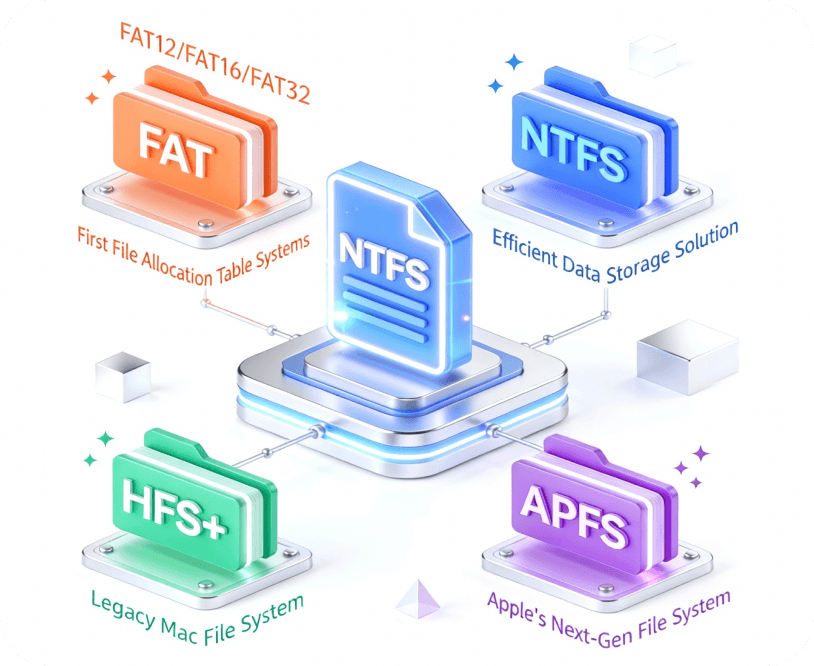
FAT stands for File Allocation Table and is one of the first file formats. FAT12, FAT16, and FAT32 are just different formats of the initial file system.
NTFS is a file system solution designed for more efficient data storage. Though FAT32 still supports a wider range of devices, NTFS will soon overthrow FAT32 as the standard Windows file system.
HFS+ stands for the Hierarchical File System. It's a default file format for older Mac devices. Though this file system has its advantages, it's only compatible with Apple devices.
APFS is the proprietary Apple file format designed to replace HFS+. Apple created APFS to address all the shortcomings of HFS+.
How file system works?
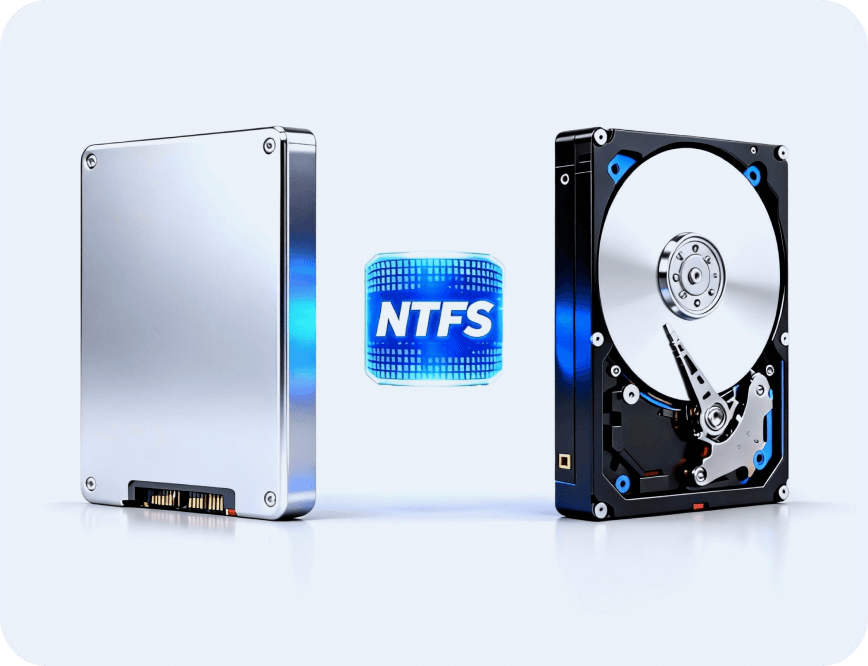
A file system is selected by the user while installing an OS. The file system that will be used is chosen by the user when formatting an SSD or HDD.
Each drive type requires a somewhat different formatting procedure, but both are NTFS compatible.
File system symptoms
- RAW hard drive
- Hard drive cannot be deleted
- Hard drive cannot store data - read-only
- Files loss or corruption
- System boot failures
- Error message occur
- Hard drive missing or undetected
What causes file system loss/corruption?
File system lost? Hard drive cannot be opened? Hard drive data missing? Explore what causes file system loss/corruption. No worry. Recoverit can help you recover all lost data from hard drives in scenarios as follows.



Power issues
Sudden power outrages or improper power-off may cause data writing interruption, fragmented file systems or corruption
Hardware problems
Damaged or worn storage devices, bad sectors, and disk failures may cause file system to become corrupted or unreadable
Software issues
Faulty drivers, operating system crashes, or software bugs during write operations can corrupt file system structures

Human errors
Accidental deletion, improper ejection of storage devices, or incorrect formatting can lead to file system loss

Environmental factors
Extreme temperatures, humidity, magnetic interference, or physical damage can harm storage devices and file systems

Improper procedures
Unsafe removal of external drives, interrupting file transfers, or improper partition operations can damage file systems
How to recover corrupted file systems and data?
(8 Easy Methods)
File system lost? Hard drive cannot be opened? Hard drive data
missing? No worry. Recoverit can help you recover all lost data from hard drives
with error file systems.


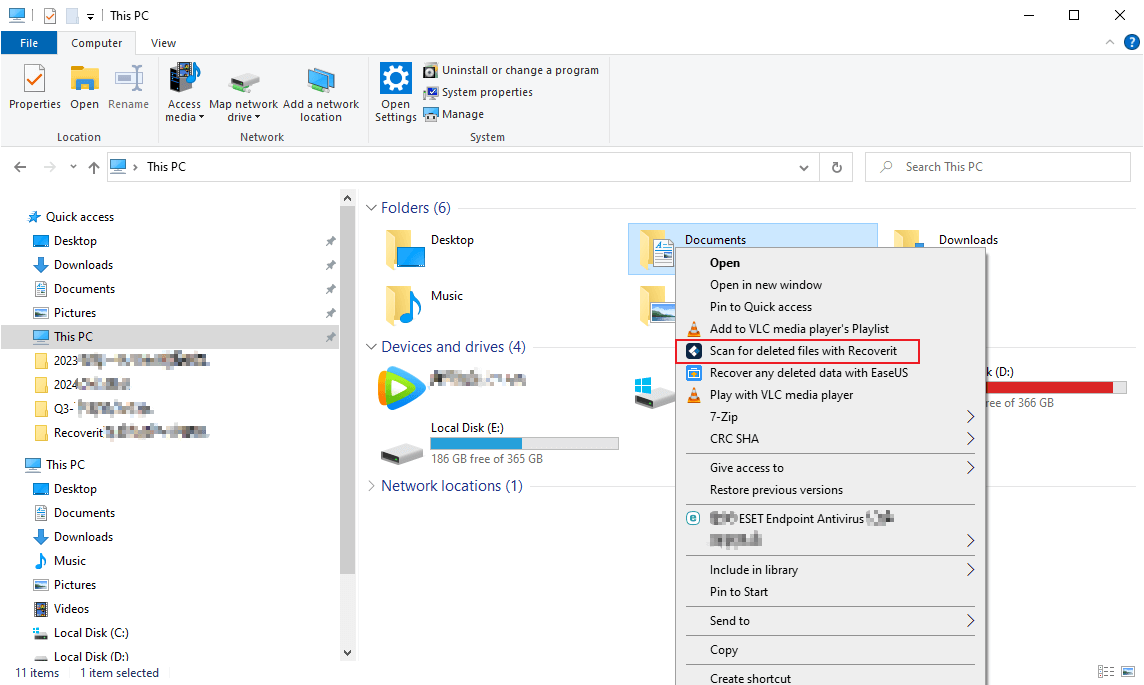

Recoverit works even when file system shows errors. The program scans damaged drives thoroughly. It finds files that seem lost forever.

Recover data even when file system fails
Supports 1m+ storage devices data recovery

Not totally free
Deep scan takes a bit longer



The SFC (System File Checker) is a utility for scanning and restoring corrupted Windows system files. If Windows experiences functionality issues, SFC can be particularly useful in diagnosing and repairing critical files.
Fix system corruption
Improves stability
Limited repair capability
Not a complete solution
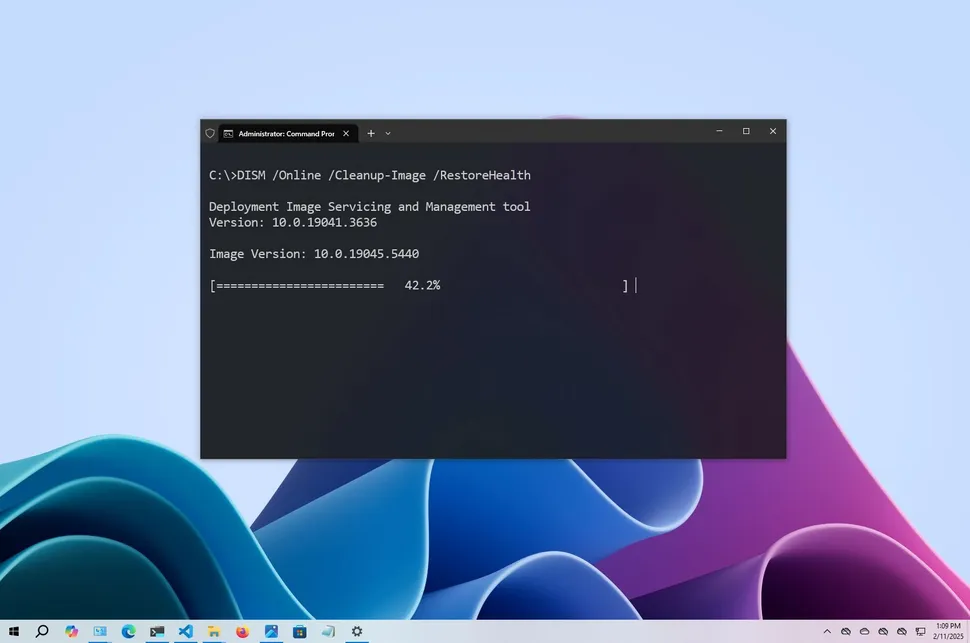
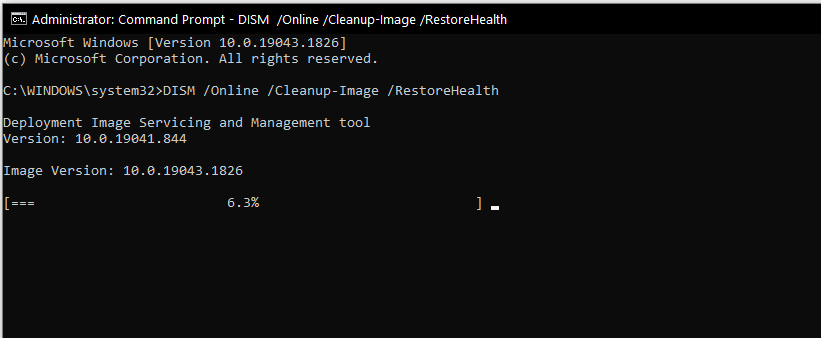
DISM is a more advanced tool that can service and prepare Windows images. It can be particularly useful when SFC fails to resolve problems. DISM can be used to scan and fix the underlying Windows system image files.
Fixes Deep Corruption
Uses Clean Sources
Requires internet connection
Time consuming
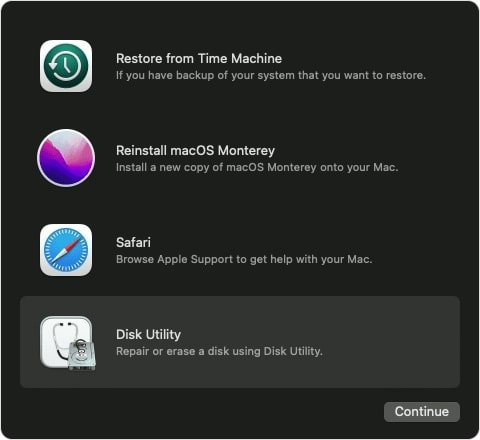


Disk Utility in macOS provides a graphical user interface for managing disks and volumes. It includes options to check and repair file system errors using the "First Aid" feature.
This tool runs several consistency checks
Attempts to fix detected issues automatically
Only works on macOS
May not fix severe corruption
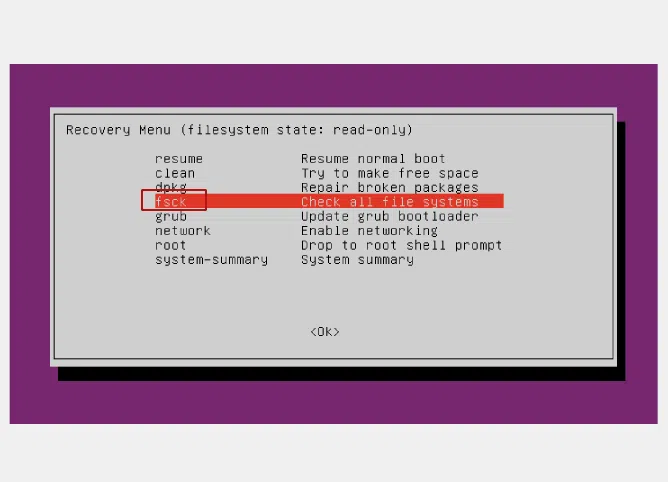
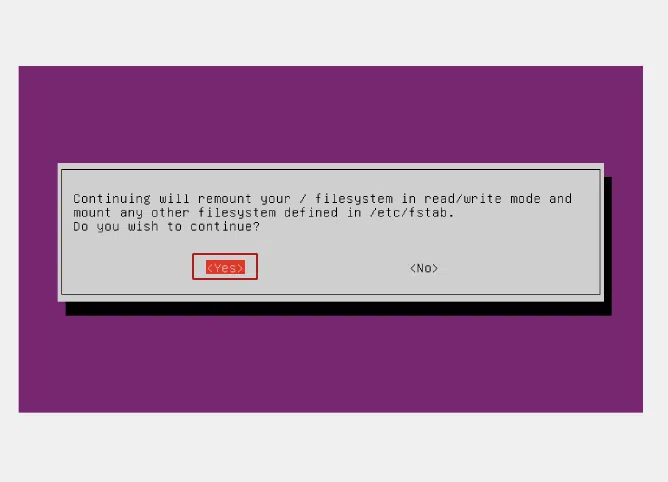
fsck is a versatile utility designed to check and repair inconsistencies in file systems. Different Linux file systems have slightly different implementations of fsck, such as e2fsck for ext2/3/4 file systems.
Totally free
No software installed
Risk of data loss
Requires unmounted file systems
If the file system fails to be repaired, formatting might be necessary. Format only after recovering your data. This method erases everything on the drive. Disk Management in Windows' partition tool can reformat corrupted drives. This creates a fresh file system. Your drive becomes usable again.
No software installed
Totally free
Data will be lost after formatting
Cannot recover lost data
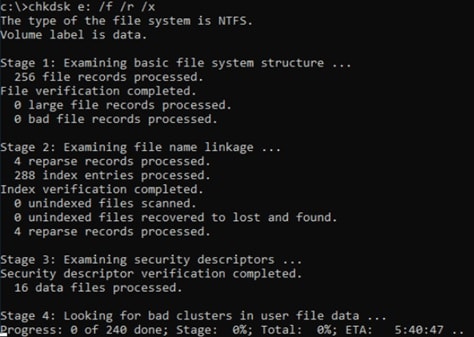
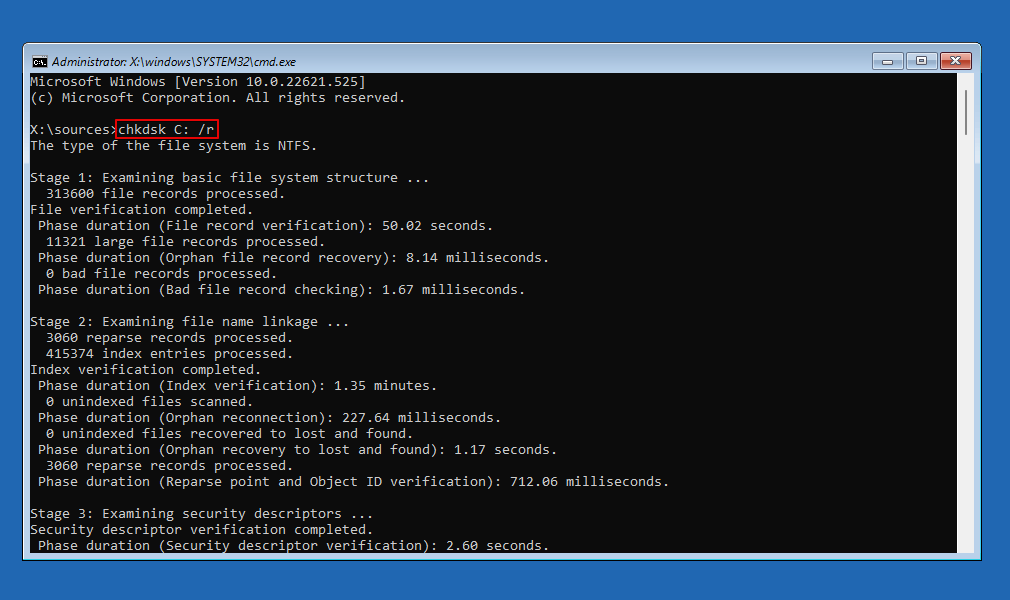
The Check Disk utility (CHKDSK) scans the file system and the file system metadata of a volume for logical and physical errors. CHKDSK can detect a variety of issues, including bad clusters, cross-linked files, and directory errors.
Free
Can detect and fix many file system errors
Data loss risks
Time-consuming
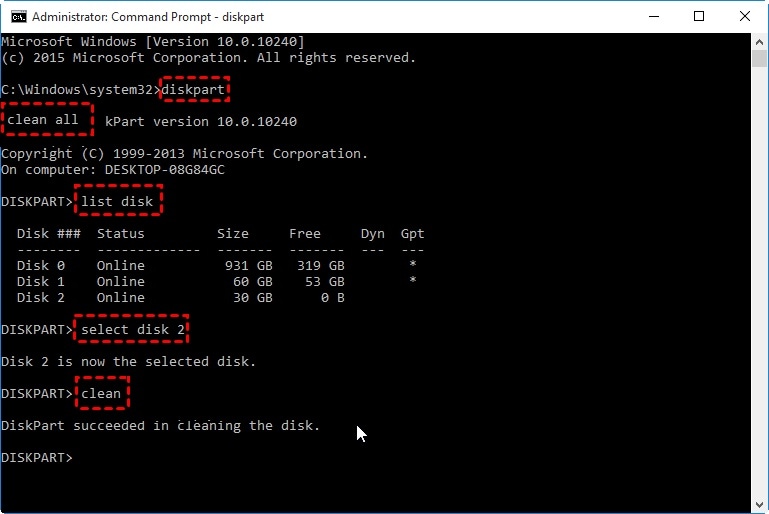
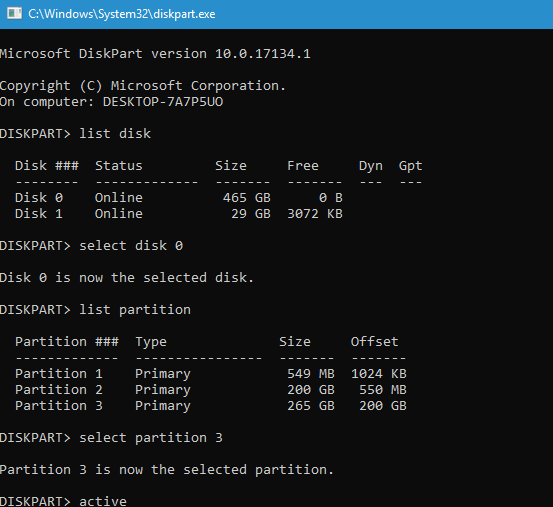
Diskpart is a powerful command-line tool. It provides more control than Disk Management. Use this when the volume does not contain a recognized file system error won't go away. This method completely wipes the disk.
No GUI needed
Command-line Control
Volume Limitations
Lack of visualization
Tips for successful file system recovery
Follow these tips below to increase your file system recovery success.

Recover data first
Recover data first
Recover data first, use Recoverit to recover lost, missing, corrupted, or unrecognized data from storage devices with error file systems.
Recoverit can help you recover lost data from raw, undetected, corrupted hard drives, USB flash drives, PCs, and SD cards.

Avoid data overwriting
Avoid data overwriting
When a file system is corrupted, refrain from writing new data onto the affected drive. This can prevent further damage and increase the chances of recovery.

Manual repair tips
Manual repair tips
Run chkdsk /f /r to perform a thorough check and repair.
Run DISM.exe /Online /Cleanup-image /Restorehealth to repair image, use sfc /scannow to fix corrupted system files.
If specific system files remain corrupted after SFC fix, identify and replace files in CBS.log.

Use UPS (Uninterruptible Power Supply)
Use UPS (Uninterruptible Power Supply)
Implementing a UPS helps prevent corruption by protecting the system from sudden power loss.
Why choose Recoverit for file
system recovery?
Explore why Recoverit outperforms other file system recovery tools.
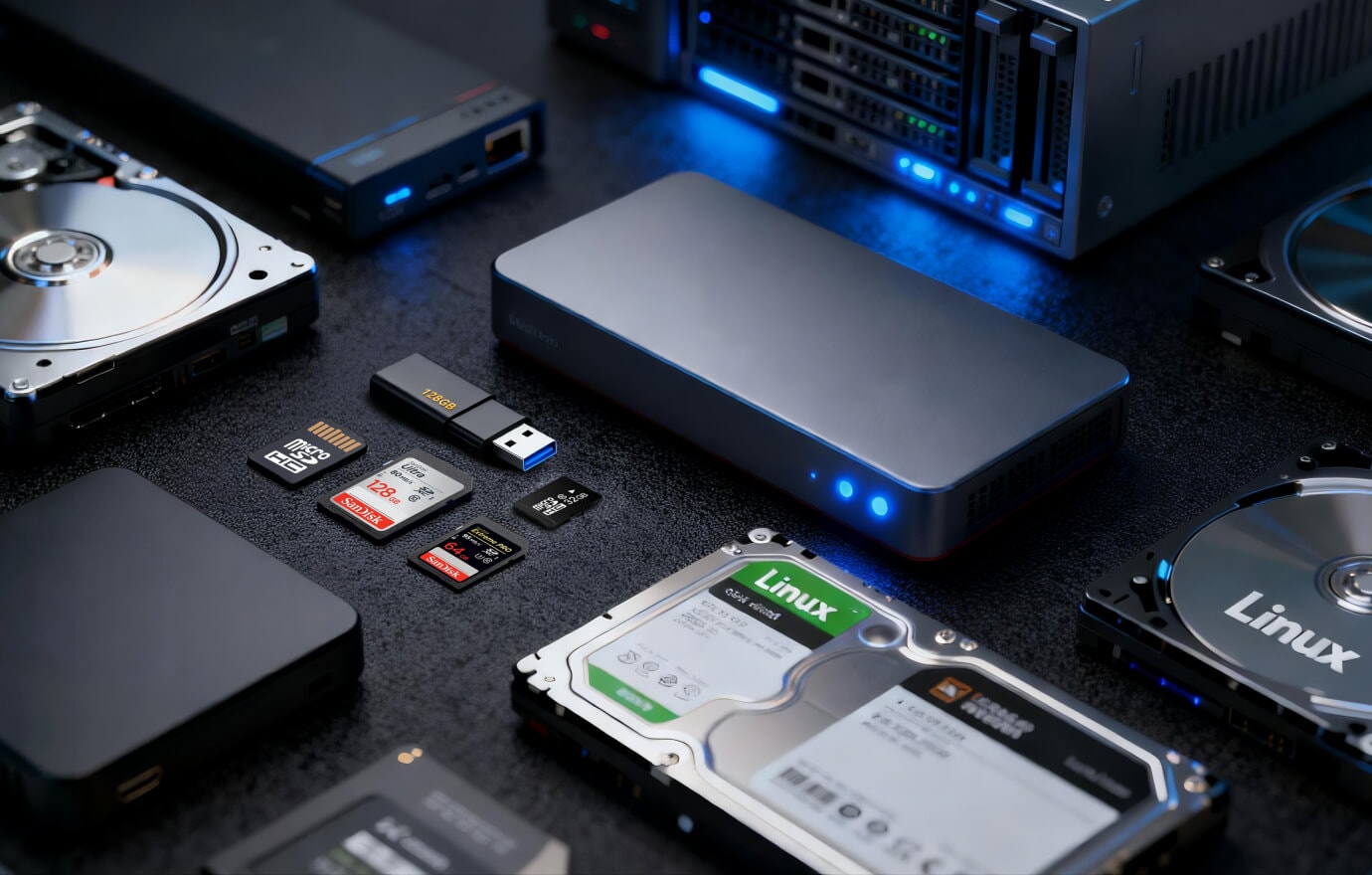
Easily recover all major file systems
Bring back lost, deleted or corrupted data from storage devices with lost, deleted or corrupted file systems, including NTFS, HFS, APFS, exFAT, FAT, etc.
Easily recover data from USB, SD cards, hard drives, external hard drives, PCs, RAIDs, Linux disks with file systems issues. Easily Recover lost data due to issues of NTFS, FAT, exFAT, ext4, RFS, APFS file systems.
Effortlessly recover lost or unrecognized hard drives
When file systems are lost or corrupted, hard drives become raw, undetected or unrecognized.
Data in the hard drive may be lost, incomplete or inaccessible.
With Recoverit, you can easily recover lost data from raw, undetected, unrecognized or corrupted hard drives, PCs, USB and other storage devices with file systems issues.

AI-powered data recovery Solution
Automatically identifies over 2,000+ file structures, with a 95% success rate for reconstructing file fragments.
AI-powered High-capacity Device Speed-up Algorithm. Utilizing a sparse matrix algorithm, this algorithm reduces ineffective I/O by 50%, achieving 96% disk I/O bandwidth utilization. This significantly improves video and image recovery efficiency, allowing you to instantly recover your valuable assets.


Comparison Chart with Other File
System Recovery Tools
Explore why Recoverit outperforms other file system recovery tools.
| File System Recovery Tool |

|
Disk Drill | EaseUs | MiniTool Power |
|---|---|---|---|---|
| Supported File Systems | exFAT, FAT16, FAT32, NTFS, ReFS, HFS+, Encrypted HFS, HFSX, APFS, XFS, BFS, EXT4 | exFAT, FAT16, FAT32, NTFS, HFS+, APFS, EXT2/3/4 | FAT12, FAT16, FAT32, HFS+, ReFS, EXT2/3 | FAT12, FAT16, FAT32, exFAT, VFAT, NTFS, NTFS5 |
| OS Support | Windows, Mac, Linux | Windows, Mac | Windows, Mac | Windows, Mac |
| Supported File Types | 1000+ | 400+ | 1000+ | 100+ |
| RAW File System Recovery |

|
 |
|
|
| Corrupted File System Repair |
|
Partial support | Partial support | Partial support |
| Unrecognized Drive Recovery |
|
|
 |
|
| Partition Recovery |
|
|
|
|
| Document/Photo/Video Repair |
|
|
|
|
| File Preview |
|
|
|
Partial support |
| Resume Scanning Process |
|
|
|
|
| Deep Scan for File Systems |
|
|
|
|
| AI-powered Recovery |
|
|
|
|
Tips and Video Tutorials about File System Recovery
FAQs about file system recovery
Can I bring back deleted files after a format?
Why did my NTFS drive stop working?
Should I fix a noisy drive?
How long does it take to recover a formatted 1TB NTFS drive?
Can I recover data from an NTFS drive that was quick-formatted vs. full-formatted?

Your privacy is our top priority
Recoverit uses strong encryption to safeguard your data. Your data remains 100% private and secure.

A tool built on reliability
You can easily recover lost files in simple steps. Recoverit is your most reliable file system recovery tool.

One-stop Tool for file system recovery
With a success recovery rate of 99.5%, Recoverit can completely recover lost or deleted data from storage devices with corrupted file systems.