

 TL;DR:
iSCSI provides cost-effective, block-level network storage over standard IP networks, and you can recover deleted or lost data from its logical units (LUNs) using dedicated software or system repair utilities provided you immediately stop writing new data to the affected volume.
● Synology DiskStation and QNAP Turbo NAS devices are best suited for small to medium businesses requiring user-friendly management, whereas Dell Technologies PowerVault systems are designed for large-scale, business-critical enterprise deployments.
● To repair minor corruption caused by power or network interruptions, you must first reconnect to the correct target using the iSCSI Initiator before running native utilities like `chkdsk X: /f /r /x` in Windows or `fsck` in Linux.
● When recovering permanently deleted files using software like Recoverit, you are required to disconnect the affected iSCSI volume and connect it to a separate recovery system exclusively in read-only mode prior to initiating a deep scan.
Ask AI for a summary
 ChatGPT
 Perplexity
 Gemini
 Claude
 Grok
Grok
Modern businesses depend on shared storage systems every day. Offices, data centers, and cloud platforms need storage that is stable and easy to manage. Many organizations do not want costly fiber infrastructure. They prefer using their existing network. This is where iSCSI storage becomes a practical choice.
In this detailed guide, you will clearly understand what is ISCSI storage and why it is widely used. You will also learn how does ISCSI works in a simple and structured way. We will explain the pros and cons of ISCSI storage so you can judge if it fits your needs.
Most importantly, you will learn how to recover lost/deleted data from ISCSI storage with clear methods and steps.
Table of Contents:
Part 1: What is iSCSI Storage?
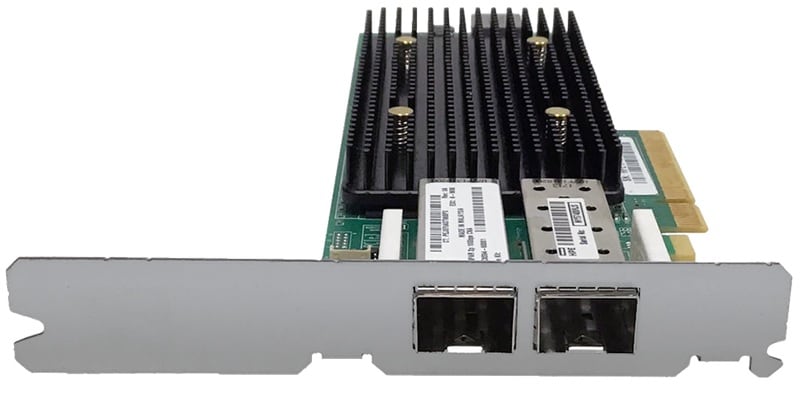
To clearly understand what is ISCSI storage, we must begin with the basics. iSCSI stands for Internet Small Computer Systems Interface. It is a protocol that allows storage commands to travel over a standard IP network. Instead of using special storage cables, it uses Ethernet. This makes deployment easier for many businesses.
In simple words, what is ISCSI storage? It is a network-based storage system that allows servers to access remote disks as if they were local hard drives. The storage device can sit in another room or even another building. Yet the operating system treats it like a directly attached disk. This flexibility makes it popular in virtual environments and backup systems.
Another way to describe what is ISCSI storage is this. It is block-level storage delivered over an IP network. Block storage means the system reads and writes fixed-size data blocks. This allows better control over how data is stored. Many companies rely on it for database workloads, virtual machines, and disaster recovery.
Part 2: How Does iSCSI Work?
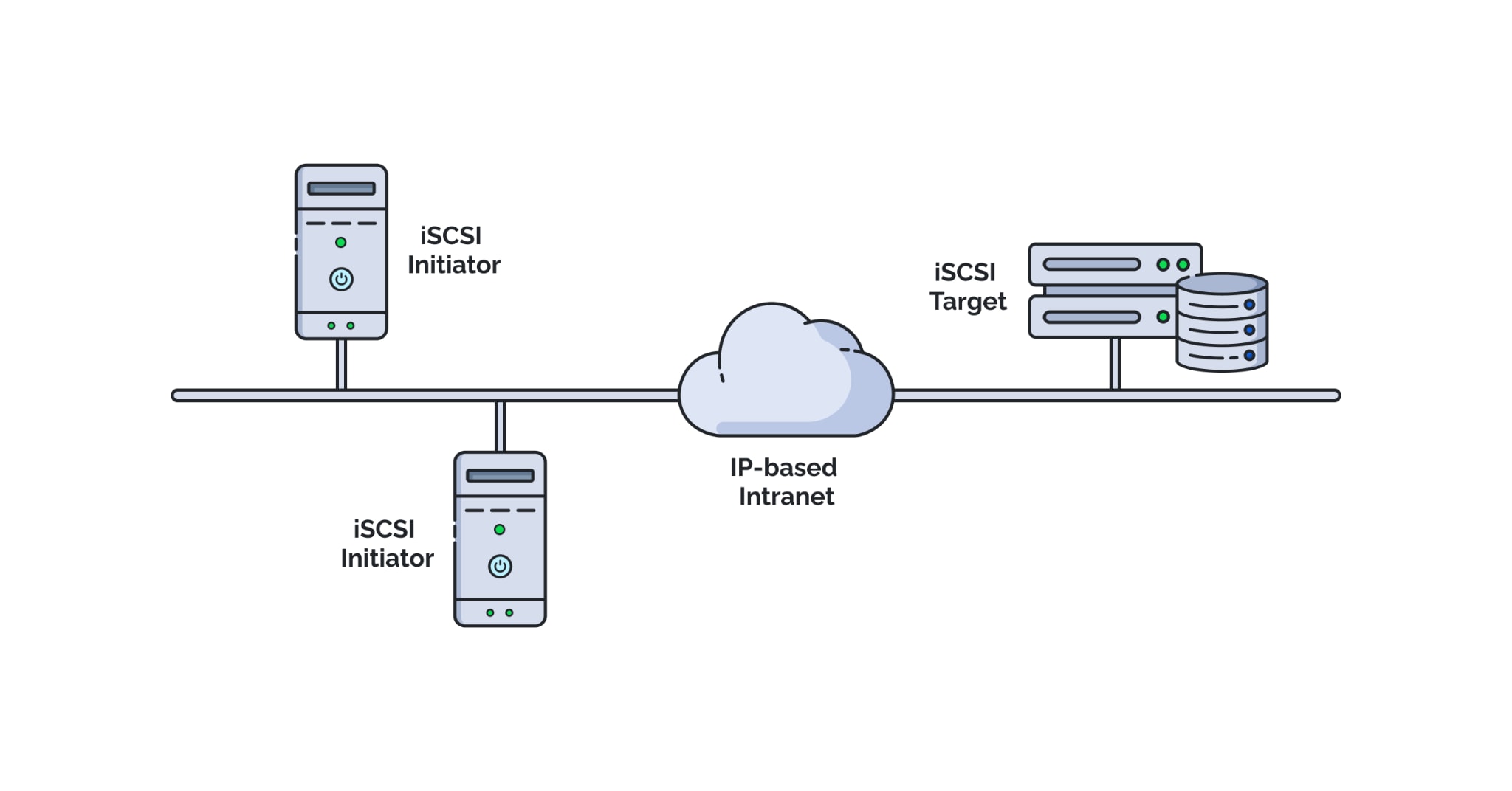
Let us now understand how does ISCSI works step by step. The system has two main components. One is the initiator, usually a server. The other is the target, which is the storage system. The initiator sends SCSI commands to the target over a TCP/IP network.
When people ask how does ISCSI works in practical terms, the answer is simple. The initiator connects to the storage device using its IP address. After authentication, it gains access to logical units, often called LUNs. These LUNs appear as local disks to the operating system.
So, how does ISCSI works behind the scenes? The protocol wraps SCSI commands into IP packets. These packets move across the Ethernet network. At the storage end, the target extracts the commands and performs the requested action. The result is then sent back through the same network.
Part 3: Pros and Cons of iSCSI Storage
Before choosing any storage solution, you must evaluate the pros and cons of ISCSI storage. It offers many advantages. However, there are also some limitations that should not be ignored.
When reviewing the pros and cons of ISCSI storage, it is clear that network quality plays a major role. A strong network ensures better performance. Poor planning can reduce efficiency.
Part 4: What Are Top 3 iSCSI Devices?
When selecting hardware, many users search what are top 3 ISCSI devices available in the market. Choosing the right device ensures better performance and reliability. Below are three trusted options used by many businesses.
1. Synology DiskStation Series
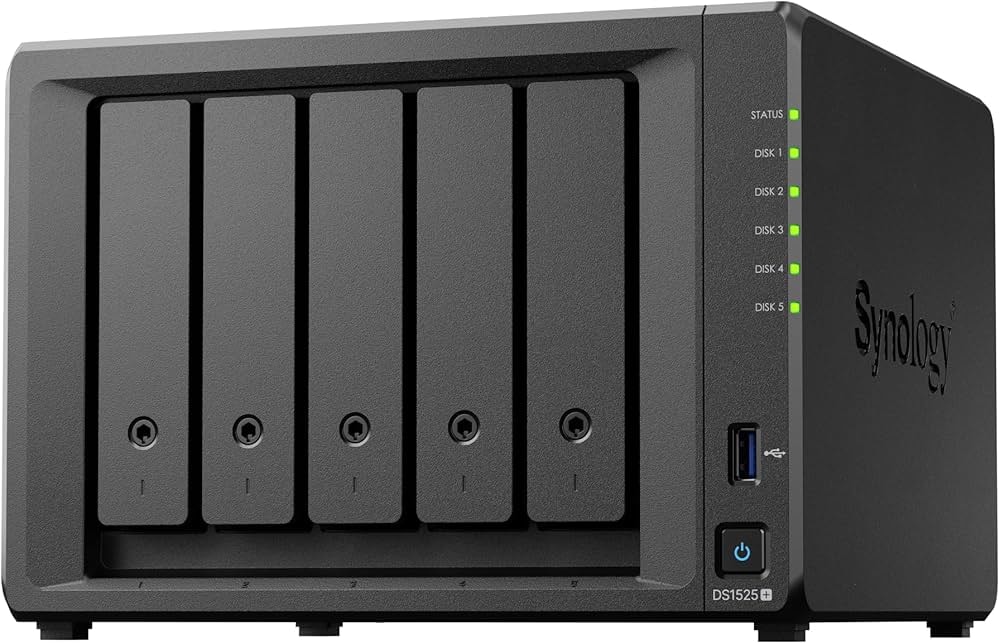
Synology NAS devices are popular for small and medium businesses. They support iSCSI targets and LUNs. These systems offer user-friendly management tools. They also provide built-in backup features. Many models support RAID for data protection. They are easy to scale and manage.
2. QNAP Turbo NAS Series
QNAP offers powerful NAS systems with advanced features. They support snapshot protection and virtualization integration. These devices often include multiple Ethernet ports. This improves performance and redundancy. Their operating system includes strong monitoring tools.
3. Dell Technologies PowerVault Series
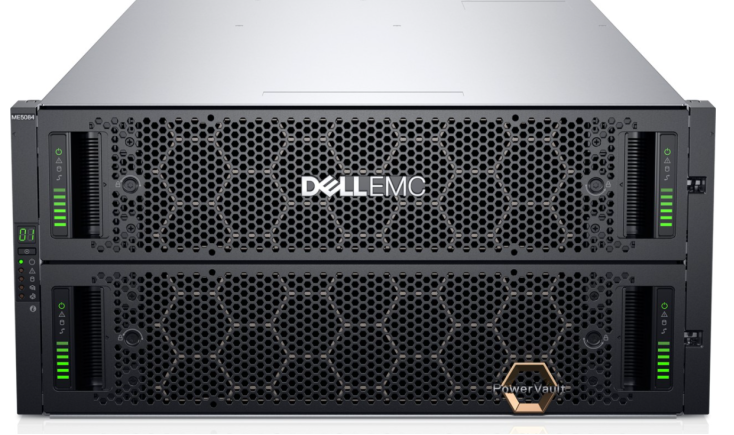
Dell PowerVault systems are widely used in enterprise environments. They provide strong reliability and high performance. These systems support advanced RAID configurations. They are designed for business-critical workloads. Many companies trust them for large-scale deployments.
When evaluating what the top 3 ISCSI devices are, consider your budget and workload size. Small offices may prefer NAS-based systems. Larger enterprises may need dedicated storage arrays.
Part 5: Common Causes of Data Loss in iSCSI Storage
Even reliable systems can face problems. Data loss can happen in any environment. Understanding the causes helps prevent serious damage.
iSCSI storage depends on networks, disks, and proper configuration. If one element fails, access to data may stop. Sometimes data is deleted by mistake. In other cases, corruption occurs due to sudden interruptions.
Here are common reasons:
- Accidental deletion: Files or volumes are removed by users.
- Improper formatting: A LUN is formatted incorrectly.
- RAID failure: Multiple disk failures lead to data loss.
- Power outage: Sudden shutdown damages file structure.
- Network interruption: Connection loss during transfer causes corruption.
- Malware attack: Ransomware encrypts shared volumes.
- Firmware issues: Faulty updates affect storage stability.
- Human error: Misconfiguration leads to overwritten data.
Part 6: How to Recover Lost/Deleted Data from iSCSI Storage
If your files are missing, do not panic. Immediate action increases recovery success. Avoid writing new data to the affected volume. This prevents overwriting lost files.
Below are three practical methods explaining how to recover lost/deleted data from iSCSI storage.
Method 1: Use Recoverit
Recoverit is a professional data recovery software designed to restore lost or deleted files from different storage devices. It supports network drives, local disks, and external storage systems. The software performs deep scans at the sector level. This allows it to detect files that are deleted, hidden, or affected by corruption.
The program can recover many file types, including documents, images, videos, emails, and virtual disk files. It works with common file systems used in Windows and Linux environments. Even if a partition becomes inaccessible, the software can often identify remaining data fragments and rebuild them.
The interface is clean and easy to understand. Users do not need advanced technical knowledge to operate it. The step-by-step process guides you from selecting the drive to saving recovered files. This makes it suitable for both home users and IT professionals.
Step 1: Disconnect the affected iSCSI volume and connect it to a recovery system in read-only mode. Install Recoverit and select the affected drive.

Step 2: Run a deep scan. Preview recoverable files.
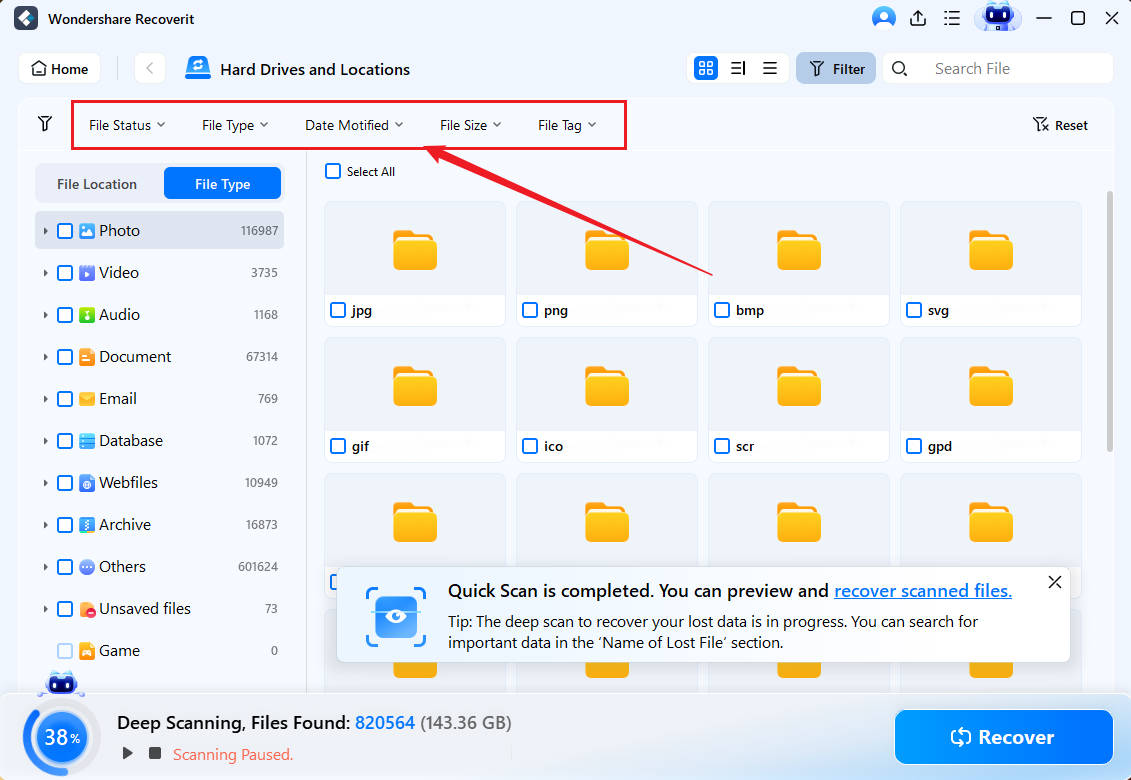
Step 3: Click Recover. Save them to a different storage device.

This is often the fastest answer to how to recover lost/deleted data from iSCSI storage when there is no backup.
Method 2: Run File System Repair Utilities
If corruption is minor, built-in tools may help. Linux users can use fsck. Windows users can use chkdsk. These tools repair logical file system errors.
Before running repairs, reconnect the iSCSI target carefully. Make sure the network is stable. Improper repair can worsen damage.
Step 1: Open iSCSI Initiator from Control Panel. Reconnect to the correct target using its IP address. Then open Disk Management and note the drive letter assigned to the iSCSI volume. Open Command Prompt as Administrator. Type:
chkdsk X: /f /r /x
Replace X with the correct drive letter.
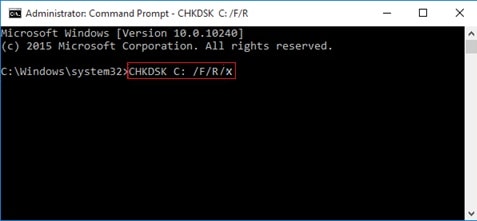
Step 2: Press Enter and allow the scan to complete fully. Do not interrupt the process. Once finished, restart the system. Check if files are accessible. Review the event logs to confirm whether errors were repaired.
This method is useful when data loss is due to sudden power loss or minor corruption.
Method 3: Restore from Cloud or External Backup Storage
Backups provide the safest recovery method. Many companies schedule regular cloud backups. Some use external storage devices for redundancy.
If data is permanently deleted, restoring from backup ensures full recovery. This method avoids complex scanning.
Step 1: Open Control Panel. Go to System and Security. Click File History or Backup and Restore. Select Restore personal files and choose a backup date before the deletion.
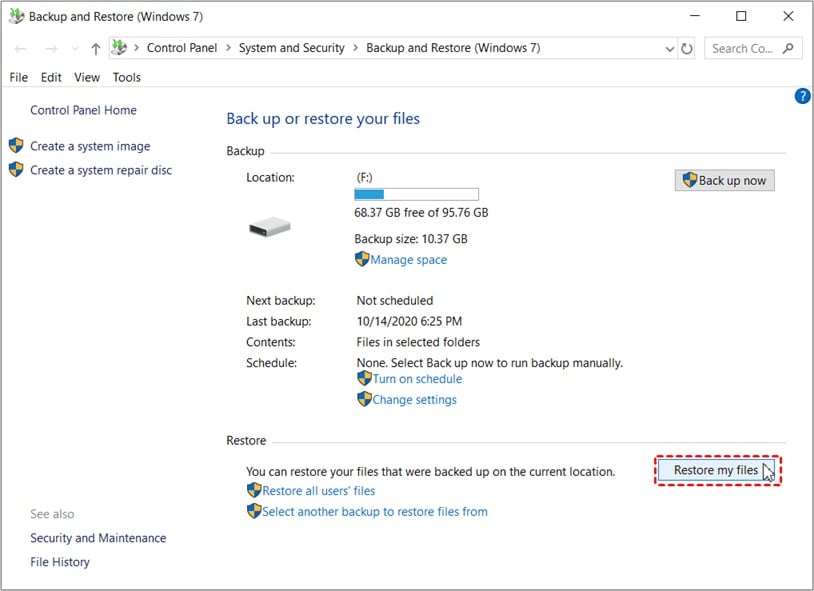
Step 2: Select the required files or folders. Click Restore, or choose Restore to a different location for safety. Check the restored files to confirm they open correctly.
For many administrators, backup restoration is the most reliable solution for how to recover lost/deleted data from iSCSI storage.
Part 7: Practical Tips to Prevent Future Data Loss in iSCSI Storage
Preventing loss is easier than recovery. A few best practices can protect your data for years.
Regular maintenance and monitoring make a big difference. Proper planning improves system stability.
- Enable RAID protection: RAID protects data if a disk fails. It spreads data across multiple drives and can rebuild lost information. Choose the right RAID level for your needs.
- Schedule automatic backups: Set regular automatic backups to avoid data loss. Use both local and cloud storage. Keep multiple backup versions for safety.
- Monitor network performance: iSCSI relies on a stable network. Poor connectivity can cause data corruption. Check speed and latency regularly.
- Update firmware carefully: Firmware updates can fix bugs but may also cause issues. Test updates before applying them to live systems.
- Use strong authentication: Secure access to iSCSI targets with strong passwords and proper access controls. This prevents unauthorized access.
- Enable snapshot features: Snapshots create quick restore points. They help you roll back changes after accidental deletion or corruption.
- Maintain power backup: Use a UPS to prevent sudden shutdowns. Power loss can damage file systems and cause data issues.
- Train IT staff: Well-trained staff reduces configuration mistakes. Regular training lowers the risk of human error.
Conclusion
iSCSI storage offers flexibility and affordability. It uses standard networks to deliver block-level storage. This makes it popular among small and large organizations. Understanding what is ISCSI storage and how does ISCSI works helps administrators manage systems better.
Data loss can still happen. Hardware failure, human error, or malware may cause damage. Knowing the pros and cons of ISCSI storage allows better planning. If problems occur, learning how to recover lost/deleted data from ISCSI storage ensures quick action and reduced downtime.
FAQs:
-
Is iSCSI storage suitable for small businesses?
Yes, iSCSI storage is suitable for small businesses because it is cost-effective and simple to manage. It runs on standard Ethernet networks, so there is no need for expensive hardware. Many NAS systems include built-in iSCSI support. This makes setup easier for small IT teams. It works well for shared storage, backups, and virtual machines. -
Is iSCSI faster than NAS?
The speed difference depends on the network and system configuration. iSCSI uses block-level storage, which often performs better for databases and virtual machines. NAS usually provides file-level storage. On a strong and well-configured network, iSCSI can offer lower latency and improved performance. However, poor network conditions can reduce its speed. -
Can deleted files from iSCSI be fully recovered?
Deleted files from iSCSI storage can often be recovered if they have not been overwritten. Recovery success depends on how quickly you act. It is important to stop using the affected volume immediately. Using reliable recovery software or restoring from a recent backup provides the safest and most complete recovery option.


