

 TL;DR:
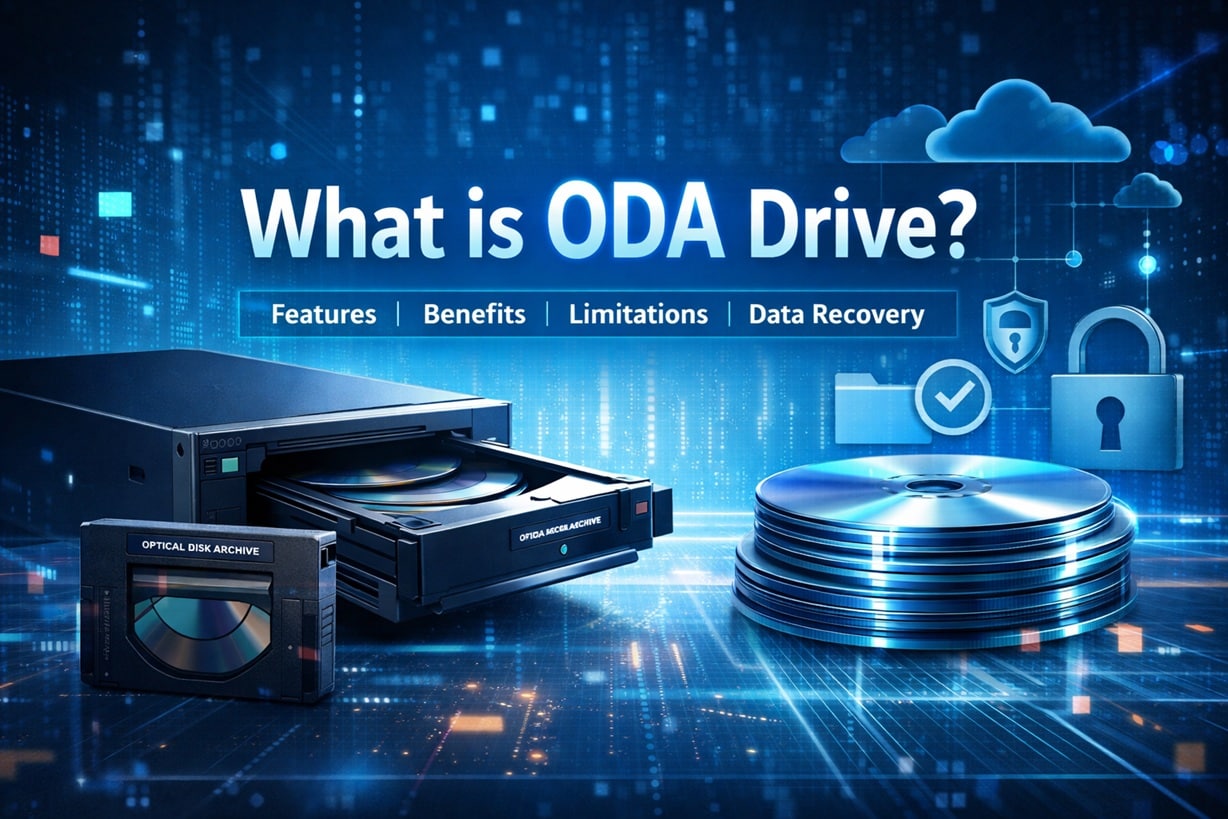
An Optical Disk Archive (ODA) drive is an enterprise-level storage system that utilizes laser-read optical discs enclosed in protective cartridges to provide highly durable, long-term data preservation.
● Unlike traditional hard drives with spinning magnetic platters, ODA systems only activate during read or write tasks and resist magnetic corruption, making them ideal for media, government, and research institutions requiring secure offline retention.
● Due to higher initial hardware costs, specialized cartridge dependencies, and slower file access speeds, ODA drives are strictly built for archiving and are not recommended for home users or active workflows needing constant data rewriting.
● If data becomes inaccessible or is lost during transfer, connect the ODA storage to a computer and use Wondershare Recoverit to scan the drive, preview the detected data, and extract the recovered files to a secure secondary location.
Ask AI for a summary
 ChatGPT
 Perplexity
 Gemini
 Claude
 Grok
Grok
Digital storage has changed a lot in the past few decades. People once saved files on floppy disks and CDs. Later, hard drives and solid-state drives became common. Today, businesses create large amounts of data every day. This is why many users search for what is ODA drive. They want to understand whether it is useful for personal or business use.
Data protection is now more important than ever. A single mistake can delete years of work. Hardware failure can damage valuable files. Many companies compare ODA hard drive vs traditional hard drive before choosing a storage solution.
In this guide, you will learn how ODA works, its features, its limits, and how to recover lost data from ODA hard drives if needed.
Try Recoverit to Recover Lost Data
 Security Verified. Over 7,302,189 people have downloaded it.
Table of Contents
Part 1: What is ODA Drive?
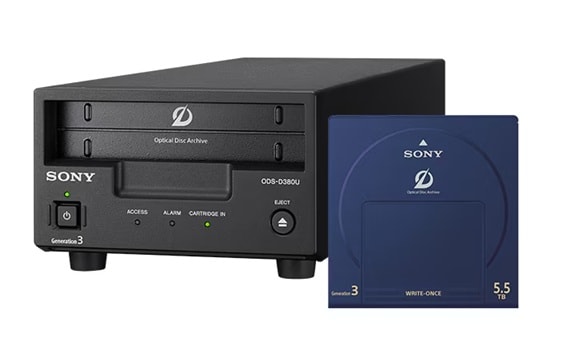
To understand what is ODA drive, you need to know the meaning of ODA. ODA stands for Optical Disk Archive. It is a professional storage system designed for long term data archiving. Instead of using magnetic platters like regular hard drives, it uses optical discs. These discs are stored inside a protective cartridge.
An ODA hard drive stores information using laser technology. The data is written and read through light. This reduces physical contact and mechanical damage. When comparing ODA hard drive vs traditional hard drive, the storage technology is the main difference. A traditional hard drive depends on spinning disks and moving read heads. An ODA system relies on optical media, which is more stable for archiving.
ODA systems are often used by media companies, government offices, research labs, and financial institutions. These sectors must keep records safe for many years. In such cases, long life and reliability matter more than daily speed. That is why understanding what is ODA drive becomes important for businesses that manage large archives.
Part 2: How ODA Drive Works?
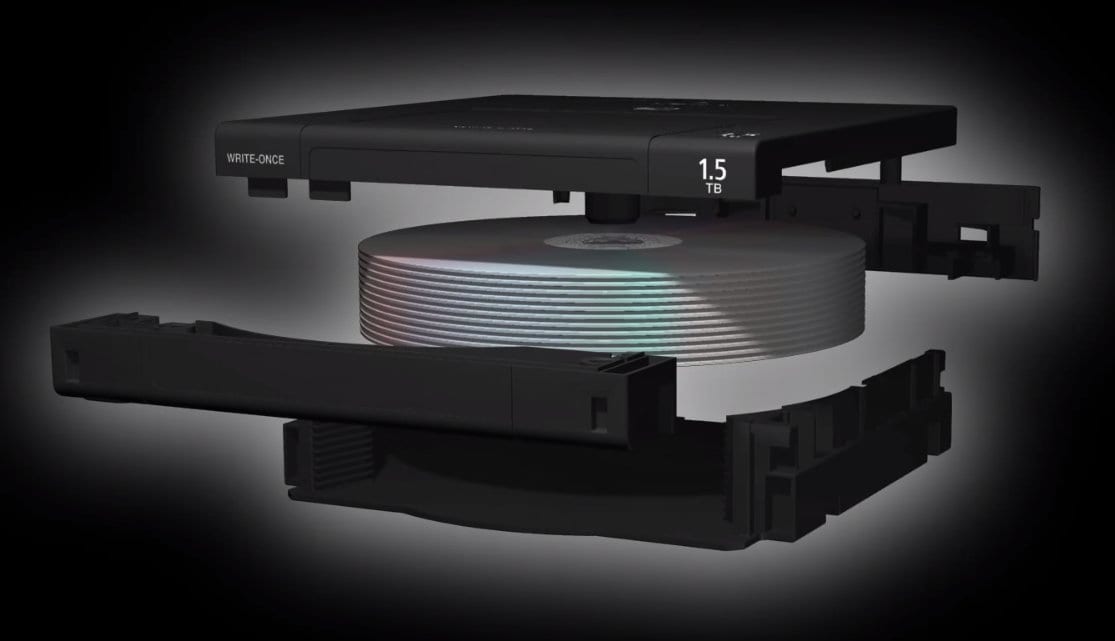
An ODA drive works through a cartridge based optical system. Each cartridge contains multiple optical discs. These discs can store a very large amount of data. The drive unit inserts the cartridge automatically and selects the required disc. A laser beam then reads or writes data on the disc surface.
Unlike magnetic drives, optical discs do not require constant spinning. They operate only when needed. This reduces wear and extends lifespan. When evaluating ODA hard drive vs traditional hard drive, the operation style is clearly different. Traditional hard drives keep spinning while in use. ODA systems activate only during read or write tasks.
The system also includes management software. This software organizes stored files and tracks archive details. Businesses can label and manage cartridges easily. Because the discs are enclosed in a cartridge, they are protected from dust and light exposure. These protective steps make ODA suitable for long term preservation of critical data.
Part 3: Key Features of ODA Drive?
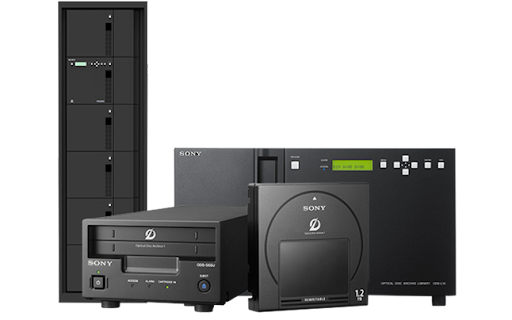
Before choosing any storage system, it is necessary to review its capabilities. The key features of ODA hard drives explain why they are used in professional environments. Below are the main features.
- High storage capacity: Each cartridge can hold several terabytes of data. This makes it suitable for large archives.
- Long lifespan: Optical discs can remain usable for decades when stored properly. This supports long-term preservation.
- Strong data integrity: Data on optical discs is not affected by magnetic fields. This improves protection against corruption.
- Low energy consumption: The system consumes power only during read or write tasks. It does not run constantly.
- Cartridge protection: Discs are sealed inside a strong casing. This shields them from dust and light.
- Write once option: Some systems support write-once storage. This prevents later changes to saved files.
- Stable offline storage: Cartridges can be stored offline. This reduces exposure to cyber threats.
- Organized archive management: Built-in software helps index and retrieve stored files efficiently.
These key features of ODA hard drives make them useful for structured long term archiving.
Part 4: Why Many Users Prefer ODA Drive
Many organizations choose ODA because it focuses on durability and safety. Unlike daily working drives, ODA systems are built for archive storage. Understanding the pros and cons of the ODA hard drive helps users make the right choice. Below are the main benefits.
- Long data retention: Optical media can store files safely for many years. Data quality remains stable when stored properly.
- Reduced risk of ransomware: Offline cartridges are not connected to the internet. This lowers the risk of cyber attacks.
- Lower maintenance needs: There is less mechanical movement inside the system. This reduces hardware wear.
- Stable performance over time: Stored data remains readable even after long periods. Performance does not drop quickly.
- Environmental resistance: Optical discs are not affected by magnetic fields. This adds extra protection.
- Legal compliance support: Write once options help meet strict record keeping rules. Data cannot be changed after saving.
- Easy physical storage: Cartridges are compact and simple to organize in archive rooms.
- Suitable for large institutions: Media houses and research centers use ODA for structured, long-term storage.
These points highlight the positive side of the pros and cons of the ODA hard drive discussion.
Part 5: Important Limitations to Consider
Although ODA offers many advantages, it is not perfect. A balanced review of the pros and cons of the ODA hard drive is important before making a decision. Here are some limitations.
- Higher initial cost: ODA systems cost more than regular hard drives or SSDs. The drive unit and cartridges increase the total expense. This may not suit small offices or home users.
- Slower access speed: ODA is built for archiving, not daily editing. File access is slower than active storage drives. It may not fit fast workflow needs.
- Limited home use: Most home users do not need enterprise archive storage. Regular external drives or cloud storage are usually enough.
- Larger equipment size: Some ODA units are large and may require rack space. They are not as compact as portable drives.
- Cartridge dependency: ODA systems need special cartridges. Without them, the drive cannot operate.
- Setup complexity: Initial setup can require technical knowledge. Some businesses may need expert support.
- Not ideal for frequent updates: ODA is better for long term storage. It is not designed for constant rewriting.
- Availability issues: Optical archive systems are less common in retail stores. They may need to be ordered from specialized vendors.
These factors explain the realistic side of ODA hard drive vs traditional hard drive comparisons.
Part 6: Alternatives to ODA Drive
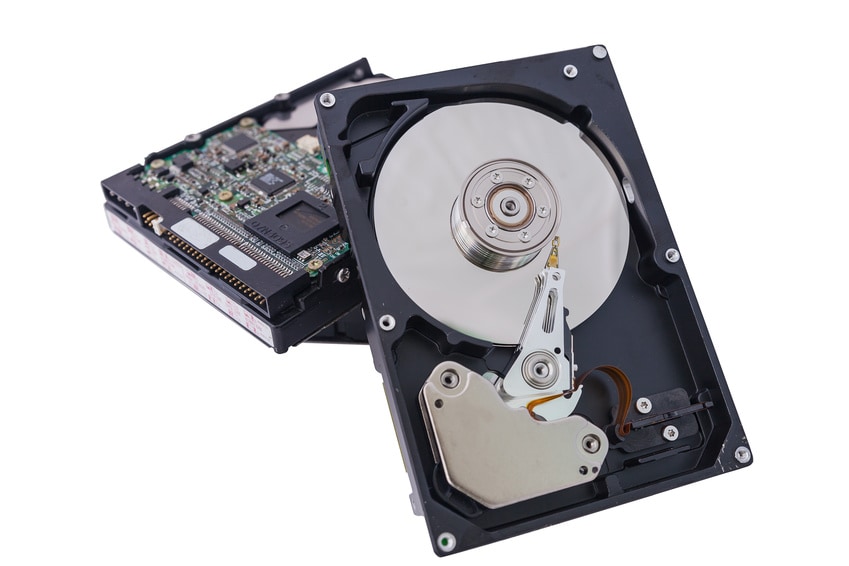
ODA is useful, but it is not the only option. Many businesses compare ODA hard drive vs traditional hard drive and other solutions before finalizing storage strategies. Below are five alternatives.
- Traditional Hard Disk Drive: A magnetic drive that stores data on spinning platters. It is affordable and widely used. It is suitable for daily computing tasks.
- Solid State Drive: Uses flash memory instead of moving parts. It offers faster speed but higher cost per gigabyte.
- Tape Storage: Often used for large backups. It is cost-effective for long-term storage but slower to access.
- Network Attached Storage: A central storage system connected to a network. It allows multiple users to access shared data.
- Cloud Storage: Stores data on remote servers managed by a provider. It offers flexibility but depends on internet access.
Each option has its own strengths. Choosing between an ODA hard drive vs traditional hard drive and other systems depends on your needs and budget.
Part 7: How to Recover Lost Data From ODA Hard Drives: Recoverit
Data loss can happen for many reasons. Hardware malfunction, accidental deletion, power failure, and human error are common causes. Even archive systems are not fully immune. In such cases, users search for how to recover lost data from ODA hard drives quickly and safely.
Wondershare Recoverit is a professional recovery tool. It helps restore deleted, formatted, or inaccessible files. It supports many file types, including documents, videos, photos, and emails. The tool is designed for both individuals and businesses.
If your ODA system becomes unreadable or data is missing after transfer, recovery software can help scan connected storage media. Understanding how to recover lost data from ODA hard drives gives users confidence during unexpected data problems.
3 Steps to Recover Data
Step 1: Connect the storage media Connect the affected ODA storage or transferred drive to your computer. Launch the Recoverit tool and select the location.

Step 2: Scan the drive Start the scanning process. The tool will search for lost or deleted files. Wait until the scan completes.

Step 3: Preview and recover Preview the detected files. Select the required ones and click Recover. Save them to a secure location.

These steps explain clearly how to recover lost data from ODA hard drives in case of emergencies.
Conclusion
ODA is a powerful storage technology designed for long-term archiving. It uses optical discs instead of magnetic platters. This design improves durability and reduces physical damage. For institutions that manage important records, understanding what the ODA drive is is very useful.
However, every technology has advantages and limits. Reviewing the pros and cons of the ODA hard drive helps users make informed decisions. Comparing an ODA hard drive vs traditional hard drive also clarifies which option fits daily work and which is better for archiving. Proper planning and reliable recovery tools ensure your data remains safe at all times.


