

 TL;DR:
You can successfully recover deleted Private Safe videos on Realme devices by accessing synced cloud backups or running deep storage scans before new data overwrites the hidden files.
● Restore files directly from HeyTap Cloud backups or the Google Photos and Google Drive trash bin, which specifically retains deleted synced items for a window of 30 to 60 days.
● Navigate to the Realme File Manager, enable the "Show hidden files" setting, and search the "File Storage > .Safe > Private Safe" or ".Cache" directories to locate recently deleted temporary files without relying on external connections.
● Connect the phone to a PC with USB debugging enabled and run Android data recovery software like Dr.Fone to bypass the encrypted storage, provided you stopped using the device immediately to prevent data overwriting.
Ask AI for a summary
 ChatGPT
 Perplexity
 Gemini
 Claude
 Grok
Grok
realme Private Safe is designed to encrypt and hide sensitive files such as photos, videos, documents, audio, and other private content. It protects privacy, but it does not automatically create a separate recovery copy of every file you store there.
When a Private Safe video disappears, there are several possible explanations: the file may still be inside Private Safe, it may have been moved back to its original folder, it may exist in a cloud or local backup, or it may have been permanently deleted from encrypted phone storage.
Before trying recovery, stop recording videos, downloading files, cleaning storage, updating large apps, or saving new data to the phone. These actions can overwrite deleted video data and reduce the chance of recovery.

Quick Diagnosis: Where Could the Private Safe Video Be?
| Situation | Most Likely Status | Best First Action |
| Video is not visible in Gallery but Private Safe still opens | The video may still be encrypted inside realme Private Safe | Open Private Safe and use Move out or Set as public |
| Video was deleted recently from Gallery or File Manager | It may still be in Trash or Recently Deleted | Check Gallery Trash and File Manager Trash immediately |
| Video was backed up before deletion | A cloud or local copy may exist | Check HeyTap or realme Cloud, Google Photos, Google Drive, and local backup folders |
| Video was copied to an SD card, USB drive, or PC | The external copy may be recoverable | Scan the original storage with Wondershare Recoverit |
| Video was permanently deleted from encrypted internal storage | Recovery chance is low without a backup | Stop using the phone and try Android recovery software quickly, but avoid guaranteed claims |
Part 1: Can You Recover Deleted Videos from Private Safe in Realme?
Yes, but only in specific situations. Recovery is usually possible if the video is still inside realme Private Safe, was moved out to its original folder, remains in Trash or Recently Deleted, was backed up to the cloud, or was copied to a PC, SD card, or external drive.
Recovery is much harder if the video was permanently deleted from Private Safe and no backup exists. Private Safe uses encrypted storage, and modern Android storage encryption makes deleted internal files difficult to scan or rebuild after overwrite, reset, or wipe operations.
| Recovery Source | Chance of Success | Why |
| Private Safe still contains the video | High | The file is hidden, not deleted |
| Gallery Trash or File Manager Trash | High if still within the retention period | The deleted video has not been permanently removed |
| Google Photos or Google Drive | High if synced or uploaded | The cloud copy is separate from local phone deletion |
| Local backup copied to PC or SD card | High if the backup contains the video | You can restore from a saved copy |
| Deleted encrypted internal storage with no backup | Low | Encryption and overwrite can prevent normal recovery |
Part 2: How to Recover Deleted Videos from Private Safe in Realme?
You have several ways to recover deleted videos from private safe in Realme. Some use cloud backups, others use recovery tools or file searches. Choose the one that suits your situation. If you created backups or synced your account, recovery is quick. If not, other methods still offer hope.
Below are the top ways explained in detail. Each method is simple, safe, and practical.
Choose the Right Recovery Method First
| If This Happened | Use This Method | Skip This If |
| The video is still inside Private Safe | Move out or set as public from realme Private Safe | You permanently deleted the file from Private Safe |
| The video was deleted from Gallery or File Manager | Trash or Recently Deleted | Trash was emptied or the retention period expired |
| The video was synced online | HeyTap or realme Cloud, Google Photos, Google Drive | Backup or sync was never enabled |
| You created a local backup | Restore from local backup or PC copy | The phone was reset before the local backup was copied out |
| The video was on SD card, USB, external disk, or PC | Wondershare Recoverit | The file only existed in encrypted phone internal storage |
Method 1: Check HeyTap or realme Cloud Backup If It Was Enabled
HeyTap or realme Cloud can help only if your device, region, account, and backup settings supported video backup before deletion. Cloud availability and backup categories may differ by model, realme UI version, and region, so check your actual cloud settings first.
- Open Settings on your realme phone.
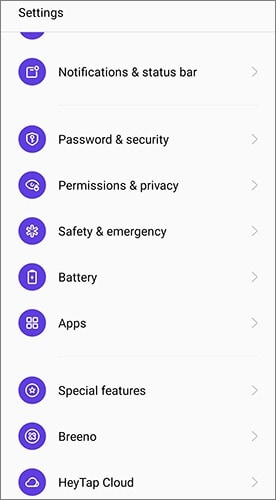
- Open HeyTap Cloud, realme Cloud, or the cloud account section available on your device.
- Sign in with the same account used before the video was deleted.
- Open Backup and Restore, Photos, Videos, or Cloud Trash if available.
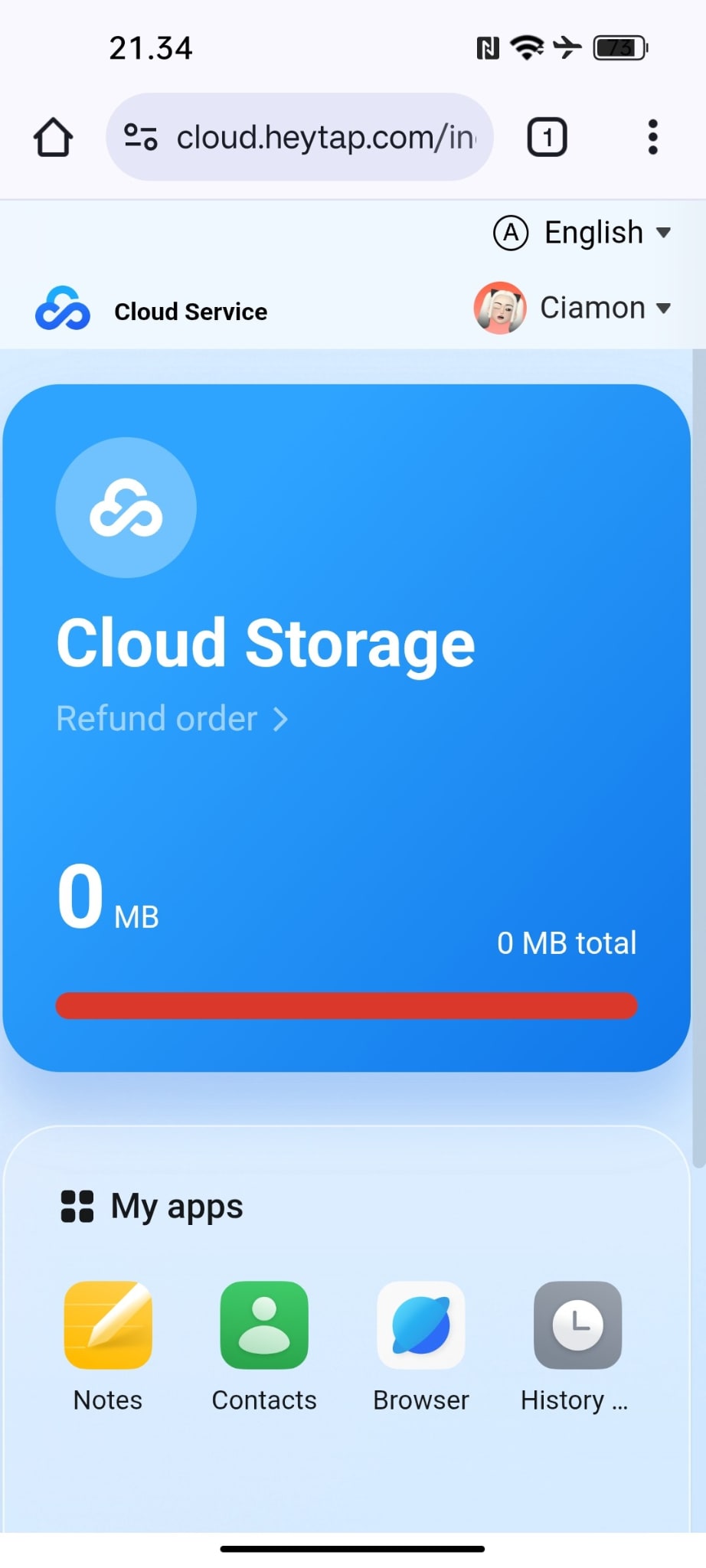
- Select the video or the backup version that contains the video.
- Tap Restore or download the video back to the phone.
- Open realme Private Safe only after the video is restored, then move it back into Private Safe if needed.
Method 2: Restore From Google Photos or Google Drive
Use Google Photos if photo and video backup was enabled before deletion. Use Google Drive if you manually uploaded the video, saved it in Drive, or backed it up through another workflow. These services do not recover encrypted Private Safe files unless a normal video copy was backed up before deletion.
- Open Google Photos or Google Drive on your realme phone or in a browser.
- Sign in with the same Google account used on the phone.
- Search by video name, date, album, or file type such as
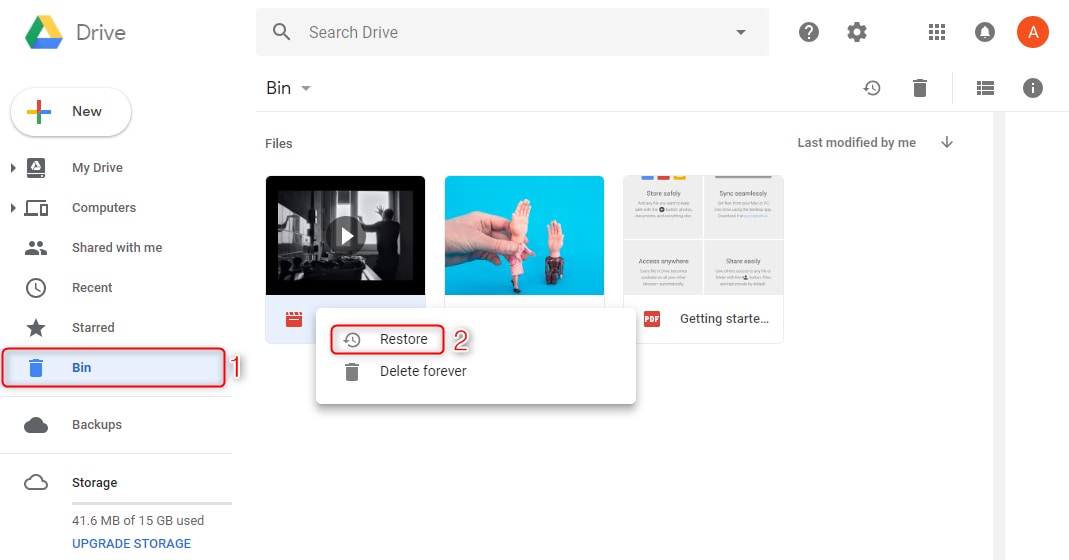
mp4,mov, or3gp. - Open Trash if the video is not in the main library.
- Select the video and tap Restore if it is still in Trash.
- If the video is visible in the cloud but not on the phone, tap Download to save a local copy.
| Google Service | Where To Check | Important Limit |
| Google Photos | Photos library, Albums, Trash, Archive | Backed-up deleted videos may stay in Trash for 60 days; non-backed-up Android 11 and later items may stay for 30 days |
| Google Drive | My Drive, Shared with me, Trash | Files moved to Drive Trash are deleted forever after 30 days unless restored first |
| Different Google account | Account switcher in Photos or Drive | The backup may be under another account used on the old phone |
Method 3: Use Android Data Recovery Software When No Backup Exists
Android data recovery software can be tried when the video is not in Private Safe, Trash, cloud backup, or local backup. Tools such as Dr.Fone - Data Recovery (Android) may scan supported realme devices for recoverable videos, but success is not guaranteed.
Recovery depends on the realme model, Android version, USB connection mode, storage permissions, overwrite status, and whether encrypted Private Safe data can still be accessed. Permanently deleted encrypted files are much harder to recover than normal gallery videos.
- Stop using the realme phone immediately after deletion.
- Install a trusted Android recovery tool on a Windows or macOS computer.
- Connect the realme phone with a stable USB cable.
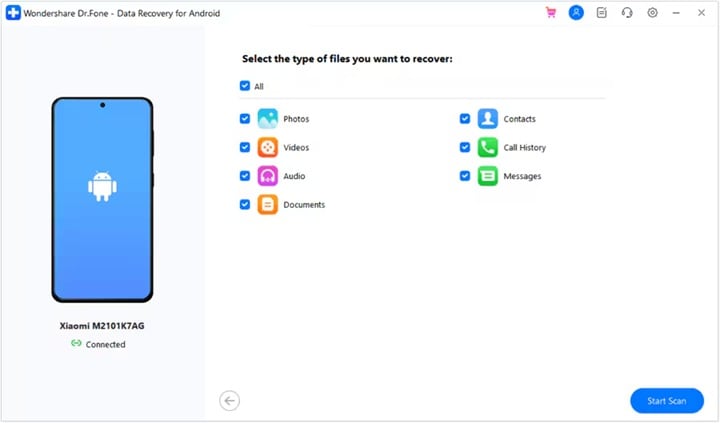
- Follow the tool instructions to authorize the connection and enable USB debugging if required.
- Select Videos as the file type and start the scan.
- Preview recoverable files before restoring them.
- Save recovered videos to the computer, not back to the same phone.
Method 4: Recover From Local Backup, PC Copy, or Clone Phone Backup
Local backup works only if you created a backup before the video was deleted and the backup actually contains the needed video. realme local backups can be stored on phone storage, but they should be copied to a computer or SD card because phone reset, wipe data, or flashing can erase local backup files.
- Open Settings on the realme phone.
- Go to Additional Settings, then Back up and reset or Back up and restore.
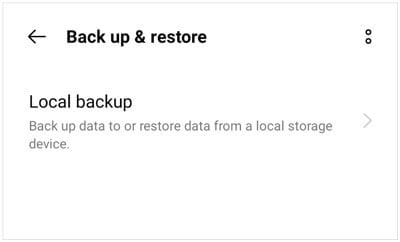
- Open Local backup and check whether a backup was created before the deletion date.
- Restore the backup if it includes videos or media folders.
- If you copied the backup to a PC or SD card, search folders such as
DCIM,Movies,Pictures, and app media folders. - After restoring the video to a normal folder, open realme Private Safe and move it back only if you need private storage again.
Method 5: Check Private Safe, Original Folders, and Hidden Media Locations Safely
If the video is missing but not confirmed as deleted, check whether it is still inside realme Private Safe or returned to its original folder. realme support recommends checking the original save location when encrypted files cannot be found in Private Safe, then restarting the phone and updating the system if needed.
- Open realme Private Safe with your privacy password.
- Open the video category and check whether the missing file is still listed.
- If it is there, select it and use Move out or Set as public.
- Check the original folders where the file may return, such as
DCIM,Movies,Download,Pictures, or app media folders. - Open a trusted File Manager and search for video extensions such as
.mp4,.mov,.mkv, or.3gp. - If Private Safe still fails to show files, restart the realme phone and check for software updates.
Part 3: Lost Video Files on PC, SD Card, or External Drive? Use Recoverit
If you copied Private Safe videos to a computer, SD card, USB drive, external disk, or another storage device before losing them, Wondershare Recoverit can help scan that storage for deleted or lost videos. This is different from scanning encrypted Private Safe internal storage directly.
Use this method when the video existed outside the realme phone or on removable storage that your computer can detect.
| Storage Location | Can Recoverit Help? | Best Practice |
| Windows or Mac folder | Yes | Scan the original drive and save recovered videos to another drive |
| SD card from realme phone | Yes | Remove the card and scan it with a card reader |
| USB drive or external disk | Yes | Stop using the device before recovery |
| Encrypted Private Safe internal storage | Not guaranteed | Try Android-specific recovery only after checking backups |
- Install and open Wondershare Recoverit on a Windows or macOS computer.

- Connect the SD card, USB drive, external disk, or choose the computer drive where the video was lost.
- Select the original storage location and start scanning.

- Filter results by video formats such as
mp4,mov,mkv,avi, or3gp. - Preview the recoverable videos.

- Click Recover and save the files to a different drive.
Part 4: Pro Tips to Avoid Losing Private Safe Videos
Private Safe protects privacy, but it should not be your only storage copy. Use the habits below to reduce the risk of permanent video loss.
| Prevention Tip | Why It Matters | How To Do It |
| Keep a backup outside Private Safe | Private Safe hides and encrypts files, but it is not a recovery system | Keep another copy on PC, SD card, or trusted cloud storage |
| Turn on cloud backup before deletion happens | Cloud backup helps when the phone is lost, reset, or damaged | Use supported HeyTap or realme Cloud, Google Photos, Google Drive, or another trusted service |
| Copy local backups to PC | Local backups on phone storage can be erased by wipe data, flash, or factory reset | Transfer backup folders to a computer or external drive |
| Check Trash before emptying it | Trash is often the last easy restore point | Review Gallery, File Manager, Google Photos, and Google Drive Trash before cleanup |
| Avoid aggressive cleaner apps | Some cleaners remove cache, downloads, thumbnails, or media folders | Use built-in storage tools and manually review files before deleting |
| Verify videos after moving out of Private Safe | Confirms that the file is readable in a normal folder | Play the video before deleting any backup copy |
| Keep the phone updated | Updates can fix Private Safe visibility and file management issues | Install official realme software updates after backing up important data |
Conclusion
To recover deleted videos from realme Private Safe, start with the least risky methods. Check whether the file is still inside Private Safe, then check Gallery Trash, File Manager Trash, HeyTap or realme Cloud, Google Photos, Google Drive, local backups, PC copies, and SD card copies.
If the video was copied to an SD card, USB drive, external disk, or computer, scan that storage with Wondershare Recoverit. If the video was permanently deleted from encrypted realme internal storage with no backup, recovery is uncertain and may not be possible.
The best long-term fix is prevention: keep at least one backup outside Private Safe, copy local backups to a computer, and avoid wiping or resetting the phone before verifying that important videos are safe.
FAQs
-
Q1: Can I recover deleted videos in private safe without backup?
Yes. You can still use Android recovery software or File Manager search. These tools perform deep scans and locate lost data. The sooner you try, the better your results. -
Q2: How can I do private safe video recovery after a factory reset?
Factory reset erases most internal data. But if your videos were backed up on HeyTap Cloud or Google Drive, you can restore them. If not, only advanced recovery tools might help. -
Q3: Is there any difference between OPPO private safe video recovery and Realme?
Not much. Both brands share similar software structures. You can apply the same steps for how to recover private safe deleted video on OPPO or Realme devices.


