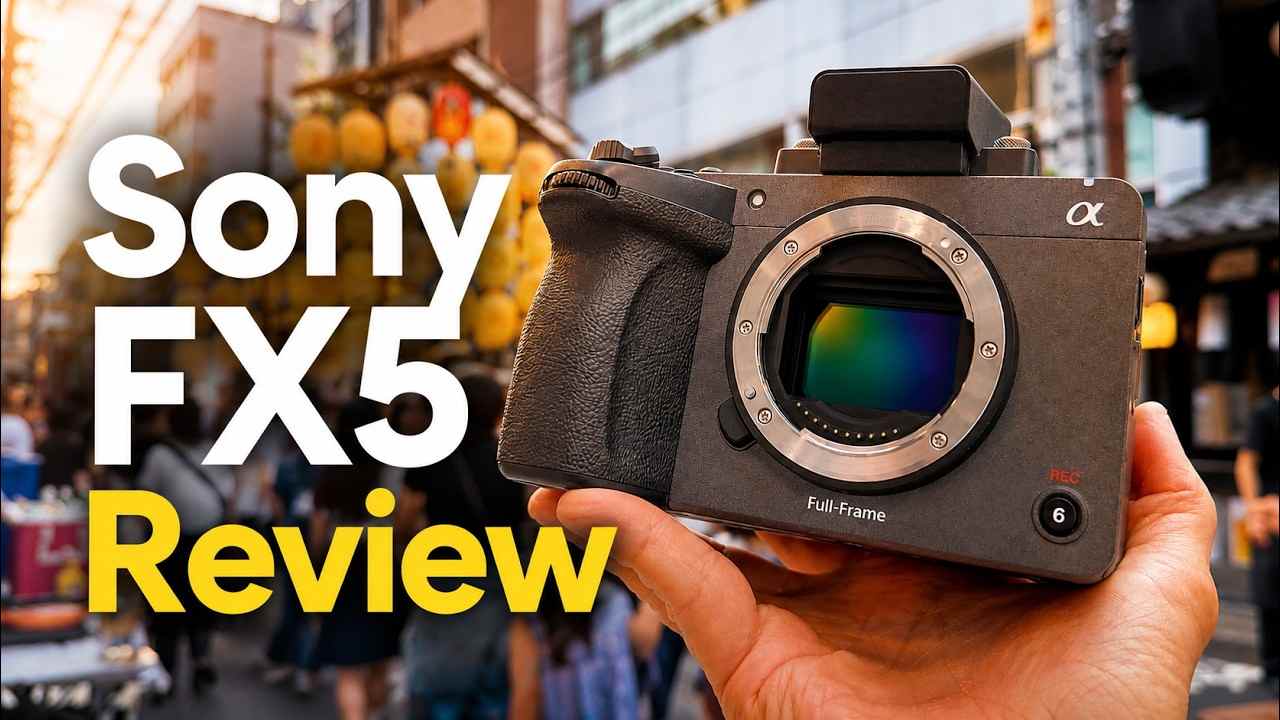
 TL;DR:
The Sony FX5 is a professional-grade, compact Cinema Line camera that justifies its $4,899.99 body-only price for independent filmmakers and commercial crews who specifically need internal X-OCN recording, Open Gate flexibility, and robust dual-card media handling.
● Open Gate recording is strictly limited to the X-OCN format according to Sony's official product notes, requiring shooters to budget for higher-capacity CFexpress Type A cards, larger backup drives, and stronger editing hardware.
● Choose the FX5 over the FX3 only if your projects actively demand internal RAW-style capture and multi-aspect reframing, but stick with the larger FX6 if your documentary crew relies on traditional field-production ergonomics.
● High-bitrate X-OCN and XAVC files amplify the cost of media mistakes; if a card prompts to format or footage goes missing, stop writing to the media immediately and recover the data to an entirely different drive to avoid permanent overwriting.
Ask AI for a summary
 ChatGPT
 Perplexity
 Gemini
 Claude
 Grok
Grok
Sony FX5: The Quick Verdict
Is the Sony FX5 worth it? Yes, if your work depends on professional video capture, internal X-OCN, Open Gate flexibility, reliable dual-card media handling, timecode, proxy recording, fast USB transfer, and a compact Cinema Line body. It is not the cheapest Sony full-frame video camera, and it is not aimed at casual social shooters. It is a workflow camera for owner-operators and small crews who need a more production-ready body than a hybrid camera without moving into a larger cinema rig.
- Overall editorial rating: 4.4/5 for professional video workflows.
- Best for: independent filmmakers, documentary crews, commercial video teams, wedding filmmakers, agencies, and Sony Cinema Line users needing a compact A-cam or B-cam.
- Not ideal for: beginners, casual vloggers, still-photo-first creators, low-budget social teams, or shooters without storage, editing, and backup discipline.
The Sony FX5 is not just a smaller Cinema Line camera with stronger numbers on the spec sheet. Its real value is the way it changes capture-to-post workflow. Internal X-OCN, Open Gate recording, XAVC options, dual CFexpress Type A / SDXC card slots, proxy recording, timecode/user bit support, and 10Gbps USB transfer all point to one audience: creators who treat footage as production assets, not disposable clips.
This updated Sony FX5 review checks the official launch information, current Sony specifications, pricing signals, workflow limits, FX3 and FX6 comparisons, and the data-loss risks that come with high-value X-OCN and XAVC footage. It also explains when Recoverit fits into a Sony camera recovery workflow after deletion, formatting, card corruption, or interrupted transfer.

Important firmware note: do not treat every headline frame rate as available in every mode on day one. Sony's product footnotes state that Open Gate recording is only available for X-OCN recording, Dual Gain Shooting has frame-rate limits, and some higher-frame-rate X-OCN options require a future firmware update.
In this article
Part 1. Sony FX5 Review Verdict
The Sony FX5 is best understood as a compact production workflow camera. It is not mainly about replacing a smartphone, a mirrorless hybrid, or a vlogging camera. It is about giving serious video users a smaller Cinema Line body with internal RAW-style recording, flexible scan modes, professional metadata, robust media options, and faster post-production movement.
That makes the FX5 more specific than a general "best camera" recommendation. If your projects involve client shoots, color grading, multi-camera sync, long interviews, documentary travel, commercial work, or high-value deliverables, the FX5's workflow features can matter more than its resolution. If your output is mostly quick social video, the same features may become expensive complexity.
Review Scorecard
| Review Area | Rating | 2026 Review Notes |
| Professional workflow depth | 4.7/5 | Internal X-OCN, Open Gate, proxy recording, TC/UB, dual slots, and fast USB transfer make it strongly production-oriented. |
| Image quality potential | 4.6/5 | Official specs list a full-frame Exmor RS CMOS sensor, 15+ stops in S-Log3, three base ISO settings, and X-OCN capture. |
| Compact cinema usability | 4.4/5 | Small enough for owner-operators, gimbals, travel production, and B-cam use, while still feeling more production-ready than many hybrids. |
| Media reliability | 4.5/5 | Dual CFexpress Type A / SDXC multi-slots support relay, simultaneous, and separated recording workflows. |
| Beginner friendliness | 3.0/5 | The camera is usable, but its strongest features require codec, exposure, media, and post-production knowledge. |
| Total system value | 3.8/5 | The body price is only part of the cost. Media, lenses, XLR handle, optional viewfinder, batteries, storage, and backup drives matter. |
| Data management demand | 2.9/5 | X-OCN, Open Gate, and high-bitrate XAVC can create large, business-critical files that require disciplined backups. |
How We Evaluated the FX5
This review uses the original Recoverit source draft, Sony's official US specifications, Sony's launch announcement, Sony's product page, and current camera-industry coverage including Digital Camera World's FX5 preorder coverage and FX3 vs FX5 comparison. The focus is practical: who should buy it, which official claims have limits, how it fits near the FX3 and FX6, and how to protect high-value Sony camera footage.
| Evaluation Question | Why It Matters | Finding |
| Does the FX5 solve a real gap between FX3 and FX6? | Buyers want to know whether this is a meaningful Cinema Line body or just a spec refresh. | Yes. It brings internal X-OCN and Open Gate workflow into a compact body below larger cinema setups. |
| Are all headline features available in every mode? | Professional buyers need exact mode limits before planning shoots. | No. Open Gate is tied to X-OCN, Dual Gain Shooting has frame-rate limits, and some high-frame-rate options depend on future firmware. |
| Can it replace an FX6? | Small crews often compare compactness with production ergonomics. | Not always. The FX5 is more compact; the FX6 remains stronger when a larger cinema body and traditional field ergonomics are more important. |
| Does it increase storage risk? | High-end codecs create larger, more valuable files. | Yes. The camera rewards a professional backup workflow and punishes casual card handling. |
Part 2. Sony FX5 Specs at a Glance
The FX5 spec sheet is impressive, but a professional review should separate hard specs from workflow interpretation. The table below focuses on what the official specs mean in actual production.
| Feature | Sony FX5 Official/Current Details | Review Interpretation |
| Camera line | Sony Cinema Line, model ILME-FX5 / ILME-FX5B. | Video-first body aimed at professional and high-end creator workflows. |
| Sensor | 35 mm full-frame Exmor RS CMOS, approx. 18.2 MP total and approx. 16.6 MP effective max. | Designed around 5K video, speed, and latitude rather than high-resolution stills. |
| Dynamic range | 15+ stops in S-Log3, according to Sony specs. | Useful for high-contrast lighting, windows, stage light, night exteriors, and commercial grading. |
| Base ISO | Three base ISO settings listed in Sony launch materials. | Helpful when moving between studio, documentary, and low-light production environments. |
| Recording formats | X-OCN, XAVC HS, XAVC S. | Choose X-OCN for grading latitude; choose XAVC for faster turnaround and smaller files. |
| Frame rates | 5K up to 60 fps, 4K up to 120 fps, FHD up to 240 fps at launch according to Sony announcement. | Enough for most professional slow-motion and full-frame delivery needs, with some future firmware expansion planned. |
| Open Gate | Available for X-OCN recording according to Sony product footnotes. | Strong for vertical and horizontal reframing, anamorphic workflows, and multi-aspect delivery. |
| Lens mount | Sony E-mount. | Access to a broad Sony and third-party lens ecosystem. |
| Card slots | Two multi-slots for SDXC UHS-I/II and CFexpress 2 Type A cards. | Major workflow feature for backup, relay, proxy separation, and codec flexibility. |
| USB | USB-C Port 1 supports SuperSpeed USB 10Gbps; Port 2 supports USB 480Mbps. | Useful for on-set transfer, tethered workflows, and post-production movement. |
| Audio | Supports 4-channel formats; optional XLR handle supports up to 96 kHz/32-bit float recording according to Sony launch materials. | Budget for the XLR handle if professional audio is part of your workflow. |
| US price signal | Sony US product page listed body-only at $4,899.99 when checked. | Plan for full system cost, not just body cost. |
Part 3. Design and Positioning: Where the FX5 Fits
The FX5 sits in a useful but demanding space. It is more workflow-focused than the FX3 and more portable than larger cinema bodies. That makes it attractive for owner-operators, travel documentary teams, commercial shooters, wedding filmmakers, agencies, and productions that need a compact Sony Cinema Line body for tight locations or B-cam work.
The key design idea is modularity. The body can stay compact, but professional users can build it out with E-mount lenses, external power, monitors, cages, audio accessories, the optional XLR handle, and Sony's optional OLED viewfinder. That flexibility is valuable, but it also means the real working price may rise quickly.
| Use Case | FX5 Fit | Why |
| Solo documentary | Strong. | Compact body, autofocus, stabilization, long-format workflow, and professional codecs help small crews move quickly. |
| Commercial interview | Strong. | Dual-card backup, timecode, S-Log3, X-OCN, and XLR workflow support client-critical capture. |
| Wedding films | Strong but storage-heavy. | Useful for high-quality deliverables, but media management must be disciplined across long days. |
| YouTube studio | Depends. | Great for advanced post-production; overkill for simple talking-head uploads. |
| Run-and-gun travel | Good if rigged light. | The body is compact, but lenses, batteries, cards, and backup drives still add weight. |
| Beginner content creation | Weak value. | Most beginners will benefit more from cheaper cameras, simpler codecs, and easier files. |
Part 4. Image Quality, X-OCN, and Open Gate Workflow
The FX5's main draw is not one single spec. It is the combination of a new sensor, Cinema Line color workflow, internal X-OCN, Open Gate recording, high-frame-rate capture, and professional media handling.
Sensor and Dynamic Range
Sony lists the FX5 with a 35 mm full-frame Exmor RS CMOS sensor and 15+ stops of latitude in S-Log3. In production terms, that matters when a scene contains bright windows, practical lights, backlit faces, stage lighting, night exteriors, white products, dark suits, or mixed lighting that needs careful grading.
The three base ISO design is also important. It gives shooters more flexibility when the lighting environment changes from controlled studio scenes to documentary interiors or low-light exterior work. Still, base ISO does not remove the need for correct exposure, lighting decisions, and proper monitoring. The FX5 gives more room to work, not a license to ignore capture discipline.
X-OCN vs XAVC
X-OCN is one of the FX5's biggest differentiators. It is Sony's proprietary RAW recording format, designed for high-end post-production flexibility without using fully uncompressed RAW file sizes. For colorists and finishing teams, it can preserve more information for exposure adjustment, color grading, highlight handling, and VFX-oriented workflows.
XAVC remains important because many jobs do not need RAW-style files. Corporate events, social campaigns, documentary pickups, and fast-turnaround client work may be better served by XAVC HS or XAVC S. The best FX5 users will not always choose the biggest file. They will choose the format that matches the delivery, grading budget, edit system, and archive plan.
| Recording Choice | Best For | Workflow Risk |
| X-OCN | Commercial work, short films, high-end grading, VFX, archival masters, Open Gate workflows. | Large files, higher media cost, stronger computer/storage needs, stricter backup discipline. |
| XAVC HS | High-quality compressed work where smaller files and HEVC efficiency matter. | May require stronger editing hardware or optimized proxy workflows. |
| XAVC S | Faster edits, general production, smaller teams, and lighter post-production. | Less grading latitude than X-OCN for demanding finishing work. |
| Proxy recording | Editorial handoff, laptop editing, remote editors, fast review files. | Proxy folders must stay linked to original media and should be backed up too. |
Open Gate and Firmware Limits
Open Gate is valuable because it uses a taller sensor readout that can be reframed later for 16:9, 17:9, 9:16, 4:5, or anamorphic workflows. For agencies and creators delivering the same shoot to YouTube, websites, reels, paid ads, and vertical social platforms, this can save reshoots.
The limitation is important: Sony's product notes state that Open Gate recording is available for X-OCN. That means you should plan media, storage, and edit hardware around X-OCN if Open Gate is central to your workflow. Also check the exact firmware version before planning future high-frame-rate X-OCN modes for a paid shoot.
Part 5. Media, Ports, Audio, and Production Handling
The FX5's dual multi-slot design is one of its most practical professional features. Each slot accepts SDXC UHS-I/II cards and CFexpress 2 Type A cards. That lets productions scale the media choice by codec, budget, and backup needs.
| Workflow Feature | Why It Matters | Best Practice |
| Dual-card recording | Protects client-critical shoots through simultaneous or separated recording. | Use simultaneous recording when footage cannot be repeated. |
| Relay recording | Extends long interviews, events, and documentary sessions. | Label cards clearly and track which card holds each time segment. |
| Main/proxy separation | Speeds up editorial handoff without mixing production originals and proxies. | Keep folder structures intact when copying both cards. |
| CFexpress Type A | Handles demanding codecs and higher data rates. | Use cards approved for the selected recording mode and test before paid work. |
| SDXC | Useful for lighter XAVC or proxy workflows. | Do not assume every SD card can handle every high-bitrate mode. |
| USB 10Gbps | Improves transfer speed for large shoots. | Use verified cables, reliable hubs, and checksum copy tools where possible. |
| Optional XLR handle | Provides professional audio expansion and 32-bit float workflows with compatible setups. | Budget for it separately if production audio is part of the job. |
A safe FX5 workflow should treat each card like a production master until the footage is verified in at least two destinations. That means no formatting, no folder restructuring, and no casual drag-and-drop deletion before backup verification.
Part 6. Sony FX5 vs FX3 vs FX6
The FX5 makes the most sense when compared with neighboring Sony bodies. It is not a direct answer for every FX3 or FX6 user. It is a different balance of compactness, internal RAW workflow, media handling, and production expansion.
| Camera | Choose It If You Need | Think Twice If |
| Sony FX5 | Internal X-OCN, Open Gate, compact Cinema Line body, dual CFexpress Type A / SDXC workflow, stronger capture-to-post tools. | You do not grade, do not need Open Gate, and do not want large media costs. |
| Sony FX3 | A proven compact Sony full-frame video body with simpler files and lower total system cost. | You keep running into codec, Open Gate, internal RAW, or production workflow limits. |
| Sony FX6 | A more established field-production cinema body with bigger-camera ergonomics for crews and documentary work. | You need a smaller body for travel, gimbals, tight rigs, or compact B-cam use. |
| Sony FX30 | Budget-conscious video work, APS-C lens setups, learning cinema workflows, or secondary camera use. | You need full-frame, X-OCN, Open Gate, or high-end client deliverables. |
Upgrade logic: upgrade from FX3 to FX5 only if the FX3 is actively limiting your work. Internal X-OCN, Open Gate, triple-base-ISO workflow, improved media handling, optional viewfinder, and more advanced audio options can matter. If those do not change your jobs, the FX3 remains a more economical production tool.
Part 7. Data Loss Risks for Sony FX5 Shooters
Professional cameras do not remove data-loss risk. They can increase the cost of mistakes because each card may contain client footage, RAW-style files, proxies, metadata, and multi-camera sync material.
- Wrong card format: a CFexpress Type A or SDXC card is formatted before all clips are backed up.
- Interrupted transfer: USB cable, dock, hub, computer sleep, or low battery interrupts copying.
- Lost folder structure: XAVC or proxy folders are moved incorrectly and the editor cannot relink media.
- Card not recognized: the card asks to format, shows RAW, disconnects, or appears empty.
- Proxy mismatch: proxy files exist but original camera files are missing or stored on another card.
- Recovered files will not play: large video clips may be incomplete, fragmented, overwritten, or corrupted.
- Physical media failure: the card, reader, or connector is damaged after travel or field use.
| Before the Shoot | On Set | Before Formatting |
| Test cards in the exact recording mode you plan to use. | Use simultaneous recording for irreplaceable takes. | Confirm two verified backups exist. |
| Label cards by project, date, and slot role. | Keep full Sony folder structures intact. | Open sample clips from each card and each camera. |
| Prepare enough SSD capacity for X-OCN and proxies. | Use checksum copy tools where possible. | Only format cards in camera after verification. |
For SD card maintenance after backup, the SD Association provides the official SD Memory Card Formatter. Do not format a card if footage is missing and recovery is still needed.
Part 8. How to Recover Lost Sony FX5 Footage
If Sony FX5 footage is deleted, formatted, inaccessible, or missing after transfer, stop using the affected card immediately. Do not record new clips to it. Do not format it. Do not run repair tools before recovery. Recovery depends on whether the card is still readable and whether the missing data has not been overwritten.
For camera media, Recoverit Camera Recovery can help scan readable camera cards, SD cards, CF cards, computers, and external drives for lost photos and videos. For broader step-by-step guidance, Recoverit also provides a digital camera data recovery guide and a guide to recover lost files from an SD card.
- Stop recording and isolate the affected media. Remove the SDXC or CFexpress Type A card and mark it as needing recovery.
- Check whether the files were copied elsewhere. Look at the primary SSD, backup drive, proxy folder, cloud sync folder, editing workstation, and camera card offload logs.
- Use a reliable reader or dock. Connect the card directly to a stable computer setup. Avoid unstable hubs during recovery.
- Scan the readable card or backup drive. Open Recoverit, select the affected storage, and scan for missing Sony camera files. Use filters for video, audio, image, and project-related file types when available.
- Preview and recover to another drive. Save recovered files to a healthy SSD or hard drive, not back to the same card.
- Verify before reuse. Check file size, duration, audio, thumbnails, timecode, and editor import before formatting the original card.
| Problem | Likely Meaning | Safe Next Step |
| Card asks to format | The file system may be corrupted or unreadable. | Cancel formatting and scan the card first. |
| Only proxies are visible | Originals may be on another card or folder structure may be broken. | Check both slots, backup drives, and offload logs before recovery. |
| Recovered video will not play | The clip may be incomplete, overwritten, fragmented, or structurally damaged. | Recover all candidate files to another drive, then test copies before any repair workflow. |
| Card disconnects repeatedly | Reader, port, card, or controller instability may be involved. | Try another trusted reader once; stop repeated attempts if the footage is critical. |
| New clips were recorded after deletion | Some missing data may have been overwritten. | Scan quickly, but do not expect overwritten sectors to be recoverable. |
Try Wondershare Recoverit to Perform Data Recovery
 Security Verified. Over 7,302,189 people have downloaded it.
Part 9. Pros, Cons, and Buying Advice
The Sony FX5 is a serious camera, but that does not make it the right camera for every creator. Its strengths only pay off when your jobs need professional codecs, flexible reframing, strong media workflows, and post-production latitude.
| Pros | Cons |
| Compact Cinema Line body for owner-operators and small crews. | More expensive than creator-focused hybrid cameras. |
| Internal X-OCN support brings higher-end post flexibility into a smaller body. | X-OCN and Open Gate workflows require more storage and stronger editing hardware. |
| Open Gate is valuable for multi-aspect delivery and reframing. | Open Gate is tied to X-OCN recording according to Sony notes. |
| Dual CFexpress Type A / SDXC multi-slots improve recording flexibility. | Fast, approved cards and backup drives add real cost. |
| USB 10Gbps helps move large files faster. | Transfer speed still depends on card reader, cables, drives, and computer setup. |
| Optional XLR handle and OLED viewfinder allow modular builds. | Important accessories may not be included in the body-only price. |
| Strong Sony E-mount ecosystem. | Full-frame cinema lenses can make the final kit much larger and more expensive. |
| Buyer Type | Recommendation | Reason |
| Independent filmmaker | Strongly consider. | Internal X-OCN, Open Gate, compact size, and E-mount flexibility fit small cinema workflows. |
| Documentary shooter | Strong fit. | Compact body, dynamic range, autofocus, dual media, and production features support field work. |
| Commercial video team | Strong fit. | Professional codec and media workflow can justify the system cost. |
| Wedding filmmaker | Good fit with discipline. | Image quality and media redundancy help, but storage planning is essential for long days. |
| FX3 owner | Upgrade only if workflow limits are real. | Do not upgrade for specs alone; upgrade for internal X-OCN, Open Gate, and production handling. |
| Casual vlogger | Usually skip. | The FX5 is more camera, media cost, and post-production load than casual content needs. |
Part 10. Final Verdict
The Sony FX5 is worth it for professional video users who can take advantage of its workflow, not just its specs. Internal X-OCN, Open Gate, XAVC options, dual media slots, proxy recording, timecode/user bit support, USB 10Gbps, and modular audio/viewfinder options make it one of Sony's most interesting compact Cinema Line bodies in 2026.
It is less compelling for casual creators. If you do not color grade, do not need Open Gate, do not manage client footage, and do not want high-capacity backup workflows, a simpler Sony body may make more sense. The FX5's advantages become clearest when footage needs to survive a professional chain from capture to edit, grade, delivery, and archive.
The data takeaway is simple: better codecs create more valuable files. If Sony FX5 footage disappears from a card or drive, stop writing to that media, recover to another device, and verify the results before reusing the card.
Try Wondershare Recoverit to Perform Data Recovery
Security Verified. Over 7,302,189 people have downloaded it.
FAQ
-
Is the Sony FX5 part of Sony Cinema Line?
Yes. Sony officially introduced the FX5 as a new full-frame camera in its Cinema Line series on July 22, 2026. -
Does the Sony FX5 support X-OCN recording?
Yes. Sony's official specifications list X-OCN, XAVC HS, and XAVC S as supported video compression formats for the FX5. -
Does the Sony FX5 support Open Gate?
Yes, but with an important limitation. Sony's product notes state that Open Gate recording is available for X-OCN recording, so plan media, storage, and editing hardware around that workflow. -
Does the Sony FX5 have dual card slots?
Yes. Sony lists two multi-slots that accept SDXC UHS-I/II memory cards and CFexpress 2 Type A cards. -
Is the Sony FX5 better than the Sony FX3?
It is better for users who need internal X-OCN, Open Gate, more advanced workflow features, and newer production handling. The FX3 can still be the better value for simpler 4K work and lower-cost rigs. -
What should I do if Sony FX5 footage is deleted or lost?
Stop using the affected card immediately, avoid formatting or repair tools, connect the card to a computer through a reliable reader, scan readable storage with recovery software, and save recovered files to another drive. -
Can Recoverit recover overwritten Sony FX5 footage?
No. Recoverit can help recover files from readable storage when recoverable data still exists, but no software can restore footage after the same storage sectors have been overwritten by new recordings.



