

 TL;DR:
While Wise Data Recovery is lightweight and offers a portable USB version, users dealing with deeply damaged files or complex data types should choose advanced alternatives like Recoverit, Stellar, or Disk Drill.
● Recoverit serves as the top overall replacement by supporting over 1000 file formats and providing an advanced video repair tool for crashed systems, though full recovery requires a paid version and deep scans take time on large drives.
● Disk Drill is best suited for users who want future data protection via its "Recovery Vault" backup feature, while Stellar Data Recovery targets professionals needing precision recovery from RAID configurations and encrypted drives.
● For basic home use, Recuva provides a fast, lightweight option with a unique secure file delete tool but lacks corrupted file repair capabilities, whereas EaseUS handles damaged partitions well but restricts recovery sizes in its free tier.
Ask AI for a summary
 ChatGPT
 Perplexity
 Gemini
 Claude
 Grok
Grok
Data loss is one of the most common digital problems today. You might delete an important document by mistake or lose photos after formatting a drive. Sometimes, files vanish after a virus attack or sudden power failure. No matter how it happens, losing data can cause stress and panic.
Luckily, data recovery tools can fix this. These tools search your hard drive and bring lost files back. Wise Data Recovery Software is one of the known names in this field.
This article explores the top 6 Wise Data Recovery Software alternatives. You will learn about their key features, pros, and cons. You will also discover why Recoverit stands out as the best among them.
Table of Contents:
Part 1: What Is Wise Data Recovery Software?
Wise Data Recovery Software is a popular tool that helps restore deleted or lost files. It can recover data from hard drives, memory cards, USB drives, and other storage devices. The program is small in size, so it does not slow down your computer. It offers a clean and simple layout, making it suitable for everyone.
The Wise Data Recovery Free version allows users to test its features before buying the full version. It can handle various types of files, including photos, documents, and videos. You can use it to restore items lost through accidental deletion, formatting, or drive corruption.
It also includes a portable version that works directly from a USB stick. This makes it easy to carry and use on any computer without installation.
Key Features:
- Scans local and external drives quickly.
- Finds recently deleted files in seconds.
- Deep scan mode for formatted or corrupted drives.
- Works with FAT, NTFS, and exFAT file systems.
- Supports multiple languages.
- Portable version available.
- User-friendly design.
- Preview before recovery.
The Wise Data Recovery App also helps mobile users retrieve files on the go. You can get the Wise Data Recovery Download from its official website safely. Many Wise Data Recovery Review articles mention its light design and reliable performance. Yet, it may not recover complex data types or deeply damaged files. That is where other alternatives step in.
Part 2: Top 6 Software Like Wise Data Recovery
There are many data recovery tools that provide extra features beyond Wise Data Recovery. Some offer cloud integration, deeper scanning, and advanced file repair. Here are the top 6 Wise Data Recovery Software alternatives worth considering.
#1 Recoverit
Recoverit is a strong competitor to Wise Data Recovery Software. It is known for its deep scanning power and modern design. It can recover more than 1000 file formats, including documents, videos, and compressed files.
Recoverit supports recovery from computers, SD cards, cameras, and even crashed systems. It has one of the highest recovery success rates in the market. Users can preview files before recovery to make sure they restore the right data.
Key Features:
- Supports over 1000 file types.
- Works on Windows and macOS.
- Advanced video repair feature.
- Recovers from formatted and damaged drives.
- Quick and deep scanning options.
- Real-time preview.
Recoverit is ideal for users who want a complete and reliable recovery experience. It stands above many Wise Data Recovery Review results because of its modern tools.
#2 Recuva
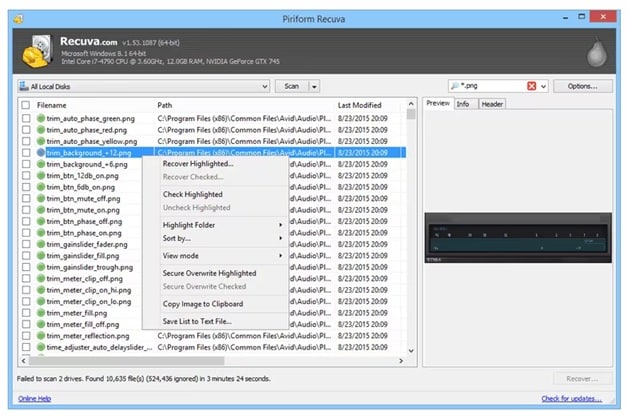
Recuva is a classic recovery tool created by Piriform. It is small, quick, and perfect for home users. You can use it to recover photos, music, documents, videos, and emails from any drive.
Recuva also includes a secure delete feature. This feature allows users to erase files permanently, ensuring privacy.
Key Features:
- Simple setup process.
- Quick and deep scan options.
- Works with memory cards and USBs.
- Secure file delete tool.
- Free version available.
Recuva is a fine choice for those who want something easy and light. It is often suggested as one of the top 6 Wise Data Recovery Software alternatives.
#3 EaseUS Data Recovery Wizard
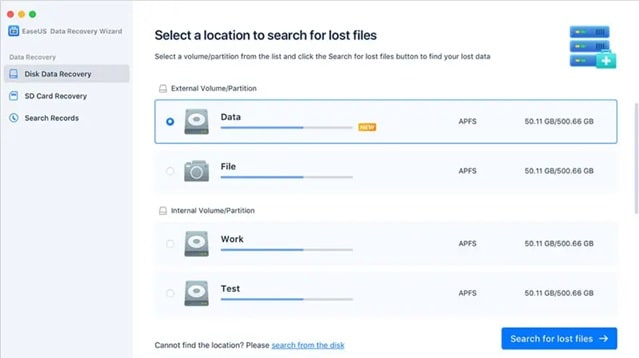
EaseUS Data Recovery Wizard is a professional-grade tool trusted by both home and business users. It can recover lost data caused by formatting, deletion, partition loss, or virus damage.
It offers a simple three-step recovery process: select, scan, and recover. The program works on Windows, macOS, and external storage devices.
Key Features:
- Recovers all file formats.
- Works on internal and external drives.
- Preview before recovery.
- Cloud backup support.
- Step-by-step interface.
EaseUS provides a clean interface similar to Wise Data Recovery App, but with more power. Many users prefer it for advanced tasks.
#4 Disk Drill
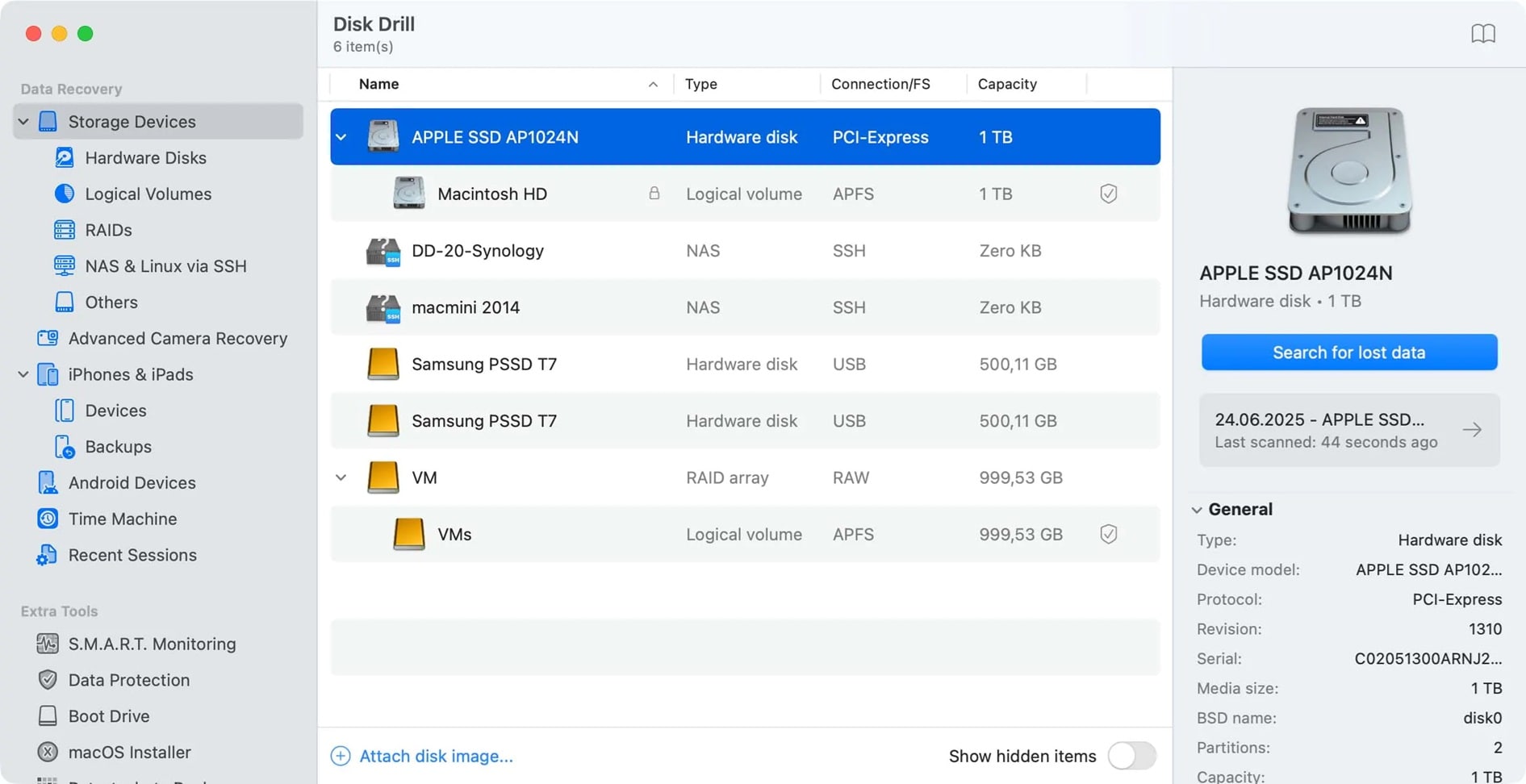
Disk Drill combines strong recovery tools with extra data protection features. It can recover lost files from almost any device, including Android phones and iPhones.
It also includes a “Recovery Vault” feature. This tool saves backup copies of deleted files to prevent future loss.
Key Features:
- Works on Windows and macOS.
- Supports over 400 file formats.
- File preview before restore.
- Data protection and backup tools.
- Recovers from USB, HDD, and memory cards.
Disk Drill stands among the top 6 Wise Data Recovery Software options for users who value prevention and recovery together.
#5 Stellar Data Recovery
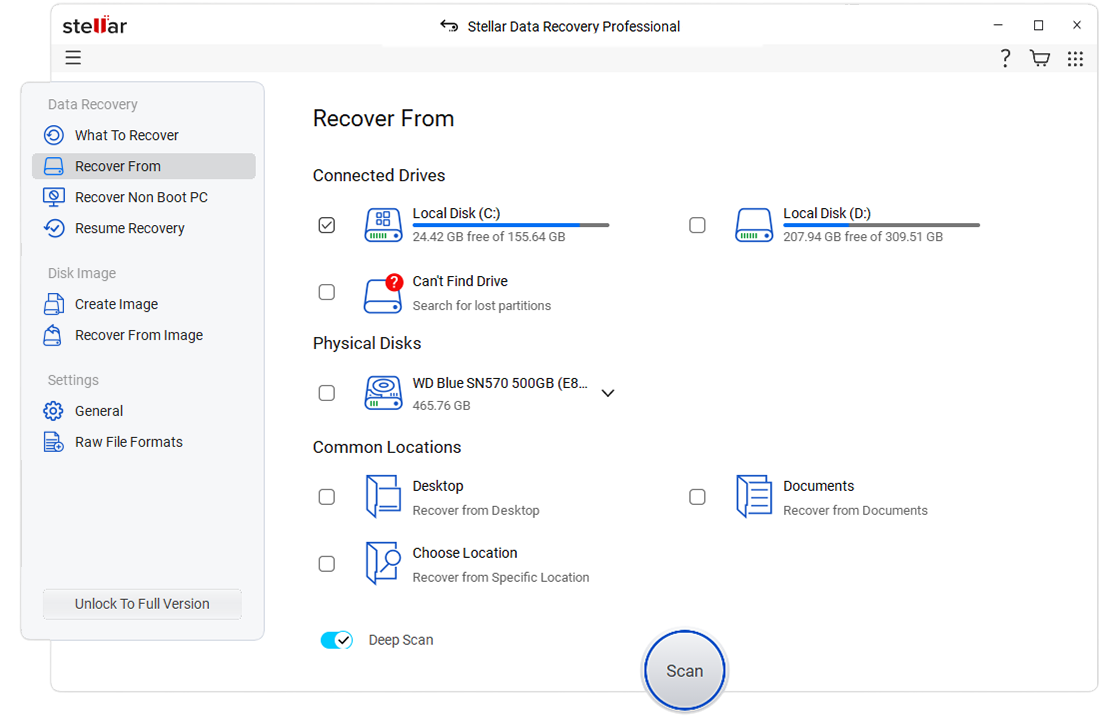
Stellar Data Recovery is a premium tool known for its precision and reliability. It can recover deleted, lost, or corrupted files from any drive or device.
It supports documents, photos, emails, and videos. Professionals often use it for deep recovery and file repair.
Key Features:
- Repairs photos and videos.
- Works with Windows and macOS.
- Deep scan for formatted drives.
- Preview before restore.
- User-friendly layout.
Many Wise Data Recovery Review comparisons rank Stellar as one of the most reliable alternatives.
#6 Tenorshare 4DDiG
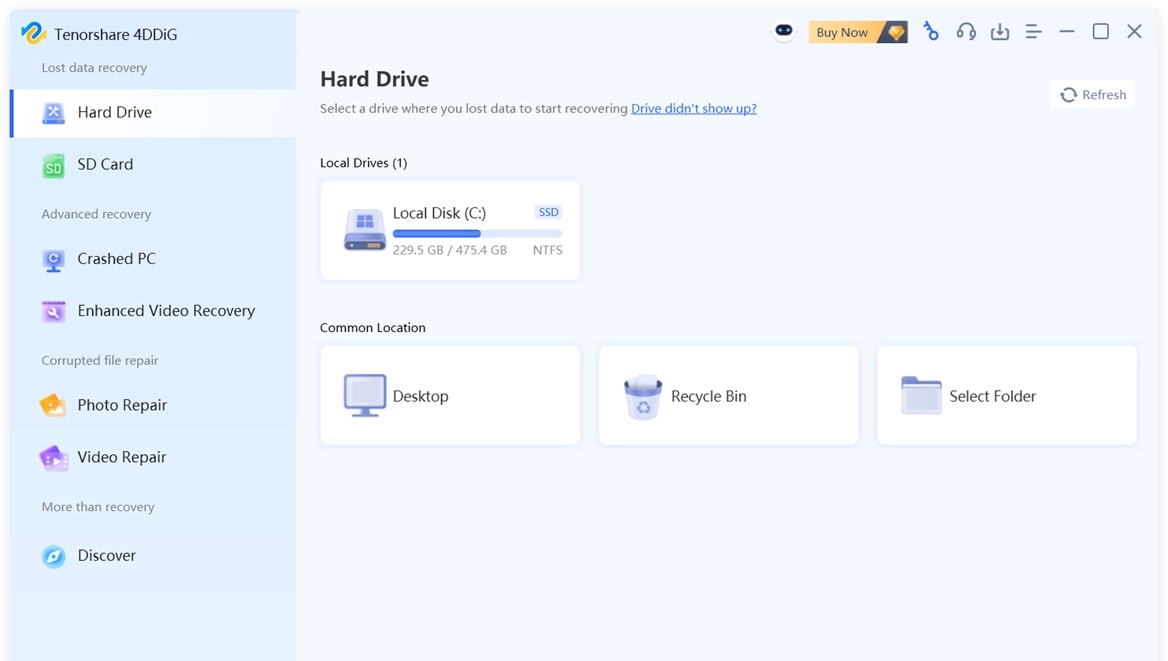
Tenorshare 4DDiG is a modern and stylish recovery tool that works on both Windows and Mac. It helps users restore files from lost partitions, formatted drives, or corrupted systems.
It supports all popular file types and provides quick scanning with clear results.
Key Features:
- Works with all storage devices.
- Supports video and photo recovery.
- Fixes corrupted videos.
- Recovers from formatted or crashed drives.
- Safe and clean interface.
Tenorshare 4DDiG is a reliable Wise Data Recovery Free Download alternative for modern users.
Part 3: Recoverit — Right Alternative to Wise Data Recovery
Among all options, Recoverit stands out as the best choice. It offers strong recovery power, advanced file repair, and excellent compatibility with multiple devices. It supports more than 1000 file types and can restore files from hard drives, SD cards, or even crashed systems.
Recoverit performs better than many other tools, including Wise Data Recovery Software. Its clean interface helps users recover files in just a few steps. The program is updated regularly to handle new file formats and devices.
It also includes a video repair tool that fixes broken or incomplete videos. This is a major plus that Wise Data Recovery Free does not provide. Recoverit is secure, fast, and trusted by millions worldwide.
Why Recoverit Is Better:
- Supports more file formats than Wise Data Recovery Download.
- Offers video repair and preview options.
- Works with formatted or crashed systems.
- Has a faster scan speed and better accuracy.
- Delivers a higher success rate than the Wise Data Recovery App.
3 Simple Steps to Use Recoverit
Step 1: Install the Recoverit software and open it. Select the drive or folder you want to scan.

Step 2: Click “Start.” Recoverit begins scanning your device for deleted or lost files. You can pause or stop the scan anytime.

Step 3: Preview the files and select the ones you wish to restore. Save them to a different drive to prevent data overwrite.

Recoverit offers a secure, fast, and complete process. It goes beyond what Wise Data Recovery Free Download can do.
How to Recover Deleted or Lost Video on Different Devices

Part 4: Tips to Choose the Right Alternative to Wise Data Recovery
Choosing the right recovery tool can save time and money. Not all programs are built the same. Here are key tips to help you pick the best option.
- Ease of Use: Pick software with a clear interface. It should be simple for new users.
- Supported Devices: Ensure it works with hard drives, SD cards, USBs, and cameras.
- File Type Range: Choose one that supports images, videos, emails, and documents.
- Preview Feature: A good recovery tool allows you to preview files before restoring.
- Speed: Fast scanning is important, especially for large drives.
- Accuracy: High recovery success means fewer missing files.
- Free Trial: Try the Wise Data Recovery Free or similar versions before paying.
- Customer Support: Select a tool with good help options in case of issues.
Following these steps ensures you pick a strong and safe Wise Data Recovery Download alternative.
Conclusion
Wise Data Recovery Software is a dependable tool for simple recovery jobs. It is lightweight, clean, and suitable for quick use. However, it lacks deeper functions and repair features that modern users often need.
If you want better performance, explore alternatives like Recoverit, Recuva, EaseUS, Disk Drill, Stellar, and Tenorshare 4DDiG. These programs offer more advanced scanning, higher accuracy, and better file support. Recoverit, in particular, provides everything you need for complete and safe recovery. With these tools, you can restore lost data easily and continue your work without worry.
Try Recoverit to Recover Lost Data
 Security Verified. Over 7,302,189 people have downloaded it.
FAQs
-
1. Is Wise Data Recovery Free to Use?
Yes. The Wise Data Recovery Free version is available for small recovery jobs. However, its paid version unlocks advanced features like deep scanning and full recovery. -
2. Can Wise Data Recovery Recover Formatted Drives?
Yes. The Wise Data Recovery App can recover data from formatted drives. But recovery success depends on whether new data has overwritten the old files. -
3. What Is the Best Alternative to Wise Data Recovery Software?
Recoverit is often seen as the best. It supports more file types, provides faster scanning, and includes repair tools. It is safer and more complete than other Wise Data Recovery Review competitors.


