 TL;DR:
Choose your CFexpress card based strictly on your camera's physical slot and sustained write requirements, with the Delkin BLACK Type B 4.0 VPG400 serving as the most reliable choice for paid professional workflows and the Delkin POWER Type B 4.0 offering the best speed-per-dollar value for standard event photography.
● CFexpress Type A cards (primarily for Sony Alpha and Cinema Line) and Type B cards (for Nikon, Canon, Panasonic) are physically incompatible, and while newer CFexpress 4.0 cards drastically reduce offload times via USB4 readers, in-camera capture speeds are typically bottlenecked by the camera's internal hardware limits.
● High-bitrate 8K RAW or cinema video demands independent CompactFlash Association certifications like VPG400 (found on the ProGrade Digital Iridium), whereas photographers shooting bursts can safely prioritize capacity and cost-per-recording-hour over peak label speeds.
● If data loss occurs, immediately stop shooting to prevent overwriting; software like Wondershare Recoverit can retrieve deleted files if the computer still detects the CFexpress card, but physical failures require professional recovery services.
Ask AI for a summary
 ChatGPT
 Perplexity
 Gemini
 Claude
 Grok
Grok
The best CFexpress Type B card is not always the one with the highest number on the package. It is the card your camera can actually use for bursts, RAW video, high-frame-rate recording, and reliable offloading. For many still photographers, a good CFexpress 2.0 or value 4.0 card is enough. For paid 8K, RAW, or long-form video, sustained write speed and VPG certification matter more than peak read speed.
Storage prices are rising, so buying the best CFexpress card now means comparing camera compatibility, capacity, cost per recording hour, reader speed, and whether a cheaper SD V90 or older CFexpress 2.0 card already covers your workflow. This guide compares Type B, Type A, card readers, value alternatives, and safe recovery steps if photos or videos disappear from a CFexpress card.
Try Wondershare Recoverit to Perform Data Recovery
 Security Verified. Over 7,302,189 people have downloaded it.
In this article
Part 1. Best CFexpress Cards at a Glance
Use this quick table to choose by workflow first. SERP-leading camera-card guides often list the fastest cards, but in-camera test pages show a more practical rule: once a camera becomes the bottleneck, the best value can be the reliable card that meets the mode requirement at the lowest current cost.
| Category | Recommended Pick | Why It Earns the Spot | Best Buyer | Main Caveat |
| Best overall Type B | Delkin BLACK Type B 4.0 VPG400 | VPG400 certification, strong minimum sustained write, and Delkin's replacement service. | Paid stills and video shooters who need dependable Type B media. | Premium price compared with non-certified value cards. |
| Best high-bitrate Type B | ProGrade Iridium Type B 4.0 | VPG400 certification and higher sustained write on 800GB and 1.6TB capacities. | RAW video, cinema, and demanding hybrid work. | 400GB version has lower sustained write than larger capacities. |
| Best large-capacity Type B | Lexar Professional GOLD Type B 4.0 | Capacity options up to 4TB and very high advertised speeds. | Long recording days and users who want fewer card swaps. | No VPG certification on GOLD Type B, unlike Lexar DIAMOND. |
| Best value Type B | Delkin POWER Type B 4.0 | Fast CFexpress 4.0 performance without paying for VPG certification. | Event photographers and hybrid shooters who want speed per dollar. | Not the first pick when a camera mode explicitly requires VPG400. |
| Best Type A | Sony CEA-G TOUGH CFexpress Type A | Sony ecosystem fit and fast CFexpress 4.0 models from 240GB upward. | Sony Alpha and Cinema Line users who need Type A. | Older 80GB to 640GB CEA-G cards are slower CFexpress 2.0 models. |
| Best card reader | Sony MRW-G3 for Type A; ProGrade PG05.6 or OWC Atlas USB4 for Type B | USB4 readers let CFexpress 4.0 cards offload far faster than older USB 3.x readers. | Photographers and videographers moving hundreds of GB after each shoot. | Your computer port, cable, reader, and card must all support the faster speed. |
Part 2. CFexpress Type A vs Type B vs Type C
The CompactFlash Association defines three CFexpress form factors. They are not interchangeable. Before comparing prices, confirm which slot your camera has.
| Card Type | Dimensions | PCIe Lanes | Maximum Bandwidth in CFexpress 4.0 | Common Devices |
| Type A | 20 x 28 x 2.8 mm | 1 | Up to 2,000 MB/s | Select Sony Alpha and Cinema Line cameras |
| Type B | 38.5 x 29.8 x 3.8 mm | 2 | Up to 4,000 MB/s | Many Canon, Nikon, Panasonic, Fujifilm, RED, and Blackmagic cameras |
| Type C | 74 x 54 x 4.8 mm | 4 | Up to 8,000 MB/s | No mainstream camera buying decision currently depends on Type C |
CFexpress 2.0 vs 4.0, PCIe Lanes and Host Limits
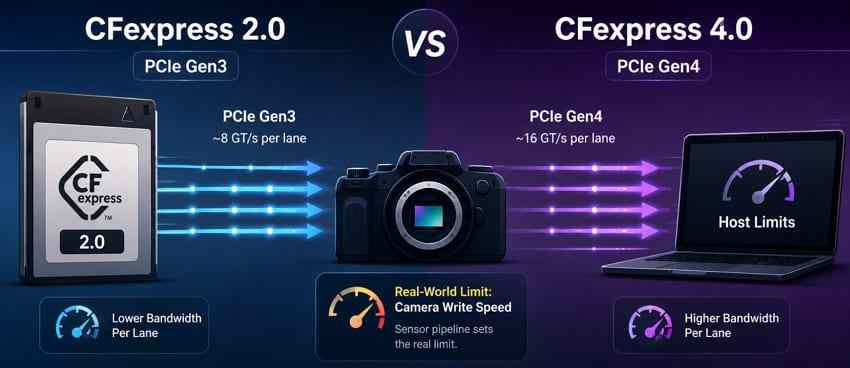
CFexpress version describes the bus generation, not the card shape. CFexpress 2.0 uses PCIe Gen3, while CFexpress 4.0 uses PCIe Gen4. A CFexpress 4.0 card can be backward-compatible in a 2.0 camera, but it records at the host's limit. This is why CFexpress 4.0 often matters more for offloading through a USB4 reader than for in-camera capture.
Why Your Camera Decides the Type, XQD Slots Included
Your camera slot decides the card type. Type B is physically similar to XQD, and some older XQD cameras gained CFexpress Type B support through firmware. That does not mean every XQD camera accepts every CFexpress card. Check the camera maker's compatibility list and firmware notes before buying.
Part 3. Best CFexpress Type B Cards
Type B is the main professional CFexpress format for many Canon, Nikon, Fujifilm, Panasonic, RED, and Blackmagic cameras. For the best CFexpress Type B card, compare sustained write speed, VPG rating, capacity, heat behavior, warranty, and current price.
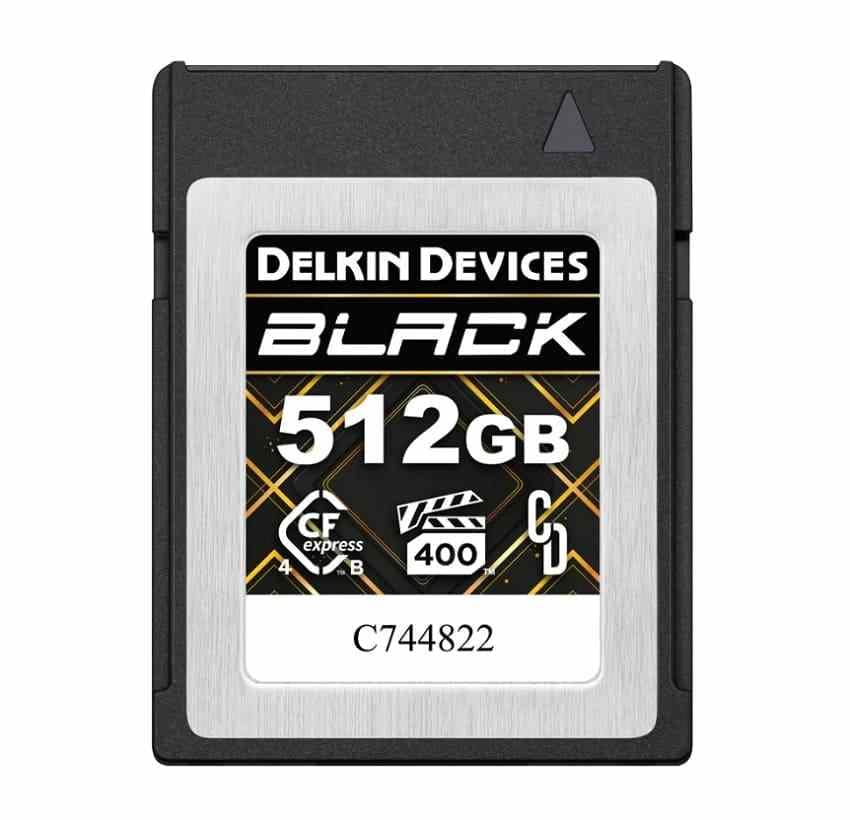
Product 1. Delkin BLACK CFexpress Type B 4.0 VPG400
Delkin BLACK CFexpress Type B 4.0 VPG400 is the safest top pick when reliability matters more than bargain pricing. Delkin specifies VPG400 certification and a 2040 MB/s minimum sustained write speed across 512GB, 1TB, and 2TB capacities. The 48-hour replacement service is also valuable for professionals who cannot wait weeks during a paid season.
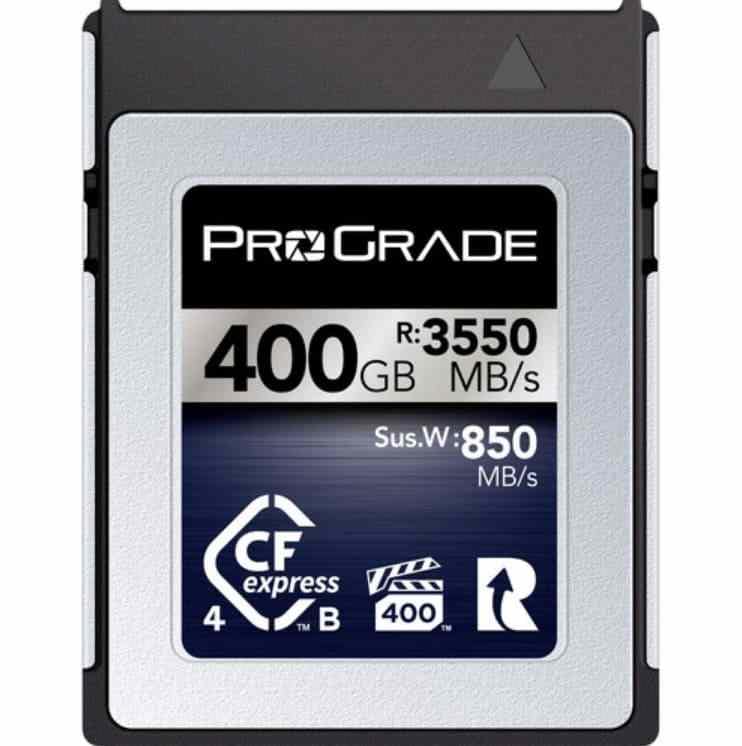
Product 2. ProGrade Digital Iridium CFexpress 4.0 Type B
ProGrade Digital Iridium Type B is the high-bitrate video choice. The ProGrade Iridium CFexpress 4.0 Type B line comes in 400GB, 800GB, and 1.6TB sizes. All carry VPG400, while sustained write rises from 850 MB/s on the 400GB card to 1,500 MB/s on the 800GB and 1.6TB cards. This capacity difference matters for RAW and long-form recording.
Product 3. Lexar Professional GOLD CFexpress 4.0 Type B
Lexar Professional GOLD CFexpress 4.0 Type B is the large-capacity choice because the line reaches up to 4TB. Lexar lists high headline read/write speeds and a sustained write figure for the GOLD series, making it appealing for long shoots. The tradeoff is certification: GOLD Type B is not VPG certified, while Lexar DIAMOND is the VPG400-oriented line.
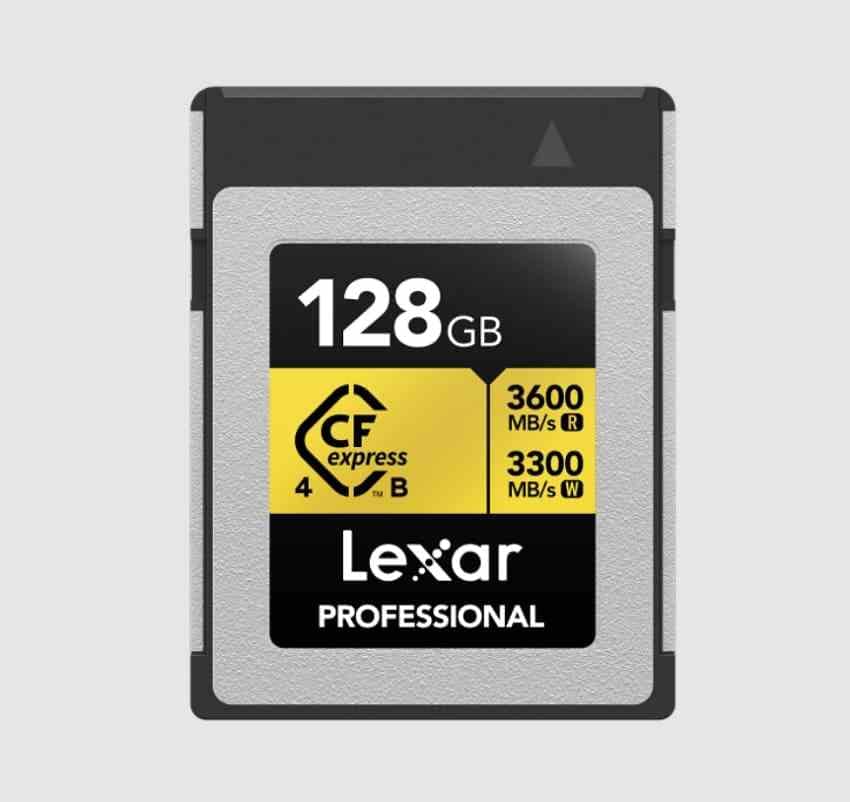
Product 4. Delkin POWER CFexpress Type B 4.0
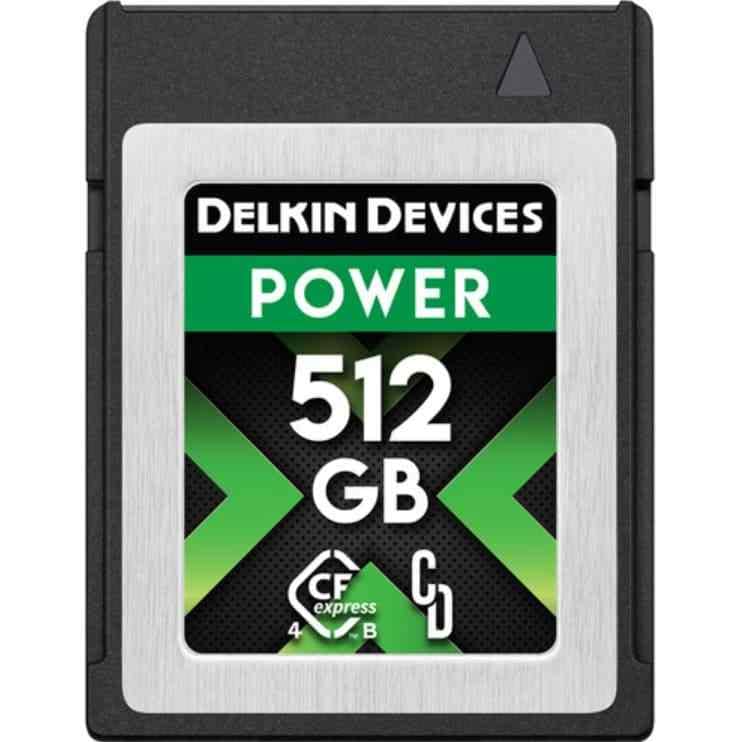
Delkin POWER CFexpress Type B 4.0 is the value Type B pick for users who want CFexpress 4.0 speed without paying for BLACK-series VPG certification. It is a strong fit for event photography, wildlife bursts, and hybrid work where a tested camera does not require a VPG-certified card.
Best Type B Alternatives If Prices Are Too High
If Type B prices jump, start by checking older CFexpress 2.0 cards and non-certified 4.0 value lines. Many stills workflows and compressed video modes do not need 3,000 MB/s sustained write. RF Shooters' in-camera tests show that label speeds do not always translate into real camera gains once the body becomes the bottleneck. For stills, buy the lowest current price among reliable cards that clear your buffer acceptably. For video, follow the camera mode's sustained write or VPG requirement.
Part 4. Best CFexpress Type A Cards
Type A is mainly a Sony decision. Sony Alpha and Cinema Line bodies with dual CFexpress Type A/UHS-II SD slots can use Type A for faster buffer clearing and certain high-bitrate modes, but SD V90 remains a cheaper alternative for many compressed workflows.
Product 1. Sony CEA-G TOUGH CFexpress Type A
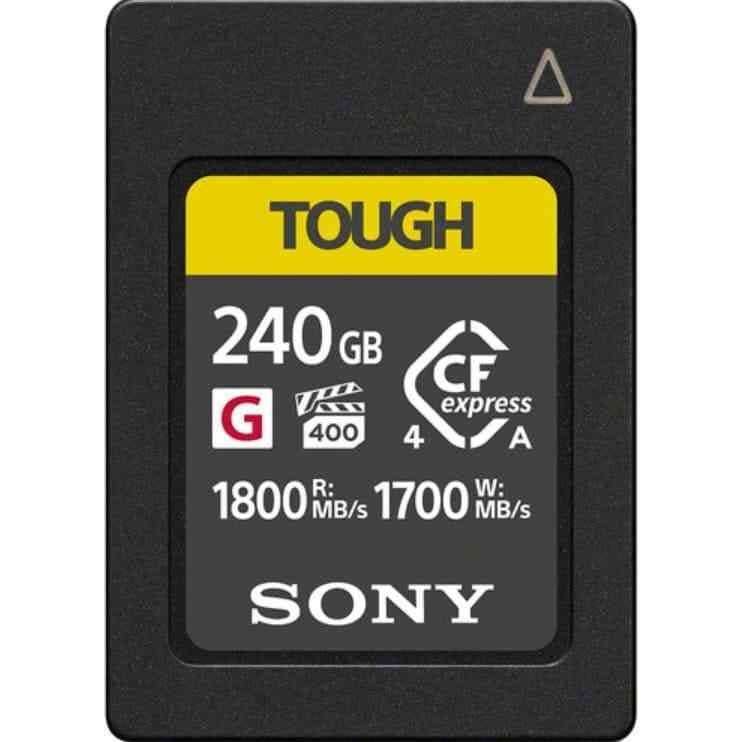
Read the capacity carefully before buying Sony CEA-G TOUGH. Sony's specification page shows newer 240GB to 1920GB models reaching up to 1800 MB/s read and 1700 MB/s write, while older 80GB to 640GB models are rated up to 800 MB/s read and 700 MB/s write. The product family name alone is not enough.
Product 2. Lexar Professional GOLD CFexpress 4.0 Type A
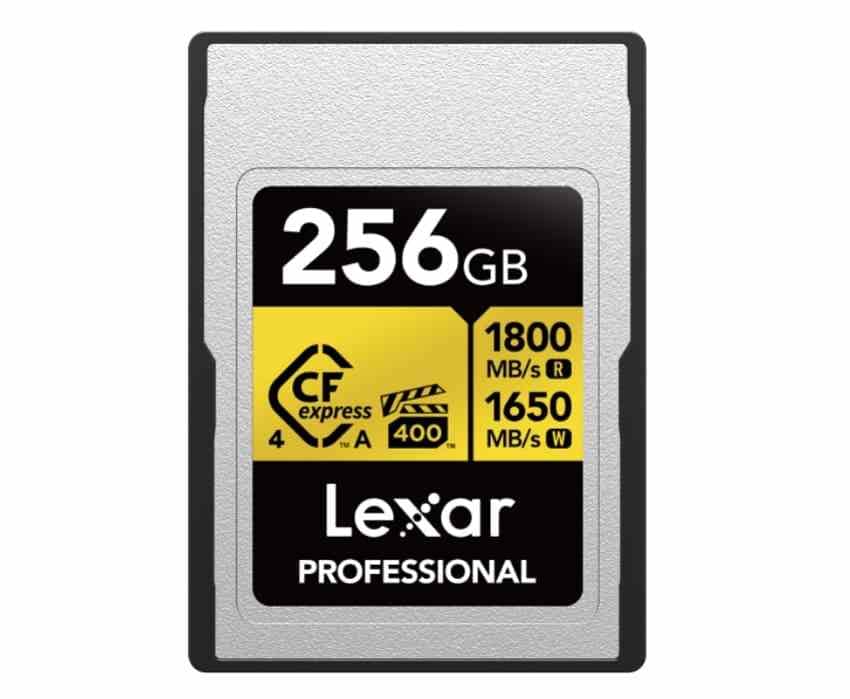
Lexar Professional GOLD CFexpress 4.0 Type A is a strong Sony alternative with 1,800 MB/s read, 1,650 MB/s write, and 1,400 MB/s sustained write claims. Lexar's Americas product page also positions the card for Sony Alpha and Cinema Line workflows. It is best when priced below Sony while keeping the needed VPG and capacity fit.
Product 3. ProGrade Digital Iridium CFexpress 4.0 Type A
ProGrade Digital Iridium CFexpress 4.0 Type A is the high-end Type A choice for Sony video users. ProGrade Digital announced 512GB and 1TB Iridium Type A cards on June 29, 2026, replacing earlier 480GB and 960GB sizes, with VPG400 and VPG800 certification. This is one of the few Type A options built for the highest certified workflows.
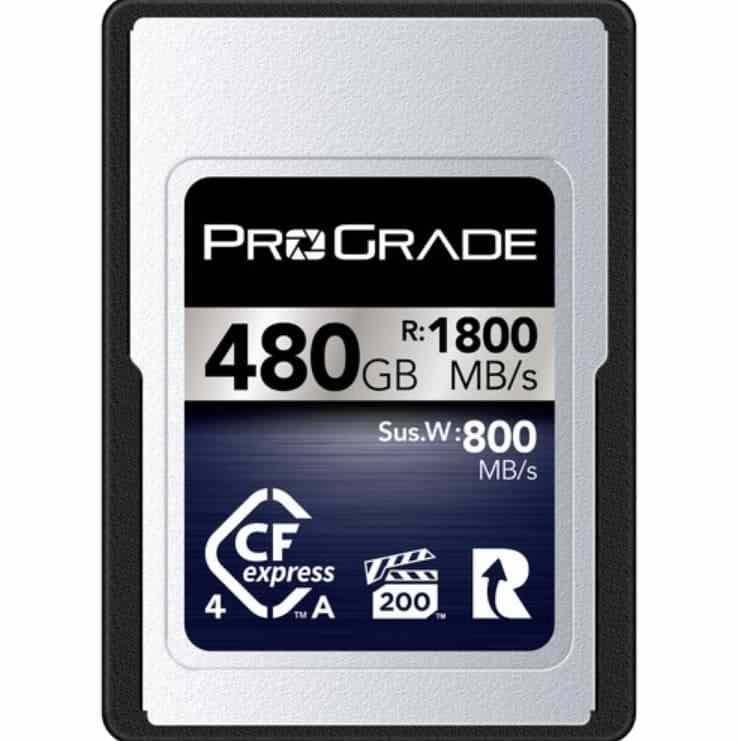
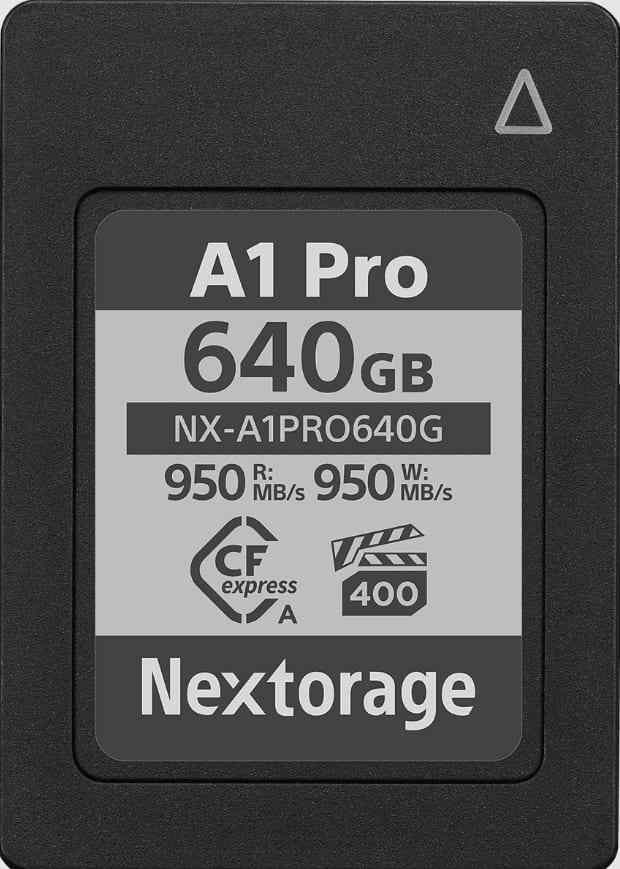
Product 4. Nextorage NX-A1PRO CFexpress Type A
Nextorage NX-A1PRO CFexpress Type A is useful when you need smaller Type A capacities or want a card with power-saving design. Capacities range from 40GB to 640GB. Most capacities list higher write performance than the 40GB card, so match the exact capacity to your camera mode.
When an SD V90 Card Is a Better Value Alternative
Sony CFexpress Type A slots often also accept UHS-II SD cards. A V90 SD card guarantees 90 MB/s minimum sustained write under the SD Association speed-class system. That is enough for many compressed 4K modes. CFexpress Type A becomes worth paying for when buffer clearing, high-frame-rate video, or a camera-specific mode requires it.
Part 5. Match the CFexpress Card to Your Camera and Recording Format
Card specs only matter after they are matched to the camera. Before buying, check the exact camera model, firmware, recording mode, approved card list, and whether your work is stills-heavy, video-heavy, or both.
Requirements for Bursts, 4K High Frame Rate, and 8K RAW
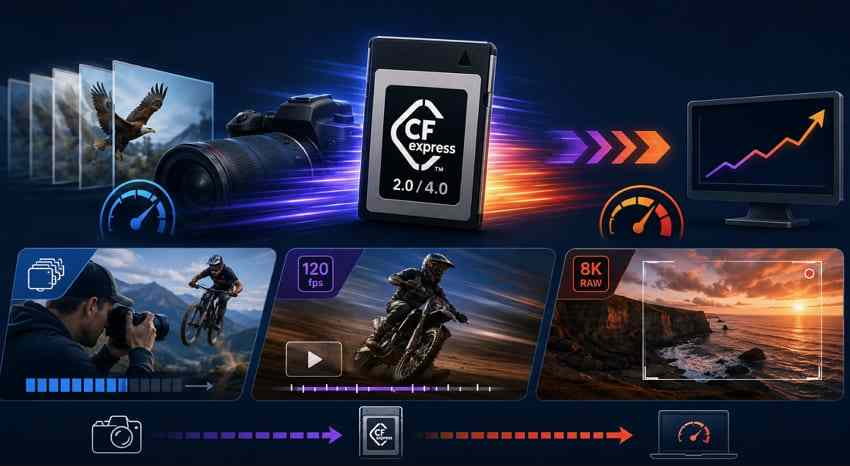
For stills, the practical issue is buffer clearing. A faster card helps only until the camera's own write speed is the limit. For video, sustained write is more important because the card must hold a continuous rate. 4K 120p intra-frame, 6K RAW, 8K RAW, N-RAW, ProRes, and high-bitrate cinema modes can require a higher sustained floor than ordinary photo bursts.
Maximum Read vs Maximum Write vs Sustained Write Speed
Maximum read speed describes offloading under ideal conditions. Maximum write speed is usually a burst figure. Sustained write speed describes what the card can maintain after cache and heat behavior settle. For serious video work, sustained write and VPG rating are the numbers to trust first.
VPG200, VPG400, VPG800, and VPG1600 Explained
The CompactFlash Association's Video Performance Guarantee program certifies minimum sustained write levels. This is independent certification, not only a brand's marketing claim.
| VPG Class | Guaranteed Sustained Write | Profile | Typical Use Cases |
| VPG200 | 200 MB/s | VPG-4 | 4K video and moderate professional bitrates |
| VPG400 | 400 MB/s | VPG-4 | High-bitrate 6K, 8K, and high-frame-rate modes |
| VPG800 | 800 MB/s | VPG-5 | Professional cinema RAW workflows |
| VPG1600 | 1600 MB/s | VPG-5 | Extremely high-bitrate cinema workflows |
Important: The CompactFlash Association's VPG Profile 5 white paper says VPG-5 is not backward compatible with VPG-4. If a camera mode explicitly asks for VPG400, do not assume a VPG800-only card satisfies it unless the card also carries the VPG-4/VPG400 mark.
Part 6. Choose Capacity and Value as Storage Prices Rise
Performance decides whether a card can record. Capacity and price decide whether it is a smart purchase. Because CFexpress cards are expensive, calculate value by recording time and card count, not only by sticker price.
Recording Time by Camera Bitrate
| Recording Mode and Bitrate | Approximate Data Rate | On 512GB | On 1TB | What It Means |
| 4K 30p compressed, 200 Mbps | 25 MB/s | About 5 hr 40 min | About 11 hr 20 min | Many SD V90 or older CFexpress cards may be enough. |
| 4K 60p intra-frame, 500 Mbps | About 63 MB/s | About 2 hr 15 min | About 4 hr 30 min | Capacity matters more than ultra-premium speed. |
| 6K RAW Light, 1,000 Mbps | 125 MB/s | About 68 min | About 2 hr 16 min | Check sustained write, not only maximum write. |
| 4K 120p intra-frame, 1,900 Mbps | About 238 MB/s | About 36 min | About 72 min | VPG200 or better may become relevant, depending on camera. |
| 8K RAW, 2,600 Mbps | 325 MB/s | About 26 min | About 53 min | VPG400 is safer where the camera mode requires it. |
Price per GB, Cost per Hour, and How Many Cards to Carry
Divide the current card price by capacity, then divide by the recording time above. Cost per recording hour exposes value better than the price tag. TrendForce reported on July 3, 2026 that NAND Flash contract prices were expected to rise in 3Q26, driven in part by AI and data center demand. Retail CFexpress card prices vary by region and promotion, so check prices on the day you buy.
When CFexpress 4.0 Is Worth Paying For, and When 2.0 or V90 Is Enough
CFexpress 4.0 is worth paying for when you frequently offload hundreds of GB, use a USB4 reader, or need a specific card's sustained write and VPG rating. CFexpress 2.0 remains enough for many stills workflows and some compressed video modes. A UHS-II SD V90 card can be a better value alternative in Sony Type A cameras when the recording mode allows it.
Part 7. Best CFexpress Card Readers for Faster Offloading
Card choice governs recording. Reader choice governs everything after the shoot. The best CFexpress card reader must match the card type, CFexpress generation, computer port, and cable.
Dedicated Type A Readers
Sony MRW-G3 is the strongest dedicated Type A reader for Sony users. Sony states that it supports CFexpress 4, CFexpress Type A cards, and USB 40Gbps, with redesigned heat dissipation for extended transfers. It makes the most sense when paired with newer high-speed CEA-G Type A cards.
Dedicated Type B Readers
ProGrade PG05.6 is a strong dedicated Type B USB4 reader. ProGrade lists up to 40Gb/s transfer speed, CFexpress 4.0 and 2.0 Type B support, a heat sink, and a certified USB4 cable. The ProGrade press release says the reader was designed for CFexpress 4.0 Type B cards and USB4 workflows.
Dual-Slot CFexpress and SD Readers
A dual-slot reader is useful if your camera writes to CFexpress and SD. The tradeoff is speed. Some dual-slot readers use USB 3.2 Gen 2 and may not fully exploit CFexpress 4.0. Choose them for convenience, not maximum offload speed.
USB 3.2 Gen 2x2, USB4, and Thunderbolt Readers
USB 3.2 Gen 2x2 supports up to 20Gb/s on compatible systems. USB4 and Thunderbolt can support up to 40Gb/s, depending on the host and device. OWC's Atlas USB4 CFexpress Type B reader is another high-speed option, and OWC says it can reach over 3300 MB/s in its stated test conditions when paired with suitable hardware and media.
Why USB-C Does Not Guarantee Fast Transfer Speed
USB-C describes the connector, not the data rate. A USB-C cable, reader, or computer port can range from slow USB 2.0 behavior to USB4-class throughput. The slowest component limits the transfer. For CFexpress 4.0 offloading, use a USB4 or Thunderbolt-capable computer, a matching reader, and a certified high-speed cable.
Part 8. Compare CFexpress Cards and Readers
This table compares the major Type B and Type A picks side by side. Use it to narrow choices, then verify the exact card capacity against your camera mode.
| Card or Reader | Type | Capacities or Interface | Speed or Certification | Best Use Case | Main Limitation |
| Delkin BLACK | Type B 4.0 | 512GB to 2TB | VPG400; 2040 MB/s minimum sustained write claim | Paid video and professional hybrid work | Premium price |
| ProGrade Iridium Type B | Type B 4.0 | 400GB to 1.6TB | VPG400; higher sustained write on 800GB and 1.6TB | 8K RAW and cinema workflows | 400GB model has lower sustained write than larger versions |
| Lexar GOLD Type B | Type B 4.0 | 512GB to 4TB | High speed and sustained write claims, no VPG on GOLD Type B | Long shoots and fewer card swaps | No VPG certification on the GOLD Type B line |
| Delkin POWER | Type B 4.0 | 512GB to 2TB | Fast 4.0 performance without VPG certification | Value Type B for stills and hybrid workflows | Not ideal when VPG certification is explicitly required |
| Sony CEA-G | Type A | 80GB to 1920GB, depending on generation | New 240GB+ models are much faster than older CEA-G capacities | Sony Alpha and Cinema Line cameras | Family name covers both older and newer speed classes |
| Lexar GOLD Type A | Type A 4.0 | 640GB to 2TB | Up to 1,400 MB/s sustained write claim | Sony video work and large-capacity Type A needs | Higher price than SD V90 cards |
| ProGrade Iridium Type A | Type A 4.0 | 512GB and 1TB | VPG400 and VPG800 certification on new capacities | High-bitrate Sony video workflows | Limited capacity choices and premium pricing |
| Nextorage NX-A1PRO | Type A 2.0 | 40GB to 640GB | VPG400; sustained write differs by capacity | Long takes and smaller Type A capacities | Older PCIe Gen3 interface |
| Sony MRW-G3 | Type A reader | USB 40Gbps | CFexpress 4-compatible Type A reader | Fast Sony Type A ingest | Does not read Type B cards |
| ProGrade PG05.6 | Type B reader | USB4, up to 40Gb/s | CFexpress 4.0 and 2.0 Type B support | Fast Type B offloading | Requires compatible host, cable, and card for top speed |
Part 9. Recover Lost Photos and Videos from a CFexpress Card
Even the best CF Express cards can lose files through deletion, formatting, transfer interruption, file-system corruption, or reader disconnects. Your first actions matter more than the card brand.
Stop Using the Card Before Recovery
Stop shooting immediately and remove the card. Deleted and formatted files may remain recoverable until new photos or videos overwrite the same space. If the camera asks to initialize or format the card, decline the prompt until important files are copied or recovered.
- Accidental deletion: files may remain on the card until overwritten.
- In-camera formatting: quick formatting usually rebuilds the file system before overwriting all data.
- Corruption warnings: the card may still be readable through a stable CFexpress card reader.
- Interrupted transfer: the copied file may be incomplete while the original card file remains recoverable.
- Inaccessible card: test with a known-good reader and cable before assuming physical failure.
Recover CFexpress Data With Wondershare Recoverit
Recoverit Memory Card Recovery can help recover deleted, formatted, or inaccessible photos and videos from a readable CFexpress card connected through a compatible card reader. It is useful before formatting a card that still contains client work, travel photos, RAW files, or video clips. It cannot repair a physically failed card, guarantee recovery, or recover data that has been overwritten.
- Use it when: Windows or macOS detects the CFexpress card but files are missing, deleted, formatted, or inaccessible.
- Protect originals: scan the card read-only where possible and avoid saving recovered files back to the same card.
- Escalate when needed: if no reader detects the card, consider professional recovery rather than repeated attempts.
How to Recover Files from a CFexpress Card
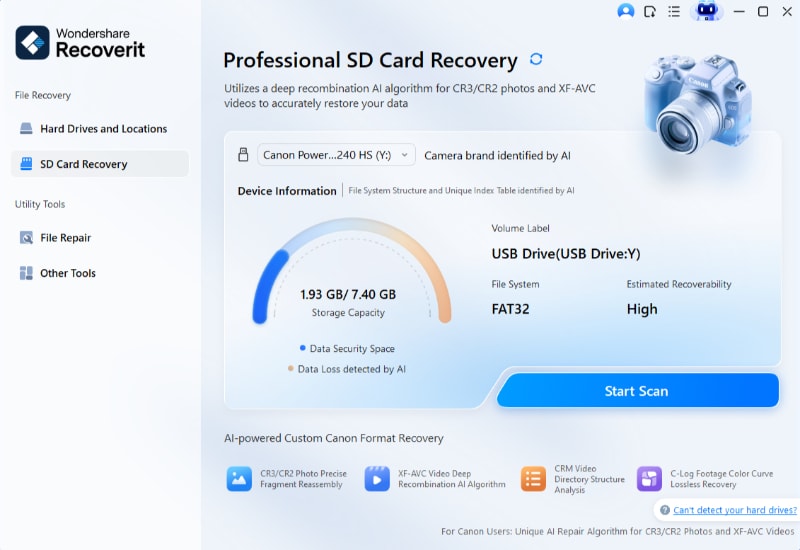
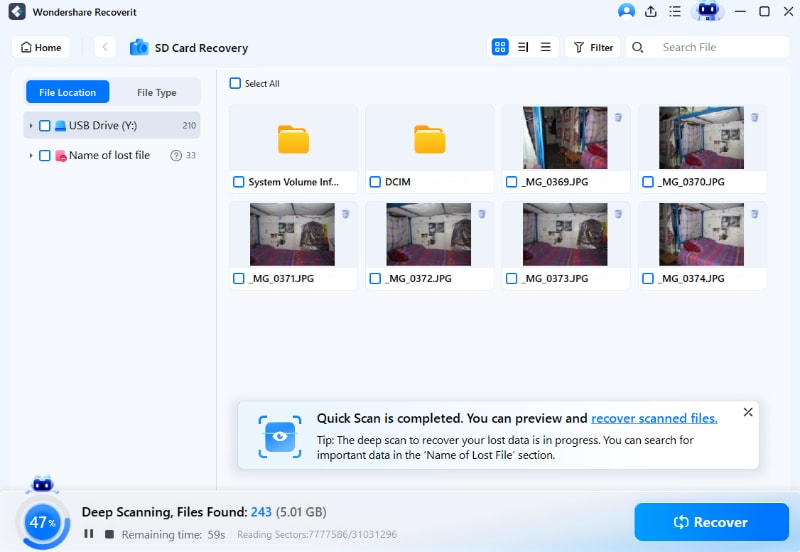
Step 1. Access the CFexpress card inside Recoverit.
Connect the CFexpress card to your computer through a reliable card reader. Open Recoverit, choose the memory card recovery option, select the CFexpress card, and start scanning.
Step 2. Run the scan and narrow the results.
Use file-type filters to focus on photos, RAW files, and videos while excluding thumbnails or system files you do not need.
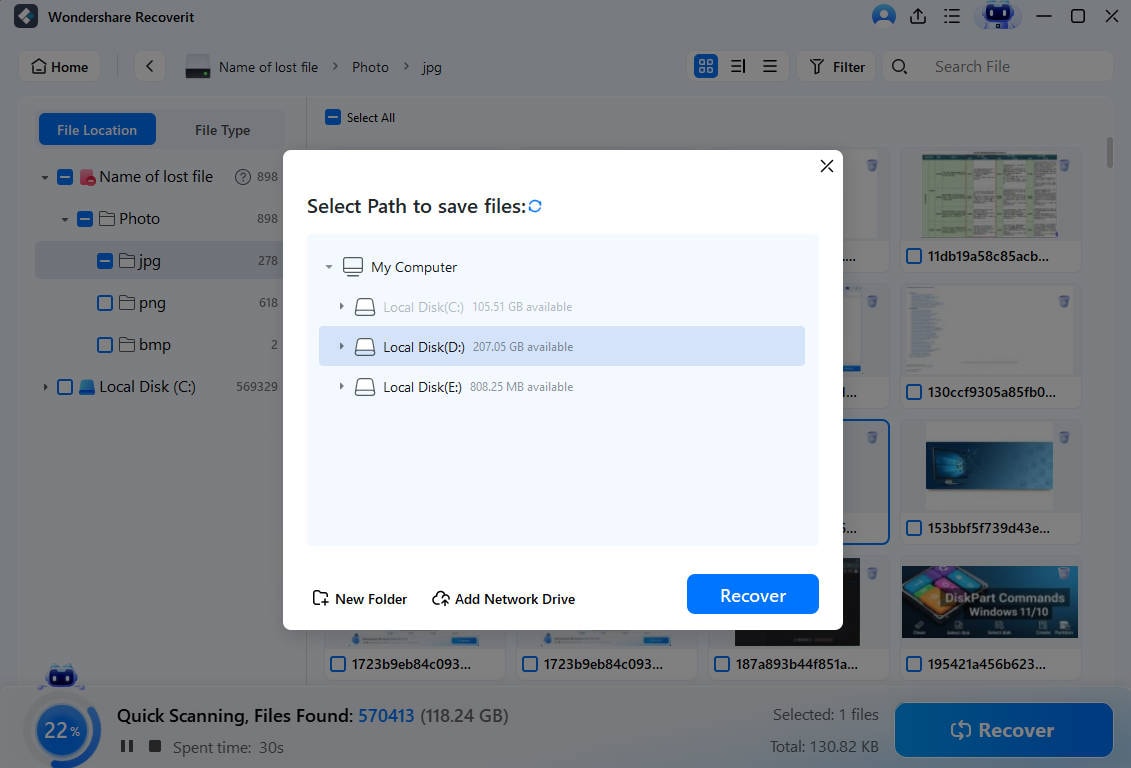
Step 3. Preview each file and save elsewhere.
Preview recoverable files where possible, click Recover, and save results to another drive instead of the CFexpress card being scanned.
Try Wondershare Recoverit to Perform Data Recovery
Security Verified. Over 7,302,189 people have downloaded it.
When Professional Recovery Is Required
Use a professional data recovery service if the CFexpress card is physically damaged, bent, overheats, has a broken connector, or is not detected by multiple readers and computers. For paid client footage, stop experimenting once hardware failure is suspected.
Conclusion
For Type B, Delkin BLACK is the safest paid-work pick, ProGrade Iridium is best for high-bitrate recording, Lexar GOLD is strongest for large-capacity shoots, and Delkin POWER is the best value when VPG certification is not mandatory. For Type A, Sony CEA-G TOUGH, Lexar GOLD, ProGrade Iridium, and Nextorage NX-A1PRO each make sense for different Sony workflows.
Choose the card by camera type, recording mode, sustained write, VPG requirement, capacity, current price, and reader speed. CFexpress 4.0 is valuable for ingest and some high-end workflows, but many cameras cannot use its full speed during capture. If a card already contains missing photos or videos, stop using it and recover the files before formatting, initializing, or replacing the card.
FAQ
-
What is the best CFexpress Type B card?
Delkin BLACK CFexpress Type B 4.0 VPG400 is the safest overall pick for paid work because it combines VPG400 certification, strong sustained write performance, and replacement support. ProGrade Iridium Type B is better for some high-bitrate video workflows, while Delkin POWER is a strong value pick. -
Is CFexpress Type A the same as Type B?
No. CFexpress Type A and Type B are physically different. Type A is smaller and mainly used by selected Sony cameras. Type B is larger and common in many Canon, Nikon, Panasonic, Fujifilm, RED, and Blackmagic cameras. -
Is CFexpress 4.0 worth buying?
CFexpress 4.0 is worth buying if you frequently offload large shoots with a USB4 reader or need a specific card's sustained write and VPG rating. If your camera only writes at CFexpress 2.0-level speeds, capture may not improve, though offloading can still be faster. -
What is the best CFexpress card reader?
For Type A, Sony MRW-G3 is a strong dedicated reader with USB 40Gbps support. For Type B, ProGrade PG05.6 and OWC Atlas USB4 are strong USB4 options. The best reader depends on card type, computer port, cable, and whether you need maximum ingest speed or multi-slot convenience. -
Can I use a CFexpress Type B card in a Type A slot?
No. Type B cards are physically larger and cannot fit in Type A slots. Some Sony Type A slots also accept UHS-II SD cards, but they do not accept Type B cards. -
Can Recoverit repair a corrupted CFexpress card?
No. Recoverit recovers files from a readable CFexpress card; it does not repair the card itself. Recover your photos or videos first, then format, replace, or service the card after the important files are safe.



