 TL;DR:
The best dash cam microSD card is a dedicated high-endurance model, such as the Samsung PRO Endurance or SanDisk MAX Endurance, because standard consumer cards will fail rapidly under continuous loop recording and extreme in-car temperatures.
● Match the specific card to your driving habits: choose the Samsung PRO Endurance for the best balance on daily commutes, the SanDisk MAX Endurance (rated for up to 120,000 hours) for hot climates and heavy parking mode use, or the Transcend High Endurance 350V if your system supports 1TB limits for extended fleet retention.
● Base your capacity and speed class on your camera hardware: use at least 128GB for single-channel 1080p cameras, but require a 256GB card with U3 or V30 speed ratings to safely handle the heavier write loads of 4K resolution or dual-channel setups.
● Always format the memory card directly inside the dash cam rather than on a computer, and immediately power down and remove the card after an incident to prevent loop recording from permanently overwriting the evidence.
Ask AI for a summary
 ChatGPT
 Perplexity
 Gemini
 Claude
 Grok
Grok
The best micro SD card for dash cam use is a high-endurance card that your camera officially supports. Dash cams write and overwrite video every day, often in heat, cold, and vibration. That makes endurance, capacity, temperature range, and warranty more important than the biggest advertised read speed.
Storage prices are rising, so the best buy is not always the most expensive card or the cheapest card. A 128GB endurance card can be enough for a single-channel 1080p commute setup. A 256GB card is often better value for dual-channel recording or parking mode. A 512GB or 1TB card only makes sense if your dash cam supports it and you need a longer loop before older footage is overwritten.
Try Wondershare Recoverit to Perform Data Recovery
 Security Verified. Over 7,302,189 people have downloaded it.
In this article
Part 1. What Makes a Good Dash Cam MicroSD Card?
A dash cam card must survive a workload most normal cards are not built for. The best microsd for dashcam use is not just fast; it is designed for continuous writing, loop recording, vibration, and in-car temperature swings.
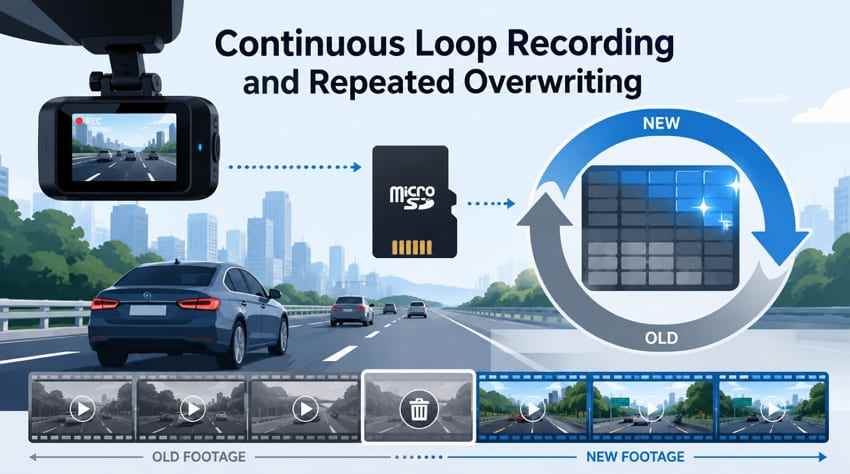
Continuous Loop Recording and Repeated Overwriting
Loop recording saves new footage by replacing the oldest unlocked files after the card is full. This happens repeatedly. A commuter, rideshare driver, or parked vehicle can rewrite the same memory card many times in a year. A standard consumer card may work at first, but it is more likely to show recording gaps, corruption, or read-only errors later.
Why Endurance Matters More Than Peak Read Speed
Read speed mostly affects how quickly you copy clips to a computer. Dash cams need stable sustained write performance and long write endurance. The top SERP pages for this topic also converge on the same principle: choose high-endurance media, verify camera compatibility, and avoid buying by peak speed alone.
U1, U3, V10, and V30 Ratings
The SD Association defines speed classes as minimum write-speed ratings. U1 and V10 each indicate 10MB/s minimum sustained write speed. U3 and V30 indicate 30MB/s and are safer for 4K, high-bitrate, dual-channel, or three-channel dash cams. A single 1080p camera may not need V30, but buying V30 often costs little more in endurance ranges.
Operating Temperature and Warranty Coverage
A dash cam card sits behind a windshield and may face freezing mornings, hot cabins, vibration, and constant power cycles. Look for cards with published operating-temperature ranges, endurance claims, and warranty terms that do not exclude monitoring or dash cam use. SanDisk MAX Endurance, for example, lists operation from -25°C to 85°C on its product specifications.
Cards and Listings to Avoid
Avoid no-name cards, unusually cheap high-capacity listings, cards without endurance positioning, and consumer cards that dash cam makers warn against. VIOFO states that not all microSD cards are suitable for dash cams and recommends checking capacity, write speed, endurance, compatibility, warranty, and price. It also points users toward VIOFO original cards and SanDisk MAX Endurance for its dash cams.
Part 2. Best MicroSD Cards for Dash Cams at a Glance
If you want the short answer, choose from a high-endurance line first, then match capacity to your dash cam's maximum supported card size and your desired loop-recording window.
| Category | Card | Why It Fits | Best Buyer | Main Caveat |
| Best overall | Samsung PRO Endurance | Strong balance of endurance, brand trust, 4K support, and value. | Most drivers who want a safe default pick. | Capacity tops out lower than some rivals in many regions. |
| Maximum endurance | SanDisk MAX Endurance | SanDisk lists up to 120,000 hours of Full HD recording on the 256GB model. | Heavy drivers, parking mode users, and hot-climate setups. | Higher cost per GB than basic High Endurance cards. |
| Best value | SanDisk High Endurance | Designed for dash cams and home monitoring at a lower price than MAX. | Daily commuters and dual-channel systems. | Lower endurance claim and shorter warranty than MAX Endurance. |
| Best high capacity | Transcend High Endurance 350V | Capacities up to 1TB and strong U3/V30 positioning. | Compatible high-capacity dash cams and fleet recording. | Retail availability can be thinner than SanDisk or Samsung. |
| Best budget endurance card | Lexar High-Endurance | Lower-cost endurance option with V30 on 64GB and 128GB versions. | Basic daily recording and budget replacements. | Not ideal for heavy parking mode or very long retention needs. |
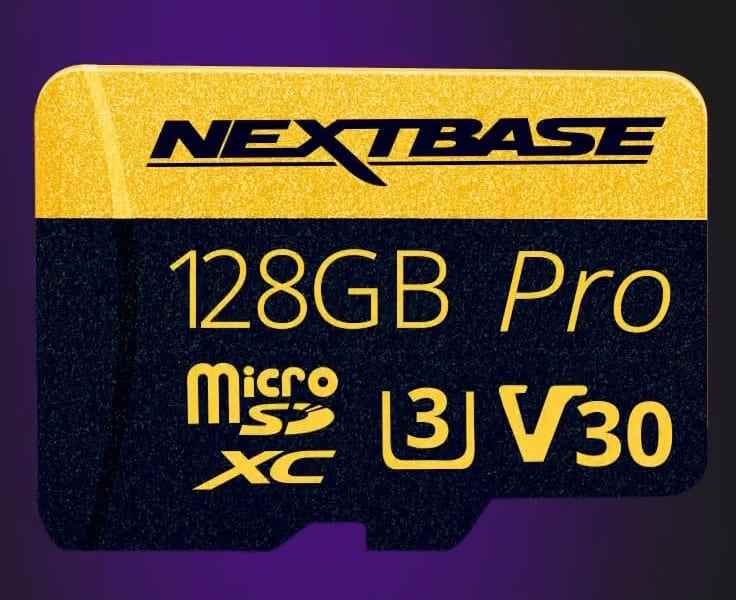
| Best brand-specific card | Nextbase U3 Industrial Grade microSD | Official card for compatible Nextbase dash cams. | Nextbase users who want easier support. | Usually costs more per GB than comparable third-party endurance cards. |
Part 3. Best MicroSD Cards for Dash Cams
The best dash cam micro SD card depends on how much you drive, whether parking mode is enabled, how many channels record at once, and whether your camera accepts larger microSDXC capacities.
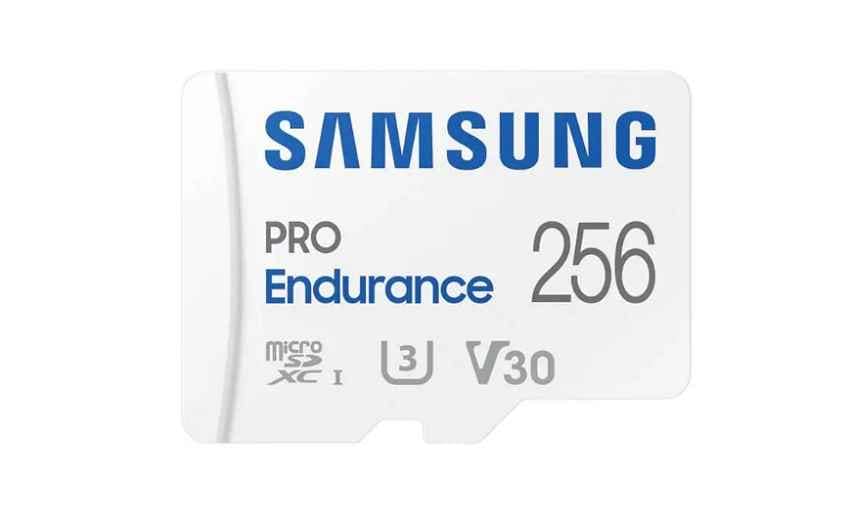
Card 1. Samsung PRO Endurance
Samsung PRO Endurance is the best overall pick for many drivers because it balances endurance, performance, and brand support. Samsung's 256GB listing says the card is built for monitoring devices, offers up to 100MB/s read and 40MB/s write, and is built for up to 140,160 hours of Full HD recording on the 256GB capacity. It is a practical choice for 1080p, 2K, and many 4K dash cam setups when your camera supports the capacity.
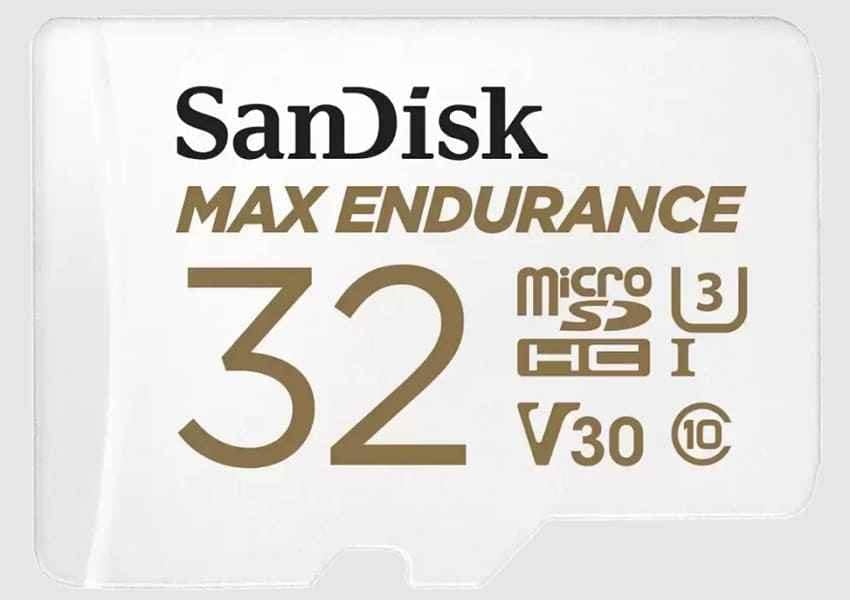
Card 2. SanDisk MAX Endurance
SanDisk MAX Endurance is the longevity-focused option. SanDisk lists up to 120,000 hours of Full HD recording for the 256GB version, with 60,000 hours for 128GB. It also carries Class 10, U3, and V30 ratings and is designed for home security cameras and dash cams. Choose it when parking mode, summer heat, long commutes, or business use make endurance more important than the lowest price.
Card 3. Transcend High Endurance microSDXC 350V
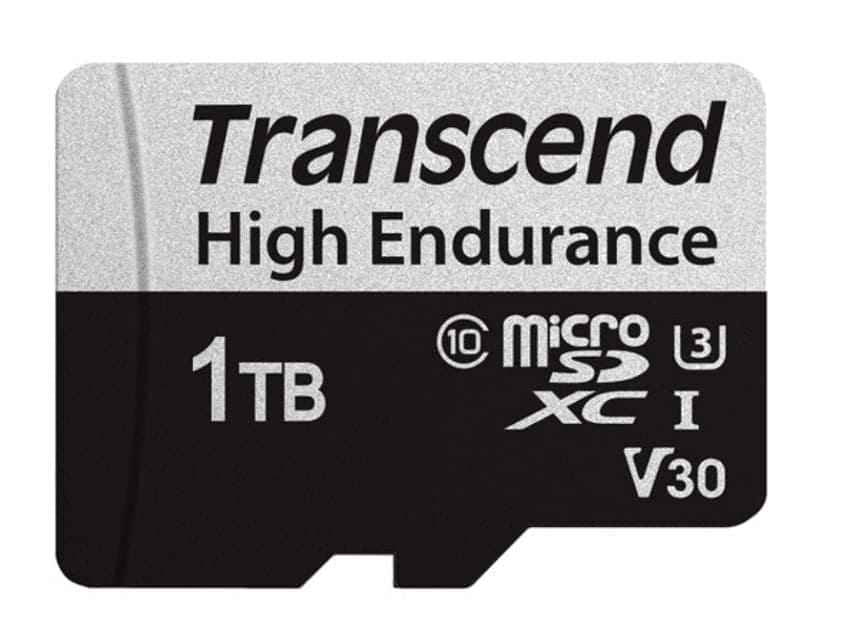
Transcend High Endurance microSDXC 350V is the high-capacity pick when your camera supports larger cards. Transcend lists the 350V family up to 1TB, with U3 and V30 ratings on suitable capacities. It is useful for 4K systems, fleet vehicles, or drivers who want a longer loop before old footage is overwritten.
Card 4. SanDisk High Endurance
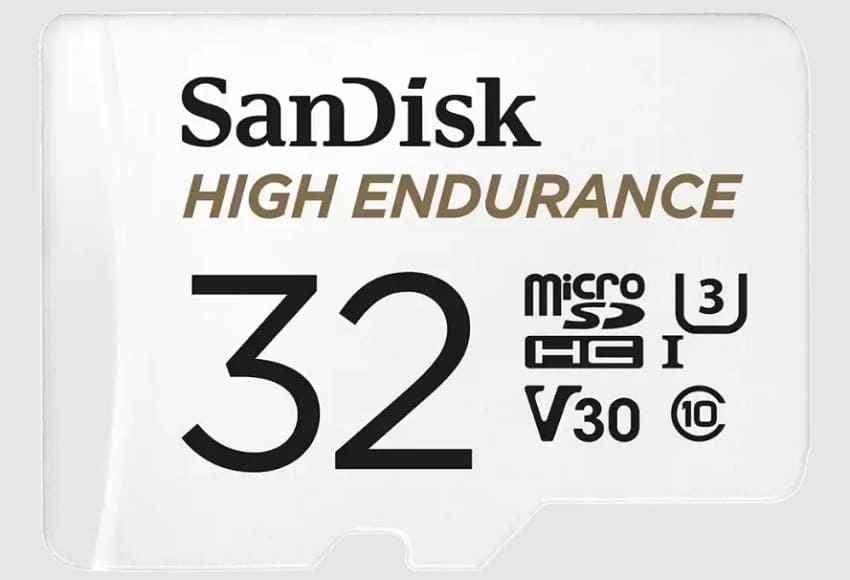
SanDisk High Endurance is the best value pick when you want a dash-cam-specific card without paying for MAX Endurance. It is available in practical capacities and is positioned for dash cams and home monitoring systems. Choose 128GB for a single-camera or normal commute setup, and 256GB if your dash cam supports it and you record front plus rear channels.
Card 5. Kingston High-Endurance
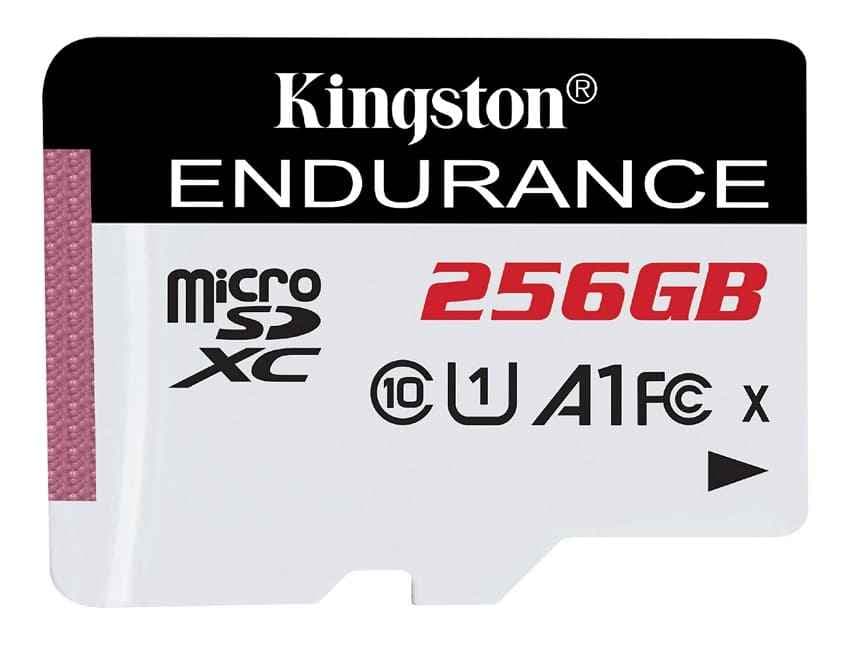
Kingston High-Endurance is a solid alternative when available at a fair price. Kingston's line targets write-intensive video applications and lists up to 26,900 hours of video recording. It makes sense for two-camera 1080p or 2K systems when you can find the right capacity in stock.
Card 6. Lexar High-Endurance
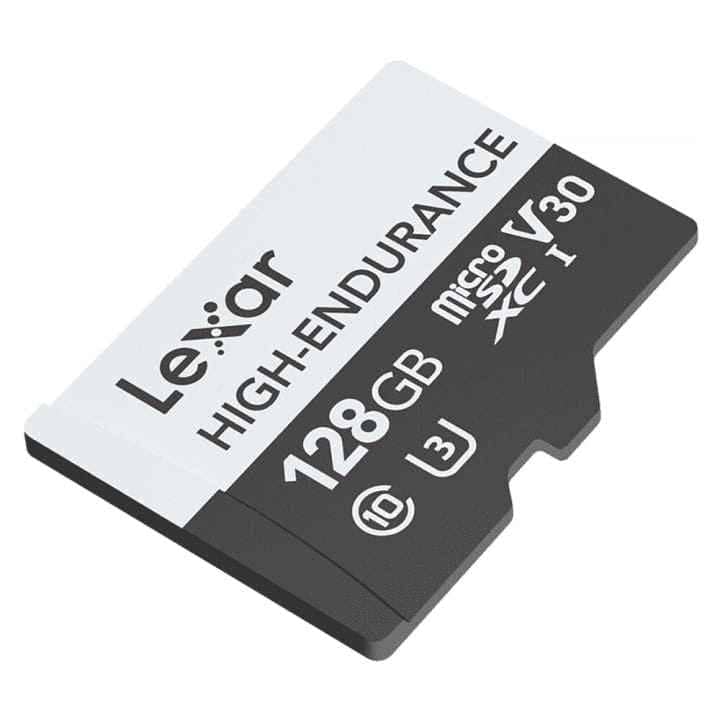
Lexar High-Endurance is the budget endurance choice. Lexar lists up to 12,000 hours for the 128GB card, while the 64GB and 32GB versions are rated lower. The 64GB and 128GB versions carry V30 ratings, making them suitable for normal dash cam recording. It is not the longest-lasting card here, but it is much safer than a standard consumer card for daily loop recording.
Card 7. Nextbase U3 Industrial Grade microSD
Nextbase U3 Industrial Grade microSD is the brand-specific pick for compatible Nextbase dash cams. Brand cards can cost more per GB, but they reduce support friction because the camera maker has tested them. This is useful if your priority is warranty support and predictable setup rather than the lowest card price.
Part 4. Compare Dash Cam Memory Cards
Use this table to compare endurance, speed, capacity, warranty, and limitations. Always re-check the current regional product page before buying because capacity, warranty, and availability can change.
| Card | Capacities | Endurance Claim | Read / Write | Warranty | Main Limitation |
| Samsung PRO Endurance | 32GB to 256GB | Up to 140,160 hours of Full HD recording | Up to 100 / 40 MB/s | 2 to 5 years by capacity and region | Lower maximum capacity than 512GB or 1TB rivals. |
| SanDisk MAX Endurance | 32GB to 256GB | Up to 120,000 hours on 256GB; 60,000 hours on 128GB | Up to 100 / 40 MB/s | 3 to 15 years by capacity and region | Higher cost per GB than SanDisk High Endurance. |
| Transcend High Endurance 350V | 32GB to 1TB | Up to 240,000 hours on 1TB | Up to 100 / 85 MB/s | 5 years | Availability and price vary more by region. |
| SanDisk High Endurance | 32GB to 512GB | Capacity-based endurance rating | Up to 100 / 40 MB/s | 2 years on many current listings | Lower endurance and warranty than MAX Endurance. |
| Kingston High-Endurance | 32GB to 256GB | Up to 26,900 hours | Up to 95 / 45 MB/s | 3 years | Retail availability can be inconsistent. |
| Lexar High-Endurance | 32GB to 128GB | Up to 12,000 hours on 128GB | Up to 100 / 45 MB/s | Limited lifetime, depending on region | Better for normal recording than heavy parking mode. |
| Nextbase U3 Industrial | Varies by model | Not always published | Up to 100 / 70 MB/s on listed 128GB card | Brand terms | Higher price for official compatibility. |
Part 5. Calculate the Right Dash Cam Storage Capacity
Your best micro SD card for dash cam capacity depends on recording channels, bit rate, parking mode, and how long you need incident footage to remain before loop recording overwrites it.
Front Only, Dual Channel, and Three-Channel Systems
A single 1080p front camera writes far less than a 4K front camera with rear and interior channels. More channels reduce the number of hours stored on the same card and increase the number of rewrite cycles across the card.
Parking Mode and Bitrate Settings
Parking mode often changes the calculation more than resolution. A camera that records only two driving hours a day uses far less storage than one powered for 20 hours in parking mode. Motion-triggered and buffered modes can reduce writes, but they still create more card wear than drive-time-only recording.
Recording-Time Table by Combined Bitrate
| Setup and Combined Bitrate | Storage Used per Hour | 128GB Card | 256GB Card | 512GB Card |
| 1080p front only, about 10 Mbps | About 4.5GB | About 26 to 28 hours | About 53 to 57 hours | About 106 to 114 hours |
| 1080p dual channel, about 20 Mbps | About 9GB | About 13 to 14 hours | About 26 to 28 hours | About 53 to 57 hours |
| 2K dual channel, about 40 Mbps | About 18GB | About 6.5 to 7 hours | About 13 to 14 hours | About 26 to 28 hours |
| 4K three-channel, about 60 Mbps | About 27GB | About 4.5 to 5 hours | About 9 to 10 hours | About 18 to 19 hours |
Part 6. Choose Capacity and Value in a Rising Storage Market
Storage prices matter more now. TrendForce reported on July 3, 2026 that NAND Flash contract prices were expected to rise 10-15% QoQ in 3Q26, with AI and data center demand continuing to influence supply. That does not mean every retail microSD card rises at the same time, but it does mean buyers should compare value carefully.
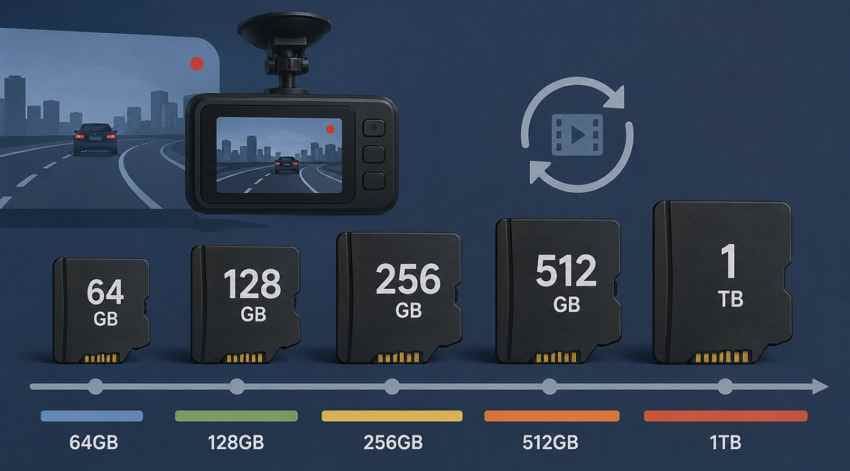
64GB, 128GB, 256GB, 512GB, and 1TB
64GB is usually too small unless the camera is basic or capacity-limited. 128GB is the minimum sensible size for many current dash cams. 256GB is the best value capacity for many dual-channel and parking-mode users. 512GB and 1TB can be useful for long retention, but only when the dash cam officially supports them.
Price per GB and Cost per Recording Hour
Calculate both price per GB and cost per recording hour. A 256GB card can cost more upfront but preserve roughly twice the loop time of 128GB and reduce rewrite frequency. If the 256GB card is only slightly more expensive, it may be the better long-term value.
Replacement Frequency and Warranty Risk
Endurance cards are wear items. Inspect clips regularly, follow the camera maker's formatting guidance, and replace cards after recurring errors. Check warranty terms by exact model and region because some consumer card warranties may not cover dash cam workloads.
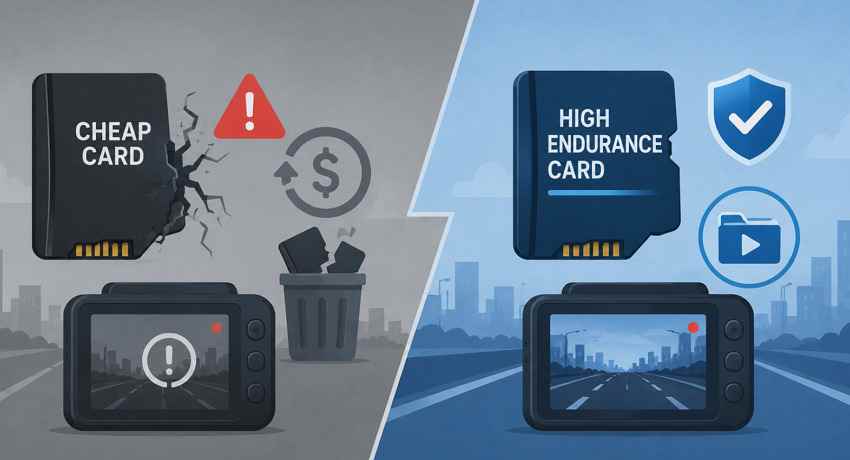
Why a Cheap Standard Card Is Usually a False Saving
A cheap standard card can cost less at checkout but fail sooner under constant writes. That creates two costs: replacement cost and the risk of losing incident footage. A high-endurance card is usually cheaper over time for daily driving, parking mode, rideshare, fleet, or hot-climate use.
Part 7. Matching the Card to Your Dash Cam Brand
Before buying any card, check your dash cam maker's approved list or support page. Brand rules can override general advice because firmware, filesystem, and capacity limits vary by model.
Brand Requirement Table
| Brand | Requirement Worth Checking | Value Recommendation |
| Nextbase | Nextbase recommends U3 cards for rear-camera setups and says regular users should format every 3 to 4 weeks, or 2 to 3 weeks for heavy use. | Use a Nextbase U3 card for easiest support, or verify third-party endurance compatibility first. |
| Garmin | Check Class 10 or faster, maximum capacity, and filesystem in the specific model manual. | Use a reputable endurance card within the listed capacity. |
| BlackVue | Supported capacity and filesystem vary by model. | Use official or proven third-party endurance cards, especially for 4K dual-channel systems. |
| Thinkware | Capacity and card compatibility vary by model and region. | Use endurance cards and avoid buying above the stated maximum capacity. |
| Vantrue | Some models support larger cards, but exact limits differ. | Use Vantrue-recommended or SanDisk MAX Endurance cards when reliability matters most. |
| VIOFO | VIOFO recommends original VIOFO cards or SanDisk MAX Endurance and stresses capacity, write speed, endurance, compatibility, warranty, and price. | For 4K VIOFO setups, use a U3 card from the recommended group. |
| Transcend DrivePro | Many DrivePro models include or recommend Transcend cards. | Use Transcend High Endurance for replacement when supported. |
Brand-Specific Cards vs Third-Party Endurance Cards
Brand-specific cards cost more, but they can simplify support. Third-party endurance cards from Samsung, SanDisk, Transcend, Kingston, and Lexar often provide better price per GB. Choose a brand card when the dash cam maker strongly recommends it, when the camera is under warranty, or when downtime matters. Choose a third-party endurance card when the camera maker allows it and current pricing is clearly better.
Part 8. Set Up the Card and Identify Recording Failure
Correct setup helps prevent early recording problems. Use these checks after inserting a new best microSD card for dash cams:
- Format in the camera: Format the card inside the dash cam instead of only using a computer.
- Run a channel test: Record a short drive and confirm front, rear, and interior channels saved correctly.
- Check loop recording: Confirm old unlocked clips are replaced after the card fills.
- Review emergency folders: Make sure protected or event clips are stored separately.
- Watch for warning signs: Missing clips, very short clips, beeping, memory errors, repeated format prompts, or read-only behavior can indicate card wear or incompatibility.
- Save important footage promptly: Do not rely on loop storage for legal, insurance, or accident evidence.
Part 9. Save Incident Footage Before Reformatting the Card
If footage is missing, the priority changes. Stop troubleshooting as if the card is disposable. Protect the evidence first, then recover or copy the files before formatting.
Protect the Dash Cam Card After Data Loss
Switch the camera off and remove the memory card immediately. Loop recording continuously overwrites older footage, so every additional minute of recording can reduce recovery chances. If the footage is needed for an insurance claim or police investigation, store the card safely and avoid further use.
Check Protected, Emergency, Parking, and Event Folders
Open the card folders before scanning. Many dash cams save impact-triggered videos in protected, emergency, parking, or event folders that loop recording does not immediately overwrite. The clip may be present but stored outside the normal video folder.
Recover Dash Cam Videos With Wondershare Recoverit

Recoverit Memory Card Recovery can help recover deleted, formatted, or inaccessible dash cam videos from a readable microSD card through a card reader. Use it before formatting or replacing a card that still contains important footage. It cannot recover video that has been fully overwritten by loop recording, repair a physically failed card, or guarantee results.
- Use it when: the card is detected by Windows or macOS, but videos are deleted, missing, formatted, or inaccessible.
- Avoid new writes: do not put the card back into the dash cam before recovery.
- Save elsewhere: recover files to a computer drive or external drive, not the same card.
How to Scan a Dash Cam Card to Recover Deleted or Missing Data
Step 1. Connect your dash cam memory card.
Remove the microSD card, connect it to the computer with a card reader, open Recoverit, choose SD Card Recovery, select the card, and start the scan.

Step 2. Scan for lost media files.
Let Recoverit scan the card, then use file-type filters to focus on dash cam videos, photos, and related media files.

Step 3. Preview and recover dash cam footage.
Preview recoverable videos where possible, select the clips you need, click Recover, and save them to a different storage device.

Try Wondershare Recoverit to Perform Data Recovery
Security Verified. Over 7,302,189 people have downloaded it.
When Professional Recovery Is Required
Use a professional recovery service if the card is physically damaged, overheats, has a broken connector, or is not detected by multiple readers. For legal or insurance-critical footage, minimize handling and keep a record of what you tried.
Conclusion
The best micro SD card for dash cam use is a high-endurance card that fits your camera's capacity limit and recording workload. Samsung PRO Endurance is the best overall balance, SanDisk MAX Endurance is the longevity pick, SanDisk High Endurance is the value choice, Transcend 350V is best for high-capacity supported cameras, Lexar High-Endurance is the budget endurance option, and Nextbase U3 Industrial Grade is the safer brand-specific pick for compatible Nextbase users.
As storage prices rise, compare price per GB and cost per recording hour before buying. Do not save a few dollars by using a standard consumer card in a daily dash cam. If the card already contains missing incident footage, stop recording, check protected folders, and recover the files before formatting or replacing the card.
FAQ
-
What is the best micro SD card for dash cam use?
The best micro SD card for dash cam use is a high-endurance card that your dash cam officially supports. Samsung PRO Endurance, SanDisk MAX Endurance, SanDisk High Endurance, and Transcend High Endurance 350V are strong options depending on capacity, budget, and recording workload. -
What capacity microSD card is best for a dash cam?
128GB is a good minimum for many modern dash cams, while 256GB is often better for dual-channel recording, 4K video, or parking mode. Choose 512GB or 1TB only if your dash cam officially supports that capacity. -
Do I need a V30 card for a 1080p dash cam?
A single 1080p dash cam can often work with U1 or V10, but V30 is safer for 4K, higher bitrates, rear cameras, or three-channel systems. Endurance matters more than V30 alone. -
Is a cheap standard microSD card safe for a dash cam?
No, not for daily loop recording. A standard card may work briefly but can wear faster under constant writes. A high-endurance card usually costs less over time because it reduces replacement and footage-loss risk. -
How often should I format a dash cam microSD card?
Follow your dash cam maker's guidance. Nextbase says regular users should format every 3 to 4 weeks and heavy users every 2 to 3 weeks. Always save important footage elsewhere before formatting. -
Can Recoverit recover overwritten dash cam footage?
No. If loop recording has fully overwritten the original video, recovery software cannot bring it back. Recoverit may help recover deleted, formatted, or inaccessible files from a readable card before they are overwritten.



