 TL;DR:
The ideal memory card for both the Canon PowerShot G7 X Mark III and Mark II is a full-size SDXC UHS-I card with a U3/V30 speed class, ensuring the sustained 30MB/s write speed required for 4K video recording and rapid RAW bursts.
● Selecting a 128GB or 256GB capacity provides the best storage balance and utilizes the exFAT file system for longer uninterrupted video files, but upgrading to a UHS-II card yields no in-camera performance increase due to the cameras' UHS-I interface limit.
● The SanDisk Extreme PRO SDXC UHS-I is the most reliable option for clearing the Mark III's RAW buffer quickly, while the standard SanDisk Extreme SDXC UHS-I offers sufficient speed at a lower cost for users primarily shooting Full HD on the Mark II.
● To successfully recover lost CR2, CR3, JPEG, or MP4 files after an accidental format, you must stop using the card immediately to prevent data overwriting and scan it through a dedicated computer card reader rather than via the camera connection.
Ask AI for a summary
 ChatGPT
 Perplexity
 Gemini
 Claude
 Grok
Grok
The best Canon G7X Mark III SD card is a genuine full-size SDXC UHS-I card with reliable sustained write speed, not a random high-read-speed card. The PowerShot G7 X Mark III records 4K video and faster bursts than the Mark II, so it benefits from a stronger card even though Canon's minimum movie requirement is not extreme.
This guide explains the right SD card for Canon G7X Mark III and Canon G7X Mark II cameras, compares six practical UHS-I cards, helps you choose 64GB, 128GB, or 256GB capacity, and shows how Recoverit Memory Card Recovery may help recover deleted, formatted, or corrupted photos before new shooting overwrites them.
Try Wondershare Recoverit to Perform Data Recovery
 Security Verified. Over 7,302,189 people have downloaded it.
In this article
-
- 1. Read Speed vs Write Speed
- 2. U1, U3, and V30 Speed Classes
- 3. Card Speed for Photos and Burst Shooting
- 4. Card Speed for 4K Video on the Mark III
- 5. Card Speed for Full HD Video on the Mark II
- 6. Capacity for Photography and Video Recording
- 7. Durability, Reliability, and Warranty
- How to Avoid Counterfeit SD Cards
Part 1. What Memory Card Does the Canon G7 X Use?
The Canon PowerShot G7 X Mark III and Mark II both use a single full-size SD card slot. The physical card type is similar, but the safer buying standard is different because the Mark III adds 4K recording and faster burst shooting.
Supported SD, SDHC, and SDXC Cards
Both cameras support SD, SDHC, and SDXC memory cards. The SD Association's capacity standards define SDHC as 4GB to 32GB and SDXC as more than 32GB up to 2TB. For modern use, SDXC cards from 64GB upward are usually the practical choice.
UHS-I Support on the Mark II and Mark III
Canon's PowerShot G7 X Mark III specifications list SD, SDHC, SDXC, and UHS-I memory cards, and its movie table references an SD Speed Class 10 / UHS-I compatible memory card. Canon's PowerShot G7 X Mark II support page also lists SD, SDHC, SDXC, and UHS-I memory cards.
Do the Mark II and Mark III Use the Same SD Cards?
Physically, yes. A full-size SD card that fits the Mark II also fits the Mark III. The safer rule is to buy for the Mark III standard. A UHS-I U3/V30 SDXC card works comfortably for both cameras, while a cheaper card bought only for Mark II Full HD may be less comfortable for Mark III 4K video and RAW bursts.
Is a UHS-II Card Worth Buying for These Cameras?
Usually, no. UHS-II SD cards are backward compatible, but the G7 X Mark II and Mark III use UHS-I. A UHS-II card will run at UHS-I camera speeds inside the camera. It may still copy files faster on a computer if you also use a UHS-II reader, but it is not necessary for in-camera performance.
Supported Capacities and Practical Card Sizes
Because the cameras support SDXC, large capacities are possible, but 64GB, 128GB, and 256GB are the most practical sizes. A 512GB or 1TB card can concentrate too much work on one card and may be unnecessary for compact-camera shooting unless your workflow really needs it.
Part 2. Quick Picks: Best SD Cards for Canon G7 X
If you want a short answer, these are the best Canon G7 X memory card picks for most Mark III and Mark II users. Each card below is a full-size SD or full-size-adapter option rated UHS-I with U3 and V30 performance in the recommended capacities.
| Category | Card | Why it wins |
| Best overall for Mark III | SanDisk Extreme PRO SDXC UHS-I | Strong write speed, broad availability, and a safe choice for 4K plus RAW bursts. |
| Best value | SanDisk Extreme SDXC UHS-I | Close real-world usefulness to the PRO line at a lower price for most users. |
| Best for 4K on Mark III | Lexar Professional 1066x Silver | U3/V30 rating and strong write speed for long 4K clips. |
| Best for travel | Kingston Canvas Go! Plus | Rugged positioning, U3/V30 rating, and good availability for travel shooters. |
| Best budget UHS-I | Delkin Devices Advantage | U3/V30 performance with a wide capacity range and lifetime warranty. |
| Best large-capacity value | Samsung PRO Plus full-size SDXC | Good price-to-performance at 128GB and 256GB, with U3/V30 performance. |
Part 3. How to Choose an SD Card for the Canon G7 X
Picking a memory card Canon G7X Mark II owners will not outgrow means reading the label correctly. Not every advertised number affects the camera.
1. Read Speed vs Write Speed
Read speed controls how fast files transfer to a computer. Write speed controls how fast the camera can save photos and video to the card. For 4K recording and RAW bursts, write speed matters more than the larger read-speed number printed on the package.
2. U1, U3, and V30 Speed Classes
Speed classes indicate minimum sustained write performance. U1 indicates 10MB/s. U3 and V30 indicate 30MB/s under their class systems. Even though Canon lists Class 10 / UHS-I for Mark III movie recording, U3/V30 is the better practical floor for a new Canon G7X Mark III memory card because it leaves more headroom.
3. Card Speed for Photos and Burst Shooting
The Mark III can shoot faster bursts than the Mark II, and RAW files fill the buffer quickly. A faster UHS-I card will not change the camera's maximum frame rate, but it can help the buffer clear sooner so you can keep shooting.
4. Card Speed for 4K Video on the Mark III
Canon lists Mark III 4K video at about 120 Mbps, which is roughly 15MB/s. A V30 card guarantees a 30MB/s sustained video write class, giving practical headroom for long clips and less ideal conditions.
5. Card Speed for Full HD Video on the Mark II
The Mark II records Full HD rather than 4K. A U1 card can be enough for many Mark II users, but buying a U3/V30 card is still sensible because price differences are small and the same card can move to a Mark III later.
6. Capacity for Photography and Video Recording
Choose capacity by how often you offload. 64GB works for light photo use, 128GB is the best default for travel and short 4K clips, and 256GB is better for long shooting days or heavy video. Avoid relying on one huge card as your only copy.
7. Durability, Reliability, and Warranty
Look for cards rated for temperature, water, shock, and X-ray resistance. Warranty terms matter, but they do not recover lost images. Back up photos after every important shoot.
How to Avoid Counterfeit SD Cards
Counterfeit SD cards can report fake capacity and corrupt files once the real storage runs out. Buy from the brand's official store, a major camera retailer, or an authorized seller. Test a new card before using it for a trip or paid shoot.
Part 4. Best SD Cards for Canon G7 X Mark III and Mark II
The cards below are practical UHS-I choices for Canon G7 X Mark III and Mark II cameras. Product specs can vary by capacity and region, so verify the exact model before buying.
Product 1. SanDisk Extreme PRO SDXC UHS-I
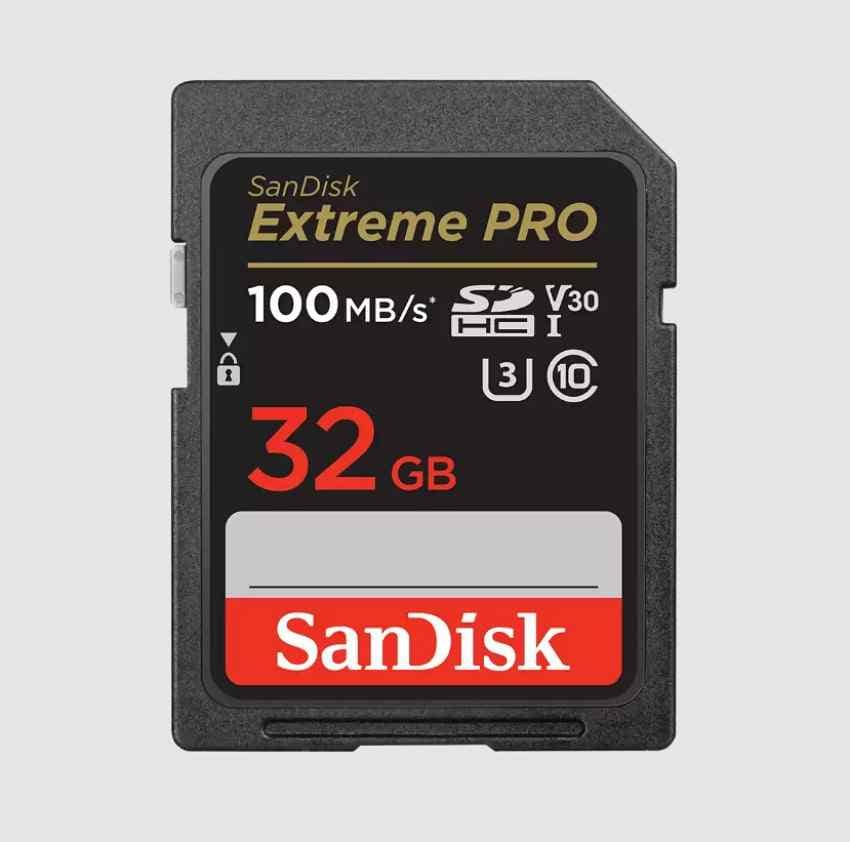
SanDisk Extreme PRO SDXC UHS-I is the safest overall pick for the Mark III. SanDisk lists up to 200MB/s read speed and up to 140MB/s write speed on larger capacities, with U3/V30 support and a lifetime limited warranty in many regions. It is a strong fit for 4K video, RAW bursts, and users who want one card line for both Mark II and Mark III.
Product 2. SanDisk Extreme SDXC UHS-I
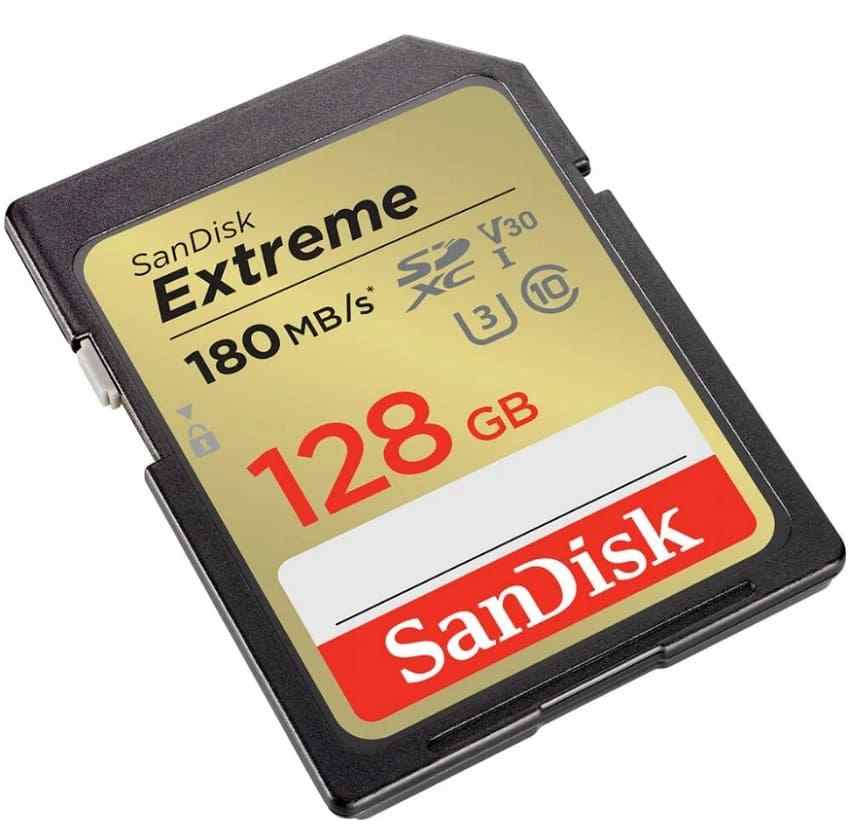
SanDisk Extreme SDXC UHS-I is the better value for most Canon G7 X users. SanDisk lists up to 180MB/s read speed and up to 130MB/s write speed on larger capacities, with U3/V30 support. It is fast enough for Mark III 4K and Mark II Full HD without paying for the highest PRO label.
Product 3. Lexar Professional 1066x SDXC UHS-I Silver
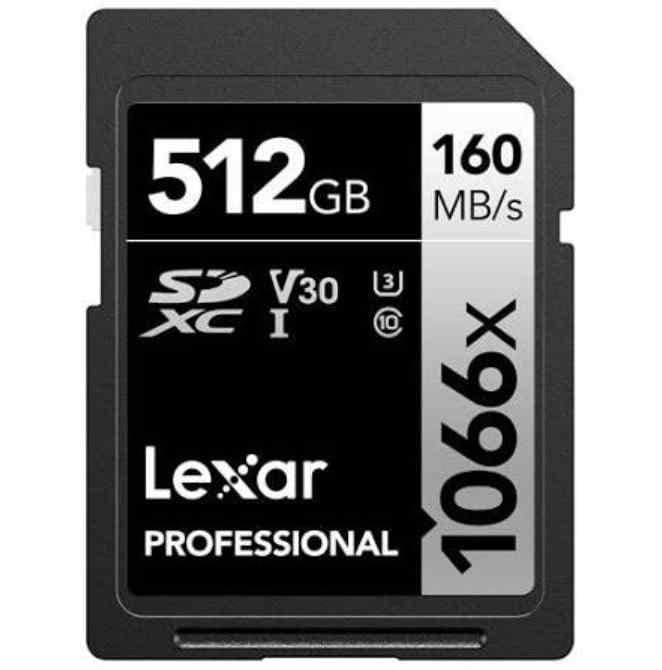
Lexar Professional 1066x SDXC UHS-I Silver offers U3/V30 performance, read speeds up to 160MB/s, and write speeds up to 120MB/s. It is a good choice for Mark III 4K recording and users who want capacities up to 512GB.
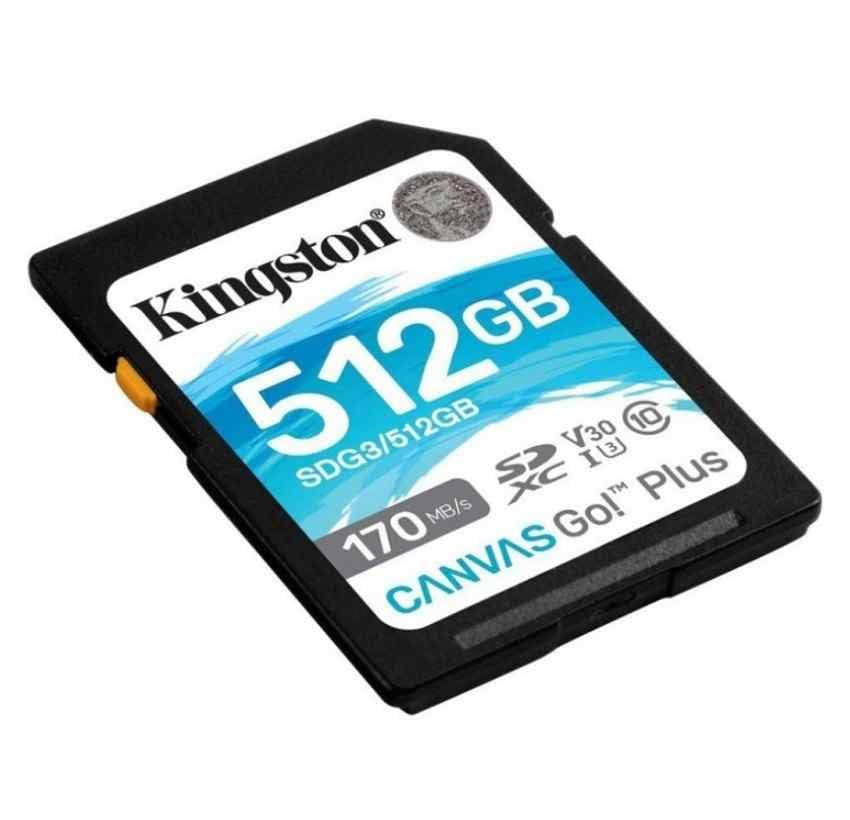
Product 4. Kingston Canvas Go! Plus SDXC UHS-I
Kingston Canvas Go! Plus SDXC UHS-I is a solid travel card with U3/V30 support, 64GB to 1TB capacity options, and rated speeds up to 200MB/s read and up to 160MB/s write. It is best for creators who shoot photos and video while traveling and want a widely available card from a major storage brand.
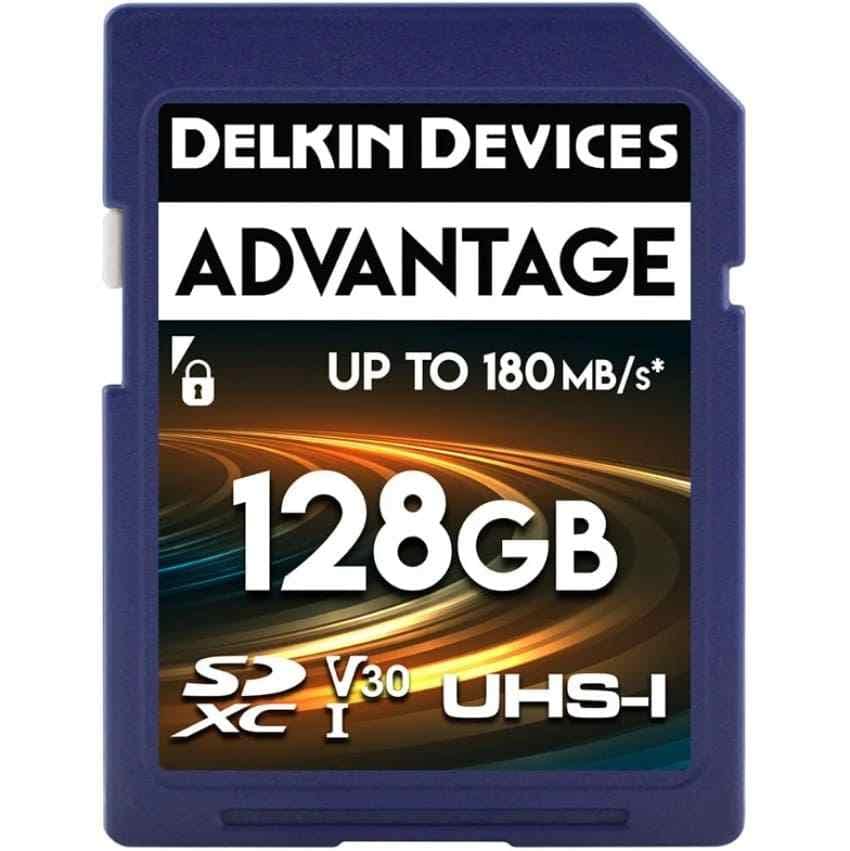
Product 5. Delkin Devices Advantage SDXC UHS-I
Delkin Devices Advantage SDXC UHS-I is a useful budget or spare-card option. Delkin lists 16GB to 1TB capacities, U3/V30 support, up to 180MB/s read speed, up to 160MB/s write speed, and a lifetime warranty. For G7 X cameras, choose 64GB, 128GB, or 256GB unless you have a specific reason for larger cards.
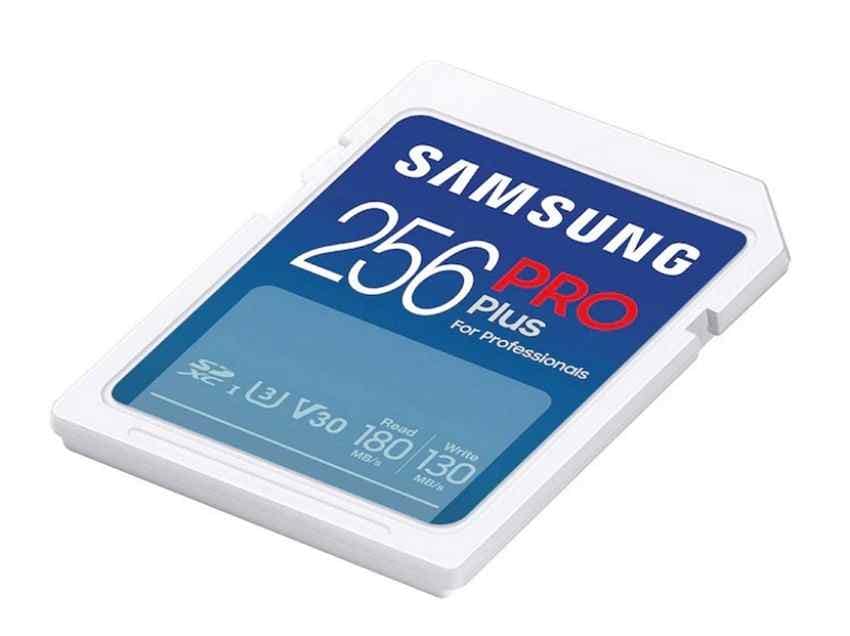
Product 6. Samsung PRO Plus Full-Size SDXC UHS-I
Samsung PRO Plus full-size SDXC UHS-I is a strong large-capacity value card. Samsung lists up to 180MB/s read speed, up to 130MB/s write speed, U3/V30/Class 10 support, and a 10-year limited warranty on its PRO Plus SD line. It is a good choice when you want a 128GB, 256GB, or 512GB card at a reasonable price.
Part 5. Compare the Best Canon G7 X SD Cards
All six cards below are UHS-I choices suitable for the Canon G7 X Mark III and Mark II in the recommended capacities. Manufacturer read/write ratings are maximum figures and may require specific readers; in-camera speed is limited by the camera's UHS-I interface.
| Card | Capacities | Speed class | Rated read/write | Best use case | Main limitation |
| SanDisk Extreme PRO | 64GB to 1TB | U3, V30 | Up to 200/140MB/s on larger cards | Best overall for Mark III RAW bursts and 4K | Higher price per GB |
| SanDisk Extreme | 64GB to 512GB | U3, V30 | Up to 180/130MB/s on larger cards | Best value for most users | Lower top rating than Extreme PRO |
| Lexar 1066x Silver | 64GB to 512GB | U3, V30 | Up to 160/120MB/s | Long 4K recording and mixed photo/video use | Offload speed trails the fastest SanDisk cards |
| Kingston Canvas Go! Plus | 64GB to 1TB | U3, V30 | Up to 200/160MB/s | Travel and everyday shooting | Camera speed remains limited by UHS-I |
| Delkin Advantage | 16GB to 1TB | U3, V30 | Up to 180/160MB/s | Budget spare, Mark II, or general Mark III use | Availability varies by retailer |
| Samsung PRO Plus | 64GB to 512GB full-size SD | U3, V30 | Up to 180/130MB/s | Large-capacity value at 128GB to 512GB | 10-year warranty instead of lifetime |
Remember that ratings above the UHS-I bus limit are often offload ratings achieved with brand-specific readers. They do not mean the Canon G7 X can write that fast in-camera.
Part 6. Which SD Card Capacity Should You Choose?
Choose capacity by workload. 64GB is enough for light shooting, 128GB is the safest default, and 256GB is better for travel, 4K, or heavy video. The estimates below use Canon's 32GB reference figures and extrapolate upward.
| Capacity | 20MP JPEGs | 20MP RAW | 4K video on Mark III | Full HD on Mark II |
| 32GB | About 4,500 | About 1,355 | About 35 minutes | About 2 hours |
| 64GB | About 9,000 | About 2,710 | About 70 minutes | About 4 hours |
| 128GB | About 18,000 | About 5,420 | About 2.3 hours | About 8 hours |
| 256GB | About 36,000 | About 10,840 | About 4.7 hours | About 16 hours |
These are estimates. Actual counts vary by JPEG quality, RAW format, scene detail, frame rate, clip length, and camera settings. For most Canon G7 X Mark III owners, 128GB or 256GB is the best balance.
Part 7. How to Format an SD Card for Canon G7 X
After choosing the right card, format it correctly. Formatting in the camera reduces folder-structure and file-system issues.
Back Up Important Photos Before Formatting
Formatting clears the file index and can make photos harder to recover if you keep using the card afterward. Copy files to a computer or external drive first, then confirm they open.
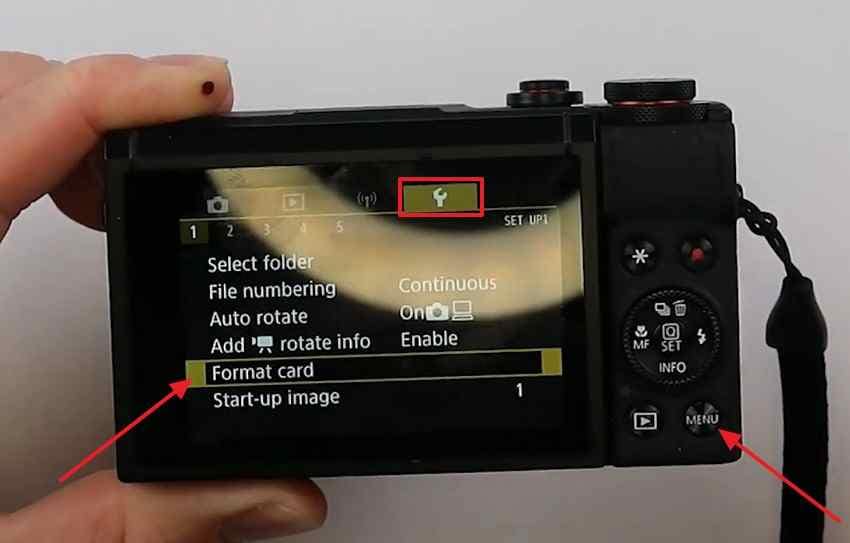
Format the SD Card Inside the Camera
Format the card in the Canon G7 X rather than on a computer for normal use. The camera creates the folder structure and file system it expects.
Instructions. Press MENU > open the yellow Setup tab > choose Format card > select OK.
FAT32 vs. exFAT
The camera chooses the file system. SDHC cards up to 32GB normally use FAT32. SDXC cards of 64GB and above normally use exFAT, which is better for longer video files.
When You Should Reformat the Card
Reformat after safely offloading a full shoot instead of deleting files one by one. This keeps the card's structure clean and reduces fragmentation-related issues.
Should You Format the Card on a Computer?
Use computer formatting only as a troubleshooting step if the camera rejects the card. Back up or recover files first, use a proper SD formatter if needed, then format the card again inside the Canon G7 X before shooting.
What to Do if the Camera Rejects the SD Card
Check the card's write-protect switch, clean the contacts with a dry cloth, test the card in a reader, then test a second known-good card in the camera. If only one card fails, replace or recover that card. If multiple cards fail, the camera slot may need service.
Part 8. How to Recover Lost Photos From a Canon G7 X SD Card
Photos can disappear after accidental deletion, formatting, interrupted writes, battery loss, card corruption, or reader errors. Stop using the card immediately. New photos and videos can overwrite recoverable CR2, CR3, JPEG, and MP4 data.
How Recoverit Can Help
Recoverit scans SD, SDHC, and SDXC cards through a card reader and can help recover Canon photos and videos when the card is readable by the computer or recovery software. It restores files from storage; it does not repair the camera, repair the SD card hardware, or recover overwritten files.
- Canon RAW support: recover CR2, CR3, JPEG, and video files when data remains on the card.
- Formatted card recovery: scan cards after accidental formatting before new files overwrite old data.
- Direct card reader access: connect the card through a reader instead of scanning through the camera.
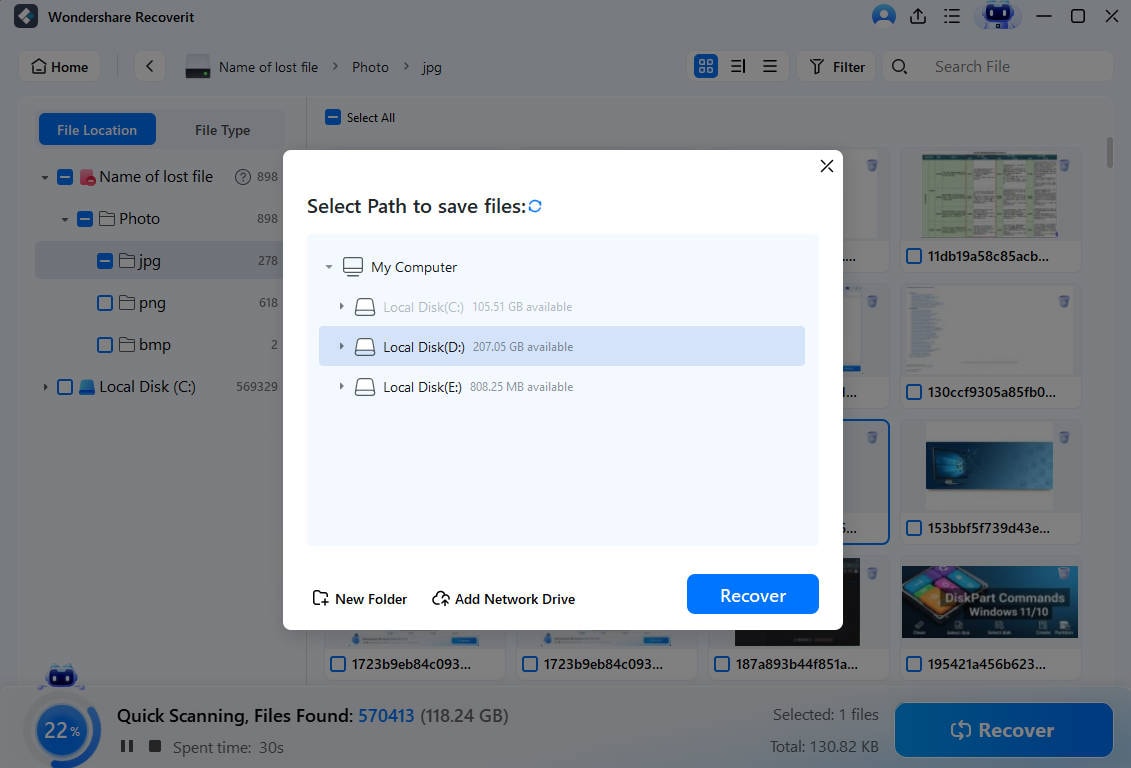
Important note: save recovered files to another drive, not back to the same SD card.
How to Recover Photos From a Canon G7 X SD Card
Follow these steps before shooting anything new on the card.
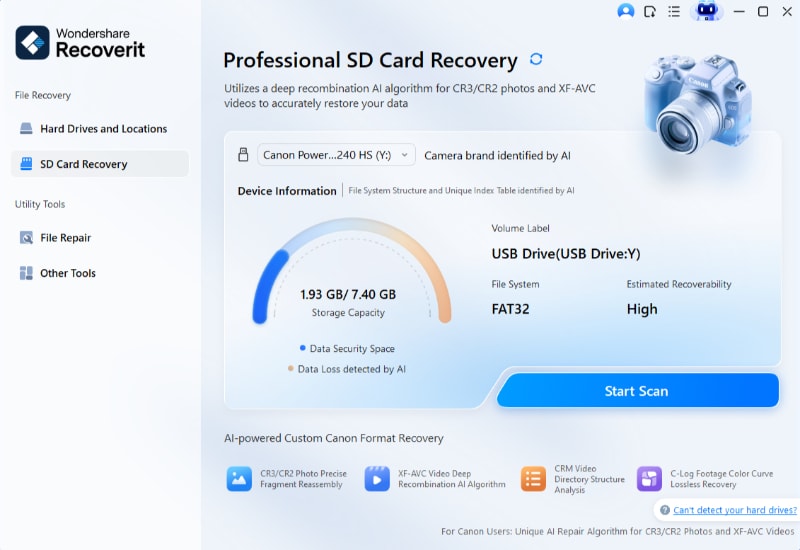
Step 1. Connect and select the card. Insert the Canon G7 X SD card into a card reader, open Recoverit, select SD Card Recovery, choose the card, and click Start Scan.
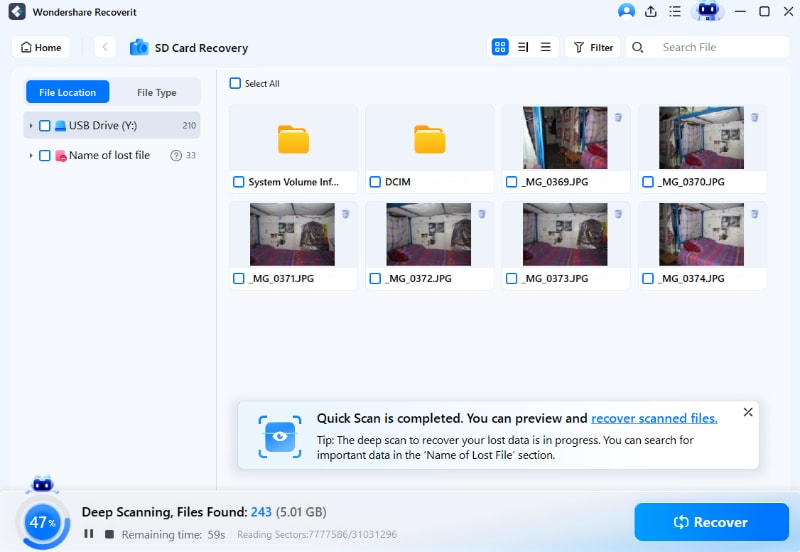
Step 2. Scan and check detected files. Let Recoverit scan the card. Use File Location, file type, date, and format filters to locate Canon photos and videos.
Step 3. Preview and save recovered files. Preview recoverable photos, click Recover, and save them to another drive or folder.
Try Wondershare Recoverit to Perform Data Recovery
Security Verified. Over 7,302,189 people have downloaded it.
When Professional Data Recovery Is Required
Software cannot help if the SD card is cracked, water-damaged, burnt, or completely undetected by every reader. For critical photos on a physically damaged card, stop retrying and contact a professional recovery lab.
Part 9. Tips to Protect Your Canon G7 X SD Card
Good habits protect the memory card Canon G7X Mark II and Mark III users rely on.
- Buy genuine SD cards: choose official stores, camera retailers, or authorized sellers.
- Back up after each shoot: do not use the card as long-term storage.
- Wait until writing finishes: never remove the card while the access light is flashing.
- Leave free storage space: avoid filling the card completely before offloading.
- Eject safely from computers: use the operating system's eject option before removing the card reader.
- Format in-camera: format after backing up instead of deleting files individually.
- Replace aging cards: frequent errors, slow writes, or repeated corruption usually mean the card is no longer reliable.
Conclusion
The best SD card for Canon G7X Mark III is a genuine full-size SDXC UHS-I card with U3/V30 performance, especially if you shoot 4K video or RAW bursts. The Canon G7 X Mark II can use less demanding cards, but buying a good U3/V30 SDXC card gives you better headroom and works across both cameras. Format the card in-camera after backups, avoid counterfeit cards, and use Recoverit promptly if photos disappear before new shooting overwrites them.
FAQ
-
What SD card does the Canon G7 X Mark III need?
Canon lists SD, SDHC, SDXC, and UHS-I memory cards for the G7 X Mark III, with SD Speed Class 10 / UHS-I referenced for movie recording. A UHS-I U3/V30 SDXC card is the best practical choice for 4K and RAW bursts. -
What is the best SD card size for Canon G7 X Mark III?
128GB is the best default for most users. Choose 256GB if you shoot a lot of 4K video, travel all day, or do not offload often. 64GB is fine for light photo use. -
Can I use the same memory card in both the Mark II and Mark III?
Yes. Both cameras use full-size SD, SDHC, and SDXC cards with UHS-I support. A card bought for the Mark III standard will also work well in the Mark II. -
Should I use a microSD card with an adapter in a Canon G7 X?
Use a full-size SD card when possible. A microSD adapter can work, but it adds another contact point and is easier to misplace or damage. -
Can Recoverit restore Canon CR2 or CR3 RAW files after formatting?
Recoverit may recover CR2, CR3, JPEG, and video files after deletion or formatting if the data has not been overwritten. Stop shooting immediately and scan the card through a reader.



