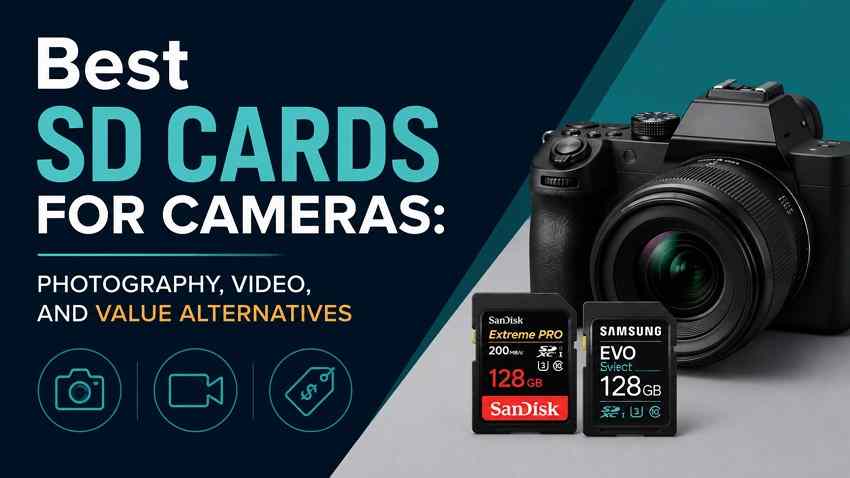
 TL;DR:
Choose a camera SD card by matching its sustained write speed and bus version to your specific shooting mode and camera hardware, because paying for a premium UHS-II card is a waste of money if your device only supports UHS-I speeds.
● A UHS-I V30 card (like the SanDisk Extreme PRO SDXC UHS-I) is sufficient for everyday photography and standard 4K video, while a UHS-II V60 card (like the Kingston Canvas React Plus) provides the best value upgrade for higher-bitrate 4K and frequent RAW bursts.
● Premium UHS-II V90 cards (such as the Lexar 2000x GOLD or Angelbird AV PRO SD MK2) are strictly for high-bitrate All-Intra recording or professional burst photography workflows that require rapid buffer clearing through a compatible UHS-II slot.
● Avoid using microSD cards with adapters for paid or unrepeatable shoots to eliminate an extra physical failure point, and if camera files are lost, immediately remove the card without shooting test photos to prevent overwriting recoverable data.
Ask AI for a summary
 ChatGPT
 Perplexity
 Gemini
 Claude
 Grok
Grok
The best SD cards for cameras are not always the fastest or most expensive cards on the shelf. For photography, the right card depends on your camera slot, RAW burst depth, file size, and how quickly the card clears the buffer. For video, it depends on sustained write speed, bitrate, codec, and whether the camera requires V30, V60, V90, CFexpress, or another media type.
Because memory and storage prices are rising, the smarter move is to buy enough speed and capacity for your real shooting mode without paying for performance your camera cannot use. This guide compares the best SD card for photography, 4K video, hybrid creators, and budget buyers, then shows how to protect lost camera files before formatting or replacing a card.
Try Wondershare Recoverit to Perform Data Recovery
 Security Verified. Over 7,302,189 people have downloaded it.
In this article
Part 1. Best SD Cards for Cameras at a Glance
If you want a quick answer, start with the camera slot and your heaviest shooting mode. A UHS-I V30 card is a good memory card for camera stills, travel, and many 4K modes. A UHS-II V60 card is the best value step-up for hybrid photo and video work. A V90 card is for high-bitrate video, long RAW bursts, and professional cameras that can actually use the speed.
| Category | Pick | Speed Class | Why It Fits | Main Limitation |
| Best overall value | Kingston Canvas React Plus V60 | UHS-II, U3, V60 | Strong balance for photography, burst shooting, higher-frame-rate 4K, and lower cost than many V90 cards. | Needs a UHS-II camera or reader to get the full benefit. |
| Best premium V90 | SanDisk Extreme PRO SD UHS-II V90 | UHS-II, U3, V90 | Premium choice for demanding high-bitrate video and fast offload workflows. | Overkill for many UHS-I cameras and standard photo work. |
| Best for RAW bursts | Lexar Professional 2000x GOLD | UHS-II, U3, V90 | Fast sustained performance for sports, wildlife, and cameras that clear buffers quickly. | More speed than casual photographers need. |
| Best for pro video | Angelbird AV PRO SD MK2 V90 | UHS-II, U3, V90 | Designed around sustained recording behavior and matched production card sets. | Best value only for users who need V90. |
| Best large-capacity pro SD | ProGrade Digital Iridium V90 | UHS-II, U3, V90 | Good fit for longer pro photo and video shoots where larger capacities reduce card swaps. | Check capacity-specific write ratings before buying. |
| Best UHS-I photography value | SanDisk Extreme PRO SDXC UHS-I V30 | UHS-I, U3, V30 | Reliable everyday pick for high-resolution photos, travel, and many 4K UHD modes. | Does not unlock UHS-II buffer-clearing speeds. |
| Best budget 4K and backup | Kingston Canvas Go! Plus V30 | UHS-I, U3, V30 | Budget-friendly for 4K UHD, action photos, and backup cards. | Not for V60 or V90-only recording modes. |
| Best lower-cost UHS-I alternative | Lexar Professional 1066x SILVER | UHS-I, U3, V30 | Strong everyday SD card for photos, travel, and standard 4K at a lower price. | Skip it for demanding All-Intra or V60/V90 workflows. |
Part 2. Check Your Camera Before Comparing SD Cards
The best SD memory card for camera use is the fastest card your camera can actually use, not the fastest card sold online. Check the manual for card type, maximum capacity, UHS bus, video class requirements, and whether both slots support the same speed.
Full-Size SD vs microSD With an Adapter
Most DSLR, mirrorless, and compact cameras use full-size SD cards. A microSD card with an adapter may work in some cameras, but the adapter adds another physical connection. For casual shooting, that may be acceptable. For weddings, paid work, long video takes, or travel days you cannot repeat, choose a full-size SD card whenever the camera accepts one.
SDHC vs SDXC and Maximum Capacity
The SD Association capacity standard defines SDHC as more than 2GB up to 32GB, and SDXC as more than 32GB up to 2TB. That matters because many older cameras cannot use large SDXC cards, even if the card physically fits. If your older body lists only SDHC support, the best SDHC card for camera compatibility is usually a trusted 32GB Class 10 or U3 card.
UHS-I vs UHS-II Slots
UHS-II cards have a second row of contacts. They remain backward compatible with many UHS-I cameras, but they run at UHS-I speed in a UHS-I slot. Paying for UHS-II makes sense when your camera slot supports UHS-II, your recording mode needs V60 or V90, or your workflow benefits from faster offloading through a UHS-II card reader.
Single-Slot vs Dual-Slot Bodies
Dual-slot cameras can protect paid work, but they can also bottleneck speed. If one slot is UHS-II and the other is UHS-I, simultaneous backup may run at the slower slot or slower card. For important shoots, use matched cards with the same speed class and similar capacity. Do not pair one premium V90 card with one slow backup card and expect V90 behavior.
Part 3. Match Card Speed to Photography and Video
The top results for this search intent focus on the same decision point: speed labels are useful only when they map to real camera behavior. For photos, buffer clearing matters. For video, minimum sustained write speed matters more than the large read number on the package.
Read Speed vs Maximum Write vs Sustained Write
Read speed controls how quickly files move to your computer. Maximum write speed is often a short burst figure under ideal conditions. Sustained write speed is the floor that keeps recording stable and helps your camera recover from long RAW bursts. For camera buying decisions, sustained write speed and the camera manual matter more than marketing read speed.
Class 10, U1, U3, V30, V60, and V90
The SD Association speed class symbols describe minimum write performance. Its guidance also notes that V60 and V90 apply to UHS-II or faster bus modes. Lexar's V90 guide makes the practical point buyers need: choose the V class your camera mode requires, not simply the largest number printed on the card.
| Marking | Minimum Sustained Write | Typical Camera Use | Buying Advice |
| Class 10, U1, V10 | 10 MB/s | Full HD video, everyday JPEG shooting, older cameras | Fine for casual use, but not the best choice for modern 4K or long RAW bursts. |
| U3, V30 | 30 MB/s | Standard 4K video, high-resolution photos, travel, vlogging | The value floor for most current camera buyers. |
| V60 | 60 MB/s | Higher-bitrate 4K, frequent RAW bursts, hybrid photo/video work | The best value upgrade when UHS-II is supported. |
| V90 | 90 MB/s | High-bitrate All-Intra, selected 6K/8K, pro video, long bursts | Buy only when your mode or workflow benefits from it. |
RAW Burst Photography
For stills, card speed does not change image quality. It changes how soon the camera buffer clears after a burst. Sports, wildlife, weddings, and events benefit from faster cards because missing the next moment costs more than the price difference. Landscape, portrait, travel, and casual photographers can usually save money with a reliable V30 or V60 card.
4K, 6K, 8K, and High-Bitrate Video
Resolution alone is not enough. A 4K Long GOP mode at 100 Mbps needs much less sustained write speed than 4K All-Intra at 400 Mbps. Divide Mbps by 8 to estimate MB/s. For example, 200 Mbps is about 25 MB/s, so V30 is enough on paper. A 400 Mbps mode is about 50 MB/s, so V60 is safer. If your highest mode exceeds V90, the camera may require CFexpress, CFast, or external SSD media instead of an SD card.
Part 4. Best UHS-II SD Cards for Professional Cameras
These cards are for UHS-II cameras, heavy RAW bursts, high-bitrate video, and creators who want faster computer transfers. They are not automatically better value for every photographer.
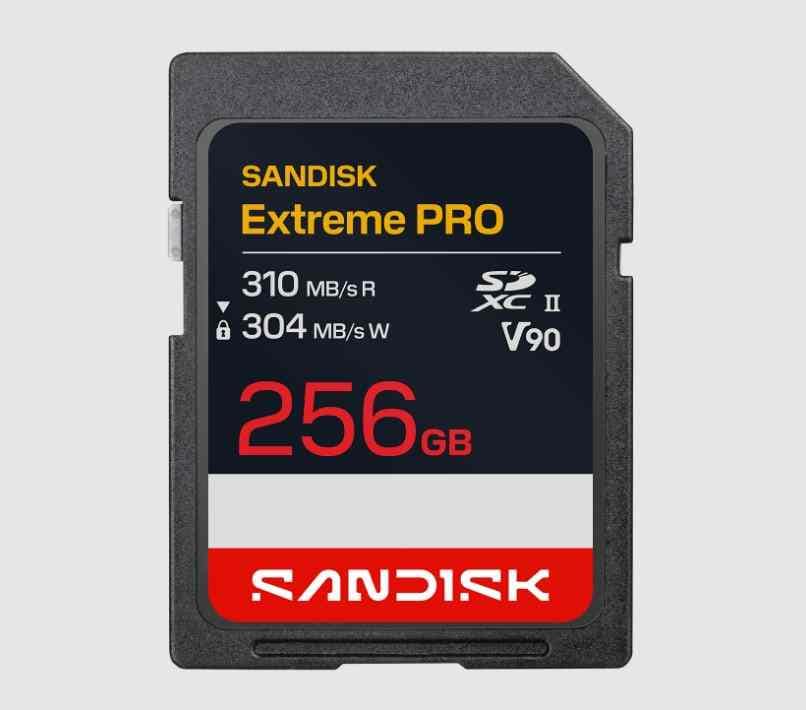
SanDisk Extreme PRO SD UHS-II V90
SanDisk Extreme PRO SD UHS-II V90 is the premium SanDisk option for demanding SD workflows. Choose it when your camera manual calls for V90, when you shoot high-bitrate video, or when fast offload time is part of a paid workflow. It is not the best value for a UHS-I camera or for users who mostly shoot single-frame photos.
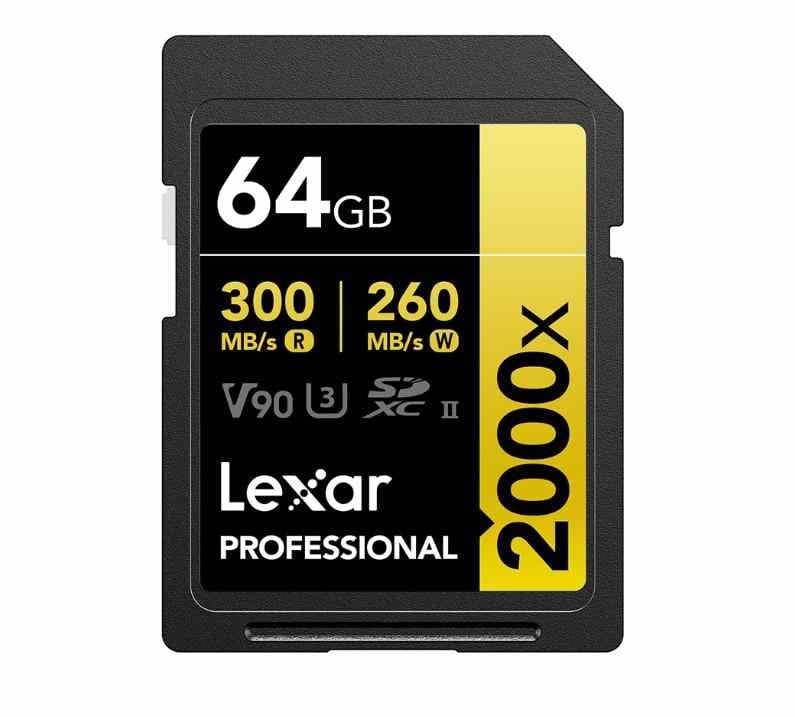
Lexar Professional 2000x GOLD UHS-II V90
Lexar Professional 2000x GOLD UHS-II V90 is a strong fit for photographers who shoot long RAW bursts and creators who need a V90-class SD card. It is especially useful when the camera can clear buffers quickly through a UHS-II slot. If your workflow is mostly JPEG, light RAW, or standard 4K, a V60 or V30 card may be a better purchase.
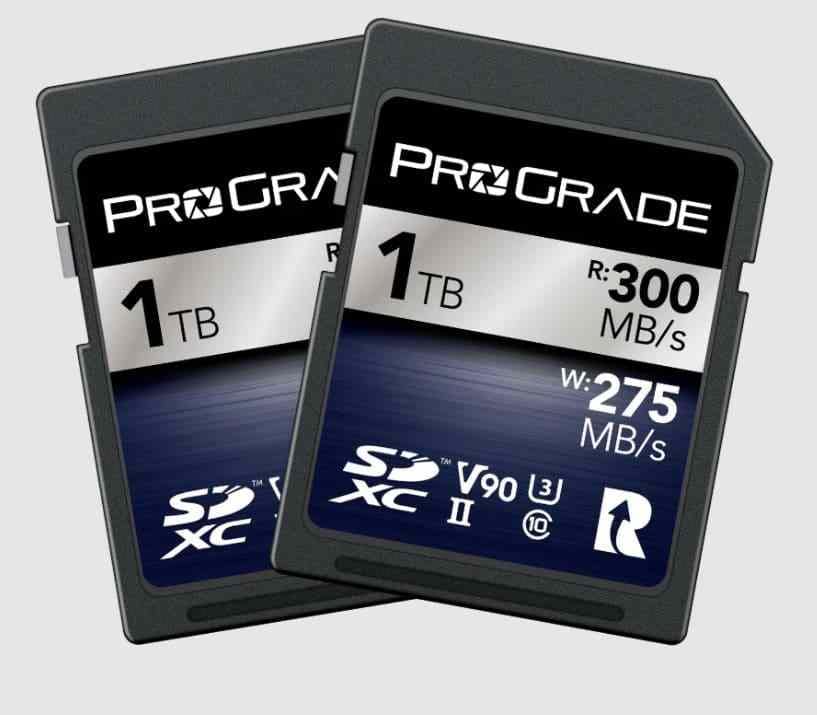
ProGrade Digital Iridium UHS-II V90
ProGrade Digital Iridium UHS-II V90 is aimed at professional still and video workflows where card management matters. It is available in large capacities, which helps for events, interviews, and travel assignments. Check the exact capacity before buying because speed claims can change by capacity inside the same product family.
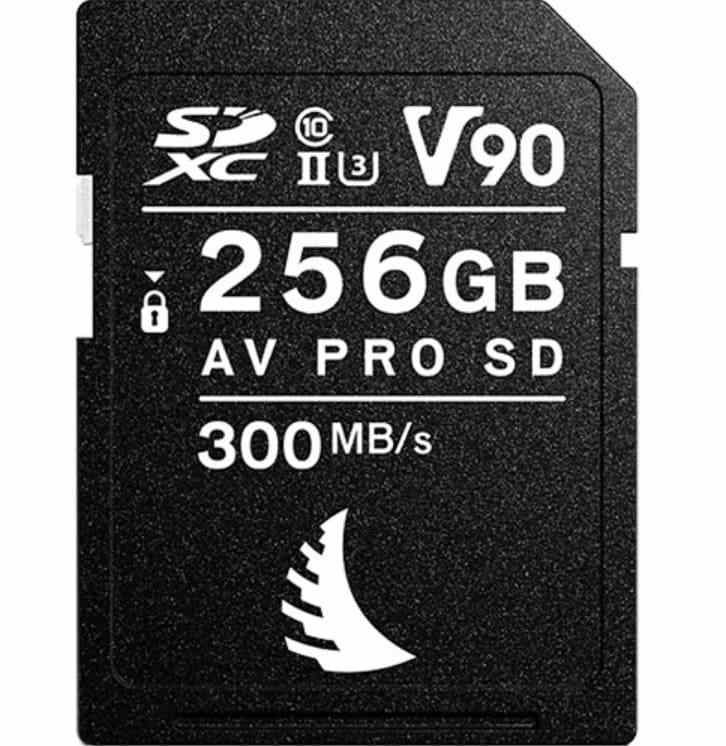
Angelbird AV PRO SD MK2 V90
Angelbird AV PRO SD MK2 V90 is built for professional video sets, matched card kits, and sustained shooting days. It is a good SD memory card for camera crews that care about repeatable behavior more than headline read speed. For casual photography, it is more card than most buyers need.
Part 5. Best Value SD Cards for Photography and 4K Video
With card prices under pressure, the best value often sits below the premium V90 tier. These picks cover most photographers, hybrid creators, and camera owners who need dependable cards without paying for unused speed.
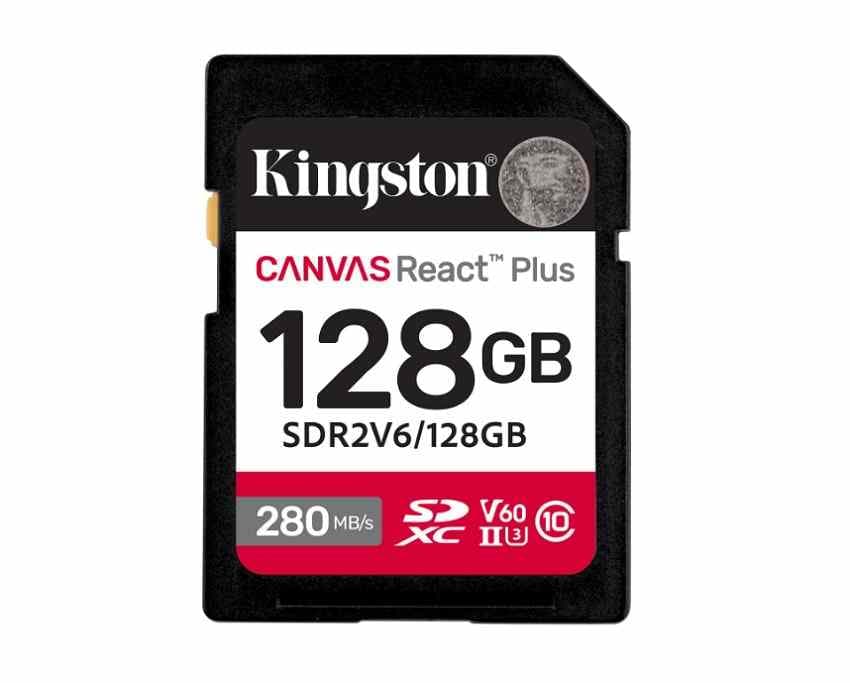
Kingston Canvas React Plus UHS-II V60
Kingston Canvas React Plus UHS-II V60 is the best overall value pick for many modern UHS-II cameras. Kingston lists V60, U3, capacities from 128GB to 1TB, and capacity-dependent write speeds. That makes it a practical middle tier for photographers who shoot bursts, hybrid creators who record higher-bitrate 4K, and buyers who do not want to jump straight to V90 pricing.
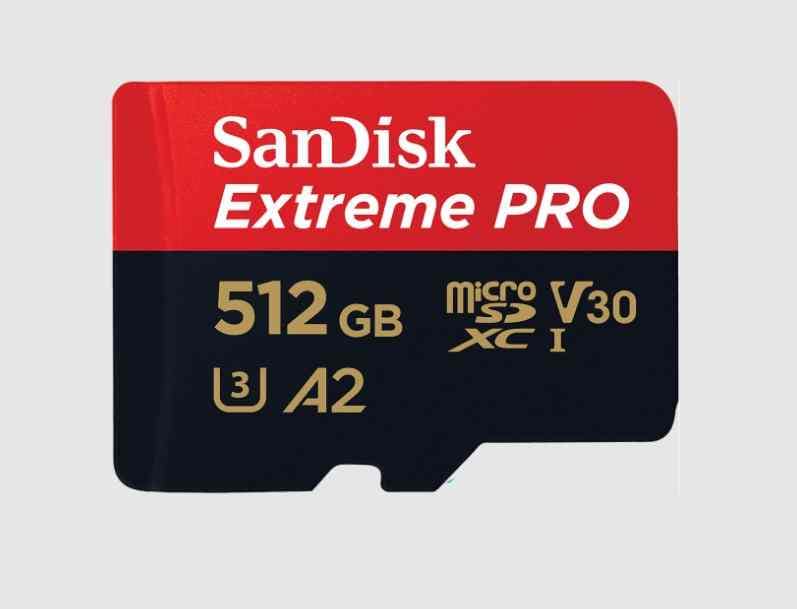
SanDisk Extreme PRO SDXC UHS-I V30
SanDisk Extreme PRO SDXC UHS-I V30 is a safe everyday choice for UHS-I cameras, travel photography, and standard 4K UHD modes. SanDisk lists U3 and V30 for this SD card family, with performance varying by capacity and host device. It is a better buy than a V90 card when your camera has only a UHS-I slot.
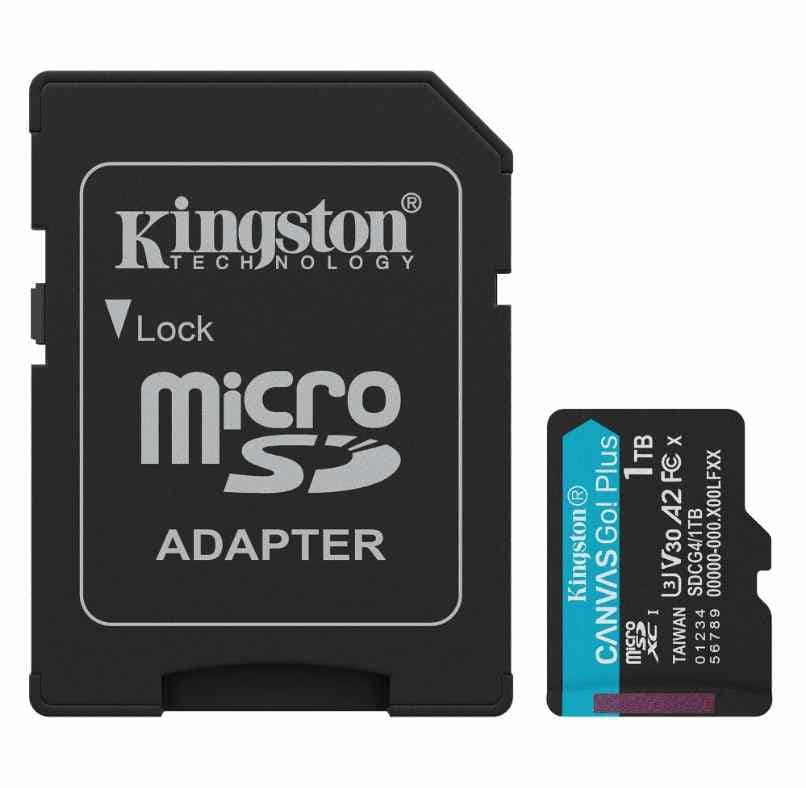
Kingston Canvas Go! Plus UHS-I V30
Kingston Canvas Go! Plus UHS-I V30 is a budget-friendly full-size SD option listed for 4K UHD video and fast-action photos on Kingston's memory card page. It is a sensible backup-card choice for travel, beginner cameras, and casual hybrid use. Avoid it for modes that explicitly require V60 or V90.
Lexar Professional 1066x SILVER UHS-I V30
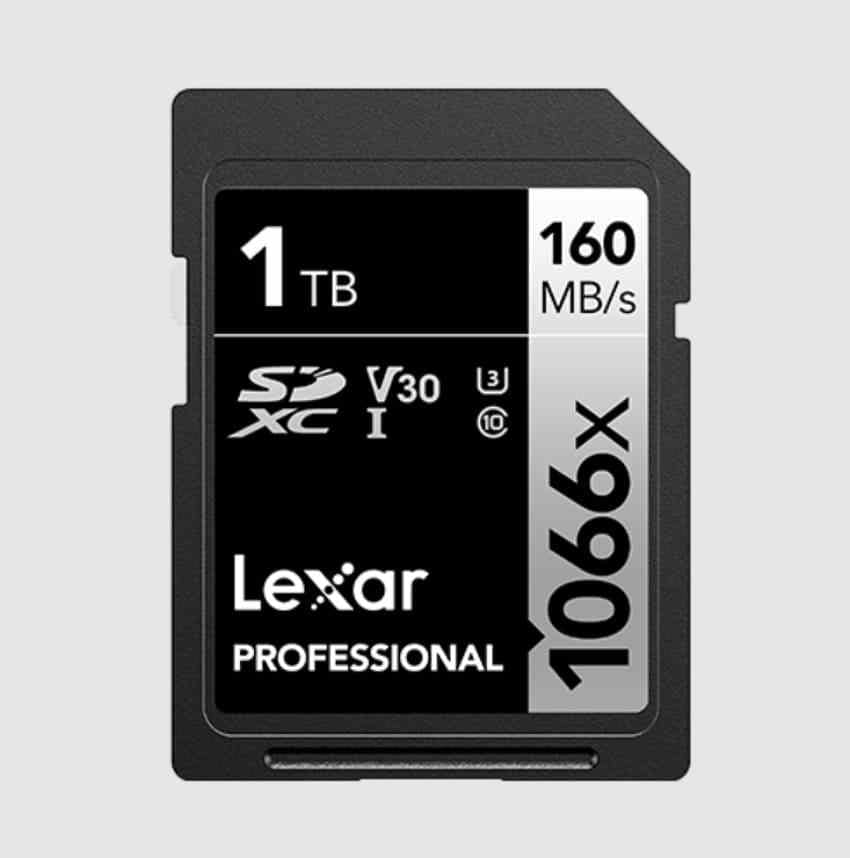
Lexar Professional 1066x SILVER UHS-I V30 is a lower-cost alternative for UHS-I cameras, everyday RAW and JPEG shooting, and many standard 4K modes. It is a good memory card for camera owners who want recognized branding and broad capacity choices without moving into UHS-II pricing.
When a Cheaper UHS-I Card Is Enough
A cheaper UHS-I V30 card is enough if your camera has a UHS-I slot, you shoot photos more than video, your 4K mode is moderate bitrate, and you can wait a little longer for files to transfer. V60 pays off when your camera has UHS-II, you shoot frequent bursts, you record higher-bitrate 4K, or your paid work benefits from faster offload and fewer buffer delays.
Part 6. Choose Capacity as Camera Storage Prices Rise
After speed class, capacity is the next money decision. On July 3, 2026, TrendForce reported that NAND Flash contract prices were expected to rise 10-15% QoQ in 3Q26 as AI server demand supported memory prices. Retail SD card prices vary by promotion and region, but the buying logic is clear: compare cost per GB, cost per shoot, and the risk of losing too much work on one card.
Photo and Video Capacity Planning
The table below uses rough planning estimates: about 30MB per 24MP RAW file, about 7.5MB per JPEG, and 100 Mbps 4K video. Actual capacity depends on camera resolution, compression, bit depth, audio, proxies, formatted capacity, and file system overhead.
| Capacity | 24MP RAW Photos | 24MP JPEG Photos | 4K at 100 Mbps | Best For |
| 64GB | About 2,100 | About 8,500 | About 85 minutes | Light shooting, backup card, older cameras |
| 128GB | About 4,200 | About 17,000 | About 170 minutes | Most photography enthusiasts |
| 256GB | About 8,400 | About 34,000 | About 5.5 hours | Travel, events, mixed photo and video |
| 512GB | About 16,800 | About 68,000 | About 11 hours | Professional photo and 4K video work |
| 1TB | About 33,600 | About 136,000 | About 22 hours | Long-form production and extended travel |
Price per GB vs Price per Shoot
Price per GB is useful, but photographers should also calculate price per shoot. If a 256GB V60 card covers a full event and a 128GB V90 card does not, the cheaper-looking V90 card may cost more in swaps, stress, and backup complexity. If your camera only needs V30, a discounted larger V30 card may be a better buy than a smaller V60 card.
One Large Card vs Several Smaller Cards
Larger cards reduce swaps and often improve value per GB. Several smaller cards reduce the amount of work exposed to a single card loss, theft, or failure. For paid projects, many photographers prefer two to four mid-sized cards plus immediate backups. For travel, a mix of one larger active card and smaller rotation cards is often safer than trusting the whole trip to one 1TB card.
Part 7. Avoid Camera SD Card Buying Mistakes
These mistakes waste money or increase data-loss risk, especially when storage prices are moving up and cheap listings look tempting.
| Mistake | Why It Costs You | Better Choice |
| Using a UHS-II card in a UHS-I camera for speed | The card falls back to UHS-I behavior, so you pay for speed the camera cannot use. | Buy a strong V30 UHS-I card unless faster offload through a reader matters. |
| Choosing only by read speed | Read speed helps transfers, but recording depends on write and sustained write performance. | Check V30, V60, V90, max write, and the camera manual. |
| Assuming every 4K mode needs V90 | Many 4K modes work with V30 or V60, so V90 may be wasted money. | Match the exact bitrate, codec, and frame rate. |
| Buying beyond the camera capacity limit | The camera may reject the card or fail to use the full capacity. | Check SDHC, SDXC, and maximum capacity support first. |
| Using adapters for critical work | microSD adapters add another contact point that can fail or loosen. | Use full-size SD cards for paid or unrepeatable work. |
| Buying from unusually cheap listings | Counterfeit cards can show fake capacity and corrupt files. | Buy from the brand, an authorized retailer, or a reputable camera store. |
| Ignoring warranty and region | Warranty terms and replacement support vary by country and seller. | Check regional support before buying large or premium cards. |
Part 8. Set Up and Test a New Camera SD Card
A good SD card for camera use still needs setup. Spend 10 minutes testing it before a paid job, travel day, or one-time family event.
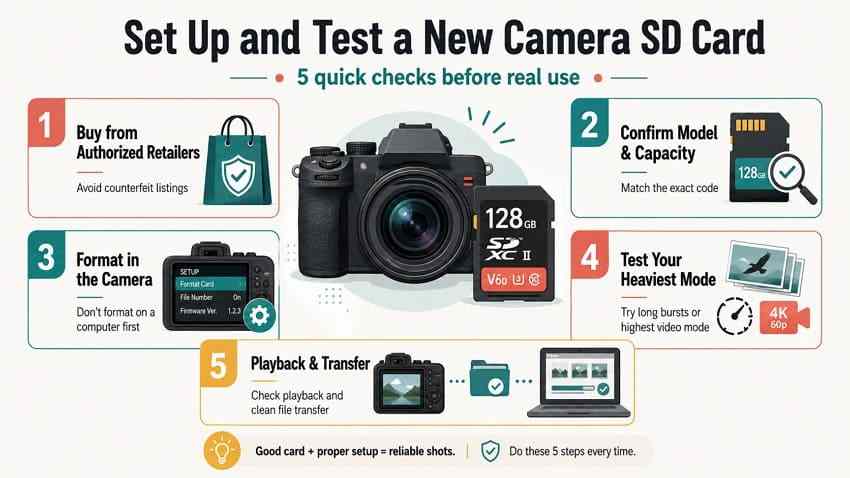
- Buy from an authorized retailer: Avoid marketplace sellers with prices far below normal listings.
- Confirm the exact model and capacity: Similar product names can span different generations, ratings, or speed claims.
- Format inside the camera: This prepares the card with the file system and folder structure your camera expects.
- Test your heaviest mode: Shoot the longest burst and highest video setting you actually use.
- Play back and transfer files: Confirm the camera can read the files and your computer can copy them without errors.
- Watch for slow-card warnings: If the camera reports a speed warning, do not use that card for important recording.
Part 9. Recover Lost Camera Photos and Videos
Even the best SD cards for cameras can fail, get formatted by mistake, or become unreadable after a battery loss or interrupted transfer. If photos or videos disappear, stop using the card before trying fixes. New photos, test shots, formatting, and repair prompts can overwrite recoverable data.
Protect the Card Before Attempting Recovery
Switch the camera off, remove the card, and keep it write-protected if the card has a lock switch. Do not format, initialize, repair, or shoot a test photo. If the card is physically cracked, bent, burned, wet, or not detected by any reader, software recovery may not be enough and a professional recovery lab is safer.
Recover Camera SD Card Files With Wondershare Recoverit
Recoverit Memory Card Recovery can help recover lost, deleted, formatted, or inaccessible camera files from a readable SD, SDHC, SDXC, microSD, CF, or CompactFlash card through a card reader. Use it before formatting a card that still contains important RAW photos, JPEGs, or camera videos. Recovery depends on detectability, card health, overwriting, file fragmentation, and encryption. It cannot repair a counterfeit card, fix physical damage, or guarantee recovery.
You can also visit the Wondershare Recoverit site for broader data recovery resources, but this article's recommended product page is the memory card recovery page above.
How to Scan a Camera SD Card to Recover Data
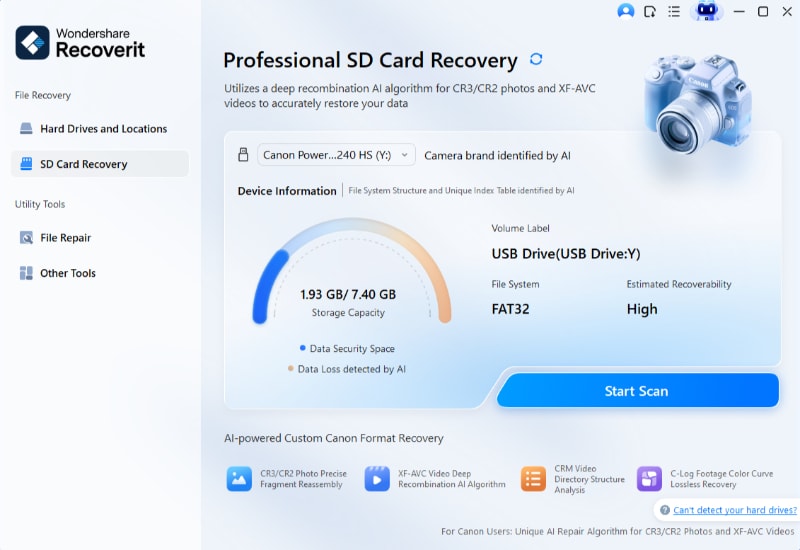
Step 1. Go to SD Card Recovery.
Connect the camera SD card through a card reader. Open Recoverit, choose SD Card Recovery, select the detected card, and start scanning.
Step 2. Scan and filter the results.
Let the scan continue. Filter by file type, such as photos, RAW files, or videos, and sort by date if you are looking for a specific shoot.
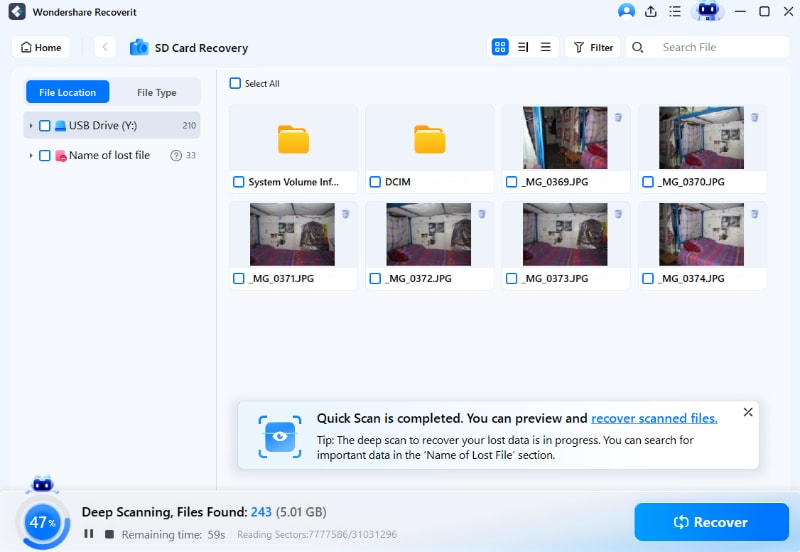
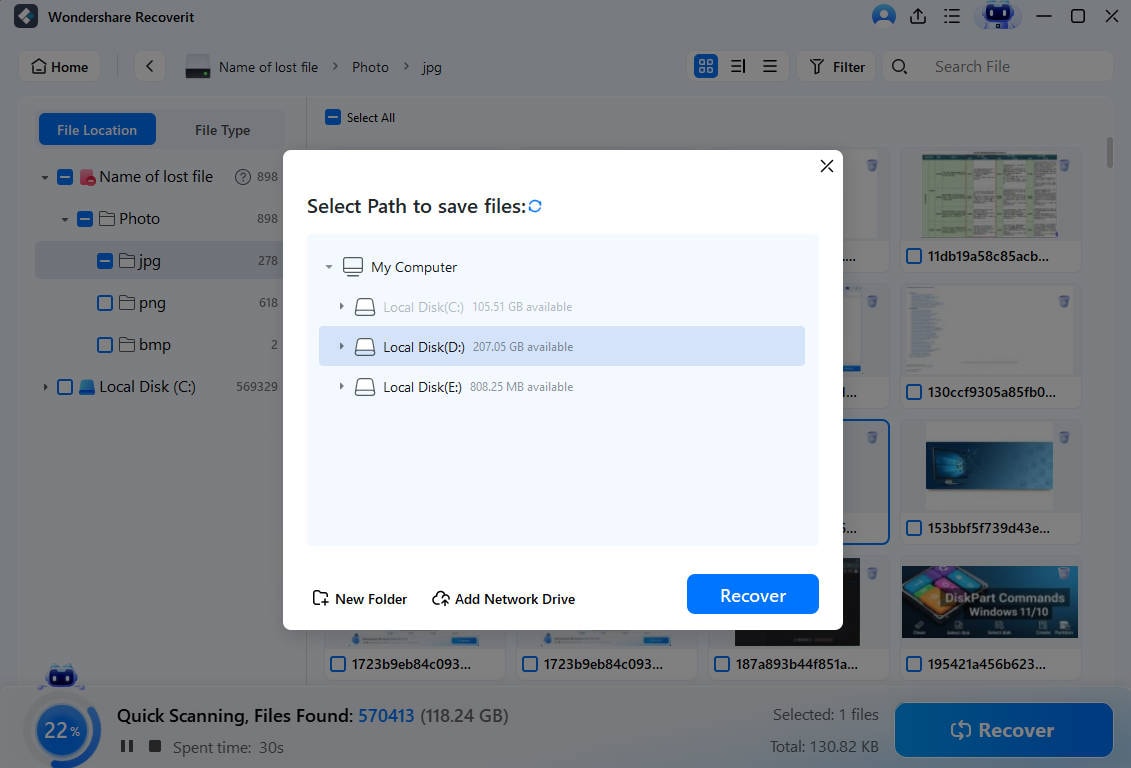
Step 3. Preview and save the files.
Preview recoverable photos and videos, select what you need, and save the recovered files to your computer or another external drive. Do not save recovered files back to the same SD card.
Try Wondershare Recoverit to Perform Data Recovery
Security Verified. Over 7,302,189 people have downloaded it.
Use Advanced Video Recovery for Damaged Camera Videos
Long camera videos may be split into segments, especially when recording on FAT32-formatted cards or when the camera stops unexpectedly. Recoverit's advanced video recovery workflow may help with fragmented or incomplete camera videos when the card is readable and the footage has not been overwritten. For business-critical footage, stop immediately and consider professional recovery before repeated repair attempts.
Conclusion
For most camera owners, the best SD card for photography is not a premium V90 card. A trusted UHS-I V30 card such as SanDisk Extreme PRO UHS-I or Lexar 1066x SILVER is enough for many photos and standard 4K modes. A UHS-II V60 card such as Kingston Canvas React Plus is the best value upgrade for serious hybrid shooters. V90 cards such as SanDisk Extreme PRO UHS-II, Lexar 2000x GOLD, ProGrade Iridium, and Angelbird AV PRO SD MK2 make sense only when your camera, bitrate, burst workflow, or offload routine can use them.
As storage prices rise, buy by camera compatibility, sustained write requirement, capacity per shoot, and backup strategy. If files disappear, protect the card first and recover data before formatting or replacing it.
FAQ
-
What is the best SD card for photography?
For most photographers, a reliable UHS-I V30 SDXC card is enough. Sports, wildlife, weddings, and heavy RAW burst shooters may benefit from UHS-II V60 or V90 because faster sustained write speed can clear the buffer sooner. -
Is the fastest SD card for camera use always the best choice?
No. A faster card only helps when your camera slot, recording mode, burst workflow, or card reader can use the extra speed. In a UHS-I camera, many UHS-II cards fall back to UHS-I behavior. -
Do I need a V90 card for 4K video?
Usually not. Many standard 4K modes work with U3 or V30. Higher-bitrate 4K, All-Intra, high-frame-rate, RAW, 6K, or 8K modes may require V60, V90, CFexpress, or another camera-approved media type. -
Can I use a microSD card in my camera with an adapter?
Yes, if the card and adapter are compatible with the camera. However, the adapter adds another physical connection, so full-size SD cards are safer for professional, paid, or unrepeatable work. -
Is SDHC or SDXC better for cameras?
SDXC is better for most modern cameras because it supports capacities above 32GB. SDHC is limited to 32GB and is mainly useful for older cameras that do not support SDXC. -
Can Recoverit recover photos from a formatted camera SD card?
Recoverit may help recover photos and videos from a readable formatted SD card if the data has not been overwritten. Stop using the card, scan it through a card reader, and save recovered files to a different drive.



