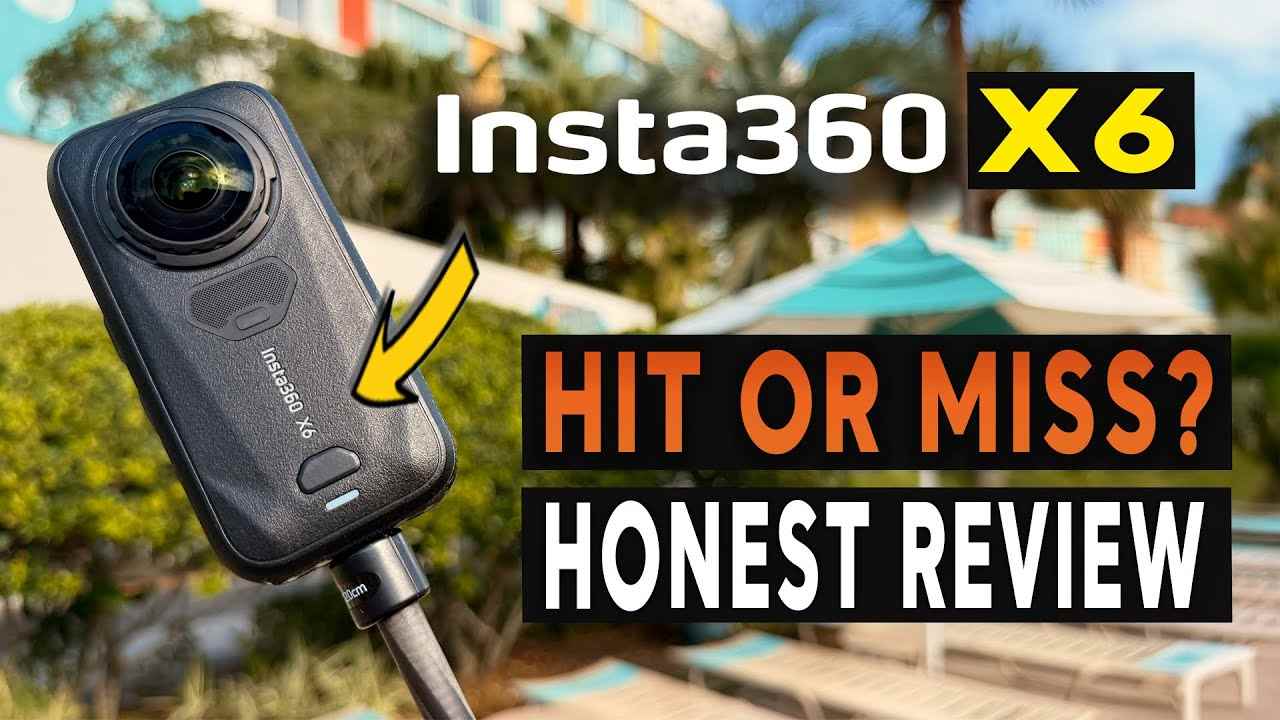
 TL;DR:
The Insta360 X6 is a worthwhile upgrade for action and travel creators who require the reframing flexibility of 8K50fps 360 video, provided they have the workflow capacity to manage massive media files.
● Compared to the X5 or standard action cameras, the X6 offers better low-light and grading flexibility by utilizing dual 1/1.1-inch square sensors, 120MP photos, 10-bit color, I-Log, and Dolby Vision.
● While the device features 47GB of usable built-in storage for emergencies, capturing continuous 8K50 footage at a 240Mbps bitrate strictly requires UHS-I V30 or higher microSD cards.
● Preserving the original INSV files is mandatory for 360 reframing; if footage is accidentally deleted or lost during a Wi-Fi 6 or USB 3.1 transfer, users must stop recording immediately to prevent overwriting and avoid formatting the card before verifying backups in Insta360 Studio.
Ask AI for a summary
 ChatGPT
 Perplexity
 Gemini
 Claude
 Grok
Grok
Insta360 X6 Quick Verdict
Is the Insta360 X6 worth buying in 2026? Yes, if you want a serious 360 camera for travel, action sports, motorcycling, skiing, virtual tours, and AI-assisted social video. The X6 is now officially live, and its strongest upgrades are 8K50fps 360 video, dual Sony custom sensors, Insta360's 1-Inch Imaging system, 10-bit color, I-Log, Dolby Vision, 120MP photos, better AI editing, 47GB usable built-in storage, and faster Wi-Fi 6 or USB 3.1 transfer.
- Overall editorial rating: 4.5/5 for creators who need reframable 8K 360 footage and can manage large files.
- Best for: travel vloggers, outdoor creators, riders, skiers, cyclists, underwater creators, real estate shooters, and editors who want one capture for many angles.
- Not ideal for: casual users who dislike editing, buyers who only need simple front-facing vlogs, or creators who do not want a high-capacity storage and backup workflow.
- Storage warning: 8K50 INSV files can be valuable and large. Stop recording immediately if clips are deleted, missing, unreadable, or lost during transfer.
The Insta360 X6 is no longer a rumor. As of the latest check on August 12, 2026, Insta360's official Insta360 X6 product page is live and positions the camera as a Flagship 8K 360 Camera. The official Insta360 X6 store page also redirects to a UK product page showing the Standard Bundle at £619, with add-to-cart available. Prices and stock can vary by region, so check the target market page before publishing a local buying recommendation.
This Insta360 X6 review is written for creators who want a practical answer, not only a spec list. We look at the X6's image quality, AI editing features, INSV and MP4 workflow, storage design, microSD requirements, transfer risk, and whether the upgrade makes sense compared with the X5 and rival 360-camera workflows.
For Recoverit readers, the X6 is especially important because it increases the value stored on one device. A single 8K 360 file may contain every angle from a ride, dive, ski run, wedding moment, or travel scene. If X6 footage is deleted, the microSD card is formatted, or a transfer fails before backup, stop using the storage device and scan the readable card, drive, or camera storage with camera recovery software before new footage overwrites the missing files.
Fact-check note: The X6 marketing page uses the phrase 1-Inch Imaging, while the official specs list Sensor Size: 1/1.1-inch Square Sensor. This review uses both carefully. It does not describe the X6 simply as a dual 1-inch sensor camera.
In this article
Part 1. Insta360 X6 Review: Verdict, Scorecard, and Buying Answer
The Insta360 X6 is worth buying if you already understand why 360 video exists: you want to shoot once, choose the best frame later, and export different cuts for YouTube, TikTok, Reels, Shorts, client previews, or immersive playback. Its strongest value is not one isolated number. It is the combination of higher-frame-rate 8K 360 capture, larger custom sensors, richer color options, more AI editing, built-in storage, and faster transfer.
That said, X6 is not a simple pocket camera for everyone. It produces heavy files, asks you to manage INSV originals, and rewards users who build a disciplined backup workflow. If you only want quick selfie clips, a normal action camera or phone may be easier. If you shoot moments that cannot be repeated, the X6's ability to record every angle is exactly why it is compelling.
Review Scorecard
| Review category | Rating | Editorial notes |
| 360 video quality | 4.7/5 | Official specs list 8K up to 50fps in 360 mode, plus 6K and 4K options for smoother motion or smaller files. |
| Still photos | 4.5/5 | 120MP 360 photos and 42MP flat photos make the X6 useful for travel, property, landscape, and immersive still work. |
| Low-light and color workflow | 4.4/5 | Dual Sony custom sensors, 10-bit color, I-Log, Dolby Vision, PureVideo, and AdaptiveTone 2.0 give creators more flexibility than casual 360 cameras. |
| AI and editing workflow | 4.4/5 | AI Director, Auto Edit 2.0, PanoMind, InstaFrame 2.0, and desktop Studio support reduce the editing burden that often keeps beginners away from 360 video. |
| Storage design | 4.1/5 | 47GB usable internal storage is helpful in emergencies, but 8K50 capture still needs fast, high-capacity microSD cards and verified backups. |
| Durability and action use | 4.5/5 | 20m waterproofing, replaceable lenses, magnetic mounting, and a 196g body make the X6 practical for outdoor and travel creators. |
| Value | 4.2/5 | The UK Standard Bundle was listed at £619 at the time checked. It is a premium 360 camera, not an entry-level action cam. |
Who Should Buy It First?
Buy the Insta360 X6 if your footage has high emotional, commercial, or travel value. The camera makes the most sense when you cannot reshoot the moment and want the freedom to reframe later. It is especially strong for:
- Travel creators who need vertical, horizontal, and wide exports from one capture.
- Action creators who shoot skiing, cycling, skating, surfing, diving, or motorcycling.
- Solo creators who want invisible selfie-stick shots without a second camera operator.
- Editors who want 10-bit, I-Log, Dolby Vision, and a cleaner source file for grading.
- Creators who already use Insta360 Studio or the Insta360 app and want a higher-end X-series body.
Skip or delay the X6 if you rarely reframe footage, do not want to manage large media files, or expect phone-only editing to handle every 8K workflow without compromise. A 360 camera gives you more creative freedom, but it also gives you more data to protect.
Part 2. Insta360 X6 Specs, Price, and Availability
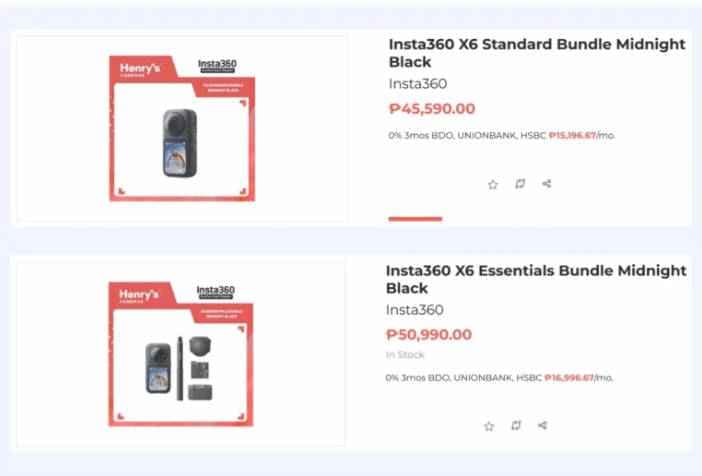
The official product page confirms that the X6 is a newly launched flagship 8K 360 camera. The table below focuses on the details that matter most for buying, shooting, editing, and data safety.
| Spec item | Insta360 X6 details | Why it matters |
| Product positioning | Flagship 8K 360 Camera | It is aimed at serious creators, not only casual 360 experiments. |
| Imaging positioning | 1-Inch Imaging | This is Insta360's marketing language for the imaging system. |
| Official sensor size | 1/1.1-inch Square Sensor | Use this wording for technical accuracy instead of saying dual 1-inch sensors. |
| Sensor and processor | Dual Sony custom sensors; Triple AI Chip System | Supports improved processing, stabilization, denoising, stitching, and color handling. |
| 360 video | 8K: 7680 x 3840 up to 50fps | Higher frame rate at 8K helps action clips and gives reframed exports more source detail. |
| Flat video | 5K60fps and 4K120fps options | Useful when you want standard action-camera footage without a full 360 edit. |
| Photos | 120MP 360 photos; 42MP flat photos | Useful for immersive travel stills, virtual tours, and high-resolution scene capture. |
| Color | Standard Rec.709, Dolby Vision, I-Log | Gives both quick social output and a more serious grading workflow. |
| Video and photo formats | 360 video: INSV; flat video: MP4; photos: INSP and DNG | Creators must protect original INSV files if they want full reframing flexibility. |
| Encoding and bitrate | H.265; maximum video bitrate 240Mbps | Large files need fast cards, reliable cables, and enough backup space. |
| Internal storage | 64GB built-in storage, about 47GB available | Helpful when you forget a card, but too limited for long 8K shoot days. |
| microSD support | microSD card, UHS-I V30 or higher | Slow or unstable cards can interrupt recording and increase footage-loss risk. |
| Transfer | Wi-Fi 6 up to 100MB/s; USB 3.1 up to 450MB/s | Fast transfer is useful, but files still need verification after copying. |
| Waterproofing | Up to 65ft/20m without a case | Strong for water sports and travel, though underwater shots still require careful handling and backup. |
| UK store price checked | Standard Bundle: £619 | Region-specific price from the UK store page at the time checked; local pages may differ. |
The UK store page also listed several bundles at the time checked, including Essentials, Travel, Motorcycle, Invisible Dive, Snowboard, Road Cycling, Creator, Get-Set, and POV bundles. That matters because the X6 is not only a camera body purchase. Many creators will need an invisible selfie stick, lens protection, extra battery, dive case, mounts, and high-quality microSD storage.
Part 3. Design, Handling, and Durability
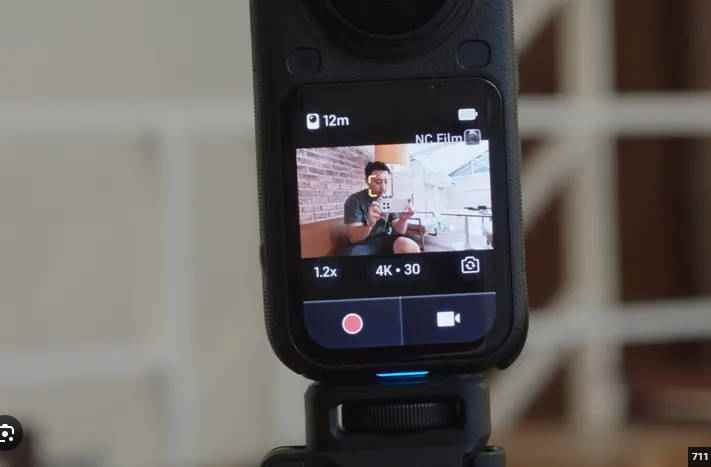
The X6 keeps the familiar vertical dual-lens 360-camera shape, but the details show that Insta360 is targeting heavy creator use. The official specs list a 196g body, a 2.32-inch OLED screen, magnetic mounting, a 1/4-inch threaded interface, replaceable lenses, and waterproofing up to 65ft/20m.
The OLED screen matters in real shooting because 360 creators often mount the camera away from their face. Before pressing record, you need quick confirmation of storage location, mode, battery, audio, and card status. If the screen is easier to read outdoors, the camera is less likely to be misconfigured before a once-only shot.
The replaceable lens design also matters more on a 360 camera than on a normal action camera. Dual fisheye lenses are exposed, and creators often use them around helmets, handlebars, ski poles, rocks, sand, water, and crowded travel environments. Replaceable lenses cannot protect you from every accident, but they make the camera more realistic for long-term use.
Waterproofing is another strong point. Insta360 lists IP68 waterproofing to 65ft/20m without a case, and the UK store lists an Invisible Dive Bundle for deeper 60m underwater shooting with a dedicated case. For divers and surf creators, this makes the X6 more flexible than many travel cameras. Still, water footage is often impossible to reshoot, so every underwater workflow should include a same-day backup after the camera is dry and readable.
Part 4. Image Quality: 8K50, 1-Inch Imaging, and 120MP Photos
The X6's headline feature is 8K50fps 360 video, but the deeper story is how resolution, sensor size, color, and processing work together. A 360 camera records the full scene around you. When you later export a normal 16:9 or 9:16 video, you are cropping into part of that full spherical capture. This is why high source resolution matters so much.
8K50fps 360 Video
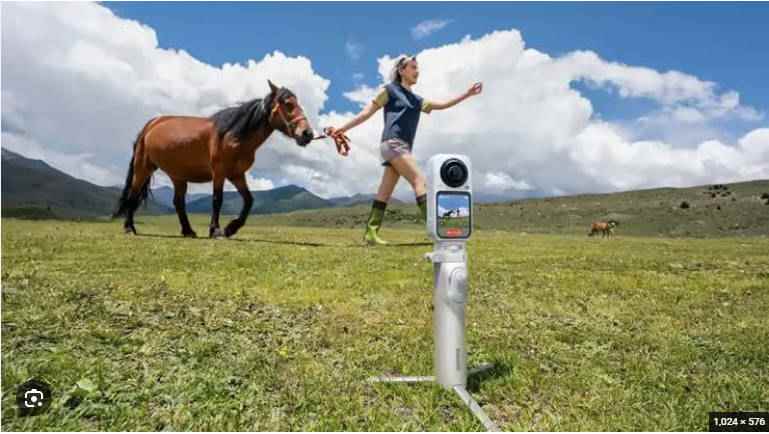
Insta360's official specs list 360 video up to 8K at 50/48/30/25/24fps. That 50fps ceiling is important for action and travel because 360 footage is frequently reframed after the shot. Faster motion, camera movement, and wide crops can expose softness quickly. Starting with a higher-frame-rate 8K master gives editors more room to build stable, sharp social clips.
The X6 also includes lower-resolution and specialty modes, including 6K and 4K 360 options, Bullet Time modes, Timelapse, PureVideo, and multiple flat-video formats. This gives creators a practical choice: use maximum quality when the scene matters, or drop to a lower setting when battery life, storage, or faster editing is more important.
| Recording need | Better X6 mode choice | Reason |
| Travel highlight that may be reframed later | 8K50 or 8K30 360 video | Keeps more detail for vertical, horizontal, and wide exports. |
| Low-light street scene | PureVideo mode | Prioritizes low-light processing and cleaner night footage. |
| Fast action with smaller files | 6K or 4K 360 mode | Can reduce file pressure while preserving the 360 shooting style. |
| Normal POV clip | 5K60 or 4K120 flat video | Works more like a traditional action camera with less reframing work. |
| Quick social output with backup | InstaFrame 2.0 | Creates a ready flat clip while keeping an 8K 360 backup for later editing. |
1-Inch Imaging and Sensor Reality
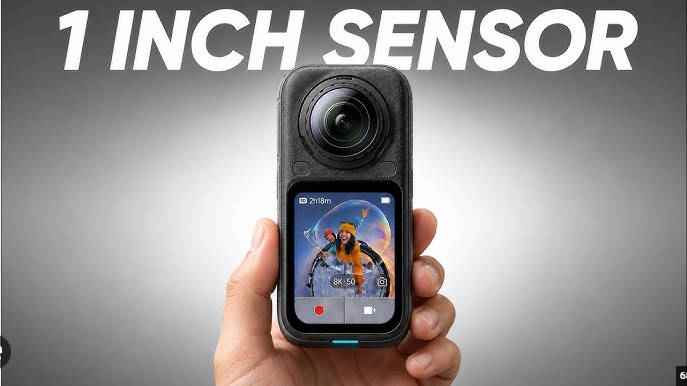
Insta360 markets the X6 around 1-Inch Imaging and says it uses dual Sony customized square sensors. The official specs list the sensor size as 1/1.1-inch Square Sensor. This is a small but important accuracy point for a review page. Users searching for "Insta360 X6 1-inch sensor" need to understand that the marketing phrase and the technical sensor listing are not identical.
In practical terms, the sensor upgrade is still meaningful. Larger sensor area can help with light gathering, dynamic range, noise, and detail retention, especially when a 360 camera has to expose an entire scene instead of a single front-facing frame. Insta360 also lists 14.5 stops max dynamic range and a larger 8K pixel size compared with X5 in its marketing material.
10-Bit, I-Log, Dolby Vision, and Low Light
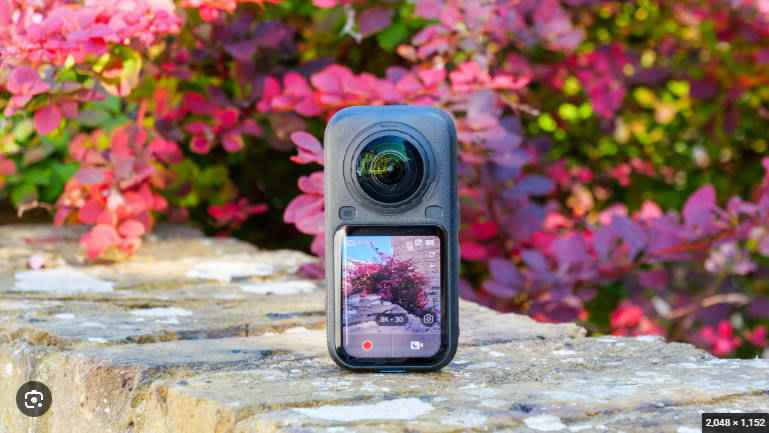
The X6 gives creators more color options than a basic action camera workflow. The official specs list Standard Rec.709, Dolby Vision, and I-Log color presets. For quick edits, Standard or Dolby Vision can reduce grading time. For more controlled edits, I-Log helps preserve detail for post-production.
This matters most in mixed lighting: bright snow, night streets, sunrise rides, underwater scenes, helmet shadows, and backlit travel shots. A 360 camera sees everything, so exposure and tone mapping are harder than in a normal single-lens shot. Features such as PureVideo, AdaptiveTone 2.0, 10-bit color, and I-Log help the X6 feel less like a novelty camera and more like a serious creator tool.
Part 5. AI Editing, InstaFrame 2.0, Audio, and Creator Workflow
The X6 is built around a real creator problem: 360 footage is powerful, but editing it can be slow. Insta360's official page lists a Triple AI Chip System with a Qualcomm 4nm flagship chip and two dedicated AI imaging chips. It also promotes AI Director, Auto Edit 2.0, FlashCut, PanoMind, InstaFrame 2.0, and Insta360 Studio.
That AI stack matters because many users buy 360 cameras for the "shoot first, frame later" freedom, then stop using them because every clip requires decisions. AI Director and Auto Edit can identify moments and build rough cuts. PanoMind is designed to understand 360 footage and select highlights. InstaFrame 2.0 reduces the barrier further by creating a flat social clip while keeping an 8K 360 backup.
InstaFrame 2.0 is one of the most practical features for creators who publish quickly. You can get a ready-to-share flat clip for immediate use, while still keeping the full 360 source for a later edit. That also creates an important data-safety lesson: the exported MP4 and the original INSV are not equal. If you lose the INSV master, you may still have a social clip, but you lose the ability to reframe the full scene at source quality.
Audio also gets attention. Insta360 lists 360 windproof microphones, hidden engine mic processing, intelligent audio modes, Dolby Atmos, and support for connecting two Mic Air or Mic Pro transmitters. For motorcycle and travel creators, this is useful because bad wind noise can ruin footage even when the image is strong.
Part 6. File Formats: INSV, MP4, INSP, and DNG Explained
Insta360 X6 users need to understand file formats before they panic over a missing clip or an unsupported file. According to the official specs, 360 video is stored as INSV, flat video is MP4, and photos use INSP or DNG. This format split affects editing, backup, and recovery.
| File type | Where X6 uses it | Why creators should care |
| INSV | 360 video source files | These are the originals that preserve reframing flexibility. Learn more in Recoverit's INSV file guide. |
| MP4 | Flat video and exported clips | Usually easier to play and share, but may not contain the full 360 source data. |
| INSP | Insta360 photo format | Often needs the Insta360 app or Studio workflow for export and viewing. |
| DNG | Raw still-photo workflow | Better for still-photo editing, but larger and more important to back up. |
INSV loss is especially painful because a creator may still see an app preview or exported MP4 and assume the project is safe. In reality, the source 360 file may be missing, moved, renamed, incomplete, or unreadable. Before deleting anything from the camera or card, verify that the full-resolution files open in Insta360 Studio on a computer.
If the X6 file exists but cannot open, do not immediately format the card or record new footage. First, identify whether the problem is format compatibility, missing companion files, failed import, interrupted transfer, or real corruption. For Insta360-specific recovery cases, Recoverit's Insta360 video recovery guide is a safer starting point. If recovered INSV videos still will not open, see the guide on how to repair INSV video files after recovery.
Part 7. Storage Review: 47GB Usable Internal Storage and microSD Risk
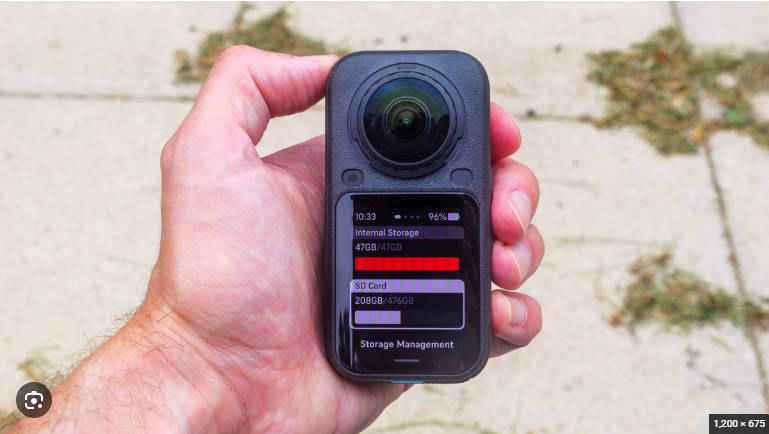
Storage is one of the most important parts of this Insta360 X6 review because the camera's strengths all create larger files. 8K50 360 video, 10-bit color, Dolby Vision, high-bitrate H.265, 120MP photos, and DNG stills all increase the value and size of the media you need to protect.
Built-In Storage Is Useful, But Not Enough
The official specs list 64GB built-in storage, with 47GB available. That is useful if you forget a microSD card, want to capture a short emergency clip, or need a backup recording location. It also makes the X6 feel more self-contained than a camera that refuses to record without a card.
However, 47GB should not be treated as the main storage plan for serious 8K shooting. At a maximum bitrate of 240Mbps, high-quality video can consume space quickly. Long travel days, multi-stop shoots, underwater sessions, ski runs, and motorcycle rides still need high-capacity microSD cards plus external backups.
microSD Card Requirements Matter
Insta360 lists microSD support as UHS-I V30 or higher. That requirement should be treated as a production rule, not a casual suggestion. A slow, fake, worn, fragmented, or nearly full card can lead to recording stops, failed imports, incomplete clips, unreadable files, and lost footage.
If a card starts showing errors, do not format it before backup or recovery. First copy any readable files to another drive. If files are missing, scan the card with Recoverit's SD card recovery guide or camera memory card recovery workflow. After important files are backed up, the official SD Memory Card Formatter is a useful source for preparing cards for reuse.
Transfer Speed Does Not Equal Backup Safety
The X6 supports Wi-Fi 6 wireless transfer up to 100MB/s and USB 3.1 wired transfer up to 450MB/s, according to Insta360. These are strong numbers for a 360 camera because large INSV files can slow down real-world creator workflows. But transfer speed is not the same as verified backup.
| Risk moment | What can go wrong | Safer workflow |
| Wireless app transfer | Wi-Fi drops, phone storage fills, or the app imports only a preview. | Verify full-resolution files before deleting originals. |
| USB-C cable copy | Cable disconnects, laptop sleeps, or the copy stops before all INSV files transfer. | Compare file count and file size after copy, then open samples in Insta360 Studio. |
| External SSD backup | The destination drive runs out of space or the folder structure changes. | Keep original folder names and make a second copy before formatting the card. |
| Editing directly from card | Cache files, exports, and source files become mixed, deleted, or overwritten. | Copy to a working drive first and keep the card unchanged until delivery. |
| Deleting after export | The MP4 export survives, but the INSV master is gone. | Archive source INSV files if you may need another framing later. |
The practical rule is simple: do not erase, format, or reuse the original storage until you have at least one verified copy of the source files. For paid shoots, travel footage, and one-time events, keep two copies in separate storage locations before clearing the card.
Part 8. What to Do If Insta360 X6 Footage Is Deleted, Missing, or Corrupted
If X6 footage disappears, your next action affects recovery chances. Deleted or formatted files may still exist on the storage device until new data overwrites them. A partially copied file may still be recoverable from the original card or built-in storage. A file that will not open may be a compatibility issue, a missing companion file, a damaged export, or a corrupted source file.
| Problem | Most likely cause | What to do first |
| INSV files disappeared after formatting | The microSD card or internal storage was formatted before backup. | Stop recording and scan the original storage with recovery software. |
| App preview exists, but full video is missing | The preview or cache remains, but the source file was not copied or was deleted. | Check the camera, card, phone album, and desktop import folder before saving new files. |
| MP4 export plays, but 360 reframing is gone | The flat export survived while the INSV master was lost. | Recover the original INSV files if reframing or full-quality editing is still needed. |
| Transfer failed halfway | USB disconnect, Wi-Fi drop, sleep mode, or insufficient destination space. | Keep the source card unchanged and repeat recovery or copy from the original device. |
| Recovered video will not open | Fragmented recovery, incomplete metadata, missing paired files, or real corruption. | Save the recovered file to another drive, test in Insta360 Studio, then use a repair workflow if needed. |
| Camera or card is not detected at all | Reader issue, cable problem, severe file-system damage, or physical failure. | Try another reader or cable. If the storage is physically failing or not detected, avoid repeated attempts and consider a lab. |
Recoverit is relevant when the original storage is still readable by the computer or can be scanned through a supported connection. It can help recover deleted, formatted, or lost local files from readable camera cards, drives, and storage devices. Recovery still depends on overwrite status, file fragmentation, storage health, encryption, and whether the device can be detected.
Use the safer recovery sequence below:
- Stop recording with the X6 immediately.
- Do not format the card again, even if the camera asks you to.
- Remove the microSD card if the lost files were saved there.
- Connect the card or readable storage to a computer through a reliable reader or cable.
- Scan the original storage with Recoverit camera recovery software.
- Preview recoverable INSV, MP4, INSP, DNG, and related files where available.
- Recover files to a different drive, not the original card or camera storage.
- Open recovered videos in Insta360 Studio before deleting or reusing the source storage.
Try Wondershare Recoverit to Perform Data Recovery
 Security Verified. Over 7,302,189 people have downloaded it.
For broader scenarios, use Recoverit's Insta360 data recovery guide, video recovery software, or the guide to repair recovered video files after you have safely recovered the originals. Recoverit should not be presented as a hardware repair tool, an encryption bypass tool, or a guarantee that overwritten files can be restored.
Part 9. Insta360 X6 vs X5, DJI Osmo 360, and Normal Action Cameras
Most X6 buyers are deciding between three directions: upgrade from an older Insta360 X-series camera, choose a rival 360 camera such as DJI Osmo 360, or avoid 360 entirely and buy a normal action camera. The right answer depends on how much you value reframing freedom compared with file simplicity.
| Choice | Why choose it | Why skip it |
| Insta360 X6 | Best if you want Insta360's newest X-series 8K50 workflow, AI editing, 10-bit/I-Log/Dolby Vision, 120MP photos, and improved built-in storage. | Premium pricing, large files, and a more demanding media-management workflow. |
| Insta360 X5 | Still strong if you find a discount and do not need 8K50, Dolby Vision, 120MP photos, or the latest AI features. | Lower 8K frame-rate ceiling, smaller sensor generation, and fewer new workflow features. |
| DJI Osmo 360 | Strong option if you are already in the DJI ecosystem and value DJI accessories, DJI Mimo, and DJI Studio workflow. | Different file workflow and ecosystem; not the same as Insta360's app, AI, and X-series accessory path. |
| Normal action camera | Better if you want smaller files, direct POV framing, faster editing, and simpler MP4 workflow. | You must aim correctly during shooting and lose the freedom to reframe the full scene later. |
| Phone or compact camera | Best for everyday clips, photos, and quick social publishing without 360 editing. | Not built for immersive capture, invisible selfie-stick shots, or rugged mounted action scenes. |
Upgrade from X5 to X6 if you shoot professional or high-value travel/action footage and care about 8K50, 10-bit color, Dolby Vision, PanoMind, InstaFrame 2.0, 47GB usable internal storage, or the newer dual Sony custom sensor pipeline. Keep the X5 if it already solves your workflow and you prefer waiting for long-term X6 durability and heat reports from real-world users.
Choose X6 over a normal action camera only if reframing is the point. If you are never going to use 360 capture, the extra storage load is not worth it. But if you regularly publish different formats from the same shot, X6 can replace multiple camera angles with one recorded scene.
Part 10. Insta360 X6 Pros, Cons, and Final Verdict
The Insta360 X6 is one of the most compelling 360 cameras of 2026 because it improves the parts that matter for real creators: sensor pipeline, 8K frame rate, color, AI editing, flat-video flexibility, waterproofing, and transfer speed. It is not a casual toy camera. It is a high-output media tool, and that means storage planning is part of the purchase.
| Pros | Cons |
| Official 8K50fps 360 video gives creators more source detail for reframing. | Large 8K INSV files require careful card, transfer, and backup habits. |
| Dual Sony custom sensors and 1-Inch Imaging positioning improve the high-end creator pitch. | The official sensor size is 1/1.1-inch square, so buyers should not confuse the marketing phrase with full 1-inch sensors. |
| 10-bit color, I-Log, and Dolby Vision give both quick and advanced color workflows. | Advanced color modes are only useful if the creator knows how to edit or grade them. |
| 120MP 360 photos and 42MP flat photos are strong for travel and immersive stills. | High-resolution photos and raw files add to storage pressure. |
| InstaFrame 2.0, PanoMind, AI Director, and Auto Edit 2.0 reduce the editing burden. | AI edits can speed up selection, but serious creators may still need manual reframing. |
| 47GB usable built-in storage helps when a card is missing or full. | 47GB is not enough for a full 8K production day. |
| UHS-I V30 microSD support, Wi-Fi 6, and USB 3.1 make the workflow practical. | Fast transfer can still fail, and deletion after export can remove the INSV master. |
| 20m waterproofing, replaceable lenses, and magnetic mounting fit action and travel use. | Lens scratches, water damage, and physical storage failure still require prevention and sometimes lab service. |
Final verdict: The Insta360 X6 is worth buying if you create footage where missing the angle is worse than managing bigger files. Its 8K50 360 video, Sony custom sensors, 10-bit/I-Log/Dolby Vision workflow, 120MP photos, 47GB usable built-in storage, microSD support, and AI editing tools make it a strong choice for serious travel and action creators.
The main caution is not image quality. It is data management. X6 owners should treat original INSV files like camera negatives. Back them up, verify them, and do not format the card until the source files open on another device. If footage is deleted, formatted, missing, or lost during transfer, Recoverit can help scan readable storage for recoverable files, but no software can restore overwritten footage or solve a device-level hardware fault.
FAQ
-
Is the Insta360 X6 officially launched?
Yes. As of the August 12, 2026 check, the official Insta360 X6 product page and store page are live, so this article should be treated as a review, not a rumor or teaser article. -
How much does the Insta360 X6 cost?
The UK store page showed the Insta360 X6 Standard Bundle at £619 with add-to-cart available at the time checked. Regional pricing, taxes, bundles, and stock may differ, so verify the target market store page before publishing local pricing. -
Does the Insta360 X6 have 1-inch sensors?
Insta360 markets the X6 with 1-Inch Imaging and dual Sony custom sensors. The official specs list the sensor size as 1/1.1-inch Square Sensor, so the more accurate technical wording is dual Sony custom 1/1.1-inch square sensors. -
What video formats does the Insta360 X6 use?
The official specs list INSV for 360 video and MP4 for flat video. Photo formats include INSP and DNG. Keep the original INSV files if you want to reframe footage later. -
How much built-in storage does the Insta360 X6 have?
The X6 has 64GB built-in storage, with about 47GB available. That is useful for short shoots or emergencies, but serious 8K recording still needs a fast, high-capacity microSD card and external backup. -
What microSD card does the Insta360 X6 need?
Insta360 lists microSD support as UHS-I V30 or higher. For long 8K shoots, use a reputable high-capacity card, avoid filling it completely, and back up files before formatting. -
Can Recoverit recover deleted Insta360 X6 videos?
Recoverit may help recover deleted, formatted, or lost X6 files from readable storage if the data has not been overwritten. Stop recording immediately and recover files to a different drive, not the original card or camera storage. -
What should I do if recovered INSV files will not open?
First test the files in Insta360 Studio and keep the original folder structure where possible. If the recovered files still will not open, save copies to another drive and use a video repair workflow after recovery.



