

 TL;DR:
eMMC (Embedded MultiMediaCard) is a cost-effective, non-removable flash storage chip permanently attached to the motherboard, delivering adequate performance for basic computing tasks in budget laptops and smartphones but lacking the speed required for heavy video editing or high-end gaming.
● Built with an integrated controller and power-efficient MLC or TLC NAND flash, eMMC relies on wear leveling to manage limited write cycles and requires users to keep at least twenty percent of the storage space free to prevent performance degradation.
● To successfully recover deleted files from eMMC storage, users must immediately power off the device to avoid overwriting marked free space, connect the drive to a separate computer via a USB adapter, and use a deep-scanning tool like Recoverit to extract data to a different storage drive.
Ask AI for a summary
 ChatGPT
 Perplexity
 Gemini
 Claude
 Grok
Grok
Digital devices require reliable storage to operate properly. Phones, tablets, and small laptops must store system files, installed programs, and personal information in a secure space. When people compare storage options, they often search what is EMMC to understand how it differs from other types. The name may sound technical at first, but the idea is easy to understand.
In this guide, you will gain a clear explanation of what is EMMC storage and why it is used in many affordable devices. You will also learn how does EMMC works in everyday electronics.
We will discuss the benefits of EMMC, explain what is EMMC NAND flash memory is, and provide steps on how to recover lost data from EMMC flash memory. If files are lost, you will also learn safe ways to recover EMMC flash memory.
Table of Contents
Part 1: What is EMMC?
To begin, let us answer a common question: what is EMMC. EMMC stands for Embedded MultiMediaCard. It is a type of built-in flash storage used mainly in entry-level and mid-range devices. Unlike removable memory cards, this chip is permanently attached to the motherboard. It cannot be removed without special tools.
When someone asks what is EMMC, the simple explanation is that it combines flash memory and a storage controller into a single compact unit. This design reduces space and cost. It also simplifies device manufacturing. Because it is embedded, it becomes a fixed part of the system’s internal structure.
EMMC is commonly found in budget laptops, Chromebooks, smartphones, tablets, smart TVs, and even small computing boards. It is designed for light computing needs. While it does not match the speed of advanced SSD storage, it performs well for daily browsing, streaming, document editing, and basic multitasking.
Part 2: What is EMMC Storage?
Many people also want to understand what EMMC storage is in practical terms. EMMC storage refers to the internal memory space provided by the EMMC chip. It stores the operating system, software applications, downloaded files, photos, videos, and user documents. Everything saved on the device is written to this storage area.
When comparing what is EMMC storage with SSD or traditional hard drives, there are clear differences. EMMC usually offers lower speed than SSD, but it has faster access times than old mechanical hard drives used in compact devices. It is made for efficiency rather than heavy performance.
Devices with EMMC storage are often designed for students, office tasks, and home use. They boot reasonably fast and run light programs without difficulty. However, heavy video editing, high-end gaming, and large professional software may feel slower due to storage limitations.
In simple terms, EMMC storage is reliable internal flash memory meant for everyday computing tasks, not high-performance workloads.
Part 3: How Does EMMC Work?
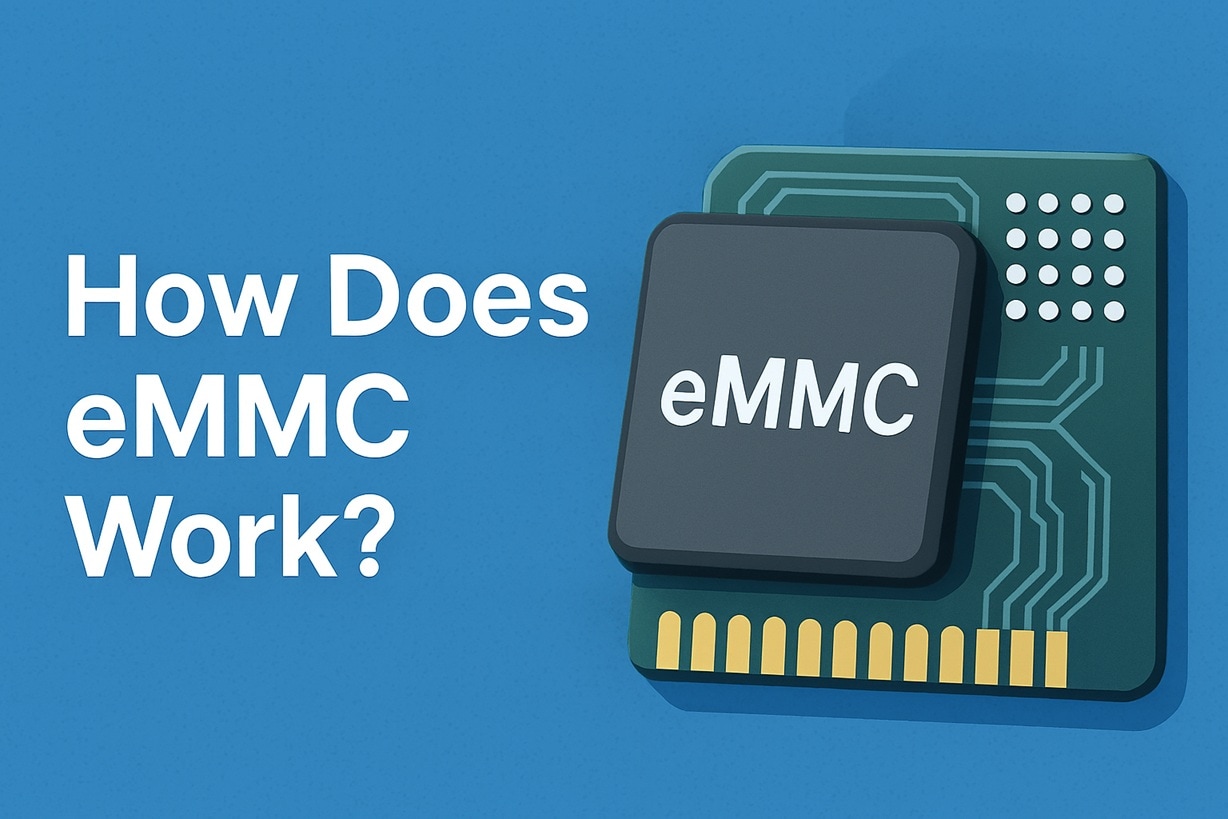
To understand performance, it helps to know how does EMMC works inside a device. EMMC operates using flash memory cells to store digital information. It includes an integrated controller. This controller manages reading, writing, and error correction processes.
If you wonder how does EMMC works when opening a file, the process is organized and structured. When a file is requested, the controller locates the stored data blocks. It retrieves the data and sends it to the processor. When saving new data, the controller writes information to available memory blocks and updates internal maps.
The built-in controller handles tasks such as wear leveling. Wear leveling distributes data evenly across memory cells. This prevents certain areas from wearing out too quickly. It also manages bad block detection and correction, which improves stability.
Although EMMC uses parallel data transfer in older versions, it still maintains acceptable speed for lightweight tasks. It was developed for compact electronics where space and power efficiency are important.
Part 4: Key Benefits of EMMC Technology

EMMC is widely adopted in affordable consumer devices. Its design makes it practical for many manufacturers. Below are the major benefits of EMMC explained in detail.
EMMC offers a balance between cost, efficiency, and reliability. It may not compete with advanced NVMe drives, but it serves its intended market well. Let us examine the benefits of EMMC clearly.
Compact design: The chip is very small. It fits easily in slim phones and laptops. This supports lightweight device construction.
Low power consumption: It uses less energy compared to mechanical drives. This helps improve battery life in portable devices.
Affordable production: Manufacturing costs are lower. This allows companies to produce budget-friendly devices.
Integrated controller: Since the controller is included, the motherboard design is simpler. This reduces complexity and failure risk.
Durability: There are no moving parts. This improves resistance to shock and vibration.
Reliable daily performance: It handles web browsing, video streaming, and office software without major delay.
Silent operation: Without spinning disks, it produces no noise.
Consistent functionality: For entry-level users, it offers predictable and stable performance over time.
These advantages highlight the practical benefits of EMMC in everyday electronics.
Part 5: What is EMMC NAND Flash Memory?
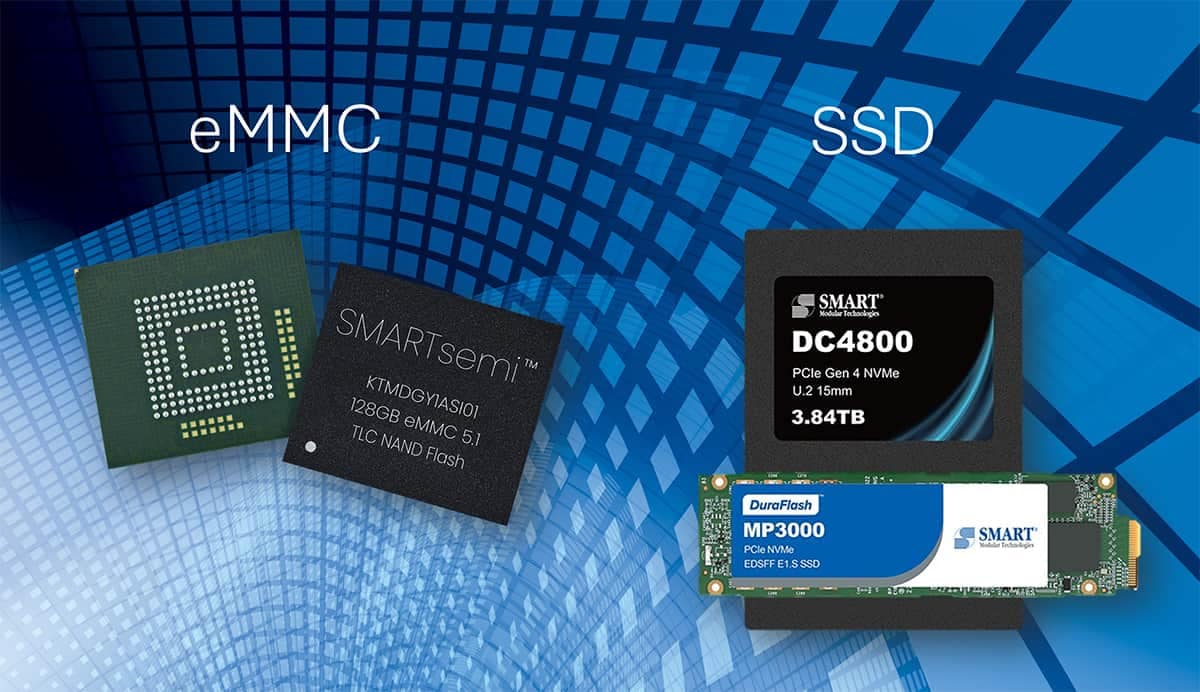
To gain a deeper understanding, we must explain what is EMMC NAND flash memory. NAND flash memory is the core storage technology inside the EMMC chip. It stores data in memory cells made from floating gate transistors. These cells retain information even when power is removed.
When asking what EMMC NAND flash memory is, it helps to know that NAND memory allows large amounts of data to be stored in a small space. It is non-volatile memory, meaning it keeps data without a continuous power supply. This makes it ideal for portable electronics.
There are different types of NAND flash, such as SLC, MLC, TLC, and QLC. Each type varies in speed and durability. EMMC often uses MLC or TLC NAND. These types balance cost and capacity. This design supports general consumer usage rather than enterprise-level storage demands.
Part 6: How to Recover Lost Data from EMMC Flash Memory
Data loss can occur due to accidental deletion, system crashes, corrupted updates, malware, or physical damage. Many users search how to recover lost data from EMMC flash memory after losing important files. Immediate action increases recovery success.
If you need to recover EMMC flash memory, do not panic. Avoid writing new data to the device. Acting carefully preserves the remaining recoverable sectors. Below are three safe approaches.
Method 1: Use Professional Recovery Software Like Recoverit
Recoverit is one of the most reliable tools for file recovery from internal storage. It is designed to scan deeply and locate deleted, hidden, or formatted files. Unlike standard file browsing tools, Recoverit checks storage sectors directly to find data that is no longer visible in the system.
When files are deleted from EMMC storage, they are not removed immediately. The system only marks the space as free. Recoverit scans those marked areas and identifies recoverable fragments. It then rebuilds files based on their original structure. This improves the success rate, especially when the device has not been heavily used after deletion.
If you are searching for how to recover lost data from EMMC flash memory with a trusted solution, Recoverit provides a structured process. It supports deep scanning, file preview before saving, and recovery to a separate drive. Acting quickly and using the deep scan option can significantly improve recovery results.

Step 1: Download and install Recoverit on a separate computer. If the EMMC device appears as external storage, connect it via a USB adapter. Launch the program. Select the correct storage partition. Enable deep scan mode and begin scanning.

Step 2: Allow the scan to complete fully. Do not interrupt the process.

Step 3: Preview the recovered files shown in categories such as documents, images, or videos. Select required items and save them to a different drive, not the original EMMC storage.

Method 2: Check for Cloud or System Backups
Many devices automatically sync data to cloud platforms. System restore points and backup services can recover earlier file versions. This method works well if synchronization was enabled before data loss.
When exploring how to recover lost data from EMMC flash memory through backups, proceed carefully.
Step 1: Log in to your cloud account, such as Google Drive or OneDrive, using a web browser. Navigate to the recycle bin or Trash section. Search for the missing files by date or name.
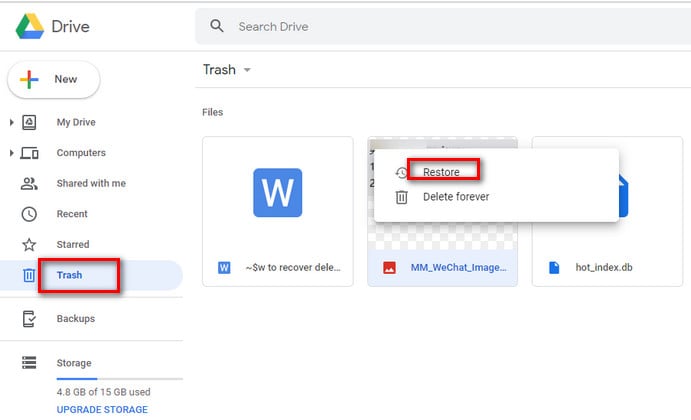
Step 2: Select the files and choose the restore option. Confirm synchronization settings on the device so that the restored files download correctly.
Method 3: Stop Using the Device Immediately
If deletion happened recently, stopping device use is critical. Continued usage may overwrite deleted sectors permanently. Preserving the current storage state increases recovery chances.
If you want to recover EMMC flash memory safely after an unexpected deletion, follow this approach first.
Step 1: Turn off the device immediately. Do not install apps, update software, or transfer files. Avoid performing a factory reset.
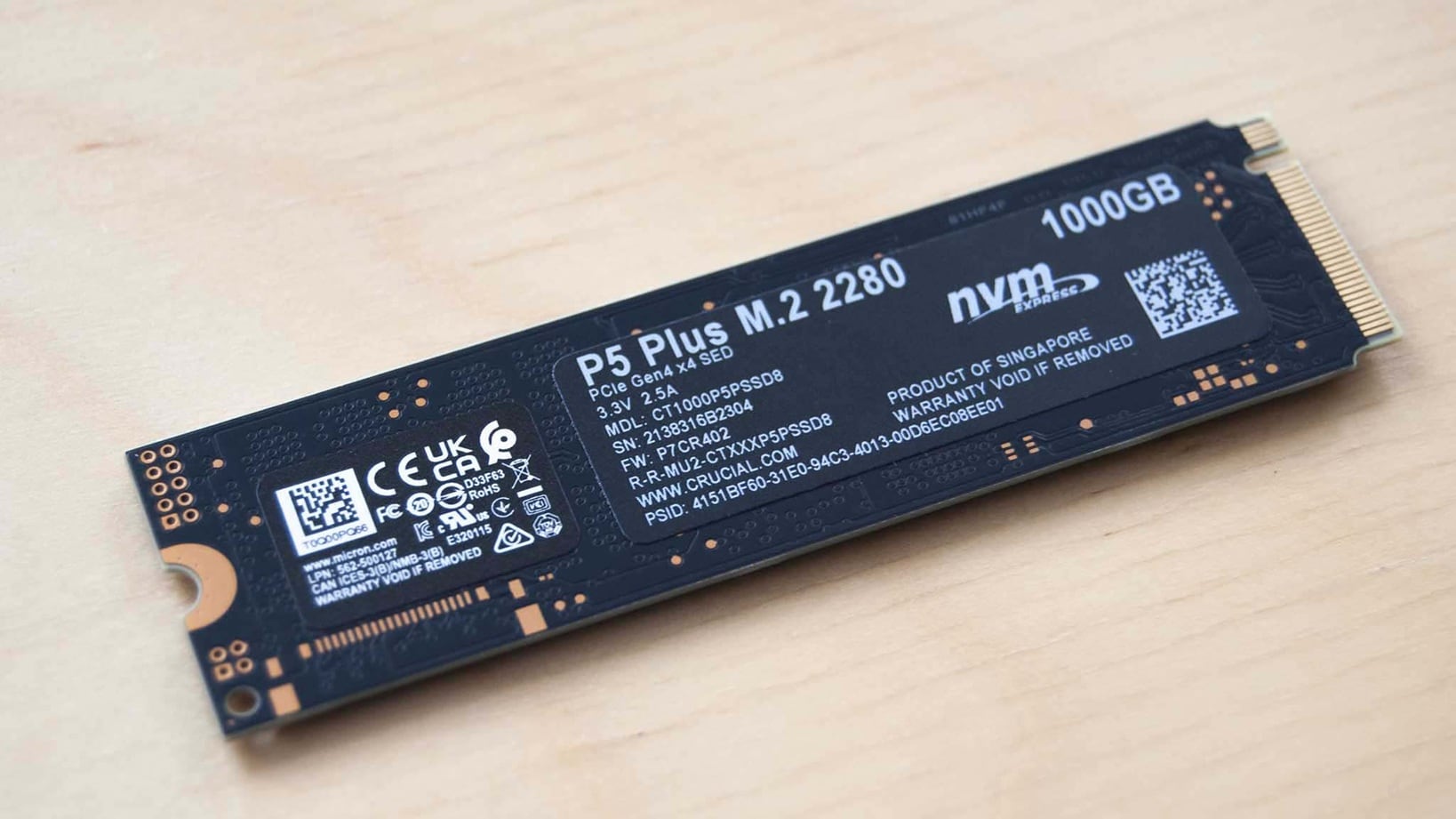
Step 2: Consult a professional data recovery specialist. They may remove the EMMC chip and access it using specialized hardware tools designed for chip-level recovery.
Part 7: Smart Tips for Managing EMMC Storage
Proper storage management prevents performance issues and data loss. EMMC works best when maintained carefully. Follow the practical guidelines below.
Good habits protect your device and extend its usable life. Consider these steps seriously.
Maintain free space: Keep at least twenty percent of your storage free at all times. When storage becomes full, the system struggles to manage new data. This can slow down performance and increase wear on memory cells.
Update the operating system: Install system updates when they are available. Updates often fix errors that may affect storage stability or file handling. They can also improve overall device performance.
Limit heavy software: Avoid installing very large applications if your storage space is limited. Heavy programs use more space and may slow down the system. Remove unused apps to keep the device running smoothly.
Use external backup: Save important files to cloud storage or an external drive on a regular schedule. Backups protect your data in case of device failure or accidental deletion.
Clear temporary files: Delete cached and temporary files from time to time. These files build up during normal use and take unnecessary space. Cleaning them helps maintain better storage performance.
Install security software: Use trusted antivirus or security software to protect your device. Malware can damage files or corrupt storage. Regular scans reduce this risk.
Shut down properly: Always power off the device through the proper shutdown option. Sudden power loss can damage files or interrupt writing processes.
Monitor storage usage: Check storage settings periodically to see how space is being used. Identifying large or unnecessary files early helps prevent performance problems later.
Following these tips also strengthens the long-term benefits of EMMC performance and reliability.
Conclusion
You now have a detailed understanding of what is EMMC and its function in modern electronics. It is a compact embedded storage solution designed for affordability and efficiency. It powers many budget-friendly devices worldwide.
This guide also explained what is EMMC storage, how does EMMC works, and what is EMMC NAND flash memory. In case of data problems, you learned how to recover lost data from EMMC flash memory and ways to recover EMMC flash memory responsibly. With careful management, EMMC-based devices can remain stable and dependable for years.
FAQs
-
Is EMMC suitable for gaming?
EMMC can handle light games and simple mobile-style titles without serious problems. Casual gaming usually runs fine. However, large games with heavy graphics may load slowly and may not perform as smoothly as they would on an SSD. -
Can EMMC fail over time?
Yes, EMMC can wear out because flash memory has a limited number of write cycles. Over time, repeated data writing reduces its lifespan. Still, under normal everyday use, most users will not reach that limit for many years. -
Is professional recovery always successful?
Professional recovery is not guaranteed in every case. Results depend on how much damage has occurred and whether the deleted data has been overwritten. If the storage cells are not physically damaged and data blocks remain intact, recovery chances are higher.


