
 TL;DR:
Hard drive recovery converters are external bridging tools that allow you to access functional internal SATA or IDE drives via USB, but they cannot repair physical hardware damage or restore deleted files without additional software.
● The top USB 3.0 adapters—Zilkee, Sabrent, StarTech, Unitek, and Vantec—all support dual SATA/IDE connections, with Sabrent and StarTech specifically recommended for IT professionals needing durable builds, large capacity support, or one-touch backup features.
● To successfully read a larger 3.5-inch desktop hard drive, you must use a converter model that includes a dedicated external power adapter to ensure the drive spins up properly.
● If a drive connects but files are missing due to formatting, accidental deletion, or partition loss, the hardware adapter is insufficient and must be paired with data recovery software like Recoverit to extract the logical data.
Ask AI for a summary
 ChatGPT
 Perplexity
 Gemini
 Claude
 Grok
Grok
Hard drives store important data. They keep family photos, office files, videos, and personal records. When a computer stops working, people fear data loss. In most cases, the data is still safe. The problem is access. A failed system blocks direct access to the drive. A damaged motherboard makes it worse. In such situations, the best hard drive recovery converters can help.
Many people search online and ask what is hard drive recovery converter. They want a clear answer. A converter does not repair bad sectors. It does not fix corrupted files. It works as a bridge. It connects an internal hard disk to a laptop or desktop using USB.
Try Recoverit to Recover Lost Data
 Security Verified. Over 7,302,189 people have downloaded it.
Table of Contents:
Part 1: What is Hard Drive Recovery Converter?
To understand what is hard drive recovery converter, you need to understand how internal drives work. Internal hard drives are installed inside computers. They connect to the motherboard using SATA or IDE cables. When the system fails, you cannot access the drive directly. A recovery converter solves this problem by allowing you to connect that internal drive externally using a USB cable.
The best 5 hard drive recovery converters are designed for simple data access. You do not need advanced technical skills. You just connect the adapter to the drive and plug it into a USB port. The system detects the drive like an external hard disk. This is why many users consider them among the best hard drive recovery converters available today. These recovery converters of hard drives are helpful for data transfer, system migration, and file backup.
Key Features
- Supports both SATA and IDE hard drives
- USB 3.0 for faster data transfer
- Plug and play functionality
- Compatible with Windows and macOS
- External power support for large 3.5-inch drives
- No need to open a desktop case
- Compact and portable design
Part 2: Best 5 Hard Drive Recovery Converters
There are many adapters available online. Some are cheap but unreliable. Others are expensive but durable. Choosing the right one can save time and protect your data. Below are the best 5 hard drive recovery converters trusted by users and technicians.
These best hard drive recovery converters offer a stable connection and good performance.
1. Zilkee SATA/IDE to USB 3.0 Adapter
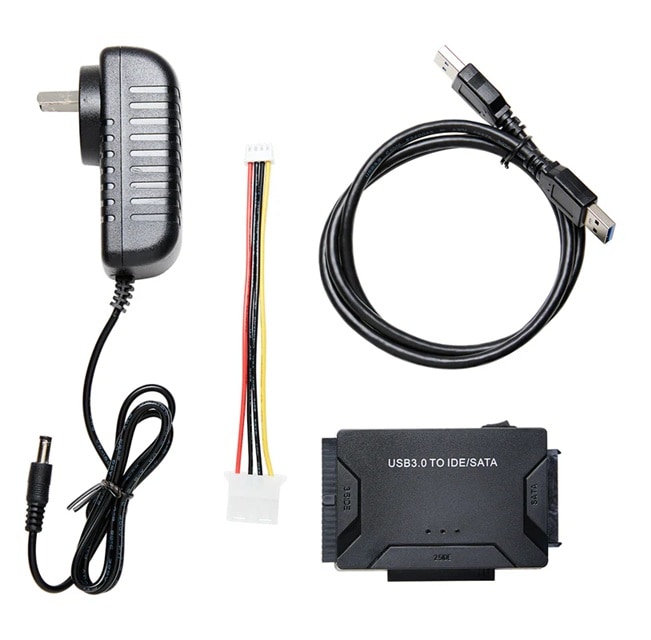
The Zilkee SATA/IDE to USB 3.0 Adapter is known for affordability and ease of use. It supports both SATA and IDE drives. This makes it suitable for old and modern hard disks. If you have an old computer drive stored at home, this adapter can help you access it quickly.
The build quality is decent for regular use. It supports USB 3.0, which allows faster transfer speeds compared to older USB versions. It includes an external power adapter for larger drives. Many users include it when discussing the best 5 hard drive recovery converters because of its simple setup and reliable connection.
Key Features:
- Works with 2.5-inch and 3.5-inch drives
- USB 3.0 interface
- Includes power supply
- Easy installation
- LED activity indicator
- Lightweight design
2. Sabrent USB 3.0 to SATA/IDE Adapter
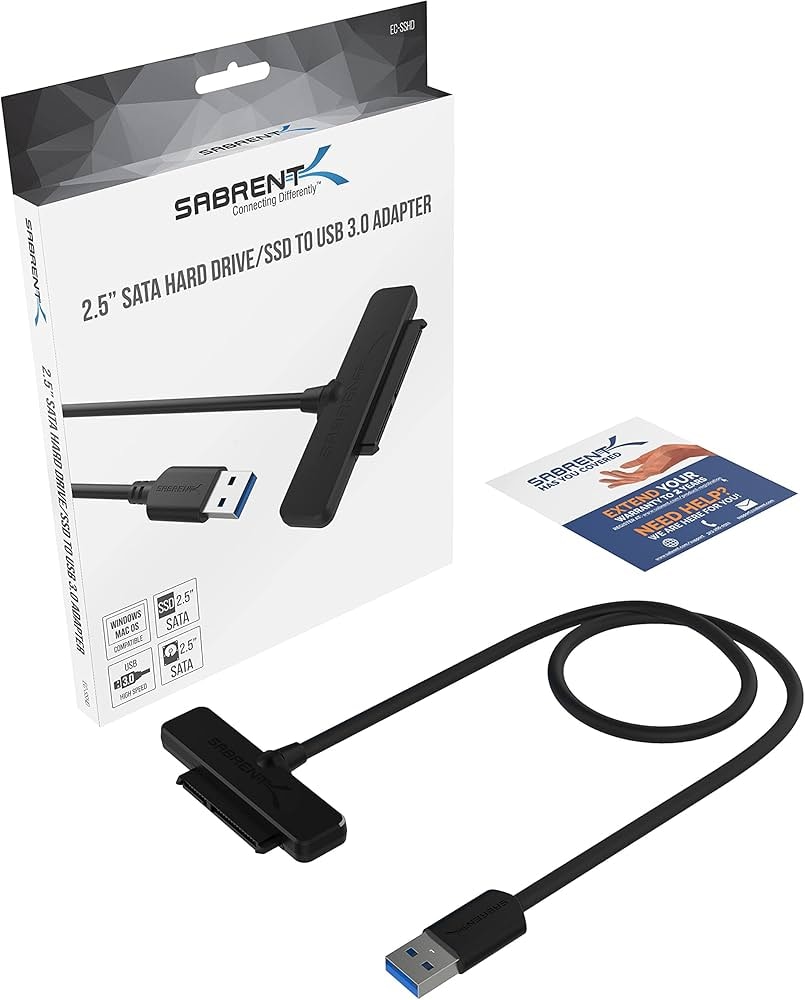
The Sabrent USB 3.0 to SATA/IDE Adapter is popular among professionals. It supports SATA and IDE drives. It allows connection without opening a computer case. This makes it practical for data technicians and repair shops.
This adapter offers stable performance and fast transfer speed. It includes an optional backup feature. It is often recommended as one of the best hard drive recovery converters for both beginners and experts. Because of its durability, it also earns a place among the best 5 hard drive recovery converters for regular use.
Key Features:
- SATA and IDE compatibility
- High-speed USB 3.0
- One-touch backup support
- Hot-swappable connection
- Strong build quality
- Compact storage design
3. StarTech USB 3.0 to SATA/IDE Converter
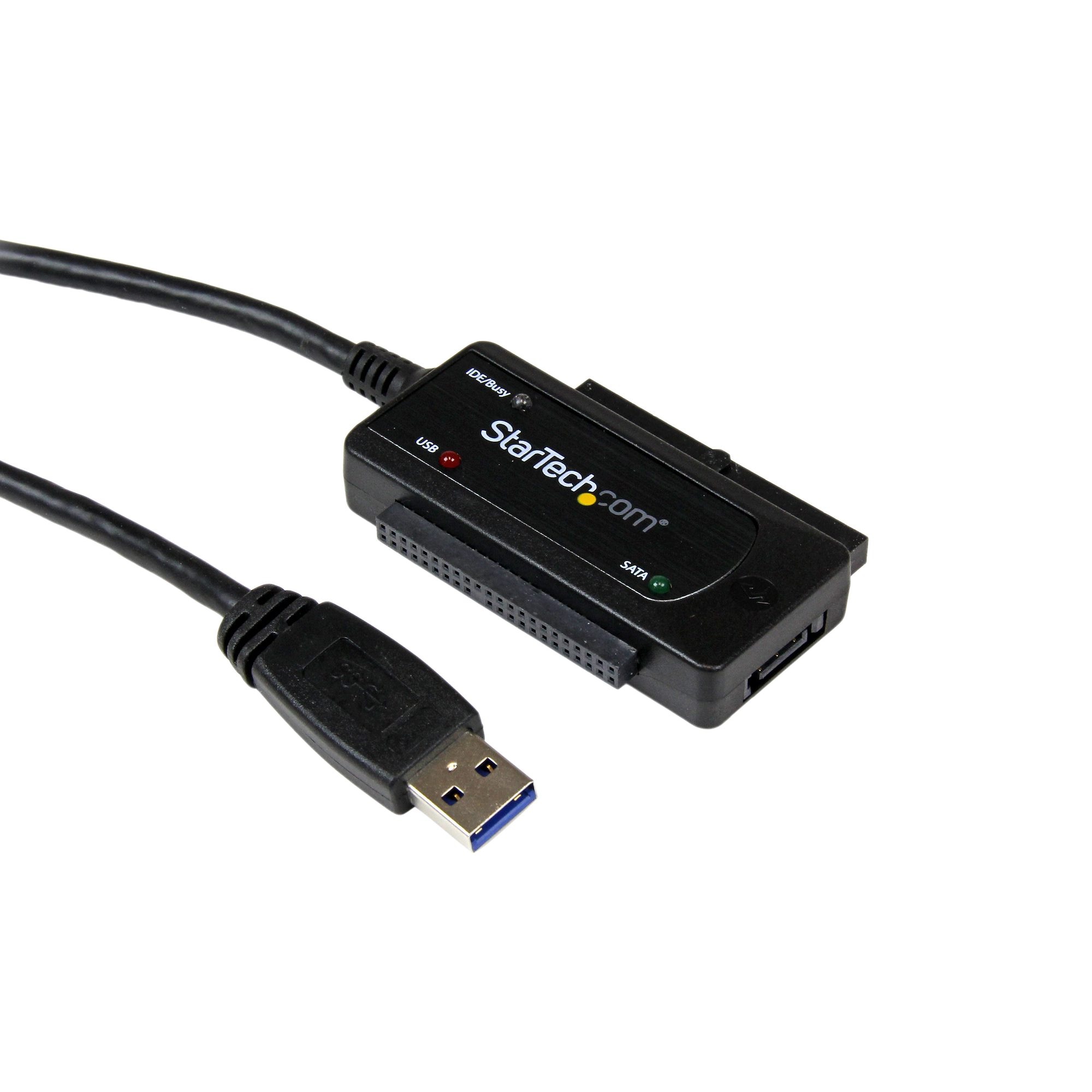
The StarTech USB 3.0 to SATA/IDE Converter is known for its professional-grade performance. It supports multiple drive types and sizes. Many IT specialists prefer this adapter because of its stable connection and long lifespan.
It provides consistent speed and supports large storage capacities. The design focuses on safe data transfer. If you handle sensitive files, this option is reliable. It is often mentioned in discussions about the best hard drive recovery converters for business use.
Key Features:
- Multi-drive support
- USB 3.0 fast transfer
- External power included
- Durable cable design
- Supports large capacity drives
- Reliable for office use
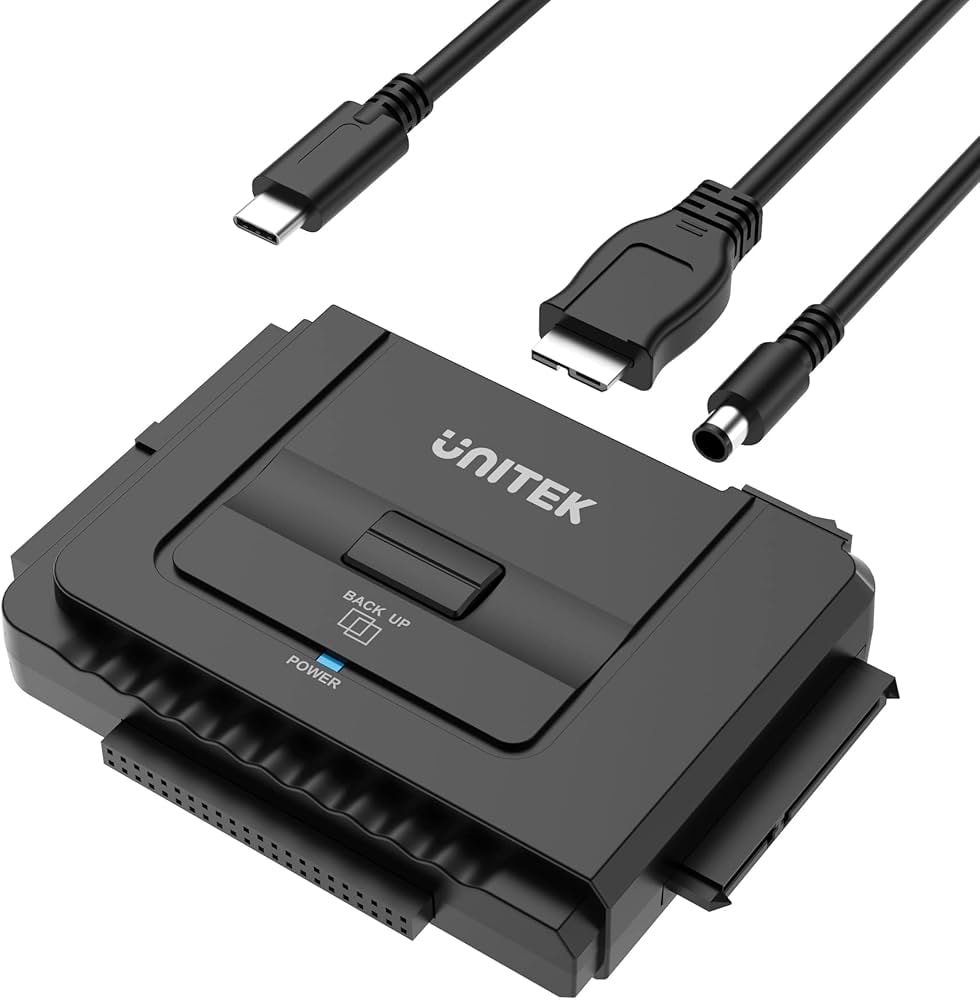
4. The Unitek USB 3.0 to SATA/IDE Converter
It supports old IDE drives and modern SATA drives. This flexibility makes it suitable for home users.
The adapter provides steady speed and secure data transfer. It is designed for simple plug-and-play operation. It works well for file recovery, data copying, and drive testing.
Key Features:
- Works with multiple drive formats
- USB 3.0 compatibility
- Portable and compact
- Stable performance
- Tool-free connection
- LED status light
5. Vantec SATA/IDE to USB 3.0 Adapter
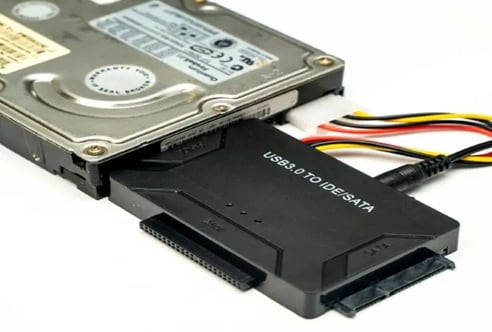
The Vantec SATA/IDE to USB 3.0 Adapter offers durable performance. It supports quick data access from both SATA and IDE hard drives. Many users choose it for data backup tasks.
This adapter is easy to install and supports larger hard drives. The included power supply ensures steady operation. It is suitable for technicians and advanced users.
Key Features:
- Dual drive support
- USB 3.0 speed
- External power adapter
- Solid build design
- Safe and stable connection
- Wide system compatibility
Part 3: How to Use Hard Drive Recovery Converters
Using a converter is simple. You do not need advanced knowledge. However, you should handle the drive carefully. Place it on a flat surface. Avoid static electricity. Make sure the drive is not physically damaged before connecting.
Before using one of the best 5 hard drive recovery converters, check if your drive uses SATA or IDE. Connect the correct cable to the drive. Then connect the USB end to your computer. Once detected, you can open the drive and copy your files.
Step 1: Connect the Hard Drive
Attach the SATA or IDE connector to the hard drive. Connect the power adapter if required. Plug the USB cable into your computer.
Step 2: Access and Transfer Files
Wait for the system to detect the drive. Open File Explorer. Copy your important files to a safe location.
Part 4: Pros and Cons of Hard Drive Converters
Understanding the pros and cons of hard drive converters helps you make the right decision. These tools are helpful but not perfect. They solve access issues, but cannot fix serious hardware failures.
Part 5: Reviews on Recovery Converters of Hard Drives
Users often share positive feedback about recovery converters of hard drives. Many home users say these tools saved their family photos and work documents. They appreciate the simple plug-and-play design. Technicians also like them for quick data checks.
However, some reviews mention limits. If the hard drive has physical damage, the adapter cannot help. In such cases, professional repair services may be needed.
Overall, many users recommend them as part of the best hard drive recovery converters category.
Part 6: Best Alternative to Hard Drive Recovery Converters: Recoverit
At times, a hardware adapter alone cannot solve the problem. If files were deleted by mistake or the drive was formatted, the data may not appear even after the connection. In such cases, you need proper recovery software. Recoverit is widely used for this purpose. It performs a deep scan of the drive and searches for traces of lost files. It then lists the data that can still be restored.
Recoverit is useful for many loss situations. It can recover data after accidental deletion, formatting, partition loss, or system crash. It works with internal drives, external hard disks, and even USB storage. Even if you use one of the best 5 hard drive recovery converters to access your disk, software may still be required to bring back hidden or missing files.
The program is made for easy use. Its layout is simple and clean. Clear options guide the user step by step. You do not need advanced knowledge to operate it. Beginners and home users can complete the recovery process without difficulty.
Why Use Recoverit
- Supports many file types
- Deep scan technology
- Preview before recovery
- Works with formatted drives
- High success rate
- Compatible with Windows and Mac
Steps to Recover Data
Step 1: Install and Launch Install Recoverit on your computer. Open the program and select the connected hard drive.

Step 2: Scan the Drive Start the scan process. Wait while the software searches for lost files.

Step 3: Preview and Recover Preview the files. Select the required data and click Recover. Save files to a safe location.

Part 7: Smart Guide to Choosing the Right Converter
Selecting from the best hard drive recovery converters requires careful thinking. Not all adapters are the same. Check the following points before buying.
- Drive Compatibility: Make sure the converter supports both SATA and IDE drives. Many older computers use IDE. Most modern drives use SATA. A device that supports both gives you more flexibility.
- USB Version: Choose a model with USB 3.0 or higher. It offers faster data transfer than USB 2.0. This helps when copying large files such as videos or backups.
- Power Adapter: Large 3.5-inch desktop drives need extra power. Ensure the converter includes an external power adapter. Without it, the drive may not start properly.
- Build Quality: Check the cable strength and connector finish. Strong cables reduce the risk of loose connections. Good materials also increase product life.
- Brand Reputation: Buy from a known and trusted brand. Established brands often provide better support and consistent performance.
- Ease of Use: Select a plug-and-play model. It should not require extra drivers in most cases. A simple setup saves time and effort.
- Data Safety: A stable connection helps prevent file transfer errors. Poor connections may interrupt copying and damage files.
- Warranty: Always check the warranty period before purchase. A longer warranty provides peace of mind and shows product reliability.
Conclusion
Hard drive problems are stressful. Losing access to data can feel overwhelming. The best 5 hard drive recovery converters provide a simple way to access internal drives. They are useful for file transfer and data backup.
Still, remember the pros and cons of hard drive converters before buying. If files are missing or deleted, using software like Recoverit can improve recovery chances.
FAQs:
-
1. Can a converter fix a broken hard drive?
No. It can only help access the drive. Physical damage requires professional repair. -
2. Are these adapters safe to use?
Yes. When handled properly, they safely connect drives for data transfer. -
3. Do I need software with a converter?
If files are deleted or corrupted, recovery software may be required.


