

 TL;DR:
SysTools Hard Drive Data Recovery Software is a beginner-friendly tool for retrieving deleted, lost, or formatted files from HDDs, SSDs, and external storage via quick or deep scans, but it may experience slow scanning speeds on large drives and yield weak results on severely damaged hardware.
● The software operates in three straightforward steps—selecting the target drive, running a scan, and previewing the recoverable items—though users should note that the free version contains strict usage limitations before requiring a paid plan.
● For users seeking alternatives, Recoverit is recommended for those needing stronger deep scan capabilities, EaseUS Data Recovery Wizard suits users wanting stress-free operation, Stellar Data Recovery fits standard office environments, and Tenorshare 4DDiG is best for broad file format compatibility.
Ask AI for a summary
 ChatGPT
 Perplexity
 Gemini
 Claude
 Grok
Grok
Many people lose data from their computer drives. This is stressful when the files are important for work or personal memories. Because of this, recovery tools have become helpful for both home and office users. There are many tools online. One of them is SysTools Hard Drive Recovery Software. Many people look for reviews of SysTools hard drive data recovery software to know if it can help. They want to know how well it works, how to use it, and if it is worth buying.
This article gives clear reviews of SysTools Hard Drive Data Recovery Software. The goal is to help you understand how the tool works.
Try Recoverit to Recover Lost Data
 Security Verified. Over 7,302,189 people have downloaded it.
Table of Contents
What is the SysTools Hard Drive Data Recovery Software

Before you begin, it is helpful to understand the main purpose of SysTools hard drive data recovery software. It is a program used to find files that have been deleted or lost from drives inside or outside a computer. The tool can find data from many types of storage. These include external drives, memory cards, classic HDD, and newer SSD. People often try the tool when they face issues related to format errors or damaged file systems. Many users search for reviews of SysTools hard Drive Data Recovery Software to check if the tool works with their situation.
Some users ask what is SysTools Hard Drive Recovery software when they begin to explore data restoration. The answer is that this program scans the entire drive. The goal is to discover missing items. Then the tool lists all files that can be brought back. The user selects what is needed and saves it in a safe location. This helps many users when they have urgent work. The software is simple so that even new users can try it without training.
You may be also interested in: Reviews of Yodot Hard Drive Recovery Tool
Key Features of SysTools Hard Drive Recovery Software
Many users ask what are the features of SysTools hard Drive Recovery software. This part explains the main functions. These are helpful for anyone dealing with data problems. The features help the user carry out each step in a careful manner.
Feature list
- Simple setup The program starts fast. The layout is clean. This helps new users understand actions without confusion. There are no heavy menu paths. Navigation is simple.
- Wide file support The tool works with many file formats. These include photos, audio, video, and documents. This means that the program is useful in daily office and home settings.
- Quick scan and deep scan A quick scan checks the drive fast. A deep scan takes more time. The deep mode helps discover files that may be hidden. If a file is old, deep mode may help.
- Partition recovery Sometimes a user loses an entire partition. This makes the data inside seem gone. The tool tries to scan and bring back the missing parts.
- Preview items The preview helps users check files before saving. This saves time. It helps with space. You only save what you want.
- Help with formatted drives Some people format drives by mistake. When this happens, all files vanish. The program tries to scan and list items that still exist.
- Help with corrupt drives Some drives stop working or get damaged. The tool tries to read what is still good. It lists what can be saved.
- External device support External storage is common today. You can work with many such devices. The tool supports USB storage and memory cards.
These features help explain what are the features of SysTools hard Drive Recovery software. This helps users decide if this tool suits their needs.
Pros and Cons of SysTools Recovery Software
Now we look at the pros and cons of SysTools Recovery software. Different people have different needs. Knowing the good and bad points helps users choose better.
These points help readers who search for reviews of SysTools hard Drive Data Recovery Software. The information shows both sides. This helps them decide with care.
How to Use SysTools Hard Drive Recovery Software
This part explains how to use the tool. Most users find it simple. The interface guides you. Anyone can run a scan. You do not need skills in tech work. The process is safe. Your files are not harmed. The steps are short.
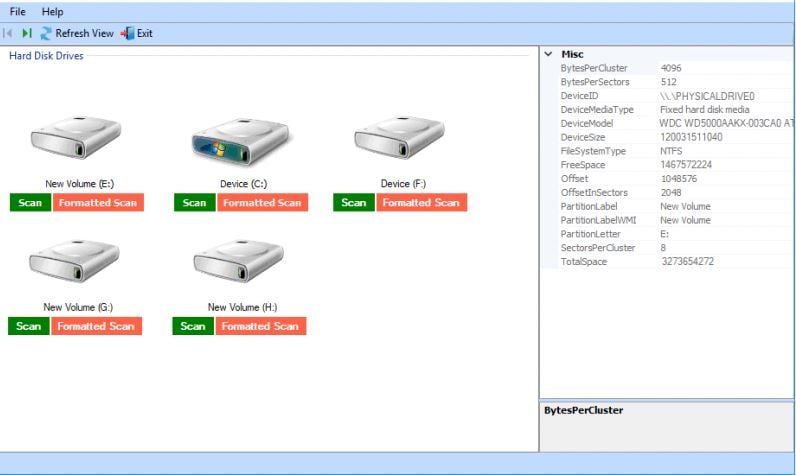
Many users ask what is SysTools Hard Drive Recovery software and how it works in real time. The process begins when you open the program. The main window shows all drives. The user selects a drive and starts. Then the tool searches for lost items.
Step 1
Open the SysTools hard drive recovery tool. Select the drive you need to scan.
Step 2
Pick quick scan or deep scan. Start the search.

Step 3
View the list. Select the items you want. Save them to a safe path.
This simple method helps new users. The steps are easy to repeat.
Top Alternatives to SysTools Hard Drive Recovery Software
Some users need options other than SysTools. Not every tool fits every case. In this part, we list strong options. Each option helps in restoring lost data. Some tools cost more. Others have a different design. This part also helps readers who seek the best alternative of SysTools hard Drive recovery software.
Users also search what is the price of the SysTools hard drive recovery software and compare this with other tools. This helps them make a clear choice. Below are the four main tools that compete with SysTools.
#1 Recoverit
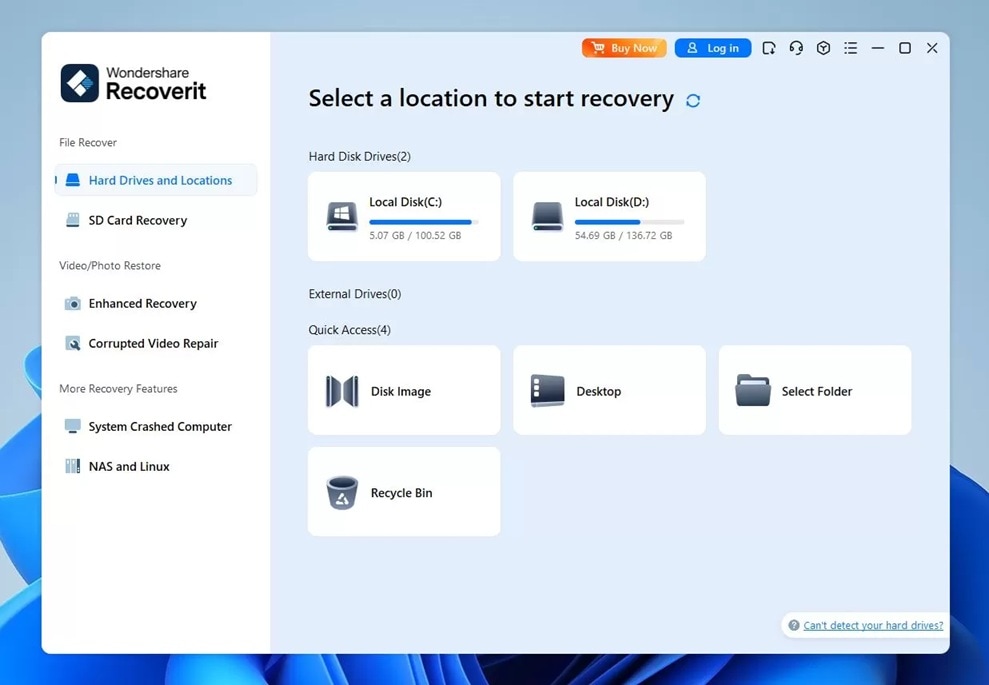
This tool is known by many. It offers strong scan ability. The tool helps with normal and complex loss cases. Users like the clear layout. Many file types are supported. The tool is helpful for home and office use.
Users often look for reviews of SysTools hard Drive Data Recovery Software. They read about Recoverit, too. They compare the results. This helps them find the best alternative to SysTools hard Drive recovery software.
Who should choose it: People who want easy use. Also people who want a strong deep scan.
#2 EaseUS Data Recovery Wizard
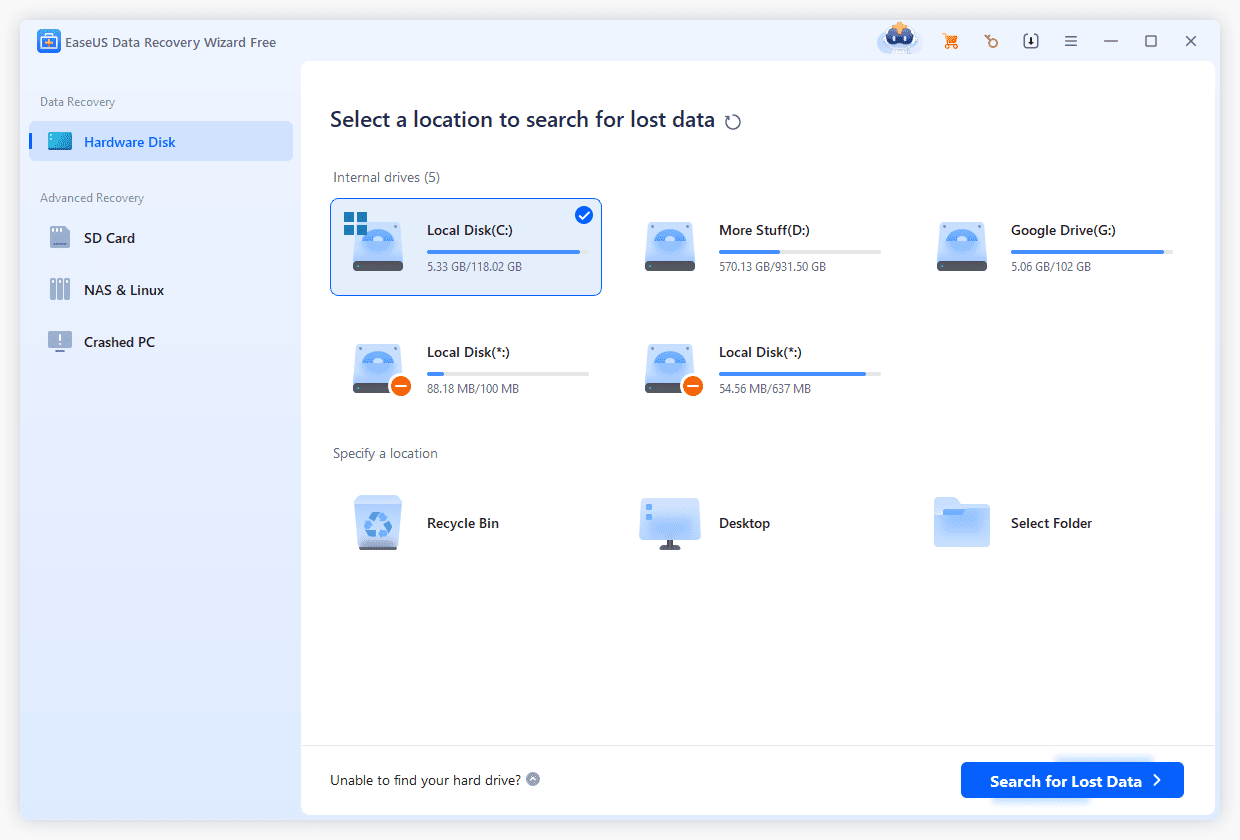
This tool is popular. It has a clear path for new users. It supports many device types. It helps in deep scans. It is used by many students and office workers.
Who should choose it: People who want strong recovery without stress.
#3 Stellar Data Recovery
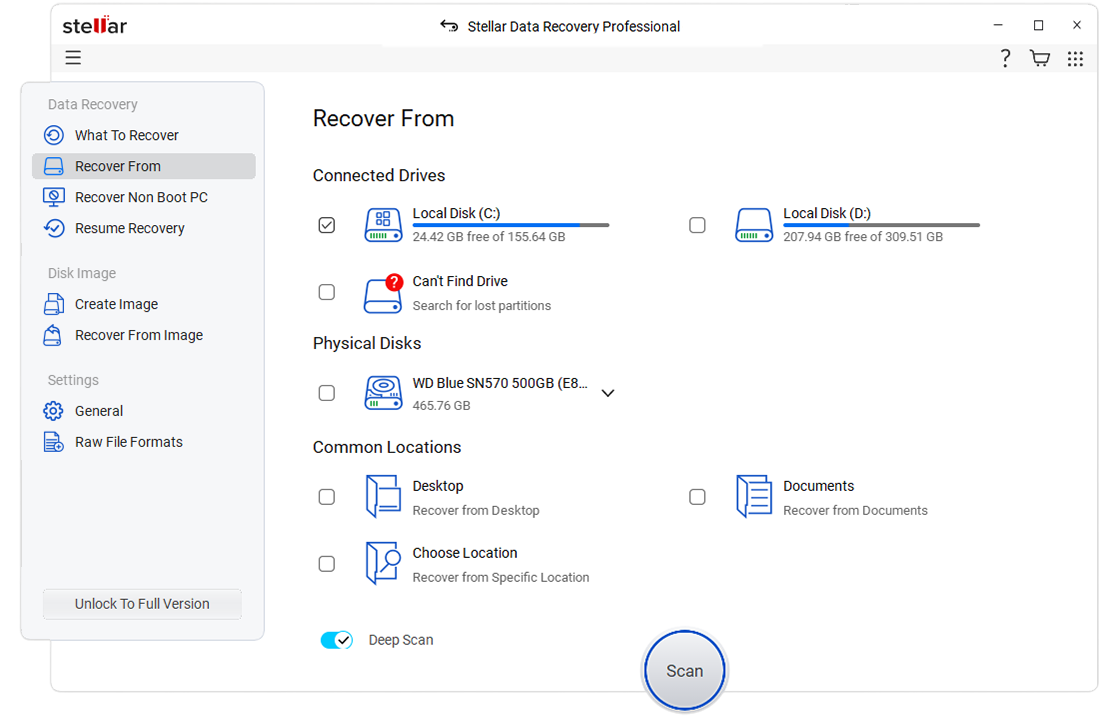
This tool is well-known. Many users trust it. It works with many cases. It helps with memory cards and classic hard drives.
Deep scan
Many devices
Simple use
Who should choose it: People who want a clear path. Also helpful in office use.
#4 Tenorshare 4DDiG
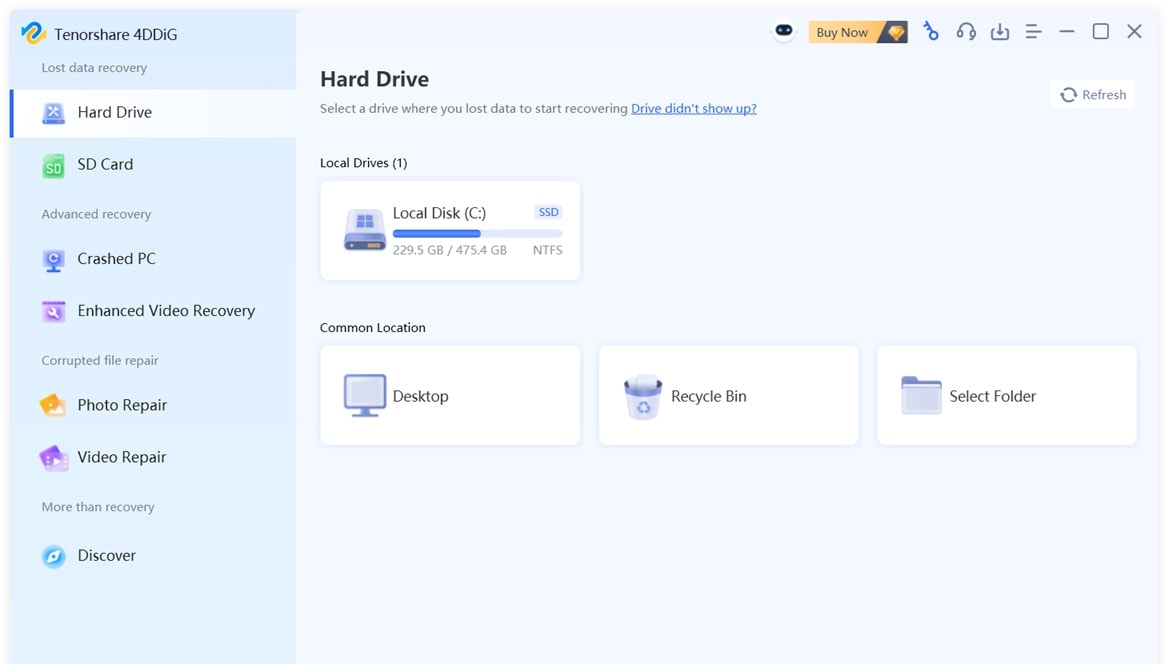
This tool can find deleted or formatted items. It works with many file types. It supports many devices. Users like the layout.
Who should choose it: People who want simple steps and wide support.
Use Recoverit to Recover Lost or Deleted Data
Many users feel that Recoverit is the best alternative of SysTools hard Drive recovery software. Some users compare both tools. They try small tests. Many feel that this tool finds more data. The tool works with many devices. It finds photos, documents, audio, and video. That is why many users trust it.
Some users ask what is the price of the SysTools hard drive recovery software. They compare it with Recoverit. This helps them choose based on cost and ease. The tool supports simple and deep scans. The preview helps users pick what they want to save. This saves time. Many users like the simple steps.
Recoverit has been used by many home users. It is also used in office settings. When a person searches what is SysTools Hard Drive Recovery software, they may also read about Recoverit. Both tools work with external and internal drives. Many online posts show that Recoverit works fast in many real cases.
Why choose it
- Simple layout that is easy to follow. New users can move through each step without confusion.
- Strong recovery results in many situations. It often finds photos, documents, and videos that seemed gone.
- Works with many storage types, including internal drives, external hard drives, USB devices, and memory cards.
- Preview helps check files before saving. This lets you confirm the file content so you only restore what you need.
- Safe to use. The program only scans the drive and does not change or damage existing data.
Steps:
Step 1: Install the Recoverit software and open it. The main screen will show your internal and external drives. Choose the one that holds the missing files.

Step 2: Select the drive and begin the scan. You may choose a quick scan or a deep scan. Wait while the program checks the drive and gathers the results.

Step 3: Review the recovered files shown on the screen. Pick the items you want to keep and save them to a safe folder on your computer or another device. This prevents further data loss.

How to Recover Deleted Pictures From Laptop?

Conclusion
When a person loses files, it can feel stressful. Many users read reviews of SysTools hard Drive Data Recovery Software to know what to expect. This article helps readers learn what is SysTools Hard Drive Recovery software. It also lists what are the features of SysTools hard Drive Recovery software. They also learn pros and cons of SysTools Recovery software.
Some users want another program. In such cases, they look for the best alternative of SysTools hard Drive recovery software. Recoverit is one strong option. EaseUS, Stellar, and Tenorshare are other good choices. These tools have strong scan modes. They help users save data from many situations.
Try Recoverit to Recover Lost Data
Security Verified. Over 7,302,189 people have downloaded it.
FAQs
-
1. What is the price of the SysTools hard drive recovery software
The cost depends on type and plan. Basic plans cost less. Business plans cost more. You may find seasonal offers. Some companies also provide trial plans. -
2. Can this tool fix a corrupt drive
The tool can scan. It tries to find files still inside. The results depend on drive damage. Some drives may give strong results. -
3. Is the program simple to use
Yes. The layout is clear. The user only follows three steps. The preview helps the user pick files to save.


