 TL;DR:
The safest and cheapest 128GB microSD card is a genuine name-brand model matched to your device's speed needs, such as the Kingston Canvas Select Plus or SanDisk Ultra for everyday U1 phone storage, and the Samsung EVO Plus, Transcend 300S, or Lexar 633x for U3/V30 4K video recording.
● Standard budget cards will fail prematurely in dash cams or security cameras, which strictly require specialized high-endurance microSD cards for continuous continuous video overwriting.
● Verify a newly purchased budget card is not a false-capacity counterfeit by running a full write-and-verify test using H2testw on Windows or F3 on macOS/Linux before saving important files.
● Calculate the price per usable gigabyte before checking out, as promotional discounts on 256GB cards frequently offer better long-term value than 128GB options during periods of rising storage prices.
Ask AI for a summary
 ChatGPT
 Perplexity
 Gemini
 Claude
 Grok
Grok
The cheapest 128GB microSD card worth buying is not the lowest anonymous listing. It is the lowest-priced genuine 128GB card from a known brand, sold by a trusted retailer, with the right speed rating for your device. For everyday phones, tablets, music players, and documents, U1/A1 is usually enough. For 4K cameras, drones, and action cameras, look for U3 or V30.
Storage prices are moving upward, so buyers now care about three things at once: the lowest safe price, whether a discounted 256GB card is a better deal, and whether the card matches the device. This guide compares safe budget 128GB microSD picks, price-per-usable-GB logic, fake-card checks, and recovery steps if a low-cost card asks to format or loses files.
Try Wondershare Recoverit to Perform Data Recovery
 Security Verified. Over 7,302,189 people have downloaded it.
In this article
Part 1. What Should a Cheap 128GB MicroSD Card Provide?
A cheap 128GB card still needs to be real, compatible, and fast enough for the job. If any of those three points fails, the cheapest 128GB SD card becomes expensive because it wastes time, corrupts recordings, or forces an early replacement.
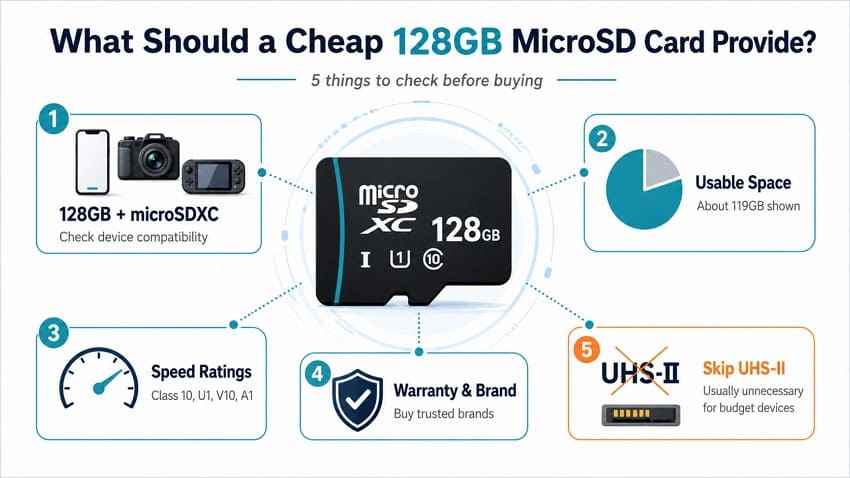
128GB Capacity and microSDXC Compatibility
128GB cards use the microSDXC standard. Many current phones, tablets, cameras, drones, game consoles, and music players support microSDXC, but older devices built only for microSD or microSDHC may reject a 128GB card. Check the maximum supported capacity before buying.
Usable Space vs Advertised Capacity
A real 128GB microSD card usually appears as about 119GB of usable space after formatting. That is normal because storage brands advertise decimal gigabytes while operating systems report capacity differently. A card that verifies close to 119GB is expected; a card that verifies far below that is unsafe.
Minimum Speed and Reliability Standards
The SD Association defines several speed classes. For basic storage, Class 10 or U1 is acceptable. For sustained 4K video, action cameras, drones, or long clips, U3 or V30 is the safer minimum. For Android app-style use, A1 or A2 matters more than peak read speed.
Warranty and Brand Support
At 128GB, the price gap between a trusted budget card and an unknown card is usually small. Choose a card from a brand with a clear model page, stated warranty, and regional support. Kingston lists lifetime support on Canvas Select Plus, Lexar lists 10 years for the High-Performance 633x line, and Transcend lists 5 years for the 300S line.
Why UHS-II Is Usually Unnecessary
UHS-II cards use an extra row of pins for higher transfer speeds, but most budget devices and many cameras use UHS-I slots. A UHS-II card may still work, but it will not deliver its full speed in a UHS-I host. If your goal is the cheapest safe 128GB microSD card, spend on the correct rating and a reputable seller before paying for UHS-II.
Part 2. Cheapest Reliable 128GB microSD Cards
The following picks are not ranked only by sticker price. They are budget cards that have recognizable brands, published specs, and realistic use cases. Prices change frequently, so use this list as a safe shortlist and compare current prices before checkout.
Card 1. Kingston Canvas Select Plus 128GB
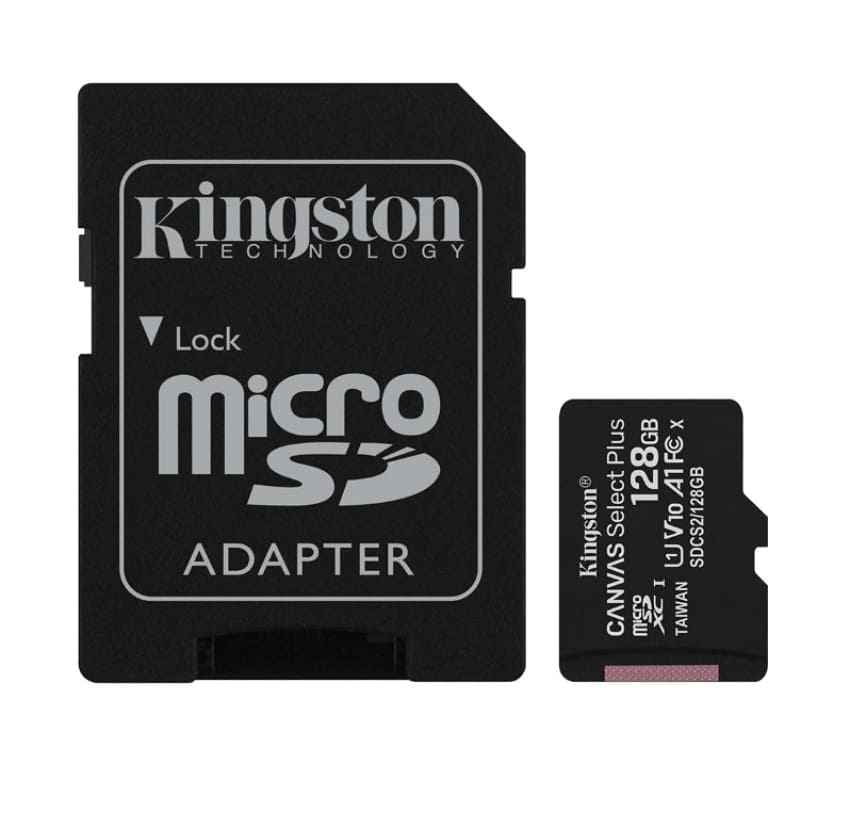
Kingston Canvas Select Plus 128GB is the strongest all-round budget pick for everyday storage. Kingston lists the 128GB SDCS3 version with Class 10, UHS-I, U1, V10, A1, exFAT format, up to 150MB/s read speed, and lifetime warranty support. It is best for phones, tablets, music players, documents, photos, and normal file storage.
Card 2. SanDisk Ultra 128GB
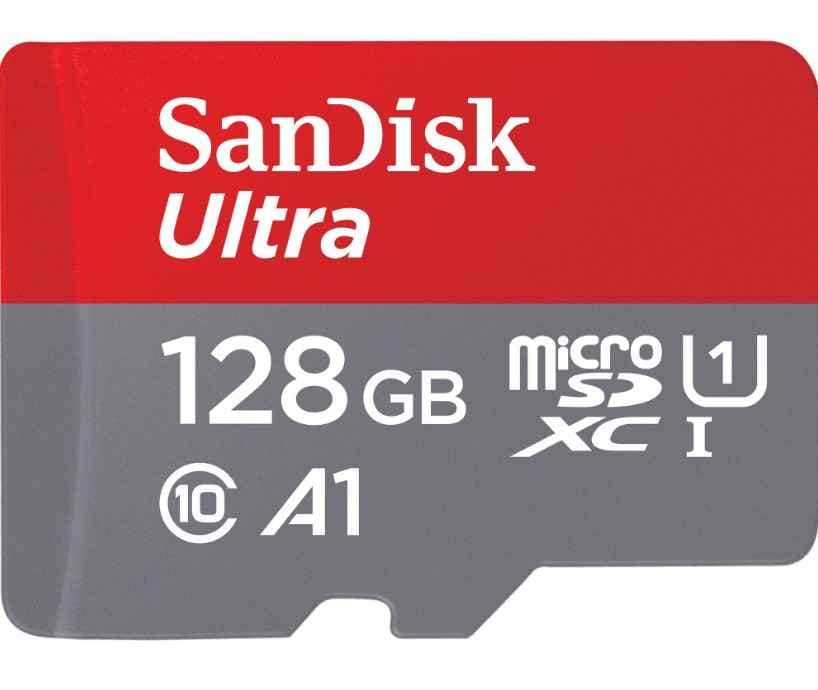
SanDisk Ultra 128GB is one of the most widely available cheap 128GB microSD cards. It is a good everyday option for Android phones, tablets, and portable media. Its limitation is video: the common 128GB Ultra model is not the best choice for sustained 4K recording because it does not carry V30 as its main selling point.
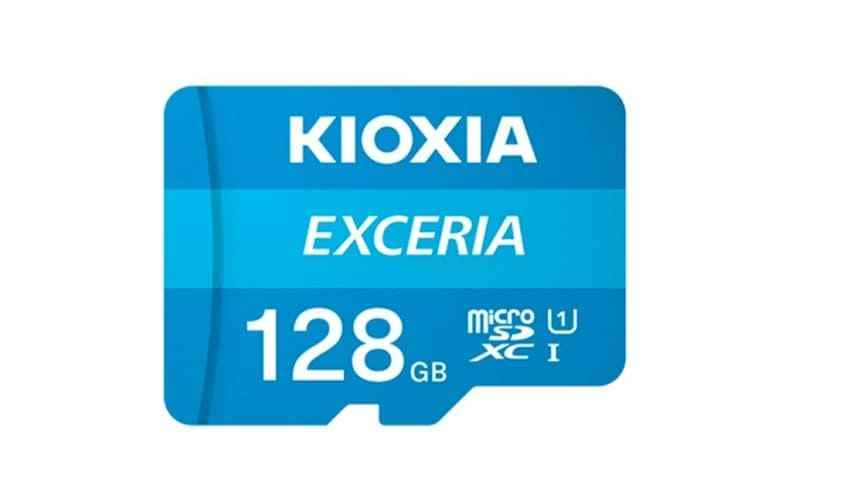
Card 3. KIOXIA EXCERIA 128GB
KIOXIA EXCERIA 128GB is a simple low-cost card for photos, music, documents, and general storage. It is built around KIOXIA's memory branding and offers Class 10/U1 positioning. It is less suitable if you need A1/A2 app performance or guaranteed V30 sustained video writing.
Card 4. Transcend 300S 128GB
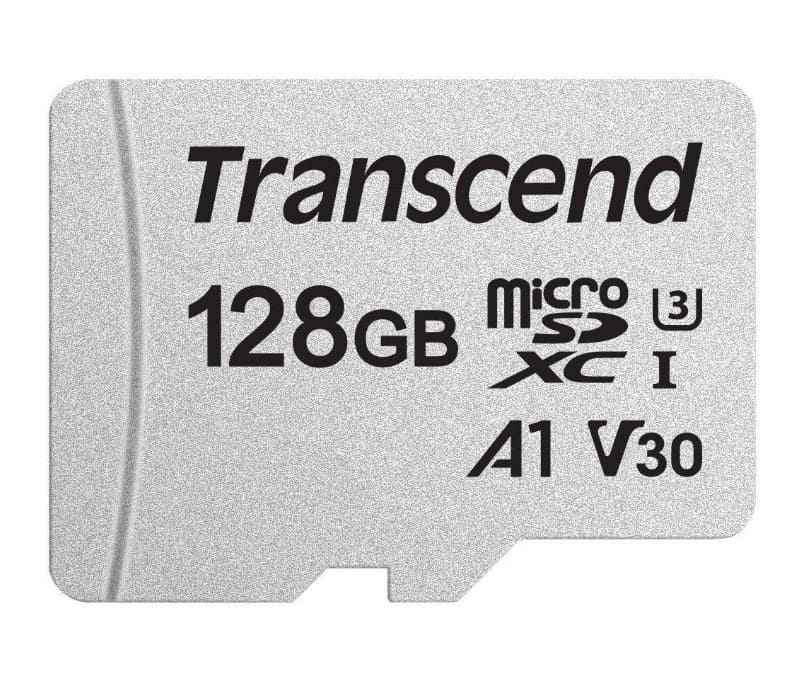
Transcend 300S 128GB is a better budget pick when you need U3 and V30 at 128GB. It fits users who want one cheap card for both daily files and occasional 4K video. Check the exact package, because smaller capacities in the same family may have weaker ratings.
Card 5. Lexar High-Performance 633x 128GB
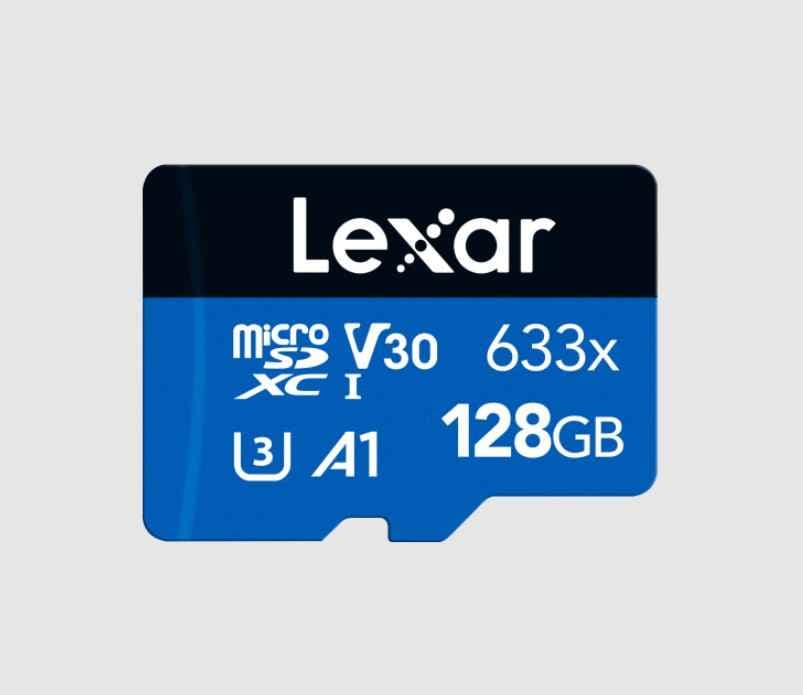
Lexar High-Performance 633x 128GB is a good low-cost card for action cameras, phones, tablets, and cameras when you need stronger video positioning than a basic U1 card. Lexar lists shock, vibration, and X-ray resistance, plus a 10-year limited warranty. It is not the fastest option, but it is a safer video-oriented value card than many unknown listings.
Card 6. Samsung EVO Plus 128GB
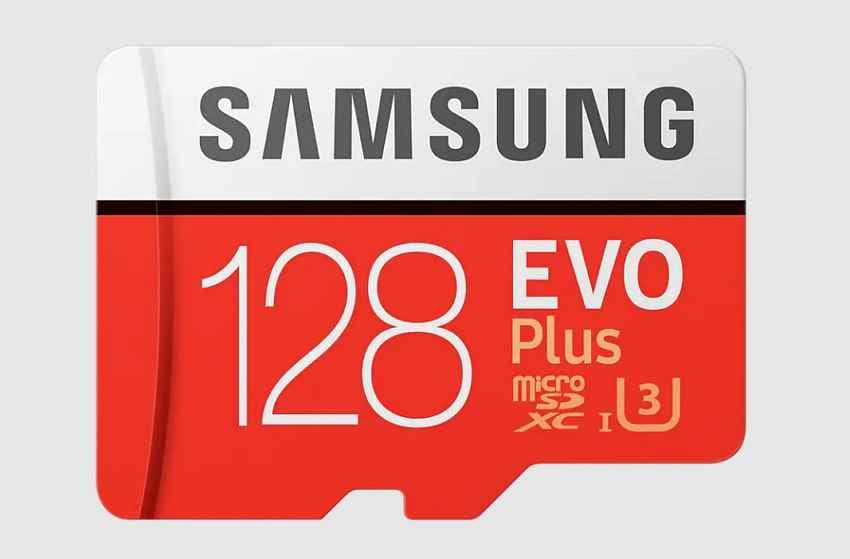
Samsung EVO Plus 128GB is often the best cheap 128GB microSD card when it is discounted close to basic cards. Samsung lists the 128GB EVO Plus with U3, V30, A2, and up to 160MB/s read speed, making it stronger for 4K video and app-style access than many low-end U1 cards. Avoid assuming all EVO Plus capacities have the same rating; the 64GB version can be weaker.
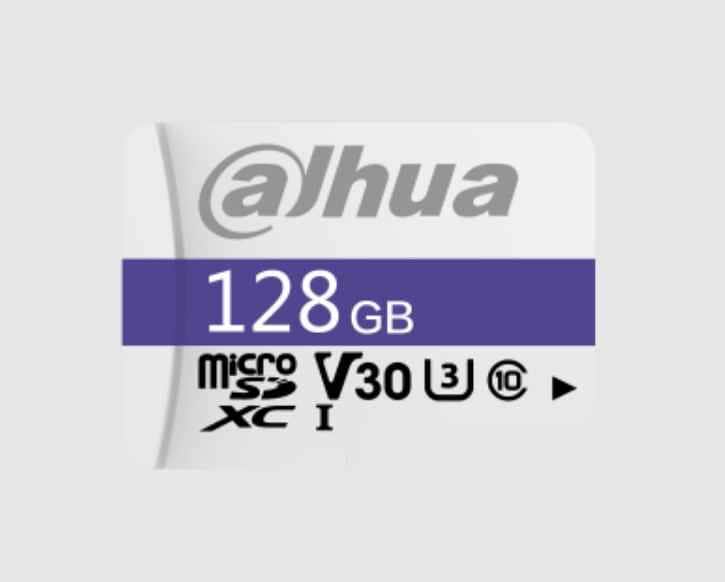
Card 7. Dahua P100 128GB
Dahua P100 128GB is more of a device-matched card than a general budget pick. It can make sense for Dahua surveillance equipment where brand compatibility matters. For phones, game consoles, or cameras, compare the exact speed rating and warranty against broader consumer cards before buying.
Part 3. Compare Price, Performance, and Real Value
A cheap 128GB card only works as a good deal when it meets the device requirement. This comparison separates everyday storage cards from cards that are better for video, apps, or surveillance.
Budget 128GB microSD Card Comparison
| Card | Read / Write Positioning | Ratings to Check | Warranty / Support | Best Use | Main Limitation |
| Kingston Canvas Select Plus | Up to 150MB/s read; U1/V10 at 128GB | Class 10, U1, V10, A1 | Lifetime support listed by Kingston | Everyday phones, tablets, music players, and files | No V30 at 128GB, so not the safest 4K card. |
| SanDisk Ultra | Budget high-read everyday card | Class 10, U1, A1 on common versions | Limited warranty terms vary by region | General smartphone and tablet storage | Not ideal for sustained 4K video. |
| KIOXIA EXCERIA | Up to 100MB/s read on the EXCERIA line | Class 10, U1 | Regional warranty terms | Photos, music, and documents | No A1/A2 or V30 emphasis. |
| Transcend 300S | Balanced budget video card | U3, V30, A1 at 128GB and above | 5-year warranty listed by Transcend | Mixed photo and 4K video recording | Smaller capacities may lose U3/V30. |
| Lexar High-Performance 633x | Up to 100MB/s read; video-friendly budget positioning | Class 10, UHS-I, U3/V30 on suitable versions | 10-year limited warranty listed by Lexar | Action cameras and 4K video on a budget | No A1/A2 app-performance focus. |
| Samsung EVO Plus | Up to 160MB/s read on current 128GB listing | U3, V30, A2 | 10-year limited warranty listed by Samsung UK | Best value when discounted for apps and 4K video | Often costs more than basic U1 cards. |
| Dahua P100 | Model-specific surveillance positioning | Verify exact published label | Dahua warranty terms | Dahua security camera environments | Not a universal phone, drone, or console pick. |
Current Price and Price per Usable Gigabyte
Prices change too fast to lock in a single cheapest card. Instead, calculate price per usable GB. A 128GB card usually provides about 119GB of usable space, so a $12 card costs about $0.10 per usable GB, while a $20 card costs about $0.17 per usable GB. Repeat the same calculation for discounted 256GB cards, because a larger card can be cheaper per usable GB during promotions.
What the SERP Price Pages Show
Price-focused SERP pages make one thing clear: the lowest card changes by retailer, date, and product filter. BuyPerUnit ranks 128GB cards by price per GB across retailers, while ShopSavvy's Amazon Basics 128GB page and ShopSavvy's PNY Elite-X 128GB page show how individual deals can undercut familiar brand picks. Treat those pages as price signals, not automatic recommendations. Before buying the lowest result, check the seller, model number, speed marks, warranty, and full-capacity test plan.
Part 4. Cheapest 128GB vs Better Alternatives
The cheapest 128GB SD card is not always the best purchase. Sometimes a smaller card is enough, a discounted 256GB card is better value, or an endurance card is the only sensible choice.
When a 64GB Card Is Enough
A 64GB card can be enough for a music player, simple phone expansion, school documents, or occasional photos. It is less attractive when the price gap to 128GB is only a few dollars, or when the 64GB version drops from U3/V30 to U1/V10 in the same product family.
When a Discounted 256GB Card Is Better Value
A discounted 256GB card can beat the cheapest 128GB microSD card on price per GB. It also delays the next upgrade, which matters when memory prices rise. Choose 256GB if your device supports it, you store video or offline media, and the price per usable GB is close to or lower than the 128GB option.
When to Pay More for U3 or V30
Pay extra for U3 or V30 when the card will record sustained video. That includes 4K cameras, action cameras, drones, and long clips. For photos, documents, music, and normal downloads, U1 and A1 can be enough.
When to Choose a High-Endurance Card Instead
Dash cams and security cameras constantly overwrite footage. A standard cheap 128GB card can wear out much faster in that workload. For continuous recording, buy a high-endurance microSD card even if a normal card is cheaper.
When a No-Brand Card Is Too Risky
No-brand cards often save too little to justify the risk. If the listing has no official model page, no clear speed class, no warranty path, and unrealistic pricing, skip it. A fake 128GB card may look normal until you write past its real capacity.
Part 5. Avoid Fake or Misleading 128GB Cards
Counterfeit risk is part of the cheapest-card search intent. A real budget card is fine. A fake budget card can silently lose files.
Warning Signs of an Unsafe Bargain
TP-Link explains that fake SD cards can be altered to report more capacity than they actually contain. Watch for prices far below normal market range, vague brand names, missing model codes, odd packaging, and reviews mentioning lost files or wrong capacity.
Buy From the Manufacturer or an Authorized Retailer
The safest place to buy a cheap 128GB microSD card is the brand's own store or a major retailer with reliable returns. Marketplace seller names matter. A familiar platform does not automatically mean the individual seller is safe.
Verify Model Number and Warranty
Compare the listing model number, printed card code, adapter code, speed label, and warranty term against the manufacturer's product page. Do this before you put important files on the card.
Test Full Writable Capacity With H2testw or F3
Test new cards before real use. H2testw on Windows and F3 on macOS/Linux write and verify data across the card. A genuine 128GB card should verify close to its usable capacity. If the test reports large data loss, return the card.
Return Cards With False Capacity or Unstable Performance
Keep the packaging, order record, and test screenshot. Return any card that fails a full write test, reports the wrong capacity, corrupts files during testing, or repeatedly disconnects. Do not try to save money by keeping a suspicious card for nonessential files.
Part 6. Match the Cheapest Card to the Device
The same cheapest 128GB SD card can be good in one device and wrong in another. Match capacity, speed, and endurance to the workload before buying.
Device Matching Table
| Device | Suitable Budget Card | Watch For | Best 128GB Pick Type |
| Android phone or tablet | A1-rated U1 card or better | Apps may not move fully to SD on many devices. | Kingston Canvas Select Plus, SanDisk Ultra, or Samsung EVO Plus |
| Music player | Class 10/U1 microSDXC card | Some devices require FAT32 formatting even on 128GB cards. | KIOXIA EXCERIA or Kingston Canvas Select Plus |
| Nintendo Switch | U1 or better microSDXC card | Standard Switch supports microSDXC after system update. | SanDisk Ultra, Kingston Canvas Select Plus, or Samsung EVO Plus |
| Full HD camera | Class 10/U1 card | Check bitrate and maximum card capacity. | SanDisk Ultra or KIOXIA EXCERIA |
| 4K camera, action camera, or drone | U3/V30 card | Low-end U1 cards can drop frames or stop recording. | Samsung EVO Plus, Transcend 300S, or Lexar 633x |
| Dash cam | High-endurance card | Continuous writes wear standard cards quickly. | High-endurance card instead of cheapest standard card |
| Security camera | High-endurance or brand-matched card | Recorder capacity limits and loop recording settings matter. | Dahua P100 for compatible Dahua systems, or endurance alternatives |
| Raspberry Pi | A1 or A2 card, preferably reliable brand | Random write behavior matters more than peak read speed. | Samsung EVO Plus or Kingston Canvas Select Plus |
Nintendo Switch 2 and microSD Express Warning
Standard microSD cards are not the right purchase for Nintendo Switch 2 if the console requires microSD Express. Do not buy a cheap 128GB microSDXC card for a device that needs microSD Express, even if the capacity looks right.
Dash Cam and Security Camera Warning
Continuous recording is a different workload from phone storage. A cheap standard card may pass a speed test and still fail early in a dash cam or security camera. For 24/7 recording, endurance rating is more important than the lowest price.
Part 7. Is 128GB Still the Best Budget Capacity as Prices Rise?
Yes, 128GB is still the best budget capacity for many buyers, but it is no longer automatic. TrendForce reported on July 3, 2026 that NAND Flash contract prices were expected to rise in 3Q26 as AI and data center demand supported memory prices. That makes price checking more important than brand preference alone.
64GB vs 128GB vs 256GB
| Capacity | Approximate Usable Space | Value Position | Best Buyer |
| 64GB | About 59GB | Saves little and may lose better ratings | Light music, documents, or old device support |
| 128GB | About 119GB | Best balance for most budget buyers | Phones, tablets, cameras, music players, and general storage |
| 256GB | About 238GB | Often better per GB when discounted | Offline video, travel, gaming, 4K clips, and long-term use |
Approximate Usable Space and Upgrade Risk
Plan around usable space, not the printed number. If you already know you will fill 119GB quickly, the cheapest 128GB microSD card may only delay a larger purchase. A discounted 256GB card can be a better hedge against rising storage prices.
Replacement Cost and Data-Loss Risk
The real cost of a failed card is not the replacement card. It is the photos, recordings, music library, documents, or camera files stored only on that card. A known brand, warranty, full-capacity test, and recovery plan matter most when you are buying at the low end.
Part 8. Recover Files Before Formatting or Replacing a Failed Card
Even a genuine budget card can show card errors, ask to format, or display empty folders. If the files matter, protect the card before trying format, repair, or replacement steps.
Protect the 128GB Card After Data Loss
Stop using the card immediately. Remove it from the phone, camera, music player, dash cam, or reader. Decline format prompts and do not copy new files to the card. New writes can overwrite deleted files and reduce recovery chances.
Recover 128GB microSD Files With Wondershare Recoverit

Recoverit Memory Card Recovery can help recover deleted, formatted, or inaccessible files from a readable 128GB microSD card through a card reader. It is useful before formatting a card that still contains photos, videos, music, documents, or other files. It cannot repair a physically damaged card, guarantee recovery, or recover files that have already been overwritten.
- Use it when: the card is detected by Windows or macOS, but files are missing, deleted, formatted, or inaccessible.
- Do not use the same card for saving results: export recovered files to another drive or computer folder.
- Escalate when needed: if no reader detects the card, use a professional recovery service instead of repeated scans.
How to Scan a 128GB microSD Card to Recover Data
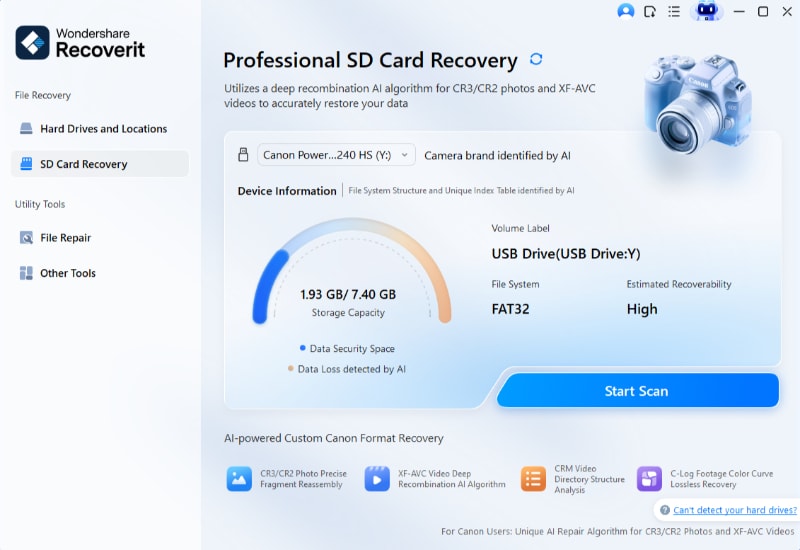
Step 1. Access the SD Card Recovery tool.
Connect the 128GB microSD card through a card reader, open Recoverit, choose SD Card Recovery, select the card, and start scanning.
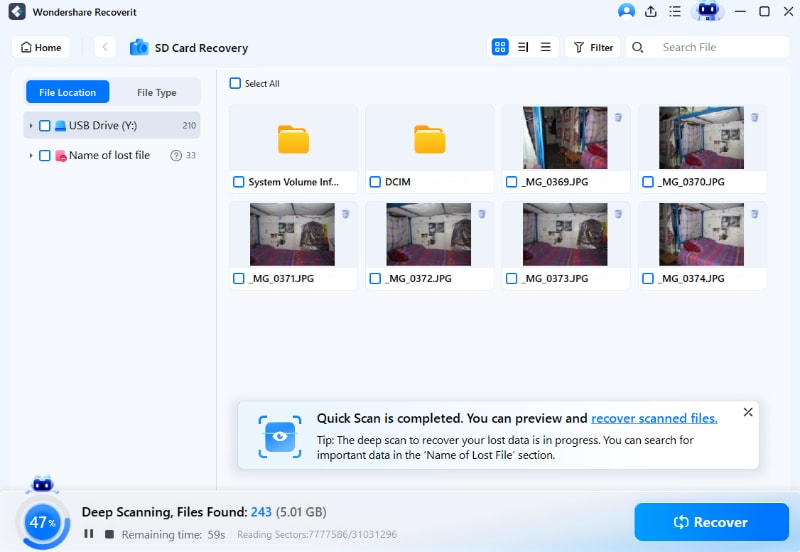
Step 2. Scan and narrow the results.
Use File Type filters to focus on the missing photos, videos, audio, documents, or other files you need from the budget microSD card.
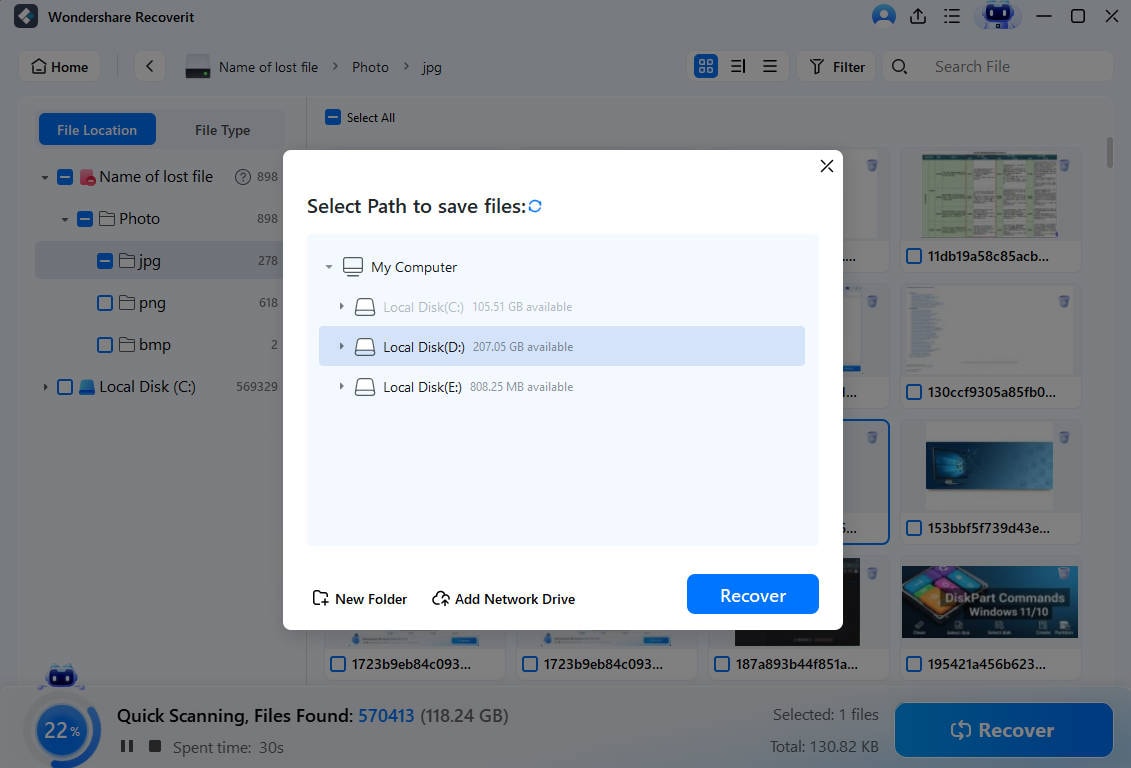
Step 3. Check the files, then save them elsewhere.
Preview recoverable files when possible, click Recover, and save them to a different storage location rather than the same microSD card.
Try Wondershare Recoverit to Perform Data Recovery
Security Verified. Over 7,302,189 people have downloaded it.
When Software Recovery Is Not Enough
Software cannot recover files from every failed card. If the card is physically cracked, bent, burned, water-damaged, or not detected by any reader, stop using software tools and contact a professional data recovery service. For critical files, avoid repeated testing because unstable storage can deteriorate further.
Conclusion
The cheapest 128GB microSD card worth buying is a genuine card from a reputable brand, not the lowest anonymous listing. Kingston Canvas Select Plus is the safest everyday budget pick, SanDisk Ultra is widely available for simple storage, KIOXIA EXCERIA is basic and low-cost, Samsung EVO Plus is the best value upgrade when discounted, and Transcend 300S or Lexar 633x makes more sense for U3/V30 video needs.
As storage prices rise, compare the current 128GB price against 256GB deals before checkout. Buy from a trusted seller, test the card's real capacity, and choose endurance cards for dash cams or security cameras. If a cheap 128GB SD card fails while files still matter, recover the data before formatting or replacing it.
FAQ
-
What is the cheapest 128GB microSD card worth buying?
The cheapest 128GB microSD card worth buying is the lowest-priced genuine card from a known brand and trusted seller. For everyday use, Kingston Canvas Select Plus, SanDisk Ultra, and KIOXIA EXCERIA are common budget options. For 4K video, choose a U3/V30 card instead. -
Why does my 128GB microSD card only show about 119GB?
This is normal. Card makers use decimal gigabytes, while operating systems report usable space differently and reserve some space for the file system. A real 128GB card usually appears around 119GB after formatting. -
Is a cheap 128GB SD card safe for a dash cam?
No, not if it is a standard budget card. Dash cams and security cameras need high-endurance cards because they continuously overwrite data. A normal cheap card can wear out quickly in that workload. -
Should I buy 128GB or 256GB if prices are rising?
Buy 128GB if your storage needs are modest and the price is clearly lower. Buy a discounted 256GB card if your device supports it and the price per usable GB is close to or better than the 128GB option. -
How do I test whether a cheap 128GB microSD card is fake?
Run a full write-and-verify test with H2testw on Windows or F3 on macOS/Linux. A genuine 128GB card should verify close to 119GB of usable space. If the test reports major lost data, return the card. -
Can Recoverit recover files from a failed 128GB microSD card?
Recoverit may help recover deleted, formatted, or inaccessible files from a readable 128GB microSD card. Stop using the card immediately and save recovered files to another storage device. It cannot recover overwritten files or repair a physically failed card that is not detected.



