
 TL;DR:
For reliable continuous dash cam recording, the Samsung PRO Endurance is the best overall microSD card, the SanDisk MAX Endurance is ideal for heavy 24/7 parking mode use, and the Transcend High Endurance 350V is optimal for multi-channel setups needing up to 1TB of storage.
● Always verify your dash cam's maximum supported capacity and speed class before purchasing; 4K and multi-channel cameras require U3 or V30 cards for stable video writing, while U1 models like the Kingston High-Endurance are restricted to 1080p systems.
● Avoid standard smartphone or gaming memory cards because continuous loop recording quickly wears out their flash memory, and their manufacturer warranties explicitly exclude usage in dash cams or continuous surveillance devices.
● If you need to recover corrupted or deleted accident footage, you must power off the dash cam and remove the microSD card immediately, as data recovery software cannot restore video files once the camera's loop recording overwrites them.
Ask AI for a summary
 ChatGPT
 Perplexity
 Gemini
 Claude
 Grok
Grok
A high-endurance microSD card for dash cam use is worth buying because dash cams constantly write, delete, and rewrite video. A normal microSD card may be fast enough on day one, but continuous loop recording, hot cabins, parking mode, and 4K or multi-channel video can wear it down much faster than ordinary phone or camera use.
Most modern dash cams use microSD cards, even though many buyers search for a high-endurance SD card for dash cam use. The safest choice is a microSD card that explicitly says High Endurance, MAX Endurance, surveillance, dash cam, or continuous recording on the manufacturer's product page. This guide compares 6 reliable options, explains endurance hours honestly, and shows how to recover important footage before formatting or replacing a worn card.
In this article
-
- Card 1. Samsung PRO Endurance: Best Overall
- Card 2. SanDisk MAX Endurance: Best Premium Option
- Card 3. Transcend High Endurance 350V: Best Large-Capacity Option
- Card 4. SanDisk High Endurance: Best Value V30 Card
- Card 5. Kingston High-Endurance: Best for Full HD Dash Cams
- Card 6. Lexar High-Endurance: Best Budget Option
Part 1. Best High-Endurance microSD Cards for Dash Cams at a Glance
For most drivers, the best dash cam card is not the fastest gaming or phone card. It is the card with the right endurance rating, supported capacity, speed class, operating temperature, and warranty for continuous recording.
| Category | Best Pick | Why It Fits | Best For |
| Best overall high-endurance microSD card | Samsung PRO Endurance | Up to 140,160 hours on the 256GB model, V30 on 64GB and larger, and dash-cam-focused positioning. | Everyday drivers and most front or dual-channel setups. |
| Best premium MAX-endurance card | SanDisk MAX Endurance | Up to 120,000 hours and capacity-based warranties up to 15 years. | Parking mode, heavy daily driving, and users who want long warranty coverage. |
| Best large-capacity card for 4K and multi-channel dash cams | Transcend High Endurance 350V | Capacities up to 1TB and up to 240,000 Full HD recording hours on the 1TB model. | High-capacity setups, 4K, dual or triple-channel recording, and longer retention. |
| Best value card for everyday driving | SanDisk High Endurance | Up to 512GB, V30, and a mainstream price tier below MAX Endurance. | Daily commuters who want endurance without premium pricing. |
| Best budget card for Full HD dash cams | Kingston High-Endurance | 3,000 P/E cycles, health-monitoring support, and a 3-year warranty. | 1080p dash cams and security cameras that do not require V30. |
| Best lower-cost alternative | Lexar High-Endurance | Up to 12,000 hours on 128GB and U3/V30 on 64GB and larger. | Occasional driving, budget dash cams, and basic 1080p or supported 4K setups. |
Best Overall High-Endurance microSD Card
Samsung PRO Endurance is the safest overall pick because it combines a high endurance rating, V30 performance on larger capacities, a dash-cam use case, and broad availability. Choose the 128GB or 256GB model if your dash cam supports it.
Best Premium MAX-Endurance Card
SanDisk MAX Endurance is the premium choice when the car records often, uses parking mode, or sits in hot conditions. The 256GB model carries the longest warranty in the line, while smaller capacities have shorter warranty periods.
Best Large-Capacity Card for 4K and Multi-Channel Dash Cams
Transcend High Endurance 350V is the best fit when your dash cam supports 512GB or 1TB cards. Larger capacity improves retention time and spreads writes across more flash, but only if the dash cam officially supports that size.
Best Value Card for Everyday Driving
SanDisk High Endurance is the practical value pick. It costs less than MAX Endurance in many markets, reaches 512GB, and still targets dash cams and home monitoring rather than phone storage.
Best Budget Card for Full HD Dash Cams
Kingston High-Endurance is a sensible budget option for Full HD dash cams. It is not the strongest 4K pick because it is U1 rather than V30, so check your dash cam's card requirement before buying.
What to Check Before Buying
Check the dash cam's maximum supported capacity, required speed class, parking-mode workload, operating temperature, and card warranty. Also check the exact capacity: endurance, warranty, and V30 support can change inside the same product family.
Part 2. Why Dash Cams Need High-Endurance microSD Cards
A dash cam card is a consumable part. It records short clips, fills the card, deletes older clips, and writes again. That loop is exactly the kind of workload endurance cards are built to handle.
High-Endurance vs Standard microSD Cards
High-endurance cards are built and validated for repeated video writing. Standard microSD cards often prioritize peak speed, app loading, or low price. A card labeled Pro, Extreme, Ultra, or gaming-focused is not automatically a dash cam card unless the manufacturer says it is designed for continuous recording, surveillance, or dash cam use.
How Continuous Loop Recording Wears Out Flash Memory
Flash memory cells tolerate a limited number of erase and program cycles. Loop recording constantly cycles through the same card. A larger and higher-endurance card can distribute writes more broadly, while a small standard card may reach its wear limit sooner under daily recording.
Why Heat, Parking Mode, and 4K Recording Matter
Cars can become very hot when parked, and most dash cam cards listed here specify operation down to -25°C and up to 85°C. Parking mode adds hours of recording while the engine is off. 4K and multi-channel systems write more data per hour than one 1080p camera. These factors shorten practical card life compared with a low-bitrate Full HD test condition.
Endurance Hours, TBW, and P/E Cycles Explained
Endurance marketing can be confusing because brands publish different metrics. ATP, which builds industrial memory, explains that practical endurance depends on NAND type, wear leveling, write amplification, and firmware behavior, so one number rarely tells the whole story. Use ATP's dash cam memory guidance as a reminder to compare workload, not only headline hours.
| Metric | What It Means | How to Use It |
| Recording hours | Estimated continuous recording time under stated test conditions. | Compare only when resolution, bitrate, capacity, and generation are similar. |
| TBW | Total terabytes written over the rated life. | More comparable when brands publish it, especially for industrial or fleet cards. |
| P/E cycles | Program/erase cycles the flash cells are designed to tolerate. | Useful for technical comparison, but controller behavior affects real endurance. |
| Warranty | How long the manufacturer backs the product under its terms. | Read the continuous-recording exclusions and capacity-specific terms. |
When a Standard microSD Card Is Not Worth the Risk
Use a standard card only for a dash cam you rarely rely on and only if the dash cam maker allows it. For accident evidence, rideshare work, parking mode, fleet vehicles, hot regions, or 4K recording, a high-endurance card is the more defensible choice.
Part 3. Compare the Best Dash Cam microSD Cards
This table focuses on manufacturer-published specs that matter for dash cam use. Prices change quickly, especially while NAND supply and high-endurance memory costs are under pressure, so compare live retailer prices on the day you buy.
| Card | Best For | Capacities | Speed Class | Endurance Rating | Temperature | Warranty | Main Limitation |
| Samsung PRO Endurance | Best overall | 32GB-256GB | Class 10, U3, V30 on larger models | Up to 140,160 hours on 256GB | -25°C to 85°C operating | 2/3/5/5 years by capacity | Stops at 256GB. |
| SanDisk MAX Endurance | Premium heavy-use card | 32GB-256GB | Class 10, U3, V30 | Up to 120,000 hours on 256GB | -25°C to 85°C operating | 3/5/10/15 years by capacity | No 512GB or 1TB option. |
| Transcend High Endurance 350V | Large capacity and multi-channel recording | 32GB-1TB | U1 on 32GB/64GB; U3/V30 on 128GB and larger | Up to 240,000 hours on 1TB | -25°C to 85°C operating | 2-year limited | Endurance and speed vary strongly by capacity. |
| SanDisk High Endurance | Best value V30 card | 32GB-512GB | Class 10, U3, V30 | Up to 40,000 hours on 512GB | Built for heat and cold; check local product sheet | 2-year limited | Lower endurance than MAX Endurance. |
| Kingston High-Endurance | Full HD dash cams | 32GB-256GB | UHS-I U1, Class 10, A1 | 3,000 P/E cycles; 26.9K operating hours | -25°C to 85°C operating | 3-year warranty | Not V30, so check 4K requirements. |
| Lexar High-Endurance | Budget and occasional driving | 32GB-128GB | Class 10; U3/V30 on 64GB and larger | Up to 12,000 hours on 128GB | -25°C to 85°C operating | Check regional terms | Stops at 128GB. |
How to Read Endurance Claims Across Brands
Do not compare one brand's 256GB rating with another brand's 1TB rating and call it a tie. Match capacity, recording resolution, bitrate, product generation, and test condition. Samsung and Transcend publish Full HD-based recording-hour ratings, while actual hours are lower with 4K UHD video or higher dash cam bitrates.
Why Warranty Terms Matter for Dash Cam Use
Many standard microSD card warranties exclude continuous recording devices such as dash cams, black box cameras, and surveillance systems. Endurance cards are different because the product is positioned for this workload. Still, warranties vary by capacity and region, so read the exact model's warranty page before buying a large fleet batch.
Part 4. 6 Best High-Endurance microSD Cards for Dash Cams
The picks below cover different dash cam workloads. Choose by recording hours and card support first, then by price.
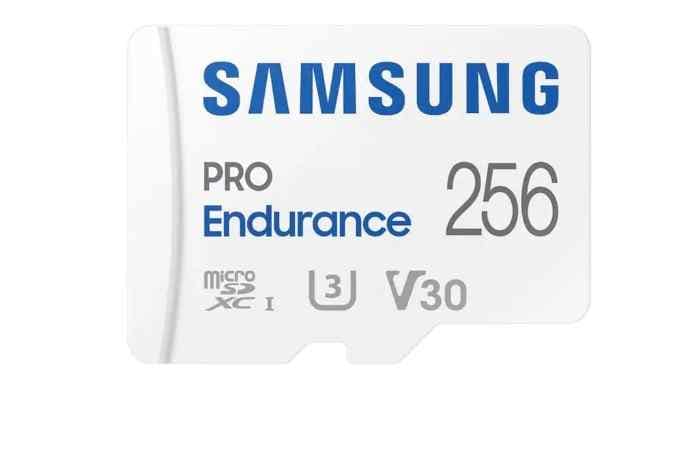
Card 1. Samsung PRO Endurance: Best Overall
Samsung PRO Endurance is the best all-around choice for most drivers. Samsung's product listing rates the 256GB model for up to 140,160 hours of Full HD recording, with read speeds up to 100 MB/s and write speeds up to 40 MB/s. Samsung's newsroom also positions the 2022 PRO Endurance card for surveillance, dashboard cameras, body cameras, and always-on recording.
Choose 128GB or 256GB if your dash cam supports microSDXC at that capacity. The main limitation is capacity: the line stops at 256GB, so it is not ideal if your 4K three-channel dash cam supports and benefits from 512GB or 1TB cards.
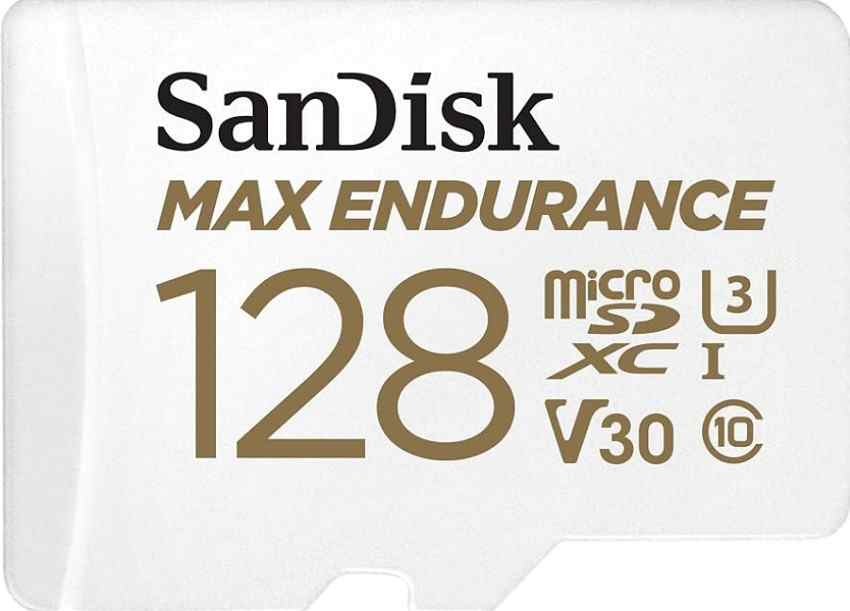
Card 2. SanDisk MAX Endurance: Best Premium Option
SanDisk MAX Endurance is the premium choice when the dash cam records heavily. SanDisk rates the 256GB model for up to 120,000 hours of Full HD recording, with capacity-based warranties from 3 years on 32GB to 15 years on 256GB. It is also Class 10, U3, and V30, which makes it a safer fit for compatible 4K dash cams than U1-only endurance cards.
Buy it for parking mode, long commutes, hot regions, and users who value long warranty coverage. Skip it if your dash cam supports 512GB or 1TB and your priority is longer retention rather than the longest warranty.
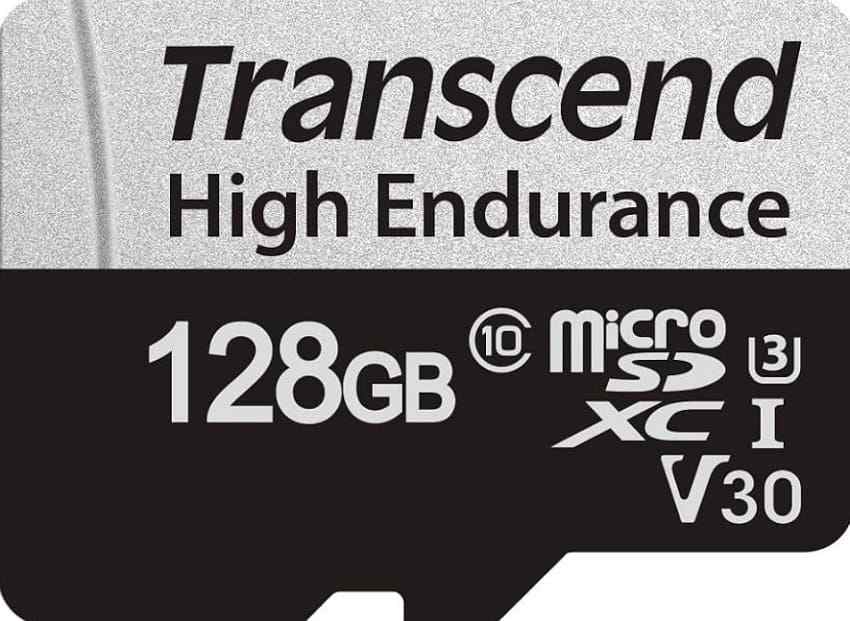
Card 3. Transcend High Endurance 350V: Best Large-Capacity Option
Transcend High Endurance 350V is the strongest choice when your dash cam supports large capacities. Transcend lists 32GB through 1TB models, with the 512GB card rated up to 120,000 hours and the 1TB card up to 240,000 hours under its Full HD DrivePro test condition. The 128GB and larger models carry U3 and V30 markings.
This is the best fit for 4K, dual-channel, triple-channel, and longer-retention setups. Confirm your dash cam supports the exact capacity before buying because many cameras still stop at 128GB or 256GB.
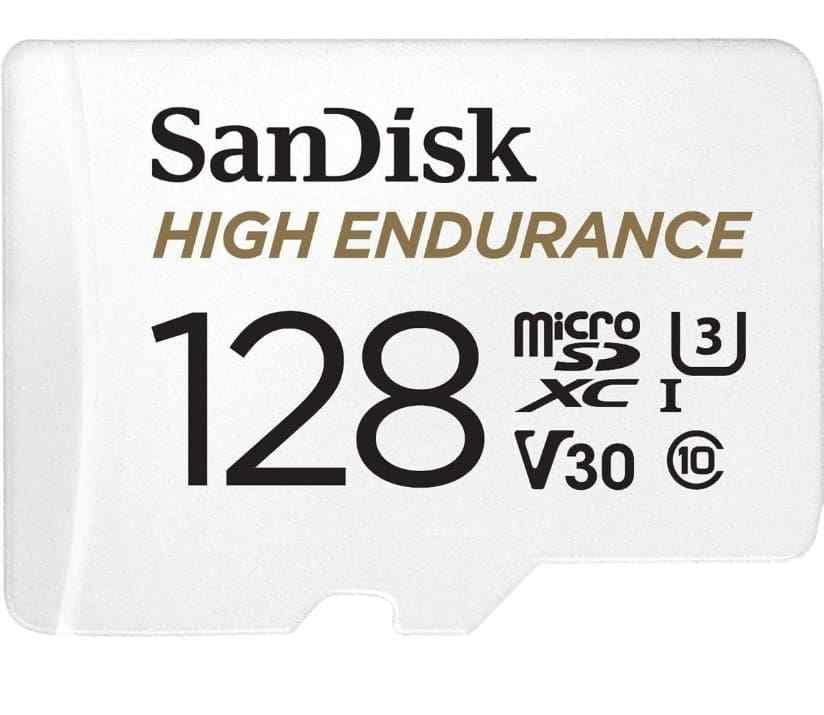
Card 4. SanDisk High Endurance: Best Value V30 Card
SanDisk High Endurance is a strong mainstream value pick. SanDisk lists capacities up to 512GB and says the card is designed for dash cams, home monitoring, and security systems. It is Class 10, U3, and V30, with up to 40,000 hours on the 512GB model.
Choose it when you want a real endurance card at a more accessible price than MAX Endurance. If you use 24/7 parking mode or fleet recording, consider MAX Endurance, Samsung PRO Endurance, Transcend 350V, or industrial cards instead.
Card 5. Kingston High-Endurance: Best for Full HD Dash Cams
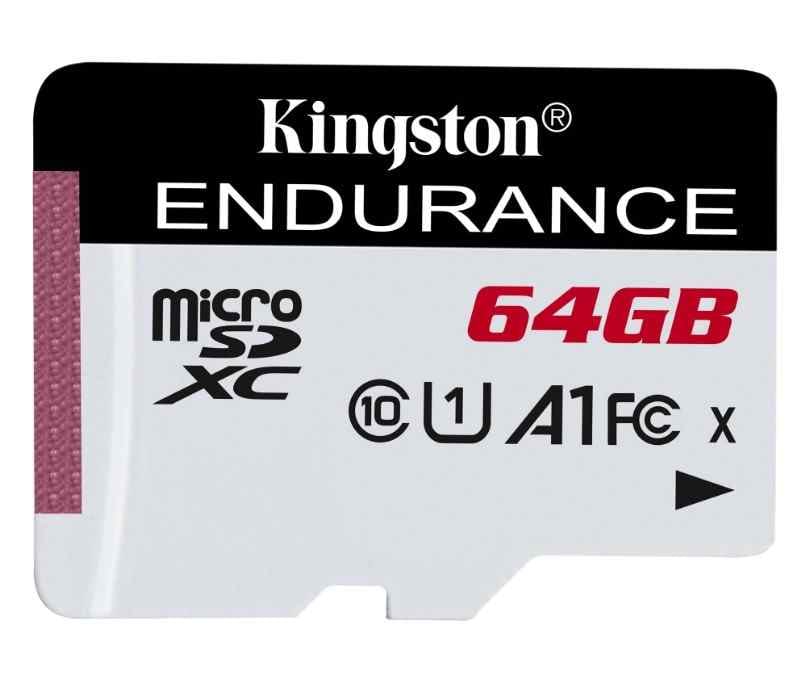
Kingston High-Endurance is designed for dash cams and security cameras, with 32GB to 256GB capacities, 3,000 P/E cycles, health monitoring, and a 3-year warranty. Kingston lists 95 MB/s read and capacity-dependent write speeds, with UHS-I U1, Class 10, and A1 ratings.
This is a reasonable option for Full HD and compatible lower-bitrate dash cams. For 4K, check your dash cam's card requirement. If it asks for U3 or V30, choose a V30 card instead.
Card 6. Lexar High-Endurance: Best Budget Option
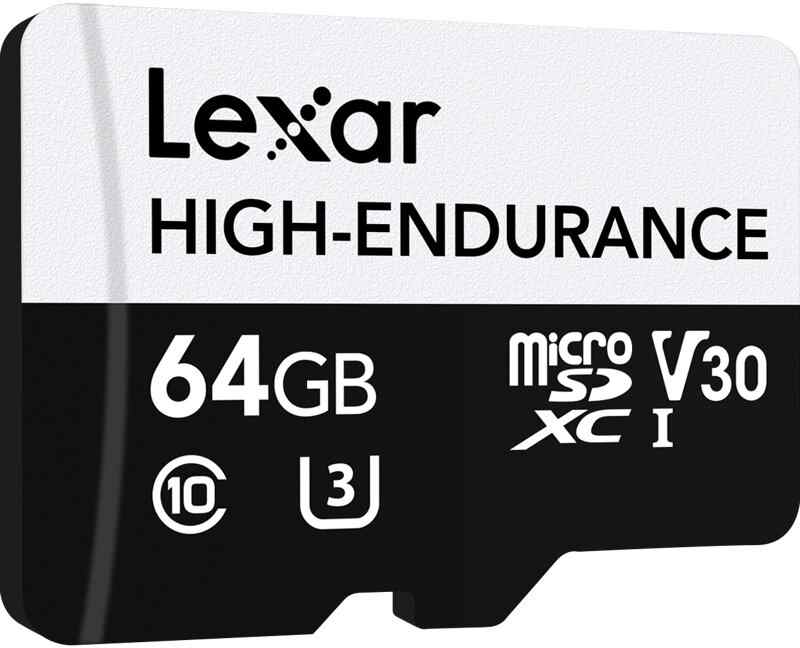
Lexar High-Endurance is the budget endurance option for lighter dash cam use. Lexar lists 32GB, 64GB, and 128GB capacities, with up to 12,000 recording hours on 128GB. It supports 1080p Full HD and 4K on compatible devices, while U3 and V30 apply to 64GB and larger models.
Use it for everyday commuting and lower-cost dash cams. It is less attractive for parking-mode-heavy vehicles because capacity tops out at 128GB and endurance is lower than the premium picks.
Part 5. How to Choose the Right Dash Cam microSD Card
Start with your dash cam manual, not the card packaging. A good card can still fail to work if the camera does not support its capacity, file system, or speed class.
- Match capacity to channel count: Front-only 1080p dash cams can often use 64GB or 128GB. Dual-channel, 2K, 4K, or triple-channel systems benefit from 256GB or larger when supported.
- Choose more capacity for parking mode and fleet vehicles: Parking mode increases daily recording time, and fleet vehicles may run far longer than personal cars.
- Match U1, U3, V10, or V30 to dash cam bitrate: The SD Association speed class symbols indicate minimum write speed. U1/V10 can suit lower-bitrate Full HD, while U3/V30 is safer for many 4K dash cams.
- Check the maximum supported capacity: Do not buy a 512GB or 1TB card unless the dash cam maker says that capacity is supported.
- Compare endurance rating, temperature range, and warranty: Treat endurance hours as capacity-specific and test-condition-specific.
- Avoid fake or non-endurance cards: Buy from official stores, authorized retailers, or reputable camera and electronics sellers.
Part 6. High-Endurance vs MAX-Endurance vs Industrial microSD Cards
The right category depends on how many hours the dash cam records each day and how important the footage is.
Best Choice for Everyday Drivers
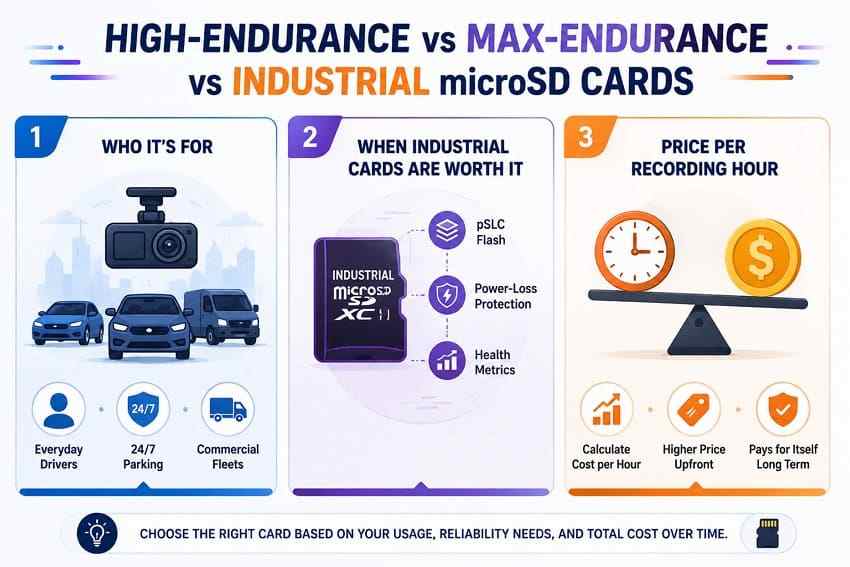
For a commuter who drives one or two hours a day and rarely uses parking mode, Samsung PRO Endurance, SanDisk High Endurance, Kingston High-Endurance, or Lexar High-Endurance can all make sense, depending on supported capacity and budget.
Best Choice for 24/7 Parking Mode
For constant parking monitoring, choose a larger and higher-endurance card such as SanDisk MAX Endurance, Samsung PRO Endurance, or Transcend 350V. Also confirm the dash cam's low-voltage cutoff and heat behavior, because parking mode can stress both card and battery.
Best Choice for Commercial Fleets
For rideshare, delivery, trucking, taxis, and fleets, card replacement should be planned rather than reactive. Use supported high-capacity endurance cards, rotate cards on a schedule, and export important footage quickly. Fleet operators may also want cards with health monitoring or industrial validation.
When Industrial microSD Cards Are Worth Considering
Industrial microSD cards can make sense when downtime is costly, operating conditions are harsh, or the recorder runs nearly continuously. Some industrial cards use endurance-focused NAND modes, power-loss protection, and health monitoring. They cost more upfront, so they are usually overkill for personal commuting but reasonable for commercial vehicles.
Price per Recording Hour Comparison
As memory pricing changes, compare cards by price per rated recording hour, not only price per GB. TrendForce reported in July 2026 that mature NAND supply pressures could push SLC NAND prices sharply higher in the second half of 2026, and memory card prices can vary by region and retailer. Use the current store price on your publish or purchase date, then divide by the manufacturer's published endurance hours for the same capacity. This helps avoid buying a cheap card that costs more after frequent replacement.
Part 7. Common Dash Cam microSD Card Problems
Dash cam card errors often appear before total failure. Stop recording and save important files before formatting if any critical footage may still be on the card.
| Problem | Likely Cause | What to Do |
| Dash cam says memory card error | File-system corruption, interrupted write, unsupported card, or worn flash | Stop recording, back up or recover files, then format in the dash cam. |
| Dash cam keeps formatting the card | Incompatible capacity, failing card, or repeated corruption | Check the approved capacity and replace the card if the error returns. |
| Videos are missing, corrupted, or unplayable | Loop overwrite, interrupted power, file-system damage, or card wear | Remove the card immediately and attempt recovery before writing new footage. |
| Card shows the wrong capacity | Counterfeit card or damaged partition layout | Run a full capacity test after recovery; replace fake cards. |
| Card works on a computer but not in the dash cam | Unsupported file system, unsupported capacity, or card not formatted in the camera | Check the manual and format inside the dash cam after saving files. |
| Errors return every week | Worn flash memory or unstable power to the dash cam | Replace the card and inspect the dash cam power setup. |
Part 8. Recover Lost or Corrupted Dash Cam Videos
A high-endurance microSD card near the end of its life may still be readable. The key is to stop loop recording before new clips overwrite the event you need.
Stop Recording Before Trying Recovery
Turn off the dash cam, remove the card, and avoid recording test clips. If the dash cam asks to format the card, cancel. If the card is physically cracked, burned, water-damaged, or not detected by multiple readers, software recovery may not be the right first step.
When Dash Cam Video Recovery Is Possible
Recovery may be possible after accidental deletion, quick formatting, file-system corruption, or missing clips, as long as the card is readable and the footage has not been overwritten by loop recording. Recovery is much less likely after full overwrite, severe physical failure, counterfeit-capacity overwrite, or continued recording after the incident.
Recover Dash Cam Footage With Wondershare Recoverit
Recoverit Memory Card Recovery can help recover deleted, formatted, or inaccessible dash cam files from a readable microSD, SDHC, SDXC, CF, or CompactFlash card through a card reader. Use it before formatting, repairing, or replacing a card that may still hold accident, parking-mode, or insurance footage. Recovery depends on card condition, file fragmentation, overwriting, encryption, and detectability.
You can also visit the Wondershare Recoverit site for broader data recovery resources, but this article's recommended product page is the memory card recovery page above.
How to Scan a Worn Dash Cam Card to Recover the Data
Step 1. Attach the card and select it.
Connect the dash cam microSD card through a card reader. Open Recoverit, choose SD Card Recovery, select the card, and start scanning.
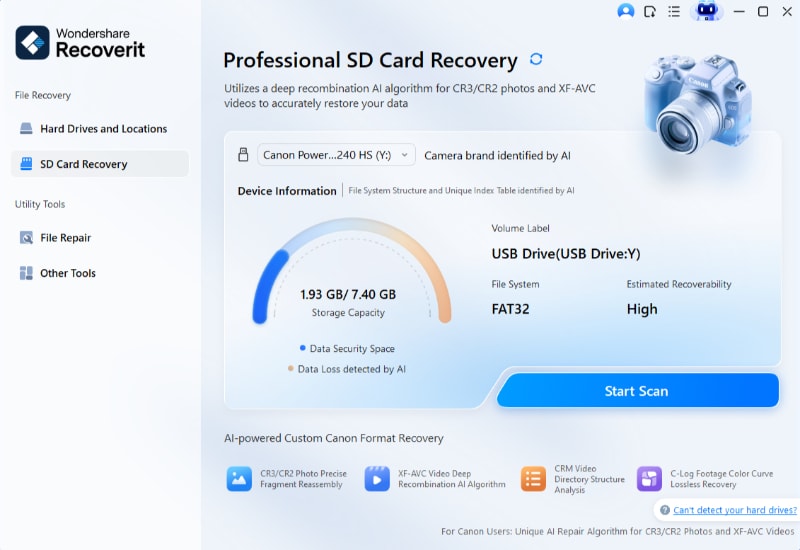
Step 2. Scan and narrow the results.
Filter by video type and sort by date to locate the day or time period you need. Let the scan continue if the first results are incomplete.
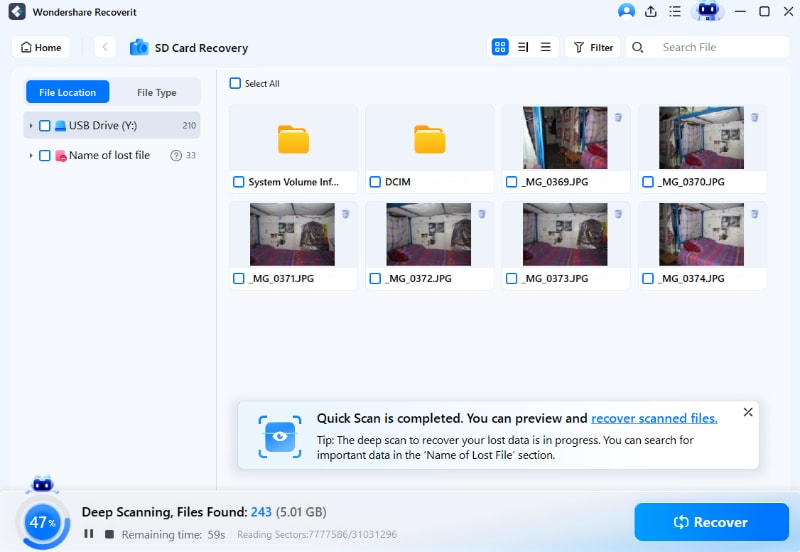
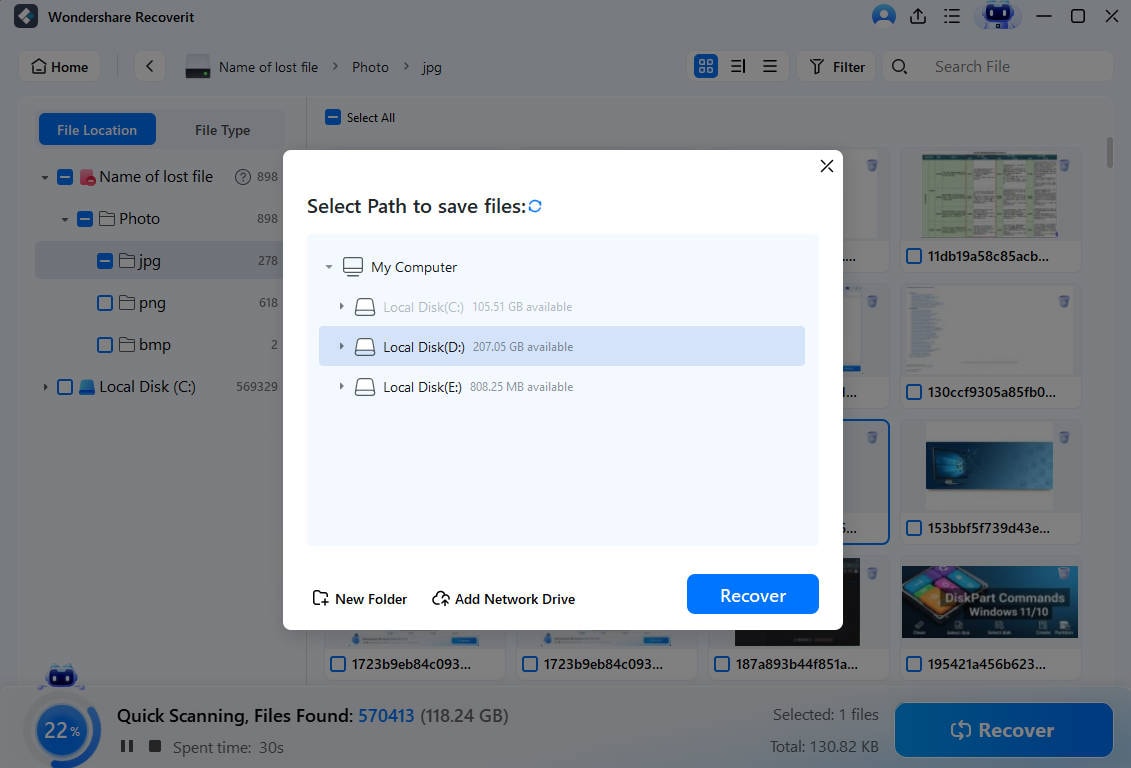
Step 3. Preview and export to another drive.
Preview recoverable clips, select the files, and save them to your computer or another external drive. Do not save recovered footage back to the same dash cam card.
Try Wondershare Recoverit to Perform Data Recovery
 Security Verified. Over 7,302,189 people have downloaded it.
What Recoverit Cannot Fix
Recoverit cannot repair physically failed flash memory, make a counterfeit card genuine, recover footage that loop recording has overwritten, or guarantee recovery from a card that no reader can detect. If the footage is legally or financially critical and the card is failing physically, stop using it and contact a professional recovery service.
Part 9. How to Make a Dash Cam microSD Card Last Longer
Endurance cards still wear out. These habits reduce corruption and help you catch problems before you need a clip.
| Maintenance Tip | Why It Matters |
| Format the card inside the dash cam | Keeps the file system aligned with the camera's expected recording structure. |
| Update dash cam firmware | Can improve card compatibility, error handling, and recording stability. |
| Avoid removing power during recording | Reduces file-system corruption and incomplete clips. |
| Check saved footage monthly | Confirms the camera is actually recording usable clips. |
| Rotate cards for fleet or commercial use | Distributes write workload and creates a planned replacement cycle. |
| Replace the card when errors become frequent | Repeated errors often mean the card is near the end of its useful life. |
Conclusion
Samsung PRO Endurance is the best overall high-endurance microSD card for dash cam use. SanDisk MAX Endurance is the premium pick for heavy parking mode and longer warranty coverage. Transcend High Endurance 350V is the strongest large-capacity option for supported 4K and multi-channel systems. SanDisk High Endurance is the value V30 pick, while Kingston and Lexar serve Full HD or lighter workloads on tighter budgets.
Do not buy only by capacity or headline speed. Check endurance rating, supported dash cam capacity, speed class, heat range, warranty, and current price per recording hour. If important clips go missing, stop recording first and attempt recovery before formatting or replacing the card.
FAQ
-
How long does a high-endurance microSD card last in a dash cam?
It depends on capacity, bitrate, recording hours per day, parking mode, heat, and card model. Published ratings can range from a few thousand hours to more than 100,000 hours, but many ratings are based on Full HD test conditions and will be lower for 4K or multi-channel recording. -
Is V30 necessary for a 4K dash cam?
V30 is not always mandatory, but it is the safer choice for many 4K dash cams because it guarantees 30 MB/s minimum sustained write speed. Always follow the dash cam manufacturer's required speed class. -
What capacity is best for a front and rear dash cam?
128GB is often enough for basic dual-channel Full HD recording, while 256GB is safer for 2K, 4K, parking mode, or longer retention. Use 512GB or 1TB only if the dash cam officially supports that capacity. -
How often should a dash cam microSD card be replaced?
Many everyday drivers replace dash cam cards every 1 to 3 years, but heavy parking mode, heat, and commercial use can shorten that. Replace the card immediately if formatting errors, missing clips, or memory card warnings keep returning. -
Do dash cams use SD cards or microSD cards?
Most modern dash cams use microSD cards, not full-size SD cards. Buyers often search for high-endurance SD cards because microSD is part of the Secure Digital card family. Check the exact card format in your dash cam manual. -
Can Recoverit recover overwritten dash cam footage?
No. Recoverit may help recover lost or formatted dash cam videos from a readable card if the data has not been overwritten. Once loop recording overwrites the clip, software recovery cannot bring that footage back.



