 TL;DR:
The Samsung EVO Plus 128GB microSDXC is a reliable everyday storage card for Android devices, the original Nintendo Switch, and casual 4K recording, provided its upfront cost remains competitive against larger capacities.
● Skip this card for continuous loop recording devices like dash cams and CCTV systems, which require high-endurance alternatives like the Samsung PRO Endurance, and avoid it for Nintendo Switch 2 game storage, which strictly requires microSD Express.
● Upgrade to a 256GB card if it costs less than 1.6 times the price of the 128GB model, as the 119GB of actual usable space will quickly bottleneck users managing large Steam Deck libraries, RAW photos, or offline video collections.
● Choose premium alternatives like the SanDisk Extreme, Samsung T9, or PRO Plus if your workload involves heavy high-bitrate video capture, drone recording, or rapid file transfers for creator projects.
Ask AI for a summary
 ChatGPT
 Perplexity
 Gemini
 Claude
 Grok
Grok
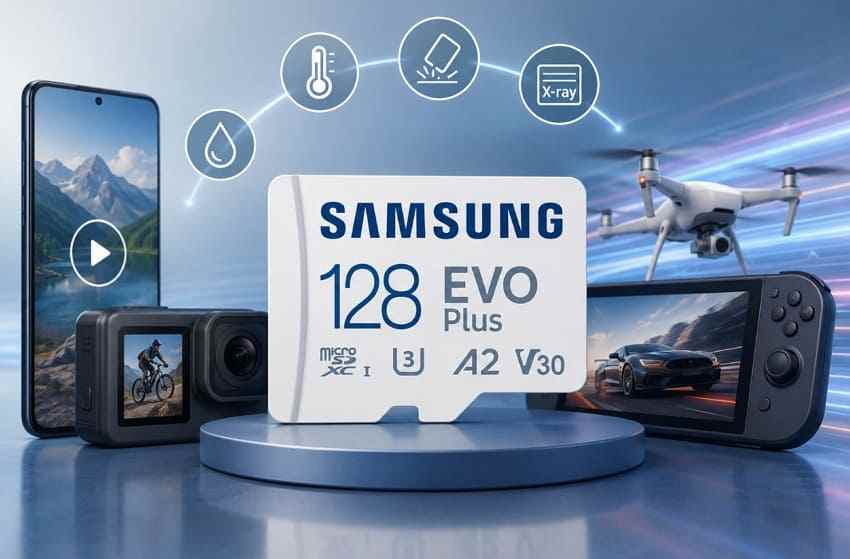
The Samsung EVO Plus microSDXC 128GB is still a practical card for Android phones, tablets, cameras, handheld gaming, and everyday file storage. It gives you UHS-I speed, U3/V30 video support, A2 app performance, and enough capacity for photos, apps, and a moderate game library.
The harder 2026 question is value. Storage prices have been moving upward, and buyers are comparing 128GB cards more carefully against 256GB and 512GB options. This review explains whether the Samsung EVO Plus 128GB micro SD card is worth buying, when a larger card is better value, which alternatives make more sense, and what to do if files disappear from the card.
In this article
Part 1. Is the Samsung EVO Plus 128GB MicroSD Card Worth Buying?
Yes, the samsung evo plus microsdxc 128gb card is worth buying if you find it at a fair price and need a reliable everyday microSDXC card. It is not the best choice for every device, and it is not always the best value if a 256GB card costs only a little more.
Quick Verdict for 2026 Buyers
Use this quick verdict before comparing listings for a micro SD 128GB Samsung EVO Plus card.
| What You Want It For | Verdict | Better Choice If Not |
| Android phone or tablet photos, apps, and files | Buy if the price is good | 256GB EVO Plus, T7, or another A2 card if you keep many videos |
| Everyday cameras and short 4K clips | Buy | SanDisk Extreme, Samsung T9, or PRO Plus for heavier video |
| Original Nintendo Switch or Steam Deck library | Buy for light to medium libraries | 256GB or 512GB if you install large games |
| Long 4K capture, drones, or action cameras | Consider faster alternatives | Samsung T9, Samsung PRO Plus, or SanDisk Extreme |
| Dash cams, CCTV, body cams, or constant loop recording | Skip | Samsung PRO Endurance or another high-endurance card |
| Nintendo Switch 2 game storage | Skip | microSD Express card |
| Lowest long-term storage cost | Compare carefully | Discounted 256GB or 512GB card |
Samsung's April 2026 Germany launch says the new microSD T7 and T9 lines replace the earlier EVO Plus, PRO Plus, and PRO Ultimate naming in that market. In other regions, EVO Plus inventory and listings may still remain available, so compare the Samsung EVO Plus 128GB SD card against newer local options before buying.
Best Uses for the Samsung EVO Plus 128GB
The Samsung EVO Plus 128GB microSD card is best for users who need a balanced everyday card instead of a specialty card. It fits phones, tablets, laptops, cameras, original Nintendo Switch systems, Steam Deck storage, and basic file backup.
- Phone storage: Good for photos, downloaded media, app data, and Android devices that support microSDXC.
- Camera use: Good for photos and short 4K clips when the camera accepts U3 or V30 cards.
- Handheld gaming: Good for smaller game libraries and travel storage.
- File transfer: Good for moving documents, music, photos, and videos between devices.
When 128GB Is Not Enough
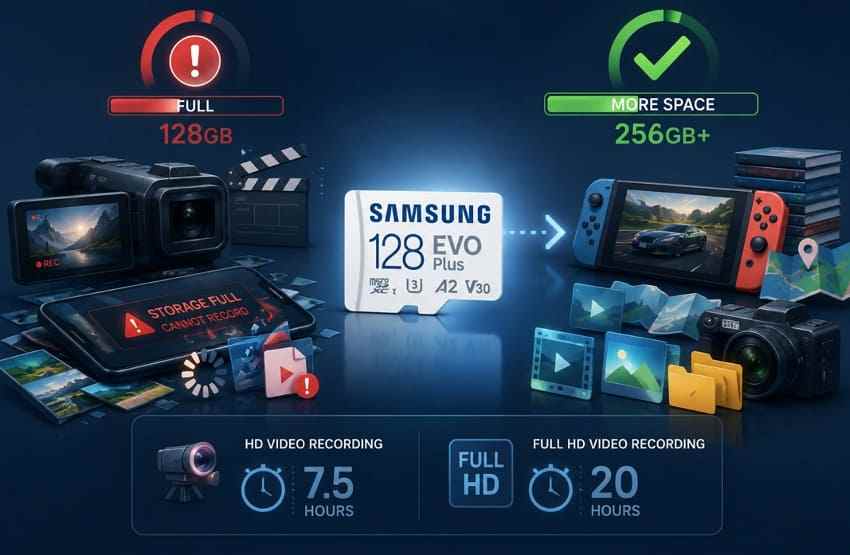
128GB can fill faster than many buyers expect. It may be enough for casual use, but it becomes tight for 4K video, RAW photos, large Android media libraries, Steam Deck games, and offline video collections. If your device will be your main camera, gaming library, or travel media device, 256GB is often the safer starting point.
Samsung lists the 128GB user capacity as 128,144,375,808 bytes in Samsung's own data sheet, but your computer will show a lower number after binary conversion and formatting.
When to Choose a Different Card Instead
Choose a different card if the job is more demanding than everyday storage. Dash cams and surveillance cameras need endurance. Nintendo Switch 2 needs microSD Express. Creators who transfer large batches of 4K or RAW files may get better time savings from a faster premium card. Buyers who are reacting to rising storage prices should also check whether a larger discounted card costs less per gigabyte.
Part 2. Samsung EVO Plus 128GB Specifications and Capacity
Retail listings often mix old photos, wrong class marks, and inflated wording. For this Samsung EVO Plus 128 GB microSDXC review, the safest baseline is Samsung's official data sheet and the SD Association's public standards.
Specification Table: Capacity, Interface, Speed Class, App Rating, Warranty, and Protection
| Specification | Samsung EVO Plus 128GB microSDXC | What It Means for Buyers |
| Card type | microSDXC | Needs a host device that supports microSDXC cards. |
| Default file system | exFAT | Best for files larger than 4GB and modern cameras, PCs, phones, and consoles. |
| Bus interface | UHS-I, with SDR104 or DDR200 support under compatible conditions | Actual speed depends on the host device and reader. |
| Speed class | Class 10, U3, V30 | Suitable for many Full HD and 4K recording needs, but not a guarantee for every high-bitrate camera. |
| Application rating | A2 | Can improve app-oriented random access when the host device supports A2 features. |
| Rated read speed | Up to 160 MB/s | Peak transfer speed requires a compatible reader and test conditions. |
| User capacity | 128,144,375,808 bytes | Windows commonly reports this near 119GB because it uses binary units. |
| Durability | Water, temperature, x-ray, magnet, drop, and wear protection claims | Useful for travel and daily handling, but not a substitute for backups. |
| Warranty | 10-year limited warranty | Continuous recording and some write-intensive uses may be excluded. |
Samsung also published a Samsung microSD PRO Ultimate brochure for its older premium microSD positioning. It is useful when you compare older Samsung PRO labels with newer T-series or PRO Plus listings.
What U3, V30, A2, and UHS-I Mean in Daily Use
The Speed Class symbols focus on minimum sequential write performance for recording, while the Application Class rating focuses on app-style random access.
| Marking | Practical Meaning | Buyer Note |
| Class 10 | Minimum sequential write class for common HD recording. | Baseline rating, not the main buying point in 2026. |
| U3 | UHS Speed Class 3, used for 30 MB/s class recording requirements. | Good sign for 4K-capable consumer devices. |
| V30 | Video Speed Class 30 for 30 MB/s sustained sequential write conditions. | Useful for 4K video, but camera bitrate still matters. |
| A2 | Higher app performance class than A1 when the host supports A2. | Most helpful on Android phones and tablets with proper support. |
| UHS-I | Card interface family used by many phones, cameras, PCs, and handhelds. | It is not the same as microSD Express, UHS-II, or CFexpress. |
How Much Can a 128GB MicroSD Card Store?
Actual storage depends on bitrate, camera settings, compression, and file type. The table below gives practical planning ranges for a Samsung EVO Plus micro SD 128GB card.
| Content Type | Approximate Amount | When to Size Up |
| 4K video | Several hours, depending heavily on bitrate | Choose 256GB or larger for travel, drones, or long sessions. |
| Full HD video | Many hours of everyday footage | Choose more capacity for offline libraries or repeated recording. |
| Photos | Tens of thousands of compressed phone photos | RAW photos or burst shooting can fill it much faster. |
| Android apps and media | Enough for casual apps, downloads, and music | Choose 256GB if you save many videos offline. |
| Games | A few large games or several smaller games | Choose 256GB or 512GB for handheld libraries. |
Why Actual Usable Capacity Is Lower Than 128GB
Storage brands define 1GB as 1,000,000,000 bytes. Windows and some utilities show capacity using binary units, where 1GiB equals 1,073,741,824 bytes. That is why a Samsung EVO Plus 128GB SD card may appear around 119GB after formatting. It does not mean the card is fake by itself.
Part 3. Samsung EVO Plus 128GB Performance by Device
The Samsung EVO Plus 128GB microSDXC is a general-purpose card. Its real performance depends on the device, not only the card label.
| Device Class | Verdict | What Decides It |
| Android phones and tablets | Strong everyday choice | microSDXC support, app support, and A2 host behavior. |
| Cameras and action cameras | Good for photos and short 4K clips | Camera bitrate and V30 compatibility. |
| Laptops and card readers | Reader dependent | USB interface, reader quality, and host speed limit. |
| Original Nintendo Switch and Steam Deck | Works for light to medium libraries | Game size and capacity needs. |
| Nintendo Switch 2 | Not for game storage | Switch 2 requires microSD Express for game storage. |
| Dash cams and CCTV | Not recommended | Continuous loop recording and endurance requirements. |
Android Phones and Tablets
The Samsung EVO Plus micro SD 128GB is a good fit for Android devices that support microSDXC. The A2 rating matters most when the phone or tablet can use the A2 command features. If your phone stores only photos and downloaded media on the card, A2 is helpful but not essential.
Cameras and Action Cameras
For compact cameras, mirrorless cameras used casually, and action cameras recording normal 4K clips, U3 and V30 make the Samsung EVO Plus 128GB microSD card a reasonable choice. For high-bitrate 4K, 5.3K, long takes, or professional capture, check the camera maker's card list and consider a faster alternative.
Laptops and Card Readers
The card's advertised read speed is not what every laptop will deliver. Older built-in card slots and cheap USB readers can become the bottleneck. If transfers are slow, test the card in a newer reader before assuming the Samsung EVO Plus card is faulty.
Nintendo Switch, Steam Deck, and Handheld Gaming
For the original Nintendo Switch, Steam Deck, and many Windows or Android handhelds, the Samsung EVO Plus 128GB card can work well for smaller libraries. The limiting factor is usually capacity rather than speed. Large games make 128GB feel small, especially when 256GB cards are discounted.
For Nintendo Switch 2, this card is not the right storage card for games. Nintendo support states that Nintendo Switch 2 is only compatible with microSD Express cards for that role.
Why It Is Not Ideal for Dash Cam or CCTV Continuous Recording
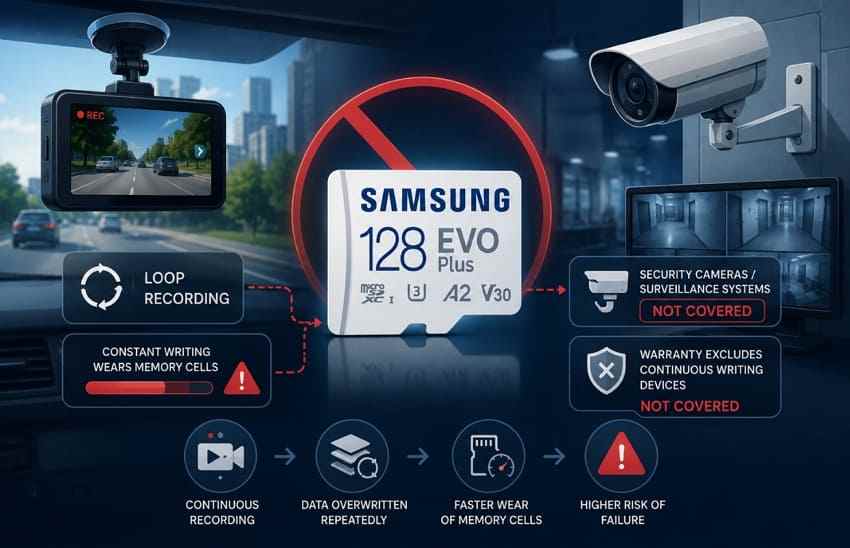
Dash cams, CCTV systems, security cameras, and body cameras keep writing and overwriting video. That workload wears flash memory faster than normal phone or camera use. Samsung's warranty wording for EVO Plus-style cards excludes continuous recording and similar write-intensive uses, so a high-endurance card is the better buy.
Part 4. Samsung EVO Plus 128GB Value as Storage Prices Rise
Storage price pressure is the reason this decision needs more than a spec table. TrendForce reported on July 3, 2026 that NAND Flash contract prices were expected to rise 10-15% QoQ in 3Q26, driven mainly by AI inference and large-scale data center demand. At the same time, retail memory card demand can still be uneven, so discounts may appear by brand, capacity, and region.
The practical rule is simple: do not buy the Samsung EVO Plus 128GB microSDXC only because it is the cheapest item in the cart. Compare price per gigabyte and the chance you will need a second card later.
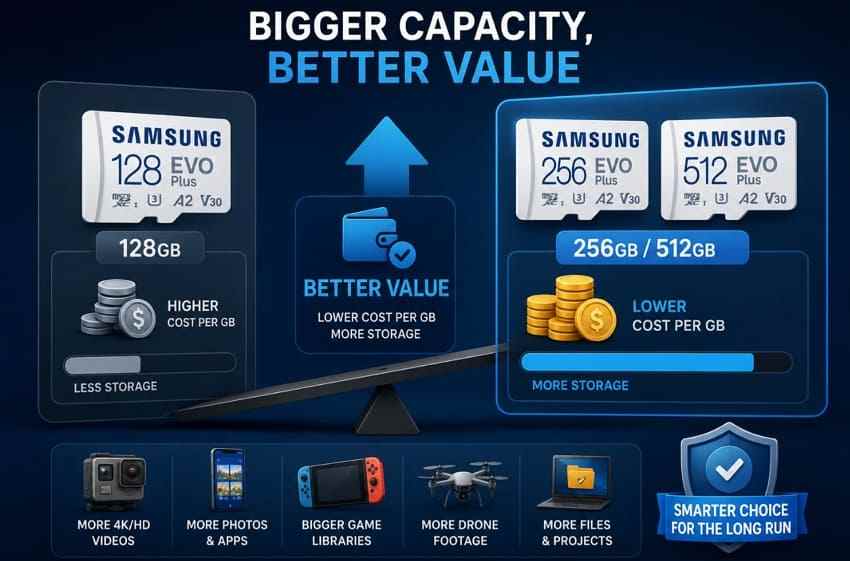
128GB vs 256GB vs 512GB Price-per-GB Comparison
| Capacity | Best Fit | Value Risk |
| 128GB | Lowest upfront price, casual storage, one phone or small camera kit. | Often the highest price per GB and easiest to outgrow. |
| 256GB | Most balanced choice for phones, tablets, handheld gaming, and travel cameras. | Total cost is higher, but value is often better if the discount is good. |
| 512GB | Video-heavy users, large game libraries, creators, and long trips. | Better long-term room, but overkill if most space stays empty. |
Use this buying threshold: if a 256GB card costs less than about 1.6 times the 128GB card, the 256GB card is usually the smarter value. If a 512GB card costs less than about 1.8 times the 256GB card, it may be worth considering for video or games.
When 128GB Saves Money Upfront
128GB makes sense when your budget is tight, your device is secondary, or your workload is predictable. A child's tablet, a backup camera, a small Android phone, or a travel card for temporary file transfer does not always need 256GB.
When 256GB or 512GB Is Better Long-Term Value
Larger cards are better when you already know you will fill 128GB. Phones with high-resolution video, drones, action cameras, Steam Deck libraries, and long vacations are the common triggers. Rising storage prices make the upgrade decision more important because buying a second card later may cost more than choosing the right capacity now.
Current Price, Retailer, Region, Currency, and Price-Check Date
Price check date for this review: August 3, 2026. Retail prices change by country, seller, inventory age, tax, and promotion cycle, so record the four fields below before deciding.
| Field to Check | What to Record | Why It Matters |
| Retailer | Samsung store, authorized electronics retailer, or trusted marketplace seller. | Fake-card and warranty risk changes by seller type. |
| Region and currency | Your country, sales tax, shipping cost, and return window. | A card that looks cheap in one region may not be cheap after fees. |
| 128GB price | The final checkout price for the Samsung EVO Plus 128GB. | This is the baseline for price-per-GB comparison. |
| 256GB and 512GB alternatives | Final checkout prices for larger Samsung, SanDisk, or similar cards. | Shows whether 128GB is false economy. |
| Check date | The day you compared prices. | Storage prices can shift quickly during supply changes. |
Upgrade Risk if You Buy Too Little Storage
The cost of buying too small is not only the next card. You also spend time moving files, checking backups, and managing nearly full storage. If the Samsung EVO Plus 128GB card will sit in a device you use every day, capacity headroom is worth paying for when the price gap is modest.
Part 5. Best Samsung EVO Plus 128GB Alternatives
These alternatives answer the real buying question behind the keyword: not just whether the Samsung EVO Plus 128GB SD card works, but whether it is the most suitable use-case match while storage prices are rising.
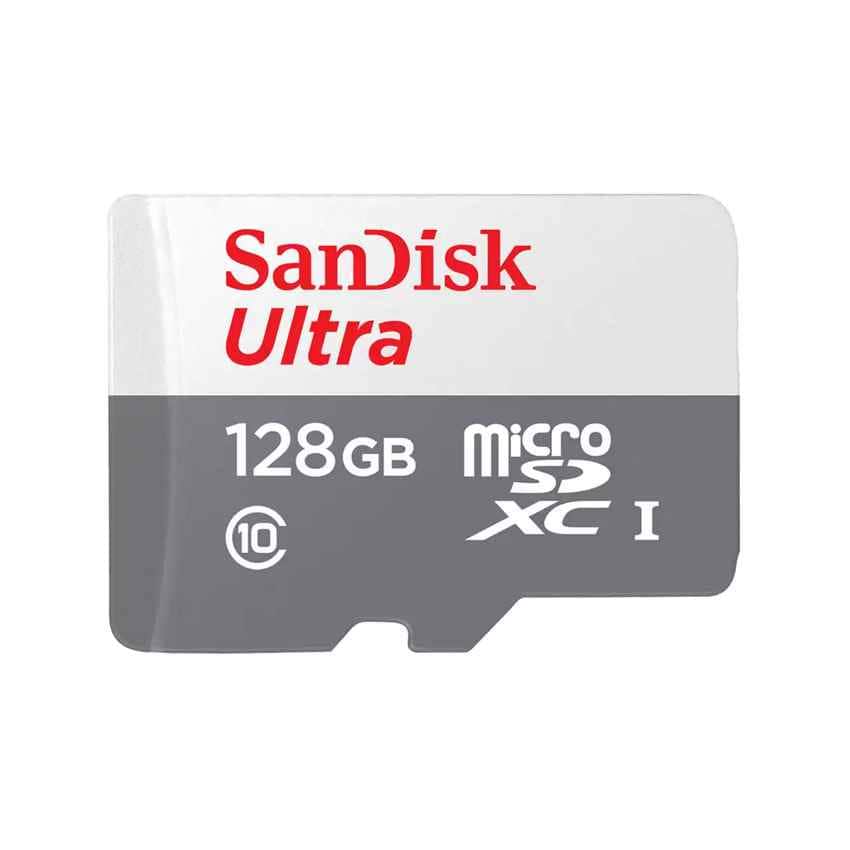
SanDisk Ultra as a Cheaper Everyday Alternative
SanDisk Ultra is the budget alternative for phones, tablets, and light file storage. It is usually not the best card for demanding 4K capture, but it can be a better buy when you only need cheap everyday capacity and the Samsung EVO Plus price is inflated.
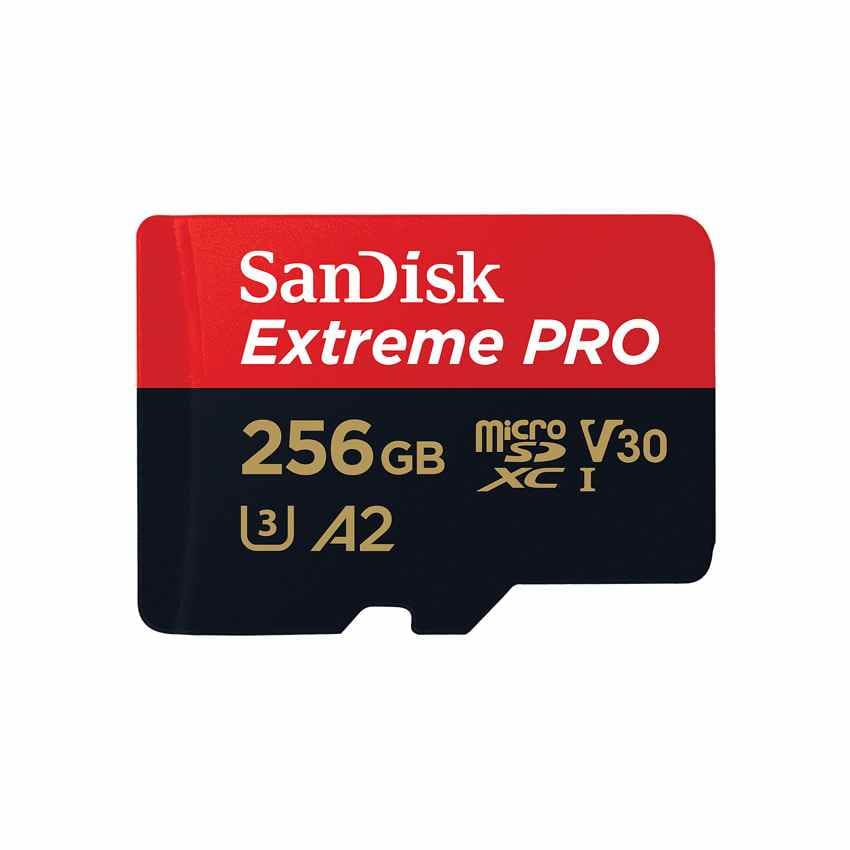
SanDisk Extreme as a Faster Video and Transfer Alternative
SanDisk Extreme is a stronger fit for action cameras, drones, and users who move large video files often. It normally costs more than Ultra, but it can beat the Samsung EVO Plus value if you need faster writes or a bundle with a capable reader.
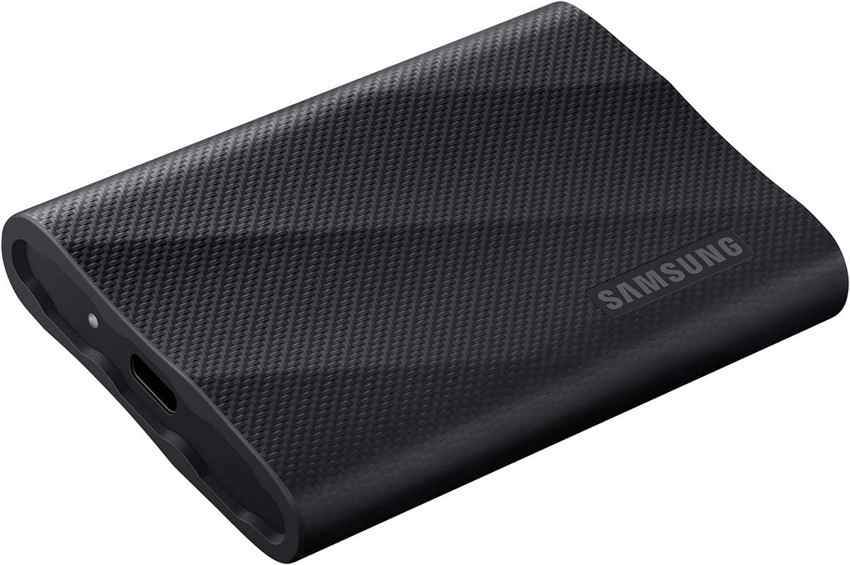
Samsung T9 or PRO Plus as a Creator-Focused Upgrade
Samsung's T7 and T9 microSD launch positions T7 for everyday use and T9 for professional creator workloads in Germany. If your local market still sells Samsung PRO Plus or PRO Ultimate cards, compare them by speed class, actual write speed, warranty, and price per GB rather than assuming the newest name is always the best value.
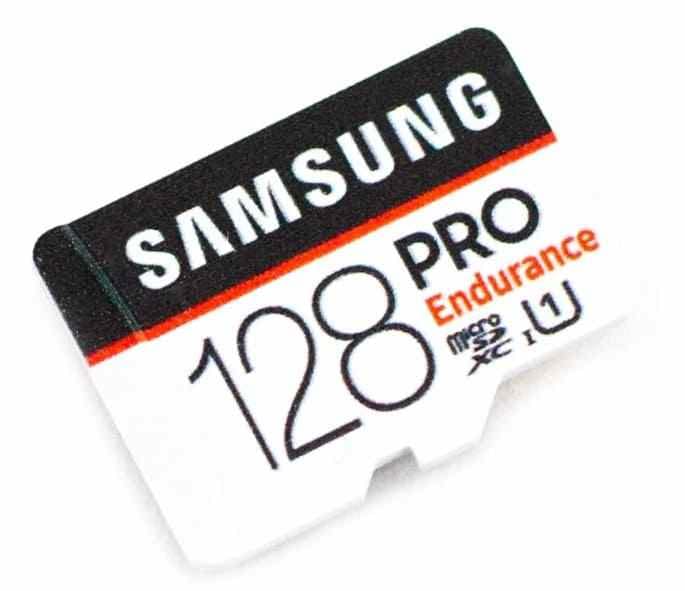
Samsung PRO Endurance for Dash Cam and CCTV Use
For dash cams, security cameras, and continuous recording devices, endurance is the main feature. Samsung PRO Endurance or a similar high-endurance microSD card is a better match than the Samsung EVO Plus 128GB because it is designed around long recording life, not only everyday transfer speed.
When to Buy a Discounted Larger Card Instead
A discounted 256GB or 512GB card can be the best alternative even if it is not a different product tier. During storage price swings, check larger cards from the same seller before buying 128GB. If the bigger card is close in price, the extra capacity reduces the chance of a painful upgrade later.
Part 6. Samsung EVO Plus 128GB Compatibility Checklist
Before buying any micro SD Samsung 128GB EVO Plus card, confirm the device can actually use it. Compatibility problems often look like card failure but come from the host device.
microSDXC and exFAT Support
A 128GB microSD card is microSDXC, not microSDHC. Older cameras, phones, car stereos, and embedded devices may not support microSDXC or exFAT. If the manual lists only microSDHC or a 32GB limit, the Samsung EVO Plus 128GB is the wrong card.
Maximum Device Capacity Support
Some devices support microSDXC but cap storage at 128GB, 256GB, or another limit. Check the exact model manual, not only the device family. A camera line may change supported capacity across generations.
Host Device Speed Limits
The card can only run as fast as the host allows. A UHS-I card in an older slot may work but transfer slowly. That is normal and does not mean the Samsung EVO Plus card is fake.
microSD Adapter and Reader Compatibility
The full-size SD adapter does not upgrade the card's speed. It only changes the physical slot. For large transfers, use a good USB 3.x reader and test again before returning the card for poor speed.
Nintendo Switch 2 and microSD Express Warning
Nintendo Switch 2 needs microSD Express for game storage. Standard microSDXC cards, including Samsung EVO Plus, can import some older screenshots or videos in limited cases, but they are not the right choice for saving or launching Switch 2 games.
Part 7. How to Avoid Fake or Overpriced Samsung EVO Plus Cards
Fake and overpriced cards are a bigger risk when buyers chase the lowest listing during price rises. A counterfeit may show 128GB in Windows while silently overwriting or discarding data after its real capacity runs out.
Buy From Samsung or an Authorized Retailer
Buy from Samsung, a major electronics retailer, or a seller with a clear return path. Marketplace listings can still be safe, but check who fulfills the order and who handles returns.
Compare the Price With Other Genuine Listings
A very low price is not automatically a deal. Compare the listing with several genuine Samsung EVO Plus 128GB microSDXC card listings, then check whether a 256GB card from the same seller is close in price.
Check Model Number, Packaging, Printing, and Region
Look for clean printing, correct speed marks, a sealed package, and a model number that matches the card generation shown in the listing. Be careful with listings that mix EVO Plus images, PRO Plus claims, incorrect A3 marks, or unrealistic speed claims.
Test Real Capacity and Read/Write Performance
After purchase, copy a full-card test set or use a reputable capacity-test utility before trusting important files to the card. A real capacity test writes across the whole card and verifies the data. A quick format or a simple file copy is not enough to expose many counterfeits.
Return Cards With False Capacity or Misrepresented Speed
If the card fails a capacity test, shows a suspiciously wrong capacity, or performs far below what a compatible reader should allow, stop using it and request a return. Do not keep using a questionable memory card for photos, videos, or backups.
Part 8. Common Samsung EVO Plus 128GB Problems and Fixes
The table below gives the safest first move for common Samsung EVO 128GB SD card problems. If the card contains important files, recover or copy data before formatting, repartitioning, or running repair tools.
| Problem | Likely Cause | Recommended First Fix |
| Card not detected | Dirty contacts, weak reader, driver issue, or drive-letter conflict. | Try another reader and device, then check Disk Management. |
| Wrong capacity shown | Counterfeit card, old partition layout, or formatting issue. | Run a full capacity test before reformatting. |
| Device asks to format | File system metadata is unreadable. | Recover files first, then format only after data is safe. |
| Card runs slowly | Slow reader, old USB port, host limit, or fragmented card. | Test with a better reader and compare another device. |
| Photos or videos are corrupted | Interrupted writing, unsafe removal, failing card, or fake capacity. | Stop writing, copy readable files, then recover missing files. |
| Card stops working after formatting | Wrong file system, unsupported capacity, or failing flash memory. | Reformat in the target device after recovering needed files. |
Problem 1. Samsung EVO Plus 128GB Not Detected
Cause: The issue may come from the reader, contacts, USB port, device compatibility, or drive-letter assignment. Fix: Try another reader and computer first. If Windows detects the card without a drive letter, assign one in Disk Management.
Problem 2. Samsung EVO Plus 128GB Shows the Wrong Capacity
Cause: A small difference is normal, but a large mismatch can mean counterfeit storage or partition damage. Fix: Run a full capacity test. If the card is genuine and only the partition is wrong, recreate the partition after backing up or recovering files.
Problem 3. Device Asks to Format the Card
Cause: The file system may be corrupted or unsupported by the device. Data-loss warning: Formatting can make recovery harder and may overwrite file-system clues. Fix: Scan the card for recoverable files before formatting.
Problem 4. Samsung EVO Plus 128GB Runs Slowly
Cause: Many slow-card reports are actually slow-reader reports. Fix: Test the card with a USB 3.x reader, a different cable, and another computer. If the result changes greatly, the reader or host is the bottleneck.
Problem 5. Photos or Videos Are Corrupted
Cause: Corruption often follows low battery shutdown, removing the card during recording, file-system damage, or counterfeit capacity. Fix: Stop recording, copy readable files, and scan the card before taking new photos or videos.
Problem 6. The Card Stops Working After Formatting
Cause: The device may not support exFAT, the chosen allocation size, or 128GB cards. The card may also be failing. Fix: If files matter, recover them first. Then format the card in the target device rather than forcing a PC format.
Part 9. Recover Lost Files From Samsung EVO Plus 128GB
Memory card recovery is relevant when files were deleted, the card was formatted, the card turns RAW, the device asks to format, or photos and videos disappeared after corruption. Recovery depends on whether the card is readable and whether new data has overwritten the missing files.
Protect the Card Before Attempting Recovery
Remove the Samsung EVO Plus 128GB microSDXC card from the device and stop using it. Do not take new photos, record new videos, run repair tools, or accept a format prompt. Every new write can reduce the chance of recovery.
Recover Samsung EVO Plus Files With Wondershare Recoverit
Recoverit Memory Card Recovery can help recover lost files from a readable Samsung EVO Plus card after deletion, formatting, RAW file-system errors, or corruption. It scans the card for recoverable photos, videos, documents, and other files without repairing the card itself.
- Memory card support: Works with common SD, microSD, SDHC, SDXC, CF, MMC, and similar removable storage types when the computer can read the device.
- Deep scan: Searches beyond the visible folder structure when files no longer appear normally.
- Preview before recovery: Lets you check recoverable files before saving them.
- Safe destination choice: Helps you save recovered files to another drive instead of writing back to the damaged card.
Save Recovered Files to a Different Storage Device
Never save recovered files back to the same Samsung EVO Plus 128GB card. Use your computer's internal drive, an external SSD, or another healthy storage device. After the recovered files are safe, you can decide whether to format, return, or replace the card.
When Professional Recovery Is Needed
Use a professional recovery service if the card is physically broken, overheated, bent, not detected by multiple readers, or contains critical business, legal, or irreplaceable media. Software cannot scan a card that no computer can detect as readable storage.
What Recoverit Cannot Fix
Important note: Recoverit can help retrieve lost files, but it cannot repair a counterfeit card, fix physical flash damage, improve card speed, restore overwritten data, or make an incompatible device support the card. If a card is fake or physically failing, replace it after recovering what you can.
How to Scan the Card and Recover Files With Recoverit
Follow these steps to recover lost files from a Samsung EVO Plus 128GB microSDXC card with Recoverit.
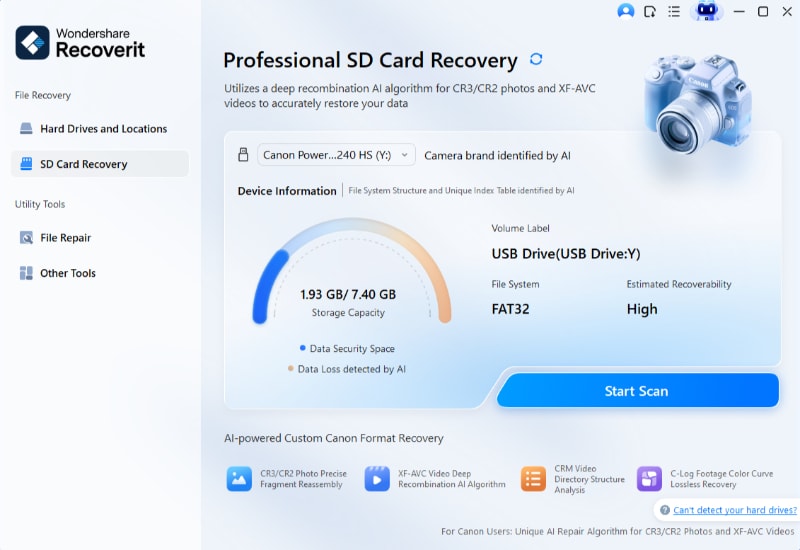
Step 1. Select the Samsung Memory Card
Connect the Samsung EVO Plus card to your Windows computer with a card reader. Open Recoverit, choose SD Card Recovery, select the memory card, and click Start Scan.
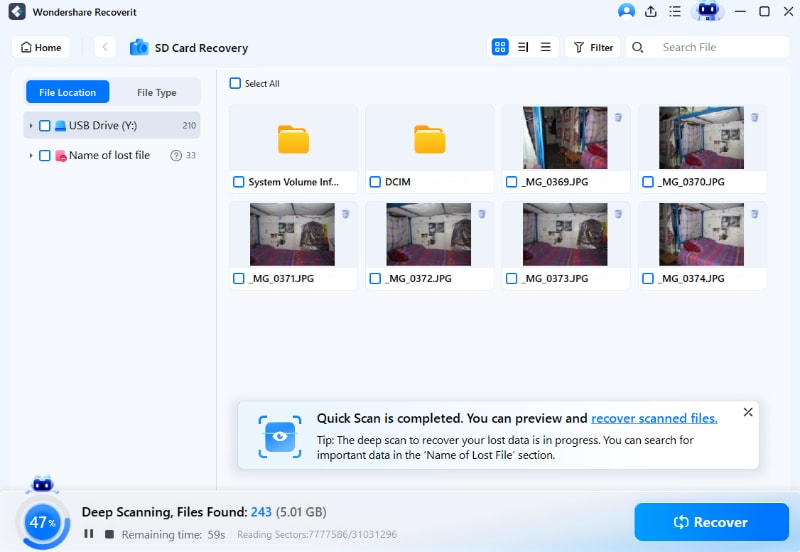
Step 2. Scan for Lost EVO Plus Files
Wait while Recoverit scans the card. Use file type, size, or path filters to narrow the results when the scan finds many photos, videos, and documents.
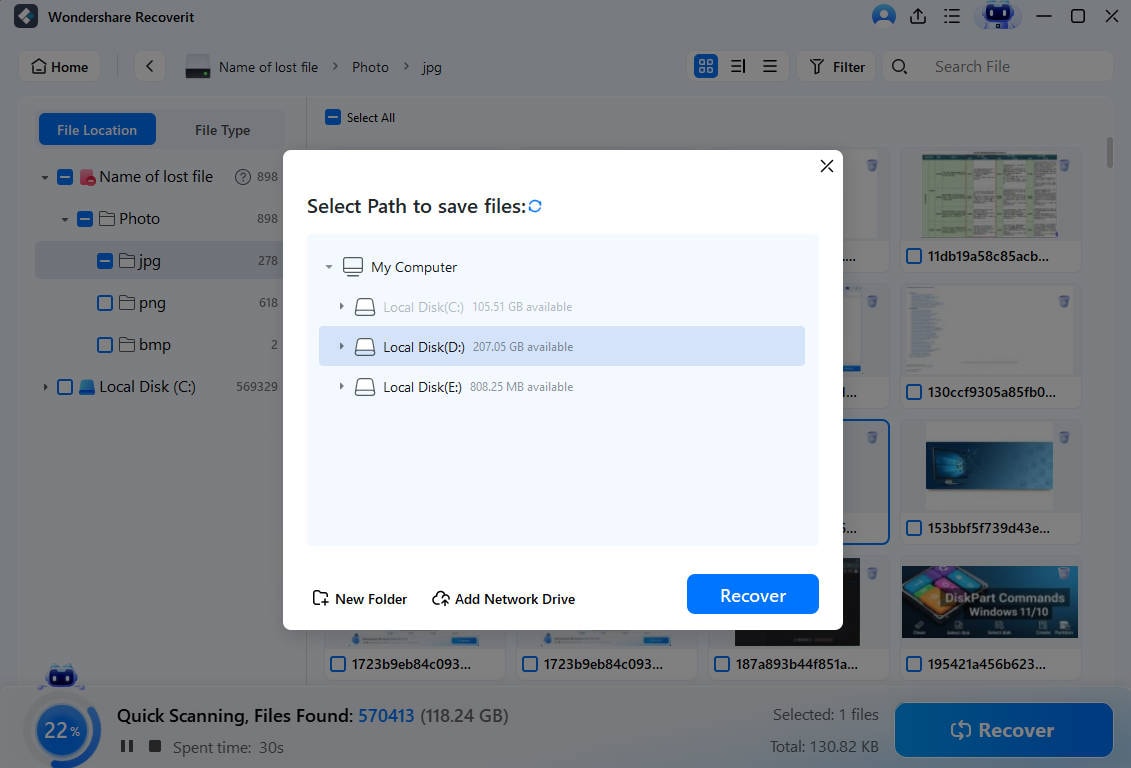
Step 3. Preview and Recover EVO Plus Files
Preview recoverable files, select what you need, click Recover, and save the recovered files to a different storage device.
Try Wondershare Recoverit to Perform Data Recovery
 Security Verified. Over 7,302,189 people have downloaded it.
Conclusion
The Samsung EVO Plus 128GB micro SD card is still a dependable everyday microSDXC card when the price is right. It is best for Android devices, tablets, casual cameras, original Switch systems, Steam Deck storage, and routine file transfer. It is not the best card for dash cams, CCTV, Switch 2 game storage, or users who will quickly outgrow 128GB.
Because storage prices are rising and discounts vary by capacity, the smartest move is to compare 128GB, 256GB, and 512GB by price per GB before checkout. Buy the Samsung EVO Plus 128GB only when it matches your device, your workload, and the current price. If the card later becomes unreadable or files disappear, stop using it and scan the readable card with Recoverit before formatting or replacing it.
FAQ
-
Is the Samsung EVO Plus 128GB good for 4K video?
Yes, it can work for many consumer 4K clips because the card carries U3 and V30 ratings. For long, high-bitrate, drone, or action-camera recording, check the camera requirements and consider a faster or creator-focused card. -
Why does my Samsung EVO Plus 128GB card show about 119GB?
This is usually normal. Card makers count 1GB as 1,000,000,000 bytes, while Windows reports capacity in binary units. Formatting also uses a small amount of space. -
Will the Samsung EVO Plus 128GB work in Nintendo Switch 2?
No, not for Switch 2 game storage. Nintendo Switch 2 requires microSD Express cards. The Samsung EVO Plus 128GB is a standard microSDXC card. -
Is 128GB enough for a Samsung EVO Plus microSD card in 2026?
It is enough for casual phone, tablet, camera, and file-storage use. If you record lots of 4K video, install many games, or want better long-term value during storage price increases, compare 256GB and 512GB options before buying. -
Can Recoverit repair a fake or damaged Samsung EVO Plus card?
No. Recoverit can help recover files from a readable memory card, but it cannot repair counterfeit capacity, physical flash damage, overwritten files, or device compatibility problems.



