

 TL;DR:
RePicvid Free Photo Recovery is a basic, read-only utility best suited for recovering recently deleted photos from readable SD cards, USB drives, and older computer hard drives before data is overwritten.
● The free module strictly limits recovery to photos and images, requiring a paid Pro module upgrade to restore videos, audio files, documents, or to access technical support.
● Official compatibility is limited to Windows XP through Windows 10 and older Mac OS X versions, making the tool unverified for Windows 11, macOS 15, and internal smartphone storage recovery.
● Wondershare Recoverit serves as the strongest alternative for users requiring advanced recovery for severe corruption, disk images, or broader file types, though saving recovered files requires a paid plan.
Ask AI for a summary
 ChatGPT
 Perplexity
 Gemini
 Claude
 Grok
Grok
RePicvid Free Photo Recovery: The Quick Verdict
Is RePicvid Free Photo Recovery worth using? Yes, for basic deleted or formatted photo recovery from a readable hard drive, SD card, memory card, USB drive, digital camera, or external drive. It is simple, free for photo recovery, and safer than risky repair actions because the scan process is positioned as read-only. However, it feels dated in 2026 and is not the best choice for Windows 11, modern macOS, advanced video recovery, mobile internal storage, physically failing drives, or users who need deeper recovery controls.
- Overall rating: 3.4/5.0
- Best for: Simple photo recovery from readable storage devices on older Windows or Mac systems.
- Not ideal for: Windows 11/macOS 15 users, RAW or damaged-drive cases that need stronger scanning, and users who need video, audio, or document recovery in the free module.
Many people save photos on phones, memory cards, cameras, and PCs because those files feel permanent. One accidental deletion, formatting mistake, virus infection, storage error, or system crash can change that quickly. When the lost files are family photos, travel pictures, client shoots, or work images, the first rule is simple: stop using the storage device before new data overwrites the missing files.
This updated RePicvid Free Photo Recovery review explains what RePicvid does, what the free module can and cannot recover, how to use it safely, where its old system support becomes a limitation, what user reviews suggest, and when Wondershare Recoverit is a stronger RePicvid alternative.
Data safety first: do not install any recovery software on the drive or card that lost photos. Do not save recovered files back to the same device. If the card or drive disconnects, clicks, overheats, asks to be formatted, or shows serious read errors, avoid repeated scans and consider making an image or using professional recovery service first.
In this article
Part 1. RePicvid Free Photo Recovery Review Verdict
RePicvid Free Photo Recovery is best treated as a lightweight photo recovery utility, not a full modern recovery suite. Its value is clear when the task is simple: you deleted photos recently, the drive or card is still readable, and you want a free scan-and-preview tool. Its weakness is also clear: the official system requirements are old, the interface is dated, the free module is limited compared with the Pro module, and advanced cases need stronger tools.
The biggest point to understand is the free limit. Gihosoft's product page uses broad language around photo, video, and audio recovery, but its official purchase comparison separates the Free Photo Recovery Module from the Pro Module. The free module lists photo recovery; Pro adds videos, audio, documents, and support. That makes RePicvid useful for photos, but not the best free answer for every media recovery case.
Review Scorecard
| Review Area | Rating | 2026 Review Notes |
| Overall rating | 3.4/5 | Useful for simple free photo recovery, but dated and limited compared with modern recovery tools. |
| Photo recovery focus | 3.8/5 | Good fit for deleted, formatted, or lost photos when the storage device is still readable and data has not been overwritten. |
| Ease of use | 4.0/5 | Simple three-step workflow: choose a location, scan and preview, then recover selected files. |
| Free version value | 3.7/5 | Free photo recovery is useful, but video, audio, document recovery, and technical support are positioned under paid modules. |
| Compatibility | 2.6/5 | Official system requirements list Windows XP to Windows 10 and older Mac OS X versions; current Windows 11/macOS support is unclear. |
| Advanced recovery depth | 2.9/5 | Less suitable for severely corrupted drives, complex RAW partitions, badly fragmented media, and professional recovery workflows. |
| Trust and transparency | 3.2/5 | Official pages exist, but product naming, free limits, and old system requirements can confuse users. |
How We Evaluated RePicvid
This RePicvid Free Photo Recovery review is based on the original Recoverit source article, preserved screenshots, Gihosoft's official product and purchase pages, current user review signals from G2, official pages for the listed alternatives, and practical data recovery safety rules. We did not assume certain recovery because results depend on overwriting, file fragmentation, file-system damage, device health, encryption, and whether the drive remains detectable.
| Evaluation Question | Why It Matters | Finding |
| Is the tool really free? | Searchers expect a clear free vs paid answer. | Free for photo recovery according to Gihosoft's comparison page; Pro adds more file categories and support. |
| Can it recover photos from cards and drives? | Most photo loss happens on SD cards, USB drives, cameras, and computers. | Yes, if the storage device is readable and lost files have not been overwritten. |
| Is it current for modern systems? | Outdated recovery software may not run well on new OS versions. | Official requirements still list Windows XP to Windows 10 and old Mac OS X support, so compatibility is a real concern. |
| Does it replace a professional recovery workflow? | Users may scan damaged cards repeatedly and reduce recovery chances. | No. Failing devices, overwritten files, severe file-system damage, and professional media cases need stronger workflows. |
Who Should Use It?
| User Scenario | Should You Try RePicvid? | Reason |
| You deleted photos from an SD card and stopped using it immediately. | Yes. | This is one of the best cases for a simple photo recovery scanner. |
| You formatted a camera card by mistake. | Yes, cautiously. | Recovery may be possible if the card has not been reused heavily after formatting. |
| You need to recover videos, audio, Office files, PDFs, or archives for free. | Not ideal. | Gihosoft's comparison page places these file categories under the Pro module. |
| You use Windows 11 or the latest macOS. | Maybe, but verify first. | Current official requirements do not clearly list modern Windows 11 or macOS 15 support. |
| Your card or drive clicks, disconnects, or becomes unreadable. | No direct scan. | Repeated scanning can stress failing media. Use an image-first or professional recovery workflow. |
| Your photos are on internal iPhone or Android storage. | No. | RePicvid is for computer drives and external/removable storage, not direct modern phone internal storage recovery. |
Part 2. What Is RePicvid Free Photo Recovery?
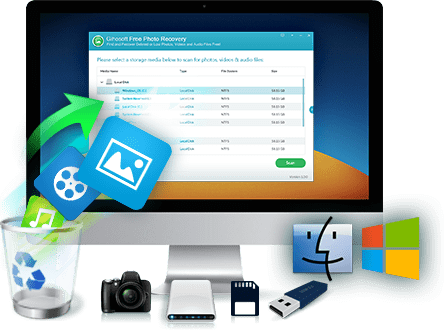
RePicvid Free Photo Recovery is a Gihosoft recovery tool built for restoring deleted, formatted, or lost pictures from common storage devices. Its interface is designed for non-technical users: select the storage media, scan it, preview found files, and recover selected images to a safe location.
Its core appeal is simplicity. Users do not need to choose many technical settings before starting a scan. RePicvid can be a reasonable first tool when a small set of photos was recently deleted and the source card or drive is still stable. It is less compelling when users need modern OS support, advanced filtering, disk-image recovery, NAS/Linux recovery, crashed-computer recovery, or more transparent scan results.
Free Module vs Pro Module
RePicvid's free positioning needs careful reading. Gihosoft's official product page says the tool can restore pictures and references videos/audio in broad marketing copy. However, the official purchase comparison table separates feature access by module: the free module lists scan, preview, and photo/image recovery, while the Pro module adds videos, audio/music files, documents, and technical support.
| Feature | RePicvid Free Module | RePicvid Pro Module | Review Take |
| Scan and preview lost files | Yes | Yes | Preview is useful before saving selected photos. |
| Recover photos and images | Yes | Yes | This is the main free value. |
| Recover videos | No, according to the comparison page | Yes | Do not rely on the free module for video recovery. |
| Recover audio/music files | No, according to the comparison page | Yes | Use Pro or another tool if audio matters. |
| Recover documents and archives | No, according to the comparison page | Yes | The source article's broad file claims need this paid-limit context. |
| Technical support | No | Yes | Important if the recovery job is complex. |
| Personal license pricing | No license needed | $35 listed on the Gihosoft purchase page | Prices can change; verify before purchase. |
Supported Systems, Devices, and File Types
Gihosoft's official page lists Windows XP to Windows 10 and Mac OS X v10.6 or later. The purchase page also lists older Mac versions including Yosemite, 10.9, 10.8, 10.7, and 10.6. That does not mean it cannot run elsewhere, but it does mean modern Windows and macOS users should test the free version carefully before relying on it for important recovery.
| Support Area | Officially Listed Details | 2026 Review Notes |
| Operating systems | Windows XP to Windows 10; Mac OS X v10.6 or later on the product page. | Windows 11 and macOS 15 support are not clearly listed on the official RePicvid pages reviewed. |
| Storage devices | Internal SSD/HDD, external hard drives, USB drives, memory cards, SD cards, flash cards, digital cameras, and microSD cards from Android phones or tablets. | It needs the device or card to be readable by the computer. |
| Image formats | JPG/JPEG, TIFF/TIF, PNG, ICO, BMP, GIF, PSD, CRW, CR2, CDR, NEF, ORF, RAF, SR2, MRW, DCR, RAW, SVG, HDRI, TGA, and more. | RAW camera format support is useful, but fragmented files may still be difficult. |
| Video and audio | The marketing page references video and music files, but the comparison page places video/audio recovery under Pro. | Treat free RePicvid as photo-focused unless the current installer proves otherwise. |
| Advanced settings | Specific file types can be selected to speed up scanning. | Useful for narrowing photo searches, but not a substitute for a full forensic workflow. |
Part 3. How to Use RePicvid Free Photo Recovery
RePicvid is built around a simple workflow. You pick a recovery mode or storage location, scan the device, preview found files, then recover selected photos to another drive or folder. The steps are easy, but the recovery order matters: scanning is low risk, while saving results to the wrong place can overwrite recoverable data.
Before You Scan
- Stop using the card, USB drive, or computer partition where photos were lost.
- Install RePicvid on a different drive from the source device.
- Connect memory cards through a reliable card reader.
- If Windows or macOS asks to format the device, cancel the prompt.
- Prepare another drive or folder for recovered files.
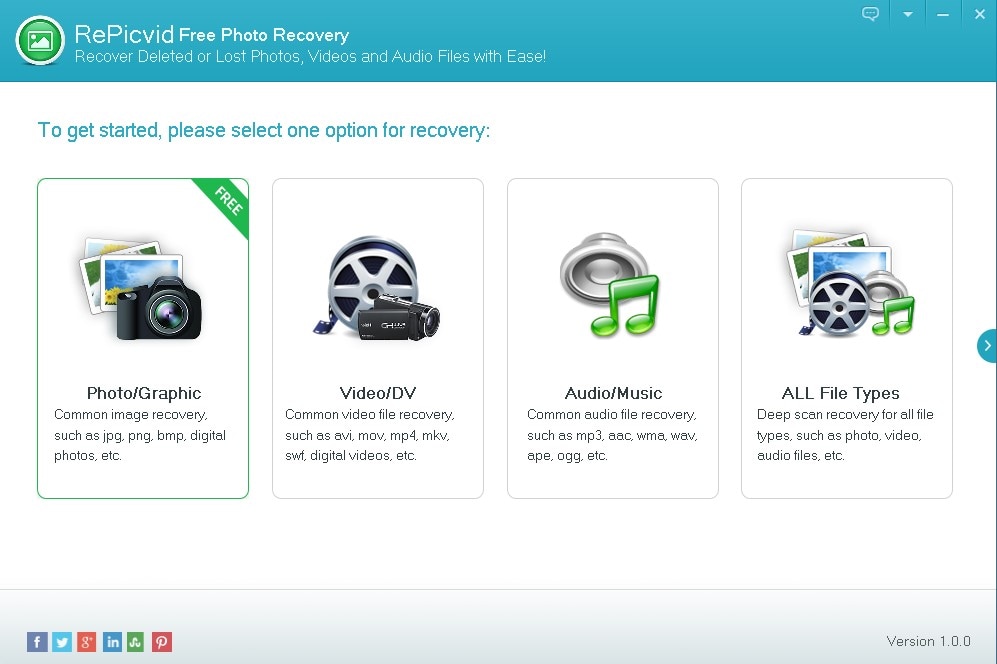
- Open RePicvid and choose a recovery option. Launch RePicvid data recovery software, then select the relevant location or recovery mode.
- Run a scan and preview found files. Wait for the scan to complete or review results as they appear. Use preview to confirm whether the files are the photos you need.
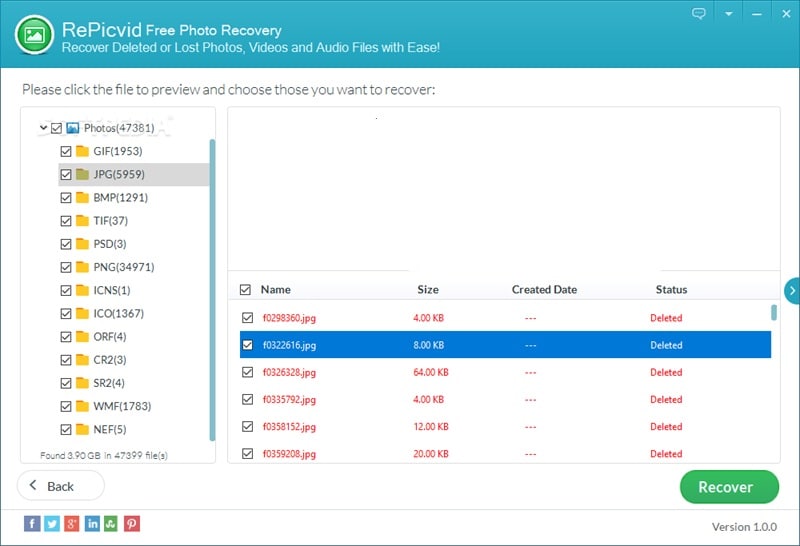
- Select photos and recover them safely. Choose the files you want and click Recover. Save them to a different physical drive or at least a different partition from the source.
What Scan Results Mean
A scan result is not the same as a guaranteed usable photo. Some thumbnails may preview correctly, while full-size files may still be partially damaged. Some recovered photos may lose their original folder names or metadata. This is normal in data recovery, especially after formatting, file-system damage, or repeated use of the same storage device.
| Result You See | What It Usually Means | Best Next Step |
| Photos preview clearly | The file data is likely still usable. | Recover those files first to a safe drive. |
| Only thumbnails appear | The tool may have found cache/preview data rather than full photos. | Check file size and quality after recovery. |
| File names are missing or changed | Original file-system metadata may be damaged or overwritten. | Sort by preview, size, date, and extension instead of name. |
| Scan finds nothing | Data may be overwritten, fragmented, encrypted, or the device may be failing. | Try a stronger recovery tool or image the device before deeper scans. |
| The device freezes during scan | The drive or card may be unstable. | Stop scanning and consider professional recovery. |
Part 4. Pros, Cons, and User Review Signals
The value of RePicvid depends on the job. For a simple photo deletion, it is convenient. For a formatted professional camera card, a large RAW shoot, or a drive with read errors, the tool's simplicity becomes a limitation.
Pros and Cons
What Users Like and Dislike
G2's RePicvid Free Photo Recovery page shows a 4.3/5 rating from 12 reviews in the crawled product summary. That is a positive signal, but the sample size is small. It should be read as user sentiment, not as a full reliability benchmark.
| User Feedback Theme | Positive Signal | Limitation to Remember |
| Ease of use | Users commonly praise the simple scan and recovery flow. | Simple screens can hide technical details advanced users need. |
| Free photo recovery | Good starting point for basic image recovery. | Free limits become important when videos, audio, or documents are needed. |
| Speed | Small photo scans can feel quick. | Large cards, RAW images, or damaged media can take much longer. |
| Recovery quality | Some users report successful simple recovery. | Results depend on overwriting, fragmentation, file-system damage, and device health. |
Part 5. Best Alternatives to RePicvid Free Photo Recovery
RePicvid is useful for light photo recovery, but it is not the only option. The best alternative depends on where the photos were lost, whether you need a desktop or mobile workflow, and whether you prefer a guided interface or a technical open-source tool.
| Tool | Best For | Main Strength | Main Tradeoff |
| Recoverit | Modern Windows/Mac photo recovery from PCs, cards, drives, cameras, and external storage. | Guided scan, preview, filtering, broad device and file-system support. | Saving recovered files requires a paid plan after scan/preview limits. |
| DiskDigger Photo Recovery | Android users who want a mobile recovery attempt. | Can search internal memory or external cards; rooted devices allow deeper searches. | Non-rooted scans are limited and ratings are mixed. |
| Tenorshare 4DDiG | Users who want a broader desktop recovery suite with free recovery allowance. | Modern UI, Windows/Mac versions, up to 2 GB free recovery according to its page. | Most advanced recovery still pushes users toward paid plans. |
| Dr.Fone Data Recovery | Phone-related recovery scenarios. | Better fit than RePicvid for mobile-device workflows. | Not mainly a PC photo recovery tool, and full recovery can require paid access. |
| PhotoRec | Technical users who want free open-source file carving. | Runs on many systems and ignores damaged file systems to search file signatures. | Interface is less friendly and recovered files may lose names and folders. |
Recoverit
Recoverit is a better RePicvid alternative for users who need a more modern photo recovery workflow on Windows or Mac. It can scan computers, hard drives, SD cards, USB drives, external drives, digital cameras, drones, and other readable storage devices. Its official guide also lists preview, filtering, disk image recovery, NAS recovery, Linux recovery, and broad file-system support.
Recoverit is not a phone internal-storage recovery tool and cannot recover overwritten files or repair physically damaged storage. Its fit is strongest when the photos are on a readable computer drive, memory card, camera card, external drive, USB drive, NAS, or supported storage location.
- Best for: deeper photo recovery from modern desktop and external storage scenarios.
- Key strengths: preview, filters, multiple storage types, current Windows/macOS support, and clearer recovery workflow.
- Main limitation: full recovery saving requires registration or a paid plan after preview/trial limits.
DiskDigger Photo Recovery
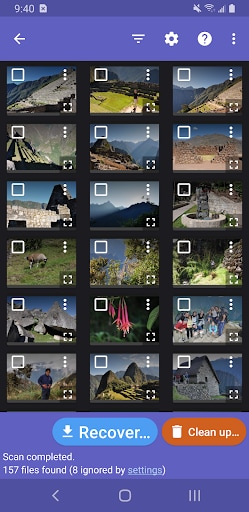
DiskDigger photo/file recovery is an Android app from Defiant Technologies. Its Google Play listing says it can recover photos, images, videos, documents, and other files from internal memory or external memory cards. The same listing explains that non-rooted devices perform a limited search, while rooted devices can search more of the device memory.
DiskDigger is useful when the recovery job is on an Android device and you do not have a PC available. It is less suitable when the lost photos are on a Windows/Mac drive or when a non-rooted Android scan only finds thumbnails and cached files.
- Best for: quick Android photo recovery attempts.
- Key strengths: mobile workflow, cloud upload options, rooted-device deep search.
- Main limitation: non-rooted scans are limited, and recent Google Play ratings are mixed.
Tenorshare 4DDiG
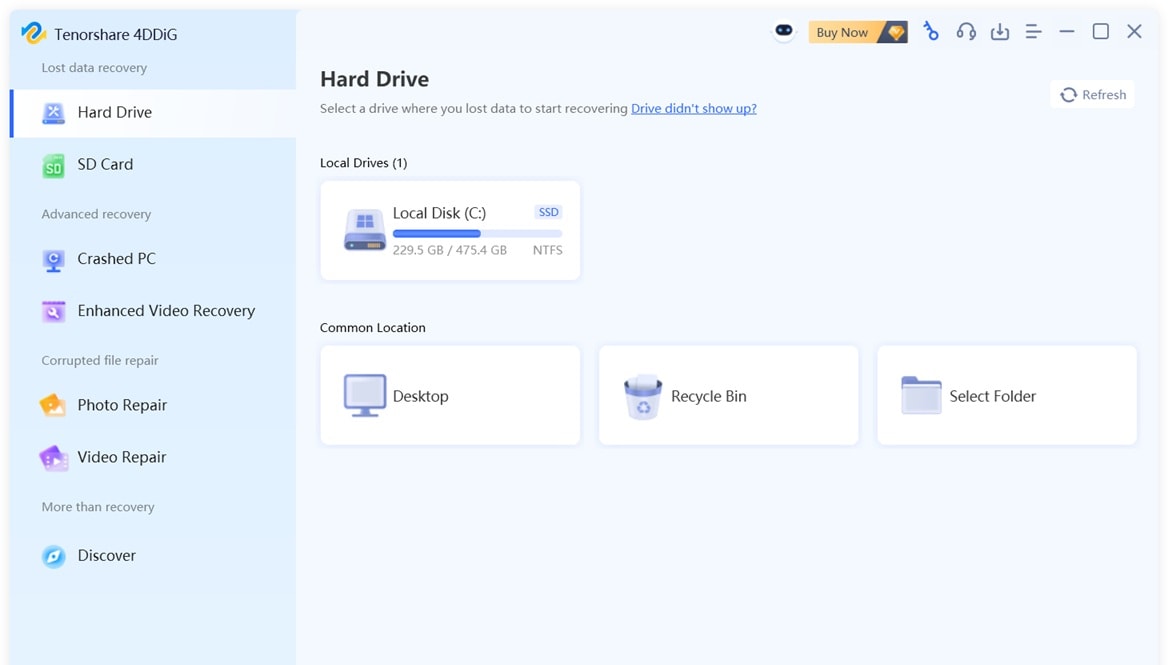
Tenorshare 4DDiG Free Data Recovery is a broader desktop recovery tool for Windows and Mac. Its official page promotes recovery from local disks, external hard drives, Recycle Bin, formatted drives, SD cards, corrupted memory cards, lost partitions, and crashed computers. It also claims up to 2 GB free recovery on the current free software page.
4DDiG is stronger than RePicvid when users need more than basic photo recovery. The tradeoff is that the free allowance and plan rules should be checked carefully before scanning a large card or drive.
- Best for: users who want a broader Windows/Mac recovery suite.
- Key strengths: modern interface, file filters, multiple storage scenarios.
- Main limitation: advanced features and larger recovery jobs may require Pro licensing.
Dr.Fone Data Recovery
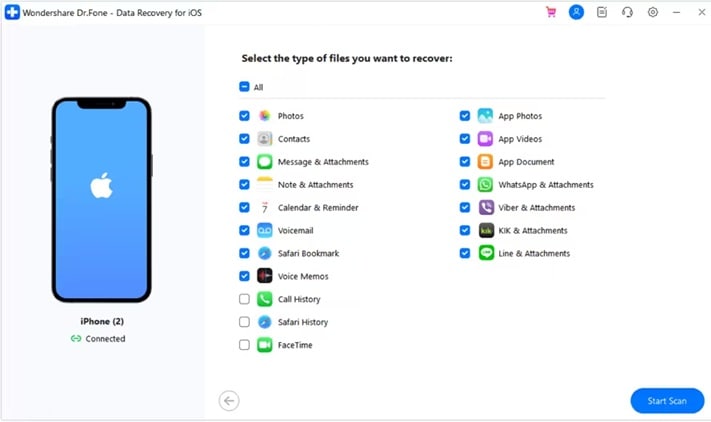
Dr.Fone Data Recovery is better suited to phone-related recovery tasks than RePicvid. If the lost photos are tied to an Android or iPhone workflow rather than a computer drive or removable card, a mobile recovery product may fit the search intent better.
That said, phone data recovery is more limited than many users expect because encryption, app sandboxing, cloud sync, overwrite behavior, and device permissions affect what can be recovered. Users should check the exact device, data type, and recovery mode before paying.
- Best for: mobile-device recovery workflows.
- Key strengths: phone-focused recovery paths and guided screens.
- Main limitation: not the best fit for PC hard drives, camera cards, or desktop storage recovery.
PhotoRec
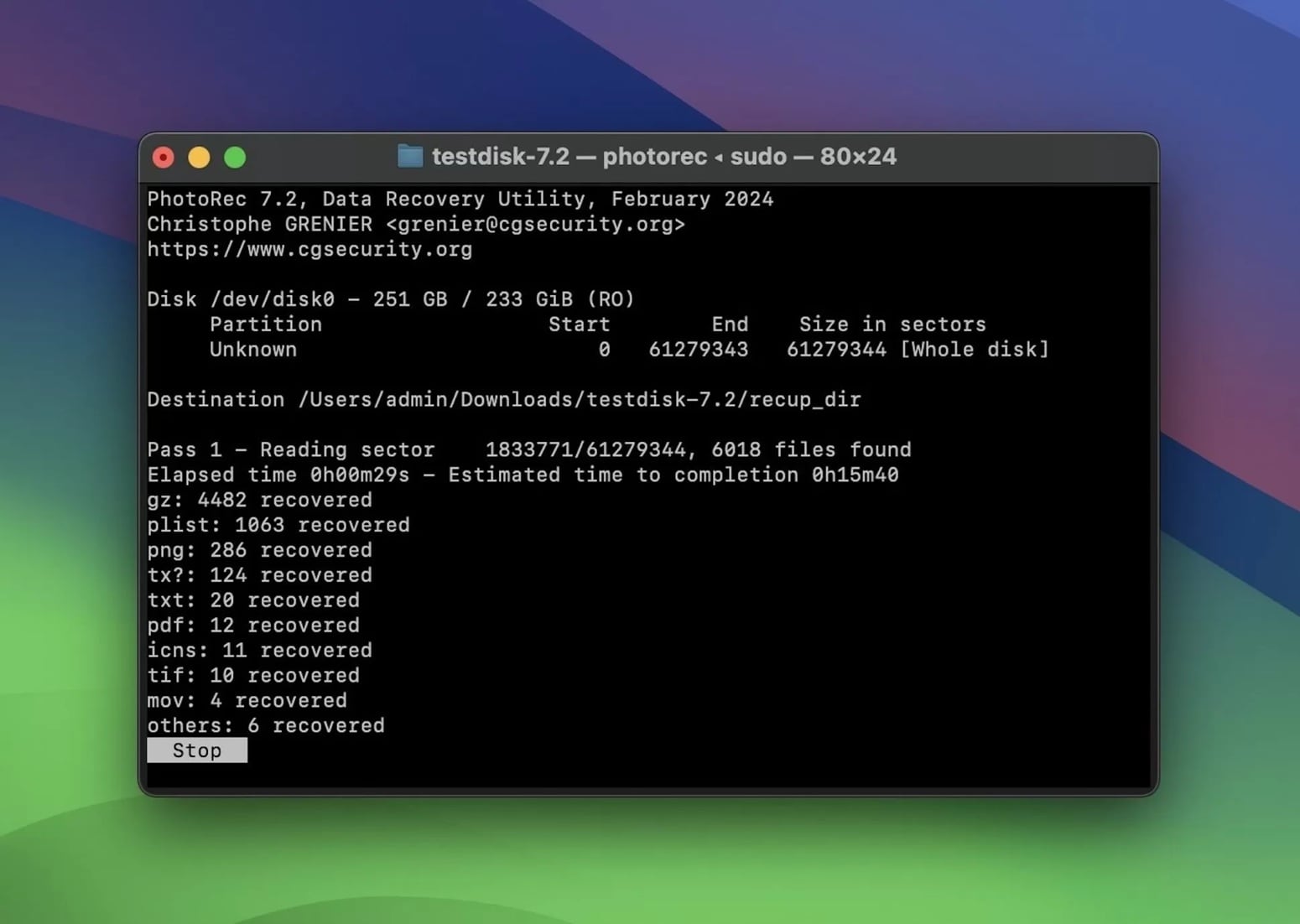
PhotoRec is a free open-source file recovery tool from CGSecurity. Its official page explains that PhotoRec ignores the file system and searches underlying data by file signatures, which helps when a file system is damaged or reformatted. It runs on Windows, Linux, macOS, FreeBSD, NetBSD, OpenBSD, Sun Solaris, and other Unix-like systems.
PhotoRec is powerful, but it is not the easiest RePicvid alternative for beginners. It can recover many file types, but recovered files may lose original names, folder structure, and metadata. It is a good choice for technical users, not users who want a polished preview-first interface.
- Best for: technical users who need free, open-source recovery.
- Key strengths: multi-platform support, read-only access, file-signature recovery, strong damaged-file-system handling.
- Main limitation: less friendly workflow and weaker organization of recovered results.
Part 6. Lost Photos on PC? Use Recoverit Data Recovery Tool
When RePicvid is too basic, Recoverit is the more practical next step for photo loss on a PC, Mac, external drive, memory card, SD card, camera, drone, USB drive, NAS, or Linux storage scenario where the device is still readable. It gives users a more guided scan, preview, filter, and recover workflow than RePicvid.
Recoverit can help recover photos from readable storage, but recovery still depends on drive condition, overwriting, encryption, file fragmentation, and whether the device remains detectable. It cannot repair physically damaged hardware, bypass encryption, or restore overwritten photo data.
Why Recoverit Is a Better Fit for Complex Photo Loss
| Comparison Item | RePicvid Free Photo Recovery | Wondershare Recoverit |
| Best use case | Simple free photo recovery on readable storage. | Broader photo, video, file, external device, disk image, NAS, Linux, and crashed computer recovery workflows where supported. |
| Current OS support | Official RePicvid pages list Windows XP to 10 and older Mac OS X versions. | Recoverit's guide lists Windows 11/10/8.1/8/7/Vista, Windows Server versions, and macOS X 10.10 to macOS 15 Sequoia. |
| Preview | Basic preview before saving. | Preview and thumbnails are available before recovery for supported files. |
| Filtering | Basic file-type selection and simple result view. | Search, filter, type, path, size, and time-based result narrowing depending on scan results. |
| File systems | Official page does not present a detailed modern file-system matrix. | Recoverit's guide lists NTFS, FAT variants, exFAT, ReFS, APFS, HFS+, RAW, EXT2/3/4, BTRFS, JFS, and more. |
| Mobile internal storage | Not a modern phone internal-storage recovery tool. | Recoverit also states it does not support recovery from Android/iOS internal phone or tablet storage. |
| Physical damage | Not suitable for direct scanning of failing hardware. | Also not a hardware repair tool; professional recovery is recommended for physical failures. |
How to Recover Lost Photos With Recoverit
Use Recoverit when your lost photos are on a readable computer drive, external drive, USB drive, SD card, camera card, or other supported storage device. Do not install it on the source drive, and do not save recovered photos back to the same device.
- Select the location where photos were lost. Download and install Recoverit on a safe drive. Open the program and choose the desktop, folder, hard drive, external drive, SD card, or Recycle Bin location where your photos were lost.

- Scan the selected location. Click Start to scan. You can review found photos during scanning and use filters to narrow the results by file type, size, time, or path.

- Preview and recover photos to a safe place. Preview the images, select the files you need, and click Recover. Save them to another drive or location to avoid overwriting remaining recoverable data.


Part 7. Final Verdict
RePicvid Free Photo Recovery is a reasonable first try for simple photo recovery, especially if you are using a compatible older Windows or Mac system and the lost photos are on a readable card, camera, USB drive, or computer drive. It is easy to use, the free photo module has clear value, and preview helps users avoid recovering unnecessary files.
It is not the best choice for every recovery job. Its official system requirements look old in 2026, the free module is photo-focused, and the tool lacks the depth, platform coverage, and advanced workflows expected from modern recovery software. For larger photo loss cases, modern Windows or macOS systems, external storage, disk images, NAS, Linux, or crashed computer scenarios, Recoverit is a stronger alternative to compare.
FAQ
-
Is RePicvid Free Photo Recovery really free?
Yes, Gihosoft lists a free photo recovery module. However, its comparison page places video, audio, document recovery, and technical support under the Pro module. -
Can RePicvid recover videos and audio for free?
Do not assume so. Gihosoft's product page uses broad media recovery language, but its purchase comparison says videos and audio are Pro module features. -
Does RePicvid work on Windows 11?
The official RePicvid pages reviewed list Windows XP to Windows 10, not Windows 11. Test compatibility first and avoid relying on it as your only recovery plan for important data. -
Can RePicvid recover photos from an SD card?
Yes, if the SD card is readable and the deleted or lost photos have not been overwritten. Stop using the card and recover files to another drive. -
Can RePicvid recover overwritten photos?
No. Once the original photo data has been overwritten by new data, recovery software cannot restore the original file. -
What is the best alternative to RePicvid?
Recoverit is the best alternative for most PC, Mac, SD card, camera card, USB drive, external drive, NAS, Linux, and crashed computer recovery workflows where the storage remains readable.


