

 TL;DR:
The YouTube "no video, only sound" error is usually a rendering block caused by outdated cache files, incompatible display settings, or network limitations rather than a hardware failure.
● Toggle hardware acceleration in your browser settings and clear the cache and cookies to force YouTube to load fresh, uncorrupted rendering data.
● Update your display adapter via Device Manager and install the latest version of your browser or YouTube app to resolve compatibility issues with modern video formats.
● Test the video on an alternative browser like Chrome, Firefox, or Edge, and restart your router, because weak connections often load lightweight audio streams but drop heavier video data.
Ask AI for a summary
 ChatGPT
 Perplexity
 Gemini
 Claude
 Grok
Grok
Have you ever clicked on a YouTube video and heard the audio playing clearly while the screen stayed black? Many viewers run into this problem when they least expect it. It can interrupt work, learning, or entertainment. You may think your device has crashed, but most of the time, the cause is small and easy to fix. This guide will help you solve it step by step.
When this problem appears, people often search for ways to fix YouTube no video only sound, learn what causes YouTube no video only sound, or understand why YouTube not showing video only sound keeps happening on their device.
Try Recoverit to Recover & Repair Video/Photo etc.
 Security Verified. Over 7,302,189 people have downloaded it.
Table of Contents
Why YouTube Shows No Video, Only Sound?
The problem may look serious when it first appears, but it often has simple causes. When you hear sound with no picture, it means something has blocked the video-rendering process. It may be the browser, the device, the internet, or YouTube itself.
Knowing what causes YouTube no video only sound helps you correct it faster and avoid it in the future.
Common Causes Explained
- Browser cache problems Cache files can become outdated. When YouTube loads, it may use these old files. This can block the video part of the page. Clearing the cache can fix the problem instantly.
- Old graphics drivers Drivers help display video. When they are outdated, YouTube videos may fail to show. You may get a black screen, a frozen frame, or only audio. Updating the driver helps solve video output problems.
- Hardware acceleration errors Some systems cannot handle hardware acceleration. When it is on, the browser may struggle to show video. When it is off, the browser may still lag. Changing this setting fixes the issue in many cases.
- Outdated browser version Older browsers cannot support modern video technology. When YouTube updates its features, old browsers fall behind. This leads to YouTube not showing video only sound.

How to Fix "YouTube No Video Only Sound"?
This part explains how to fix YouTube no video only sound. Each method targets a different cause. Follow the steps one by one until the issue is gone. These methods help most people who face YouTube not showing video only sound, across different devices.
Method 1: Clear browser cache and cookies
Cache files help websites load faster, but old cache files can cause serious problems. They may block the video part of the page, but allow the sound to play. That is why many users fix the issue by clearing the cache and cookies. It refreshes YouTube and removes damaged files.
This method is simple and safe. It does not delete personal files. It only clears temporary data that may be causing YouTube no video only sound. After clearing these files, YouTube loads fresh content from the server, which helps restore video output.
How to Clear browser cache and cookies:
- Open your browser settings and find the section that controls browsing data.
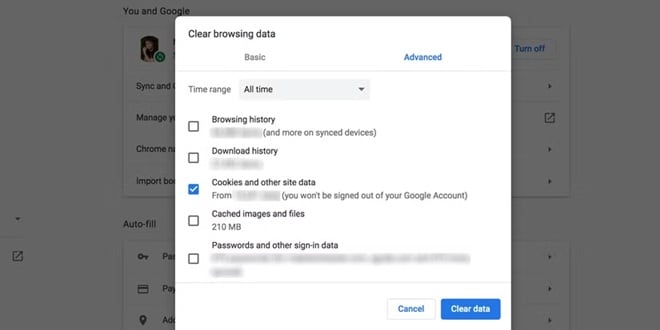
- Clear cache and cookies, then refresh YouTube and test the video.
Method 2: Update or reinstall graphics drivers
Graphics drivers manage how your device handles images and videos. When the driver is old or damaged, YouTube may only play sound because it cannot process the video. This is a common cause behind what causes YouTube no video only sound for many users.
Updating the driver gives your system new tools to handle video content. Reinstalling the driver resets everything to a working state. This method works well for computers that show black screens on multiple websites, not just YouTube.
How to Update or reinstall graphics drivers:
- Open device manager and locate the display adapter.
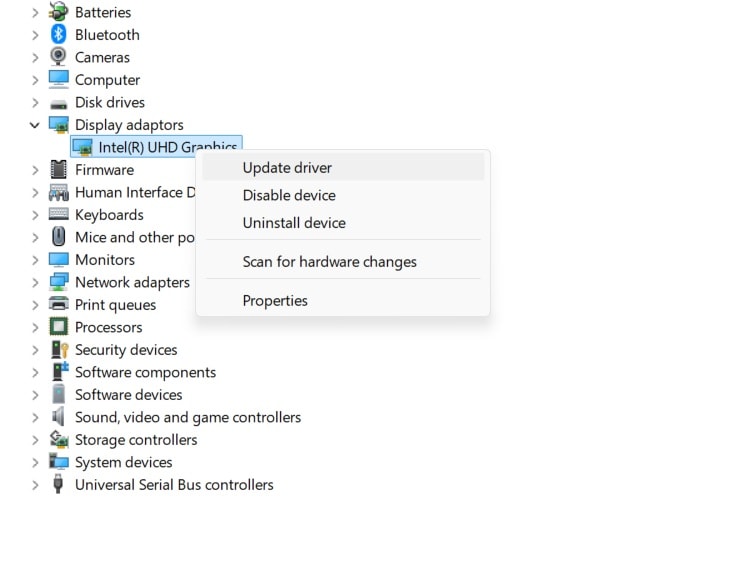
- Update or reinstall the driver, then restart the device.
Method 3: Enable or disable hardware acceleration
Hardware acceleration shifts processing tasks from the CPU to the GPU. When this setting does not match your system, YouTube videos may fail to load. The sound may play because audio is processed differently. Toggling this setting often fixes YouTube not showing video only sound.
Some systems work better with hardware acceleration on. Others work better with it off. Changing this setting gives you a chance to match the best mode for your device.
How to Enable or disable hardware acceleration
- Go to the browser settings and open the system section.
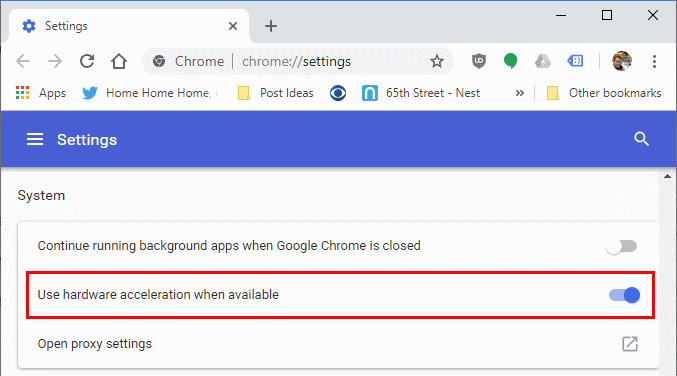
- Turn hardware acceleration on or off, then restart the browser.
Method 4: Try a different browser or device
If you try a different browser and the video works, your main browser may be the problem. This simple test helps you find where the error is. Some browsers have hidden bugs or conflicts that block YouTube video playback.
Trying a different device tells you whether the issue is system-related. If YouTube works on another device, then the problem lies with your original device settings.
How to Try a different browser or device:
- Open YouTube on another browser like Chrome, Firefox, or Edge.
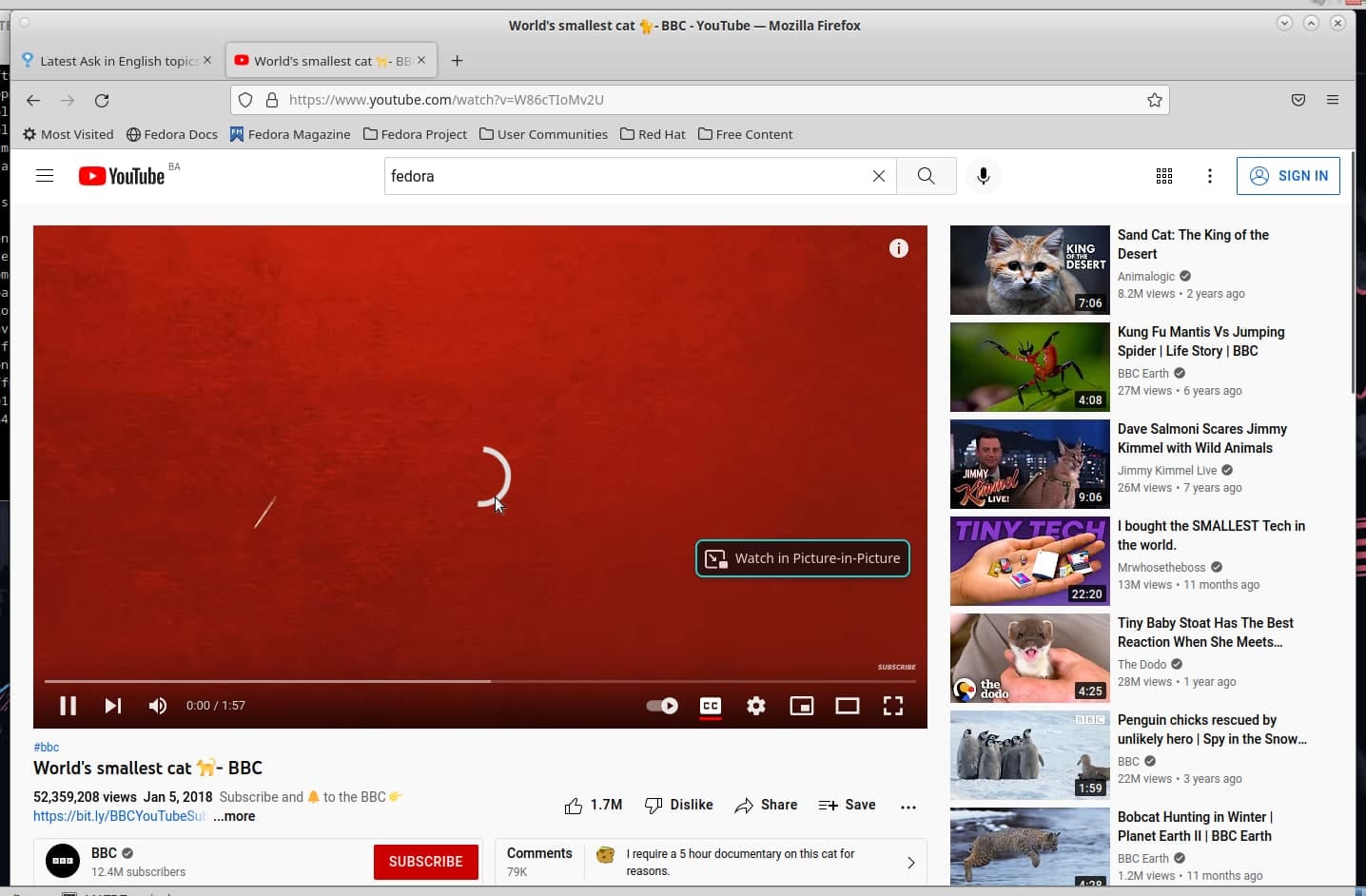
- If needed, try a different device to see if the video displays correctly.
Method 5: Check the internet connection and reset the router
A weak internet connection prevents the full video from loading. YouTube loads audio quickly, but video needs more data. When the connection drops, the video part may not load at all. Many users think their device failed, but the real issue is slow internet.
Restarting the router clears many connection problems. A quick test of your speed helps confirm if your connection is strong enough.
How to Check the internet connection and reset the router
- Test your internet speed or switch to a stable network.
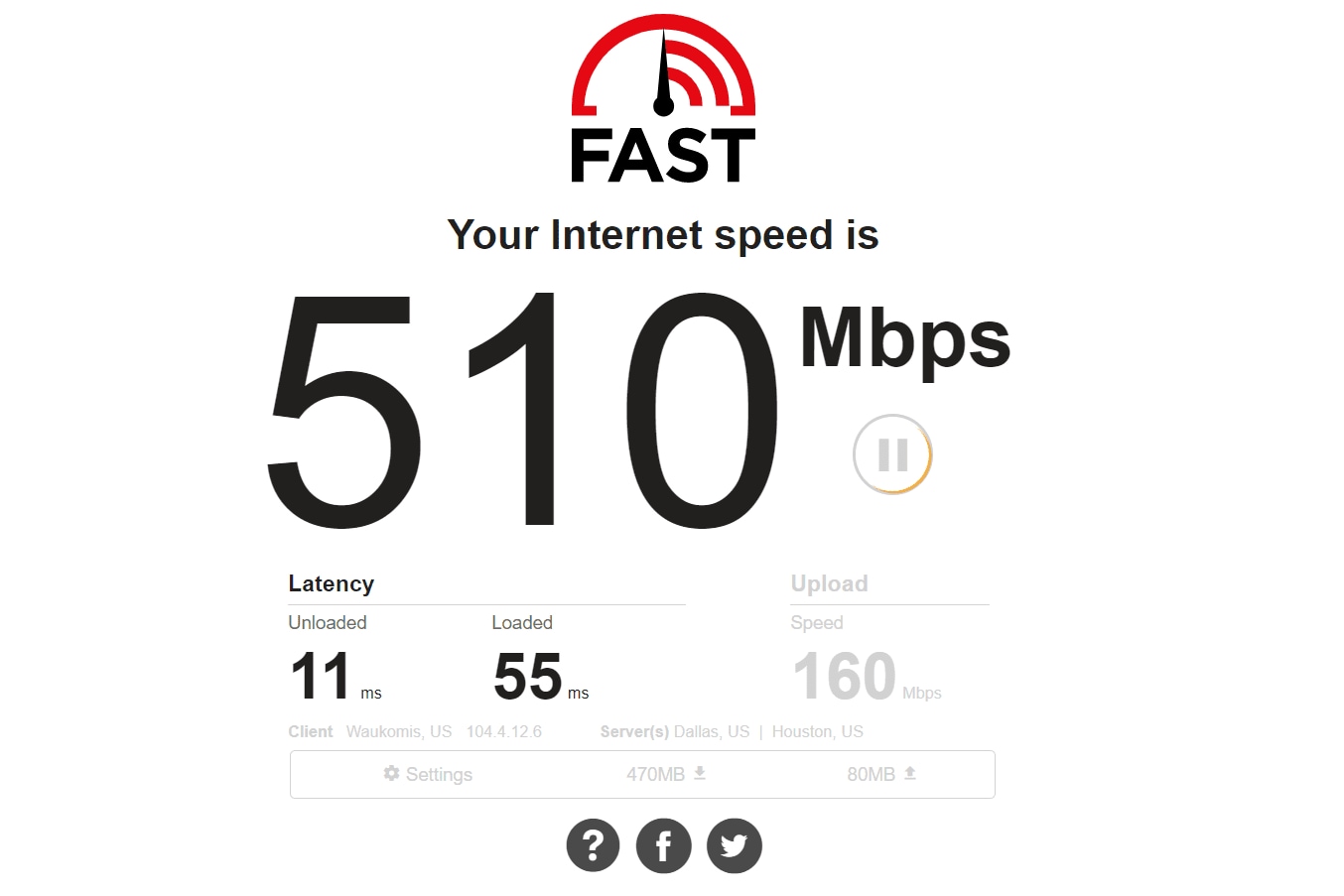
- Restart the router, wait a moment, then reload the YouTube page.
Method 6: Update the browser or YouTube app
Old apps and browsers struggle with modern YouTube updates. New features or formats may fail on older versions. That is why updating the browser or YouTube app solves many issues related to YouTube no video only sound.
Updates improve compatibility and remove bugs. They also introduce security fixes that help the app work smoothly.
How to Update the browser or YouTube app
- Open the update page for your browser or app store.
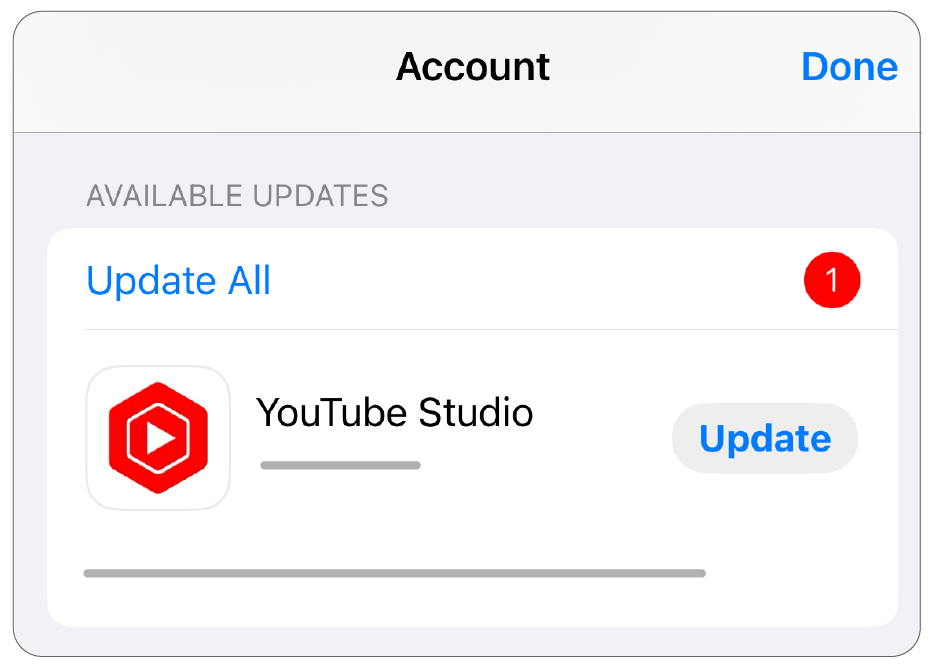
- Install the latest version and restart the app.
Lost Important Video Files From PC? Use Recoverit
If video files on your system have become damaged, even YouTube uploads or other players may fail to show the video. In many such cases, the audio plays, but the video remains blank. When this happens, users often think it is a device problem, but the real issue is file corruption. Recoverit is a strong and reliable tool that fixes this problem.
Recoverit repairs corrupted videos with advanced repair features. It supports many formats and restores damaged video data. It also helps recover deleted videos, lost files, or videos from broken systems. This makes it a trusted solution for users who face video failures similar to YouTube no video only sound on their devices.

The tool works well for personal videos, work projects, documentary clips, gaming recordings, and many other types of files. If your video is important and will not play, Recoverit gives you a safe way to repair it.
How Recoverit Helps:
- Repairs corrupted video files
- Recovers lost or deleted videos
- Works with many video formats
- Handles camera, phone, and PC files
- Fixes files from damaged or crashed systems
- Simple features with clear steps
Steps to Repair Video Files Using Recoverit:
Step 1: Launch Recoverit on your computer (Windows or Mac). Navigate to the Corrupted Video Repair feature.
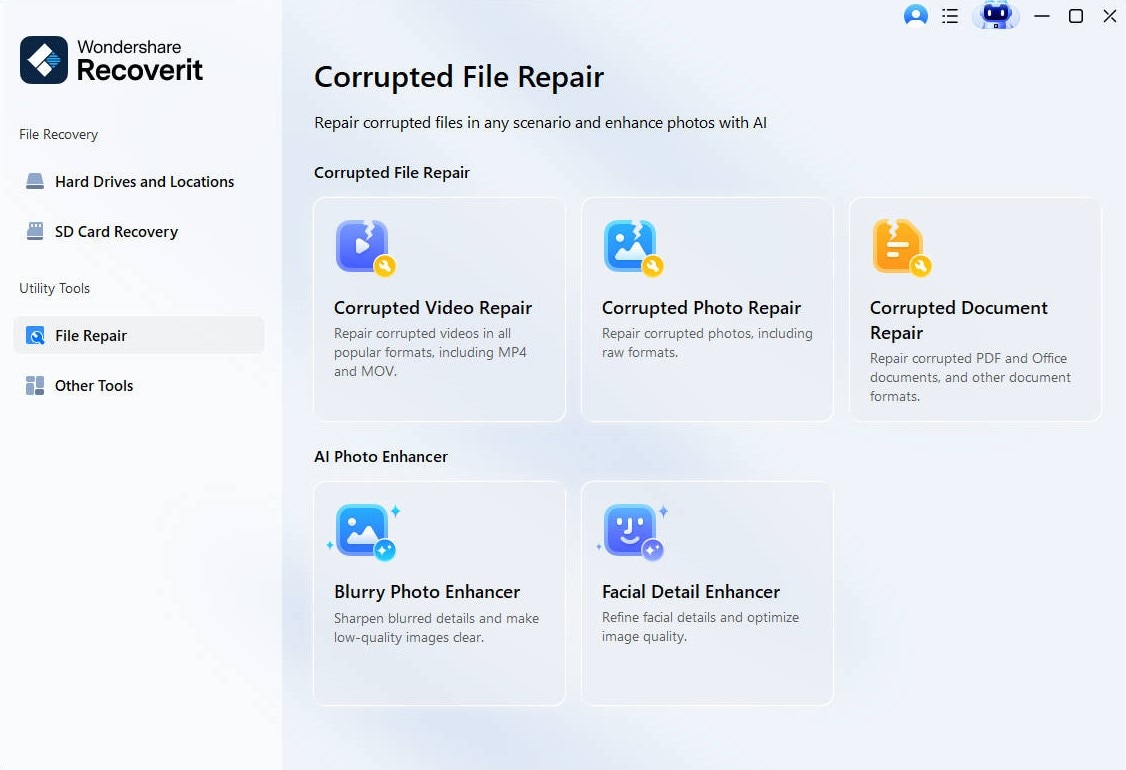
Step 2: Click the Add button, or drag and drop the corrupted video file(s) into the interface.
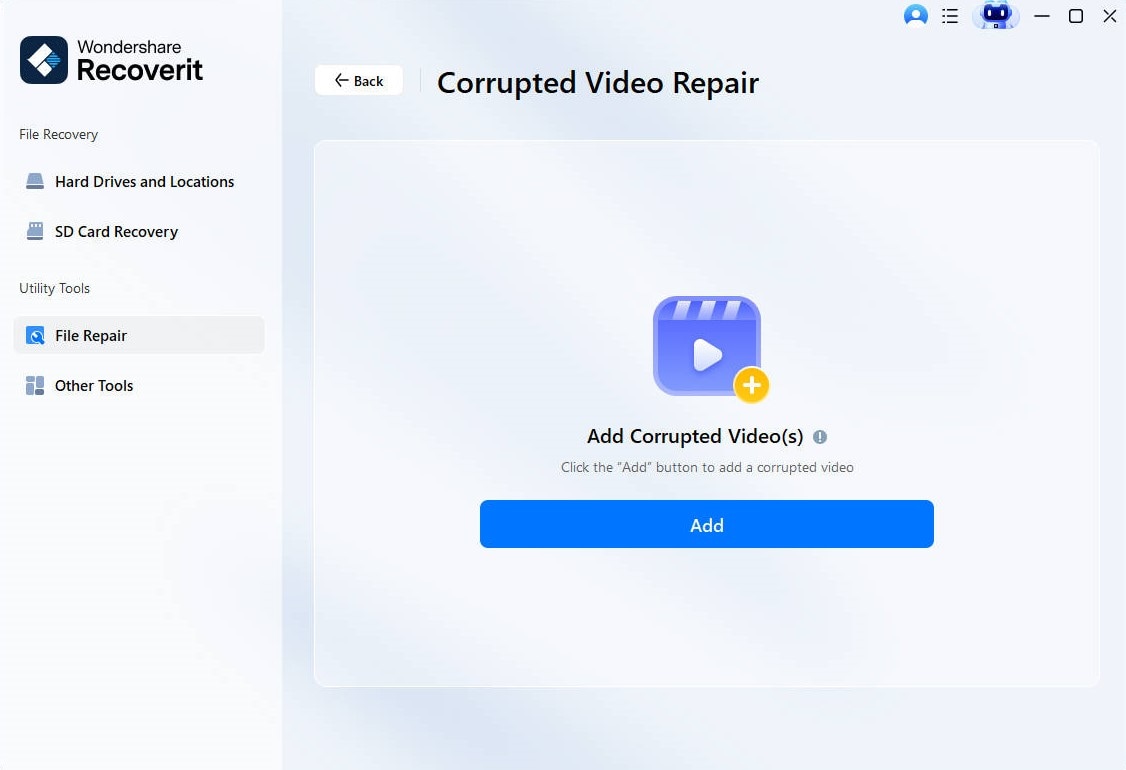
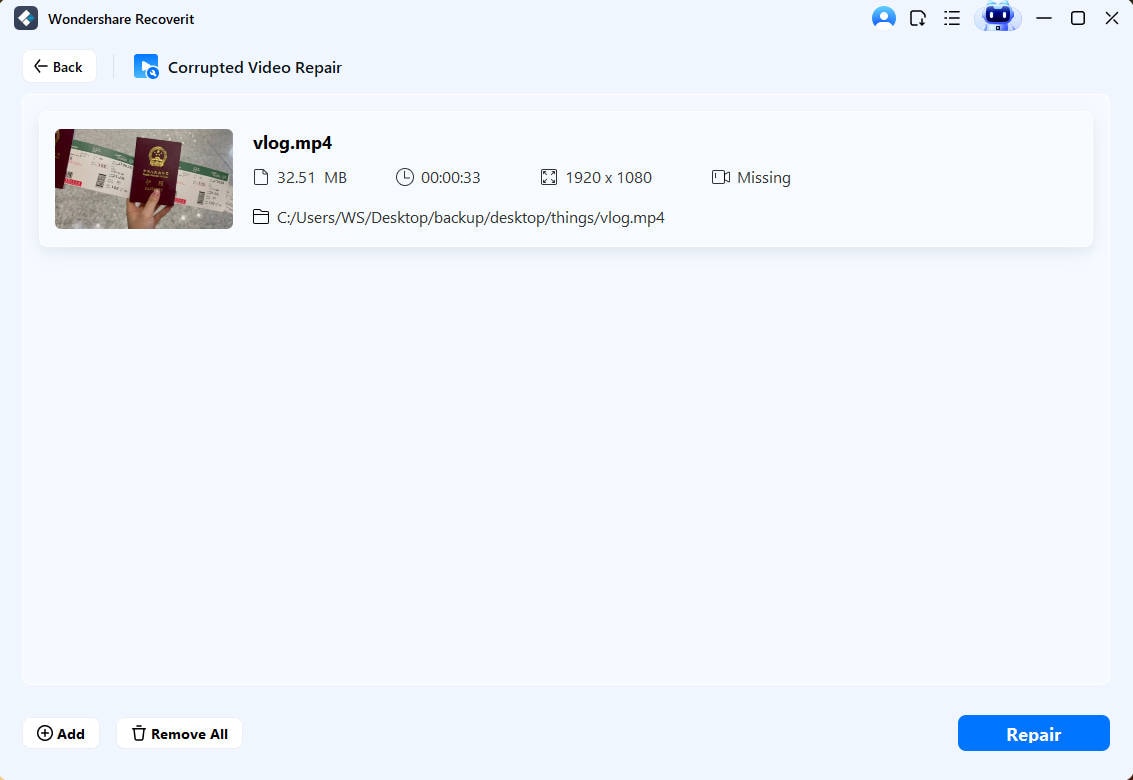
Step 3: Once the corrupted video files are loaded, click the Repair button. The software will begin the Quick Repair process, which attempts to fix basic video issues like broken headers or minor corruptions.
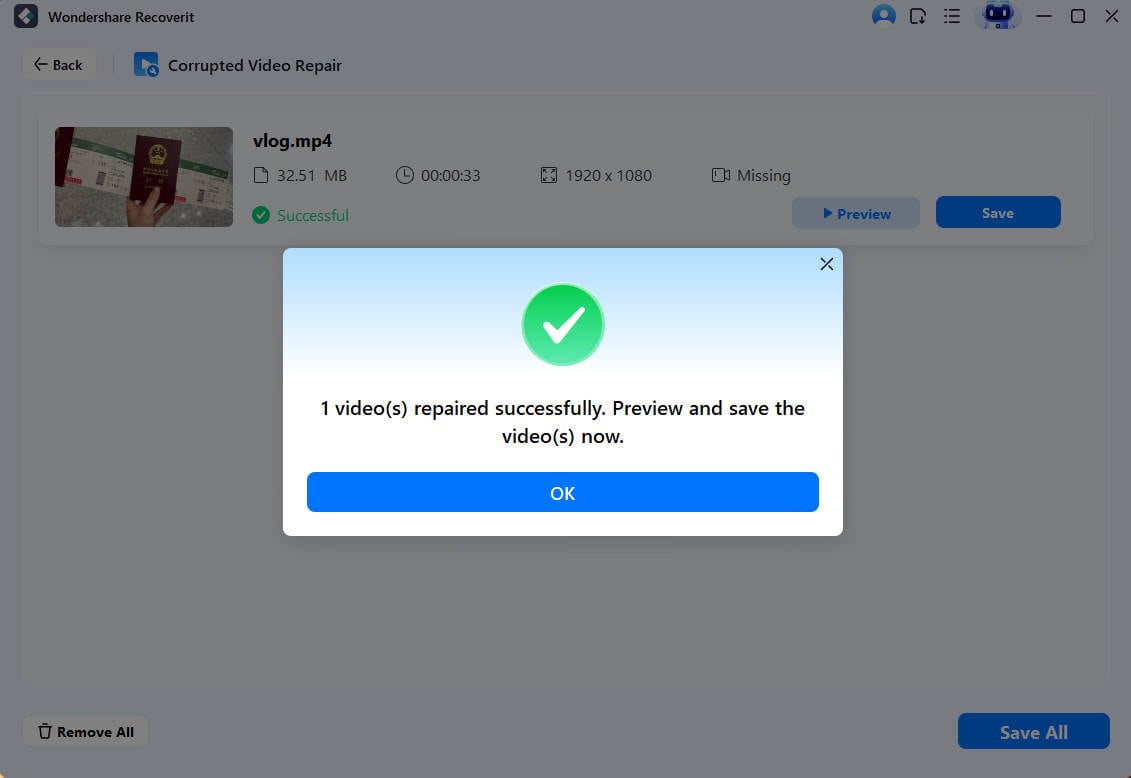
Step 4: After the repair is finished, the software will notify you. Click the Preview button to watch the repaired video. If you are satisfied with the result and the video plays correctly, click the Save button.
How to Recover Deleted or Lost Video on Different Devices?

Conclusion
YouTube issues can be frustrating, but most are not serious. Now you know what causes YouTube no video, only sound, and how to solve it. You have several methods to try, and each one targets a different cause. When YouTube not showing no video only sound appears, you can follow the steps and fix the problem fast.
If the problem is deeper and the video file is corrupted, Recoverit helps repair the file safely. With regular updates, good internet, and clean system habits, you can prevent this issue and enjoy smooth playback.
Try Recoverit to Recover Lost Data
Security Verified. Over 7,302,189 people have downloaded it.
FAQs
-
1. Why does YouTube load audio but no video?
This happens due to browser problems, weak internet, old drivers, or damaged cache files. Fixing these areas usually restores video playback. -
2. Is this issue caused by my device or YouTube?
It can be either. Sometimes your device has display or browser issues. Other times, YouTube may have temporary errors. -
3. Why does YouTube work on my phone but not on my computer?
Your computer may have browser extensions, driver problems, or system errors. Phones use different systems, so the issue may not appear there.


