

 TL;DR:
Resolve the "video has no sound" error by ruling out muted in-app or device volume settings first, then addressing missing audio codecs, outdated media players, or corrupted file data.
● Install the K-Lite codec pack or switch to VLC media player to fix playback issues caused by unsupported audio formats on older players.
● Update audio drivers via the Device Manager specifically on Windows computers to restore system-level communication with your speakers.
● Scan and rebuild broken soundtracks using the Corrupted Video Repair feature in Recoverit if the file was damaged by power cuts during recording or incomplete downloads.
Ask AI for a summary
 ChatGPT
 Perplexity
 Gemini
 Claude
 Grok
Grok
A video that plays without sound can feel puzzling, right? Especially when the picture looks fine. This issue can appear on phones, computers, or inside different apps. It may happen with new recordings or older files that once worked without trouble.
The cause is often simple. Sometimes it is a setting, and sometimes the video file has damage. This guide explains the common reasons in a clear way and offers practical steps to fix the video has no sound. It also shares tips that help prevent the problem from returning in the future.
Try Recoverit to Recover & Repair Video/Photo
 Security Verified. Over 7,302,189 people have downloaded it.
Table of Contents:
Common Causes: Why My Video Has No Sound?
It helps to know what caused the issue before you try to fix it. Once you know the cause, the solution becomes simple and clear.
Common Causes
- Wrong volume settings: The device volume may be low. You may have pressed mute by mistake. Some apps also have separate sound sliders.
- Damaged video file: A file can break during transfer or download. This can remove the soundtrack. This also happens when power cuts occur during recording.
- Missing audio codecs: A codec helps the device read a soundtrack. If the needed codec is missing, the video may play without sound.
- Outdated media player: Old players often fail to read new video formats. They may show the picture but skip the soundtrack.

How to Fix My Video Has No Sound
This part explains the most trusted solutions. Each method has an introduction, benefits, and steps. You can try them one by one. You can also repeat them when the problem appears again.
Method 1. Use Recoverit Corrupted Video Repair Option
Many people discover that the video file is broken. This creates the message that my video has no sound. A repair tool can solve this. One trusted tool is Recoverit. It can repair videos that lost their soundtrack. It is easy to use and works on common formats.
This method is helpful when the soundtrack inside the file has damage. The tool scans the file and rebuilds the parts that broke. This helps recover videos that were recorded on phones or cameras. It also helps when the download did not finish well. It also helps when my phone has no sound on videos after transfer.
How to use Recoverit to repair video with no sound:
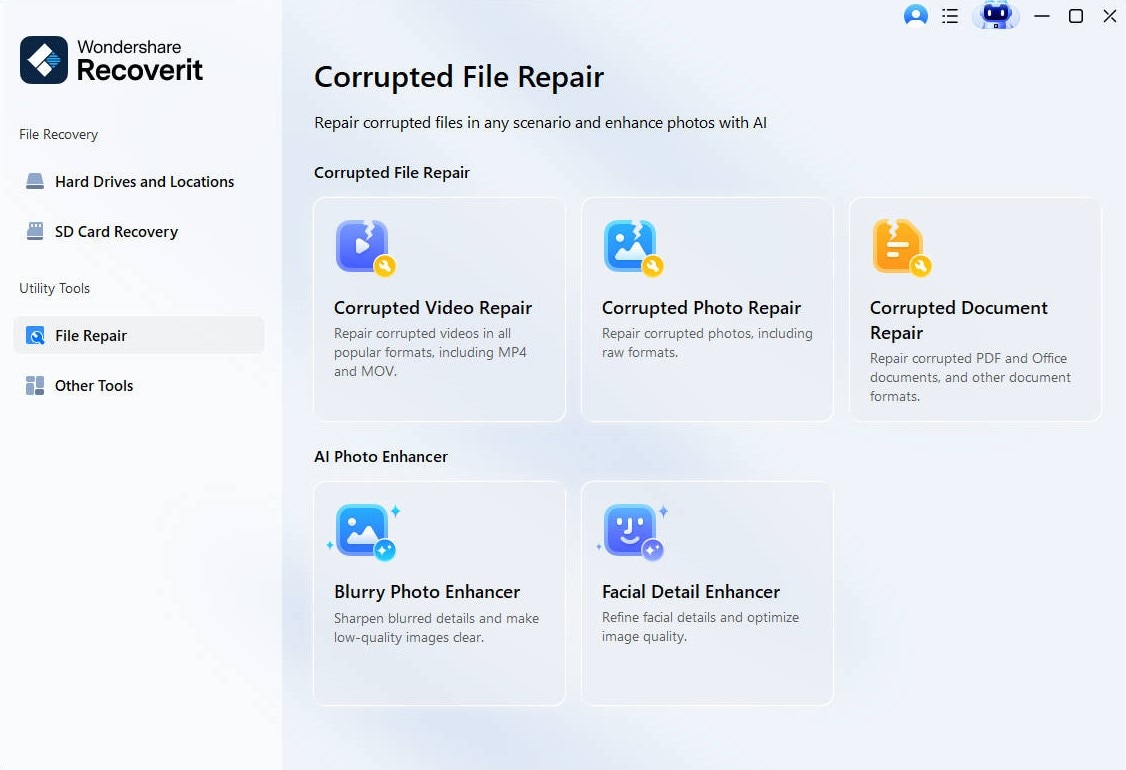
Step 1. Open Recoverit. Select the Corrupted Video Repair option from the dashboard.
Step 2. When the main window appears, look for the option that allows you to add or import a video.
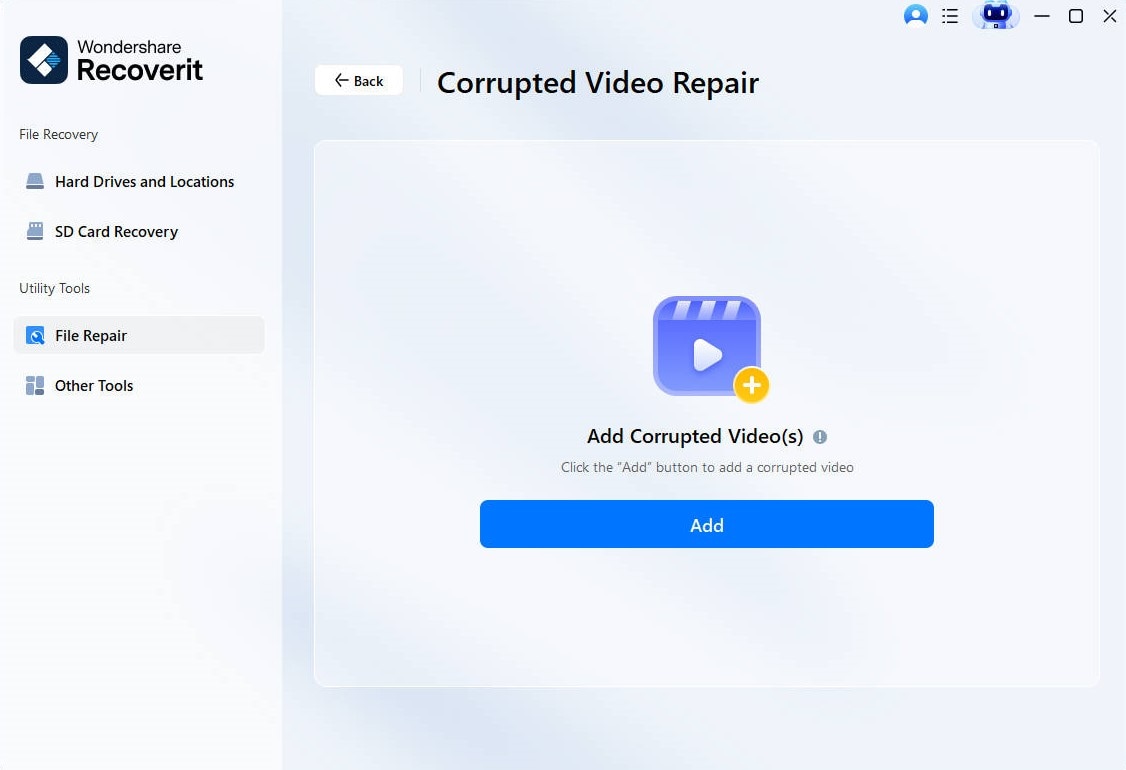
Step 3. Once the file is added, choose the repair option. Recoverit will study the structure of the video and scan the sound track for errors.

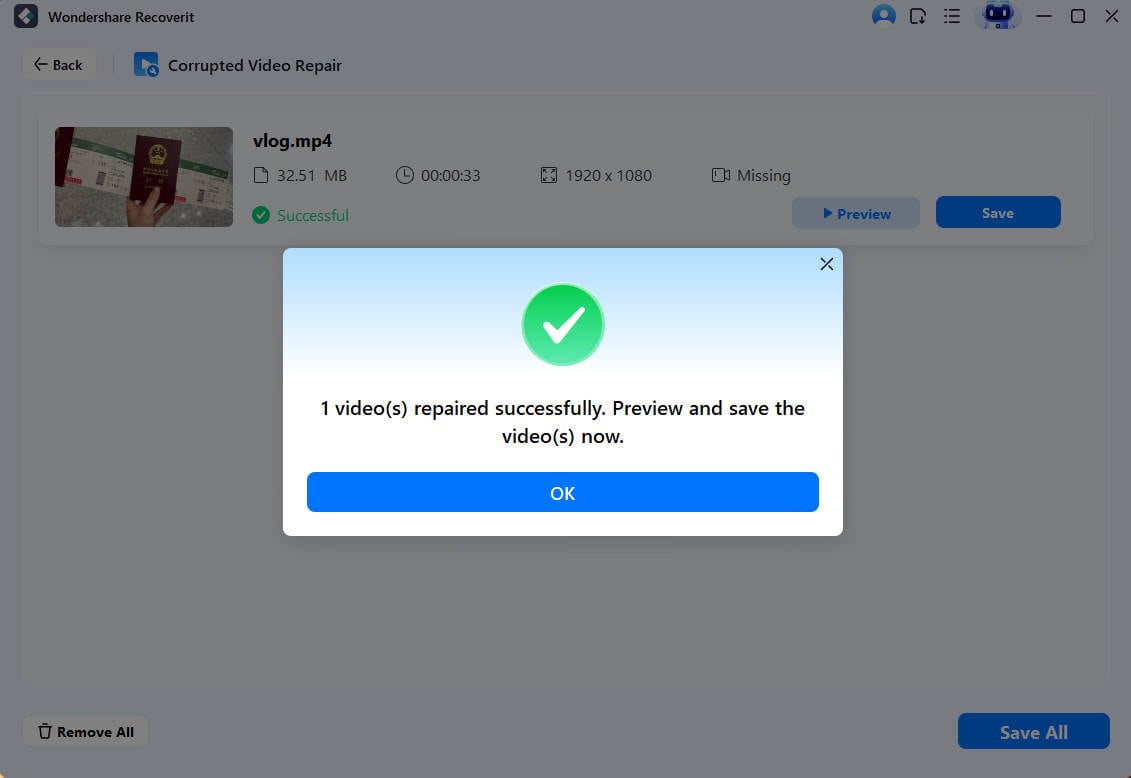
Step 4. After the scan, select the final repair action. Recoverit will rebuild the soundtrack and fix any corruption inside the file. When the repair is complete, preview the video to confirm that the audio is restored. Choose a safe location on your device and save the repaired file.
How to Recover Deleted or Lost Video on Different Devices?

Method 2. Check device volume and mute settings
This is the simplest fix. Many users discover that the device is on mute. Others find the sound slider inside the app set to zero. Some players have two sliders. If one slider is down, the video becomes silent.
This method is useful for phones and computers. It is also the most common cause of the problem. You can try it first before you repair anything. It is also fast and does not need extra tools. This helps when videos has no sound on iPhone or when my iPhone has no sound on videos after recording.
How to check device volume to fix video no sound:
- Turn up the device volume. Make sure it is not muted.
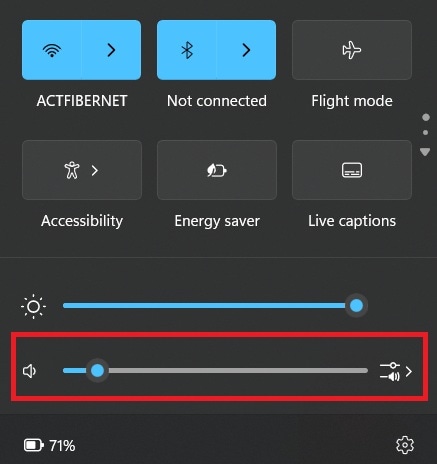
- Open the app settings. Raise the in-app volume.
Method 3. Update or install missing audio codecs
Some files need a special codec. When the codec is missing, you get the message fix my video has no sound. The video will show but the sound will disappear. Installing the right codec helps the player read the sound track.
This method works well when the picture is clear but there is no sound at all. It is common when you use older players. It is also common for files downloaded from unknown sources. When you install the codec pack, the device can read all types of audio tracks.
How to Update or install missing audio codecs to video no sound:
- Download a trusted codec pack like K-Lite.
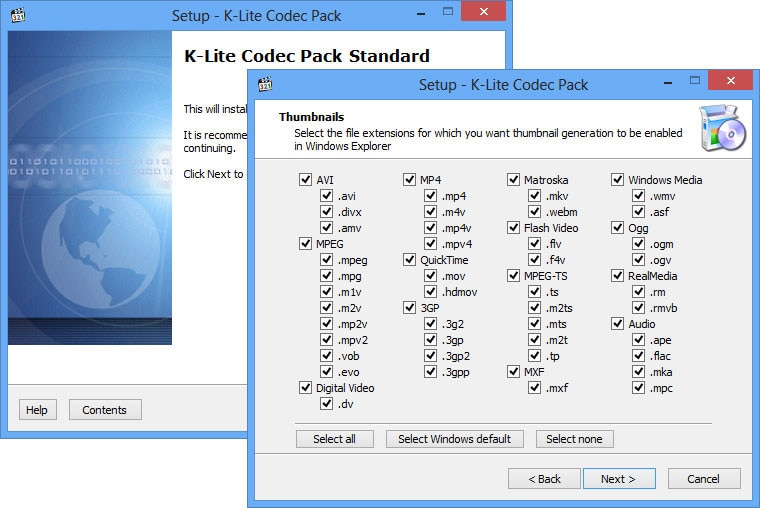
- Install it on your device and restart your device.
Method 4. Try a different media player
Some players cannot handle certain formats. When that happens, the video plays with no sound. A better player can fix this at once. This is helpful when you wonder why video lost sound on your usual player.
Trying a new player helps check if the file is the problem or the app is the problem. If the sound works on the new player, then the first player has issues. You can switch to a stronger player for all future files. This avoids repeated errors.
How to Try a different media player VLC:
- Install a stronger media player like VLC.
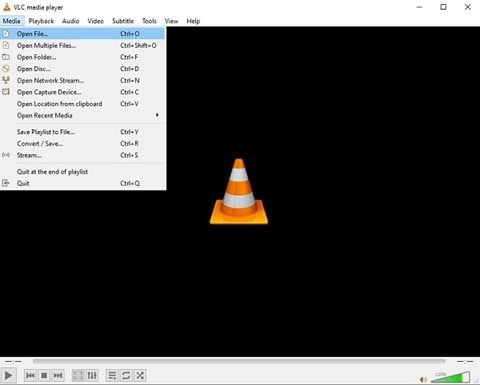
- Open the same video and test the sound.
Method 5. Update audio drivers
Drivers help the system talk to the speakers. When they break, there is silence. Updating them can restore the sound. This method works well on Windows computers.
Some users ignore driver updates. Over time, the system becomes slow. You may notice my video has no sound even when the file is fine. Drivers give the system the power to play sound in the right way. Updating them fixes many playback issues.
How to Update audio drivers to fix video with no sound:
- Open the device manager.
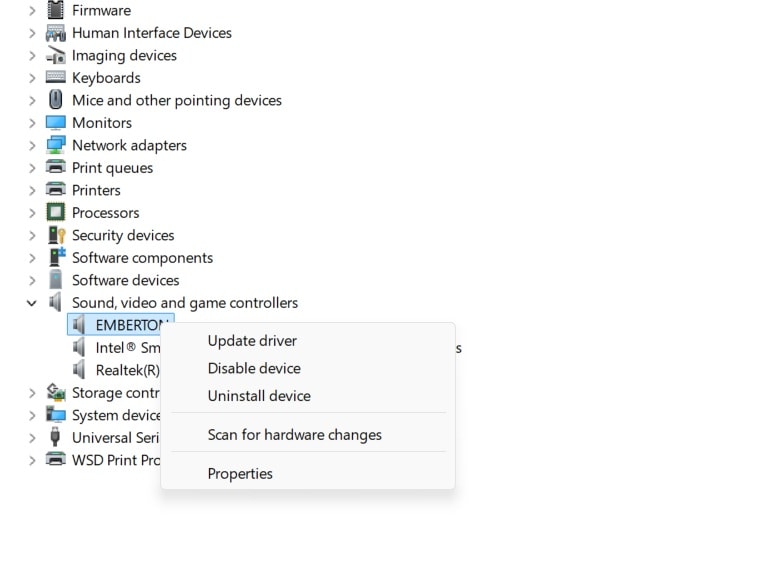
- Update the audio drivers.
Method 6. Repair or re-download the corrupted video file
Some videos lose sound during download. Others break during transfer. When this happens, the file must be repaired or downloaded again. Many users notice this when YouTube videos has no sound on offline downloads or when downloaded files fail on phones.
This method works well when you know the file came from a weak source. It also helps when the video was recorded in low storage mode. When a file loses frames, it also loses audio. A repair tool or a clean download fixes this problem.
How to Repair or re-download the corrupted video file:
- Re-download the file from a strong Internet connection.

- If the file is corrupted, repair it with a trusted tool.

Conclusion
When a video plays without sound, it can feel frustrating. Yet the problem is often simple. Volume settings may be wrong. The file may be damaged. Drivers or codecs may need updates. Once you learn the cause, you can fix the issue with calm steps.
This guide gave you detailed solutions and clear methods. You also learned how to repair damaged files and how to prevent the problem in the future. With these steps, you can bring sound back to your videos and avoid silent playback in the long run.
Try Recoverit to Recover Lost Data
Security Verified. Over 7,302,189 people have downloaded it.
FAQs:
-
1. Why does my phone video play with no sound
This often happens when the microphone was blocked or turned off during recording. It can also happen when the video file was damaged during saving. You can check the microphone settings or repair the file. -
2. Why do online videos lose sound
Online platforms use different sound formats. When the app has a bug or the browser has outdated settings, the sound may fail. Restarting the app or updating the browser usually fixes it. -
3. Why do some players show picture but no sound
Many players need the right audio codec. When the codec is missing, the picture shows but the sound does not. Installing codec packs or switching to a stronger player solves this.


