 TL;DR:
You can recover deleted videos from Google Photos by restoring them from the Trash folder within a 30-day window, locating hidden files in the Archive, or utilizing data export tools for older losses.
● Deleted videos remain in the Google Photos Trash folder for exactly 30 days before permanent removal, requiring immediate action for the most guaranteed restoration method.
● If the 30-day limit has expired or the video is hidden, you can attempt recovery by downloading a full account export via Google Takeout, checking the Archive section, or searching for older synced media within Google Drive.
● For files completely removed from the cloud, you can contact Google Support to request a temporary server copy restoration, or use Recoverit Data Recovery software if the videos were lost directly from a local PC hard drive.
Ask AI for a summary
 ChatGPT
 Perplexity
 Gemini
 Claude
 Grok
Grok
Google Photos is one of the easiest ways to store photos and videos safely. It helps you keep your memories in the cloud so you can access them anywhere. Many people use it every day to back up moments they never want to lose.
But sometimes, a video disappears. You might delete it by mistake, clear storage, or switch phones and realize it’s gone. The question that comes next is always the same. And that is how to recover deleted videos from Google Photos? There are several ways to do this. This article explains every method so you can follow easily.
Table of Contents
Part 1: Can You Recover Deleted Videos from Google Photos?
When you delete a video, it doesn’t vanish right away. Google Photos moves it to the Trash folder. It stays there for 30 days before being removed. During that period, you can restore it easily.
So yes, you can recover deleted videos from Google Photos if you act fast. Many people don’t know that deleted items remain recoverable for a short time. The Trash acts as a safety net. You just have to open it and restore what you need.
If more than 30 days have passed, the video might be gone from the Trash. But there are still other ways to bring it back. You can check if the video was archived, downloaded through Takeout, or saved on a linked Google Drive. Some users have also recovered old videos by contacting Google Support. Google photo video recovery is not always instant, but it is possible if you try all available methods.
Part 2: How to Recover Deleted Videos from Google Photos?
There are different ways to find and restore deleted videos in your Google account. The method you choose depends on how long ago the deletion happened and whether syncing was active.
Most of these methods are easy to follow. You don’t need any technical skill. With patience and a few steps, Google Photos and videos recovery becomes simple. Below, you will find every method explained in detail with short, clear directions.
Method 1: Restore from Trash (Within 30 Days)
If your video was deleted recently, this is the first place to check. Google Photos keeps all deleted media in the Trash for 30 days. That means you can get them back with just a few clicks.
Many users think once something is deleted, it’s gone forever. But in reality, Google gives a 30-day window. That makes this method the most successful option for how to recover deleted videos from Google Photos quickly.
Step 1: Open Google Photos. Tap the “Library” section at the bottom. Then tap “Trash” or “Bin.”
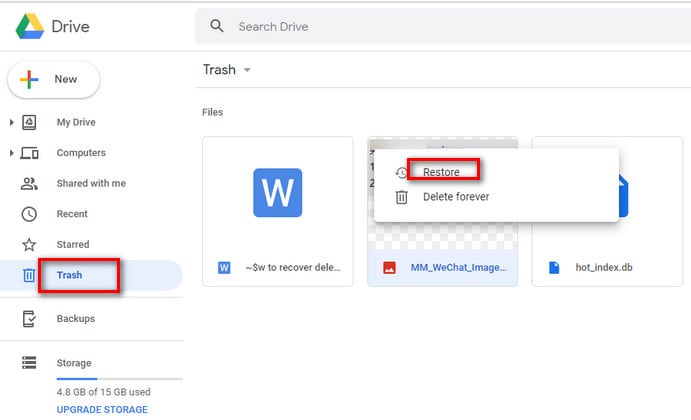
Step 2: Browse the deleted items. When you find the video, tap and hold it. Then choose “Restore.”
The video will return to your main Photos library and reappear in albums. You can play, share, or back it up again. This is the easiest and fastest Google photo video recovery method.
If the video is not there, it might have been deleted over 30 days ago. Move on to the next solution.
Method 2: Check Google Photos Archive
Sometimes, videos are not deleted. They are simply hidden in the Archive section. The Archive helps keep your main library clean by storing older or less-used media. But you might have moved a video there without realizing it.
People often panic when they cannot find a video in their main gallery. But checking the Archive can solve this. Many have found their missing videos there and restored them in seconds. This makes it a very helpful step for Google Photos and videos recovery.
Step 1: Open Google Photos. Go to “Library,” then tap “Archive.”
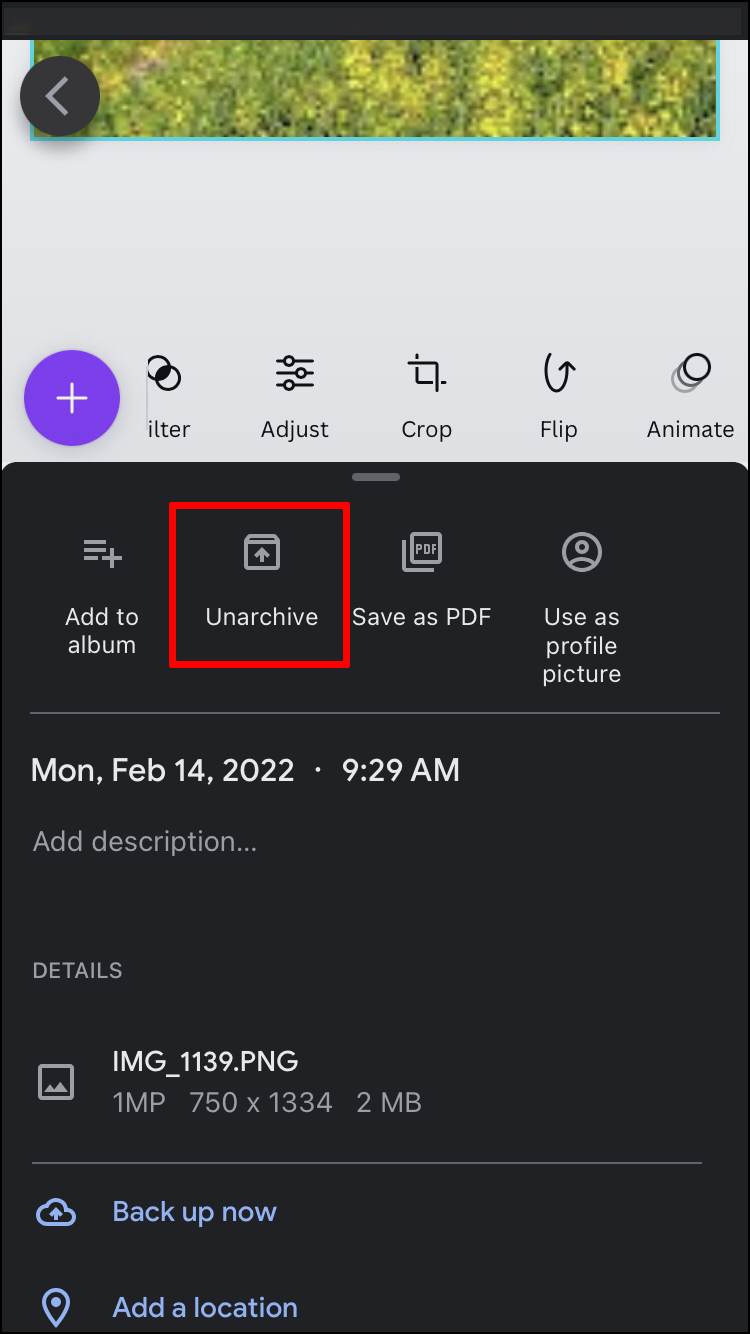
Step 2: Look through the archived videos. If you find the one you need, tap and hold it, then tap “Unarchive.”
It will reappear in your main video gallery. Always check the Archive before assuming a file is deleted. Sometimes this simple check can save hours of searching. It’s an easy part of how to recover videos from Google Photos efficiently.
Method 3: Use Google Takeout to Download All Media
If you cannot find the video in Trash or Archive, use Google Takeout. This tool lets you download everything saved in your account, including old photos and videos.
Google Takeout is free and official. It helps people back up their data or move it to another storage. It’s also very useful when you suspect that your videos are hidden somewhere in your account. Many users use this as a last resort for how to restore videos from Google Photos.
Step 1: Go to takeout.google.com. Sign in using the same Google account connected to your Photos.
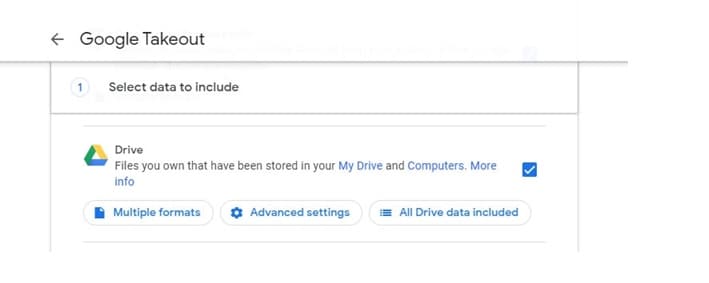
Step 2: Scroll down and select “Google Photos.” You can choose all albums or only specific ones. Click “Next Step” and then “Create Export.”
You will get an email when your export is ready. Download the zip file, extract it, and check all folders. Often, deleted or missing videos appear here. This is a full backup of your Google photo video recovery data.
Method 4: Recover from Linked Google Drive (if synced)
In the past, Google Drive and Google Photos were linked. Files uploaded to one appeared in the other. Even though this link is now limited, some older files remain synced. That means your missing videos could still be in Drive.
This method is often overlooked. Many users forget that Drive once stored Photos data automatically. Checking it can be a quick way to recover deleted video from Google Photos when you least expect it.
Step 1: Go to drive.google.com and sign in with the same account used in Google Photos.
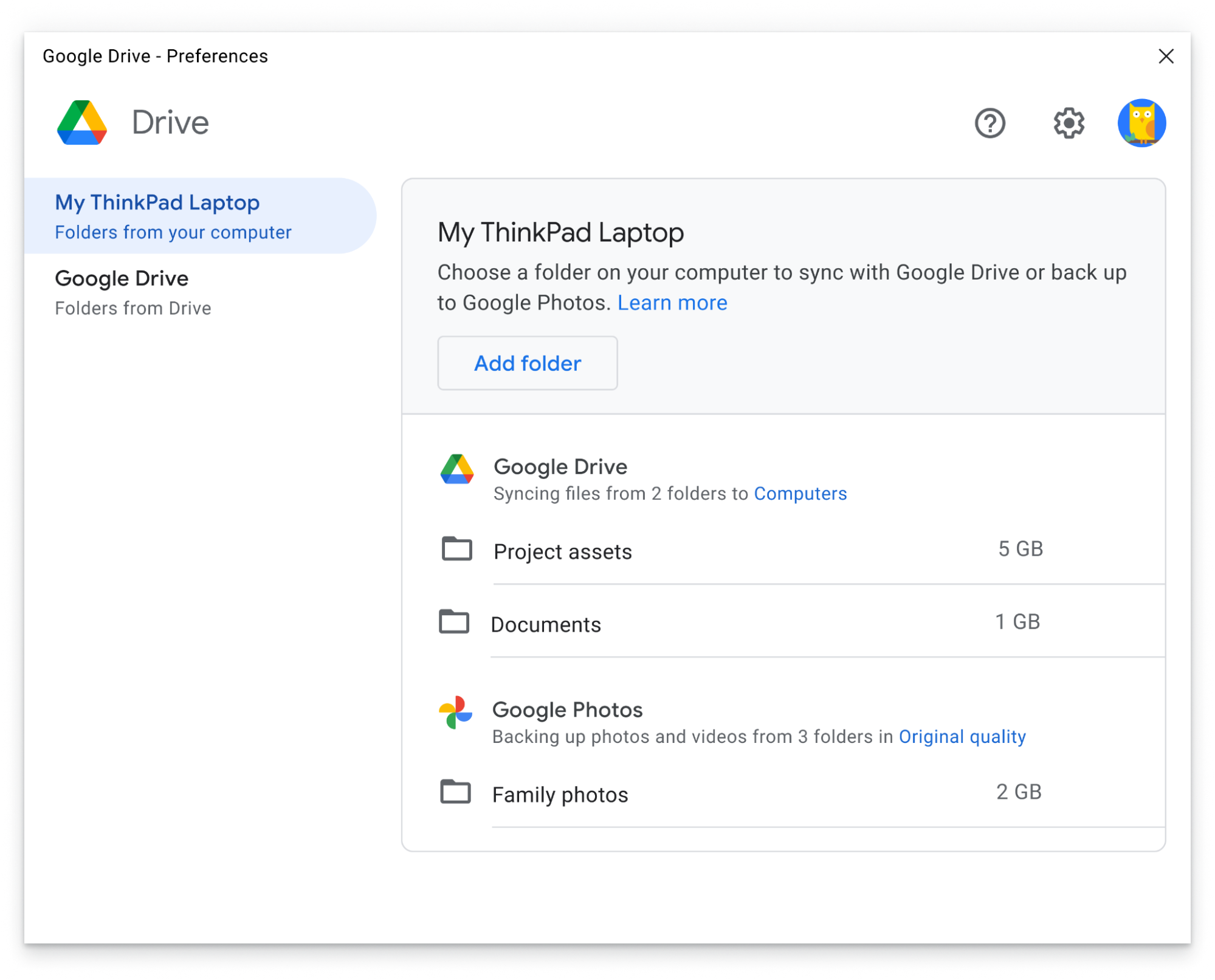
Step 2: Look for a folder called “Google Photos.” If you find it, open and browse through it. Download any old videos you see.
If you ever synced your devices or used automatic uploads, this method can help. It’s one of the most reliable backup options for how to recover deleted video from Google Photos.
Method 5: Contact Google Support for Account-Level Recovery
If you still cannot find your videos, try reaching Google Support. This step works when the files were removed permanently or lost due to technical errors.
Google Support can sometimes access older backups or temporary server copies. It’s not guaranteed, but worth trying. Many people who lost important work or family videos have succeeded with this approach.
Step 1: Go to the Google Photos Help Center. Select “Contact Us” or “Chat with Support.”
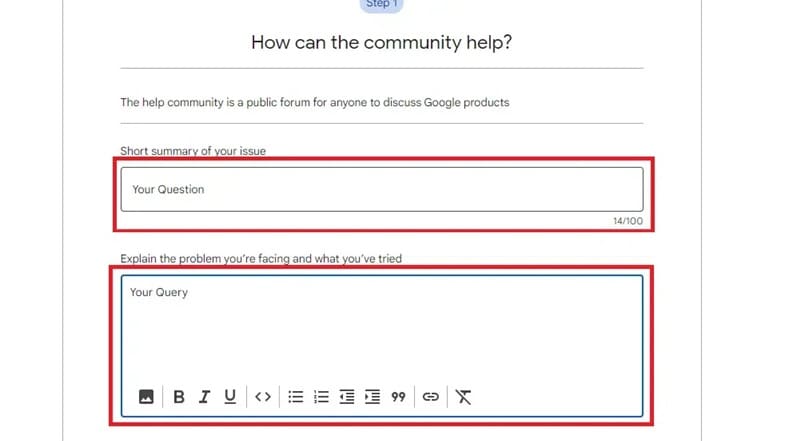
Step 2: Explain your situation clearly. Include details like when the video was deleted, your account email, and what you already tried.
Support might restore videos if they are still on Google’s servers. This is one of the few ways for how to recover permanently deleted videos from Google Photos. Be patient, as it can take time for a reply.
Part 3: Lost Video Files on PC? Use Recoverit Data Recovery Software
Not every lost video is deleted from Google Photos. Sometimes you download videos to your computer for safekeeping and delete them by mistake. Or your hard drive crashes. That’s when recovery software comes in.
Recoverit Data Recovery is one of the best tools for restoring deleted files. It can find videos, photos, and documents from drives, SD cards, or even USBs. This makes it useful for people who keep local backups of Google Photos.
Imagine you saved videos from your phone to your PC, then formatted your drive. Now both copies are gone. Recoverit can scan your storage and bring them back. Many people rely on it when normal Google Photos and videos recovery doesn’t work.
Steps to Use Recoverit
Step 1: Download and install Recoverit Data Recovery on your PC.

Step 2: Open it. Choose the drive where you lost your videos. Click “Start.”

Step 3: Wait for the scan to finish. You’ll see a list of found files. Select your videos and click “Recover.”

That’s it. Your videos are back. This tool is especially good for how to restore deleted video from Google Photos backups saved on computers.
Part 4: Pro Tips to Prevent Future Video Loss in Google Photos
Once you recover your videos, make sure you don’t lose them again. Prevention is easier than recovery. Here are simple habits that keep your media safe.
- Always keep automatic backup and sync turned on.
- Don’t clear your Trash without checking it first.
- Use Google Takeout once a month to back up everything.
- Save copies on an external hard drive.
- Avoid deleting from shared albums.
- Use strong passwords and two-step verification.
- Check your Google Drive regularly.
- Keep enough storage space in your account.
Following these tips ensures you’ll never have to search again for how to recover videos from Google Photos. Simple routines save you time and stress later.
Conclusion
Losing videos feels terrible, but Google makes it possible to get them back. Whether you use Trash, Archive, Takeout, or Drive, recovery is often quick and simple.
If none of those work, contact Google Support. They may still help. And if you lose videos on your computer, try tools like Recoverit. Knowing how to recover deleted videos from Google Photos can save you from losing precious memories forever.
Always keep backups and check your folders before deleting anything. The best protection is prevention. With care and regular backups, you’ll never have to worry again about Google photo video recovery.
FAQs
-
How long do deleted videos stay in Google Photos Trash?
They remain for 30 days. During this time, you can restore them easily. After that, they are permanently deleted. You can still try Google Takeout or Drive to find them. -
2. Can permanently deleted videos be recovered?
Sometimes yes. Try Takeout, old Drive folders, or contact Google Support. They may still have a copy on their servers. This works in some cases of how to recover permanently deleted videos from Google Photos. -
3. Does Google Photos back up videos automatically?
Yes, if backup and sync are turned on. Always make sure this feature is active. It saves you from needing Google Photos and videos recovery later.



