 TL;DR:
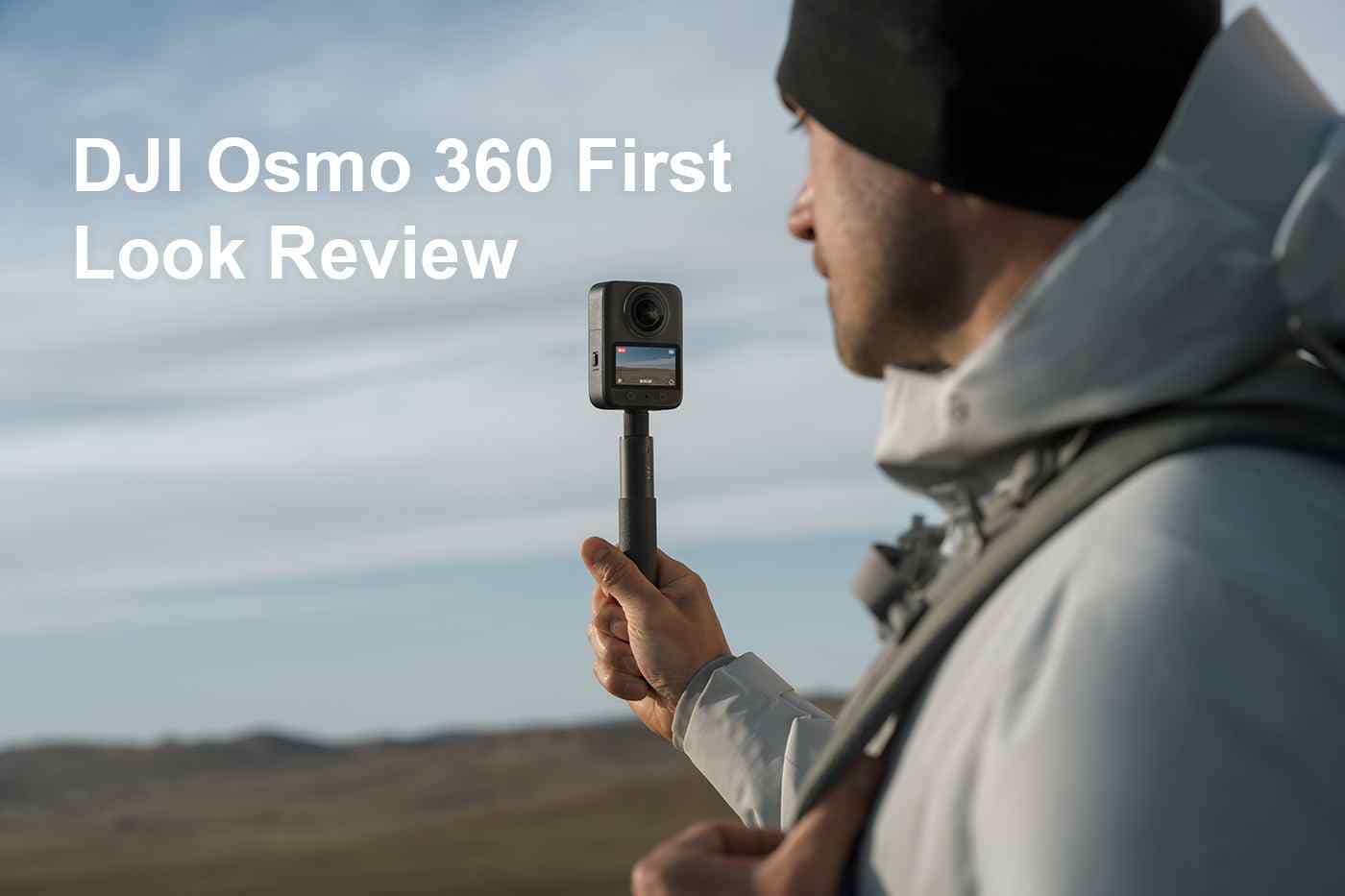
The DJI Osmo 360 is a worthwhile investment for travel, action, and real estate creators who need the flexibility to reframe native 8K panoramic video and are willing to manage heavy file sizes.
● Dual storage options include 105GB of available built-in memory and microSD expansion up to 1TB, requiring users to accurately identify the original save location before attempting to recover lost or deleted footage.
● Panoramic videos are recorded in the proprietary OSV format, meaning clips that fail to open in standard media players are typically not corrupted and simply require DJI Studio or official editing plugins to view.
● Traditional action cameras remain a better choice for users wanting simple POV videos and fast edits, while buyers shopping in mid-August 2026 should wait for the expected DJI Osmo 360 II announcement before purchasing.
Ask AI for a summary
 ChatGPT
 Perplexity
 Gemini
 Claude
 Grok
Grok
DJI Osmo 360: Quick Verdict
Is the DJI Osmo 360 worth buying in 2026? Yes, if you want a compact 360 camera for travel, action sports, vlogging, virtual tours, and reframable social video. It is especially strong for creators who already use DJI cameras, microphones, accessories, or editing tools. Its biggest strengths are native 8K 360 video, 120MP panoramic photos, 105GB available built-in storage, microSD expansion up to 1TB, fast USB-C transfer, Wi-Fi 6, and DJI Mimo/DJI Studio workflow support.
- Overall editorial rating: 4.4/5 for creators who need 360 capture and are willing to manage large files.
- Best for: travel creators, cyclists, skiers, motorcyclists, walking-tour creators, real estate shooters, and social editors who reframe footage after recording.
- Not ideal for: users who only need simple POV video, creators who dislike editing, or anyone who wants the smallest possible files.
- Storage warning: 8K 360 video is valuable and heavy. Back up before formatting, and stop recording immediately if clips are deleted, missing, or unreadable.
The DJI Osmo 360 is DJI's first dedicated 360 camera, officially launched on July 31, 2025. It entered a competitive market with a direct creator pitch: native 8K 360 video, high-resolution 120MP panoramic photos, a compact 183g body, 105GB available built-in storage, microSD expansion, DJI's accessory ecosystem, and software support for reframing panoramic footage.
This DJI Osmo 360 review goes beyond the spec sheet. It explains how the camera performs as a creator tool, what its storage design means in real shooting, how OSV and MP4 HEVC workflows affect editing, when it is better than a normal action camera, and what to do if DJI 360 footage is deleted, formatted, corrupted, or lost during transfer.
If you lose Osmo 360 videos, panoramic photos, or footage from a DJI memory card, stop using the storage device first. Then scan the readable camera storage, SD card, external drive, or computer folder with camera recovery software before new files overwrite the missing data.
Latest facts checked: August 10, 2026. DJI's official Osmo 360 specs list 8K panoramic video up to 50fps, 120MP panoramic photos, OSV and MP4 HEVC video formats, exFAT, 128GB built-in storage with 105GB available, microSD support up to 1TB, USB 3.1 Type-C, Wi-Fi 6, RockSteady 3.0, HorizonSteady, and a 10m waterproof rating with caveats. DJI Store pricing and stock can change by region, so verify the local store before purchasing.
In this article
Part 1. DJI Osmo 360 Review: Verdict, Scorecard, and Buying Answer
The Osmo 360 is worth buying if you want the creative freedom of 360 capture and you are prepared for the heavier editing and storage workflow that comes with it. It is not simply a GoPro-style action camera with two lenses. It is a camera for creators who want to record everything around them and choose the final framing later.
That makes the Osmo 360 valuable for moments you cannot easily repeat: a mountain-bike descent, a skiing run, a road trip, a city walk, a real estate walkthrough, a behind-the-scenes shoot, or a travel day where you want both vertical and horizontal exports from one recording. It also makes storage safety more important because losing one 360 master can mean losing every possible camera angle from that scene.
Review Scorecard
| Review category | Score | Editorial notes |
| 360 video capability | 4.7/5 | Native 8K panoramic recording, 6K options, and high-frame-rate 4K panoramic modes make it a serious 360 tool. |
| Photo capability | 4.3/5 | 120MP panoramic photos are strong for travel, landscapes, virtual tours, and immersive stills, though video remains the main reason to buy. |
| Creator workflow | 4.2/5 | DJI Mimo, DJI Studio, Premiere, and DaVinci Resolve support are helpful, but OSV workflows still require learning. |
| Storage design | 4.5/5 | 105GB available built-in storage is excellent, and microSD support up to 1TB adds flexibility. The tradeoff is a more complex recovery path. |
| Ease of use | 4.0/5 | The camera is compact and practical, but 360 editing is naturally slower than normal action-camera editing. |
| Value | 4.2/5 | DJI Store lists the Standard Combo at USD $549.99 and Adventure Combo at USD $699.99 as of the current check, but stock and sale pricing vary. |
| Overall | 4.4/5 | A strong first-generation DJI 360 camera for creators who want reframing flexibility and can manage the storage load. |
Editorial Note on DJI Osmo 360 II
As of August 10, 2026, the Osmo 360 remains the DJI model with complete official specifications available. There is fresh media attention around a teased Osmo 360 II, with Digital Camera World reporting an expected August 13 reveal. However, DJI has not published full Osmo 360 II specifications at the time of writing. This article reviews the confirmed DJI Osmo 360, not an unreleased successor.
If you are buying within days of the expected Osmo 360 II reveal, it is reasonable to wait for DJI's official announcement before purchasing. If you need a camera immediately, the current Osmo 360 has the advantage of published specs, available workflows, real reviews, and known accessories.
Part 2. DJI Osmo 360 Specs and Price at a Glance
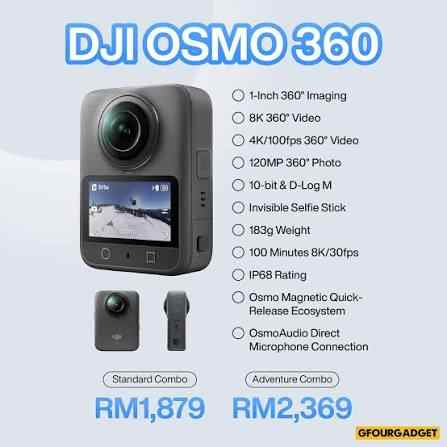
The most reliable starting point is DJI's official Osmo 360 specifications, Osmo 360 FAQ, launch announcement, and downloads page. The table below condenses the details that matter most for buyers and for storage safety.
| Feature | DJI Osmo 360 | Why it matters |
| Camera type | 360 action / creator camera | Designed for immersive capture, reframing, action, travel, and virtual-tour content. |
| Sensor | 1/1.1-inch CMOS, dual square sensor design | DJI positions this as 1-inch 360 imaging because the square sensor design improves panoramic sensor use. |
| Max panoramic video | 8K 7680 x 3840 at 24/25/30/48/50fps | Higher 360 resolution gives editors more room to crop into normal flat video. |
| 6K panoramic video | Up to 60fps | Useful when smoother motion matters more than maximum resolution. |
| 4K panoramic high frame rate | 4K at 100fps | Useful for action sequences and slow-motion-style 360 shots. |
| Single-lens video | Up to 5K/60fps, plus Boost Video up to 4K/120fps | Lets the camera behave more like a traditional ultra-wide action camera when needed. |
| Panoramic photos | Up to 120MP, 15520 x 7760 | Useful for landscapes, travel, real estate, city viewpoints, and virtual-tour stills. |
| Stabilization | RockSteady 3.0 and HorizonSteady | Critical for bike, ski, helmet, handheld, and walking footage. |
| Storage | 128GB built-in storage, 105GB available; microSD up to 1TB | Strong flexibility, but users must know whether lost footage was on internal storage or card storage. |
| File system | exFAT | Common for large video files, but file system errors can still happen after unsafe removal or interrupted transfer. |
| Video format | OSV for panoramic videos; MP4 HEVC for flat videos | OSV needs the right DJI workflow; MP4 HEVC is easier to use but still demanding for older devices. |
| Max video bitrate | 170 Mbps | Large files raise the importance of fast cards, stable transfers, and verified backups. |
| Connectivity | Wi-Fi 6, Bluetooth BLE 5.1, USB 3.1 Type-C | Supports fast app and wired transfer, but interrupted transfer remains a data-loss risk. |
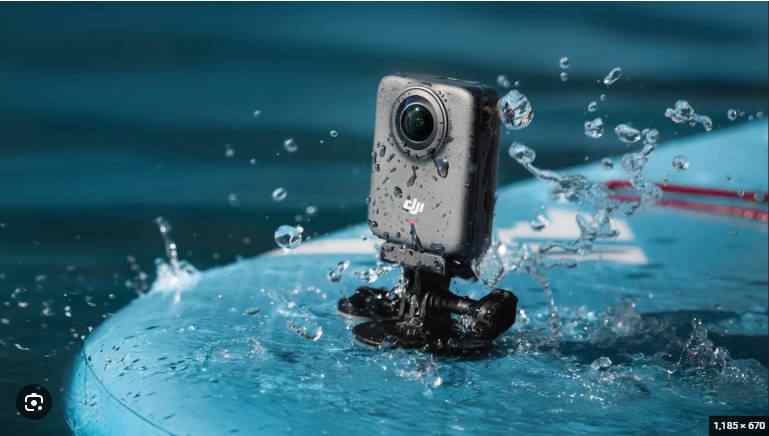
| Waterproofing | Camera body up to 10m, IP68, with DJI caveats | Useful for outdoor use, but not a free pass for long-term underwater or high-pressure water shooting. |
| Price check | DJI Store lists Standard Combo at USD $549.99 and Adventure Combo at USD $699.99 | Price and stock change by region. Check the local store before buying. |
Part 3. Design, Handling, and Creator Workflow
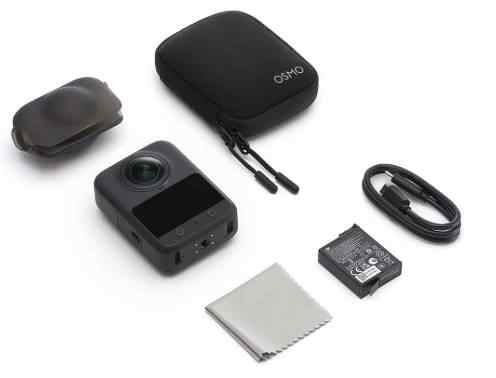
The Osmo 360 measures 61 x 36.3 x 81 mm and weighs 183g. That puts it in the travel-friendly zone: small enough for a backpack strap, selfie stick, bike mount, helmet mount, walking tour, or compact production kit, but serious enough to handle high-resolution 360 capture.
The 2.0-inch touchscreen matters more than it might seem. A 360 camera is not only switching between video and photo. You may need to change panoramic video, single-lens video, stabilization behavior, pre-recording, color mode, export mode, audio options, and storage location. Fast control reduces missed shots.
The lens design deserves respect. Dual fisheye lenses are what enable 360 capture, but they are also exposed. A scratched fisheye lens can ruin stitching and lower resale value. The Osmo 360 is best treated as an action camera when mounted, but as a precision optical device when packed, cleaned, or handed around.
DJI's accessory ecosystem is a major advantage. The magnetic quick-release design, 1/4-inch thread, Osmo Action accessory compatibility, selfie-stick options, and direct connection with compatible DJI microphone transmitters make the Osmo 360 easier to integrate into existing DJI kits. For creators who already use DJI Mic, Osmo Action mounts, or DJI editing tools, this can matter as much as resolution.
Part 4. Image Quality: 8K 360 Video, 120MP Photos, and Single-Lens Mode
The Osmo 360's main selling point is not simply "8K." The real value is how that 8K source can be reframed into normal video. In 360 capture, the final viewer may only see part of the sphere. Higher source resolution gives more room to crop without making the final shot look soft.
8K 360 Video and Reframing
DJI lists 8K panoramic video up to 50fps, 6K up to 60fps, and 4K panoramic high-frame-rate recording up to 100fps. That gives creators multiple ways to balance detail, motion, editing load, and storage pressure.
This is where the Osmo 360 becomes powerful:
- A travel creator can record one walking scene and export both vertical and horizontal edits.
- A cyclist can mount the camera once and later choose a front view, side view, selfie view, or third-person angle.
- A real estate creator can capture more of a room without constantly repositioning the camera.
- A social editor can create reframed Shorts, Reels, and TikTok clips from one master file.
- A skier or motorcyclist can keep the camera pointed less precisely and fix the final angle in post.
Independent reviews support the same broad direction. TechRadar's review frames Osmo 360 as a serious challenger in the 360 market, and WIRED's review highlights the appeal of DJI's first 360 camera for flexible shooting. Use third-party reviews for real-world image samples, but use DJI pages for exact specs.
120MP Panoramic Photos
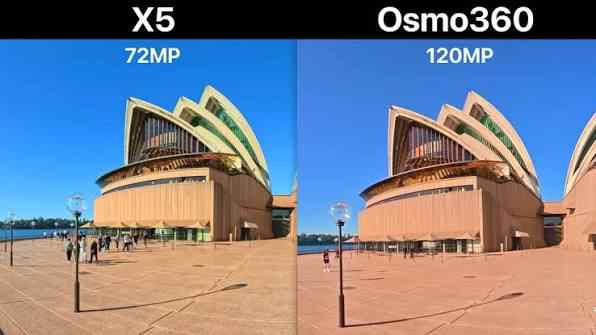
DJI lists panoramic photos up to 120MP, or 15520 x 7760. This is useful for immersive stills, landscapes, city viewpoints, tourism content, virtual tours, and property walkthrough assets. It is also useful as a memory format: a single 360 photo can preserve a place better than a normal wide-angle still.
However, most users will buy the Osmo 360 for video. The 120MP photo mode is a strong bonus, not the core reason to choose this camera over a phone, action camera, or mirrorless setup. If panoramic photos are accidentally deleted or missing after a transfer, Recoverit's photo recovery page is the more relevant internal path than a general video recovery page.
Single-Lens Action Camera Mode
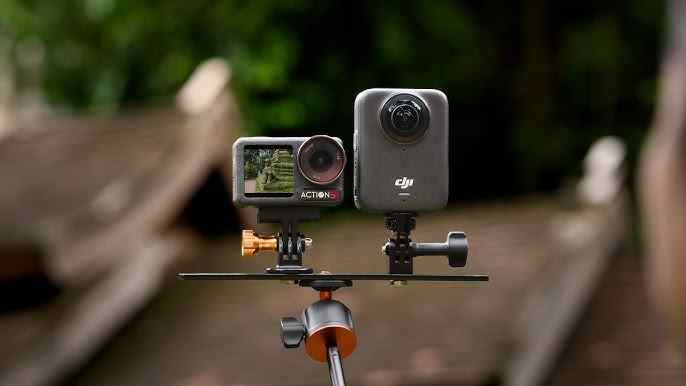
Single-lens mode is the bridge between a 360 camera and a normal action camera. DJI lists single-lens video up to 5K/60fps and Boost Video up to 4K/120fps with a wide field of view. That means the Osmo 360 can work as a more traditional ultra-wide camera when full 360 capture is unnecessary.
This does not make a dedicated action camera pointless. A normal action camera still creates simpler files, faster edits, and less stitching complexity. But single-lens mode makes the Osmo 360 more versatile for creators who want one device for both immersive and flat content.
Part 5. Stabilization, Audio, and DJI Ecosystem
DJI lists RockSteady 3.0 and HorizonSteady for Osmo 360. This is essential because 360 footage is often captured in unstable situations: skiing, cycling, motorcycles, chest mounts, helmet mounts, handheld walking, and invisible selfie-stick shots.
Stabilization matters differently in 360 footage than in normal video. Since you can reframe later, the camera movement and horizon behavior become part of the edit. Poor stabilization makes reframed clips feel unstable even if the original 360 view looked acceptable.
Audio is another DJI ecosystem advantage. The Osmo 360 has four microphones and supports DJI's direct microphone connection workflow with compatible DJI mic transmitters. For vloggers, travel creators, and interview-style shooters, that reduces the need for a separate receiver setup. DJI's announcement notes that first-generation DJI Mic direct connection is not supported, so check microphone compatibility before assuming your existing kit will pair directly.
The strongest ecosystem use case is a creator who already uses DJI gear: DJI Mic for audio, Osmo Action mounts for action use, DJI Studio for desktop editing, and DJI Mimo for mobile control. In that situation, the Osmo 360 feels less like a standalone experiment and more like another camera in a known workflow.
Part 6. Software Workflow: OSV, MP4 HEVC, DJI Studio, and Plugins
A 360 camera is only as good as its software workflow. DJI's FAQ says Osmo 360 uses OSV for panoramic videos and MP4 HEVC for flat videos. That distinction matters because a file that does not open in your usual editor may not be corrupted. It may simply require DJI Studio, DJI Mimo, or the correct plugin workflow.
DJI's downloads page lists DJI Studio, DJI Reframe for Adobe Premiere, DJI Reframe for DaVinci Resolve, LUT files, manuals, and release notes. DJI Studio is the center of the desktop workflow, while plugins help move panoramic projects into major editing apps.
| File or workflow issue | Likely meaning | What to do first |
| OSV file will not open in a normal video player | It may be a panoramic format compatibility issue, not file damage. | Try DJI Studio or the DJI reframe workflow before assuming corruption. |
| MP4 HEVC file plays poorly on an old computer | The device may struggle with HEVC decoding or 8K footage. | Test on a stronger computer or transcode after backing up the original. |
| File is missing from the card or internal storage | It may be deleted, lost after transfer, or hidden by file system damage. | Stop using the storage and scan it with recovery software. |
| Recovered file exists but will not play | The video may be incomplete, fragmented, or structurally damaged. | Keep the recovered file and try a repair workflow instead of repeated copying. |
| Folder structure is broken after moving files | Metadata or related project files may not have moved correctly. | Keep original folders intact when backing up and importing. |
This is also where Recoverit should be positioned carefully. Recoverit is relevant when files are missing, deleted, formatted, or lost from readable storage. It is not the first answer when the file exists but the editor simply does not support the format. In that case, try DJI's official workflow first.
Part 7. Storage Review: 105GB Built-In Storage and microSD Risk
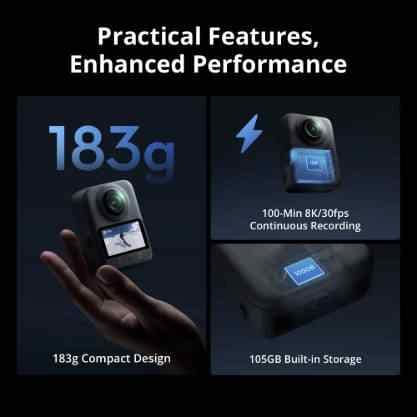
Storage is one of the most important parts of this DJI Osmo 360 review. DJI lists 128GB built-in storage, with 105GB available to users, plus microSD expansion up to 1TB. That combination is convenient, but it also creates two different places where original footage may live.
Built-In Storage Changes the Recovery Path
Built-in storage is a real advantage. It helps when you forget a microSD card, fill a card during a shoot, or want to start recording immediately. It also makes the Osmo 360 feel less dependent on removable media than many action cameras.
But built-in storage also changes recovery behavior. With a standard action camera, deleted footage is usually on a microSD card. With Osmo 360, footage may be saved on the inserted microSD card or in the camera's built-in storage. DJI's FAQ confirms that footage is saved in either of those locations.
If footage goes missing, identify the original save location before trying recovery:
- If the file was on a microSD card, remove the card and use a stable card reader.
- If the file was in built-in storage, connect the camera by USB-C and avoid recording new clips.
- If the file was already transferred to a computer or external SSD, scan that destination drive as well.
- If you are unsure, check the camera, the card, the DJI app download folder, and the computer import folder before writing new data anywhere.
microSD Cards Are Still the Weak Link
Osmo 360 supports microSD cards up to 1TB, and DJI lists recommended Kingston and Lexar U3 A2 V30 microSDXC cards in its specifications. Using a recommended card does not eliminate every risk, but it lowers the chance of recording and transfer problems caused by slow or unreliable media.
Common microSD-related data loss scenarios include:
- accidental formatting before backup;
- deleting clips during playback to make room;
- removing the card while the camera is writing;
- using a poor card reader or unstable USB hub;
- exFAT file system errors;
- power loss during recording;
- copy interruption during large 8K transfers;
- fake, worn, or unsupported memory cards.
If Windows or macOS asks to format the card, do not format it if the footage matters. Start with an SD card recovery workflow. After files are backed up and verified, the official SD Memory Card Formatter from the SD Association is a better option for card reuse than random formatter tools.
Transfer Risk With 8K 360 Files
DJI lists a max video bitrate of 170 Mbps and USB 3.1 Type-C transfer from internal memory under lab conditions. Fast transfer is useful, but it does not remove backup risk. Large video files can fail during copy if the cable disconnects, the laptop sleeps, the destination drive fills up, or Wi-Fi transfer stops.
| Transfer problem | What can go wrong | Safer workflow |
| USB cable disconnects | Large OSV or MP4 files may be incomplete at the destination. | Use a stable cable, avoid moving the camera, and verify file size after transfer. |
| Laptop sleeps during copy | The copy may stop halfway without obvious warning. | Disable sleep during imports and keep the device powered. |
| External SSD fills up | Files may fail to copy or appear as partial transfers. | Check free space before copying a full card or internal storage batch. |
| Wi-Fi transfer drops | App import may stop before all clips arrive. | Use wired transfer for important projects and long 8K recordings. |
| Folder structure is changed | Software may fail to recognize source media or project metadata. | Keep original folders intact until editing and backup are complete. |
For lost high-resolution video files, Recoverit's video recovery software page is the most relevant internal link. If a recovered clip exists but will not play, use the guide to repair recovered video files or the DJI-specific guide to repair corrupt DJI video files.
Part 8. How to Recover Deleted or Lost DJI Osmo 360 Videos
Recoverit fits naturally into this review because the Osmo 360 creates high-value footage that can be lost through deletion, formatting, file system damage, transfer interruption, or card errors. However, recovery must be framed accurately. Recoverit can help scan readable storage for recoverable files. It cannot guarantee recovery, repair physically failed media, recover overwritten data, or replace DJI's own format workflow when a file is merely unsupported by an editor.
Use this recovery path when Osmo 360 footage is missing:
- Stop using the camera, card, or destination drive. New recordings and exports can overwrite missing data.
- Find the original storage location. Check whether the footage was saved to built-in storage, microSD card, DJI app folder, computer import folder, or external SSD.
- Connect the affected storage safely. Use a stable USB-C cable for internal storage or a reliable card reader for microSD cards.
- Scan with Recoverit. Choose the storage location where the lost DJI files originally existed.
- Preview recoverable files when possible. Prioritize OSV, MP4, HEVC, JPEG, and related camera files.
- Save recovered files to another drive. Never save recovered files back to the same card or camera storage during recovery.
- Try DJI Studio or repair tools if files do not play. A recovered OSV file may need DJI software, while a damaged clip may need video repair.
| Data loss case | Recoverit path | Boundary to remember |
| Deleted clips from microSD card | Camera memory card recovery | Stop recording before scanning. Recovery chance drops after new writes. |
| Formatted card before backup | SD card recovery | Do not run another format or save new files first. |
| Missing transferred 8K video on PC or Mac | Video recovery software | Scan the drive or folder where the file was deleted or lost. |
| Lost panoramic photos | Photo recovery | Use photo recovery for JPEG or still-image loss rather than only video recovery. |
| DJI camera or card recovery topic | DJI data recovery | Useful for understanding DJI storage-loss patterns, not a guarantee of results. |
| Recovered clip is damaged | Repair corrupt DJI video | Repair is separate from recovery and depends on how much valid video data remains. |
This sequence matters. Many users make recovery harder by formatting a card, recording test clips, importing again, or saving recovered files back to the same storage. The safest action is to pause, scan, recover to a different drive, and only reuse the card after backups are verified.
Try Recoverit to Recover Deleted or Lost DJI Osmo 360 Videos
 Security Verified. Over 7,302,189 people have downloaded it.
Part 9. DJI Osmo 360 vs Action Camera and Rival 360 Workflows
The Osmo 360 competes in two directions. It competes with traditional action cameras when users ask whether they need 360 at all. It also competes with other 360 cameras when users compare image quality, stitching, workflow, app experience, accessories, and price.
| Choice | Better when | Main tradeoff |
| DJI Osmo 360 | You want reframing, invisible selfie-stick shots, DJI ecosystem support, built-in storage, and high-resolution 360 masters. | Files are larger, editing is more complex, and OSV workflow requires the right software. |
| Traditional action camera | You want simple POV footage, faster editing, smaller files, and less stitching complexity. | You must frame the shot while recording and cannot reframe every direction later. |
| Phone camera | You want quick social clips, simple editing, and no extra device. | It cannot replace the immersion, mounting options, or 360 reframing of a dedicated 360 camera. |
| Other 360 cameras | You prefer another app ecosystem, accessories, or established workflow. | You may lose DJI microphone/accessory integration and built-in storage behavior. |
The practical decision is simple: buy Osmo 360 if you already imagine how you will reframe the footage. If you only want a front-facing vlog, a normal action camera or phone may be easier. If you shoot action and want multiple final angles from one mount, the Osmo 360 becomes much more compelling.
For creators who also use GoPro cameras, Recoverit's guide to recover deleted GoPro videos supports related action-camera recovery needs.
Part 10. Pros, Cons, and Who Should Buy It
| Pros | Cons |
| Native 8K 360 video up to 50fps | 360 editing is more complex than normal video editing |
| 120MP panoramic photos | OSV panoramic files need the right DJI workflow |
| 105GB available built-in storage | Internal storage and microSD create two possible recovery locations |
| microSD support up to 1TB | Large 8K files increase backup pressure |
| Wi-Fi 6 and USB 3.1 Type-C | Transfer interruption can still damage or lose files |
| RockSteady 3.0 and HorizonSteady | Fisheye lenses need careful protection |
| DJI Mimo, DJI Studio, Premiere, and DaVinci Resolve workflow support | Underwater use has DJI caveats around pressure, covers, refraction, and stitching |
| Useful DJI accessory and microphone ecosystem | Not every creator needs 360 capture |
Buy DJI Osmo 360 if you are:
- a travel creator who wants multiple exports from one recording;
- a cyclist, skier, motorcyclist, or outdoor shooter;
- a walking-tour or real estate creator;
- a DJI Mic or Osmo Action accessory user;
- a social editor who regularly reframes footage;
- a creator who wants invisible selfie-stick shots and third-person angles.
Skip or wait if you are:
- shooting only simple front-facing vlogs;
- unwilling to learn 360 editing and export tools;
- working on older computers that struggle with HEVC or 8K video;
- looking for the smallest possible file sizes;
- buying within days of the expected Osmo 360 II reveal and can wait for final details.
For most Recoverit readers, the buying conclusion includes a workflow warning: the Osmo 360 is worth owning only if you also build a disciplined storage habit. Use recommended cards, keep folder structures intact, back up after every important shoot, verify files before formatting, and do not record new footage on a device after discovering missing files.
Conclusion
The DJI Osmo 360 is a strong first-generation 360 camera because it combines native 8K panoramic video, 120MP photos, built-in storage, microSD expansion, fast transfer, stabilization, DJI software, and ecosystem support in a compact body. It is not the easiest camera for beginners who want fast, simple edits, but it is highly compelling for creators who understand why reframing matters.
Its biggest weakness is not one spec. It is workflow responsibility. OSV files, MP4 HEVC video, 8K masters, internal storage, microSD cards, app imports, and desktop editing all require more care than a basic action camera workflow. That is exactly where a Recoverit article can add value: before users format, overwrite, repair, or panic, they need a safer recovery sequence.
If your Osmo 360 footage is deleted, missing, formatted, or lost during transfer, stop using the affected storage immediately. Then scan the readable camera storage, SD card, external drive, or computer location with camera recovery software. Recovery depends on detectability, file condition, and whether the data has been overwritten, so early action matters.
FAQ
-
Is DJI Osmo 360 officially released?
Yes. DJI officially launched the Osmo 360 on July 31, 2025, and its complete specifications are available on DJI's official website. -
What is the maximum video resolution of DJI Osmo 360?
DJI lists panoramic video up to 8K 7680 x 3840 at 24/25/30/48/50fps. It also lists 6K panoramic video up to 60fps and 4K panoramic video up to 100fps. -
How much built-in storage does DJI Osmo 360 have?
DJI lists 128GB built-in storage, with 105GB available to users. The camera also supports microSD cards up to 1TB. -
What video formats does DJI Osmo 360 use?
DJI's FAQ lists OSV for panoramic videos and MP4 HEVC for flat videos. If an OSV file does not open in a normal player, try DJI Studio or the appropriate DJI reframe workflow first. -
Is DJI Osmo 360 waterproof?
DJI says the camera body can be used up to 10 meters underwater and has an IP68 rating, but it also lists caveats about securely closed covers, high water pressure, corrosive liquids, and underwater refraction or stitching distortion. -
Can I recover deleted DJI Osmo 360 videos?
Recovery may be possible if the missing files have not been overwritten and the storage device can still be detected. Stop using the camera, card, or drive immediately, then scan the affected storage with a camera recovery tool. -
What should I do if a recovered Osmo 360 video will not play?
First check whether the file is an OSV panoramic file that needs DJI Studio. If the recovered file is structurally damaged, try a video repair workflow and keep the original recovered file unchanged. -
Should I wait for DJI Osmo 360 II before buying Osmo 360?
If you can wait until the expected August 13, 2026 reveal, waiting is reasonable. If you need a camera immediately, the current Osmo 360 has confirmed specs, published workflows, and available third-party review coverage.



