

 TL;DR:
Compute Express Link (CXL) 4.0 extends traditional PCIe infrastructure by adding cache coherency and memory pooling to solve bandwidth bottlenecks in modern AI and data center workloads.
● Unlike standard PCIe which handles general device connectivity, CXL 4.0 builds on the PCIe 7.0 physical layer to enable direct CPU-accelerator memory sharing at speeds up to 128 GT/s using CXL.io, CXL.cache, and CXL.mem protocols.
● Implementing CXL infrastructure requires strict latency planning, advanced fabric management orchestration, and extensive interoperability testing due to the currently evolving system software and validation ecosystem.
● To protect data within these scaled workloads, administrators can use Wondershare Recoverit to remotely restore over 1,000 file formats from NAS setups, hardware crashes, or severe drive corruption.
Ask AI for a summary
 ChatGPT
 Perplexity
 Gemini
 Claude
 Grok
Grok
AI servers now need more than lanes; they need smarter resource sharing. Memory bottlenecks and accelerator traffic keep exposing PCIe limits under pressure daily. CXL enters that gap by adding coherence where traditional expansion links stop. That shift matters because modern platforms demand speed, flexibility, and pooled memory.
In 2026, what is CXL: Compute Express Link becomes a practical infrastructure question. Built on PCIe foundations, CXL lets processors, memory, and accelerators communicate. CXL 4.0 extends that promise through faster links, bundled ports, and stronger memory support. Those upgrades deserve a closer look, so read further to break them down.
Try Recoverit to Perform Data Recovery
 Security Verified. 3,591,664 people have downloaded it.
In this article
Part 1. What is Compute Express Link (CXL)?
Before comparing standards and versions, it helps to understand the foundation first. That starts with a clear look at what Compute Express Link actually is.
History of Compute Express Link
Compute Express Link was developed to improve how servers connect processors, memory, and accelerators. The CXL Consortium was incorporated on September 17, 2019, and the standard has expanded through newer versions over time. These updates have added higher bandwidth, stronger memory sharing features, and better reliability support for modern data center systems.
How CXL Works: Inside the Technology Explained Simply
CXL works by building on the PCIe physical layer while adding cache coherency between CPUs and attached devices. It defines protocols such as CXL.io, CXL.cache, and CXL.mem so processors, accelerators, and memory expanders can share data more directly. That lowers software overhead and enables pooling, expansion, and faster coordination across demanding compute platforms inside modern servers built for shared resources.
Why CXL is Important for AI and Data Centers
To see why this standard matters beyond theory, it helps to connect theCXL 4.0 specifications to real data center needs. These gains become clearer when you look at how AI systems use memory, accelerators, and shared resources every day.
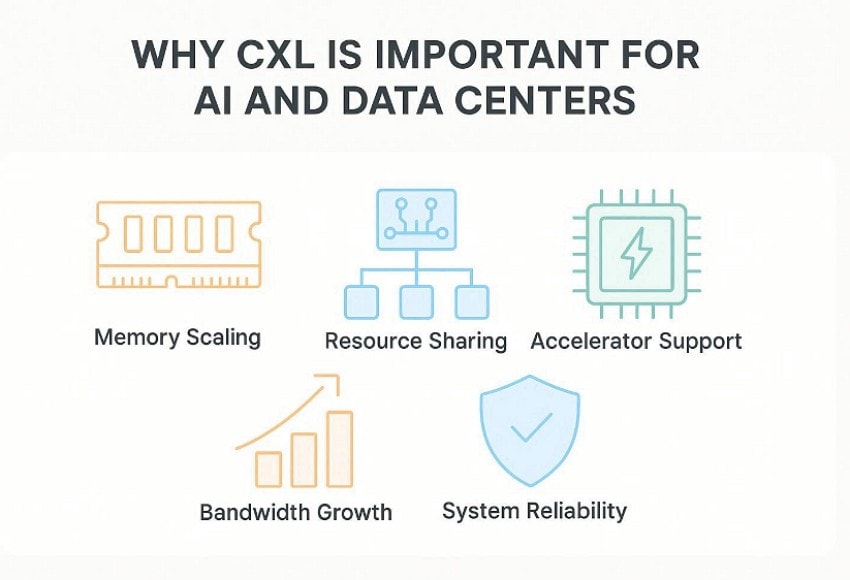
- Memory Scaling: AI models often stall when memory runs short before compute resources do. With CXL, larger workloads can stay in memory and run more smoothly.
- Resource Sharing: Many servers waste memory because isolated devices cannot share it efficiently today. As a result, data centers can use costly hardware more effectively.
- Accelerator Support: AI platforms rely on accelerators that must exchange data with processors quickly. This improves coordination and keeps data moving with less software overhead.
- Bandwidth Growth: Bigger models need faster movement as data volumes rise across servers daily. CXL 4.0 addresses that pressure with more bandwidth and broader link support.
- System Reliability: Large memory systems need stronger protection when failures disrupt critical operations unexpectedly. For that reason, CXL 4.0 adds features that support steadier platform behavior.
Part 2. CXL 4.0 Explained: Key Features and Specifications
Before the newer release makes sense, the foundation should come first. This section breaks down the CXL 4.0 specifications into core protocols and key updates. CXL works through three main protocols, while CXL 4.0 adds broader platform improvements.
Core Protocols
| Protocol | What it does | Why it matters |
|---|---|---|
| CXL.io | Handles device discovery, configuration, register access, interrupts, and related control tasks. | It gives the host a standard way to detect and manage CXL devices. |
| CXL.cache | Let's use a CXL device access processor memory with cache coherency support. | This helps accelerators work more closely with CPUs during demanding tasks. |
| CXL.mem | Let the processor access memory attached to a CXL device. | It supports memory expansion and better use of shared memory resources. |
Understanding the core protocols explains how CXL works at a basic level. Next, review CXL 4.0 features and specifications below that strengthen demanding platform performance:
| Key Feature | Specification | What it means | Why it matters |
|---|---|---|---|
| Speed | 128 GT/s | Data moves twice as fast as CXL 3.x links. | Higher speed supports larger AI and data center workloads. |
| PCIe Base | Built on PCIe 7.0 PHY | CXL 4.0 uses a newer physical signaling base underneath. | That gives the link a faster hardware foundation. |
| Bundled Ports | Supported | Multiple ports can work together like one bigger connection. | This improves scaling and raises available bandwidth. |
| Memory RAS | Enhanced memory RAS features | Reliability and service support for memory become stronger. | That helps larger shared-memory systems stay more stable. |
| Compatibility | Backward compatible with earlier CXL versions | Newer systems can still work with older CXL generations. | This makes upgrades easier for vendors and operators. |
Part 3. PCIe vs. CXL: What Makes Them Different?
Understanding the CXL vs PCIe differences helps compare their roles directly. The table below shows where PCIe stops and where CXL adds something new:
| Aspects | PCIe | CXL |
|---|---|---|
| Main Purpose | Connects peripherals and add-in devices at high speed | Connects processors' memory and accelerators with coherence |
| Memory Coherency | Does not provide native coherency across attached devices | Keeps memory coherent between CPUs and connected devices |
| Memory Expansion | Used mainly for device connection | Supports memory expansion and shared memory use |
| Protocol Layer | Works as the transport and interconnect standard | Adds CXL.io, CXL.cache, and CXL.mem on top |
| Physical Base | Acts as the signaling and transport foundation | Runs on PCIe physical layers instead of replacing them |
| CXL 4.0 Update | Remains the transport base underneath | Adds 128 GT/s speed and bundled port support |
| Best Use | Better for storage networking and expansion cards | Better for memory sharing and accelerator coordination |
Part 4. 6 Real-World Use Cases of CXL in 2026 and Beyond
To answer what CXL: Compute Express Link is, real use cases explain its value best. These use cases show where CXL already fits best on modern platforms today.
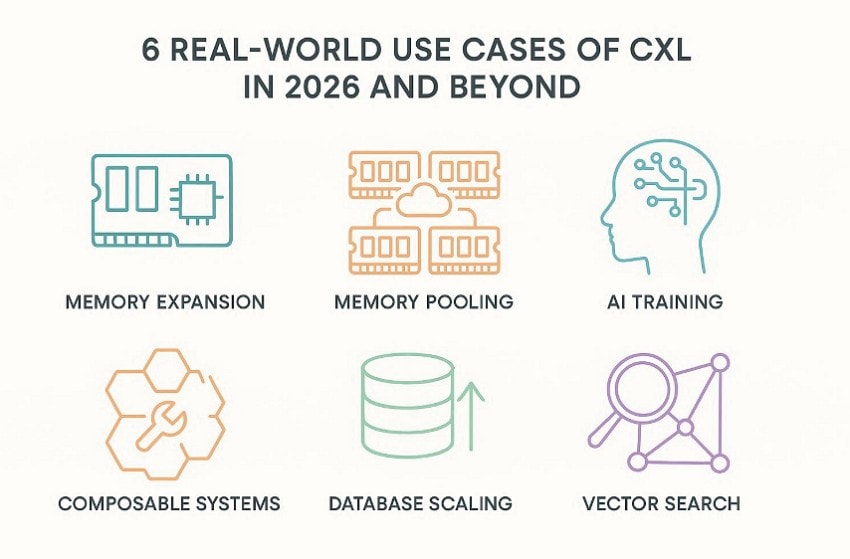
- Memory Expansion: Many servers exhaust memory capacity before compute hardware becomes the real bottleneck. This makes added memory support useful without rebuilding the entire platform.
- Memory Pooling: Large clusters waste resources when unused memory stays locked inside separate systems. Shared memory access moves available capacity toward workloads that need it most.
- AI Training: AI training depends on quick data exchange between processors, accelerators, and memory. Coherent communication keeps large training jobs moving with fewer delays overall.
- Composable Systems: Modern data centers need hardware that adapts quickly as workloads keep changing. Flexible resource assignment improves utilization across shared infrastructure more effectively.
- Database Scaling: Memory-heavy databases slow down when local DRAM can no longer keep pace. Extra pooled capacity helps larger datasets run without rebuilding every server.
- Vector Search: Vector search performs better when active embeddings stay inside larger memory footprints. Faster access to hot data helps systems respond better under heavy queries.
Part 5. Does CXL Replace PCIe? Full Answer Explained
No, CXL does not replace PCIe; it extends PCIe to meet newer system needs. In the debate around CXL vs PCIe differences, PCIe remains the base link for broad device connectivity, while CXL adds coherency and memory-focused communication. That means one standard stays foundational, and the other adds smarter coordination for processors, accelerators, and shared memory in modern servers.
Both standards work together instead of competing in a winner-takes-all way. PCIe handles general transport for many devices, but CXL becomes useful when platforms need memory expansion, pooling, or tighter CPU-accelerator coordination. Moreover, official CXL materials describe it as building on PCIe infrastructure rather than replacing it, which is why modern data centers still rely on both together.
Part 6. Why CXL Isn’t Perfect Yet: Key Challenges
Even strong CXL 4.0 specifications do not remove every deployment challenge today. The following gaps explain why broader adoption still needs planning, testing, and patience:
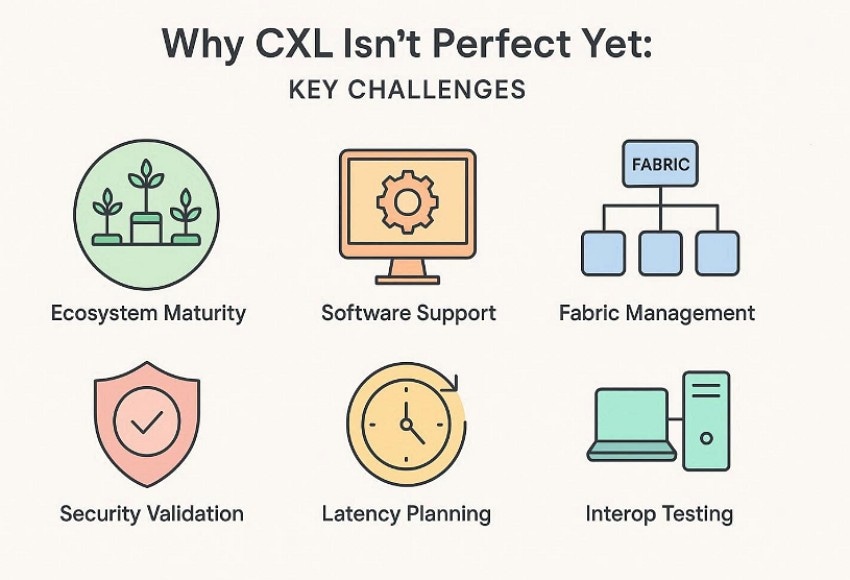
- Ecosystem Maturity: Even now, the ecosystem remains young despite rising interest across server markets. Silicon, software, and operational practices still need broader real-world refinement.
- Software Support: System software for advanced sharing features is still evolving across platforms today. That slows adoption when operators want simpler deployment and management paths.
- Fabric Management: Fabric management adds orchestration work beyond ordinary device setup and enumeration tasks. Admins must handle discovery binding links and pooled resource allocation carefully daily.
- Security Validation: Security features help protect links, but verification remains demanding for implementers today. More protection also brings extra testing effort across firmware, hardware, and tools.
- Latency Planning: Shared memory tiers still require careful placement policies for predictable application performance. Poor data placement can reduce gains even when capacity expands successfully later.
- Interop Testing: Different components must cooperate cleanly across hosts, switches, memory devices, and accelerators. That makes broad interoperability testing essential before operators fully trust larger deployments.
Pro Tip: Protect and Recover Data in Modern Workloads
Modern workloads still need recovery plans because failures can appear without warning. Even after comparing CXL vs PCIe differences, lost files still disrupt operations. Storage scale alone cannot protect teams from deletion, corruption, formatting, or crashes. Therefore, Recoverit adds a safety layer for modern systems handling valuable data. It helps restore lost files before interruptions spread across connected workflows.
Moreover, the tool supports over 1000 file formats across devices and covers more than 10000 loss scenarios, including deletion and formatting. Recoverit can connect remotely to NAS systems without dismantling server hardware. That makes recovery more practical when uptime and storage access both matter.
Key Features
- Advanced Repair: Uses sample files to rebuild severely damaged videos with improved playback quality.
- Crash Recovery: Creates bootable media to recover data from systems that cannot start.
- File Repair: Repairs corrupted videos, photos, and documents after recovery from damaged storage devices.
Ultimate Guide to Recover Data in Modern Workflow with Recoverit
When protection fails, a clear recovery process becomes the next priority. The steps below show how Recoverit helps restore lost data in modern workflows:
- Choose the Lost Data Location
Start by selecting the exact drive, USB, desktop, recycle bin, or folder where the lost files were stored in the “Hard Drives and Locations” panel.

- Start the Scanning Procedure
Once the scanning starts, all the recoverable files will appear under the “File Location” tab in the “Name of Lost File” folder.

- Preview and Recover the File
Now, open the target file in the preview window to confirm it. Then click “Recover” and save the restored data to a different location.

Conclusion
- To conclude, understanding what the CXL: computer express link helps clarify where modern server design is heading. CXL adds smarter memory sharing while PCIe remains essential for broad device connectivity. Together, they shape faster and more flexible infrastructure for AI and data center workloads. To stay protected when valuable files disappear, keep Wondershare Recoverit ready as a practical recovery safeguard for teams.
- More related: Stop Lag Now: Fix PCIe 6.0 SSD Overheating Quickly.
FAQ
1. What makes CXL 4.0 important in current infrastructure planning?
CXL 4.0 doubles link speed to 128 GT/s and adds bundled port support. It also improves memory RAS while staying backward compatible with earlier CXL generations.2. Does CXL replace PCIe in modern servers?
No, CXL builds on PCIe rather than replacing the underlying transport foundation completely. PCIe still handles broad device connectivity, while CXL adds smarter memory communication functions.3. What does CXL provide that PCIe alone does not?
CXL adds memory coherency, pooling, and expansion features that standard PCIe lacks. Those capabilities help processors, memory, and accelerators coordinate more closely inside shared systems.4. Can Recoverit help when important files disappear from complex storage setups?
Recoverit helps restore lost files after deletion, formatting, crashes, corruption, or damage events. It also supports previewing results before saving recovered data to safer locations later.


