

 TL;DR:
To restore access to an unresponsive Google Photos Locked Folder, reapply the exact screen lock type you used when creating the folder, as access is strictly tied to your device's original authentication method.
● Resolve empty folders or app glitches by updating Google Photos and clearing its cache, or bypass the app by using a File Manager to manually locate hidden media files in your internal or SD storage.
● Check your Google Photos backup and Trash for files that were synced to the cloud before being moved to the Locked Folder, as moving them stops standard syncing.
● If files were lost due to a device reset and lack a cloud backup, standard app fixes will not work; you must connect the device to a computer and use third-party data recovery software like Recoverit to scan deep memory.
Ask AI for a summary
 ChatGPT
 Perplexity
 Gemini
 Claude
 Grok
Grok
The Locked Folder in Google Photos protects private photos and videos. It keeps personal files behind your screen lock. This helps you hide items from the main gallery. Only the device owner can open the Locked Folder. This gives peace of mind and helps keep memories safe.
Many users face access problems. Some say the Locked Folder does not open. Some say important photos or videos do not show. People get confused and want fast help.
Many want to know how to unlock locked folder in Google Photos. Some hope to get files back from phone memory or backup. This guide shares recovery methods.
Try Recoverit to Recover Lost Data
 Security Verified. Over 7,302,189 people have downloaded it.
Table of Contents
How to Unlock a Locked Folder in Google Photos
This part is helpful if your private folder will not load. Many search how to recover locked folder in Google Photos. Many want to know how to recover deleted photos from Google Photos Locked Folder.
Here are easy ways that may help.
Method 1: Verify Device Authentication Settings
The Locked Folder depends on your device lock. If you change your phone lock, the Locked Folder may stop. Many users change the lock type by mistake. The folder then fails to open. You may think photos are gone. They may still be in the Locked Folder. You just need to restore the same lock type.
Some people ask how to recover a locked folder in Google Photos and how to recover photos from Google Photos Locked Folder. Many also ask How can I recover my locked folder photos. The fix is often simple. You need the same lock you used when you made the Locked Folder.
How to Verify Device Authentication Settings:
- Open phone Settings.

- Reapply the same screen lock and try again.
Method 2: Check for App Updates or Bugs
Apps can break. Google Photos is updated often. Bugs happen. After an update or crash, Locked Folder access may stop. Some see an empty folder. Others see no preview. Many then look for how to recover Google locked folder photos. Some ask how to recover photos from the Locked Folder. An update can fix this.
Some users also want to know how to recover deleted photos from the Google Photos Locked Folder. If the app glitches, it may hide files. This does not mean lost files. Update the app. This fix often works. You may also clear the cache. The app will refresh.
How to recover locked folders in Google Photos by checking for App updates or bugs:
- Open the Play Store or App Store. Update Google Photos.

- Clear cache in App Settings. Try again.
Method 3: Restore from Google Photos Backup (if synced)
Some files were backed up before moving to the Locked Folder. So they may still be in cloud backup. If you try to recover a locked folder in Google Photos, check the backup. When users ask how to recover deleted photos from the Google Photos Locked Folder, this method may help. Some files may show in the cloud area.
You can also try Trash. Files remain for a short time before removal. Some users search How to recover Google Photos Locked Folder. If the folder fails, the backup may show files. You may also find photos in albums. Look everywhere in the cloud. Many people get lucky here.
How to Restore from Google Photos Backup to to recover deleted photos from the Google Photos Locked Folder:
- Open Google Photos. Check Backup and Trash.
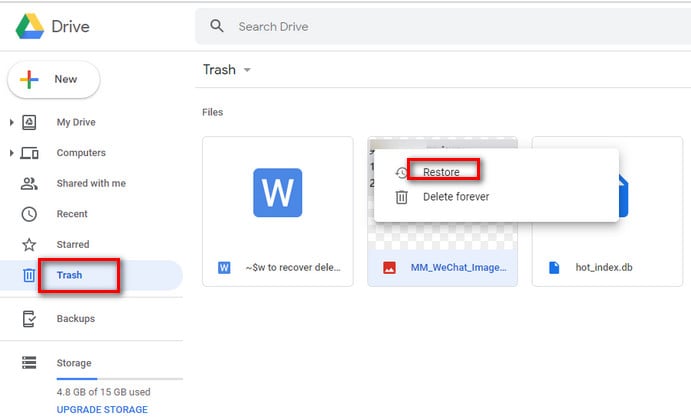
- Restore files if found.
Method 4: Use File Manager to Locate Hidden Media
When the app cannot show the Locked Folder, files may be hidden in storage. Use File Manager. Look inside folders. Some people search for how to recover a locked folder in Google Photos. Some search for how to recover photos from the Locked Folder. You can look inside the internal or SD memory.
This helps when the app loses the folder path. Hidden files can be shown with the File Manager. You can copy them. Then store again. This is simple. Many people who search for how to recover photos from Google Photos Locked Folder try this. It is a direct way.
How to Use File Manager to recover photos from Google Photos Locked Folder:
- Open File Manager.
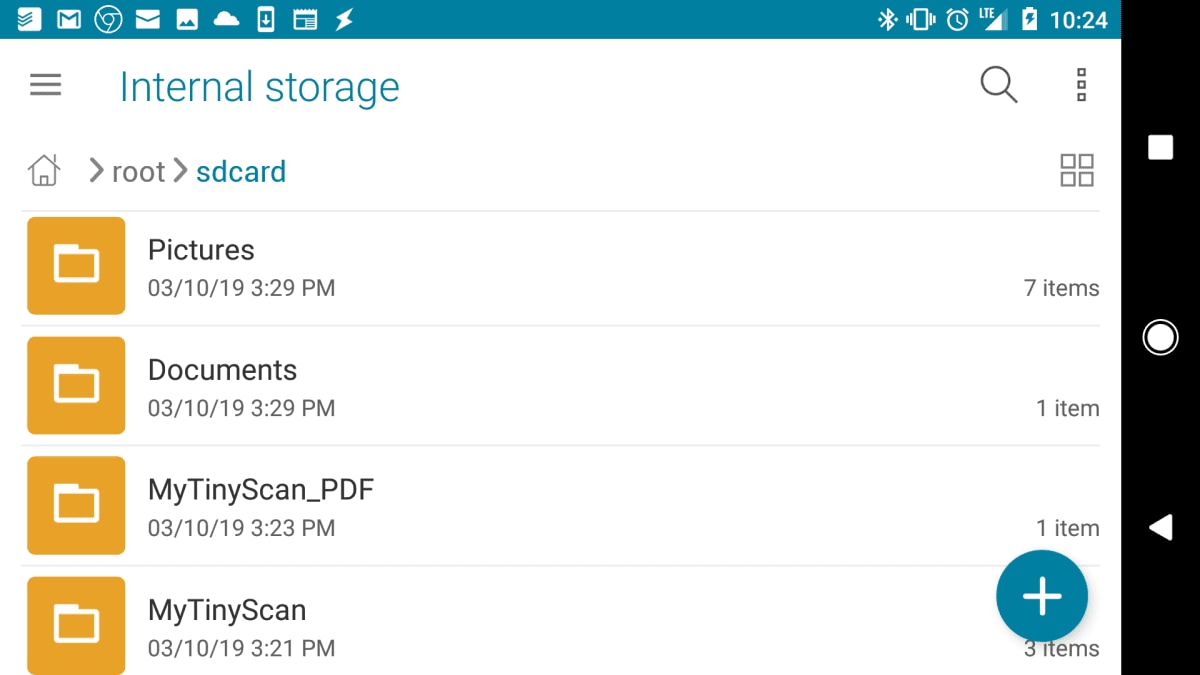
- Search for media folders and copy files.
Method 5: Contact Google Support for Assistance
If normal fixes fail, try support. You may need help if the screen lock has changed. You may need help after the reset. Many write how to recover a locked folder in Google Photos to support. Some ask how I can recover my locked folder. Some ask how to recover Google-locked folder photos. They can advise.
Support can check account errors. They may guide step by step. Many out of options try this. They can confirm if backup is present. They can help you with the steps to restore photos. This is helpful for those who need personal help.
How to Contact Google Support for Assistance:
- Open Google Support.
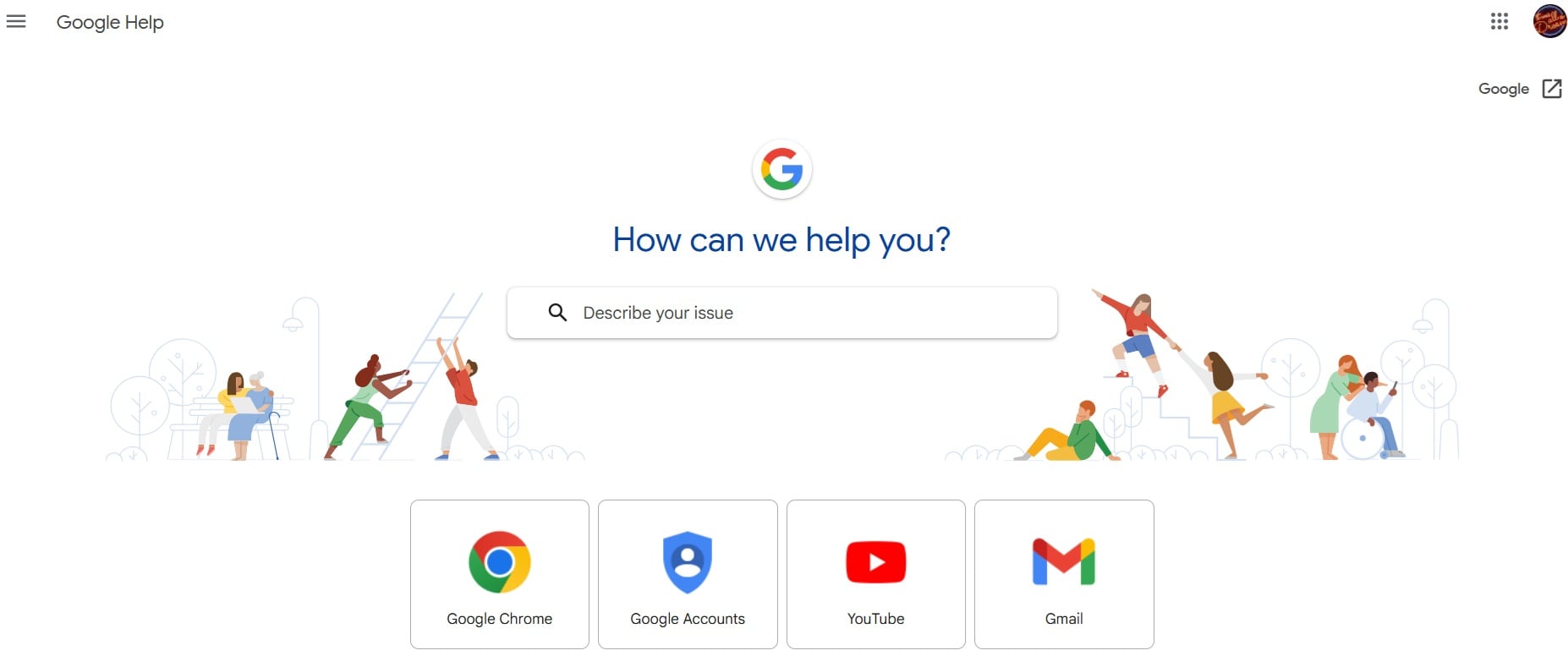
- Follow the help plan.
Lost Locked Folder Media? Use Recoverit
Some users cannot fix the problem with the normal steps. They feel sad. They want a strong tool. Many want to know how to recover a locked folder in Google Photos. Many search for how to recover deleted photos from the Google Photos Locked Folder. They also search for how to recover photos from Google Photos Locked Folder or how to recover photos from Locked Folder. Recoverit can help.
Recoverit scans your device. It reads deep memory. It finds deleted items. It brings back private photos and videos. Some users say How can I recover my locked folder photos. They use Recoverit. It helps with file restore. It reads internal memory and SD storage.
Recoverit has a clear interface. You can use it without special skills. Many users who ask how to recover Google-locked folder photos try this tool. It helps when app fixes are not enough. You only need a few steps. Then you can view lost media. Many find peace when they use this tool.
Steps:
Step 1. Install Recoverit on your computer and launch it. Connect your phone or storage card if needed. Choose the drive that holds your locked folder data. Start the scan.

Step 2. Wait while Recoverit searches for deleted or hidden photos.

Step 3. When the results appear, preview your photos. Pick the files you want. Save them to a safe folder on your computer.

How to Recover Deleted Pictures From Laptop?

Conclusion
The Locked Folder keeps your private media safe. When it breaks, you feel stressed. Now you know how to recover a locked folder in Google Photos. You know why problems happen. You can check the lock type. You can update the app. You can check the backup. You can use File Manager. You can contact support.
If you still fail, use Recoverit. Many ask how to recover deleted photos from the Google Photos Locked Folder. They use this tool. It can scan deep. It helps you bring back lost media. With these steps, you can protect your private files. You can feel safe again.
Try Recoverit to Recover Lost Data
Security Verified. Over 7,302,189 people have downloaded it.
FAQs
-
Why is my Locked Folder not opening
Your screen lock may have changed. The app may have a bug. Storage permission may be off. Update the app and try again. -
Can I get Locked Folder photos after a phone reset
Maybe. If backup exists, you can restore. If no backup, you need recovery tools. Try Recoverit.Can I restore Locked Folder files without backup?Yes. A recovery tool may help. It can scan memory and show lost files. But results can vary. -
How long does Locked Folder recovery take
It depends on phone storage. Small phones recover fast. Large phones need more time.


