

 TL;DR:
To safely recover lost data from a SCADA database, immediately disconnect the server from the production network to prevent overwriting, create a forensic disk image, and restore from the most recent automated backup.
● For structural damage or logical corruption in Microsoft SQL Server or MySQL setups, run built-in diagnostic utilities like DBCC CHECKDB to rebuild tables, strictly after securing a copy of the damaged database to avoid worsening the corruption.
● When backup files are unavailable due to accidental deletion or formatting, physically remove the server drive, attach it to a separate workstation via a write blocker, and use sector-level recovery software like Recoverit to locate and extract data to an alternate drive.
Ask AI for a summary
 ChatGPT
 Perplexity
 Gemini
 Claude
 Grok
Grok
Industrial operations rely on accurate and continuous data. Power plants, water treatment facilities, oil and gas pipelines, and manufacturing units collect information every second. This information controls machines, tracks performance, and supports important decisions. Many professionals often ask, what is SCADA, and why it plays such a major role in industrial automation. SCADA systems form the backbone of monitoring and supervisory control in modern infrastructure.
Data reliability is just as important as data collection. When records disappear or become corrupted, operations may slow down or even stop. Reports may become incomplete, and compliance requirements may not be met.
In such moments, companies urgently look for how to recover lost data from SCADA data base without causing further damage. To understand recovery properly, it is important to learn what is SCADA, how does SCADA work, where does SCADA store data, why does SCADA lose data, and how to retrieve data from SCADA database in a safe and structured manner.
Table of Contents
Part 1: What is SCADA?

Many beginners in industrial automation ask, what is SCADA in simple language. SCADA stands for Supervisory Control and Data Acquisition. It is a centralized system used to monitor and control industrial processes across large geographic areas. It gathers data from sensors, meters, and machines installed in the field. This data is sent to a central server, where it is processed and displayed.
When people ask what SCADA is used for, the answer covers many industries. It is widely used in electricity transmission, renewable energy farms, water supply systems, transportation networks, and manufacturing plants. It allows operators to see real-time values such as temperature, pressure, voltage, and flow rate. It also records data for future reference, trend analysis, and reporting purposes.You may be also interested in: How to Recover Data from Persistent Volumes in Kubernetes?
Part 2: Key SCADA Components
To fully understand how SCADA works, it is important to look at its core components. Each component performs a specific task. Together, they create a complete monitoring and control system.
Key Components:
- Sensors and Actuators: Sensors measure physical values like temperature, pressure, and flow. Actuators respond to commands by opening valves or switching motors.
- RTUs (Remote Terminal Units): These devices collect field signals and transmit them to the control center.
- PLCs (Programmable Logic Controllers): PLCs process input data and execute control logic automatically.
- SCADA Server: The server manages communication and stores information in the database.
- Human Machine Interface (HMI): The HMI allows operators to monitor system status and respond to alarms.
- Communication Network: This includes wired or wireless links that connect field equipment to the control room.
- Database System: The database answers the question where does SCADA store data for historical logging and reporting.
Part 3: How Does SCADA Work?
To explain how SCADA works, consider a simple flow of information. Sensors collect field data and send signals to RTUs or PLCs. These devices convert signals into digital information. The data travels through communication networks to the SCADA server. The server processes it and displays it on the HMI screen in real time.
Operators observe system conditions through graphical interfaces. If a parameter exceeds a preset limit, the system generates an alarm. Commands can then be sent back to field devices to adjust operations. At the same time, the server saves readings and events. This logging process also explains where SCADA stores data for long-term review. The database keeps timestamps, alarm records, and operational history.
Part 4: The Importance of SCADA Databases
Behind every reliable SCADA system is a strong database. Many professionals ask where SCADA stores data and how that data is organized. The SCADA database stores real-time measurements, alarm logs, configuration details, and performance trends. Without this storage layer, monitoring would only be temporary.
Why SCADA Databases Are Important:
- Historical Data Preservation: Long-term storage allows comparison of past and current performance.
- Alarm Record Keeping: Every system alert is logged for future investigation.
- Trend Analysis: Engineers use historical charts to predict failures.
- Regulatory Compliance: Industries must maintain data records to meet legal rules.
- Operational Planning: Managers rely on stored data for planning maintenance.
- Incident Investigation: Stored logs help identify root causes.
- Audit Support: Databases maintain a record of configuration changes.
- Support for Recovery Processes: Backups of stored data are crucial when learning how to retrieve data from SCADA database after disruption.
Part 5: Why Does Data Get Lost in SCADA Databases?
Even advanced systems are not immune to problems. Many engineers wonder why SCADA loses data despite modern hardware. Data loss usually occurs due to a combination of technical faults and human mistakes.
Common Causes:
- Power Interruptions: A sudden shutdown can damage open database files.
- Hardware Failure: Hard disk crashes may corrupt stored records.
- Database Corruption: Logical errors can damage table structures.
- Malware Attacks: Cyber threats may delete or encrypt data.
- Accidental Deletion: Users may remove important files unintentionally.
- Software Upgrade Errors: Faulty patches can affect database integrity.
- Network Disruptions: Interrupted data transfer may result in incomplete logs.
- Storage Overwriting: New data may replace older entries, explaining why does SCADA lose data without immediate notice.
Part 6: How to Recover Lost Data from SCADA Database
Data recovery must be handled carefully. Rushing may worsen the problem. Many IT teams search for how to recover lost data from SCADA data base after unexpected failures. The following methods provide structured solutions.
Fix 1: Stop Using the SCADA Server Immediately
The moment data loss is noticed, operations on the affected server should be minimized. Continued activity may overwrite deleted records and reduce recovery chances. This is the first principle in how to recover lost data from SCADA data base safely.
Step 1: Disconnect the SCADA server from the production network to prevent new data from being written.
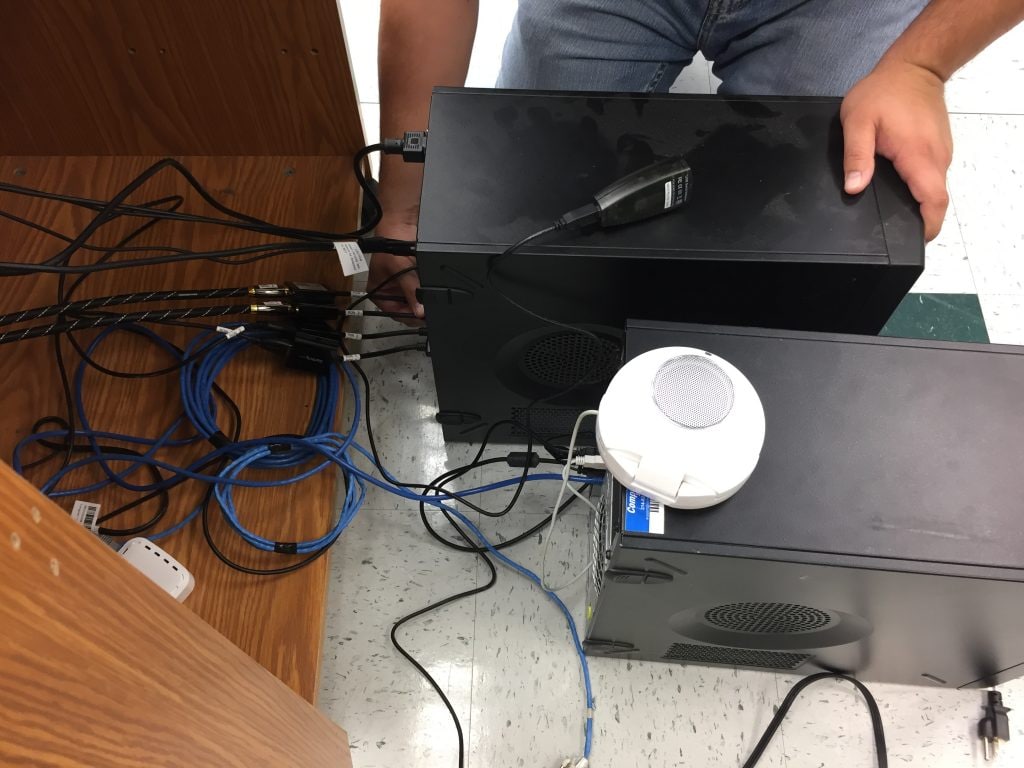
Step 2: Shut down the system properly and create a full disk image for forensic recovery before attempting any repair.
Fix 2: Restore from Regular Backups
Regular backups are the most reliable solution. Most SCADA vendors recommend daily automated backups stored on external devices or network storage. This approach is often the fastest answer to how to retrieve data from SCADA database.
Step 1: Identify the most recent clean backup from secure storage or cloud repository.

Step 2: Use the vendor’s official restore tool or database management console to rebuild the SCADA database from that backup.
Fix 3: Use Database Repair Utilities
If the SCADA system uses a SQL backend such as Microsoft SQL Server or MySQL, built-in repair utilities may resolve corruption issues. These database platforms include diagnostic commands that check table structure, indexes, and internal consistency. When corruption is detected early, repair commands can rebuild damaged pages and restore access to records. This approach is useful when learning how to retrieve data from the SCADA database after structural damage caused by sudden shutdowns or system errors.
Before running any repair command, administrators should create a full backup or disk image of the affected database. This step prevents further loss if the repair attempt fails. After securing a copy, they can run integrity checks, review error logs, and apply recommended repair options. Once the process completes, the database should be tested in a controlled environment before reconnecting it to the live SCADA system.
Step 1: Open the database management console and run diagnostic commands such as DBCC CHECKDB to detect corruption.
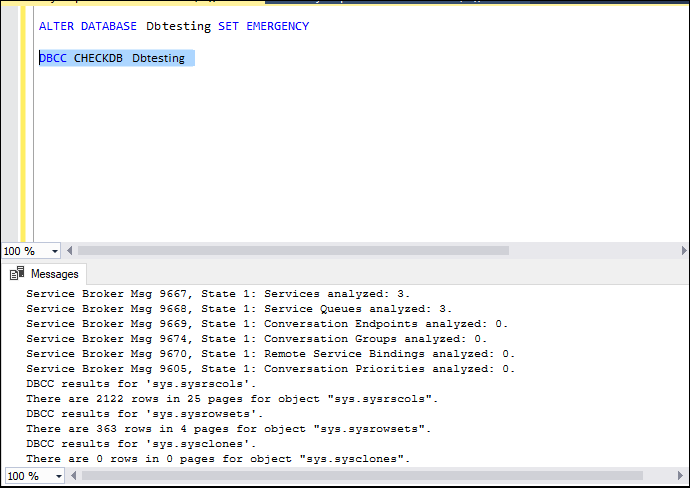
Step 2: Apply repair options or specialized SQL repair software to rebuild damaged tables and indexes.
Fix 4: Use Recoverit Data Recovery Software
In cases where backups are missing and files were deleted, professional recovery software such as Recoverit may help. This type of tool scans storage devices at a deep level and searches for traces of deleted database files. It does not depend on existing backup copies. Instead, it analyzes disk sectors to locate recoverable data.
Recoverit is often used when the SCADA database files are removed by mistake or lost due to formatting. The software supports many file systems and storage devices, including server drives. It allows users to preview detected files before restoring them. This helps confirm that the correct database files are selected for recovery.
This solution is usually considered when exploring how to recover lost data from SCADA data base after accidental deletion, and no backup is available. It should be used on a separate recovery workstation to avoid overwriting data. Recovered files must always be saved to a different storage device to maintain safety and data integrity.

Step 1: Power off the SCADA server and carefully remove the affected storage drive. Connect the drive to a separate recovery workstation using a write blocker or external adapter. Install and launch Recoverit on the recovery workstation. Select the connected drive.

Step 2: Choose deep scan mode so the software can search sector by sector for deleted or lost SCADA database files.

Step 3: After the scan completes, preview the detected database files to verify their integrity. Select the required files and export them to a different secure drive, never back to the original disk.

Part 7: Pro Tips to Prevent SCADA Data Loss
Prevention reduces downtime and financial risk. By understanding why SCADA loses data, organizations can strengthen their systems. The following measures improve data stability and reliability.
- Automate Daily Backups: Schedule consistent backups with verification checks.
- Use Redundant Storage: Deploy RAID systems and mirrored drives.
- Implement UPS Systems: Protect servers from power interruptions.
- Monitor Disk Health: Use diagnostic tools to detect hardware issues early.
- Apply Security Updates Carefully: Test updates before full deployment.
- Restrict User Access: Limit database permissions to trained staff.
- Maintain Backup Copies Offsite: Store copies in secure remote locations.
- Test Recovery Procedures: Practice how to retrieve data from SCADA database during simulation drills.
Conclusion
SCADA systems are essential for modern industry. Understanding what SCADA is helps explain its wide use in monitoring and control. These systems gather real-time information, store it securely, and support operational decisions. Knowing how SCADA works and where SCADA stores data builds confidence in managing industrial infrastructure.
However, risks remain. When teams understand why SCADA loses data, they can prepare stronger protection strategies.
In case of failure, following the structured steps on how to recover lost data from SCADA data base ensures safer recovery. Regular backups and disciplined maintenance remain the strongest defense.
FAQs
-
1. What is SCADA used for in industry?
SCADA is used to monitor, control, and record industrial processes in real time. It supervises systems such as power distribution, water treatment, oil pipelines, and manufacturing lines. Operators can view live data, respond to alarms, and adjust equipment from a central location. It also stores operational history for reporting, analysis, and compliance purposes. -
2. Where does SCADA store data?
SCADA stores data in a centralized database that runs on a dedicated server. The database keeps historical readings, alarm logs, configuration changes, and system events. In many systems, this database is built on SQL or similar technology. Data may also be backed up to external drives or secure network storage for protection. -
3. How can companies reduce SCADA data loss?
Companies can reduce data loss by scheduling automatic daily backups and verifying them regularly. They should use redundant storage systems and power backup units to prevent sudden shutdown damage. Access controls should limit who can modify or delete records. Regular system health checks and recovery testing also help maintain database stability.


