 TL;DR:
To successfully recover lost or corrupted footage from GoPro cameras (ranging from Hero 3 to Hero 12 and Max), immediately stop using the SD card to prevent data overwriting and utilize specialized recovery software like Recoverit, Tenorshare 4DDiG, EaseUS, Stellar, or PhotoRec.
● PhotoRec is the only completely free, open-source tool compatible with Windows, macOS, and Linux, though it lacks a visual interface and preview function; conversely, commercial options like Recoverit and Stellar offer built-in video repair for damaged 4K and 8K files but heavily restrict data recovery sizes in their free versions.
● EaseUS Data Recovery Wizard is optimal for retrieving RAW formats and pausing/resuming scans, but it processes massive 4K files slowly, whereas Tenorshare 4DDiG is specifically highlighted for rescuing files from virus-infected SD cards.
● To ensure successful restoration, you must connect the SD card via a card reader rather than the camera itself and run a deep scan to locate fragmented GoPro-specific file formats, including MP4, LRV, and THM across FAT32, exFAT, and NTFS systems.
Ask AI for a summary
 ChatGPT
 Perplexity
 Gemini
 Claude
 Grok
Grok
GoPro cameras are built for action, but GoPro videos can still disappear after accidental deletion, SD card formatting, interrupted transfer, low-battery shutdown, camera errors, or card corruption. In most cases, the footage is stored on a microSD card, so the best GoPro recovery software should scan SD cards directly and recover full-quality video files such as .mp4, .lrv, .thm, and .360.
This 2026 guide compares five GoPro recovery software options for different needs: Recoverit, Tenorshare 4DDiG, EaseUS Data Recovery Wizard, Stellar Data Recovery, and PhotoRec. The comparison focuses on supported platforms, GoPro file handling, formatted SD card recovery, fragmented video recovery, preview options, repair features, and ease of use.

Part 1: Why Use GoPro Recovery Software?
You need GoPro recovery software when deleted or missing footage cannot be restored from GoPro Cloud, a computer backup, or the Recycle Bin or Trash. A proper tool can scan the original microSD card, locate lost video data, and recover files to another drive without writing new data to the affected card.
GoPro recovery is different from ordinary photo recovery because GoPro cameras often create large high-bitrate videos, low-resolution proxy files, thumbnails, and metadata inside the same media folder. A good tool should help you identify the full-quality video instead of recovering only preview files.
- Deleted files: Recover videos removed from the SD card, computer, or transfer folder.
- Formatted SD cards: Scan cards after quick formatting if no new footage has overwritten the old data.
- Fragmented footage: Handle large GoPro videos that may be stored across multiple parts of the card.
- Corrupted videos: Repair videos damaged by low battery, camera crash, sudden shutdown, or interrupted transfer.
- GoPro file types: Prioritize
.mp4and.360files while recognizing.lrvand.thmhelper files. - Windows and Mac workflows: Support common file systems such as FAT32 and exFAT used by camera cards.
How to Choose GoPro Recovery Software in 2026
| Selection Factor | Why It Matters for GoPro Recovery | What to Check |
| SD card recovery | Most GoPro videos are stored on a removable microSD card | The software should detect SD, microSD, SDHC, and SDXC cards through a card reader |
| GoPro file recognition | GoPro folders may contain master videos, proxy files, thumbnails, and metadata | Prioritize .mp4, .360, .lrv, .thm, and photo formats |
| Large video handling | 4K, 5.3K, 8K, and long action clips can be fragmented on the card | Look for deep scan, enhanced video recovery, or fragmented video recovery features |
| Preview and filtering | Recovered GoPro files may lose names or folder paths | Use preview, file type filters, size filters, and date filters to find the right footage |
| Video repair | Low battery, impact, overheating, or interrupted transfer can damage playable structure | Choose a tool with repair support when recovered videos do not play correctly |
| Platform support | GoPro users may recover from Windows, macOS, or Linux | Confirm current Windows, macOS, or Linux compatibility before installation |
Part 2: Top 5 GoPro Recovery Software in 2026
The following GoPro recovery software options were selected for their SD card support, Windows or macOS compatibility, video file handling, scan controls, preview options, repair features, and suitability for GoPro users. No recovery software can recover overwritten data, so the first rule remains the same: stop using the card as soon as files disappear.
GoPro Recovery Software Comparison Table
| Software | Best For | Platforms | Main Strength | Key Limitation |
| Recoverit | Guided GoPro SD card recovery and video repair | Windows, macOS | Supports camera cards, GoPro-style video workflows, preview, and enhanced video recovery | Advanced recovery and repair features may require a paid plan |
| Tenorshare 4DDiG | Simple deleted, formatted, and corrupted card recovery | Windows, macOS | Supports many file types and storage devices, including SD cards and GoPro storage | Plan limits should be checked before recovering large batches |
| EaseUS Data Recovery Wizard | Users who want SD card recovery with filters and preview | Windows, macOS | Provides SD Card Recovery workflows for camera devices including GoPro | Large GoPro scans may take time and some advanced features depend on edition |
| Stellar Data Recovery | Recovery plus corrupt video repair needs | Windows, macOS | Premium editions combine file recovery with photo and video repair features | Users should choose the correct Stellar edition before buying |
| PhotoRec | Free technical recovery from formatted or damaged file systems | Windows, macOS, Linux | Open-source, read-only recovery that ignores the file system and scans file signatures | Usually does not preserve original names or folder structure |
#1 Recoverit
Recoverit is a strong first choice for GoPro users who need a guided recovery workflow for deleted, formatted, corrupted, or missing SD card footage. It supports recovery from memory cards, action cameras, external drives, computers, and other storage devices, and its video recovery workflow is designed for large media files such as HD, 4K, and 8K videos.

Choose Recoverit when your GoPro microSD card is detected by the computer, but the videos are deleted, missing, corrupted, or not playing correctly after recovery.
| Key Features | Pros | Cons |
| SD card and camera recovery, file preview, enhanced video recovery, corrupted video repair, Windows and macOS support | Beginner-friendly workflow, useful for large GoPro videos, supports many video loss scenarios | Some advanced video recovery and repair features may require a paid edition |
- Best for: GoPro users who want an all-in-one recovery and repair workflow.
- Recover first: Full-quality
.mp4and.360files before proxy or thumbnail files. - Use with: A direct card reader and a separate recovery destination drive.
Video Tutorial on How to Recover Data from GoPro
#2 Tenorshare 4DDiG
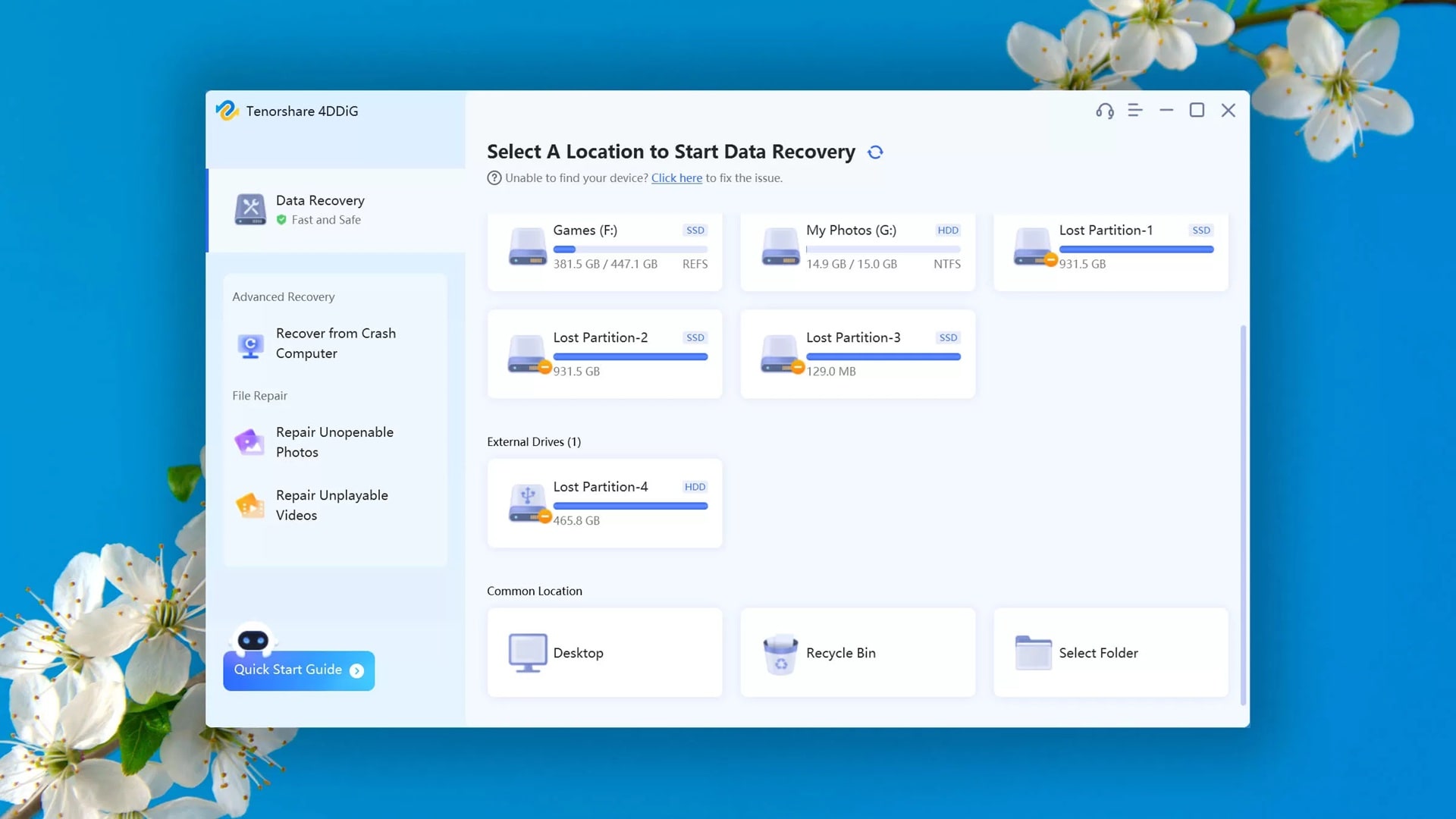
Tenorshare 4DDiG is a simple GoPro recovery software option for users who want a guided interface for deleted files, formatted SD cards, lost partitions, RAW storage, and other common data loss scenarios. Its official product page lists support for Windows and macOS, SD and CF cards, and storage devices from brands including GoPro.
It is a good alternative when you want a straightforward scan, file filtering, preview, and recovery process without using command-line tools.
| Key Features | Pros | Cons |
| Deleted file recovery, formatted file recovery, lost partition recovery, file type filtering, storage device scanning | Clear workflow, broad storage support, suitable for common GoPro SD card loss cases | Check current plan limits before recovering large GoPro projects or many videos |
- Best for: Users who want a simple alternative to more technical tools.
- Good fit: Deleted files, formatted cards, RAW partitions, and readable SD card corruption.
- Not ideal for: Physically damaged cards that disconnect or fail to appear on different computers.
#3 EaseUS Data Recovery Wizard
EaseUS Data Recovery Wizard is a familiar recovery tool for Windows and macOS users. Its official help documentation includes SD Card Recovery workflows for camera devices such as GoPro, DJI, Canon, Nikon, and Panasonic, and it supports common file systems including FAT, exFAT, NTFS, HFS+, and more depending on the platform.

Choose it if you want an SD card recovery mode with scan results, filters, preview, and the ability to recover selected files after scanning.
| Key Features | Pros | Cons |
| SD Card Recovery mode, file filters, preview, Windows and macOS support, broad file system support | Useful for camera cards, familiar interface, supports multiple file types and storage devices | Large 4K or 8K GoPro scans may take time, and video repair features vary by edition |
- Best for: Users who want SD card recovery with a mainstream Windows or Mac interface.
- Good fit: Deleted videos, formatted cards, inaccessible folders, and common SD card errors.
- Recovery tip: Use filters for
.mp4,.mov, and other large video files after scanning.
#4 Stellar Data Recovery
Stellar Data Recovery is useful when GoPro recovery and video repair are both part of the job. Stellar offers multiple recovery and repair products, and some Premium editions combine deleted media recovery with corrupt photo or video repair features.
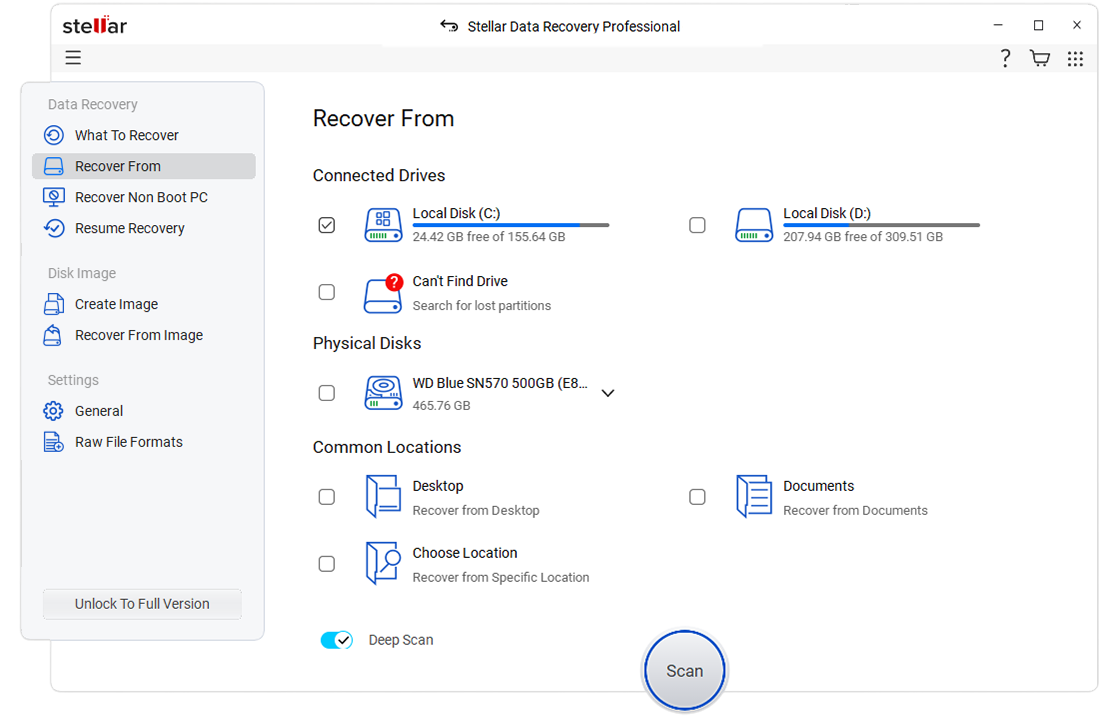
Choose this option when recovered GoPro videos are present but unplayable, choppy, distorted, or damaged after an interrupted recording or transfer. Before buying, compare the Stellar edition carefully because recovery, photo repair, and video repair features are not identical across all products.
| Key Features | Pros | Cons |
| Deleted media recovery, SD card support, video repair options, preview features, Windows and macOS products | Strong choice for repair-focused workflows, supports common video formats, helpful when files are recovered but damaged | Edition selection matters, and dedicated repair features may require Premium or separate repair software |
- Best for: Users who need recovery plus repair for damaged GoPro clips.
- Good fit: Corrupt
.mp4or.movfiles from memory cards and removable drives. - Buying tip: Confirm whether your edition includes data recovery, video repair, or both.
#5 PhotoRec
PhotoRec is a free open-source file recovery tool from CGSecurity. It ignores the file system and scans the underlying data by file signatures, so it can help when a GoPro SD card was formatted or the file system is badly damaged. It runs on Windows, macOS, Linux, and several other systems.
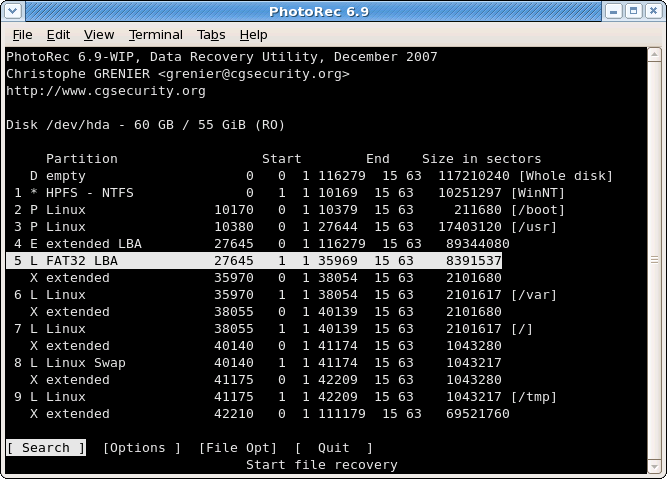
PhotoRec is powerful for technical users, but it is less convenient than commercial tools because recovered files may not keep their original names or folder structure, and preview options are limited.
| Key Features | Pros | Cons |
| Open-source recovery, read-only source access, file signature scanning, support for many storage devices and file systems | No purchase required, works across major platforms, useful when the file system is damaged | Less beginner-friendly, usually loses original filenames and folders, no built-in GoPro video repair workflow |
- Best for: Technical users who want a free recovery utility.
- Good fit: Formatted SD cards, corrupted file systems, and cases where folder structure is already lost.
- Recovery tip: Sort recovered files by size and extension to find full-quality GoPro
.mp4videos first.
Part 3: Lost GoPro Video Files? Use Recoverit Data Recovery Tool
If your GoPro SD card shows no files, asks to be formatted, or contains videos that will not play, start with a recovery workflow that scans the card directly. Recoverit is suitable for this scenario because it can scan memory cards, preview recoverable files, and handle large video recovery tasks.
Why Use Recoverit?
- Supports recovery from GoPro microSD cards, external drives, computers, and other storage media.
- Helps recover deleted, formatted, corrupted, or missing GoPro videos.
- Supports common GoPro-related files such as
.mp4,.lrv,.thm, and photo formats. - Provides preview and filtering to help identify the correct videos.
- Includes video repair support for clips that are recovered but fail to play properly.
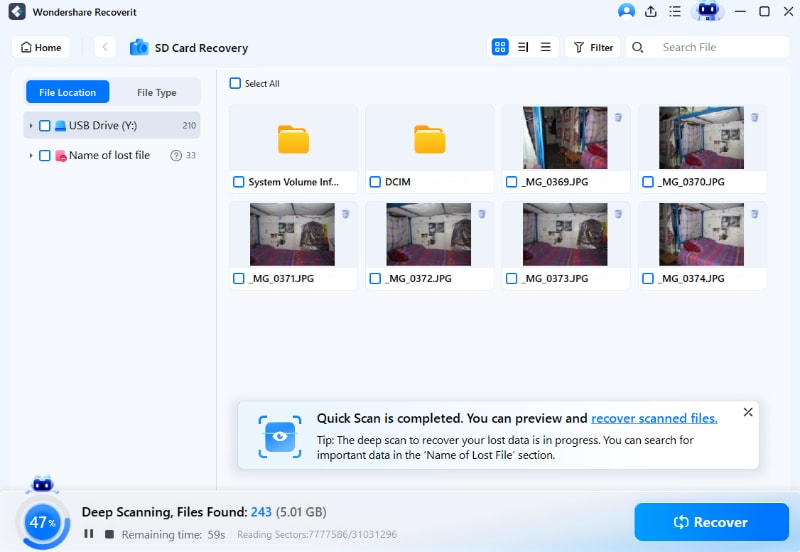
4 Simple Steps to Use Recoverit
- Remove the microSD card from the GoPro and connect it to your computer through a card reader.
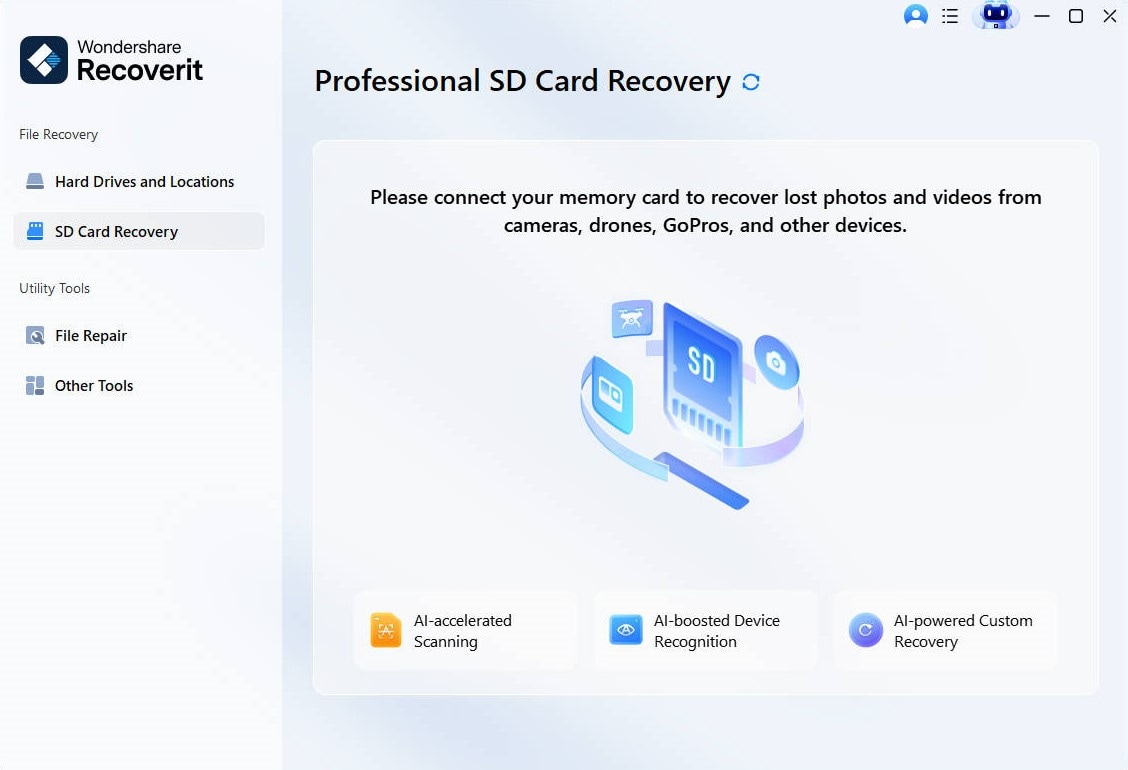
- Launch Recoverit, choose the GoPro SD card under SD Card Recovery, and start scanning.
- Use file filters and preview to locate full-quality GoPro videos, especially large
.mp4or.360files.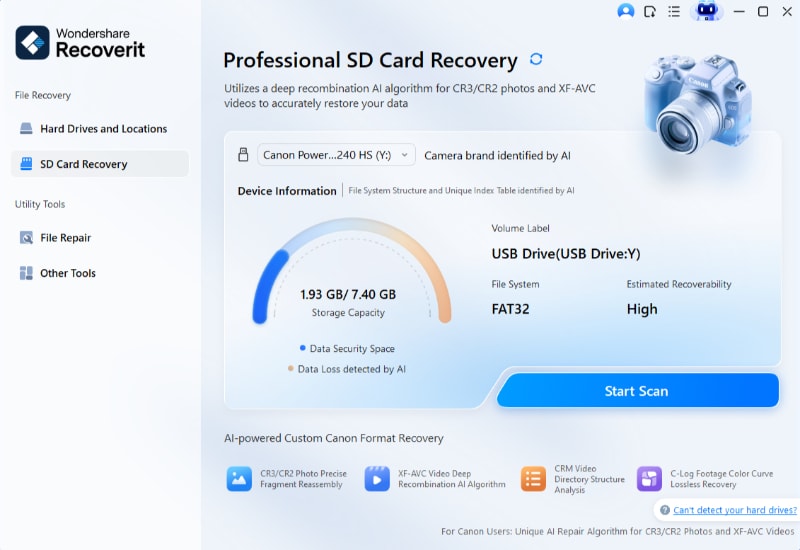
- Select the files you need, click Recover, and save them to your computer or another external drive.
Part 4: Pro Tips for Successful GoPro Video Recovery
Successful GoPro recovery depends on reducing overwrite risk and using the right workflow for the card condition. Follow these tips before and during recovery.
- Stop recording immediately: New footage can overwrite deleted video data on the microSD card.
- Remove the card: Scan the SD card through a card reader instead of continuing to use the GoPro camera.
- Cancel format prompts: If the computer asks to format the card, cancel the prompt and recover files first.
- Recover to another drive: Never save restored videos to the original GoPro SD card during recovery.
- Prioritize master files: Recover
.mp4and.360files before.lrvproxies or.thmthumbnails. - Use deep scan for formatted cards: A quick scan may miss videos when the file system or directory records are damaged.
- Repair after recovery: If a recovered GoPro video is present but not playable, use a video repair feature after saving the recovered file.
- Stop scanning failing hardware: If the card is cracked, bent, wet, overheating, or repeatedly disconnecting, contact a professional service.
Conclusion
The top GoPro recovery software in 2026 should do more than scan for generic deleted files. It should handle GoPro microSD cards, large video files, formatted cards, corrupted folders, preview workflows, and repaired output when clips are damaged.
For most users, Recoverit is the best starting point because it combines GoPro SD card recovery, preview, enhanced video recovery, and repair support in a guided interface. PhotoRec is the best free technical option, while EaseUS Data Recovery Wizard, Stellar Data Recovery, and Tenorshare 4DDiG are useful alternatives depending on your platform, budget, and repair needs.
Whichever tool you choose, stop using the GoPro SD card first, scan the card through a reliable card reader, and save recovered files to a separate drive.
Try Recoverit to Recover GoPro Videos
 Security Verified. Over 7,302,189 people have downloaded it.
FAQ:
-
1. Can I recover GoPro videos for free?
Yes, you can use free GoPro recovery software like PhotoRec or the trial version of Recoverit. These tools can restore some or all lost files without charge. However, paid versions offer more advanced scans and better accuracy. -
2. Will recovery software harm my SD card?
No. The top GoPro recovery software does not harm your SD card. They only read the data and create copies for recovery. Avoid saving new files to the same card before using recovery tools. -
3. Which tool works best for GoPro Hero 12?
Recoverit works very well for GoPro Hero 12. It can recover large 8K and 4K videos smoothly. It is one of the best GoPro data recovery tools for modern cameras.



