
 TL;DR:
If Tenorshare 4DDiG lacks the advanced recovery capabilities or supplementary utilities you require, Wondershare Recoverit, Disk Drill, EaseUS Data Recovery Wizard, Stellar Data Recovery, and R-Studio provide specialized alternatives tailored to different technical skill levels and data loss scenarios.
● Wondershare Recoverit and Stellar Data Recovery are best suited for creative workflows requiring advanced photo and video repair, though some of their deeper media repair features are restricted to higher-tier licensing plans.
● Disk Drill provides a broader utility suite with built-in S.M.A.R.T. monitoring and data protection tools not found in 4DDiG, while EaseUS Data Recovery Wizard focuses on a highly simplified workflow with a usable free tier for minor recoveries.
● R-Studio is designed strictly for IT professionals and technicians dealing with complex cases, offering granular sector-by-sector control, network-based recovery, and RAID reconstruction, accompanied by a steep learning curve.
Ask AI for a summary
 ChatGPT
 Perplexity
 Gemini
 Claude
 Grok
Grok
Tenorshare 4DDiG has become popular for recovering lost files from computers, external drives, and memory cards, but it is not the only option. Depending on your budget, technical skills, and the type of data loss you are facing, other tools may deliver better value, more flexibility, or higher success rates.
This guide explains what Tenorshare 4DDiG does, why users often look for tenorshare 4ddig alternatives, and compares five of the best 4ddig competitors you can try instead, including how recoverit vs 4ddig stacks up for everyday and advanced recovery scenarios.
Try Recoverit to Recover Lost Data
 Security Verified. 3,591,664 people have downloaded it.
In this article
What Is Tenorshare 4DDiG?
Tenorshare 4DDiG is a commercial data recovery program designed to restore deleted, formatted, or otherwise lost files from Windows and macOS devices. It supports internal hard drives, SSDs, USB flash drives, SD cards, and other storage media, and can recover a wide range of file types including photos, videos, documents, and emails.
The software offers quick scan and deep scan modes, letting users search for recently deleted data or perform more thorough sector-by-sector scans after formatting or partition loss. Tenorshare 4DDiG is typically used in scenarios such as accidental file deletion, emptied Recycle Bin, corrupted file systems, virus attacks, and sudden power loss. It emphasizes a simple, wizard-style workflow so non-technical users can select a drive, scan it, preview recoverable files, and then restore them to a safe location.
Why You Might Need Alternatives for Tenorshare 4DDiG?
There are several reasons why you might need a substitute for Tenorshare 4DDiG. Here are a few:
- 🧭 Interface and workflow limitations: While 4DDiG is relatively simple, some users find the layout and step flow less intuitive once they move beyond basic scans. Extra clicks to adjust scan modes, filter results, or switch between partitions can slow down repeat recoveries and make it harder for beginners to understand what to do next.
- 🧰 Feature set vs leading competitors: Compared with top best data recovery software, 4DDiG lacks some convenience features such as built-in drive health monitoring, backup tools, or rich data protection options. This means you may still need additional utilities to monitor disk S.M.A.R.T. status, clone drives, or set up recovery vault-style protection.
- 📉 Recovery results and stability in edge cases: For straightforward deletions, Tenorshare 4DDiG usually performs well, but in heavily corrupted or partially overwritten scenarios users sometimes report fewer recoverable files than with other windows and mac data recovery tools. Occasional scan freezes or crashes on failing drives can also force you to restart long-running deep scans from scratch.
- 🛠️ Lack of advanced technical capabilities: Power users and IT technicians may miss low-level options such as advanced sector-by-sector imaging, granular scan configuration, or flexible RAID reconstruction. When compared with an r-studio alternative or similar pro tool, 4DDiG offers less control for forensic-style work, network recovery, and highly damaged volumes.
- 💰 Pricing and value concerns: Tenorshare 4DDiG sits in a mid-range price bracket, but its limited free tier makes it hard to fully test real recovery outcomes without paying. Over time, subscription plans can feel expensive next to 4ddig competitors that offer larger free quotas, one-time licenses, or bundles of additional utilities that increase overall value.
5 Best Tenorshare 4DDiG Alternatives
If you decide that Tenorshare 4DDiG does not fully match your needs, these five alternatives cover a wide range of budgets and skill levels, from simple home use to advanced professional recovery.
1. Wondershare Recoverit
Wondershare Recoverit is a full featured data recovery solution for Windows and macOS that focuses on simplicity, broad device support, and strong recovery performance. It is best for most home and small business users who want high recovery rates with an easy interface and prefer an all-round windows and mac data recovery tools option.
Key Features Offered by Recoverit
Recoverit is a full-featured data recovery solution that stands out among tenorshare 4ddig alternatives thanks to its clean interface, strong performance on photos and videos, and support for a broad range of storage devices and file systems.
- Supports 1000+ file formats and a wide variety of devices, including internal/external drives, SD cards, USB flash drives, action cameras, drones, and more.
- Offers dedicated video recovery and video repair modes that are particularly effective for large, fragmented recordings and corrupted clips from cameras or streaming setups.
- Includes advanced options like bootable media for crashed-system recovery and flexible filtering, preview, and tagging tools to quickly locate critical files.
Step-by-Step Guide on How To Recover Lost Data
1. Choose a Location to Recover Data
Install Recoverit on a different drive or partition than the one that lost data, then launch the program and select the affected disk, partition, or external device from the main interface. If you are recovering deleted stellar data recovery project files, easeus data recovery exports, or other work folders, you can also target a specific directory to shorten scanning time. Click "Start" to begin the process.

2. Deep Scan the Location
Recoverit will automatically perform a thorough scan, listing found files in real time so you can filter by file type, path, or search keywords. For large drives or severely corrupted partitions, allow the deep scan to finish to maximize recovery results; this is crucial when you need a reliable disk drill alternative or r-studio alternative for complex cases. Avoid using the affected drive during this stage to reduce the risk of overwriting data.

3. Preview and Recover Your Desired Data
Once the scan completes, preview documents, photos, and videos to confirm integrity before recovery, especially if you are comparing recoverit vs 4ddig for success rates. Select the files you want to restore and click "Recover," then save them to a safe, separate drive instead of the original location to avoid overwriting. This workflow works well for everyday best data recovery software needs, from office files to creative media.

2. Disk Drill
Disk Drill is a versatile recovery toolkit that combines file recovery with disk health features and data protection tools for Windows and macOS. It is best for users who want data recovery plus extras like backup, duplicate cleanup, and S.M.A.R.T. monitoring from the same dashboard, making it a compelling disk drill alternative to all-in-one utility suites.

3. EaseUS Data Recovery Wizard
EaseUS Data Recovery Wizard is a popular easeus data recovery solution that offers straightforward scans, previews, and one-click restore options for common data loss cases. It is best for users who want a balance of ease of use, solid performance, and a usable free tier without diving into complex technical settings.

4. Stellar Data Recovery
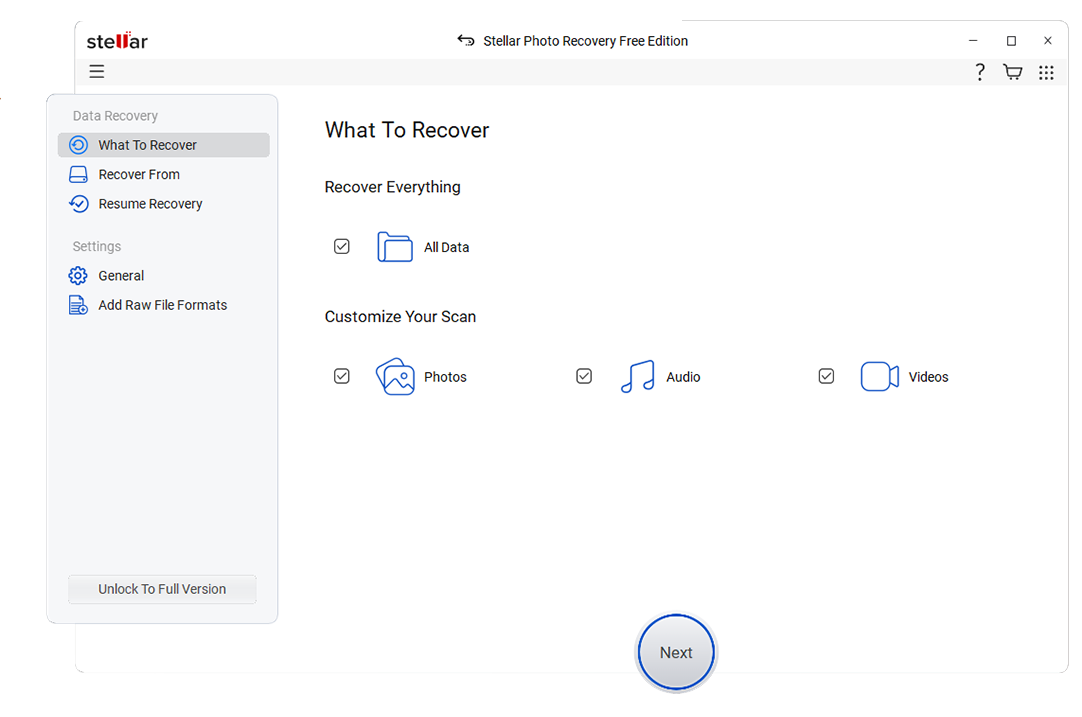
Stellar Data Recovery is a well known tool offering a range of editions for home, professional, and technician use, with strong focus on media and email recovery. It is best for photographers, videographers, and businesses needing advanced media repair in addition to standard file recovery, making it an attractive stellar data recovery option in multimedia workflows.
5. R-Studio
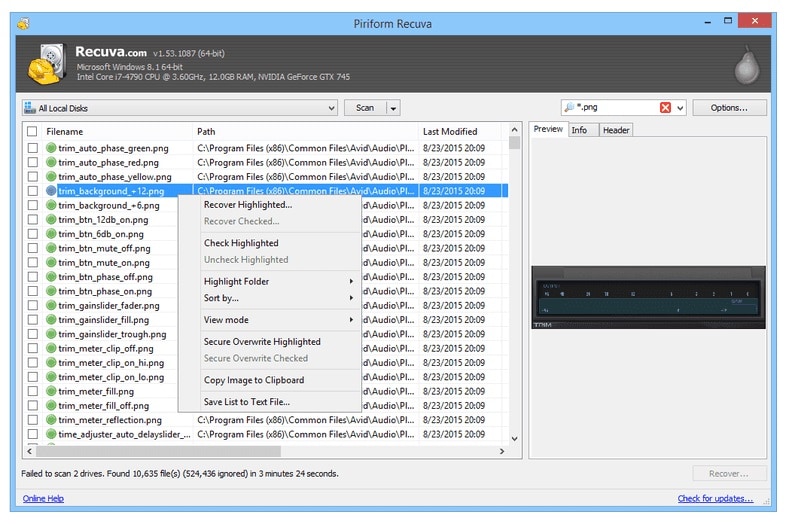
R-Studio is a professional grade data recovery suite designed for complex cases, including RAID arrays, network recovery, and severely damaged file systems. It is best for IT professionals and technicians needing low-level control and RAID capabilities, especially when looking for a powerful r-studio alternative to consumer-focused apps.
If you lost live stream recordings or gameplay captures from platforms like Twitch, YouTube, or OBS, try scanning the original drive with Recoverit before overwriting anything. By installing Recoverit on a different partition or device, you can run a deep scan on the folder where your streaming software saved temporary or final video files. Recoverit is particularly strong at piecing together large, fragmented video files, so even if your stream recordings were deleted, formatted away, or affected by a crash, you have a realistic chance of restoring them intact and getting back to publishing or editing quickly.
Side-by-Side Comparison Table of Tenorshare 4DDiG Alternatives
| Software | File System Support | Price | Free Version | Ease of Use | Scan Speed | Recovery Success Rate | Key Features |
|---|---|---|---|---|---|---|---|
| Tenorshare 4DDiG | NTFS, FAT/FAT32, exFAT, APFS, HFS+ | Mid range, subscription and lifetime options | Limited scan and preview, very small recoverable quota | Easy for beginners | Moderate, slower on very large drives | Good for common deletion and format cases | Quick and deep scan, photo and video recovery, partition recovery |
| Wondershare Recoverit | NTFS, FAT/FAT32, exFAT, HFS+, APFS, EXT variants | Competitive tiers for individual and business | Free scan with limited data recovery allowance | Very easy, wizard style interface | Fast quick scans, efficient deep scans | High, especially for photos, videos, and office files | Advanced video recovery and repair, crashed PC recovery, bootable media |
| Disk Drill | NTFS, FAT/FAT32, exFAT, HFS+, APFS, EXT | One time per major version license | Windows and macOS free editions with limited recovery | User friendly with modern UI | Fast in most scenarios | Strong for recent deletions and partition loss | Data protection, S.M.A.R.T. monitoring, backup and cleanup tools |
| EaseUS Data Recovery Wizard | NTFS, FAT/FAT32, exFAT, HFS+, APFS | Subscription focused, mid to high range | Recover a small amount of data at no cost | Very easy, minimal configuration required | Moderate to fast depending on drive size | Good for everyday user scenarios | Deleted file recovery, formatted drive recovery, lost partition recovery |
| Stellar Data Recovery | NTFS, FAT/FAT32, exFAT, HFS+, APFS | Tiered from basic to technician level | Scan and preview with limited free recovery | Accessible but more options to navigate | Moderate, thorough deep scans | High for documents and media, plus repair options | Photo and video repair, email recovery, RAID support in higher tiers |
| R-Studio | Wide range including NTFS, FAT, exFAT, HFS+, APFS, EXT, UFS, ReFS | Professional level licensing per platform or network | Demo version with size limited recovery | Advanced, suited to experienced users | Fast but depends on chosen scan depth and options | Very high for complex, professional data loss cases | RAID reconstruction, network recovery, forensic tools, disk imaging |
Conclusion
Tenorshare 4DDiG is a capable data recovery application, but it is not the only option and may not be the best fit for every budget, workflow, or skill level. Exploring alternatives such as Recoverit, Disk Drill, EaseUS Data Recovery Wizard, Stellar Data Recovery, and R-Studio gives you more flexibility to match features and pricing to your actual needs.
For most users who want a balance of ease of use, advanced video recovery, and strong success rates, Recoverit is an excellent starting point. Power users and technicians can then consider tools like R-Studio or Stellar when they encounter complex RAID, server, or repair scenarios that demand deeper control.
Next: R-Studio Alternatives
FAQ
-
Is Tenorshare 4DDiG better than its alternatives?
Tenorshare 4DDiG performs well in many everyday data loss situations, but it is not universally better than its competitors. Tools like Recoverit or Disk Drill may offer friendlier interfaces or better video recovery, while R-Studio can outperform it in complex professional cases. The best choice depends on your specific scenario, budget, and technical comfort level. -
Which Tenorshare 4DDiG alternative is easiest for beginners?
Recoverit and EaseUS Data Recovery Wizard are typically the most beginner friendly options. Both provide clear wizards, straightforward scan modes, and previews that help non technical users recover files without tweaking advanced settings. Recoverit in particular offers a clean layout and strong guidance through each step of the process. -
Can I try Tenorshare 4DDiG alternatives for free?
Yes, most Tenorshare 4DDiG alternatives offer free versions or trial modes. Recoverit, Disk Drill, EaseUS, and Stellar usually let you perform a full scan and preview recoverable files, with a limited amount of actual data that can be restored at no cost. This helps you evaluate real results before purchasing a license.



