
 TL;DR:
The Motorola Moto G Stylus 2026 is the optimal choice for most buyers due to its dedicated 1TB microSD slot and balanced hardware, while the Samsung Galaxy A27 5G and Fairphone (Gen. 6+) are the best options for users specifically requiring a 2TB storage ceiling.
● The Samsung Galaxy A27 5G utilizes a hybrid tray that forces a choice between a second physical SIM and a microSD card, whereas the Moto G Stylus 2026 and Fairphone (Gen. 6+) support both simultaneously.
● Current 2026 Motorola models format the microSD card strictly as portable media storage for photos, videos, and music, explicitly preventing users from installing or moving Android applications to the expanded memory.
● Inserting a 2TB card into a phone documented for a 1TB maximum, such as the Moto G Power 2026 or the standard Moto G 2026, falls outside validated specifications and risks mount failures, reduced usable space, or inconsistent read and write operations.
Ask AI for a summary
 ChatGPT
 Perplexity
 Gemini
 Claude
 Grok
Grok
Quick answer: The Motorola Moto G Stylus 2026 is the best phone with expandable storage for most U.S. buyers because it combines a dedicated card slot, up to 1TB microSD support, a modern AMOLED display, and a built-in stylus. Samsung Galaxy A27 5G reaches 2TB and offers longer software support, while Fairphone (Gen. 6+) combines 2TB expansion with exceptional repairability.
A current phone owner asking for an Android replacement with a microSD slot reflects a problem many buyers now face. As this expandable-storage phone discussion shows, the feature remains useful for offline video, large photo libraries, music, maps, and files that users want to move without paying for a higher internal-storage tier.
Expandable storage has become less common in mainstream premium phones. Modern flagships prioritize fast fixed UFS storage, tightly integrated designs, and cloud-based workflows; manufacturers rarely provide one universal reason for removing the slot. The feature now survives mainly in selected mid-range, budget, rugged, and repair-focused models.
This guide targets searches for the best phone with expandable storage, best phones with expandable memory, and best expandable memory phone with current 2026 choices rather than discontinued models. It separates verified specifications from regional variables so you know what to confirm before buying.
In This Article
-
- Motorola Moto G Stylus 2026 for Best Overall Balance
- Samsung Galaxy A27 5G for Samsung Buyers Who Still Want microSD
- Motorola Moto G Power 2026 for Battery and Durability
- Motorola Moto G67 for Up to 2TB Expansion
- Fairphone (Gen. 6+) for Repairable Expandable Storage
- Motorola Moto G 2026 for Budget Expandable Storage
Part 1. Best Phones With Expandable Storage in 2026: Quick Picks
These six phones represent different reasons to keep a microSD slot: everyday flexibility, Samsung ecosystem continuity, durability, very large offline libraries, repairability, and budget value. No single pick is best in every country because the exact storage variant and network support can differ.
| Phone | Best For | Internal Storage | Maximum microSD | Slot Type | Key Advantage |
| Motorola Moto G Stylus 2026 | Best overall | 128GB; 256GB on Motorola.com U.S. variant | Up to 1TB | Dedicated microSD | Strong balance of AMOLED display, stylus features, battery, and removable storage |
| Samsung Galaxy A27 5G | Best Samsung option | 128GB or 256GB, depending on market | Up to 2TB | Hybrid SIM/microSD | Six OS upgrades and six years of security updates |
| Motorola Moto G Power 2026 | Battery and durability | 128GB | Up to 1TB | Physical SIM + eSIM + microSD on verified U.S. specifications | 5,200mAh battery with IP68/IP69 and MIL-STD-810H testing |
| Motorola Moto G67 | 2TB expansion | 128GB or 256GB on verified regional variants | Up to 2TB | Physical SIM + eSIM + microSD on verified variants | Large capacity ceiling with a 120Hz AMOLED display |
| Fairphone (Gen. 6+) | Repairability | 256GB | Up to 2TB | Nano-SIM + eSIM + separate microSD support | 12 user-replaceable parts and software support through 2033 |
| Motorola Moto G 2026 | Best budget pick | 128GB | Up to 1TB | SIM/microSD tray; second-SIM arrangement varies by market | Affordable 5G route with portable media expansion |
Availability warning: Galaxy A27 5G is available in the U.S. and multiple international markets, while Moto G67 is more region-dependent. Fairphone (Gen. 6+) launched on August 18, 2026 and is now sold directly in the U.S. as well as Europe. Confirm the exact model number, carrier bands, storage configuration, and card-slot diagram immediately before ordering.
Best default choice: Choose Moto G Stylus 2026 if you want a current U.S. model with a clearly documented dedicated slot and do not need more than 1TB. Choose Galaxy A27 5G or Fairphone (Gen. 6+) when 2TB support matters more than the stylus.
Part 2. What Counts as Expandable Phone Storage in 2026?
“Expandable” is used loosely in phone marketing. A real comparison requires separating removable file storage from built-in UFS capacity, virtual RAM, and Android's optional adoptable-storage system.
microSD Storage vs Built-In Phone Storage
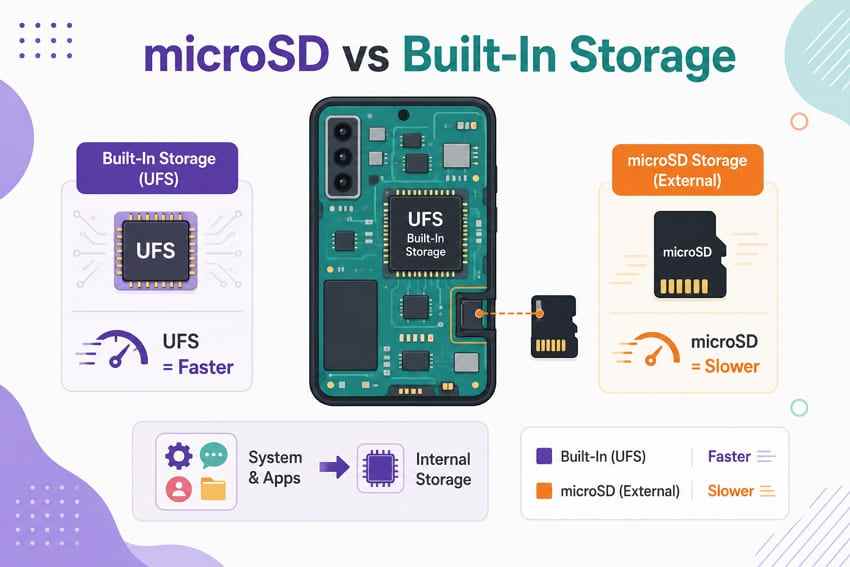
Built-in phone storage is soldered to the device and normally uses faster UFS memory. Android keeps the operating system and most applications there because latency, security, and sustained performance are more predictable than on a removable card.
A microSD card is best treated as supplemental storage for photos, videos, music, maps, downloads, documents, and other supported media. It is removable, usually less expensive per gigabyte, and easier to connect to a computer, but it cannot fully replace the speed or integration of internal storage.
Dedicated microSD Slot vs Hybrid SIM/microSD Slot
A dedicated slot lets the card coexist with the phone's supported SIM configuration. A hybrid tray makes one position serve either as a second physical SIM or a microSD card. The distinction matters to travelers and business users who require two physical SIMs.
| Tray Type | Primary SIM | Second Line | microSD | Main Tradeoff |
| Dedicated microSD arrangement | Available | May use eSIM or a separate supported slot | Available at the same time | Exact SIM arrangement still depends on the market model |
| Hybrid SIM/microSD tray | Available | Second physical SIM uses the shared position | Uses the shared position instead of SIM 2 | You choose between the second physical SIM and the card |
Samsung officially lists Galaxy A27 5G as “SIM 1 + Hybrid (SIM or MicroSD)” on verified variants. Fairphone avoids that specific tradeoff by combining one nano-SIM, eSIM, and separate microSD support. Current Moto G configurations vary, so inspect the tray diagram rather than relying on a product-family assumption.
Portable Storage vs App or Internal Storage
Portable storage keeps the card usable for ordinary files and lets it move between compatible devices. Motorola's current support pages for Moto G 2026 and Moto G Power 2026 describe the card as portable storage for photos, videos, and music and state that apps cannot be installed there.
Android adoptable storage is different. When a manufacturer enables it, Android formats and encrypts the card so it behaves more like internal storage and can hold supported apps. The card then works only with the phone that adopted it and cannot be mounted normally elsewhere.
Fairphone provides both portable and internal-storage formatting options, although it recommends portable storage for fewer compatibility issues. Even with adopted storage, developers can prevent particular apps from moving.
1TB vs 2TB Expandable Storage
The SD Association overview and current capacity standard define SDXC as more than 32GB through 2TB, normally using exFAT. A phone that explicitly supports 2TB can therefore use the top of the SDXC range; a phone limited to 1TB should use 1TB or less.
A 2TB card is useful for very large offline photo, 4K video, music, and travel libraries. It is unnecessary for most users and increases the amount of data exposed if one tiny card fails. Capacity should never replace a backup.
Why Maximum Supported Capacity Matters
The card manufacturer's maximum available capacity does not override the phone's host limit. A 2TB card installed in a phone documented for 1TB is outside the validated configuration. It may fail to mount, request formatting, show reduced usable space, or work inconsistently after an update or large write.
Stay within the limit published for the exact model and region. Product names can be shared across markets even when internal storage, RAM, SIM support, and network bands differ.
Why Expandable RAM Is Not Expandable Storage
RAM Boost, virtual RAM, and memory expansion borrow part of built-in storage as temporary memory for app management. They do not add file capacity and have no connection to a microSD slot. For example, a phone may advertise 8GB RAM “expanded” to 24GB while still offering only 128GB of file storage.
When comparing phones, treat physical RAM, virtual RAM, built-in storage, and maximum microSD capacity as four separate specifications.
Part 3. The Best Phones With Expandable Memory in 2026
Each phone below earns its place for a different reason. The recommendations prioritize current official listings and explain the buying boundary that a specification table alone can hide.
1. Motorola Moto G Stylus 2026 for Best Overall Balance
Motorola Moto G Stylus 2026 is the most balanced option for a broad U.S. audience. Motorola confirms a dedicated microSD slot supporting up to 1TB, Android 16, Snapdragon 6 Gen 3, 8GB LPDDR5X RAM, and 128GB UFS 3.1 storage; a 256GB Motorola.com-exclusive version is also listed.
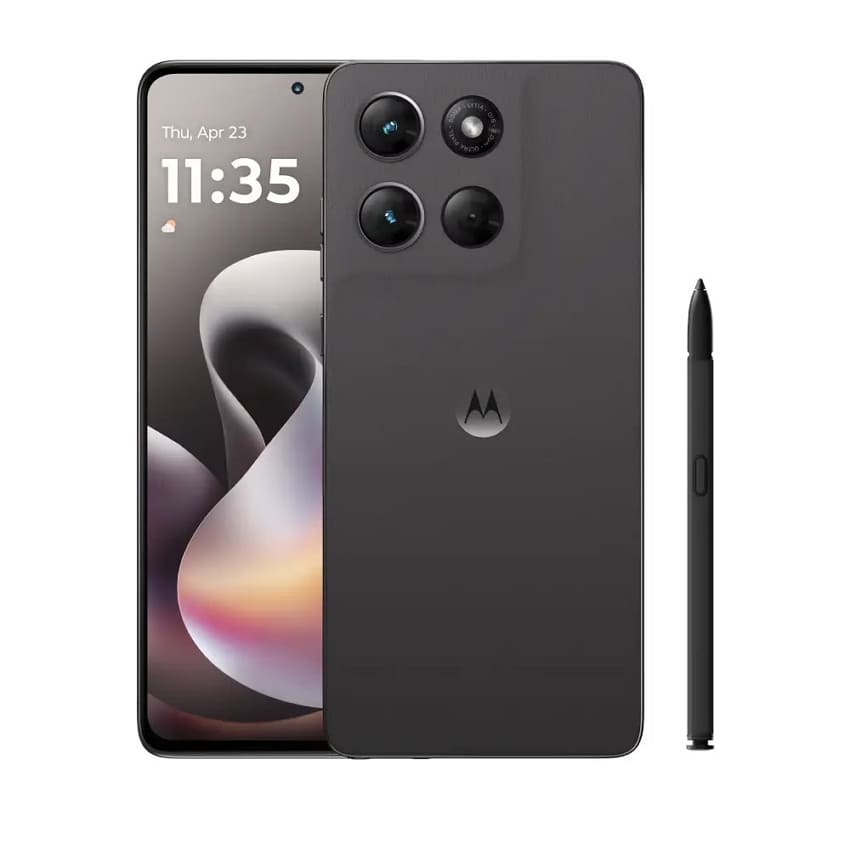
Its broader hardware package explains why it leads this list rather than winning on capacity alone.
Key Specifications
- Expandable storage: Dedicated microSD slot, up to 1TB.
- Internal storage: 128GB UFS 3.1; 256GB on a listed Motorola.com U.S. variant.
- Memory and processor: 8GB LPDDR5X RAM and Snapdragon 6 Gen 3.
- Display: 6.7-inch 1.5K Extreme AMOLED with up to 120Hz refresh rate.
- Battery: 5,200mAh with 68W wired and 15W wireless charging support.
- Other advantages: Built-in active stylus plus IP68/IP69 protection under Motorola's stated test conditions.
Why pick it: It combines a modern display, capable mid-range hardware, productivity features, strong battery specifications, and removable storage without forcing a second-physical-SIM tradeoff on the verified U.S. configuration.
Motorola's product page is the primary source. A GSMArena specification summary can provide a secondary comparison, but confirm purchasing details with Motorola or the carrier.
2. Samsung Galaxy A27 5G for Samsung Buyers Who Still Want microSD
Samsung Galaxy A27 5G is the strongest current Samsung option for buyers who want the Galaxy ecosystem and expandable storage. Verified Samsung pages list microSD support up to 2TB, 128GB or 256GB storage depending on market, a Snapdragon 6 Gen 3 processor, and long-term software support.
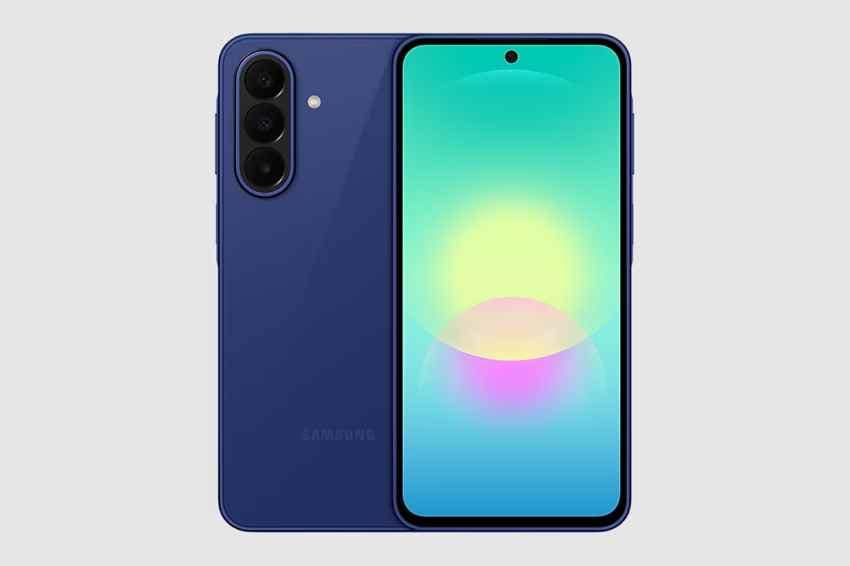
The main compromise appears in the tray, not the storage ceiling.
Key Specifications
- Expandable storage: Up to 2TB microSD.
- Internal storage: 128GB or 256GB, depending on country and SKU.
- Slot arrangement: SIM 1 plus a hybrid position for SIM 2 or microSD on verified variants.
- Display: 6.7-inch FHD+ Super AMOLED with up to 120Hz refresh rate.
- Processor and battery: Snapdragon 6 Gen 3 and 5,000mAh battery.
- Software policy: Up to six OS upgrades and six years of security updates from the initial global launch.
Why pick it: Choose Galaxy A27 5G if long update support, Samsung services, and a 2TB ceiling matter more than maintaining two physical SIMs while the card is installed.
Important limit: The verified hybrid tray cannot hold the second physical SIM and a microSD card simultaneously. An eSIM strategy may help only where the exact variant and carrier support it; confirm before purchase.
3. Motorola Moto G Power 2026 for Battery and Durability
Motorola Moto G Power 2026 is the practical choice for outdoor work, travel, and users who prioritize battery endurance and a tougher chassis over an AMOLED display. Motorola lists 1TB microSD expansion, Android 16, and a physical nano-SIM plus eSIM plus microSD arrangement on the verified U.S. specifications.
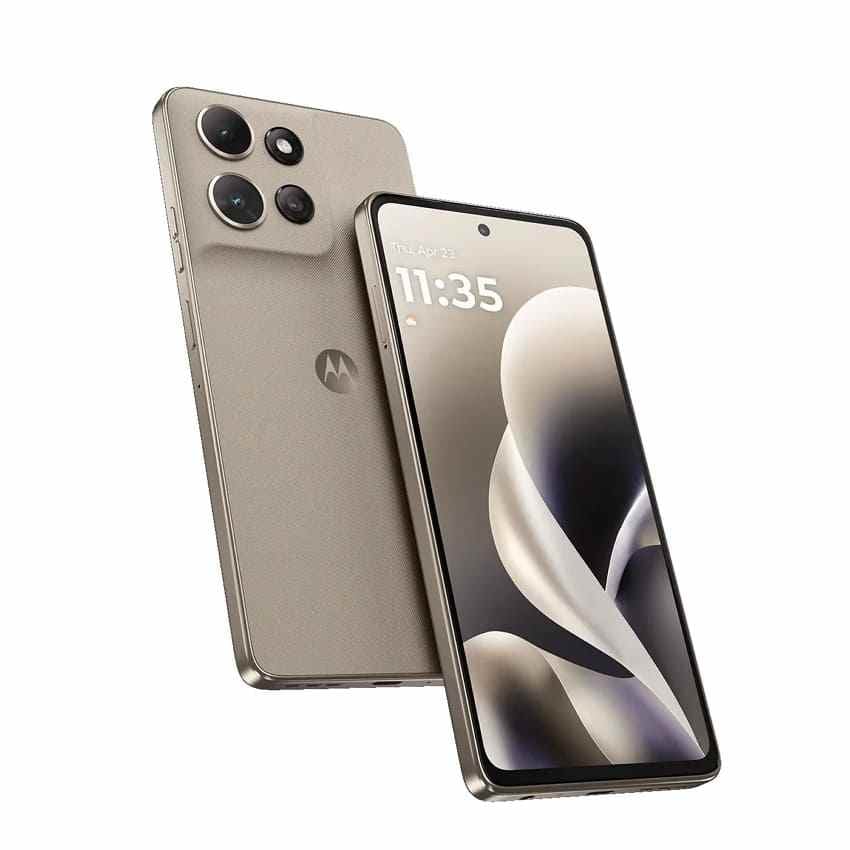
Its defining specifications focus on endurance and protection.
Key Specifications
- Expandable storage: Up to 1TB microSD.
- Internal storage and RAM: 128GB built in with 8GB LPDDR4X RAM.
- Battery: 5,200mAh with Motorola's stated support for 30W charging.
- Durability: IP68/IP69 protection and MIL-STD-810H testing under specified conditions.
- Display: 6.8-inch FHD+ LCD with 120Hz refresh rate.
- Storage mode: Motorola documents the card as portable storage for media rather than app installation.
Why pick it: It is better suited to users who carry large offline media collections into environments where battery life, water/dust resistance, and repeated travel matter more than maximum card capacity.
Durability boundary: IP and military-standard references describe controlled tests, not an indestructible phone. Water resistance can diminish with wear, and no rating protects files from a failing card.
4. Motorola Moto G67 for Up to 2TB Expansion
Motorola Moto G67 is the highest-capacity Motorola option in this comparison. Current Motorola support pages for verified regional variants list microSD expansion up to 2TB, Android 16, a 5,200mAh battery, and a 120Hz Extreme AMOLED display.
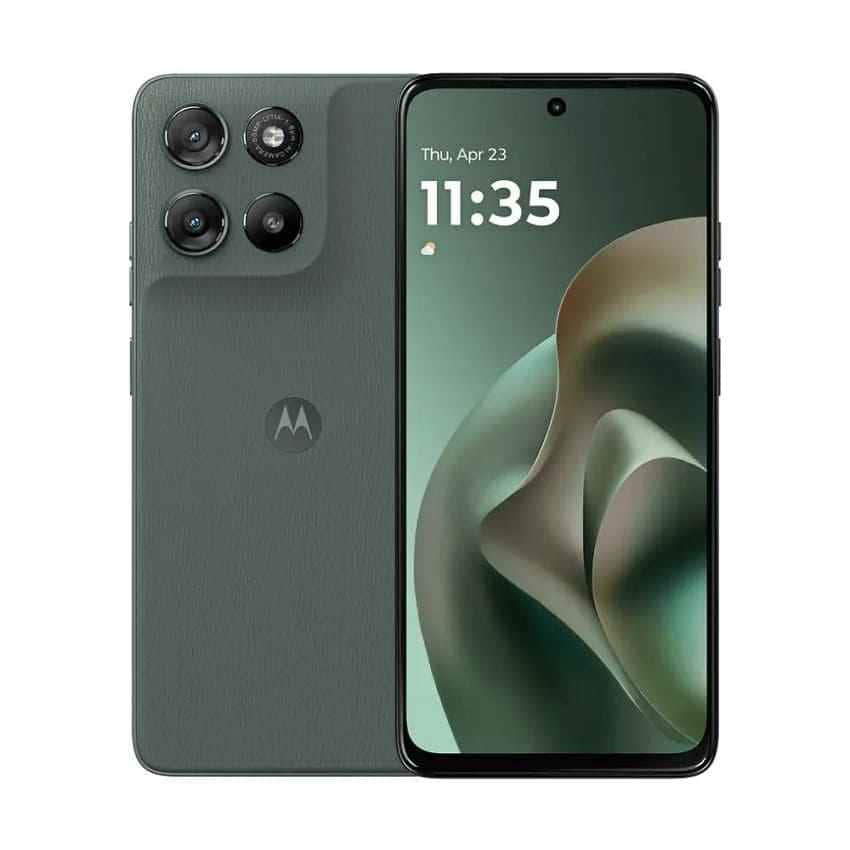
Regional variation is the reason to examine the exact SKU rather than relying on the G67 name alone.
Key Specifications
- Expandable storage: Up to 2TB microSD on current verified variants.
- Internal storage: 128GB or 256GB across verified regional support pages.
- Display: 6.78-inch Extreme AMOLED with up to 120Hz refresh rate.
- Battery: 5,200mAh with 30W charging support.
- SIM and card arrangement: One physical nano-SIM, eSIM, and microSD are listed together on verified variants.
- Durability: IP64 water-resistant design and MIL-STD-810H testing on current support pages.
Why pick it: It fits users building a very large offline photo, video, or music library who prefer Motorola and live in a market where the exact G67 variant and network bands are supported.
Availability boundary: Moto G67 is not as uniformly available as the U.S.-market Moto G models. Confirm local warranty coverage, supported 4G/5G bands, internal capacity, RAM, and SIM arrangement before importing one.
5. Fairphone (Gen. 6+) for Repairable Expandable Storage
Fairphone (Gen. 6+) launched on August 18, 2026 as a performance refresh of the Gen. 6. Fairphone's official product page lists 256GB UFS 3.1 storage, 12GB LPDDR5 RAM, Snapdragon 7s Gen 4, Android 16, and microSD expansion up to 2TB.
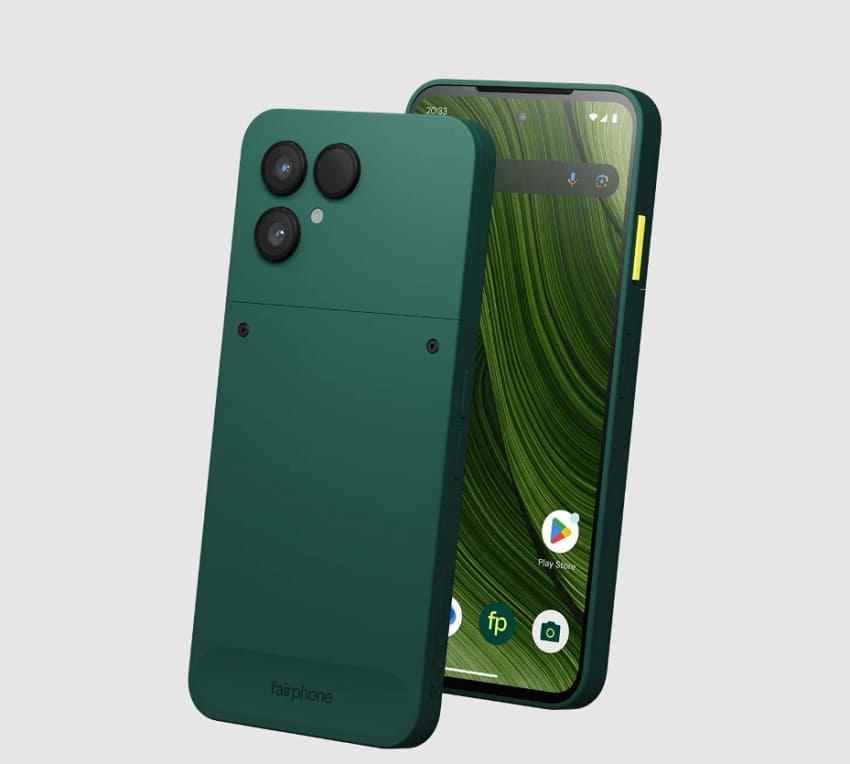
Its main value comes from longevity and serviceability rather than class-leading benchmark performance.
Key Specifications
- Expandable storage: microSDXC up to 2TB, SD 3.0 and UHS-I up to 104MB/s as specified by Fairphone.
- Internal storage and RAM: 256GB UFS 3.1 with 12GB LPDDR5 RAM on Gen. 6+.
- Processor and OS: Snapdragon 7s Gen 4 with Android 16 at launch.
- Display: 6.31-inch LTPO AMOLED with adaptive 10–120Hz refresh rate.
- Repairability: 12 user-replaceable spare parts and a removable 4,415mAh battery.
- Support: Five-year warranty and software/spare-part support through 2033.
Why pick it: Fairphone is the best expandable memory phone for buyers who want removable storage, a replaceable battery, modular repairs, and a longer service life in one device.
Fairphone's official Gen. 6+ launch story confirms the August 18 launch, upgraded processor and RAM, 2TB microSD support, Android 16, repairable design, and direct U.S. availability.
6. Motorola Moto G 2026 for Budget Expandable Storage
Motorola Moto G 2026 is the budget-oriented route to 5G and removable media storage. Motorola lists 128GB built in, Android 16, a 5,200mAh battery, and support for microSD cards up to 1TB.
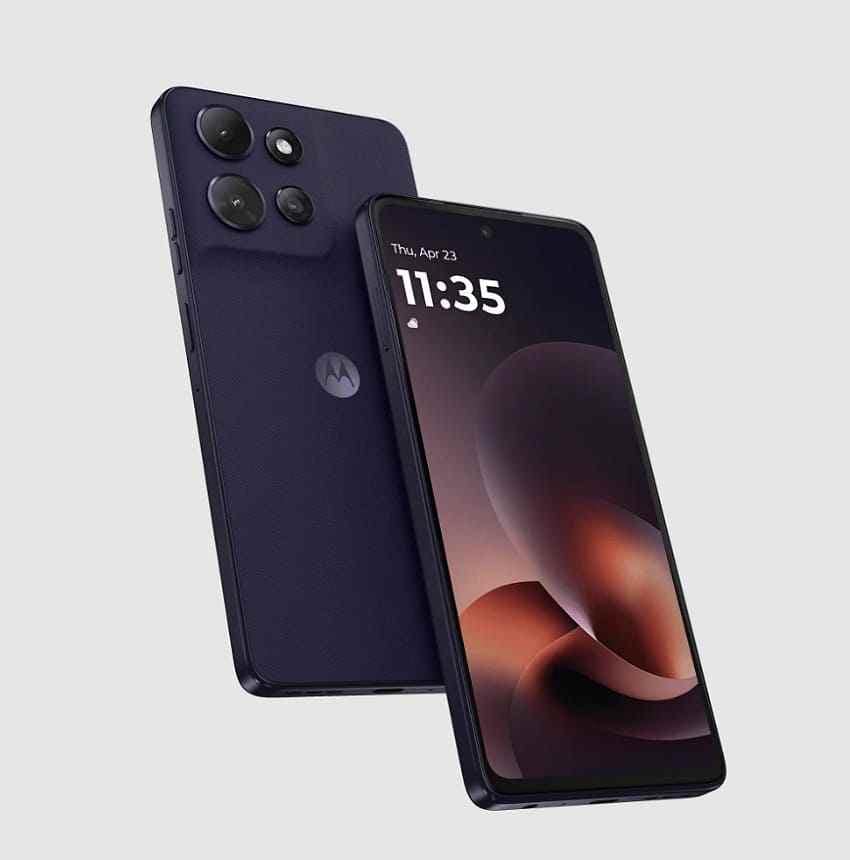
The lower price tier brings predictable compromises in memory and display resolution.
Key Specifications
- Expandable storage: Up to 1TB microSD.
- Internal storage and RAM: 128GB storage with 4GB physical RAM; RAM Boost uses internal storage as virtual memory.
- Processor and OS: MediaTek Dimensity 6300 with Android 16.
- Display: 6.7-inch HD+ LCD with 120Hz refresh rate.
- Battery: 5,200mAh with 30W charging support.
- Storage mode: Motorola documents microSD as portable media storage, not app-installation space.
Why pick it: Choose Moto G 2026 when the goal is affordable 5G plus enough removable space for photos, video, music, and downloads—not premium performance or a 2TB ceiling.
Tray warning: Motorola support diagrams can differ for single-SIM and dual-SIM market versions. Verify whether the second physical SIM shares a position with microSD on the exact SKU you plan to buy.
Part 4. Which Expandable Storage Phone Should You Buy?
Start with region and network compatibility, then choose by use case. A 2TB limit is irrelevant if the phone lacks local bands, warranty support, or the slot arrangement you need.
| User Type | Best Phone | Why It Fits | Storage Limit |
| General users | Moto G Stylus 2026 | Modern screen, stylus, strong battery specifications, and a dedicated card slot | 1TB |
| Samsung ecosystem users | Galaxy A27 5G | Long software support, Samsung services, and high card ceiling | 2TB |
| Heavy offline media users | Moto G67 | 2TB support and AMOLED display on verified regional variants | 2TB |
| Outdoor or durability-focused users | Moto G Power 2026 | IP68/IP69, MIL-STD-810H testing, and a 5,200mAh battery | 1TB |
| Repairability-focused buyers | Fairphone (Gen. 6+) | Replaceable components, removable battery, and support through 2033 | 2TB |
| Budget buyers | Moto G 2026 | Current Android, 5G, and portable media expansion without a premium storage tier | 1TB |
Fast decision: Moto G Stylus 2026 is the safest broad recommendation. Galaxy A27 5G is better for Samsung users who accept a hybrid tray. Fairphone (Gen. 6+) is the longevity pick. Moto G67 is for 2TB-focused buyers in supported regions, and Moto G Power 2026 is the durability choice.
Part 5. 256GB vs 512GB vs 1TB vs 2TB Expandable Storage: How Much Do You Need?
Choose a card based on the library you actually keep offline, not the maximum number printed on the phone specification. Larger cards cost more and concentrate more irreplaceable files in one failure point.
| Card Capacity | Best For | Storage Demand | Who Should Buy It |
| 256GB | Photos, music, maps, documents, and moderate offline video | Moderate | Most owners of a 128GB phone |
| 512GB | Large photo libraries, games, travel downloads, and more offline video | High | Frequent travelers and media-heavy users |
| 1TB | Extensive archives, creator exports, and substantial 4K footage | Very high | Creators and users who regularly manage large local libraries |
| 2TB | Maximum offline media capacity on a supported phone | Maximum | Galaxy A27 5G, Moto G67, or Fairphone owners with a verified 2TB-capable model |
256GB: The practical default for most users. It adds meaningful capacity without encouraging the card to become an unbacked archive.
512GB: Better for offline streaming, large photo libraries, games that permit external data, and frequent travel.
1TB: Appropriate for creators and collectors who already understand how quickly their footage and exports grow. It is also the maximum documented by Moto G Stylus, Moto G Power, and Moto G 2026.
2TB: Buy only for a phone that explicitly supports it. A 2TB card is wasted—and unsupported—on a 1TB-limited phone. It should never be the only copy of a large personal archive.
Part 6. What to Check Before Buying an Expandable Memory Phone
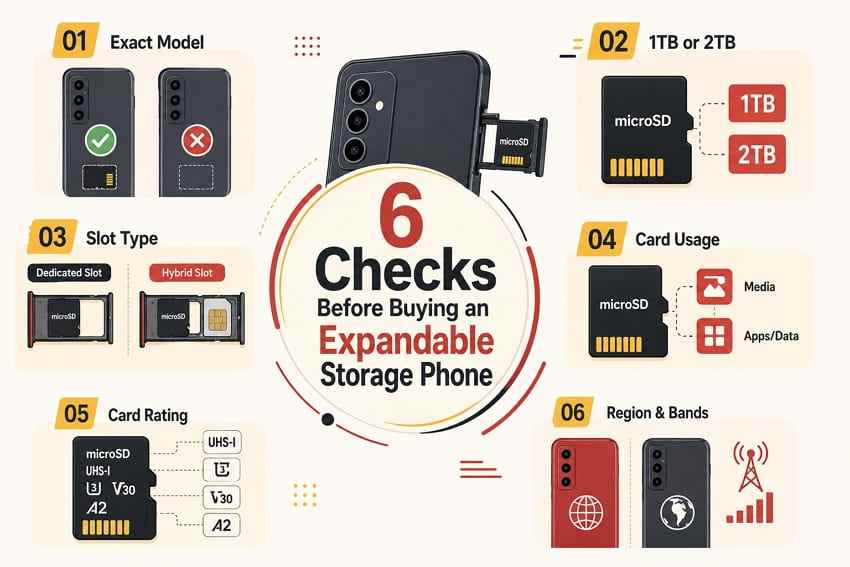
Run these six checks on the exact SKU, not just the marketing name. They prevent the most common compatibility and purchasing mistakes.
- Confirm the exact model supports microSD: Similar-looking phones in the same family can remove the slot or change its capacity between generations and regions.
- Check whether the limit is 1TB or 2TB: Stay within the maximum stated by the phone manufacturer.
- Inspect the slot arrangement: Determine whether microSD is dedicated, shares the second physical SIM position, or coexists with a physical SIM and eSIM.
- Confirm how Android uses the card: Motorola's verified 2026 Moto G guidance treats it as portable media storage, while Fairphone supports portable or internal formatting. Do not assume every app can move.
- Choose a suitable card: A genuine UHS-I card is the normal fit. U3/V30 indicates at least 30MB/s minimum sequential write performance under the relevant SD Association speed-class standards; A1/A2 matters more for supported app-like workloads.
- Check regional availability, bands, warranty, and current price: An imported phone can miss carrier bands, eSIM support, warranty service, or the storage configuration shown on another country's page.
Counterfeit warning: Buy high-capacity cards from the manufacturer or a reputable authorized seller. Counterfeit cards can report false capacity and appear normal until writes pass the real flash limit, at which point files may corrupt or disappear.
Part 7. How to Protect Files After You Expand Phone Storage
A reliable phone and card reduce compatibility problems, but neither one is a backup. Use these habits before the microSD library becomes difficult to replace.
- Format and test a new card first: Back up any existing content, format through the phone when required, copy test files, restart, and verify that the files still open.
- Keep irreplaceable files elsewhere: Maintain another copy on a computer, external drive, NAS, or trusted cloud service.
- Eject before removal: Unmount portable storage through Android settings before opening the tray to reduce file-system corruption risk.
- Replace an unreliable card: Repeated corruption, read errors, slow writes, or unexpected disconnections are reasons to back up and retire it.
- Stop using the card when files disappear: Do not format it, repair it, record new video, or download more content before recovery.
Recover Lost microSD Files With Wondershare Recoverit When Needed
If a portable microSD card is deleted, formatted, RAW, corrupted, or inaccessible but still detected by a Windows or Mac computer, Wondershare Recoverit Memory Card Recovery can scan it through a card reader. It supports common phone-card file systems such as FAT32 and exFAT.
The product is appropriate for logical loss on readable removable media, not every phone-storage scenario.
Key Features and Recovery Boundaries
- Multiple logical-loss cases: Scans for files after deletion, accidental formatting, RAW status, and inaccessible card errors.
- Broad file support: Searches for photos, videos, audio, documents, archives, and other common formats.
- Search, filters, and preview: Helps narrow a large result set and verify available file previews before recovery.
- Fragmented-video support: Its fragmented file recovery workflow is relevant when video segments remain on supported media.
- Separate save destination: Recovered files should be written to the computer or another drive, not back to the affected card.
Important: Recoverit does not directly scan Android internal storage. Remove a portable microSD card and connect it through a reliable reader. A card formatted as adopted/internal storage is encrypted and tied to its phone, so a computer may not be able to mount or scan it. Physically cracked, overheating, or universally undetected cards require professional assessment rather than repeated software scans.
The following workflow applies only after the computer detects the removable card.
How to Scan and Recover Lost microSD Card Files
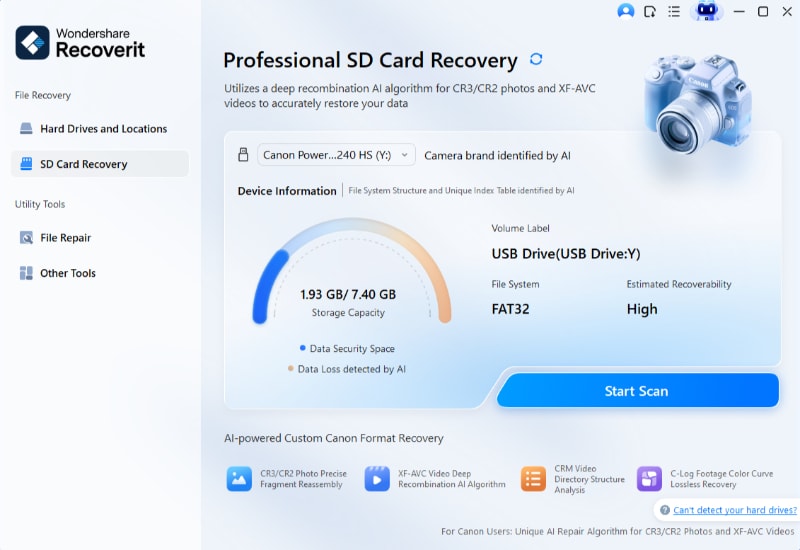
Step 1. Select the microSD Card. Connect the card through a reliable reader, open Recoverit, choose SD Card Recovery, verify the card's capacity and device information, and start the scan.
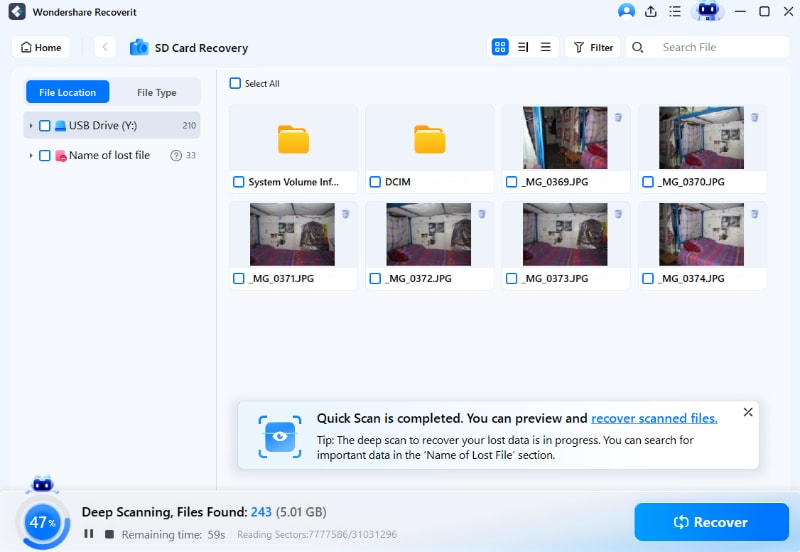
Step 2. Review the Scan Results. Let the scan continue while filtering by file type, path, date, or size. Do not write anything new to the affected card during the scan.
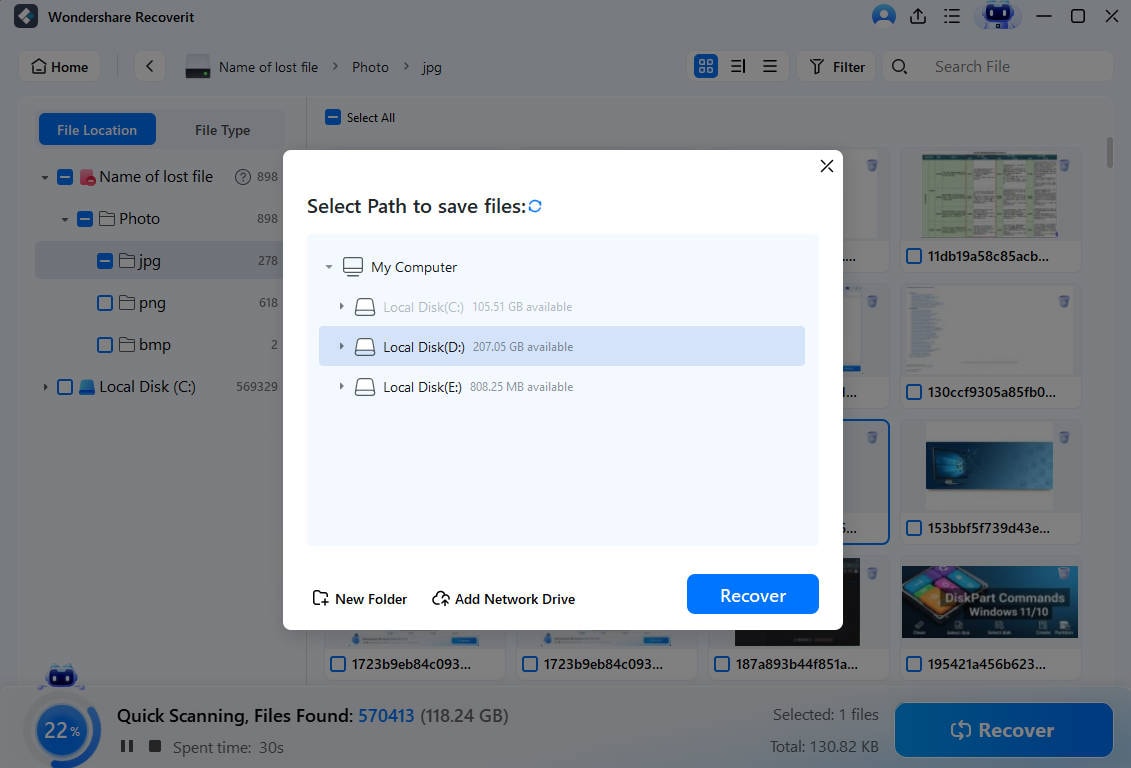
Step 3. Preview and Save Elsewhere. Preview important results where available, select the recoverable files, click Recover, and save them to the computer or another external drive—not to the affected microSD card.
Recover Lost microSD Files With Wondershare Recoverit
 Security Verified. Over 7,302,189 people have downloaded it.
Conclusion
The best phone with expandable storage depends on more than card capacity. Moto G Stylus 2026 offers the strongest overall balance; Galaxy A27 5G combines Samsung services, 2TB support, and long updates; Moto G Power 2026 emphasizes durability; Moto G67 targets very large offline libraries; Fairphone (Gen. 6+) leads for repairability; and Moto G 2026 keeps the feature accessible to budget buyers. Verify the exact region, slot arrangement, and storage mode before buying, then keep every important card file backed up elsewhere.
Frequently Asked Questions
-
Do Flagship Phones Still Offer microSD in 2026?
Most mainstream current flagships from Apple, Google, and Samsung do not include microSD slots. Expandable storage is concentrated in selected mid-range, budget, rugged, and repair-focused phones. Specialist models can still exist, so check the exact current specification rather than treating “no flagship” as an absolute rule. -
Can microSD Replace High Internal Storage Completely?
No. Internal UFS storage is faster and remains the normal location for Android, system data, and most apps. A microSD card is best for supported photos, videos, music, maps, downloads, and documents. Adopted storage can hold supported apps on enabled phones, but it is encrypted, device-bound, and can be slower. -
Is a Hybrid SIM Slot a Deal-Breaker?
Only when you need two physical SIM cards and microSD at the same time. A hybrid tray forces you to choose between SIM 2 and the card. eSIM can reduce the problem where the phone, carrier, and region support it, but that must be confirmed for the exact model. -
Can Every App Be Moved to a microSD Card?
No. Current Motorola Moto G 2026 guidance treats microSD as portable media storage and does not allow app installation there. Fairphone supports internal formatting and certain apps can move, but app developers can still block relocation. Never assume an A2 card makes every app movable.


