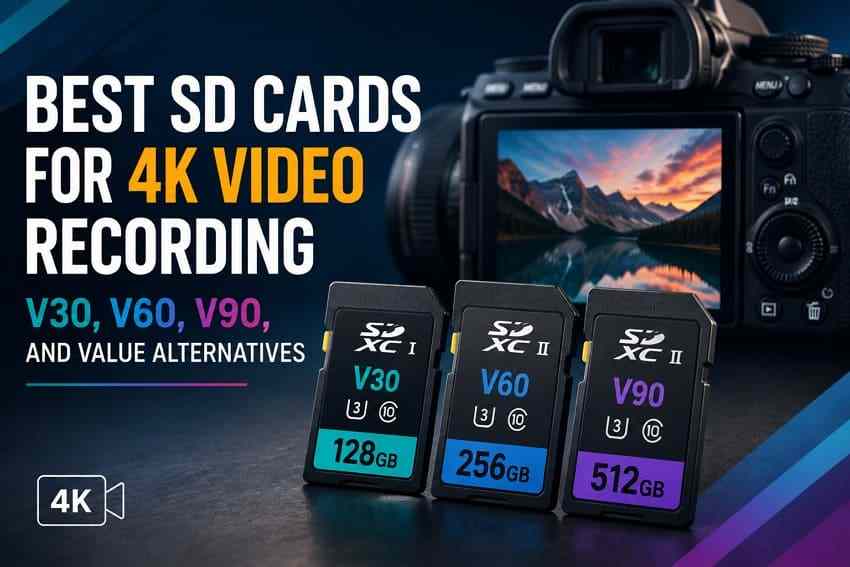
 TL;DR:
The right SD card for 4K video recording depends entirely on your camera's specific bitrate and sustained write speed rather than resolution alone, making V30 sufficient for standard modes, V60 the optimal value for 10-bit recording, and V90 strictly for high-bitrate professional workflows.
● Mainstream 100 to 200 Mbps workflows operate safely on UHS-I V30 media like the SanDisk Extreme PRO SDXC, whereas demanding 400 Mbps All-Intra modes require the UHS-II interface found on V60 options like the Kingston Canvas React Plus to prevent dropped frames.
● SDXC cards with at least 256GB of capacity offer the best balance for continuous shooting, as a 128GB card fills completely in approximately 43 minutes at 400 Mbps and older SDHC formats are strictly limited to a 32GB maximum.
● If a recording stops unexpectedly or the camera requests formatting, immediately power off the device and reject the prompt to prevent new clips from permanently overwriting fragmented 4K data before running a tool like Wondershare Recoverit.
Ask AI for a summary
 ChatGPT
 Perplexity
 Gemini
 Claude
 Grok
Grok
The right SD card to record 4K video depends on bitrate, codec, frame rate, and camera slot speed, not resolution alone. A V30 card can record many 4K modes. A V60 card is the better value point for high-bitrate 4K and All-Intra work. A V90 card is worth paying for only when the camera mode requires it or when faster offloading matters.
Storage prices are moving upward, so the best SD card for video recording is the one that matches your heaviest real recording mode without forcing you to overpay for unused speed. This guide compares V30, V60, and V90 SD cards, explains capacity by recording time, covers value alternatives, and shows how to protect lost 4K footage before reformatting a card.
Try Wondershare Recoverit to Perform Data Recovery
 Security Verified. Over 7,302,189 people have downloaded it.
In this article
-
- Card 1. SanDisk Extreme PRO SDXC UHS-I V30
- Card 2. Lexar Professional 1066x SDXC UHS-I SILVER V30
- Card 3. Kingston Canvas React Plus SD UHS-II V60
- Card 4. ProGrade Digital Gold SDXC UHS-II V60
- Card 5. SanDisk Extreme PRO SD UHS-II V90
- Card 6. Sony SF-G TOUGH UHS-II V90
- Card 7. Angelbird AV PRO SD V90 MK2
Part 1. What SD Card Do You Need to Record 4K Video?
Start with the camera mode, not the card brand. The same camera may record easy 4K at 100 Mbps and demanding 4K All-Intra at 400 Mbps or higher. Those two modes need different SD card tiers even though both are 4K.
Look Beyond Resolution
4K does not automatically mean V90. A travel camera recording 4K Long GOP at 100 Mbps needs far less write speed than a mirrorless camera recording 4K 10-bit All-Intra at 400 Mbps. The top search results for this topic all point to the same practical rule: choose by recording mode and sustained write requirement, not by resolution alone.
Calculate Total Data Demands
Bitrate is usually written in Mbps. Divide Mbps by 8 to estimate MB/s. A 200 Mbps mode writes about 25 MB/s, so a V30 card has enough rated floor. A 400 Mbps mode writes about 50 MB/s, so V60 is safer. A 600 Mbps mode writes about 75 MB/s, so V90 is the right SD tier if your camera allows SD cards for that mode.
Compare Long GOP and All-Intra
Long GOP compresses groups of frames together and usually keeps bitrate lower. All-Intra compresses each frame separately, which makes editing easier but often raises bitrate sharply. If your camera switches from Long GOP to All-Intra, re-check the memory-card requirement before the shoot.
Match Card Speed With Extra Headroom
Do not buy a card that only barely clears the math. Heat, long takes, simultaneous proxy recording, dual-slot backup, and camera firmware behavior can add overhead. If your heaviest mode sits close to the V30 ceiling, move to V60. If it sits close to V60, move to V90 or check whether the camera recommends CFexpress or external SSD recording.
Part 2. Understand U3, V30, V60, V90, UHS-I, and UHS-II
The SD Association defines speed classes by minimum sustained write speed. These markings matter more for video than the large maximum read speed printed on many packages.
| Rating | Guaranteed Sustained Write | Approximate Bitrate Ceiling | Typical Interface | Good For |
| U3 / V30 | 30 MB/s | About 240 Mbps | UHS-I or UHS-II | Mainstream 4K, action cameras, drones, vlogging, compressed 4K |
| V60 | 60 MB/s | About 480 Mbps | UHS-II or faster | High-bitrate 4K, 10-bit 4K, many All-Intra modes |
| V90 | 90 MB/s | About 720 Mbps | UHS-II or faster | High-bitrate All-Intra, selected 6K/8K modes, pro video |
UHS-I, UHS-II, and Which You Actually Need
UHS-I covers many V30 workflows at a lower price. UHS-II adds a second row of contacts and is common on V60 and V90 SD cards. A UHS-II card still works in many UHS-I cameras, but it falls back to UHS-I speed. Buy UHS-II when your camera slot supports it, your recording mode needs V60/V90, or you want faster transfers with a UHS-II reader.
Maximum Advertised Speed vs Minimum Sustained Write Speed
Maximum read speed helps offloading. Maximum write speed is often a burst figure. Minimum sustained write is what prevents dropped frames during video. Lexar's V-ratings guide makes the same distinction: V30, V60, and V90 should be matched to the camera's mode requirement, while package speed claims depend on host, reader, and conditions.
Part 3. Quick SD Card Recommendations by 4K Workload
Use this table when you know the camera bitrate but do not yet know which card to buy.
| Workload | Typical Bitrate | Minimum | Recommended | Capacity Sweet Spot |
| Basic 4K, standard frame rates | 60 to 150 Mbps | V30 | V30 UHS-I | 128GB or 256GB |
| High-frame-rate 4K | 200 to 280 Mbps | V30 | V60 UHS-II for headroom | 256GB |
| 10-bit 4K recording | 150 to 300 Mbps | V30 | V60 UHS-II if the mode is demanding | 256GB |
| All-Intra 4K | Around 400 Mbps | V60 | V60 UHS-II | 256GB or 512GB |
| RAW and cinema modes on SD-compatible cameras | 600 to 720 Mbps | V90 | V90 UHS-II or camera-approved media | 256GB or 512GB |
| Long events and interviews | 100 to 200 Mbps | V30 | V30 or V60, depending on backup workflow | 512GB |
| Action cameras and drones | 100 to 200 Mbps | V30 | V30 UHS-I microSD from a reputable brand | 256GB |
| Dual-slot professional work | Varies | Match both cards to the mode | Matched pair of V60 or V90 cards | Two 256GB or 512GB cards |
Part 4. Best SD Cards for 4K Video Recording
The picks below are grouped by practical tiers. V30 handles mainstream 4K, V60 is the value tier for serious 4K videography, and V90 is for high-bitrate professional modes that actually need it.
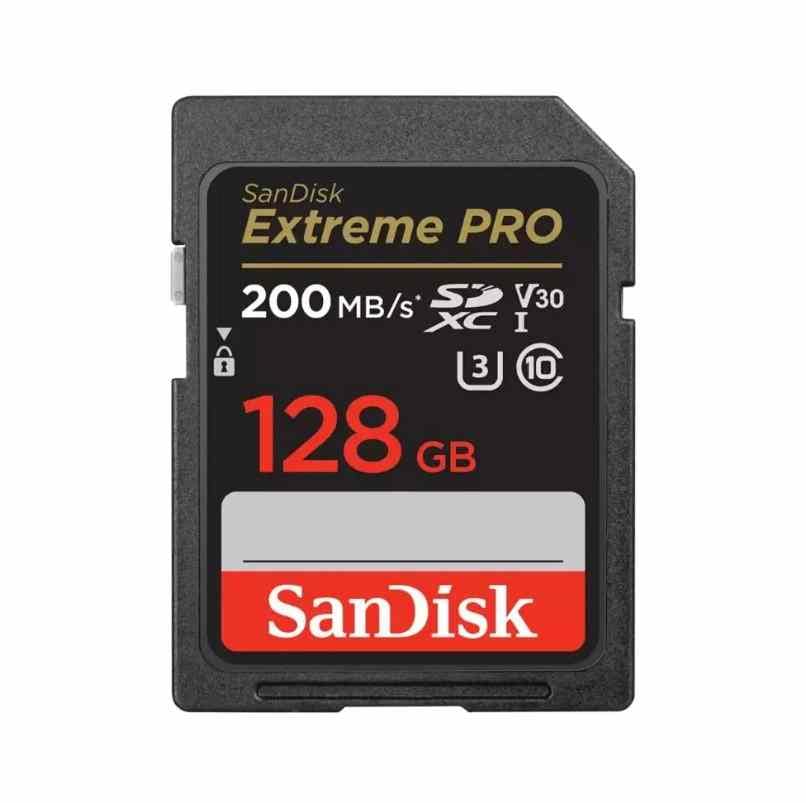
Card 1. SanDisk Extreme PRO SDXC UHS-I V30
SanDisk Extreme PRO SDXC UHS-I V30 is the safest mainstream V30 pick because it is widely available and supports many standard 4K modes. Current product listings advertise high read and write speeds on larger capacities, but in-camera performance is still limited by the UHS-I bus and the V30 sustained floor. Choose it for vlogging, travel, drones with adapters only when approved, and standard 4K Long GOP workflows.
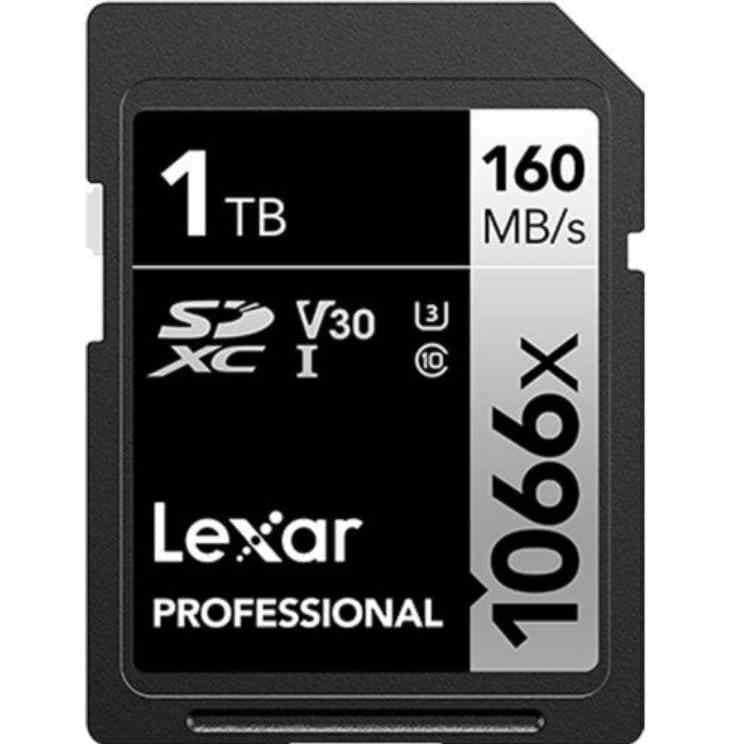
Card 2. Lexar Professional 1066x SDXC UHS-I SILVER V30
Lexar Professional 1066x SDXC UHS-I SILVER V30 is the lower-cost V30 alternative for long-form standard 4K. Lexar lists capacities up to 1TB, which makes it appealing for interviews, classes, events, and projects that record at moderate bitrates. It is not the right card for demanding All-Intra or V60/V90-only modes.
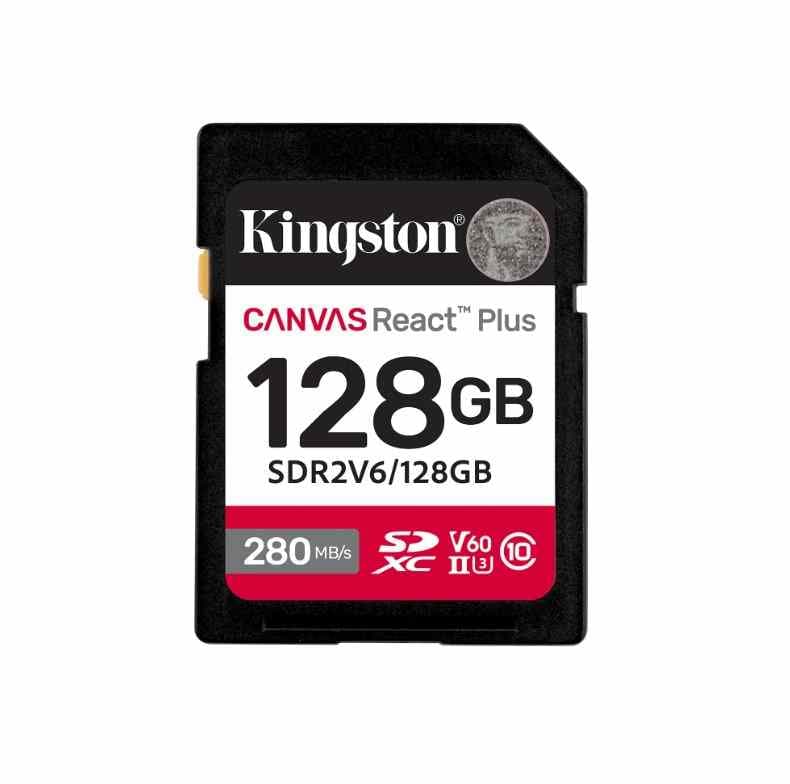
Card 3. Kingston Canvas React Plus SD UHS-II V60
Kingston Canvas React Plus SD UHS-II V60 is one of the best SD cards for videography if you shoot high-bitrate 4K but do not need V90. Kingston lists up to 280 MB/s read and capacity-dependent write speeds, with V60 for sustained video. This is the tier where many hybrid creators should stop unless the camera manual explicitly asks for V90.
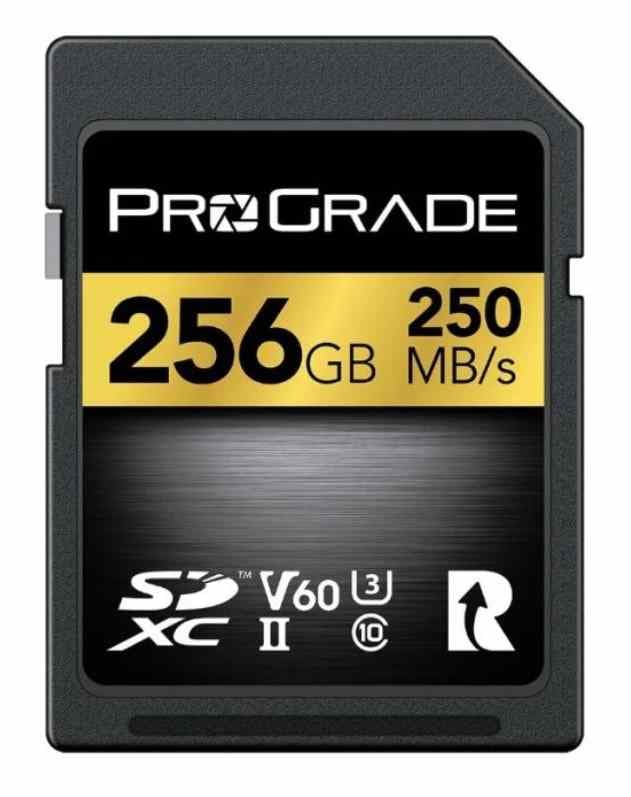
Card 4. ProGrade Digital Gold SDXC UHS-II V60
ProGrade Digital Gold SDXC UHS-II V60 is built for working sets and repeat production days. ProGrade lists V60, UHS-II, and capacities up to 1TB. It is a sensible mid-tier choice for 10-bit 4K, All-Intra around 400 Mbps, and creators who want consistent cards with serial identification.
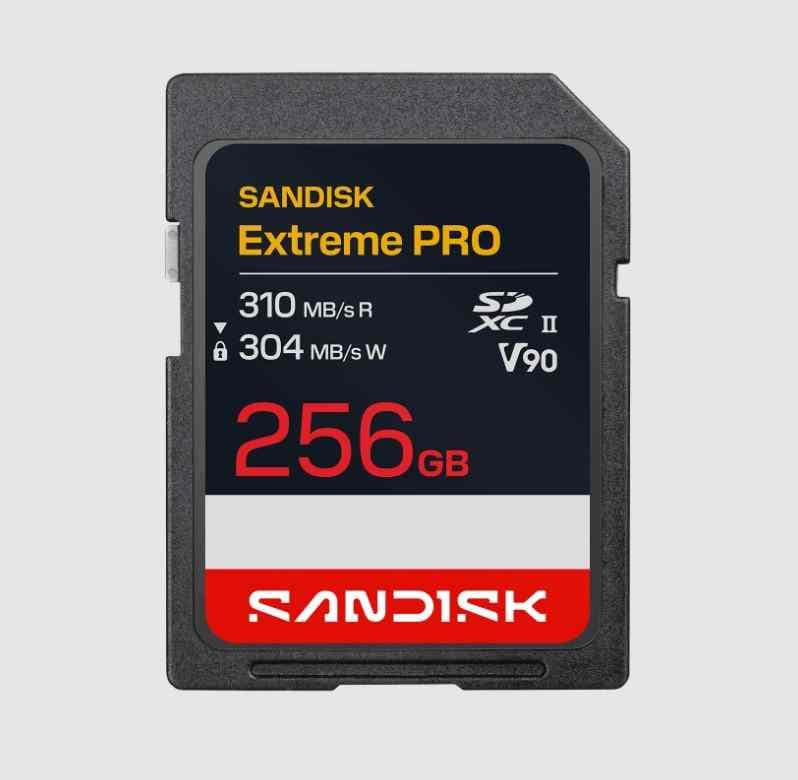
Card 5. SanDisk Extreme PRO SD UHS-II V90
SanDisk Extreme PRO SD UHS-II V90 is the premium SanDisk pick for high-bitrate SD workflows. V90 gives a 90 MB/s sustained floor, while UHS-II improves transfer speeds with a compatible reader. Buy it for modes that require V90, not because V90 improves ordinary 100 Mbps 4K image quality.
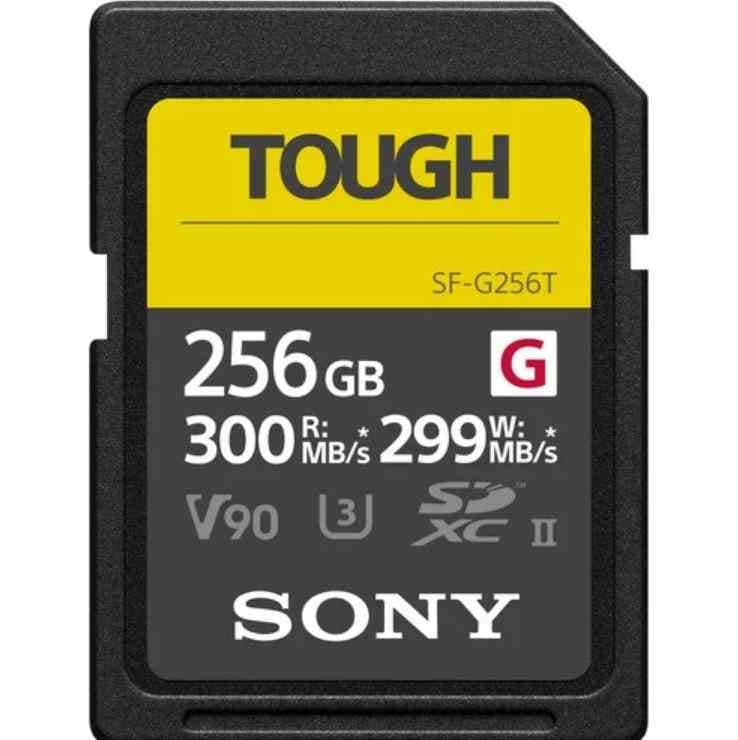
Card 6. Sony SF-G TOUGH UHS-II V90
Sony SF-G TOUGH UHS-II V90 is a rugged V90 choice for Sony and other cameras that support UHS-II SDXC. Sony's one-piece molded design removes ribs and the write-protect switch, which helps durability but can feel tighter in some card slots. It suits high-bitrate recording and demanding field work when the capacity limit fits your shoot.
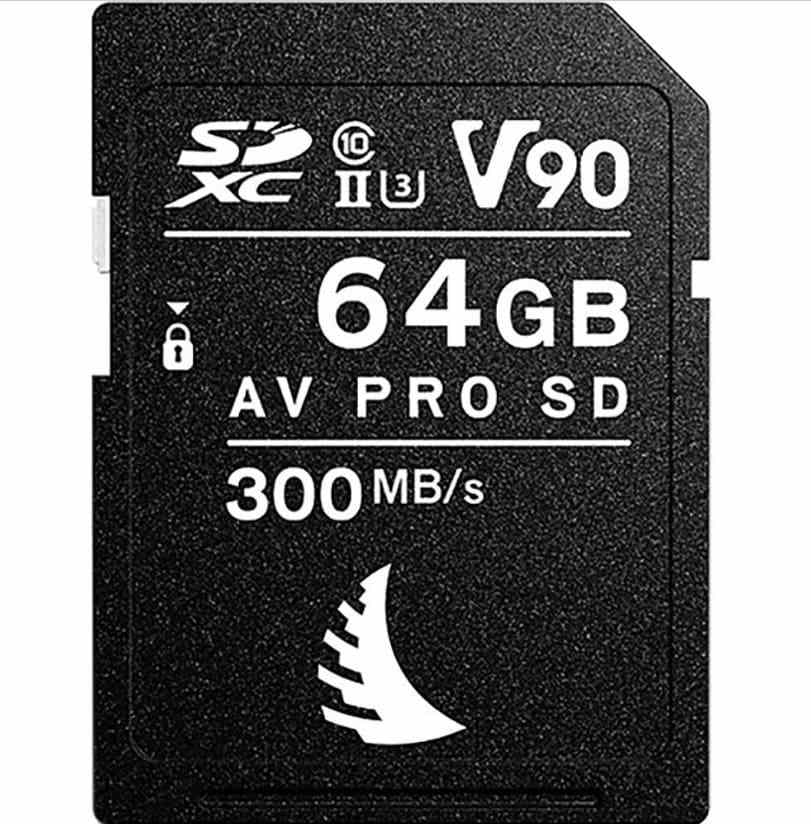
Card 7. Angelbird AV PRO SD V90 MK2
Angelbird AV PRO SD V90 MK2 is a strong production-card option for creators who value sustained behavior and matched sets over flashy packaging. Angelbird positions the card for stable recording and professional workflows, making it a good SD card for video where long takes and card management matter.
Part 5. Best Value Alternatives as Storage Prices Rise
Buying only the speed tier your camera actually needs is the simplest way to avoid overspending. A V90 card can be the wrong value choice if your camera's hardest mode only requires V30 or V60.
When V30, V60, and V90 Each Make Sense
V30 is enough for most consumer 4K, drones, action cameras, and moderate-bitrate mirrorless modes. V60 is the sweet spot for many videographers shooting 10-bit, high-frame-rate, or All-Intra 4K. V90 is for high-bitrate All-Intra, selected 6K/8K modes, professional cameras that require it, and users who also want faster offloading.
When CFexpress or External SSD Recording Is Better
If the camera mode exceeds the practical SD card ceiling, the answer may be CFexpress or external SSD recording instead of a more expensive SD card. Some cinema and hybrid cameras enable their highest RAW, ProRes, or high-frame-rate modes only on CFexpress or SSD media. If your camera supports external USB-C SSD recording, compare cost per GB against V90 SD cards.
One Large Card vs Several Smaller Cards
One large card reduces swaps and can be cheaper per GB. Several smaller cards reduce the amount of footage at risk if one card fails. For client work, two or more medium-size cards are often safer than one very large card. For interviews or long events, a larger card may be more practical if you have a backup plan.
Current Price, Price per GB, and Price per Recording Hour
TrendForce reported on July 3, 2026 that NAND Flash contract prices were expected to rise 10-15% QoQ in 3Q26 as AI and data center demand affected supply. Retail card prices vary by brand, region, and promotion, so compare price per GB and price per recording hour on the day you buy. A discounted 512GB V60 card can be a better deal than a 256GB V90 card if your camera does not need V90.
Part 6. Compare the Best 4K Video SD Cards
This table gives a practical side-by-side view of the cards above. Re-check the exact capacity before buying because many product families change speed, rating, or availability by capacity.
| Card | Tier | Capacities | Published Speed Positioning | Sustained Floor | Main Limitation |
| SanDisk Extreme PRO UHS-I | V30 | 64GB to 1TB | High UHS-I read/write claims on newer capacities | 30 MB/s | UHS-I bus limits in-camera speeds. |
| Lexar 1066x SILVER | V30 | 64GB to 1TB | Up to 160 MB/s read and 120 MB/s write | 30 MB/s | Slower transfer speed than premium UHS-I cards. |
| Kingston Canvas React Plus | V60 | 128GB to 1TB | Up to 280 MB/s read and capacity-dependent write speed | 60 MB/s | Not for the highest V90-only recording modes. |
| ProGrade Gold | V60 | 128GB to 1TB | Up to 250 MB/s read and 130 MB/s write | 60 MB/s | Retail availability can vary by region. |
| SanDisk Extreme PRO UHS-II | V90 | 64GB to 2TB, depending on region | Up to 310 MB/s read and 305 MB/s write on listed models | 90 MB/s | Higher cost per GB. |
| Sony SF-G TOUGH | V90 | 32GB to 256GB | Up to 300 MB/s read and 299 MB/s write | 90 MB/s | Lower maximum capacity and tighter card feel in some slots. |
| Angelbird AV PRO SD V90 MK2 | V90 | 64GB to 512GB | Up to 300 MB/s read and 260 MB/s write positioning | 90 MB/s | Three-year limited warranty and higher production-card pricing. |
Part 7. Choose Capacity for 4K Video
Bitrate determines recording time. Use the table below as a planning estimate, then account for formatted capacity, audio, metadata, proxies, and camera overhead.
Recording Time by Bitrate
| Bitrate | Data Rate | On 128GB | On 256GB | On 512GB |
| 100 Mbps | 12.5 MB/s | About 2 hr 50 min | About 5 hr 40 min | About 11 hr 20 min |
| 200 Mbps | 25 MB/s | About 1 hr 25 min | About 2 hr 50 min | About 5 hr 40 min |
| 400 Mbps | 50 MB/s | About 43 min | About 1 hr 25 min | About 2 hr 50 min |
| 600 Mbps | 75 MB/s | About 28 min | About 57 min | About 1 hr 55 min |
| 1,000 Mbps | 125 MB/s | About 17 min | About 34 min | About 68 min |
Matching Capacity to the Job
64GB works as an emergency backup or short-roll card. 128GB is fine for daily 4K clips and light creator work. 256GB is the best balance for many videographers. 512GB fits weddings, interviews, courses, events, and All-Intra work. 1TB is useful for long-form recording when the camera supports it and you have a backup process.
Can an SDHC Card Record 4K Video?
SDHC cards top out at 32GB, so they are rarely the best SDHC card for video if you shoot serious 4K. A 32GB SDHC card can record only a short amount of high-bitrate 4K, and many newer cameras expect SDXC for larger capacities and modern workflows. Use SDXC for most 4K recording unless your camera specifically requires or limits you to SDHC.
Part 8. Prepare and Test the Card Before Recording
Buying a good SD card for video is only the first step. Test it before paid or unrepeatable work.
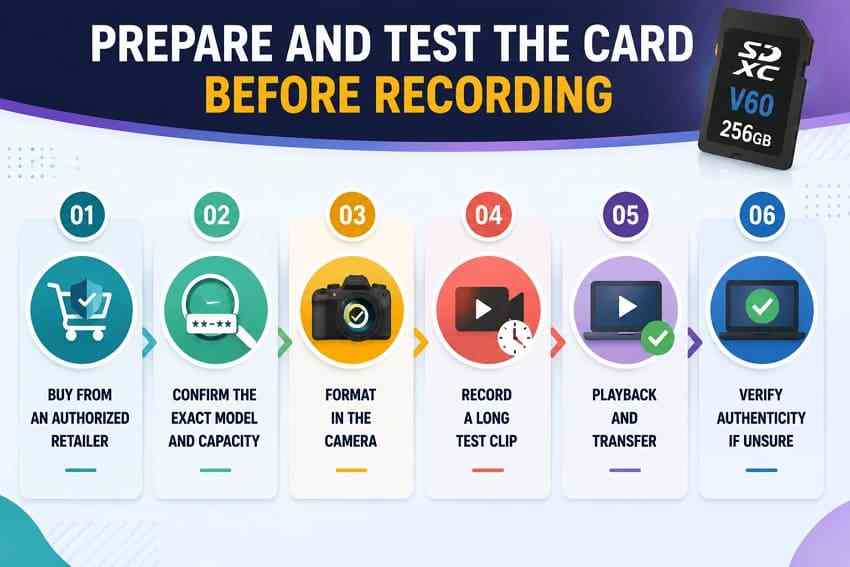
- Buy from an authorized retailer: avoid suspicious marketplace listings and counterfeit risk.
- Confirm the exact model and capacity: product lines can span different generations and speed tiers.
- Format in the camera: create the file system and folders the camera expects.
- Record a long stress test: use your heaviest mode for longer than a real take because failures often appear after cache fills.
- Playback and transfer: confirm the clip plays in camera and copies cleanly to your editing drive.
- Verify authenticity if unsure: use H2testw on Windows or F3 on macOS/Linux to test real capacity.
Part 9. Common SD Card Problems During 4K Recording
When 4K recording fails, protect existing clips before formatting or testing aggressively.
| Problem | Likely Cause | What to Do First | Safer Fix |
| Camera says the card is too slow | Card rating below the selected bitrate or sustained write drops under load | Stop recording and switch to a lower mode if needed | Use a V60 or V90 card that matches the manual |
| A recording mode is unavailable | Camera hides modes the card cannot sustain | Check the camera manual's media requirement | Fit the required SD, CFexpress, or SSD media |
| Recording stops unexpectedly | Heat, cache drop, counterfeit card, or insufficient sustained write | Save accessible clips before retesting | Format in camera after backup, then run a long test clip |
| Videos are corrupted or unplayable | Power loss, card removal, file-system damage, or failing card | Copy what opens and stop using the card | Recover or repair files before formatting the card |
| Camera does not recognize the card | Unsupported capacity, file-system mismatch, dirty contacts, or card failure | Try a known-good reader and check camera limits | Recover files first if the card is readable on a computer |
| Camera requests formatting | Damaged file structure or unsupported format | Decline the prompt if files matter | Recover data first, then format in camera |
| Card shows the wrong capacity | Counterfeit card or failing memory | Stop using the card | Run a full write test and return the card if it fails |
Part 10. Recover Lost 4K Videos Before Reformatting
Losing a take does not always mean the footage is gone. Your next action decides whether recovery still has a chance.
Protect the Card After Video Loss
Turn off the camera and remove the SD card. Do not record new clips, do not accept format prompts, and do not run repair tools before copying or recovering the files. New writes can overwrite deleted 4K video data permanently.
Recover 4K SD Card Videos With Wondershare Recoverit
Recoverit Memory Card Recovery can help recover deleted, formatted, or inaccessible files from a readable SD, SDHC, SDXC, microSD, CF, or CompactFlash card through a card reader. Use it before reformatting a card that still contains important 4K video, photos, or project media. It cannot recover overwritten data, repair physically failed cards, or guarantee recovery.
You can also visit the Wondershare Recoverit site for broader data recovery resources, but this article's recommended product page is the memory card recovery page linked above.
- Use it when: the card is detected by Windows or macOS, but footage is missing, deleted, formatted, or inaccessible.
- Save safely: recover files to a workstation drive or external drive, not the same SD card.
- Escalate when needed: if no reader detects the card, stop repeated scans and consider professional recovery.
How to Scan a Video Card to Recover Data With Recoverit
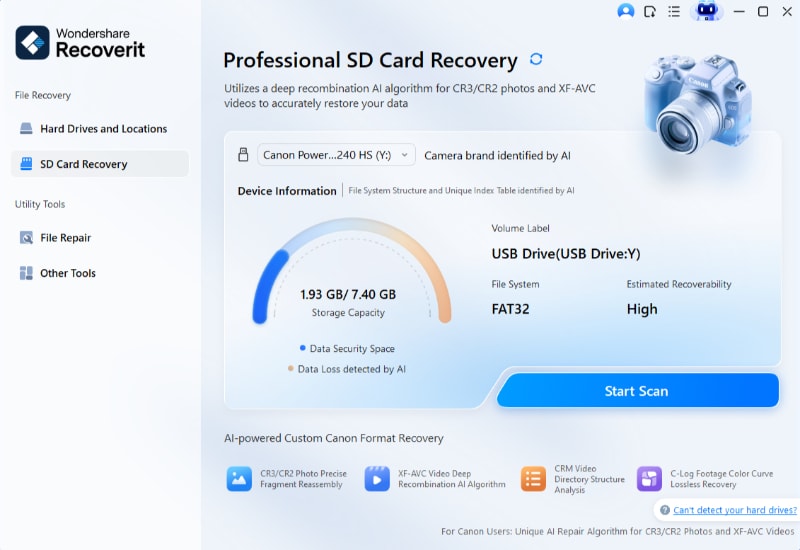
Step 1. Connect and target the card.
Connect the video SD card through a card reader, open Recoverit, choose SD Card Recovery, select the card, and start scanning.
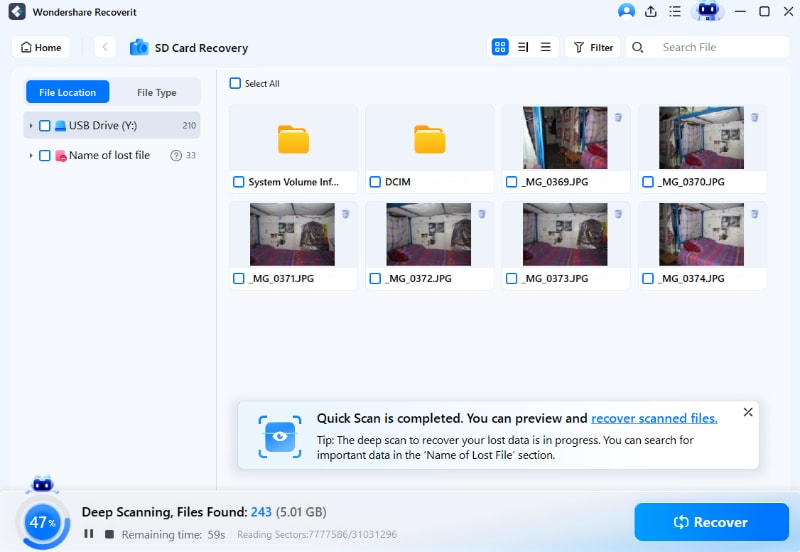
Step 2. Scan and organize the list.
Use the File Type filter to focus on videos, photos, RAW files, or project assets so you can locate the missing 4K footage faster.
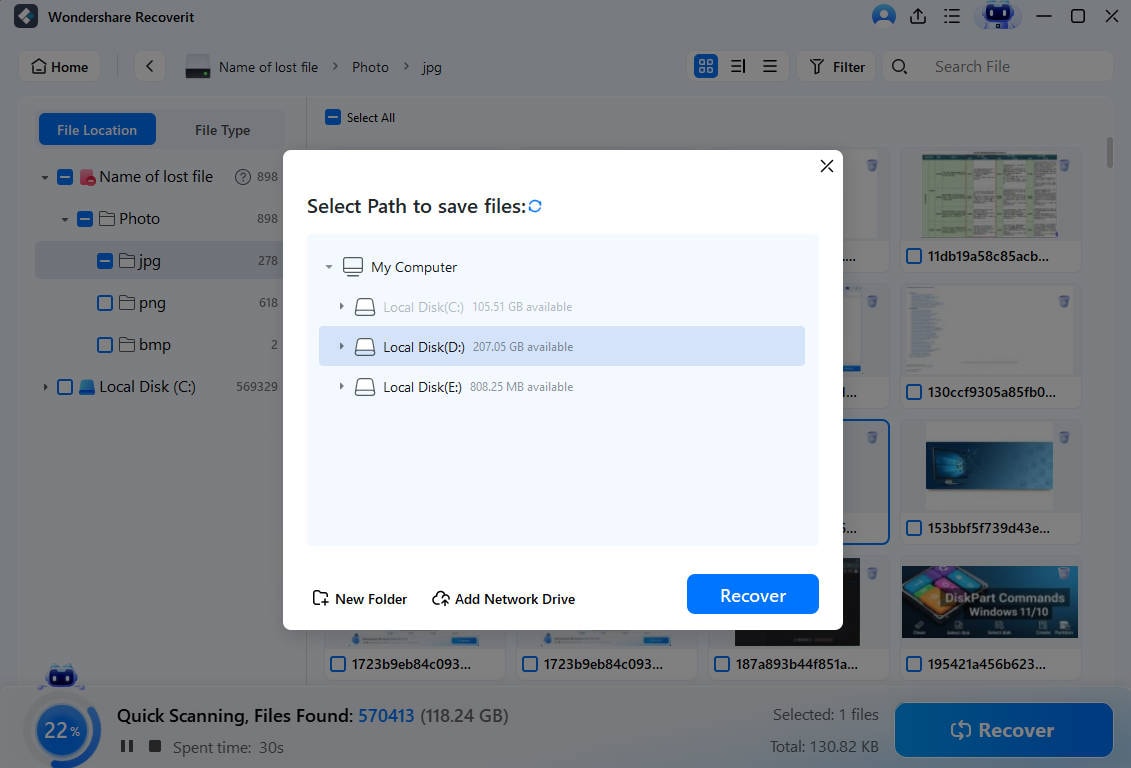
Step 3. Preview a take, then export.
Preview recoverable files where possible, click Recover, and save the results to another drive rather than the original SD card.
Try Wondershare Recoverit to Perform Data Recovery
Security Verified. Over 7,302,189 people have downloaded it.
Use Advanced Video Recovery for Damaged or Fragmented 4K Footage
High-bitrate 4K videos can be large and fragmented across many storage blocks. If a normal scan finds incomplete or unplayable clips, use an advanced video recovery workflow before formatting the card. Recovery still depends on whether the data has been overwritten and whether the card remains readable.
Conclusion
For most people choosing SD cards for 4K video recording, V30 is enough for mainstream 4K, V60 is the best value tier for serious videography, and V90 is for high-bitrate professional modes that need it. SanDisk Extreme PRO UHS-I is the safe V30 pick, Kingston Canvas React Plus and ProGrade Gold are strong V60 choices, and SanDisk Extreme PRO UHS-II, Sony SF-G TOUGH, and Angelbird AV PRO SD V90 MK2 fit demanding V90 workflows.
Base the purchase on bitrate, sustained write speed, camera slot type, capacity, and current price per recording hour. If a card already contains lost or corrupted footage, protect the card and recover files before formatting or replacing it.
FAQ
-
What SD card rating do I need to record 4K video?
It depends on bitrate. Standard 4K around 100 to 200 Mbps usually works with V30. All-Intra 4K around 400 Mbps needs V60. Higher-bitrate modes around 600 Mbps or more usually need V90 or another camera-approved media type. -
Is V30 enough for 4K video recording?
Yes, V30 is enough for many mainstream 4K modes because it guarantees 30 MB/s sustained write speed, roughly 240 Mbps. It is not enough for every 4K mode, especially high-bitrate All-Intra or selected high-frame-rate workflows. -
Is UHS-II worth it for 4K video?
UHS-II is worth it if your camera supports UHS-II and your recording mode requires V60 or V90. It also helps offload files faster with a compatible reader. In a UHS-I camera, a UHS-II card falls back to UHS-I speeds. -
Can an SDHC card record 4K video?
An SDHC card can record some low-bitrate 4K in compatible cameras, but SDHC tops out at 32GB. For serious 4K video, SDXC is usually the better choice because it provides larger capacities and modern V30, V60, or V90 options. -
How many minutes of 4K video fit on a 128GB SD card?
It depends on bitrate. At 100 Mbps, 128GB holds about 2 hours 50 minutes. At 200 Mbps, it holds about 1 hour 25 minutes. At 400 Mbps, it holds about 43 minutes before overhead and formatted-capacity differences. -
Can Recoverit recover 4K videos from a formatted SD card?
Recoverit may help recover 4K videos from a readable formatted SD card if the data has not been overwritten. Stop using the card immediately and save recovered files to another drive. It cannot guarantee recovery or recover footage that new recordings have overwritten.



