

 TL;DR:
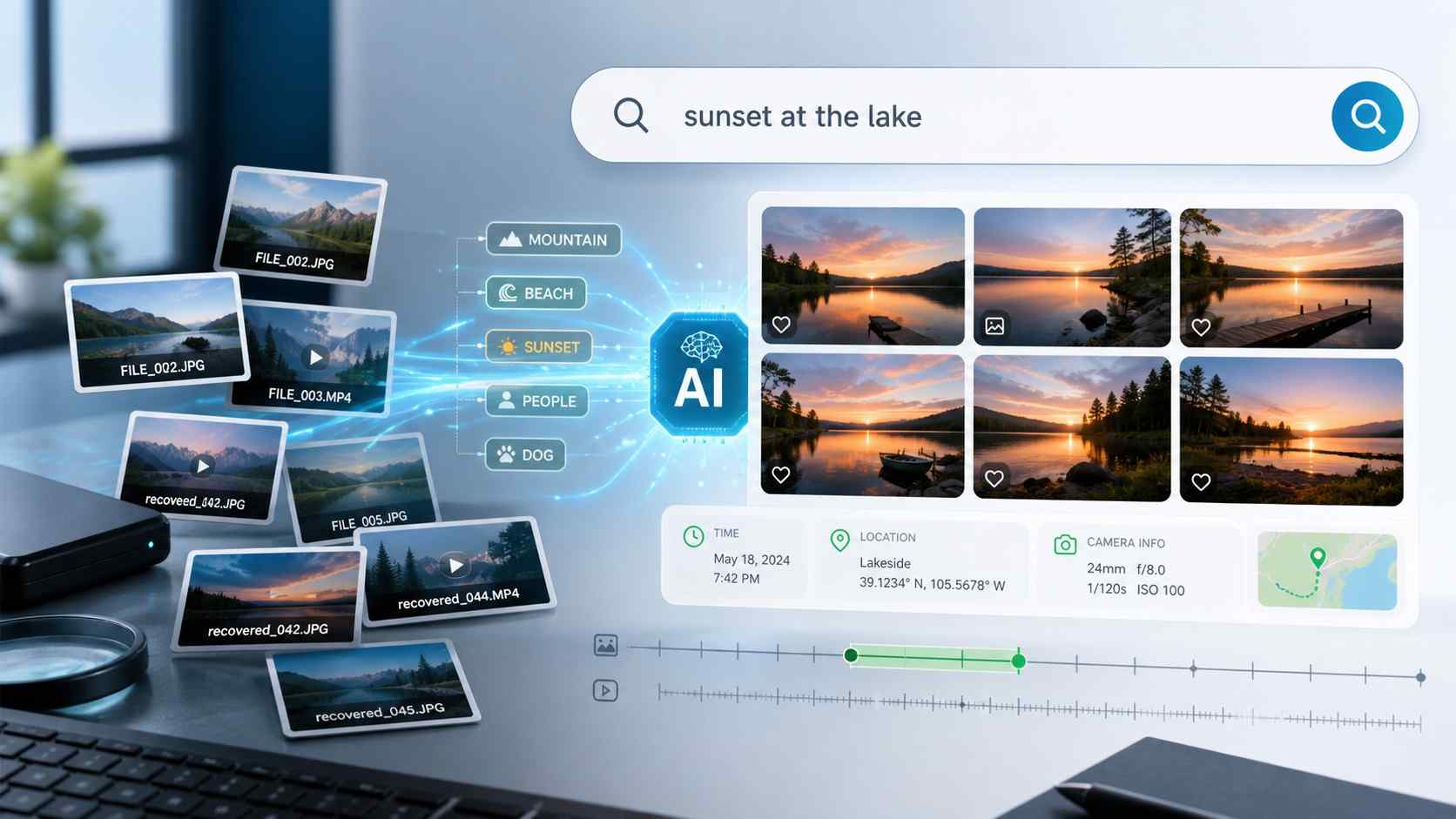
Recoverit V15's AI Search functions as a post-scan discovery layer that helps users locate lost media using natural-language queries by indexing visual content tags, capture-time metadata, and device clues when original filenames are damaged.
● For the most accurate filtering in large scan results, structure your search query by combining visual content, media type, time, device, and file status, such as Canon wedding RAW photos or DJI playable video from Saturday.
● The indexing pipeline automatically groups related creator files, including RAW+JPG, photo+XMP, and DJI or GoPro videos with their respective SRT, LRV, or THM sidecars, to simplify manual review workflows.
● This feature strictly relies on local AI analysis of readable data where supported and cannot recreate overwritten files, bypass storage encryption, or accurately tag partially damaged media that lacks sufficient visual preview data.
Ask AI for a summary
 ChatGPT
 Perplexity
 Gemini
 Claude
 Grok
Grok
AI Search in photo recovery is not another way to scan the disk. It is the layer that helps users understand a scan result after the files start appearing. That difference matters. A normal recovery scan may find images, videos, RAW files, thumbnails, and sidecars, but users still need a practical way to locate the right item without relying only on filenames.
Quick answer: AI Search works by building a searchable index from recovered media where supported. It can use content tags, capture-time metadata, device clues, file type, preview status, and grouped creator-file relationships, then match those signals against a natural-language-like query such as "beach sunset photos from last week shot on Canon." Recoverit's new AI Search workflow is designed to reduce manual review inside large recovery scans. It does not repair storage, restore every original filename, bypass encryption, or guarantee that overwritten files can be recovered.
In this article
Part 1. What AI Search Means in a Recovery Scan
In a healthy photo library, users often search by album, date, location, person, object, or file name. In a recovery result, that context may be damaged. Original folders can be incomplete. Filenames can become generic. Some files may be thumbnails, proxy videos, sidecar metadata, or partial copies rather than the final media.
AI Search answers a different question from a recovery engine:
- Recovery scan: what files can be found from the readable storage?
- AI Search: which found files are most likely to match what the user remembers?
That is the core distinction. AI Search helps users search and organize what the scan exposes. It should be positioned as discovery and indexing, not as a promise that every lost file exists or every old filename can be restored.
Part 2. AI Search vs Filename Search vs Filters
AI Search should not replace basic filters. It works best when combined with them. The table below explains the difference in a recovery context.
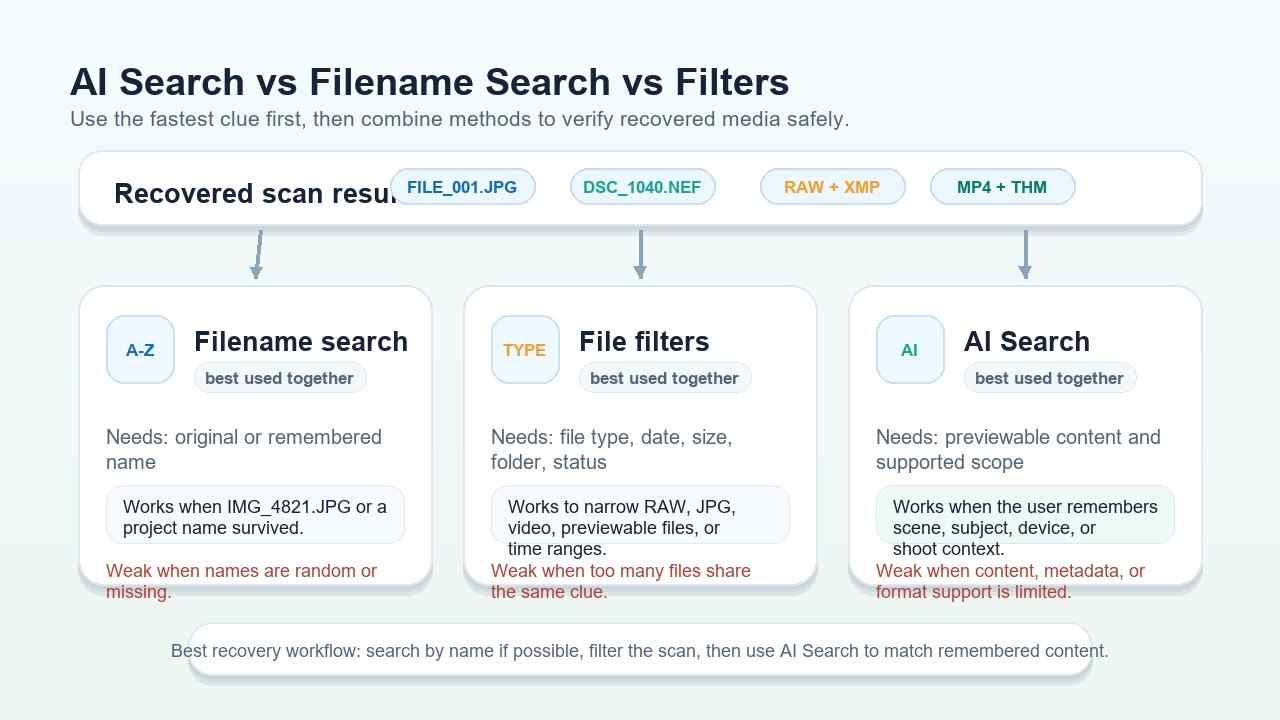
| Search method | What it needs | Best use case | Weak point |
| Filename search | Original or remembered file name. | Finding IMG_4821.JPG, DSC_1040.NEF, or a named project file. | Fails when filenames are lost, generic, or changed after recovery. |
| File filters | File type, size, time, preview status, or folder path. | Narrowing a large scan to RAW, JPG, video, previewable files, or a time range. | Still requires manual review when many files share the same filter. |
| AI Search | Previewable content, supported media scope, and/or usable metadata. | Searching by remembered meaning, such as scene, subject, event, device, or shoot context. | Can return false positives or miss files if content, metadata, or support scope is limited. |
Modern photo apps have made content search familiar. For example, Google Photos Help describes searching photos by what is in them, and Apple Photos Support describes searching by people, places, objects, or events. Recoverit's use case is more specific: searching inside recovery scan results where the old file organization may be missing.
Part 3. The AI Search Pipeline: From Scan Result to Ranked Candidates
The practical goal is not to show "AI magic." The goal is to turn a messy recovery result into a smaller candidate list that a human can preview and verify.
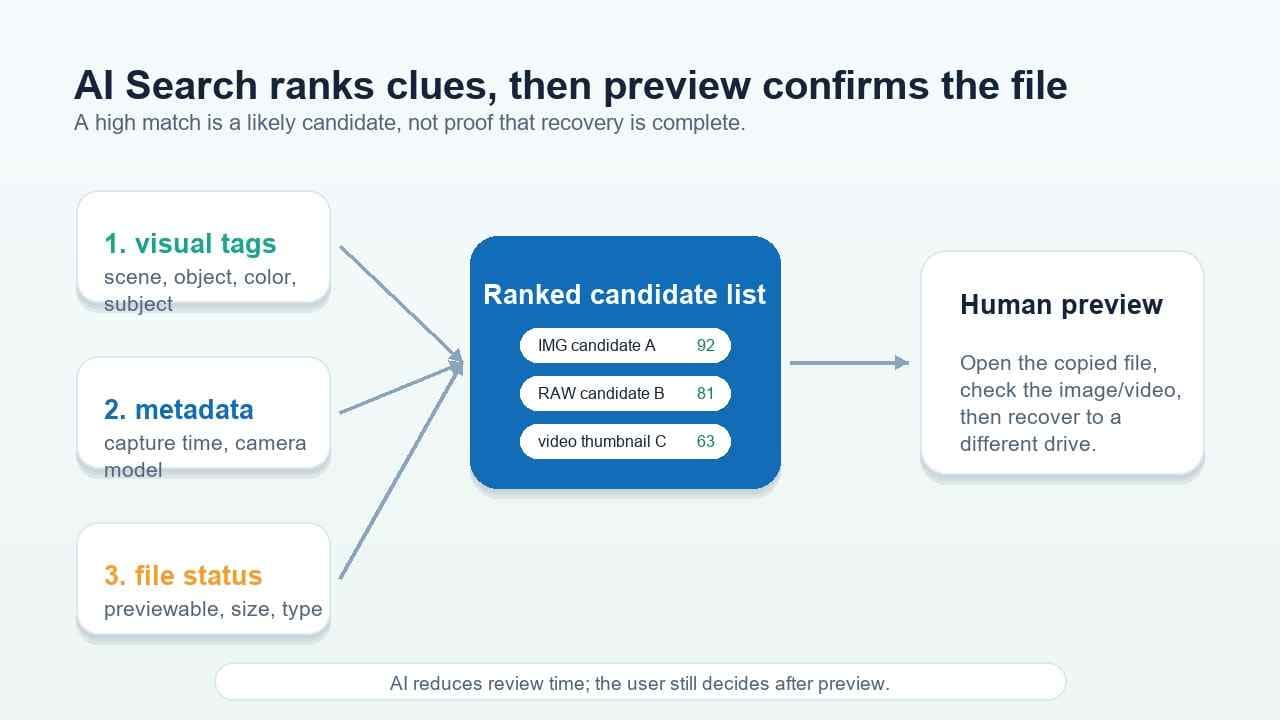
A simplified AI Search pipeline looks like this:
- The recovery scan finds media candidates. These can include photos, RAW files, videos, thumbnails, sidecars, proxy files, and partial files.
- The index records file signals. It can include file type, size, path, capture time, camera model, previewability, and related-file clues where available.
- AI analysis adds content signals. Where supported, visible image content can be tagged locally based on final product scope.
- The user enters a plain query. Instead of exact file names, the user describes the target file.
- Recoverit ranks likely candidates. The user still previews the candidates before recovering files to another drive.
Signal 1. Visual content tags
Visual content tags describe what appears in a photo or previewable media file. They can help users search for concepts such as beach, wedding, dog, car, night street, birthday cake, mountain, product photo, document shot, or sunset.
These tags are useful when the original filename has no meaning. A user may not remember the exact camera name, but they may remember the scene.
Signal 2. Metadata and device clues
Metadata keeps AI Search grounded. CIPA Exif standards explain digital camera metadata such as capture date and image information. If that information survives in the recovered file, it can help separate a Canon wedding photo from a DJI drone clip or a GoPro action-camera video.
For RAW workflows, Adobe Camera Raw documentation explains that settings can be saved in sidecar XMP files. That is why a strong recovery search should consider companion files too, not only the image preview.
Signal 3. File role and recovery status
A recovered item may be the original file, an in-camera JPG, a RAW file, a thumbnail, a proxy, a subtitle file, a sidecar file, or a 360 camera source file. AI Search becomes more useful when the interface can separate file role and status from visual content.
For example, "DJI playable video" is stronger than "DJI" because it tells the search to favor video candidates and previewable status instead of only thumbnails or SRT files.
Part 4. How to Write Better AI Search Queries
The best query is not necessarily the longest one. It is the one that combines remembered content with the strongest technical clues that may still survive.
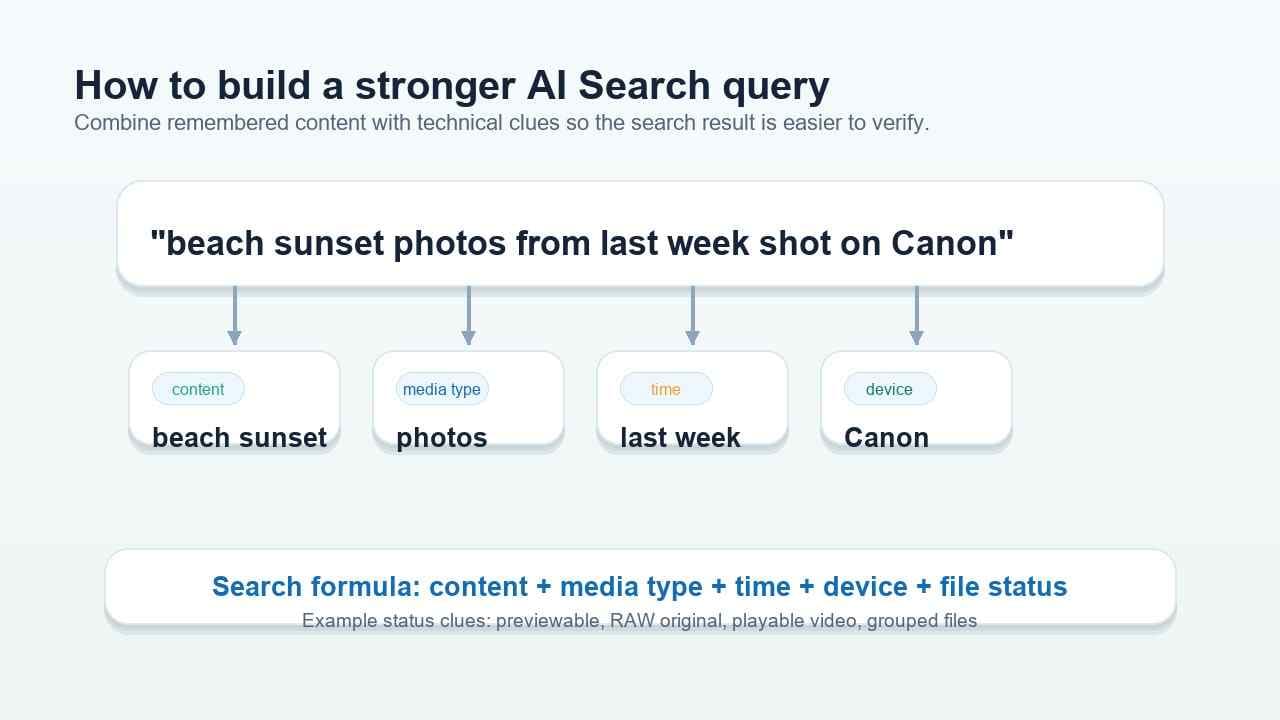
Use this formula when a scan returns too many unnamed files:
content + media type + time + device + file status
| User memory | Weak query | Stronger query | Why it works better |
| The photo was from a beach shoot. | beach | beach sunset photos from last week | Adds scene, media type, and time. |
| The file was shot on a Canon camera at a wedding. | wedding | Canon wedding RAW photos | Adds device and file role. |
| The target is a drone clip, not a still photo. | DJI | DJI playable video from Saturday | Adds media type, status, and time. |
| The user remembers the visual scene but not the date. | night | night street photos with red car | Adds a more specific object or scene clue. |
| The result has many similar frames. | portrait | bride portrait near window, previewable JPG | Adds subject, setting, and file status. |
If the first query is too broad, add one clue. If it is too narrow, remove one clue and rely on preview. The goal is a short candidate list, not an instant final answer.
Part 5. What Recoverit V15 Adds for Creator Media
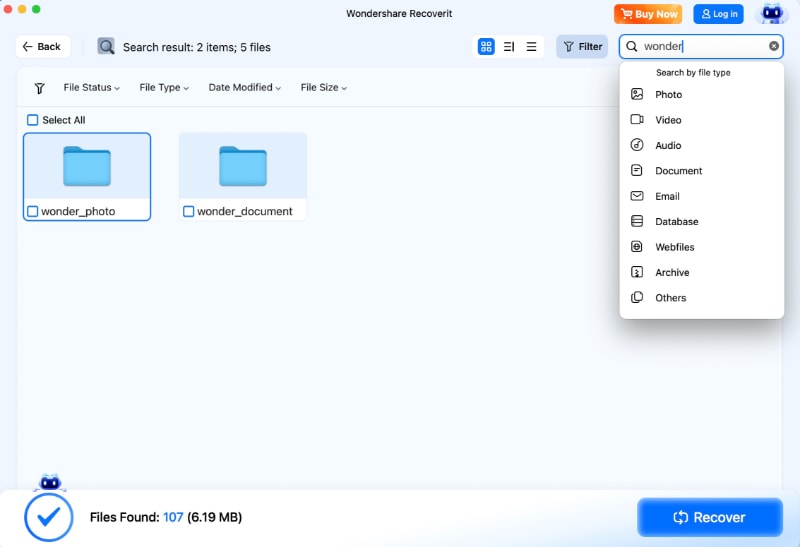
Recoverit can help recover files from readable SD cards, camera cards, USB drives, external disks, computer drives, and other supported storage. The new AI Search workflow adds a creator-focused search and organization layer for large scan results.
Based on the V15 GTM direction, the strongest product messages are:
- Search like you talk. Users can describe the target file in plain language where supported.
- Use local AI analysis where supported. This is important for private client shoots and personal media, but final public wording should follow release documentation.
- Search while results continue to update. The scan result can become searchable as more files are found, depending on final product behavior.
- Organize by time, device, file type, and shoot relationship. This helps creators avoid a flat file dump after recovery.
- Group related creator files. RAW+JPG, photo+XMP, DJI video+SRT/LRF/THM, GoPro video+LRV/THM, and Insta360 INSV/INSP relationships can be easier to review where identifiable.
This is a different value proposition from traditional "scan and recover" messaging. The recovery engine finds files; AI Search helps users understand the result faster.
For adjacent recovery workflows, see Recoverit's photo recovery, camera recovery, and folder structure recovery guides.
Part 6. Why AI Search Can Be Wrong or Incomplete
AI Search can reduce review time, but it is still working from the available scan result. It can miss a file or show a weak match for practical reasons.
| Limit | What it means | How to handle it |
| Unsupported file or preview scope | The image or video may not be taggable in the current release. | Use file type, size, date, and manual preview. |
| Missing metadata | Capture time or camera model may not survive every recovery case. | Search by visible content and inspect nearby files. |
| Similar scenes | Many photos may match "wedding," "beach," or "night." | Add device, time, status, or a more specific object. |
| Partial or damaged files | The preview may not contain enough content for accurate tagging. | Recover a copy, test it safely, and keep related files together. |
| Overwritten data | If file data has been overwritten, search cannot recreate it. | Stop using the source storage and recover before formatting or repair. |
| Encrypted content | Search cannot interpret content that is not accessible. | Use the legitimate key or password; Recoverit cannot bypass encryption. |
Part 7. When to Use AI Search and When to Use Manual Review
Use AI Search when the result set is large and the user remembers the content better than the filename. Use manual review when the file is not previewable, the content category is unsupported, or the target image is visually too similar to many others.
| Situation | Best approach | Reason |
| Thousands of recovered JPG/RAW photos with generic names. | AI Search plus file type and time filters. | Content and metadata together can cut the review set quickly. |
| One known filename is still remembered. | Filename search first. | Exact text search is faster if the name survived. |
| Need the RAW original and edit settings. | File-type filters plus related-file grouping. | RAW and XMP files may need to be kept together. |
| Photos are damaged, partial, or not previewable. | Manual recovery review and compatible viewers. | AI tags may not be reliable without visible content. |
| Storage asks to format or appears RAW. | Recover first, repair or format later. | Formatting can damage remaining recovery chances, especially if overwrite format is used. |
The SD Association Formatter FAQ explains that Overwrite Format erases the user data area by overwriting it. This is why safety sequencing still matters even when the article is mainly about search.
Part 8. Privacy and Release-Scope Notes
AI Search content should be marketed carefully because recovered photos may include private, commercial, client, or family media. The GTM-friendly message is local AI analysis where supported, but publication should confirm the final release scope before making absolute claims.
Before publishing final copy, confirm:
- which languages are supported for plain-language search;
- which photo, RAW, video, and camera formats can be indexed;
- which content categories can be recognized;
- whether all analysis is local in every supported workflow;
- how search behaves while scanning is still in progress;
- which grouped creator-file relationships are supported in the final release.
Conclusion: The right way to position Recoverit AI Search is not "AI recovers everything." A stronger and safer message is: Recoverit helps recover files from readable storage, then AI Search helps users search and organize large scan results by content, time, device, file role, and preview status where supported.
FAQ
-
Is AI Search the same as deep scan?
No. Deep scan helps find recoverable file data. AI Search helps search and organize the scan result by content, metadata, device, type, and status where supported. -
Can AI Search recover overwritten photos?
No. AI Search cannot recreate overwritten data. It can only help users find likely files from the scan results that are available. -
What is a good AI Search query after photo recovery?
Use content plus a technical clue. Examples include "beach sunset photos from last week," "Canon wedding RAW photos," and "DJI playable video from Saturday." -
Will AI Search restore the original file name?
Not by itself. Original names depend on surviving file-system records. AI Search helps identify likely media when names are missing or generic. -
Should I still preview files after AI Search finds them?
Yes. AI Search provides likely candidates. Preview and recover the correct files to another drive before formatting, repairing, deleting, or reusing the original storage.


