

 TL;DR:
Recovering accidentally deleted iPhone photos requires checking the Recently Deleted album for recent losses, restoring an iCloud or iTunes/Finder backup, or running a deep-scan tool like Recoverit for files removed long ago.
● The built-in Recently Deleted album only holds images for a limited time, whereas restoring from an iCloud backup requires erasing all current content on the device through a factory reset.
● Local restores via iTunes or Finder require a computer connection and are ideal for users lacking cloud storage or experiencing slow internet, provided a backup was made before the deletion.
● Third-party software like Recoverit bypasses the need for a prior backup by performing a deep scan of the iPhone hidden storage sections via a connected computer to extract older missing files.
Ask AI for a summary
 ChatGPT
 Perplexity
 Gemini
 Claude
 Grok
Grok
People often use their phones as their main place for saving memories. Most important moments stay inside the photo gallery. When these moments are removed by mistake, it can cause worry. Many users try to recover accidentally deleted photos on iPhone but do not know where to begin. The good thing is that you can bring back your files through many simple paths.
A simple tap or a fast scroll can erase important images. It happens to many people every day. You may lose only one picture or an entire album. If you face this problem, do not feel stressed. You can retrieve accidentally deleted photos on iPhone in many ways.
This guide explains each method in a clear and simple manner. It also shows how to avoid deleting files again in the future.
Try Recoverit to Recover & Repair Video/Photo/Docs etc.
 Security Verified. Over 7,302,189 people have downloaded it.
Table of Contents
How to Recover Accidentally Deleted Photos on iPhone?
There are many ways to bring back lost pictures. Some methods work fast. Others need more time. Pick the method that suits your situation. If you recently removed items, you may find them in the Recently Deleted folder. If you lost files weeks ago, you may need deeper tools. All these methods help people who face accidentally deleted pics on iPhone devices.
Each method below includes an introduction, reasons to use it, and simple steps. These can help you retrieve accidentally deleted photos on iPhone even in complex cases.

Method 1: Use Recoverit Data Recovery Tool
Recoverit is very useful when photos do not appear in any album on your iPhone. Sometimes pictures are saved in hidden areas of the device and do not show up in the normal gallery. By using Recoverit, users can look beyond the usual albums and find images that are not easy to see.
The software works by scanning the device more deeply than a regular search. Instead of only checking the visible folders, Recoverit looks into storage sections that are not normally opened. This deeper scan increases the chance of finding photos that were missed or hidden by the system.

Recoverit can even bring back pictures that were removed a long time ago. Many users face the problem of accidentally erasing photos and then realizing the loss months later. With Recoverit, there is hope to restore those missing files. It is especially helpful for iPhone owners who want to recover memories that seemed gone forever.
Why use it
- It works when built-in tools fail
- It can locate hidden files
- It supports many image formats
- It does not need a backup
- It has simple steps for beginners
Steps
Step 1. Install the Recoverit tool on your computer. Connect the phone. Choose your iPhone device so the scan can begin.

Step 2. The scanning process will begin right away. View the found items.

Step 3. Click Recover. Save the files to your computer. This method helps when you cannot recover accidentally deleted photos on iPhone through normal folders.

Method 2: Restore from the Recently Deleted album
This is the easiest method. The phone keeps deleted pictures for a limited time. Most users find their missing items here. It works well when you removed pictures recently. Anyone can use this path if they face accidentally deleted pics on iPhone after a small mistake.
Why use it
- It is inside the Photos app
- It brings back full-quality images
- It takes very little time
- It is free to use
- It is safe and reliable
Steps
Step 1. Open the Photos app. Go to the Recently Deleted folder.
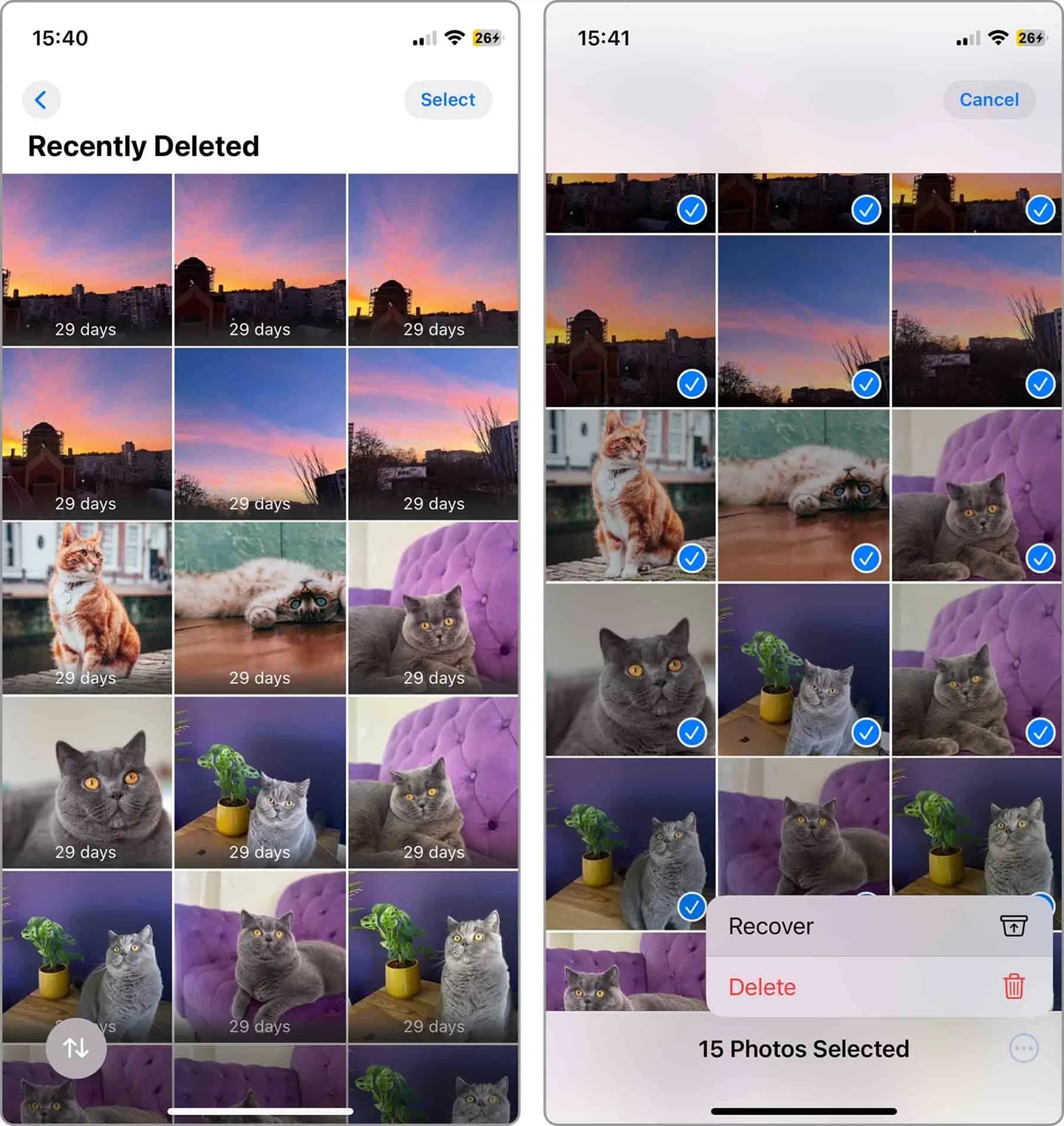
Step 2. Choose the items you want. Tap Recover. This is often the first step people take to retrieve accidentally deleted photos on an iPhone.
Method 3: Recover from iCloud backup
Cloud backups can save pictures even after they vanish from the gallery. This works well when you turned on iCloud backup before the loss. Many people use this option when they face a full wipe and need to Recover accidentally deleted photos on iPhone later.
Why use it
- It restores entire photo libraries
- It keeps items safe for a long time
- It works during a device change
- It helps after resets
- It supports past months of data
Steps
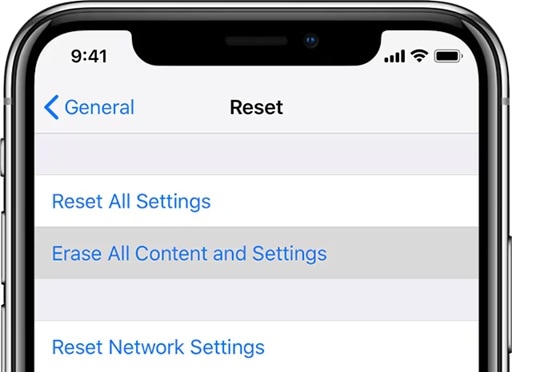
Step 1. Reset the device through the Settings menu. Choose to erase all content.
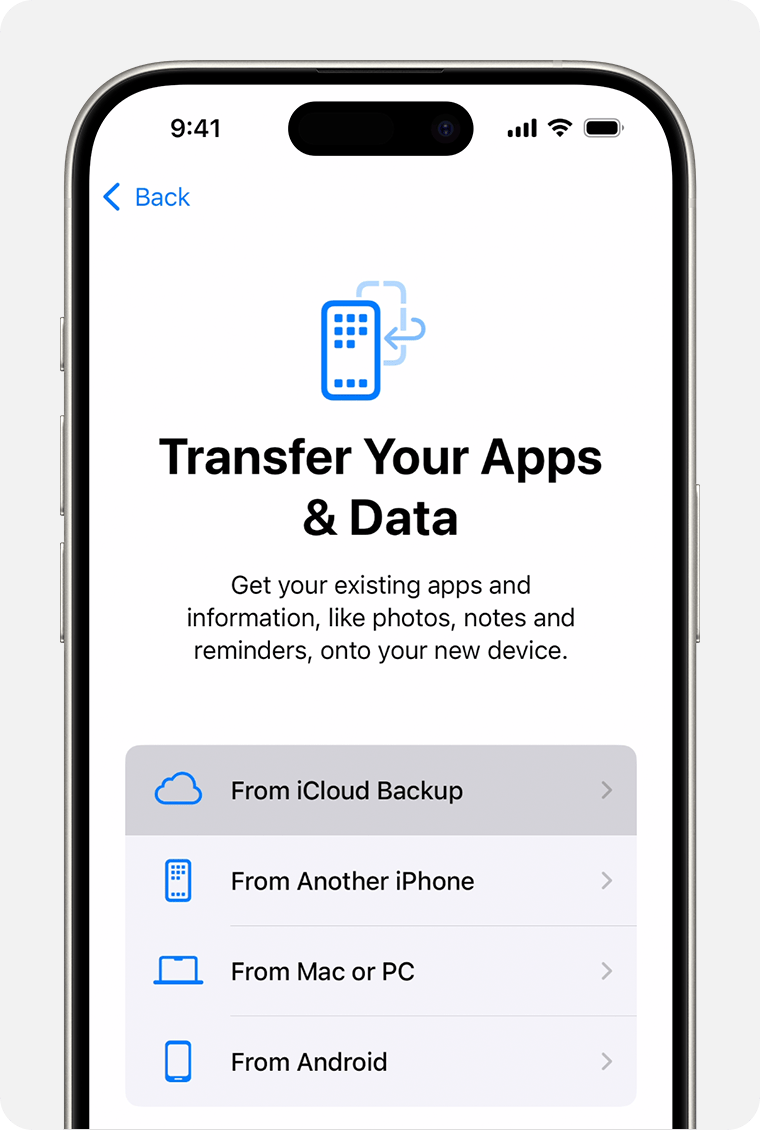
Step 2. When the phone starts, choose Restore from iCloud Backup. Sign in and select your backup file. Many who had accidentally erased photos in iPhone models use this method.
Method 4: Restore from iTunes or Finder backup
Some people keep local backups. This method helps when you trust computer backups more than cloud storage. It is useful if your internet is slow. It is also helpful when the cloud restore fails.
Steps
Step 1. Connect the phone to your computer. Open iTunes or Finder.
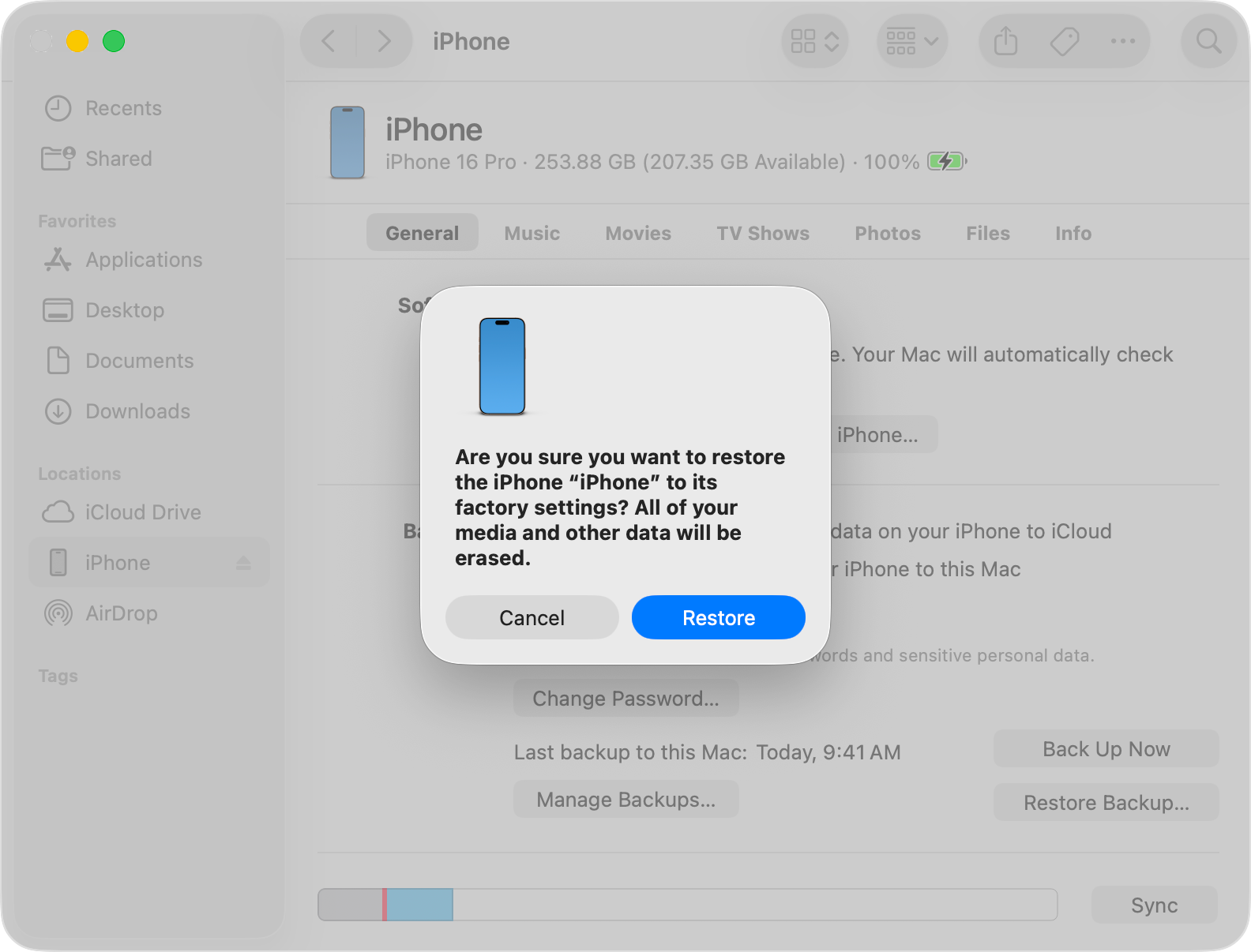
Step 2. Select your device. Choose Restore Backup. Pick the right file. Many people use this when they try to recover accidentally deleted pics on an iPhone without cloud services.
Method 5: Use third party iPhone photo recovery apps
Many apps can scan deeper storage levels. They help find hidden or removed images. They are useful when you need to retrieve accidentally deleted photos on iPhone without backup.
Steps
Step 1. Open the store. Install a trusted recovery app like Photo Recovery.
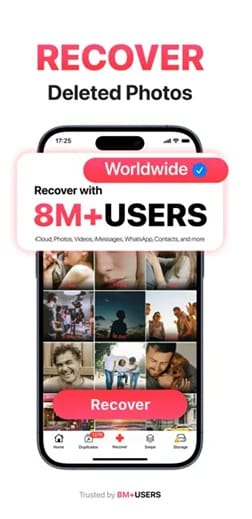
Step 2. Scan the phone. Save any files that appear. These tools also help after uninstalling an accidentally deleted photo app on iPhone that stored or edited your pictures.
Method 6: Contact Apple Support
If none of the methods work, you can ask for expert help. Some issues need technical support. They can guide you based on your model and version. Many people contact support after trying to recover accidentally deleted photos on iPhone on their own.
Steps
Step 1. Visit the support page or meet a technician at a store.

Step 2. Explain the problem clearly. Follow their instructions. This can help in rare cases when users remove items from an accidentally deleted photo app on iPhone or face serious system errors.
Conclusion
Losing pictures can cause stress. Still, you have many ways to bring them back. You can recover accidentally deleted photos on an iPhone using simple tools and built-in features. Some methods work for recent files. Others help after long periods. With calm steps, you can restore most of your memories.
Good habits keep your photos safe. Make backups and review before deleting anything. Avoid risky apps that remove files without asking. If you follow the tips above, you can lower the chance of accidentally erasing photos in iPhone galleries. You can also fix mistakes easily by using backups or recovery tools.
Try Recoverit to Recover Lost Data
Security Verified. Over 7,302,189 people have downloaded it.
FAQs
-
Can I get back photos removed a long time ago?
You may still find them through computer backups, cloud backups, or deep recovery tools. Many people retrieve accidentally deleted photos on iPhone even after long gaps. -
2. Will recovery tools harm my phone?
Trusted tools are safe. They only scan the device. They do not change your system. They help many users who deal with accidentally deleted pics on iPhone after a sudden loss. -
3. What if I removed an accidentally deleted photo app on iPhone?
-
You can install it again if it stored your files. If not, use backups or recovery tools. These often help recover accidentally erased photos in iPhone storage.


