

 TL;DR:
You can recover lost or deleted images from an Android Photo Vault app by checking the app's internal trash and synced cloud backups, or by using a PC-based data recovery tool like Recoverit if manual methods fail.
● Check the app's internal trash folder (which retains files for a few days) or restore from Google Drive or iCloud, provided you enabled cloud sync before the data loss.
● Locate hidden vault files manually using a File Manager, or reinstall the app and log in with your exact original credentials to resolve blank screen glitches.
● Connect your Android device or SD card to a PC and run Wondershare Recoverit to scan deep storage for missing files if the photos are permanently deleted or the app refuses to open.
Ask AI for a summary
 ChatGPT
 Perplexity
 Gemini
 Claude
 Grok
Grok
Many people keep private photos inside a secure vault app on their phones. These apps protect personal pictures behind a password. They help keep memories safe. Still, problems can happen. Files can vanish. You might open the photo vault only to find a blank space. It can feel worrying. It feels worse if those images carry strong memories.
Photo vault recovery becomes important at this moment. Good news. There are simple paths that help you handle trouble. Some steps are easy. Some steps need tools. If you understand how vault apps save files, you stand a better chance.
You can also recover lost or deleted photos from the Photo Vault app on Android with the right steps. This guide walks you through clear ways to restore your lost pictures.
Try Recoverit to Recover Lost Data
 Security Verified. Over 7,302,189 people have downloaded it.
Table of Contents:
How to Recover Photos from Photo Vault App
This part shares how to handle missing images. Some paths are simple. Others need a tool or backup system. Each fix explains how it works. You gain steps to follow. You will be able to recover pictures from the photo vault more clearly.
Fix 1: Check the App Trash or the Recently Deleted Folder on the Phone
Sometimes photos are not truly lost. They rest inside a trash folder. The vault app may have its own place. Or the system gallery may have a deleted folder. First, look here.
This way helps when you remove a photo by mistake. The file is not gone. It waits for restoration. Many users find success with this fast step. It is easy and safe. It helps with photo vault recovery. It can help you recover lost or deleted photos from photo vault app Android in daily cases.
How to check the app trash to recover photo vault:
- Open the trash inside the vault or the gallery.
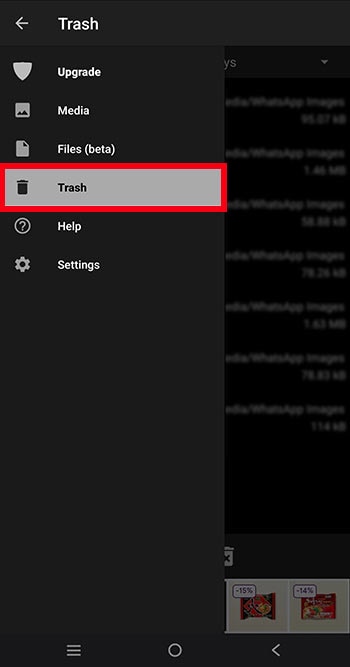
- Select the photos and restore
Fix 2: Restore from Cloud Backup (Google Drive or iCloud)
Many apps connect to cloud accounts. This helps keep copies safe. If something breaks, you can restore. You may need to check both your phone cloud and app cloud. This gives you more places to look. If you often ask how to recover photos from vault, the cloud is a strong answer. You may also try cloud when you need photo vault app recovery.
This works when you allowed sync before. It helps when file loss came from an update. People who change phones often will find this helpful. It also helps you recover photos from private photo vault if a device fails.
How to recover photo vault by cloud backup:
- Open Google Drive or iCloud.
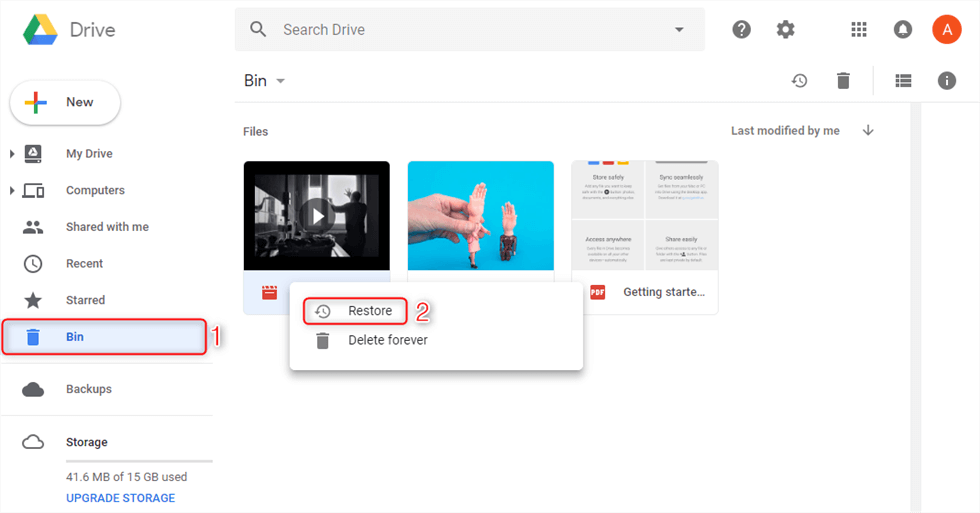
- Restore backed-up images
Fix 3: Use File Manager to Locate Hidden Vault Files
Vault apps store pictures in private folders. These may hide inside phone storage. You can use a file manager to view and search. Some file names look random. Still, you can copy them and view them. This works when the app does not show photos inside itself. It helps you recover pictures from photo vault when the main view is blank.
This works best if you know where the vault keeps data. Even if you do not, a file finder can scan folders. After that, you can move files back. This helps many users who ask how to recover photos from the vault. They may then do photo vault recovery when the app will not open.
How to recover photo vault using file manager:
- Open the file manager.
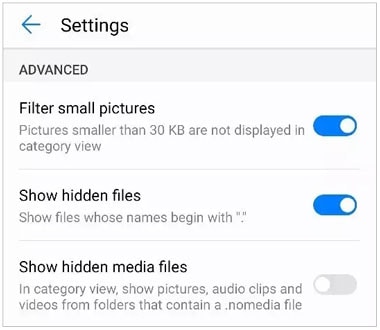
- Search the vault folder and copy files
Fix 4: Reinstall the App and Log In with Correct Credentials
Sometimes vault files remain, but the app shows blank. A fresh install can rebuild data lists. The key is to use the same account. If you use the wrong login, you see nothing. You might think files are lost. But a correct login can show hidden files. This is another way to begin photo vault app recovery.
This helps after a glitch. It also helps if you update the phone. The app may need a reset. People who need to recover lost or deleted photos from photo vault app Android will find this helpful. It can also help you learn how to recover photos in Photo Vault app without tools.
How to recover photo vault by reinstalling the app:
- Remove app.
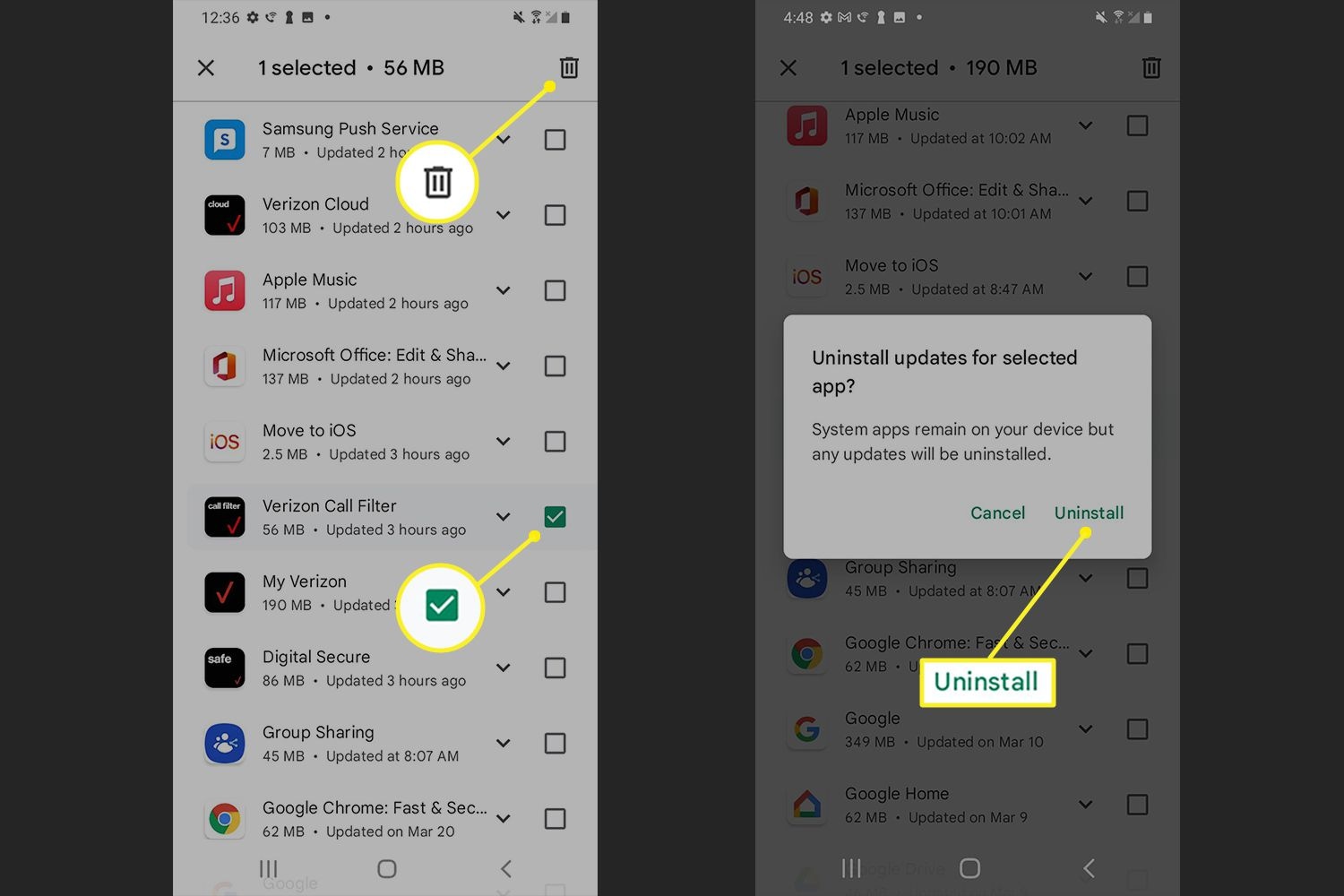
- Install again and log in.
Fix 5: Contact App Support for Help
Help staff can guide you. They know how vault files are saved. They can help if you have no backup. You might share logs. They may check a server copy. This offers a final step if other ways fail. Support may share steps for photo vault recovery. You may also recover photos from private photo vault with official steps.
This path helps when you are blocked. It helps when files fail to show inside the app. It can also help if your login does not work. Many users who do not know how to recover photos from the vault ask for support. They take you through photo vault app recovery in clear steps.
How to contact photo app support:
- Send a ticket.

- Follow the instructions from support
Lost Vault Photos? Use Recoverit Today
You may say, I tried all steps, but still no pictures. Or you may hear someone say, I had a locked folder with old photos, and now it is blank. Or someone may worry, My phone got reset and I cannot find baby pictures. These sad words show how painful lost images can be.
One easy path is to use a strong tool. Recoverit is a trusted tool. It helps search inside hidden folders. It scans memory deep. It can find lost photos after you fail with other steps. This helps users recover pictures from the photo vault again. It also helps photo vault recovery after a reset. It helps users who want to recover lost or deleted photos from the photo vault app on Android.
You may also use it to recover photos from a private photo vault when the internal search fails. If you do not know how to recover photos in the Photo Vault app, this tool leads you to relief. It also supports photo vault app recovery when cloud backup is gone.
Recoverit finds many file types. It works on many devices. It is simple to run. You do not need deep tech knowledge. It reads known vault folders. It finds old sets. It can rebuild views. It helps you keep memories safe.
Steps
Step 1. On your PC, install Recoverit. Open the tool. Connect your phone or storage card to a PC or a laptop. Select the drive. Start the scan.

Step 2. Wait for results.

Step 3. Click Recover, choose photos to save. Store them in a new folder.

Conclusion
A vault is a secure space for your pictures. But sometimes, problems arise. Files may disappear or become hidden. Fortunately, you’ve seen how photo vault recovery works.
You can start by checking the trash. Try accessing your cloud backups. Explore hidden folders. Reinstalling the app might help too. And if none of these options work, consider using a recovery tool. With patience, you can retrieve lost or deleted photos from the Photo Vault app on Android.
Every snapshot carries meaning. When issues arise, stay calm and choose a thoughtful approach. Use the recovery features in the Photo Vault app or turn to expert tools designed to help.
Try Recoverit to Recover Lost Data
Security Verified. Over 7,302,189 people have downloaded it.
FAQs:
-
Q1. Are the photos deleted inside the vault gone?
Many vault apps have trash. Some keep files for days. You can use the photo vault recovery steps. You can recover pictures from the photo vault even after an app glitch. -
Q2. Can I restore vault photos from the cloud
Yes, if you set a backup. You may recover lost or deleted photos from the Photo Vault app on Android. You may also learn how to recover photos in the Photo Vault app from Drive or iCloud. -
Q3. What if I forgot the vault login
You may try resetting. If files do not show, you can try how to recover photos from the vault with a backup. You can also try a tool for photo vault app recovery. Then you may recover photos from a private photo vault with a scan.


