

 TL;DR:
Smart photo recovery rebuilds lost or hidden images like JPGs and RAW files by performing a deep, bit-by-bit scan of a drive's raw space to identify file patterns, bypassing the need for intact file paths required by traditional recovery methods.
● Unlike traditional methods that fail when system folder maps break, smart software like Recoverit Photo Recovery, Tenorshare 4DDiG, Disk Drill, and Stellar Photo Recovery extract data directly from formatted or crashed devices, while PhotoRec offers a free, open-source alternative for users willing to navigate a more complex interface.
● To prevent permanent data loss during the recovery process, users must stop using the affected device immediately to avoid overwriting files and must save the restored photos to a completely different storage location.
● Successful recovery remains conditional; these tools cannot restore images if the storage hardware is severely damaged or if new data has already replaced the original file traces within the deep storage blocks.
Ask AI for a summary
 ChatGPT
 Perplexity
 Gemini
 Claude
 Grok
Grok
Photos carry meaning. They hold family faces. They show first days in school. They show long trips and quiet nights. These small files feel worth more than the device itself.
When a card fails or a phone breaks, the loss feels sharp. People fear that these moments will never return.
Many users search what is smart photo recovery when a sudden crash wipes their pictures. Smart tools read deep parts of storage. They find hidden image data and bring photos back. The process is simple. It needs only a few steps. It helps even when old paths are gone. Let’s learn all about it!
Table of Contents
Part 1: What Is Smart Photo Recovery?
Many people go online to ask what is smart photo recovery. They want clear terms. Smart photo systems search deep inside storage. They read the disk bit by bit. They find traces that look like image files. Then they rebuild them into real pictures. It feels smooth. The steps are short. Anyone can try. The method works when a phone loses memory. It works when a camera card goes bad. It works when a laptop has virus damage.
Smart logic looks for known image shapes. For example, JPG or PNG show tiny hints. RAW images show deeper shape. Smart scan spots these hints. It groups them. Then it shows a preview. This helps users pick files they want. It also checks that the file is safe. Many people ask what is smart photo recovery because they fear they must pay a shop. But smart tools let them try at home. This gives peace.
Key Features
- Deep scan to find lost photos.
- Works on many formats like JPG and RAW.
- Can read phones, cards, and PCs.
- Gives clear preview.
- Steps are easy for all.
- Helps new and old users.
- Offers safer paths.
- Many tools support it.
Smart tools do not stop at simple scan. They go inside. This is why many users speak about what is smart photo recovery. It saves time. It keeps image quality. It gives real hope.
Part 2: Smart Photo Recovery vs Traditional Photo Recovery
People compare smart photo recovery vs traditional photo recovery often. Old methods read simple file paths. They only look at places that the system knows. If a file path breaks, old tools fail. Smart logic is different. Smart tools search deep. They read raw parts. They find things that look like image parts. This makes a big change.
Old tools often show few results. They lack deep logic. Smart tools run a full check. They look at shape, pattern, and data. This leads to stronger results. Many people now see smart photo recovery vs traditional photo recovery as a clear win for smart logic. Smart tools save time. They make steps easy. They show preview so users can pick correct files. That builds trust.
Detailed Comparison Table
| Point | Smart Photo | Traditional Photo |
| Scan style | Deep raw scan | Simple folder read |
| Ease | Very easy | Hard |
| Support | Many devices | Few devices |
| File types | Many types | Few types |
| Speed | Fast | Slow |
| Preview | Yes | Limited |
| Logic | Smart patterns | Simple map |
| Result | Strong | Weak |
The table shows smart photo recovery vs traditional photo recovery. It shows why smart logic is better. The new scan style finds files even if the map is gone. This helps users who lost files from shock, crash, or virus. Many guides explain smart photo recovery vs traditional photo recovery to help new users pick safe tools.
Part 3: Pros and Cons of Smart Photo Recovery
Users want a fair view. They want pros and cons of smart photo recovery. They want clean notes. Smart logic looks strong. Yet each tool has a few small limits. It is wise to know both sides. This helps users pick the right tool. Many tech pages list pros and cons of smart photo recovery so people can think well.
Most people see the pros and cons of smart photo recovery and still pick smart tools. The value is high. The steps are smooth. The results look better. The phrase pros and cons of smart photo recovery helps people decide. They get facts. They make good plans.
Part 4: Top 5 Smart Photo Recovery Software
Here we list top 5 smart photo recovery software here to help many users. These tools have trust. They work on phones. They work on cards. They work on PCs.
Tool 1: Recoverit Photo Recovery
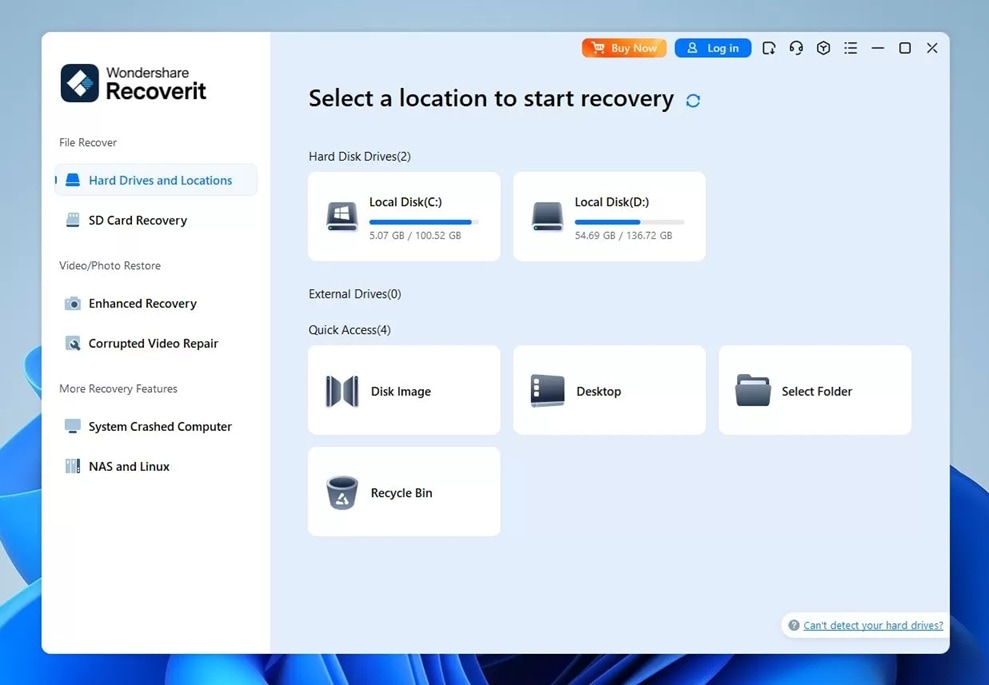
Recoverit Photo Recovery is simple. The steps are very clear. The tool scans deep. It can find bits that hide far in storage. It helps users who lost big sets of pictures. This tool is often placed high in top 5 smart photo recovery software lists. The clean screen helps users follow steps. The tool reads many image types. It rebuilds files. It shows a clear preview for each file.
It also works on phones. It works on laptop storage. It works on old camera cards. It has careful logic. Many users who ask what is smart photo recovery start with this tool. The tool gives strong trust. It returns many files that look gone.
Key features
- Deep scan reads raw parts
- Easy steps on screen
- Supports many image types
- Shows clean preview
Tool 2: Tenorshare 4DDiG
Tenorshare 4DDiG is popular. It offers smooth steps. It brings back photos from many sources. Users like that it works on USB, card, or PC. It can fix photo loss from delete, crash, or virus. Many users place it in top 5 smart photo recovery software because it gives strong results.
The tool reads many formats. It finds lost photos. It keeps them safe. It also offers a guide on screen.
Key features
- Deep scan
- Saves many image types
- Simple view
Tool 3: Disk Drill
Disk Drill gives a rich set. It scans the whole drive. It checks raw space. It reads lost bits. It finds many images. For this reason, it is listed in top 5 smart photo recovery software in many places. The tool shows a clean preview. It offers step by step flow. It works on mac and windows.
The tool offers deep scan. It reads old space. It rebuilds RAW data. It can bring back high quality pictures. Many users like it for big drives.
Key features
- Deep scan
- RAW support
- Clean preview
Tool 4: Stellar Photo Recovery
Stellar Photo Recovery is known for its quality. It helps users who lost images from card, PC, or phone. It runs a full deep scan. It reads blocks. It finds lost bits. It rebuilds them. It is often named in top 5 smart photo recovery software lists. Many users trust it for RAW images.
The tool shows preview. It helps new users pick images. It is known for strong results. It also works well with big photo sets.
Key features
- RAW image support
- Deep scan logic
- Preview support
Tool 5: PhotoRec (open source)
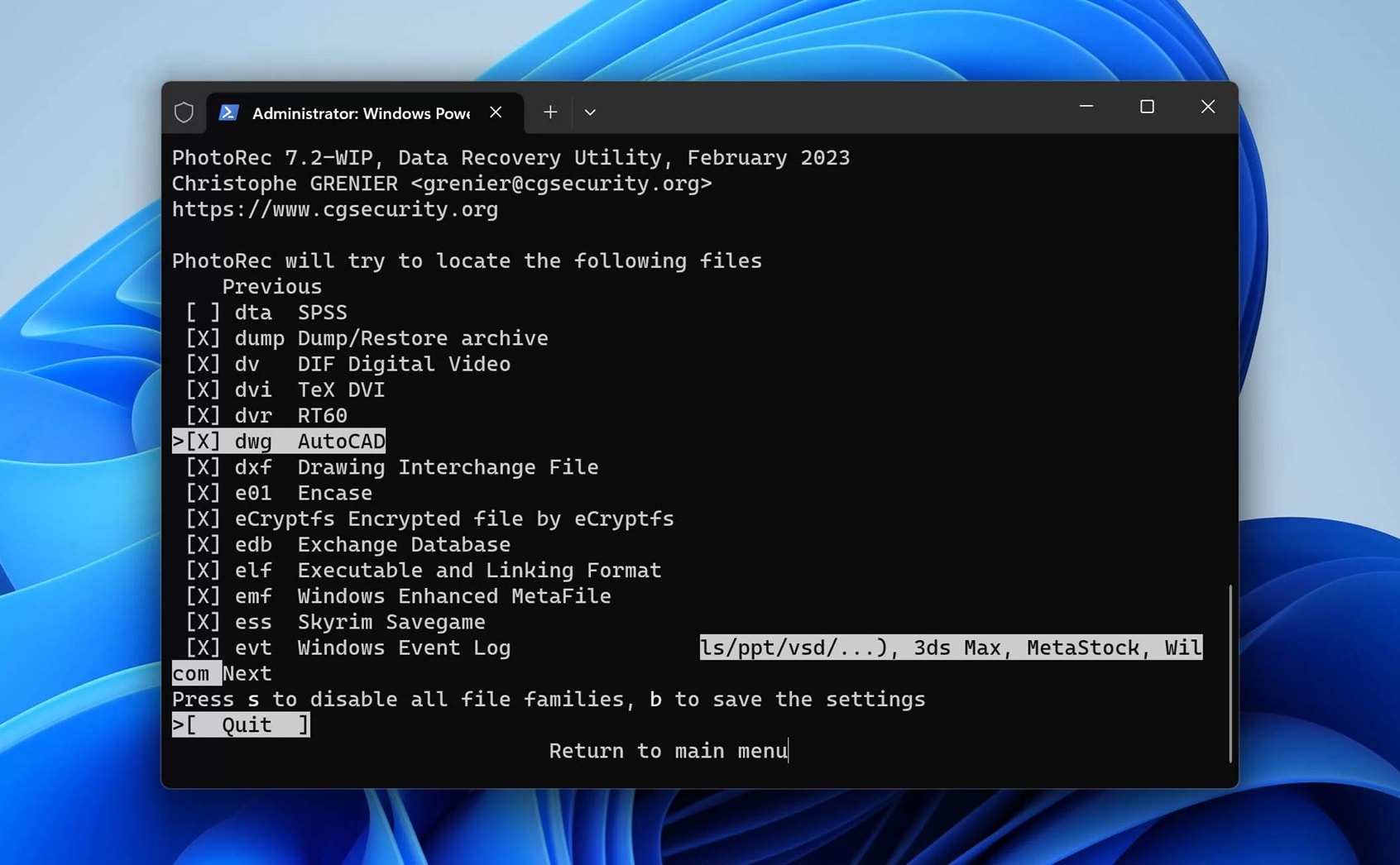
PhotoRec is free. It helps users who want strong results but no pay. It reads raw parts. It finds many image types. It often sits in top 5 smart photo recovery software lists. The tool is strong. It can read deep storage. It can bring back old photos. It can handle card, phone, or PC. It is open source. So many people help improve it.
Key features
- Free
- RAW scan
- Many file types
Part 5: Lost Photos on PC? Use Recoverit Data Recovery Tool
Recoverit Data Recovery Tool is a top pick for PC users. It brings back lost photos from deep space. It gives simple steps. The layout is easy. The logic rebuilds lost bits fast. It feels light. This tool helps users who lost files by delete, virus, or crash. Many people learn what is smart photo recovery then try this tool first. The name is well known. The scan gives strong result.
Recoverit reads storage blocks. It looks for tiny shapes that match image types. It groups them. It gives a clean view. Users can look and pick files. They can save to safe space. The tool works on old and new drives. It works on phones linked by cable.
Why Use It
- Deep logic to find more images
- Good rebuild for many types
- Clear preview
- Works fast
- Simple on screen
- Good support
Simple Steps
Step 1: Download and install Recoverit Photo Recovery. Open the software and choose the recovery mode. Select the drive or device where your photos were lost (e.g., hard drive, SD card, USB).

Step 2: Click “Start” to begin scanning. Recoverit will search for lost or deleted photo files.

Step 3: Once the scan is complete, preview the recoverable photos. Select the ones you want to restore and click “Recover.” Save them to a different location to avoid overwriting data.

How to Recover Deleted or Lost Photo on Laptop?

Part 6: Tips for Successful Photo Recovery
Photo recovery needs care. A small act can break a file. Users should stop use. They should not add new data. That can write over. They should run a deep scan. Many guides that cover what is smart photo recovery also share tips since tips make results better.
Tips
- Stop use at once. This keeps data safe.
- Do not add new files. This avoids damage.
- Run deep scan. It finds more bits.
- Use known tools. This keeps trust.
- Stay calm. It helps focus.
- Preview files. Pick the right ones.
- Save to new drive. This keeps safe.
- Back up often. Prevent loss next time.
Conclusion
Smart photo tools help many people. They bring back files. They save time. They scan deep. They find lost bits. They rebuild them. The steps are short. This is why many people ask what is smart photo recovery.
Many users talk about smart photo recovery vs traditional photo recovery. They see smart logic wins. Smart steps feel smooth. Tools show preview. They are safe. Users read pros and cons of smart photo recovery then make plans. They also check top 5 smart photo recovery software. This list covers good picks. They show strong results.
With smart tools, photo loss feels less scary. And you can gain hope.
Try Recoverit to Recover Lost Data
 Security Verified. Over 7,302,189 people have downloaded it.
FAQs
-
1. Can smart tools find very old deleted photos
Yes. Smart scan reads deep blocks to spot tiny image traces. It can rebuild many files as long as new data has not replaced them. -
2. Can I recover photos from a phone with smart tools
Yes. Some tools run on phones and some connect by cable to a PC. Both can scan storage and help bring image files back. -
3. Can smart tools fix damage on a memory card
They can find safe bits and rebuild photos if damage is not severe. If the card is fully broken, results may be limited.


