

 TL;DR:
You can restore deleted or corrupted videos using free-tier recovery tools, provided you immediately stop using the affected drive to prevent new data from overwriting the hidden files.
● Recoverit, Disk Drill (which enforces a strict 500 MB free recovery limit), and Tenorshare 4DDiG are best suited for scanning storage devices to locate fully deleted files, though all require software installation and restrict data sizes in their free versions.
● EaseUS Online File Recovery and DataNumen Video Repair Tool cannot scan for deleted files; they function exclusively to repair corrupted, unplayable videos that are already accessible on your device.
● EaseUS is optimal for quick, 100% browser-based repairs on smaller files, whereas DataNumen requires a desktop application but is better equipped for fixing severe corruption in large files without an active internet connection.
Ask AI for a summary
 ChatGPT
 Perplexity
 Gemini
 Claude
 Grok
Grok
Everyone records videos today. It could be a wedding, a trip, a lecture, or work footage. Videos store moments we do not want to lose. But accidents happen. Sometimes a file gets deleted, or the device stops working. When this happens, it can feel hopeless.
The good news is that it is possible to get those videos back. You can use deleted video recovery tools online free to restore them. These tools are easy to use. Most do not need any special skills or paid plans to start. They can help you recover lost, deleted, or corrupted video files in a few minutes.
In this article, you will learn about the top online free video recovery tools that are trusted and safe. You will see how each one works, its main features, and the pros and cons. You will also get a simple step-by-step guide to recover videos easily using Recoverit.
Table of Contents:
Part 1: Can You Recover Deleted Videos Online for Free?
Yes. It is possible to recover deleted videos online for free. When you delete a video, it is not always gone forever. The data still stays inside the drive until new files replace it. Deleted video recovery tools online free can detect this hidden data and restore it.
Most online free video recovery tools use smart algorithms. They scan your hard drive, memory card, or phone to find traces of deleted files. These tools can often recover corrupted video files online too, fixing issues that stop videos from playing.
However, recovery success depends on timing. If you try recovery soon after deletion, you have a high chance. If you wait too long, new files may overwrite the old ones. Always stop using the affected drive right after losing a video.
Many deleted videos recovery tools free offer cloud repair. That means you can upload a broken video and download a fixed one. This is useful if you only need to repair, not fully recover from the drive. Both recovery and repair help restore lost video content.
Part 2: 5 Deleted Video Recovery Tools Online Free
Let’s explore the best video recovery online free tools. Each one has unique strengths. Some are full recovery software, while others focus on repairing corrupted videos. All of them are trusted and have free options.
#1 Recoverit
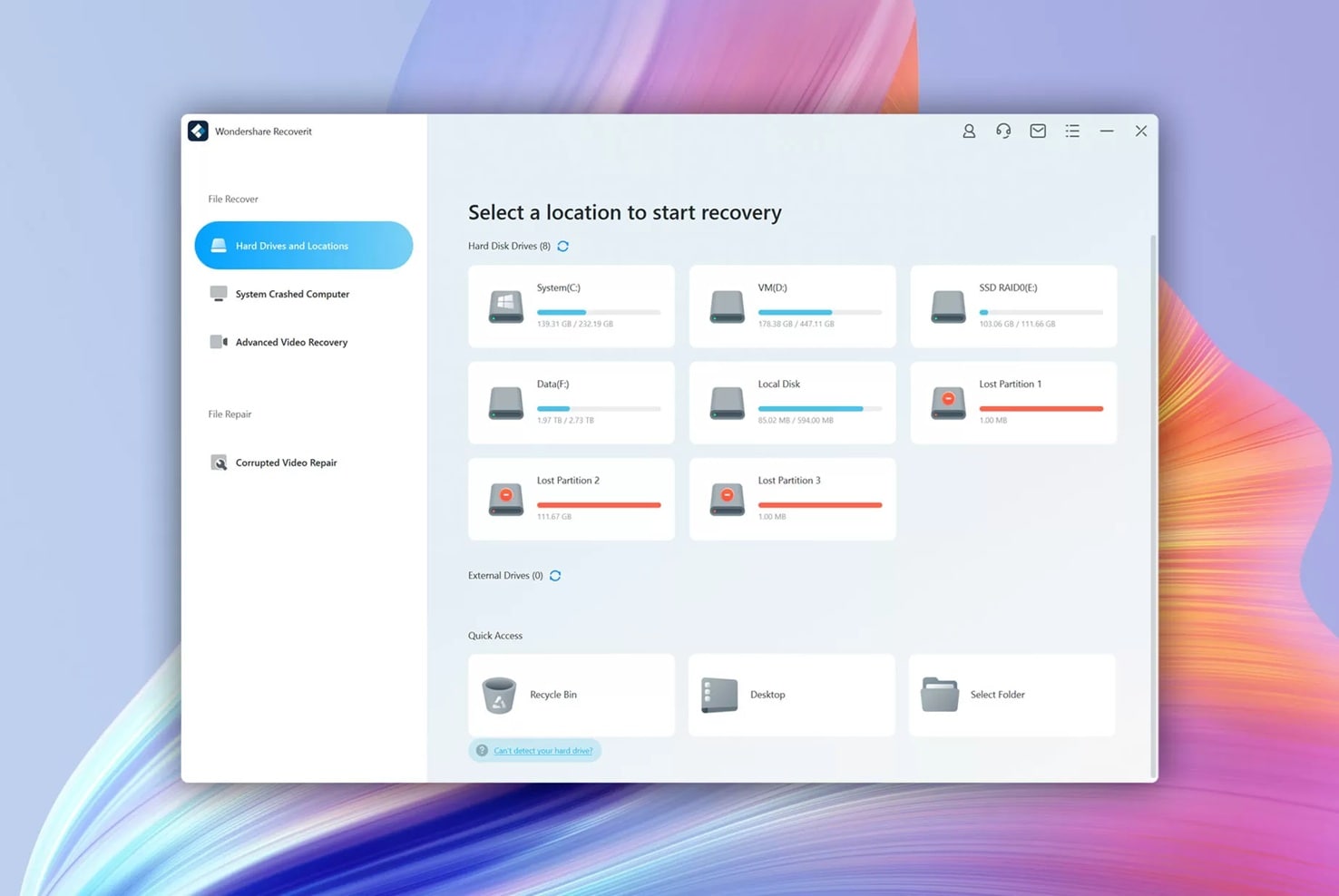
Recoverit by Wondershare is one of the most advanced deleted video recovery tools online free today. It combines recovery and repair functions in one program. It can find deleted videos from computers, memory cards, cameras, and external drives.
Recoverit has a simple interface that guides users step by step. You can choose where to scan, wait for the results, and preview the files before restoring them. It also helps you recover corrupted video files online through its automatic repair system.
Key Features
- Recovers over 1000 file types, including MP4, MOV, and AVI.
- Deep and quick scan modes for better results.
- Repairs damaged or incomplete videos.
- Works with external storage devices.
- Offers a video preview before final recovery.
- Supports both Windows and Mac.
Recoverit stands out among online video recovery free tools because it delivers complete recovery with repair in one process.
#2 DataNumen Video Repair Tool
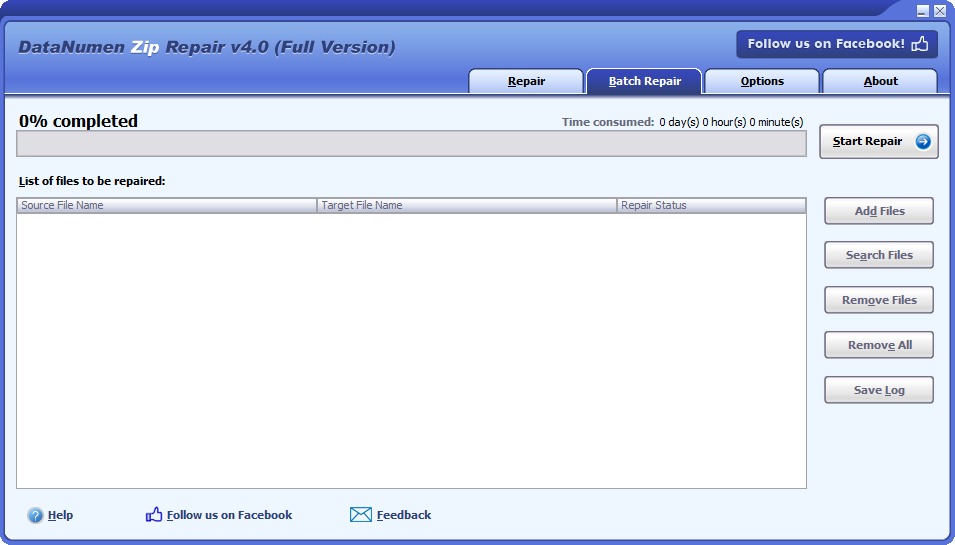
DataNumen Video Repair Tool is known for fixing corrupted videos. It can repair files that got damaged by power loss, system crash, or bad storage. It does not scan drives for deleted files, but it can repair non-working videos and make them playable again.
This tool works well for users who already have the file but cannot open it. It is one of the oldest names in data repair and part of the trusted deleted videos recovery tools free group.
Key Features
- Repairs headers and frame structures.
- Fixes severe corruption in MP4, MOV, and other formats.
- Supports batch repair of multiple files.
- Maintains high-quality output.
- Simple to use, even for non-technical users.
#3 EaseUS Online File Recovery
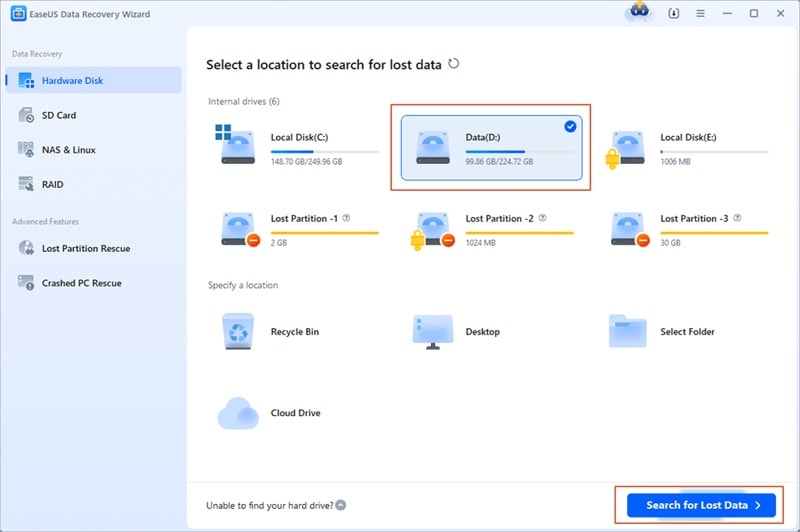
EaseUS has a range of recovery tools for documents, videos, and images. Its online file repair site helps you upload damaged files and download repaired ones. It does not require installation. This makes it a safe pick for people who want quick fixes.
You can use this tool to fix unplayable, blurry, or damaged videos. It belongs to the top online free video recovery tools for light repair tasks.
Key Features
- 100% browser-based repair.
- Secure upload and download system.
- Supports MP4, MOV, MKV, and AVI.
- Keeps original resolution after repair.
- Offers an instant preview after processing.
EaseUS is a trusted brand. It is great when you only need to fix damaged videos rather than recover them from drives.
#4 Disk Drill Free Edition (Web Companion)
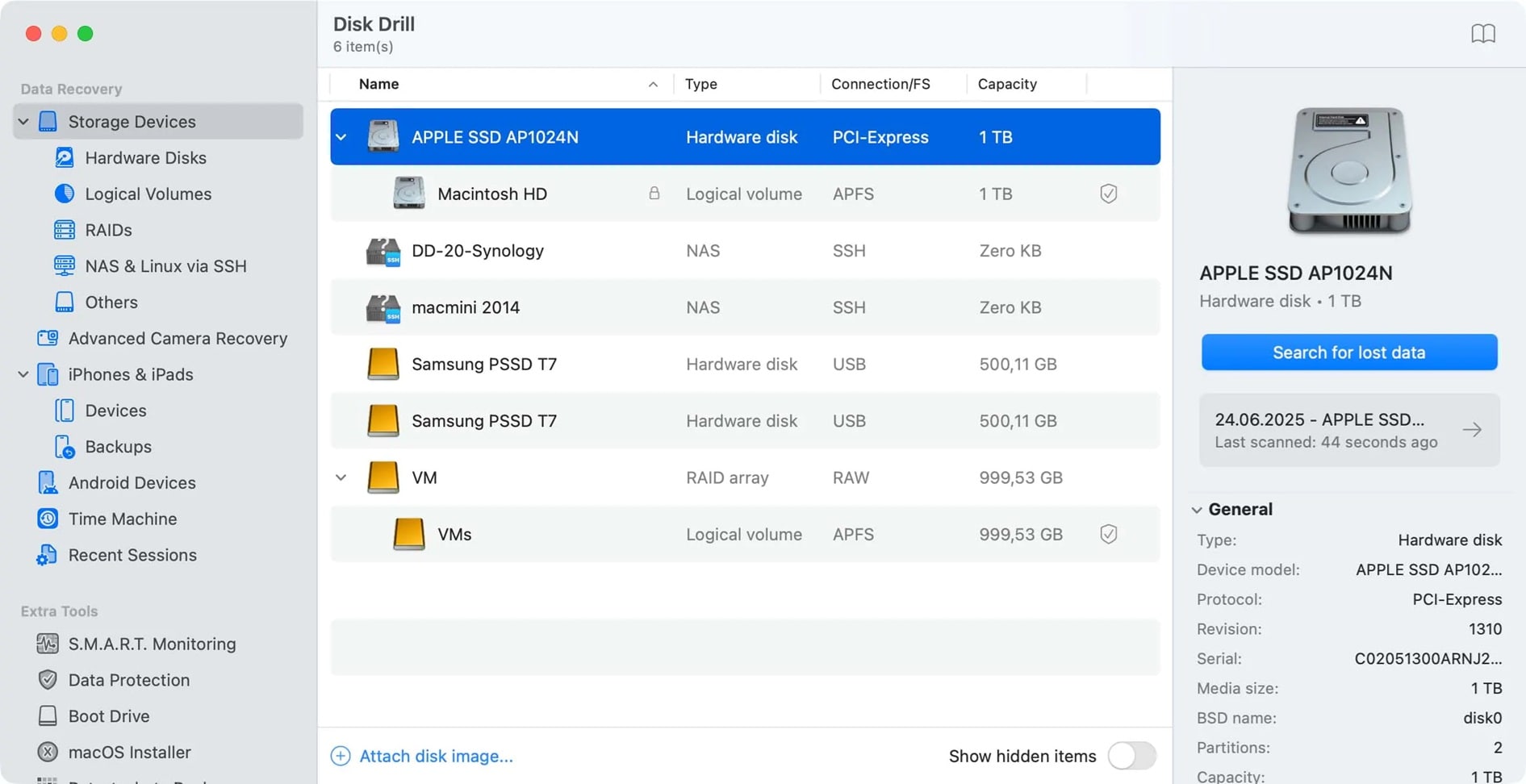
Disk Drill by CleverFiles is another name trusted by many professionals. It is often listed among the best deleted video recovery tools online free because it offers up to 500 MB of free recovery.
Disk Drill scans hard drives, SD cards, and USBs for lost files. It supports various file systems like FAT, NTFS, HFS+, and EXT. You can use its web companion to monitor and guide scans. It is suitable for both Windows and macOS.
Key Features
- 500 MB free recovery limit.
- Deep scan and quick scan choices.
- Supports multiple storage types.
- Shows previews of found files.
- Built-in protection system called Recovery Vault.
#5 Tenorshare 4DDiG Free Video Recovery
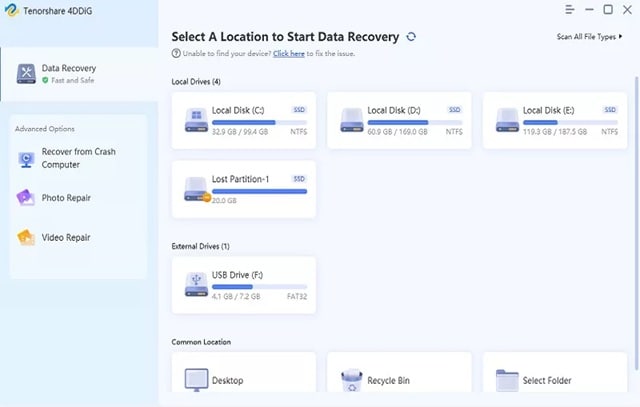
Tenorshare 4DDiG combines modern design with strong recovery functions. It can restore deleted, lost, or formatted videos. It can also repair corrupted ones automatically after recovery.
This tool works on all devices, including cameras, SD cards, flash drives, and computers. It is one of the best online free video recovery tools for beginners and professionals.
Key Features
- Recovers deleted or formatted videos.
- Repairs corrupted videos during recovery.
- Works on HDD, SSD, and removable devices.
- Supports all major formats.
- Simple click-based interface.
Part 3: Easily Recover Lost Video Files Using Recoverit – Step-by-Step Guide
Recoverit deserves a closer look. It stands above many other deleted video recovery tools online free because it provides complete recovery, automatic repair, and secure handling of data.
While some tools only repair, Recoverit both finds and fixes lost videos. You can use it after accidental deletion, formatting, or corruption. It supports devices from cameras, drones, USBs, and SD cards.
It also helps users who need to recover corrupted video files online using cloud connections. The program is safe and certified. Many users report recovery rates above 98%, which makes it one of the best in the market.
How to Use Recoverit
Step 1: Select the Location

Open Recoverit and pick the drive or device where your video was lost. This can be your computer drive, external disk, or SD card.
Step 2: Scan the Drive
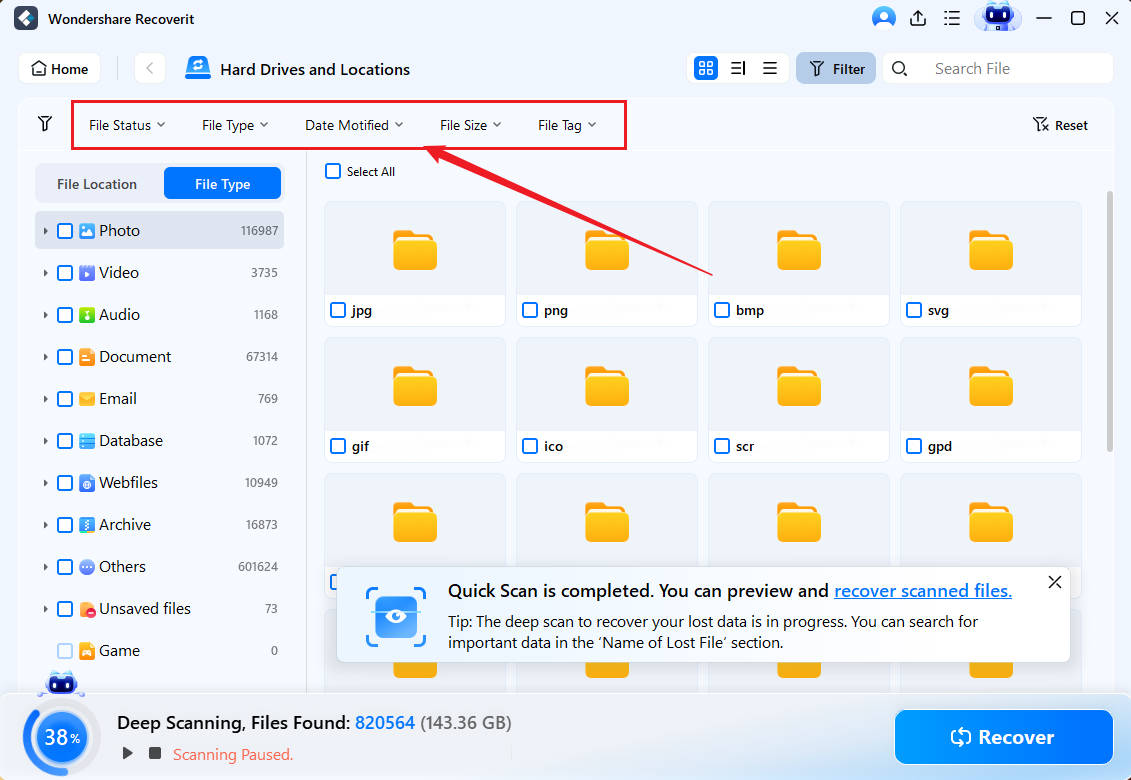
Click “Start.” The scan begins. You can watch as files appear one by one. Pause or stop anytime. Use the search bar to find your video faster.
Step 3: Recover and Repair
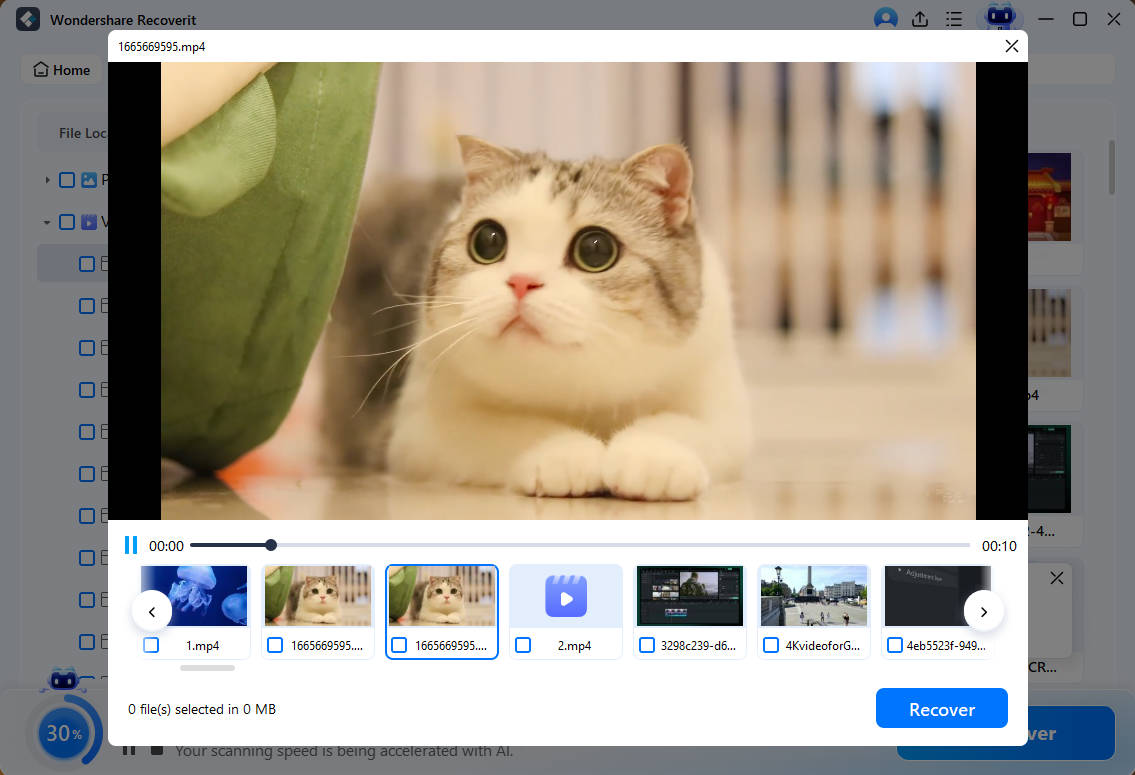
When you see your lost video, click “Recover.” Choose a different location to save it. If the video does not play, use the “Advanced Video Repair” feature. It fixes broken frames, audio issues, and sync problems.
By following these three steps, anyone can finish video recovery online free without technical skills.
AI-Powered Data Recovery Software 2025 Tailored For Cameras & Drones

Part 4: Pro Tips for Successful Online Video Recovery
Here are some important tips to help you get better results with deleted video recovery tools online free:
- Act quickly to maximize the chances of recovering lost or deleted video files.
- Identify the reason for video loss, like accidental deletion, corruption, or hardware failure. Choose the right recovery method.
- Avoid using the affected device to prevent overwriting the lost data.
- Use reliable video recovery software such as Recuva, EaseUS, or Disk Drill.
- Configure the recovery tool to target specific video formats like MP4, MOV, AVI, or MKV.
- Preview recovered files before restoring to ensure they are intact and usable.
- Check cloud storage services like Google Drive, iCloud, or OneDrive for automatic backups.
- Set up a regular backup routine using external drives or cloud services to prevent future data loss.
Following these tips can increase your chances to recover corrupted video files online without losing quality.
Conclusion
Losing videos can be painful, but it is not the end. With modern deleted video recovery tools online free, you can restore deleted or broken videos quickly. Each tool in this list offers something unique.
Recoverit is the most powerful choice for all users. It recovers lost videos and repairs them automatically. DataNumen is great for damaged files. EaseUS offers easy online repair. Disk Drill provides trusted scanning. 4DDiG offers all-in-one features.
By acting quickly, you can save time and get your files back. Always back up important videos. Try these online free video recovery tools and find which works best for your needs. With the right tool, video recovery online free becomes a simple task instead of a hard one.
Try Recoverit to Recover Lost Data
 Security Verified. Over 7,302,189 people have downloaded it.
FAQs:
-
Q1: Can I really recover deleted videos for free?
Yes. Most deleted videos recovery tools free offer limited recovery at no cost. You can test if your video is restorable before upgrading to a paid plan. -
Q2: Can I recover deleted videos from my phone or camera?
Yes. Many tools, like Recoverit and 4DDiG, support external devices such as SD cards or USB drives. Connect the device and scan it for results. -
Q3: Is it safe to upload videos to online repair sites?
Yes, if you use trusted brands like EaseUS. These services encrypt uploads and remove files after repair. Avoid unknown or unverified websites.


