
 TL;DR:
Wondershare Recoverit stands out as the most balanced Data Rescue alternative for general Windows and macOS users due to its advanced video capabilities and extensive format support, while R-Studio is specifically required for IT administrators handling complex RAID and network recoveries.
● Disk Drill provides strong cross-platform file system support (APFS, HFS+, EXT) alongside S.M.A.R.T. monitoring tools, but its free macOS tier is restricted to previewing files rather than executing full recoveries.
● EaseUS Data Recovery Wizard is the optimal choice for absolute beginners dealing with simple formatted drive scenarios due to its guided workflow, though it enforces a low data cap on its free version before requiring a paid upgrade.
● Recuva is strictly limited to Windows operating systems and serves as a lightweight, highly portable utility for quick undelete tasks, but it lacks the deep scanning capabilities needed for heavily damaged or corrupted storage environments.
Ask AI for a summary
 ChatGPT
 Perplexity
 Gemini
 Claude
 Grok
Grok
Data Rescue is a well-known best data recovery software option, but it is not the only tool and may not be the ideal fit for every scenario or budget. If you need a more affordable, easier, or more versatile solution for recovering deleted, formatted, or lost files, several strong data rescue alternatives can deliver similar or even better results on both Windows and macOS.
By understanding how each alternative handles deleted file recovery, lost partition recovery, and HDD SSD recovery, you can select the right file recovery software for your devices, operating system, and technical comfort level.
Try Recoverit to Recover Lost Data
 Security Verified. 3,591,664 people have downloaded it.
In this article
What Is Data Rescue?
Data Rescue is a commercial file recovery software package developed primarily for macOS, with some support for Windows, designed to help users restore lost data from internal drives, external hard drives, SSDs, USB flash drives, and memory cards. It specializes in deep scanning damaged, corrupted, or formatted volumes to support deleted file recovery, rebuild lost partitions, and salvage data from drives showing mounting issues.
Key features typically include file-based and byte-level scan modes, support for common file systems like HFS+, APFS, NTFS, and FAT, secure cloning of failing drives, and options to preview files before recovery. Data Rescue is often used by photographers, video editors, small businesses, and home users who need to retrieve photos, videos, documents, and project files from malfunctioning or formatted storage. It also appeals to users who want a dedicated macOS-focused tool with a long history in the best data recovery software market.
Why You Might Need Alternatives for Data Rescue?
There are several reasons why you might need a substitute for Data Rescue. Here are a few:
- 🧭 UI and workflow complexity: Some people find Data Rescue's interface less intuitive than newer data rescue alternatives. Complex scan options and multi-step wizards can slow down everyday tasks, especially if you simply want fast deleted file recovery without tweaking many settings.
- 🧰 Feature gaps vs modern tools: While solid for core recovery, Data Rescue may lag competitors in areas like wide-range video format handling, modern file-system optimization, and automated repair options. This can be limiting if you routinely work with 4K/8K footage, need robust HDD SSD recovery, or expect one-click workflows for lost partition recovery.
- 📊 Inconsistent performance in tough cases: On some heavily fragmented or partially corrupted disks, users may experience slower scans and less predictable results compared with other best data recovery software. When time-sensitive projects or client data are at stake, a higher recovery success rate can be a decisive reason to look for a stronger data rescue replacement.
- 🛠️ Missing or limited advanced controls: Although Data Rescue supports cloning, its advanced tuning options and diagnostics are not as deep as enterprise-grade suites like R-Studio. Power users and IT admins who manage RAID arrays, NAS devices, or remote machines may prefer alternatives that offer granular imaging controls, scripting, and network-based windows data recovery tool workflows.
- 💸 Pricing and licensing flexibility: Data Rescue's per-license and drive-based pricing can feel expensive if you only perform occasional recoveries or work across multiple computers. Many data rescue for mac alternatives now offer more flexible subscriptions, lifetime licenses, or device-based plans that provide better value for ongoing file recovery software needs.
5 Best Data Rescue Alternatives
If you are re-evaluating your toolkit, the following five data rescue alternatives offer a range of options, from beginner-friendly assistants to power-user suites for complex HDD SSD recovery and lost partition recovery.
1. Wondershare Recoverit
Wondershare Recoverit is best for users who want a high-success, easy-to-use solution on both Windows and Mac for all common data loss scenarios. This file recovery software supports over 1000 file formats and a wide range of storage media, making it one of the strongest data rescue alternatives for everything from simple deleted file recovery to advanced HDD SSD recovery.

Key Features Offered by Recoverit
Recoverit is a comprehensive file recovery software solution ideal for users who want a high-success, easy-to-use option on both Windows and Mac for almost every common data loss scenario. It supports over 1000 file formats and handles internal drives, external HDDs and SSDs, USB sticks, SD cards, cameras, and more, making it a strong data rescue replacement for both home and professional users.
- Supports extensive HDD SSD recovery, removable media recovery, and system crash scenarios with clear, guided steps.
- Offers advanced video capabilities, including recovery and repair, which is valuable for content creators managing large media projects and deleted file recovery from cameras.
- Provides a clean, intuitive interface so beginners can complete scans and restore data without needing deep technical expertise, while still covering complex lost partition recovery cases.
Step-by-Step Guide on How To Recover Lost Data
1. Choose a Location to Recover Data
Launch Recoverit on your computer and select the drive, partition, or external device where you lost files, whether it is an internal disk, external HDD/SSD, USB flash drive, or memory card. This step is crucial for accurate deleted file recovery because the software focuses its scan on the exact storage area that contained your missing data.

2. Deep Scan the Location
Click to start the scan and allow Recoverit to perform a thorough analysis of the selected location, automatically switching from quick to deep scanning as needed. During this process, it rebuilds directory structures, searches for lost partitions, and detects recoverable files across multiple systems, helping with both routine HDD SSD recovery and complex lost partition recovery cases.

3. Preview and Recover Your Desired Data
When the scan finishes, browse or filter the results by file type, path, or search keywords, and use the preview feature to confirm file integrity before restoring. Select the files you need, then save them to a different, healthy drive to avoid overwriting data and to maximize your chances of complete, safe deleted file recovery from your chosen windows data recovery tool.

2. Disk Drill
Disk Drill is ideal for Mac and Windows users who value a modern interface and strong partition and file system recovery. It is a popular data rescue replacement with robust support for APFS, HFS+, NTFS, FAT/exFAT, and EXT, making it a compelling option for data rescue for mac alternatives and cross-platform workflows.

3. EaseUS Data Recovery Wizard
EaseUS Data Recovery Wizard is best for beginners who want a guided recovery flow and quick access to common tasks. It focuses on streamlined deleted file recovery, lost partitions, and formatted drives with wizard-style interfaces suitable for users who are new to best data recovery software tools.

4. Recuva
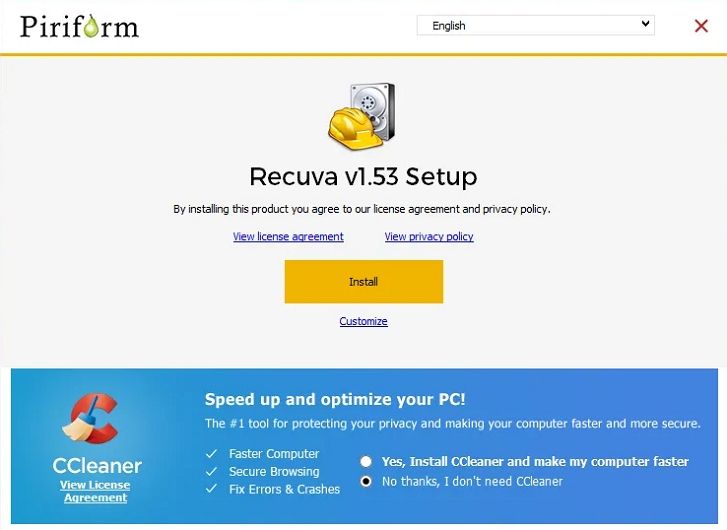
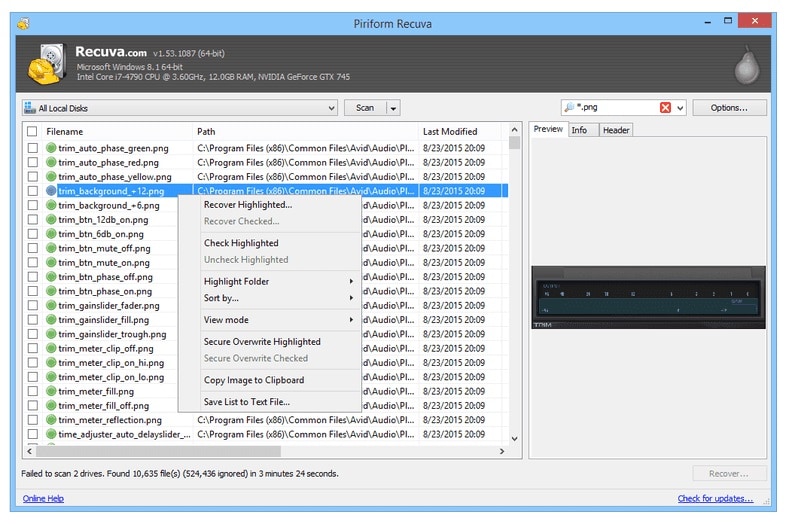
Recuva is a long-standing Windows-only utility best for users who need a lightweight, mostly free tool for simple undelete tasks. As a basic windows data recovery tool, it focuses on restoring recently removed files from hard drives, memory cards, and USB drives rather than handling the most complex lost partition recovery scenarios.
5. R-Studio
R-Studio is a professional-grade suite aimed at IT administrators and advanced users who need granular control, RAID reconstruction, and network recovery. It is one of the most powerful data rescue alternatives for enterprise environments, making it suitable when you need beyond-standard HDD SSD recovery, RAID, and lost partition recovery across many systems.
Side-by-Side Comparison Table of Data Rescue Alternatives
| Software | File System Support | Price | Free Version | Ease of Use | Scan Speed | Recovery Success Rate | Key Features |
|---|---|---|---|---|---|---|---|
| Data Rescue | APFS, HFS+, NTFS, FAT/exFAT | Mid to high, per-license and drive-based options | Limited demo, preview only | Moderate; some learning curve | Moderate to slow on large drives | High on healthy but logically damaged drives | Deep scan, drive cloning, macOS-focused tools designed as a traditional file recovery software solution |
| Wondershare Recoverit | NTFS, FAT/exFAT, HFS+, APFS, EXT | Affordable tiered plans | Yes, with limited recoverable data | Very easy; guided interface | Fast quick scan, solid deep scan | Very high on common file types and devices | Supports 1000+ formats, strong video repair, bootable media, and all-round HDD SSD recovery features |
| Disk Drill | APFS, HFS+, NTFS, FAT/exFAT, EXT | One-time license with upgrades | Yes, mainly for preview on macOS | Easy; modern UI | Fast quick scan, moderate deep scan times | High, especially on macOS volumes | Partition search, Recovery Vault, and disk health tools for cross-platform data rescue alternatives |
| EaseUS Data Recovery Wizard | NTFS, FAT/exFAT, HFS+, APFS | Subscription-based and perpetual options | Yes, low data cap | Very easy; wizard-driven | Good quick scan, moderate deep scan | High for everyday deletion and format cases | Partition recovery, formatted drive recovery, and exportable scan results suitable for windows data recovery tool and Mac users |
| Recuva | NTFS, FAT/exFAT | Free; low-cost Pro upgrade | Yes, core features available | Easy for basic tasks | Fast on small to medium drives | Moderate; best on recent deletions | Quick and deep scan, secure deletion, and portable version for lightweight deleted file recovery |
| R-Studio | NTFS, FAT/exFAT, ReFS, HFS+, APFS, EXT, XFS, UFS, others | High; modular licensing | Demo with size limits | Advanced; suited for experts | Optimized but depends on configuration | Very high in skilled hands, including complex RAID cases | RAID reconstruction, network recovery, hex editor, and scripting for advanced HDD SSD recovery and lost partition recovery |
Conclusion
Data Rescue remains a capable recovery tool, especially for long-time Mac users, but its cost, learning curve, and performance profile do not match every workflow. By exploring alternatives like Recoverit, Disk Drill, EaseUS, Recuva, and R-Studio, you can align your recovery toolkit with your budget, expertise level, and the types of devices you manage.
For most home users and many professionals, choosing a modern, guided solution such as Recoverit provides the best balance of usability, success rate, and broad format support. More technical environments can still benefit from specialist tools, but having a clear view of your options ensures you can respond quickly and effectively whenever data loss strikes.
FAQ
-
Is Data Rescue still good compared with newer alternatives?
Yes, Data Rescue is still a competent file recovery software, particularly on macOS, but many newer data rescue alternatives offer more intuitive interfaces, clearer pricing, and broader media-focused features that may be a better match for modern workflows. -
Which Data Rescue alternative is best for beginners?
Recoverit and EaseUS Data Recovery Wizard are generally the easiest for beginners because they provide guided steps,



