
 TL;DR:
Since DiskWarrior primarily supports older HFS+ directory rebuilding and lacks APFS rebuild capabilities on modern macOS, you should switch to Wondershare Recoverit for safe APFS data recovery or TechTool Pro for deep hardware diagnostics and volume repairs.
● Always perform non-destructive, read-only data recovery before attempting to repair a failing drive, as running repair operations on unstable media can accelerate permanent data loss.
● Drive Genius is the most suitable option for users requiring a proactive all-in-one toolkit for S.M.A.R.T. monitoring and malware scanning, while Stellar Data Recovery for Mac is specifically optimized for reconstructing severely corrupted or formatted partitions.
Ask AI for a summary
 ChatGPT
 Perplexity
 Gemini
 Claude
 Grok
Grok
DiskWarrior has long been a go-to option for repairing damaged Mac directories, but changes like APFS, Apple silicon, and newer macOS versions mean many users now need more flexible and fully supported tools. This guide walks through what DiskWarrior does, why it may no longer be enough for your setup, and the best modern alternatives for disk repair, data recovery, and drive health checks on Mac.
By comparing leading tools for diskwarrior alternatives, mac disk repair, and mac data recovery software, you will be able to choose the right mix of utilities to protect your files, repair problem volumes, and keep both HFS+ and APFS disks running smoothly on current macOS releases.
Try Recoverit to Recover Lost Data
 Security Verified. 3,591,664 people have downloaded it.
In this article
What Is DiskWarrior?
DiskWarrior is a long-standing Mac utility designed primarily to repair and rebuild damaged directory structures on HFS and HFS+ file systems. Instead of simply patching a faulty directory, DiskWarrior creates an optimized replacement directory and then swaps it in, which can often bring back volumes that macOS Disk Utility fails to mount. Key features traditionally include directory rebuilding, optimization of file structures to improve performance, detection of directory-related errors, and limited file recovery capabilities arising from fixing the directory.
Typical use cases include reviving older Macs with failing HFS+ startup drives, repairing external HFS+ backup disks that have become unreadable, and resolving directory corruption after improper shutdowns or drive errors. For many years, DiskWarrior was regarded as an essential troubleshooting tool for IT technicians, Mac repair shops, and power users working with large rotational hard drives formatted as HFS+.
Why You Might Need Alternatives for DiskWarrior?
There are several reasons why you might need a substitute for DiskWarrior. Here are a few:
- 🧭 UI/UX and workflow efficiency: DiskWarrior still looks and behaves like a classic utility, which can feel unintuitive on modern macOS with dark mode and high‑DPI displays. Navigation and feedback are limited, so non-technical users may not be sure which options are safe or what each step is doing. More modern disk utility alternatives guide you through tasks with clearer wizards, context tips, and live progress details, reducing the risk of user error.
- 🧩 Feature limitations vs. newer tools: DiskWarrior focuses heavily on HFS+ directory repair and does not offer the broader mix of capabilities now common in leading apfs repair tools. Many competing apps bundle directory checks, full mac disk repair, deep data recovery, SMART monitoring, cloning, and secure erase in one place. Relying solely on DiskWarrior often means you still need additional software to cover data recovery, SSD health, and backup imaging.
- 🩺 Recovery success and stability gaps: Because DiskWarrior is centered on directory rebuilding, it can struggle when files are deleted, partitions are formatted, or APFS containers are damaged rather than just their HFS+ directory structure. In those scenarios, dedicated best mac recovery software such as modern data recovery suites often deliver higher success rates, especially on SSDs and external USB/NVMe enclosures. Users facing severe logical corruption may find DiskWarrior repairs do not restore as much accessible data as specialized recovery tools.
- 🚀 Missing advanced capabilities: Advanced users now expect tools to create sector-level disk images, control scan depth, pause and resume large scans, and export recovery sessions. Many of these fine-grained options are limited or absent in DiskWarrior, which constrains workflows when you are working on unstable media that should be imaged before any repair. By contrast, newer mac data recovery software typically adds flexible disk imaging, detailed scan filters, and targeted file-type recovery for complex jobs.
- 💰 Pricing and value-for-money concerns: DiskWarrior is licensed per Mac and its narrower focus on HFS+ directories can make the cost harder to justify on newer APFS-based setups. When you compare the price to multi-function diskwarrior alternatives that combine repair, monitoring, cloning, and recovery, the value proposition may favor competitors. For many home and small-business users, an all‑in‑one toolkit or a powerful recovery-focused app delivers more long-term value than a single-purpose directory repair tool.
5 Best DiskWarrior Alternatives
1. Wondershare Recoverit for Mac
Wondershare Recoverit for Mac is best for users who need straightforward, high-success data recovery from APFS, HFS+, external drives, and formatted or deleted partitions. It focuses on safely restoring deleted, lost, or inaccessible files from a wide range of storage devices while keeping the workflow simple for non-experts.
If your primary goal is safe, effective recovery of deleted or inaccessible files from APFS and HFS+ volumes, Recoverit stands out among diskwarrior alternatives as a modern, user-friendly solution that complements or replaces traditional directory tools on current Macs.
Key Features Offered by Recoverit
- Modern mac data recovery software that supports APFS, HFS+, external drives, SD cards, USB sticks, and more, with dedicated modes for deleted files, formatted disks, crashed systems, and external devices.
- High recovery success rate in common data-loss scenarios, including accidentally erased partitions and severely corrupted file systems, while keeping scans non-destructive to protect remaining data.
- Clean, wizard-based interface that walks beginners through complex recoveries while still giving advanced users control over scan locations, file-type filters, and preview options.
Step-by-Step Guide on How To Recover Lost Data
1. Choose a Location to Recover Data
Install and launch Recoverit on your Mac, then select the drive, partition, or external device where you lost files. For logical issues on APFS or HFS+ volumes, choose the affected volume rather than the entire physical disk, so the scan stays focused and faster.

2. Deep Scan the Location
Click to start a deep scan and let Recoverit analyze the selected location sector by sector. During the scan, you can watch found files populate in real time, use filters or search to narrow down results, and pause the process if you need to inspect early findings.

3. Preview and Recover Your Desired Data
When the scan finishes, preview documents, photos, videos, and other files to verify integrity before restoring them. Finally, select what you need and recover the data to a different healthy drive to avoid overwriting remaining lost files on the original volume.

2. Drive Genius
Drive Genius is best for Mac users wanting an all-in-one toolkit for drive monitoring, malware scanning, and basic repair. It emphasizes proactive drive care by combining disk repair, cloning, cleanup, and security features into a single Mac utility.
3. TechTool Pro
TechTool Pro is best for power users and technicians who need in-depth Mac hardware diagnostics alongside drive repair. It delivers a broad set of tests for RAM, graphics, drive health, and file systems to help identify both hardware and logical issues.
4. Disk Drill for Mac
Disk Drill for Mac is best for users who want an intuitive interface and broad file recovery options with extra disk tools. It provides user-friendly data recovery for internal and external drives, plus features like data protection, S.M.A.R.T. monitoring, and disk cleanup.

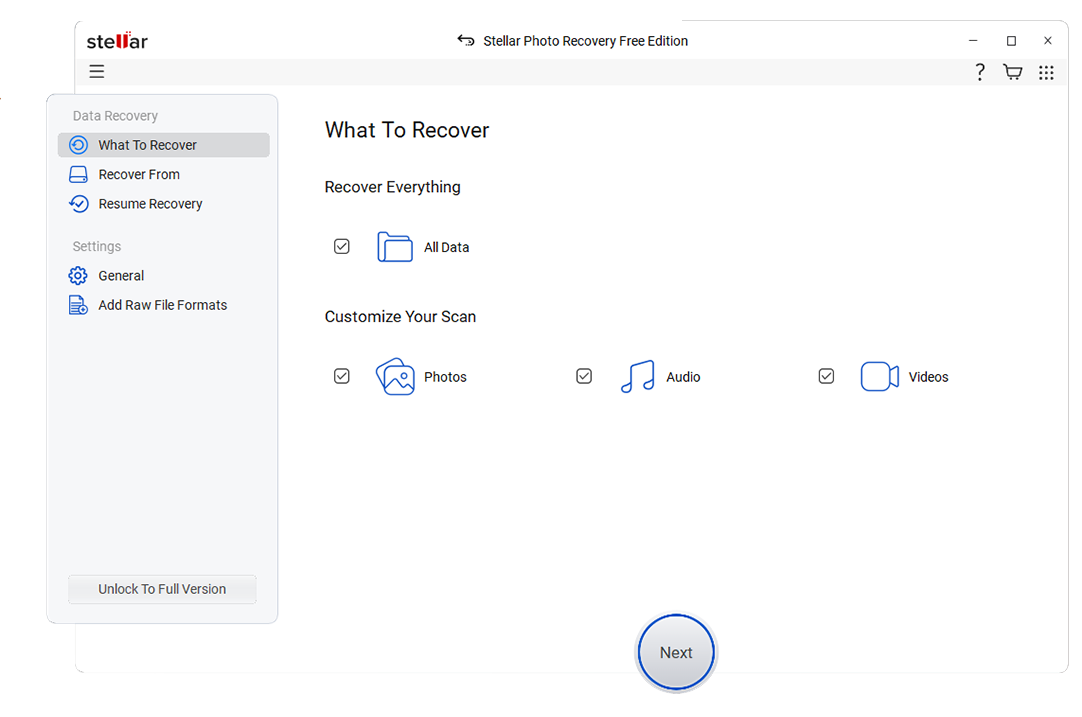
5. Stellar Data Recovery for Mac
Stellar Data Recovery for Mac is best for recovering data from heavily corrupted, formatted, or partially damaged Mac volumes. It offers comprehensive recovery options, including deep scans for formatted volumes and complex file-type reconstruction.
If you lost important Twitch, YouTube, or other streaming recordings because of disk errors or accidental deletion, run a scan with Recoverit for Mac before attempting risky repairs. By prioritizing non-destructive data recovery first, you maximize the chances of restoring full-length stream recordings from APFS or HFS+ drives without further damaging already-fragile volumes.
Side-by-Side Comparison Table of DiskWarrior Alternatives
| Software | File System Support | Price | Free Version | Ease of Use | Scan Speed | Recovery Success Rate | Key Features |
|---|---|---|---|---|---|---|---|
| DiskWarrior | Primarily HFS, HFS+ directory repair | Paid, license per Mac | No | Intermediate; utility-style interface | Fast on HFS+ drives | High for directory-related issues, limited for deleted files | Directory rebuild, optimization, disk diagnostics for older HFS+ volumes |
| Wondershare Recoverit for Mac | APFS, HFS+, exFAT, FAT, NTFS on external drives | Tiered paid plans | Yes, limited recovery | Very easy; wizard-based interface | Moderate to fast depending on mode | Very high for deleted, lost, and formatted data | Deleted file recovery, formatted drive recovery, crashed system recovery, video repair |
| Drive Genius | APFS, HFS+ for supported operations | Subscription and perpetual options | Trial with limited tools | Moderate; many modules and options | Varies by test and repair type | Good for repair and cloning, moderate for file recovery | Drive monitoring, malware scan, repair, defrag, cloning, secure erase |
| TechTool Pro | APFS, HFS+ for volume tools | Paid license | No, demo available | Advanced; best for power users | Moderate, with deep diagnostics | Good for volume issues and basic recovery | Hardware diagnostics, volume rebuild, drive testing, eDrive emergency partition |
| Disk Drill for Mac | APFS, HFS+, FAT, exFAT, NTFS (read) | Paid with lifetime license options | Yes, preview and limited recovery | Easy; modern, guided UI | Moderate; deep scans can be lengthy | High for many common loss scenarios | Data recovery, Recovery Vault, S.M.A.R.T. monitoring, byte-level backups |
| Stellar Data Recovery for Mac | APFS, HFS+, exFAT, FAT | Tiered paid editions | Yes, limited recovery | Moderate; wizard-based but detailed | Moderate to slow on deep scans | High for formatted and severely corrupted drives | Deep scan, lost volume recovery, photo and video recovery, RAID support in higher tiers |
Conclusion
DiskWarrior remains a powerful option for classic HFS+ directory issues, but changes in macOS, file systems, and storage hardware mean it is no longer a one-tool-fits-all solution. Evaluating modern DiskWarrior alternatives gives you better coverage for APFS volumes, SSDs, and the wide range of data loss scenarios that Mac users face today.
Whether you prioritize simple data recovery, proactive drive monitoring, or deep diagnostics, tools like Recoverit, Drive Genius, TechTool Pro, Disk Drill, and Stellar Data Recovery for Mac each bring strengths that can either replace DiskWarrior completely or complement it as part of a broader Mac maintenance toolkit.
FAQ
-
Is DiskWarrior still worth using on modern Macs?
DiskWarrior can still be useful for older HFS+ volumes and legacy systems, but it does not rebuild APFS directories in the same way. Many users now rely on newer diskwarrior alternatives that fully support APFS, Apple silicon, and current versions of macOS for broader protection. -
Can Recoverit replace DiskWarrior completely?
Recoverit focuses on recovering lost, deleted, or inaccessible files rather than low-level directory optimization. It can often save your data when directory repair utilities fail, but if you specifically need HFS+ directory rebuilding or optimization, you may still pair Recoverit with a separate mac disk repair tool. -
Which DiskWarrior alternative is best for non-technical users?
Recoverit and Disk Drill are generally the easiest options for non-technical users. Both provide guided wizards, clear recovery modes, and modern interfaces that simplify complex mac data recovery software tasks into a few clicks. -
Do these DiskWarrior alternatives support APFS drives?
Most modern tools in this guide, including Recoverit, Drive Genius, TechTool Pro, Disk Drill, and Stellar Data Recovery for Mac, offer strong APFS support. Their capabilities vary from basic checks to full deep scans and recovery, making them more future-proof than HFS+-only utilities. -
Should I repair a failing drive before recovering data?
It is usually safer to attempt non-destructive data recovery first, then run repairs later. Repair operations on unstable or physically failing drives can sometimes accelerate data loss, so scanning with reliable disk utility alternatives that prioritize read-only access is the recommended first step.



