
 TL;DR:
For users who find R-Studio's forensic toolset and steep learning curve too complex, Wondershare Recoverit and EaseUS Data Recovery Wizard provide the most streamlined, beginner-friendly replacements for standard windows data recovery and mac data recovery tasks.
● Choose Stellar Data Recovery if you require advanced IT capabilities like RAID, server, and virtual machine rebuilding in premium tiers, or select Disk Drill to utilize proactive data protection tools like S.M.A.R.T. monitoring and byte-level backups.
● Wondershare Recoverit is uniquely optimized for creators requiring advanced video repair for large, high-resolution clips, while MiniTool Power Data Recovery serves budget-conscious users by offering a simplified, scenario-based interface with a lifetime license option.
● All recommended software options enforce strict data size caps in their free editions, and successful restoration requires you to immediately halt all disk activity on the affected drive and install the recovery tool on a separate partition to prevent overwriting.
Ask AI for a summary
 ChatGPT
 Perplexity
 Gemini
 Claude
 Grok
Grok
R-Studio is a respected name in the data recovery world, especially among IT professionals, but its complexity and learning curve can be challenging for everyday users. Many people now look for simpler, more intuitive tools that still deliver strong recovery performance across HDDs, SSDs, USB drives, SD cards, and even crashed systems.
This guide walks you through what R-Studio does, its common drawbacks, and the top five r-studio alternatives worth considering today so you can choose the best r-studio replacement for your specific windows data recovery, mac data recovery, or linux data recovery needs.
Try Recoverit to Recover Lost Data
 Security Verified. 3,591,664 people have downloaded it.
In this article
What Is R-Studio?
R-Studio is a professional-grade data recovery software suite designed primarily for technicians, system administrators, and forensic specialists. It supports a wide range of file systems, including FAT, exFAT, NTFS, ReFS, HFS/HFS+, APFS, Ext2/3/4, UFS, and more, making it suitable for Windows, macOS, and Linux environments.
Key features include advanced disk scanning, RAID reconstruction, network data recovery over LAN and the internet, hex editor tools for manual analysis, and support for damaged or unbootable disks using disk images. Typical use cases range from recovering deleted or formatted files from workstations and servers, to investigating corrupted partitions, rebuilding complex RAID arrays, and performing in-depth forensic analysis. Because of its powerful toolset and technical flexibility, R-Studio is often used in corporate IT departments, data recovery labs, and digital forensics rather than by casual home users.
Why You Might Need Alternatives for R-Studio?
There are several reasons why you might need a substitute for R-Studio. Here are a few:
- 🧭 Complex UI and slow workflows: R-Studio exposes a large number of technical parameters and low-level controls, which can overwhelm non-specialists and slow down basic recovery tasks. Casual users who simply want to restore deleted photos or documents may struggle to choose the right scan options, increasing the risk of user error. A more streamlined interface with clear wizards can make routine file recovery tools tasks faster and less stressful.
- 🧰 Feature focus vs. modern consumer needs: While R-Studio excels in RAID, network, and forensic workflows, it does not emphasize consumer-oriented conveniences like automatic video repair, dedicated camera card modes, or one-click recovery for crashed Windows and macOS systems. Many modern best data recovery software solutions now bundle video repair, bootable rescue media, and device-specific modules for drones or action cameras, which better match everyday data loss scenarios.
- 🛡️ Recovery efficiency and stability for casual users: R-Studio can achieve high recovery success when expertly configured, but less experienced users may misconfigure scans or overlook relevant partitions, reducing effectiveness. The lack of handholding during critical steps (such as choosing between raw and file-system scans) can also lead to incomplete or fragmented recoveries. Guided tools that automate these decisions often deliver more consistent outcomes for home and small office users.
- 🧪 Advanced automation and smart imaging gaps: Although R-Studio supports disk imaging and powerful deep scans, it expects users to manage many settings manually. Competing tools increasingly offer smart imaging that skips bad sectors gracefully, auto-pauses on overheating, or prioritizes critical file types like videos and project files. For stressed users dealing with failing drives, these automated safeguards can significantly improve both safety and success rates.
- 💰 Pricing and cross-platform value: R-Studio uses a tiered licensing model where advanced features and multi-OS coverage require additional purchases, which can be expensive for individuals or small teams. When you only need occasional windows data recovery, mac data recovery, or linux data recovery, all-in-one licenses or budget-friendly subscriptions from alternatives can offer better value. This is especially true if you want both personal and business use without buying separate technician editions.
5 Best R-Studio Alternatives
If you find R-Studio too complex, costly, or specialized, the following r-studio alternatives provide a more approachable experience while still delivering robust recovery capabilities for everyday and professional use.
1. Wondershare Recoverit
Wondershare Recoverit is designed for users who want a beginner-friendly yet powerful all-round data recovery tool. It offers a clean, guided interface that simplifies even advanced tasks like crashed-system recovery and deep video scans, making it a strong r-studio replacement for home users, creators, and small businesses.

Recoverit stands out for providing professional-grade recovery in a user-friendly interface that works well for both beginners and advanced users who want fast, reliable results.
Key Features Offered by Recoverit
- Supports over 1000 file formats across photos, videos, audio, documents, and emails on internal drives, external disks, SD cards, USB sticks, and more, making it a versatile best data recovery software choice.
- Provides specialized video recovery and integrated video repair to handle large, high-resolution clips from cameras, drones, and screen recording tools with a high file recovery tools success rate.
- Offers bootable media for recovering data from crashed or unbootable systems on both windows data recovery and mac data recovery setups, with an intuitive, click-through workflow.
Step-by-Step Guide on How To Recover Lost Data
1. Choose a Location to Recover Data
Launch Recoverit and select the exact location where you lost your files: this can be a local disk, external drive, SD card, or a specific partition. For deleted livestreams or screen recordings, pick the drive or folder where your editing software or browser stores its cache and output files.

2. Deep Scan the Location
Click Start to begin scanning, then allow Recoverit to perform a deep scan of the selected location. You can filter by file type (such as videos, photos, or documents) or use the search bar to quickly narrow results while the scan is still running.

3. Preview and Recover Your Desired Data
When the scan finishes, preview recoverable items such as MP4, MOV, MKV, images, or documents, and confirm their integrity. Select the files you need and click Recover, then choose a different destination drive to avoid overwriting remaining lost data.

2. EaseUS Data Recovery Wizard
EaseUS Data Recovery Wizard targets home and small business users who need quick, straightforward recovery from desktops, laptops, and external drives. Its simple interface and clear scan options make it a popular r-studio alternatives choice for users who do not require forensic-level control.

3. Disk Drill
Disk Drill appeals to users who want capable recovery combined with proactive data protection and drive monitoring. It is a popular choice among macOS and Windows users seeking file recovery tools that also help prevent future data loss.

4. Stellar Data Recovery
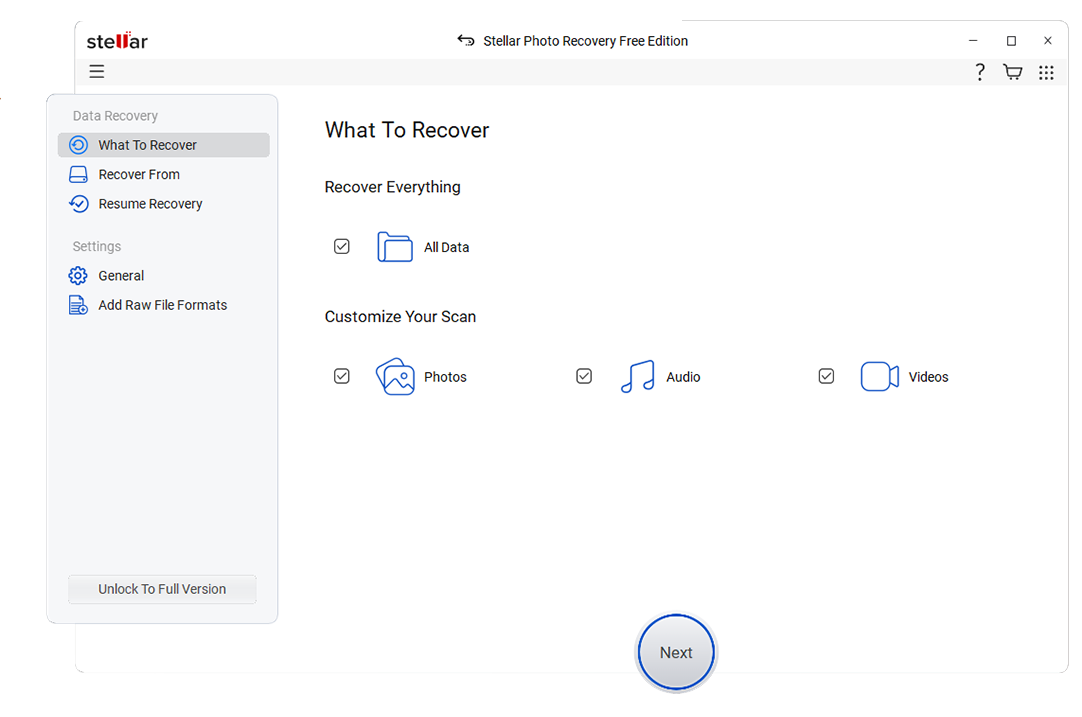
Stellar Data Recovery is built for everyone from home users to IT departments, with special editions for RAID arrays, virtual machines, and email servers. It is well-suited to professionals looking for powerful functionality in a more visual package than R-Studio.
5. MiniTool Power Data Recovery
MiniTool Power Data Recovery focuses on ease of use and affordability, making it a solid option for users who occasionally need to rescue files from PCs and removable drives. Its scenario-based modules help beginners choose the right scan path without worrying about low-level settings.
Side-by-Side Comparison Table of R-Studio Alternatives
| Software | File System Support | Price | Free Version | Ease of Use | Scan Speed | Recovery Success Rate | Key Features |
|---|---|---|---|---|---|---|---|
| R-Studio | Very broad: FAT/exFAT, NTFS, ReFS, HFS/HFS+, APFS, Ext, UFS, more | Mid to high, per-platform and technician licenses | Demo shows recoverable files but limited recovery | Advanced; steep learning curve | Medium; highly configurable but not focused on simplicity | High when configured correctly by experts | RAID reconstruction, network recovery, hex editor, forensic tools |
| Wondershare Recoverit | NTFS, FAT/exFAT, HFS+, APFS, Ext, and more common consumer file systems | Affordable consumer and business plans | Yes, with limited recoverable data size | Very easy; wizard-based with clear guidance | Fast quick scans; deep scans optimized for large drives | High for typical deletion, format, and crash scenarios | 1000+ file formats, advanced video recovery, video repair, bootable media |
| EaseUS Data Recovery Wizard | FAT/exFAT, NTFS, ReFS, Ext, and others on supported OSs | Subscription and perpetual licenses, mid-range | Yes, small data limit | Easy; ideal for non-technical users | Generally fast, slows on heavily damaged disks | High on mainstream desktop and external drives | Lost partition recovery, formatted disk recovery, bootable recovery |
| Disk Drill | FAT/exFAT, NTFS, HFS/HFS+, APFS, some Ext support | One-time license with optional upgrades | Yes, with limited recovery on some platforms | Easy; modern interface with guided options | Fast quick scans, medium deep scans | High for typical user scenarios | Recovery Vault, byte-level backups, S.M.A.R.T. monitoring |
| Stellar Data Recovery | FAT/exFAT, NTFS, HFS/APFS, Ext variants in some editions | Tiered; advanced RAID/server editions are premium-priced | Yes, limited data volume | Moderate; more visual than R-Studio but feature-dense | Medium; thorough but can be slower on large volumes | High, especially in professional editions | RAID recovery, virtual machine recovery, email and photo modules |
| MiniTool Power Data Recovery | FAT/exFAT, NTFS, HFS/HFS+, some Ext in certain builds | Budget-friendly, with lifetime options | Yes, small data cap | Easy; scenario-based interface | Fast on small and medium drives | Good for common accidental deletion and formatting | Scenario modules, lost partition recovery, bootable edition |
Conclusion
R-Studio remains a powerful option for data recovery professionals, especially in complex environments that demand granular control over RAID, networks, and low-level disk analysis. However, its complexity, cost, and learning curve put it out of reach for many everyday users.
If you prioritize a smooth experience, visual guidance, and strong performance on common recovery jobs, alternatives like Wondershare Recoverit, EaseUS Data Recovery Wizard, Disk Drill, Stellar Data Recovery, and MiniTool Power Data Recovery offer a better balance. Choose based on your technical comfort level, the devices and file systems you use most often, and whether you need specialized features such as advanced video recovery or RAID support.
FAQ
-
Is R-Studio still worth using for data recovery?
R-Studio is still a strong choice for experienced technicians and forensic analysts who need deep control over RAID reconstruction, network-based recovery, and multi-platform environments. For simpler home or small office cases, user-friendly r-studio alternatives such as Recoverit, EaseUS, or Disk Drill are generally faster to learn and reduce the chance of misconfigured scans. -
Which R-Studio alternative is easiest for beginners?
Recoverit and EaseUS Data Recovery Wizard are often recommended as the easiest options for beginners because they provide clear on-screen guidance, simple modes for common windows data recovery and mac data recovery tasks, and modern interfaces. Both tools help you select locations, run deep scans, and preview results without needing expert-level knowledge. -
Can R-Studio alternatives handle RAID recovery?
Some R-Studio competitors, such as Stellar Data Recovery in its advanced editions, include RAID recovery support and can rebuild common array types. However, if you frequently manage complex or highly customized RAID setups, R-Studio and dedicated enterprise tools may still provide more granular configuration and forensic options. -
Do I need to stop using my drive immediately after data loss?
Yes, you should stop using the affected drive as soon as you notice data loss, regardless of whether you plan to use R-Studio or another best data recovery software. Continued writes can overwrite deleted sectors and make recovery impossible; install your chosen tool on a different partition or device and then scan the original drive. -
Is there a truly free alternative to R-Studio?
Most popular file recovery tools offer free editions with limited recoverable data volumes or restricted features, which are useful for testing scan quality or performing small recoveries. For larger jobs or mission-critical work, you will typically need to upgrade to a paid license to unlock unlimited recovery and advanced capabilities.



