
 TL;DR:
If Recuva's basic Windows utility fails on large SSDs or corrupted partitions, switching to alternatives like Recoverit, Stellar, or R-Studio provides the cross-platform support and advanced repair capabilities required to safely restore critical data.
● Recoverit is best for high-success recovery of 4K/8K videos and broad Windows/macOS support, while EaseUS targets beginners needing a simple wizard for standard deletions.
● Stellar Data Recovery specifically handles RAW partitions and damaged media repair, whereas Disk Drill focuses on bundling recovery with preventative SMART monitoring and byte-level backups.
● R-Studio is engineered strictly for IT professionals managing RAID arrays and complex server reconstructions; across all tools, installation and file restoration must occur on a separate drive to prevent overwriting.
Ask AI for a summary
 ChatGPT
 Perplexity
 Gemini
 Claude
 Grok
Grok
Recuva alternatives have become increasingly important as more users deal with large SSDs, external drives, and complex data loss scenarios that go beyond simple undelete needs. While Recuva remains a convenient free option, it can struggle with corrupted partitions, multi-terabyte volumes, and newer file systems.
If recuva not working issues are stopping you from restoring crucial data, switching to a modern recuva alternative can significantly improve your odds of success. Below, you will find what Recuva does well, where it falls short, and five leading recuva alternatives that offer better recovery rates, cross-platform support, and smoother workflows for both home users and professionals.
Try Recoverit to Recover Lost Data
 Security Verified. 3,591,664 people have downloaded it.
In this article
What Is Recuva?
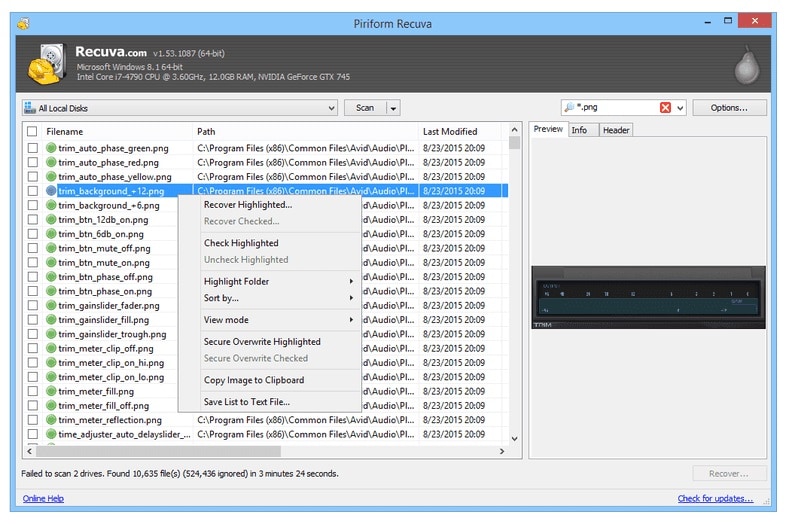
Recuva is a lightweight file recovery utility from Piriform, the makers of CCleaner. It is designed primarily for Windows users who need to restore recently deleted files from hard drives, USB sticks, memory cards, and other common storage devices. The tool focuses on simplicity: you can run a quick or deep scan, filter by file type, and preview certain files before recovery.
Key features include undeleting files from FAT and NTFS file systems, secure overwrite for permanently erasing sensitive items, and a basic wizard mode that guides beginners through the process. Typical use cases for Recuva include recovering accidentally deleted photos from an SD card, restoring documents removed from the Recycle Bin, or bringing back music and video files from a formatted or damaged volume, as long as the corruption is not too severe. For basic pc file recovery on Windows, it remains a handy starting point.
Why You Might Need Alternatives for Recuva?
There are several reasons why you might need a substitute for Recuva. Here are a few:
- 🧭 UI/UX and workflow efficiency: Recuva's interface is simple but dated, which can slow you down when scanning large disks or filtering thousands of results. It lacks modern conveniences like dynamic search, intuitive tagging, and automatic session saving, so you may need to repeat scans if something goes wrong. More polished best data recovery software options streamline the workflow and reduce the chance of user error during critical recoveries.
- 🧩 Feature limitations vs competitors: While Recuva handles basic undelete tasks, it does not match the breadth of features found in stronger recuva alternatives. Competitors often include dedicated video repair, email recovery, RAID handling, and support for more file systems beyond standard Windows volumes. If you are dealing with complex data recovery windows scenarios or non-Windows drives, these missing capabilities quickly become a bottleneck.
- 📉 Recovery success rate and stability gaps: Many users find Recuva effective for recently deleted files but less reliable on corrupted partitions, failing drives, or fragmented video files. Scan results can be inconsistent, and deep scans on large SSDs or multi-terabyte HDDs may miss data that other tools can still find. When your goal is to recover deleted files that are business-critical or irreplaceable, a higher and more consistent success rate is essential.
- 🛠 Lack of advanced safety and control tools: Recuva does not provide built-in disk imaging, sector-by-sector cloning, or granular deep-scan controls, which are crucial when working with unstable drives. Leading recuva alternatives often let you create a full image before scanning, minimizing wear on fragile media and preserving evidence for later attempts. Without these options, you may risk stressing a failing disk or losing opportunities for more advanced recovery.
- 💰 Pricing and value-for-money concerns: Although Recuva's free tier is attractive, its limitations become clear when you compare it with paid tools that offer cross-platform support, frequent updates, and professional technical assistance. For users whose income or important projects depend on successful recovery, investing in a more capable recuva alternative offers better long-term value than relying on a free tool that may not handle worst-case scenarios.
5 Best Recuva Alternatives
If you have hit the ceiling with Recuva, the following five tools stand out as more powerful and reliable choices for pc file recovery and complex data recovery windows scenarios.
1. Wondershare Recoverit
Recoverit is a full-featured data recovery solution built for consumers, creators, and small businesses that need dependable recovery from a wide range of data loss scenarios. It is best for users who want high recovery success rates and an intuitive interface on Windows and macOS, making it one of the strongest recuva alternatives for everyday and professional use.
Key Features Offered by Recoverit
- Advanced scanning engine that supports over 1000 file types across documents, photos, videos, emails, and archives, outperforming many entry-level recuva alternatives in difficult cases.
- Wide device and file-system compatibility, allowing data recovery windows, macOS, and external media like SD cards, USB drives, cameras, and action cams in one unified interface.
- Specialized video and stream recovery modes that can rebuild large, fragmented recordings such as gameplay captures, Twitch streams, and 4K/8K footage that simpler tools often miss.
Step-by-Step Guide on How To Recover Lost Data
1. Choose a Location to Recover Data
Install Recoverit on a drive that is different from the one where you lost data to avoid overwriting files. Launch the software, and from the main screen select the disk, partition, external device, or specific folder where you want to recover deleted files, such as an external HDD, SD card, or desktop folder.

2. Deep Scan the Location
Click the scan button to start an automatic search for lost data; Recoverit will perform a thorough pass that digs into file headers and raw sectors. You can monitor progress in real time, pause or resume the process, and filter results by file type or search keywords while the scan is running to quickly locate critical items.

3. Preview and Recover Your Desired Data
When the scan completes, browse the categorized results or use filters to narrow down to specific document, photo, or video formats relevant to your case. Preview files to verify integrity, then select the items you need and click Recover, saving them to a safe destination on a different drive or partition to prevent overwriting remaining lost data.

2. EaseUS Data Recovery Wizard
EaseUS Data Recovery Wizard is a popular recuva alternative targeting mainstream users who want to recover deleted files from PCs, external drives, and SD cards with minimal complexity. It is best for beginners seeking a straightforward, guided recovery process with a generous preview feature to validate results before paying.

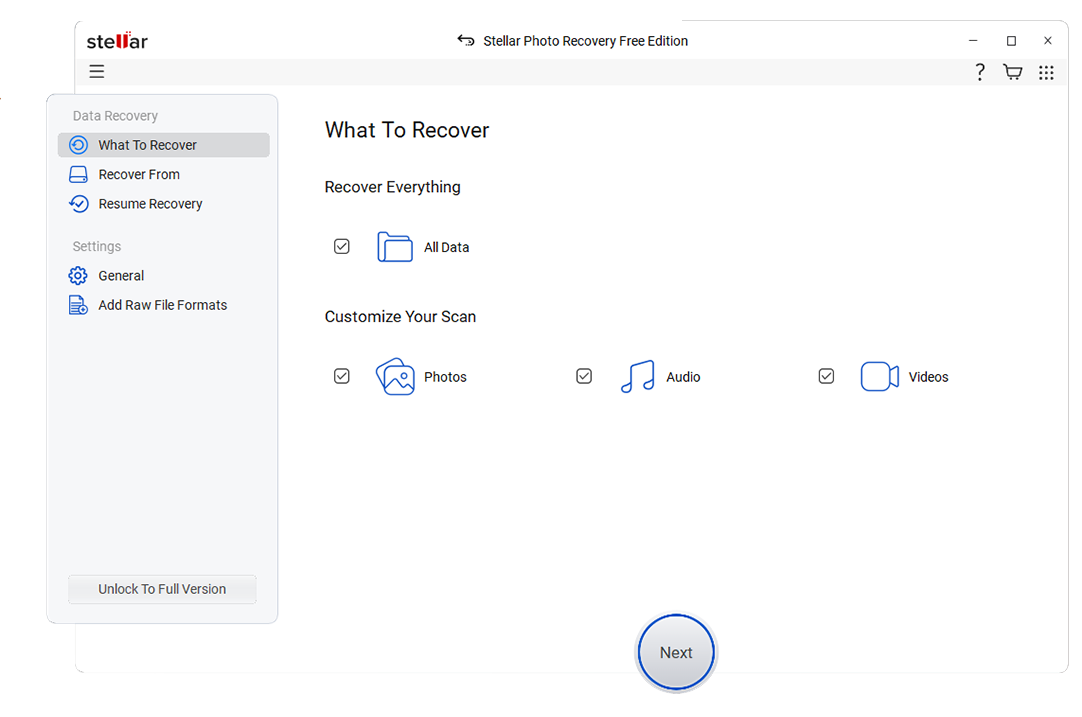
3. Stellar Data Recovery
Stellar Data Recovery focuses on complex recovery scenarios, including severely corrupted volumes and damaged multimedia files, making it a strong contender among recuva alternatives. It is best for users dealing with corrupted drives, RAW partitions, or broken photo and video files that simpler tools cannot repair.
4. Disk Drill
Disk Drill is a versatile recuva alternative that blends data recovery with ongoing disk maintenance. It is best for users who want both strong recovery and extra utilities such as drive backup, data protection, and SMART monitoring wrapped into one package.

5. R-Studio
R-Studio is a professional-grade data recovery suite built for technicians and IT departments. It is best for power users handling RAID recovery, servers, and heavily damaged disks where low-level control and detailed diagnostics matter more than a simplified wizard.
Side-by-Side Comparison Table of Recuva Alternatives
| Software | File System Support | Price | Free Version | Ease of Use | Scan Speed | Recovery Success Rate | Key Features |
|---|---|---|---|---|---|---|---|
| Recuva | FAT, FAT32, exFAT, NTFS | Free; low-cost Pro | Yes, with most features | Beginner-friendly but basic | Fast on small drives; slower on deep scans | Moderate, best for recently deleted files | Quick and deep scan, secure deletion, basic file preview |
| Wondershare Recoverit | NTFS, FAT, exFAT, HFS+, APFS, others via raw scan | Tiered paid plans | Yes, limited data recovery | Very easy, guided wizard with modern UI | Optimized; deep scans are thorough but efficient | High, especially for photos, videos, and documents | Video and stream recovery, crashed PC recovery, bootable media, wide device support |
| EaseUS Data Recovery Wizard | NTFS, FAT, exFAT, HFS+, ReFS (some editions) | Subscription and lifetime licenses | Yes, limited GB recovery | Very easy for beginners | Good quick scans; deep scans can be longer | High for common deletion and formatting cases | Partition recovery, lost volume detection, file-type filters, preview |
| Stellar Data Recovery | NTFS, FAT, exFAT, HFS+, APFS | Multiple paid editions | Yes, limited recovery capability | Intermediate; wizard plus advanced options | Moderate; can be slower on highly corrupted disks | High on corrupted and RAW partitions | RAW recovery, disk image creation, photo and video repair add-ons |
| Disk Drill | NTFS, FAT/FAT32, exFAT, HFS+, APFS, EXT variants | One-time and upgrade licenses | Yes, limited recovery per platform | Easy, with clear categorization and filters | Fast quick scans, efficient deep scans | High, especially when combined with backups and protection features | Data protection vault, byte-level backups, SMART monitoring, partition search |
| R-Studio | NTFS, ReFS, FAT, exFAT, HFS/HFS+, APFS, UFS, EXT, others | Professional-tier licenses | Demo, recovers small files | Advanced; best for experts | Highly tunable; can be very fast with custom settings | Very high in expert hands, even with severe damage | RAID reconstruction, network recovery, hex editor, scriptable scans |
Conclusion
Recuva remains a handy free tool for quick, simple file recovery, but it is no longer the best option when your data is truly at risk. For larger drives, corrupted partitions, or important work files, you are better served by a more robust solution.
Recoverit, EaseUS, Stellar, Disk Drill, and R-Studio each offer clear advantages over Recuva, from higher success rates and broader file system coverage to professional support and advanced repair features. Choosing one that fits your technical level and recovery scenario will greatly improve your chances of getting critical data back safely.
FAQ
-
Is Recuva still safe to use in 2026?
Yes, Recuva is generally safe to use on Windows for basic undelete tasks, as long as you download it from the official Piriform website. However, it is limited for complex data loss situations and is not evolving as actively as many paid recuva alternatives, so it may not be ideal for mission-critical recoveries. -
Which Recuva alternative has the best recovery success rate?
Among consumer-focused tools, Recoverit is often preferred for its high recovery success rate, especially with photos, videos, and documents. Its advanced scanning algorithms and dedicated video recovery modes make it more reliable than many entry-level best data recovery software options in difficult cases. -
Can I use Recuva alternatives on macOS?
Yes, several leading recuva alternatives offer macOS support. Tools like Recoverit, EaseUS Data Recovery Wizard, Stellar Data Recovery, and Disk Drill have Mac versions, whereas Recuva itself is limited to Windows, which makes those solutions better for cross-platform environments. -
Are paid Recuva alternatives worth the cost?
If the lost data includes important work projects, legal documents, or irreplaceable personal memories, paid tools usually justify their price. Compared with Recuva, they tend to deliver better recovery success rates, broader device and file system support, and timely technical assistance that can be crucial when every file matters. -
Will using data recovery software damage my drive?
Reputable tools, including the Recuva alternatives listed here, run read-only scans by default and therefore do not modify or damage your drive. The real risk comes from writing new data to the affected disk, which can overwrite lost files, so always install recovery software and save restored data to a different drive or partition.



